
|
To do:
|
Robocalypse is an RTS game for the Nintendo DS. It is the first game in the Robocalypse series.
Unused Graphics#
Animations#
All robot animations are found in "/graphics/units".
The name of each animation starts with the robots name and a number representing what action it is doing. (Ex. General_12)
Some animations are completely unused, while some robots have unused animations that other robots have used.
Animation 11


Basic units were gonna have a stunned pose, as seen with Soldier and Medic. Likely replaced by the Converter Cannon's transform ability.
Animation 13-16


Robots were gonna have directional idle animations at some point, as seen here with Sergeant Payne and Medic
Animation 17


Animation 17 is the Heroes Ability animation like 'Rampage'. The Demolisher and his clone never use this animation in normal gameplay. When hacked in to be playable, these animations are used when you use Demolishers unused 'Bomb place ability'.
Animation 19-21


Animation 19-21 is used on Demolisher for his "Transform your units into bombs" ability, but such animations also exist on Soldier. Development screenshots say these were originally gonna be some sort of grenades. One difference between these and Demolisher is Demolisher actually uses Animation 22 and 23 for his ForwardLeft and BackwardLeft sprites, while soldier does not.
Animation 40


Basic units originally had a detailed animation when transforming into bombs rather than quickly cutting to a different sprite. It's unknown why this goes unused as it seems finished.
Animation 42

Pyro had an proper Seige transform animation. Unknown why it went unused.
Objects#
Scraps2.NCER and Scraps3.NCER are alternate scrap piles. The one used in game looks different than these.


Barrel_Green.NCER is, as you may have guessed, a green barrel. The normal barrel does not look like this.

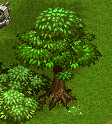
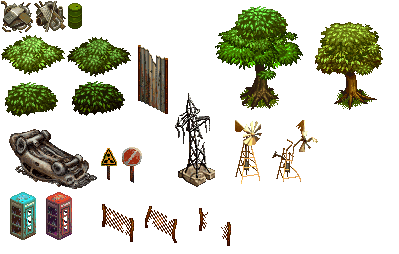
Several objects don't get used at all but rather are recycled into background tiles instead.
bush1.NCER |
bush2.NCER |
In-game |
|---|---|---|
 |
 |
 |
bush3.NCER |
bush4.NCER |
In-game |
|---|---|---|
 |
 |
 |
|
tree2.NCER |
In-game |
|---|---|

|
|
|
tree3.NCER |
In-game |
|---|---|

|

|
The rest of these objects probably go used or something...
The folder 'graphics/objects' contains many different Unused Level Object Sprites. The most notable were the early versions of Scraps and alternate Barrel designs. Lots of sprites are identical to tiles used in background tiles. The multiple wear on fences suggests these likely had some sort of gameplay purpose outside of being environmental. From this folder, Tree1 and Lamppost go decoratively used in game.
Dialog Sprites#
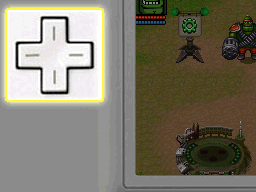
CM_01_BC_1.NCGR is an unused tutorial dialog background. Given the name it seems like it was to explain 'Campaign Mission 01's Basic Controls'
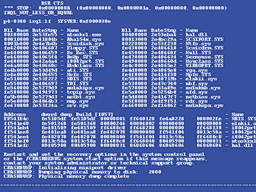
DefaultBG.NCGR is a background of a faux-blue screen of death.
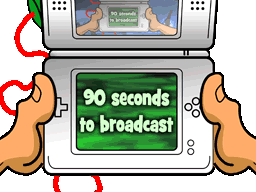
Messageboard.NCGR is an overlay sprite that shows Myron POV holding the Robo-Controller, with the text "90 seconds to broadcast". Given smaller details on the Robo controllers screen, this wouldve likely shown up in Hive levels. Both the Left and Right variants are identical.
(CM_01_...-.NCGR) There are multiple unused tutorial backgrounds for the first mission.
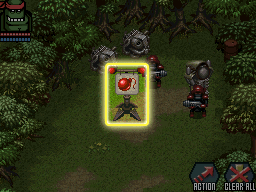
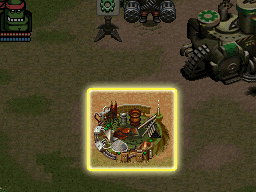
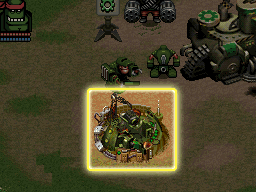
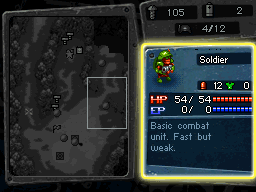
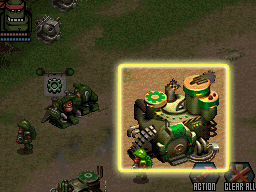
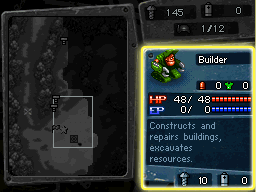
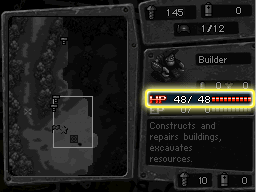
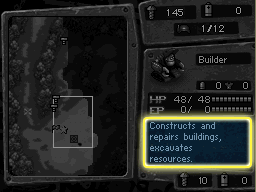
There are various other unused tutorial sprites, mainly Mission 2. Despite Mission 2 being referenced in the names of most of these backgrounds, the missions they were likely used in was not said mission.
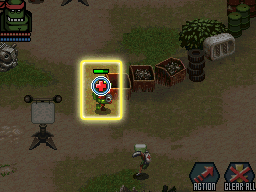
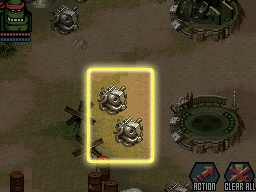
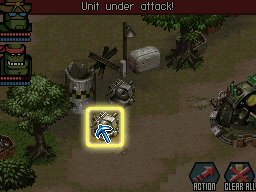
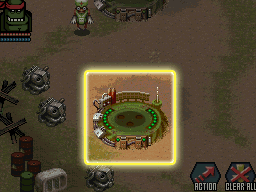
CM_02_09.NCGR shows a Resource Bank being built on Mission 2, which is normally impossible.
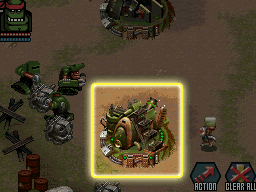
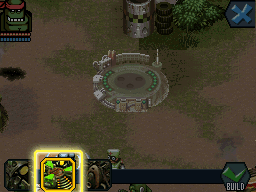
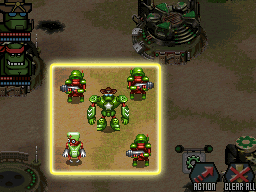
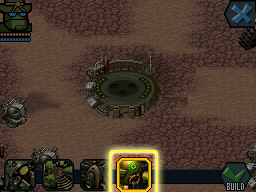
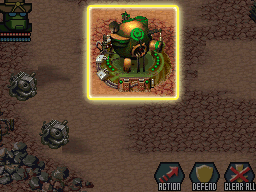
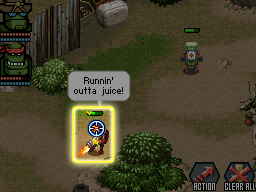
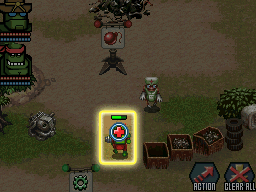
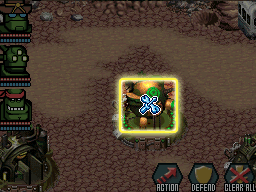
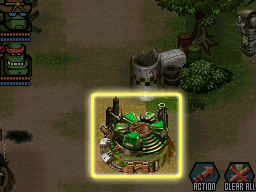
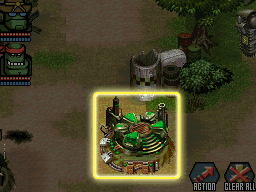
CM_02_25.NCGR is shockingly similar to one used in game. You may not notice it but the outline is slightly different.
|
Unused (CM_02_25) |
Used (CM_02_11) |
|---|---|
|
|
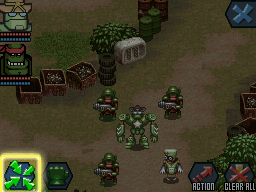
CM_02A_04.NCGR is unique because it shows an early iteration of the control points at the top of the screen.
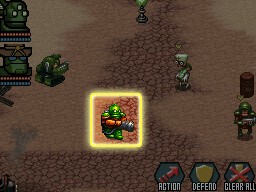
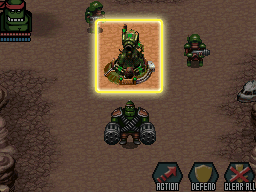
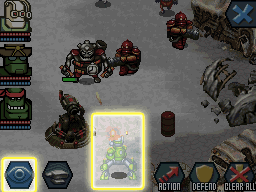
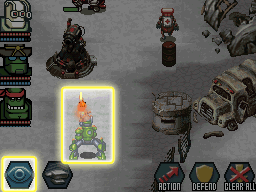
Balloon.NCGR has sections of the sprite that goes unused. The ones used in game are handled by different sprites, though looking similar.

UI Sprites#
Face_BRR.NANR and Icon_BRR.NANR show sprites of Demolisher being a selectable Hero in game and to build. These sprites also feature multi-color variants, unlike his in-game sprite.


TopScr_ResInfo.NSCR is a topscreen layout seemingly showcasing a resource along with its price. This would never be shown in game due to not being able to build resources.
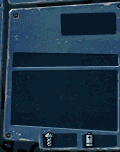
Digits16.NANR Animation 11 shows an unused slash. The one used in game is thinner.

Menu Sprites#
fmv_00.NCGR shows TV static on the cinematic menu. This could likely play when you have no cutscenes watched but that is impossible.
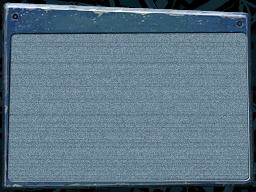
cinematics.NCGR reveals that the cinematic select menu has more going on beneath it.
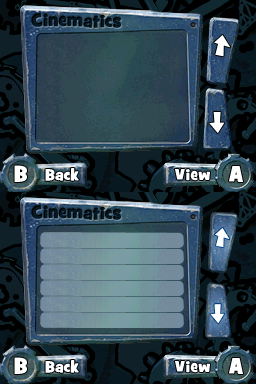
bg0.NCGR shows an unused Credits background. Likely unused because a developer set the initial credits background to 1.
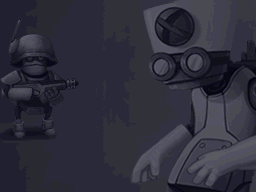
mission_1.NCGR shows Mission 1's intermission screen. The intermission screen isnt shown on Mission 1.
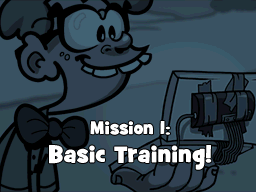
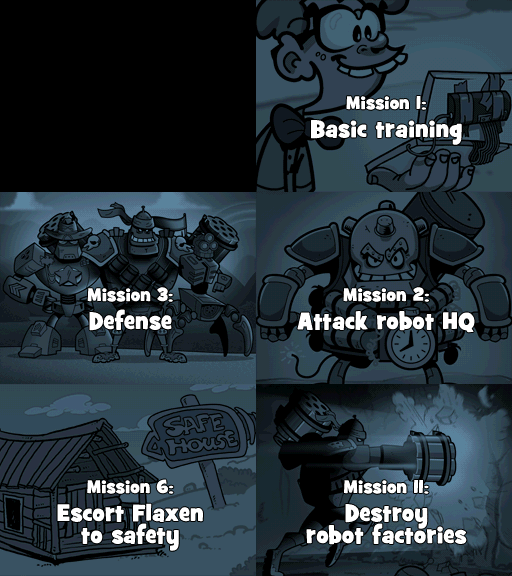
missionnames.NCGR shows early names for certain missions.
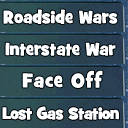
selectedmap.NCGR has unused bits of the sprite that shows off early map names.
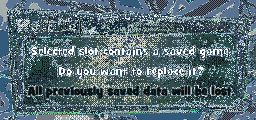
warning.NCGR shows an early save over file warning. Unfortunately the palette has not been found yet.
more.NCGR is found in the objective menus, likely suggesting that objectives mightve been so big it needed multiscreen realestate.

bg.NCGR shows the upgrade menu with zero heroes unlocked. Under normal gameplay this would be impossible to see.
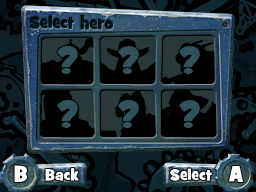
intermission_topscreen_variables.NCGR shows the unseen tiles in the Hero stats screen. You can see early tiles for health, energy and armor.

Kaboom Kaboom Menus#
Earlier in development, before the name 'Robocalypse' was decided, the game went under the working title of "Kaboom Kaboom". During this phase, the menu's had a more typical militaristic/Steampunk style before it was changed to the blue robotic style of the menu's we got. There are many leftover files left in the game from this stage of development.
Menus#
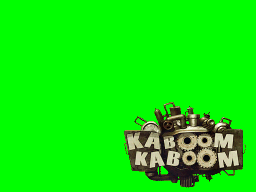
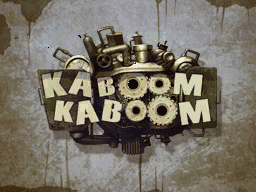
Kaboom Kaboom Logo as it would've appeared on the Title Screen.
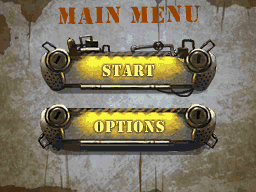
Earliest rendition of the Main Menu with highlighted button sprites. The options were only 'Start' and 'Options'
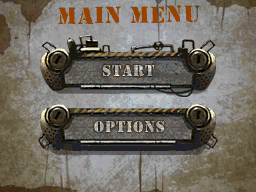




Second rendition of the Main Menu now with the added option for multiplayer. The buttons are now slightly smaller too.







Accept, Back, and Retry buttons used throughout the menus.


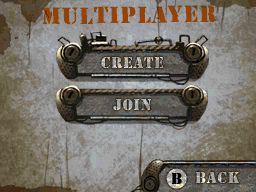
Early Multiplayer Menu.


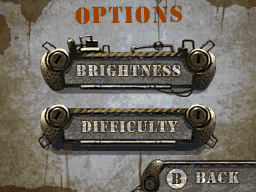
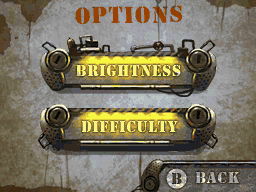
Early options menu.




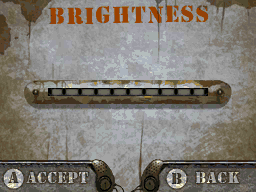
Early brightness menu.


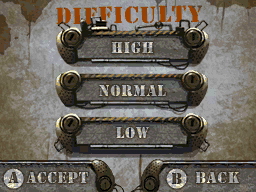
Early difficulty menu.


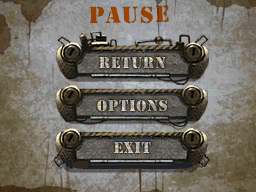
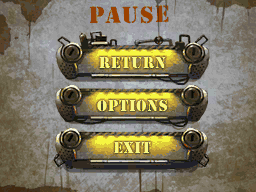
Early pause menu.


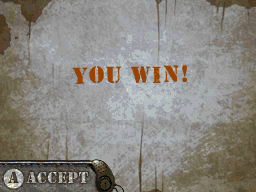
Early "You Win!" Top and Bottom Screens.
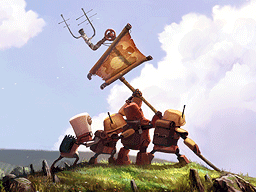
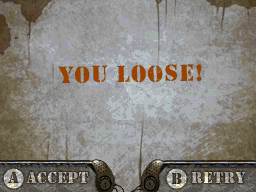
Early "You Loose!" Top and Bottom Screens.
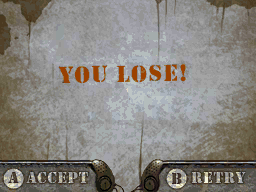
Early "You Lose!" Screen.
Early Black Screen. What, were you expecting something interesting?

Early Medals. Likely used for the Hall Of Fame.


Broken Sprites#
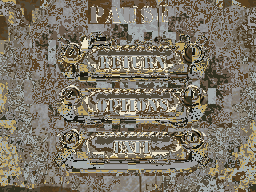
There are several tiles with no associated tilemaps, resulting in glitched sprites. A good chunk of these are alternate versions related to highlighting buttons on the menu. Whenever palette 5 is used the sprites seem to line up just fine.
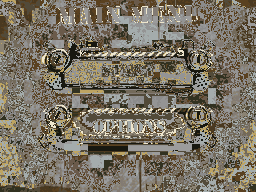
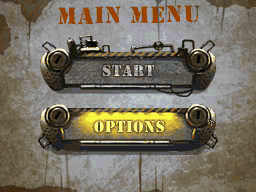
Colors.NCGR seemed to be an early test for the menu color palette. It an early main menu with Options button lit up. A couple of the colors are different than the normal unused Main Menu, particularly around the highlights.
Colors.NCGR |
Recreated Tilemap |
|---|---|
 |
 |
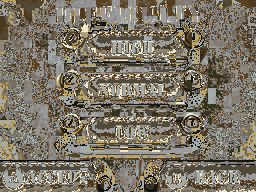
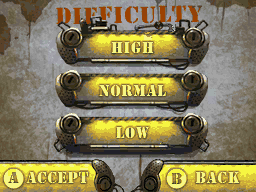
Diff.02.NCGR is the difficulty screen but with all the buttons lit up, including the Accept and Back buttons.
Diff.02.NCGR |
Recreated Tilemap |
|---|---|
 |
 |
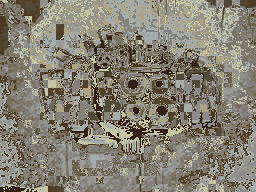
Intro.NCGR is an unused full screen picture of the Kaboom Kaboom logo. The name suggests maybe it would've played during the intro cinematic. There is no "best fit" substitute tilemap.
Intro.NCGR |
Recreated Tilemap |
|---|---|
 |
 |
Main_menu_Title.NCGR is a snippit of the word "Main Menu" on the main menu. This is redundant because the Main_Menu.NCGR uses its own sprite for the word.
Main_menu_Title.NCGR |
Recreated Tilemap |
|---|---|
 |
 |
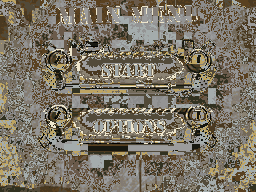
Main_Menu_02.NCGR another copy of the Main Menu this time with all the buttons lit up.
Main_Menu_02.NCGR |
Recreated Tilemap |
|---|---|
 |
 |
Multiplayer_TITL.NCGR is a copy of the word "Multiplayer" on the menu. Like Main_menu_Title.NCGR, its redundant because the actual menu uses its own sprite.
Multiplayer_TITL.NCGR |
Recreated Tilemap |
|---|---|
 |
 |
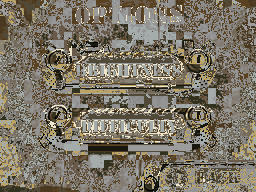
Options 02.NCGR is a copy of the Options menu but with all the buttons lit up. Unlike Diff.02.NCGR, the Back button is not lit up.
Options 02.NCGR |
Recreated Tilemap |
|---|---|
 |
 |
Pause 02.NCGR is a copy of the Pause menu with all the buttons lit up.
Pause 02.NCGR |
Recreated Tilemap |
|---|---|
 |
 |
Slider256.NCGR is a copy of the brightness slider with an alternate lit up version.

Associated with this Slider256 is other files.

A tilemap of the same resolution as the normal menus brightness meter.

A set of tiles looking exactly like the lit up brightness meter, with the wrong palette.

A glitched tilemap of the brightness meter.
The fact the sprite that works is the same name but all caps, and the general layout looks similar, it looks like it mightve been a glitch when someone tried exporting the sprites.
There is actually one Tilemap with no associated Tiles
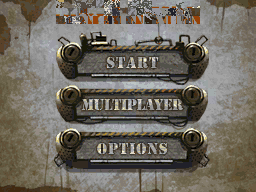
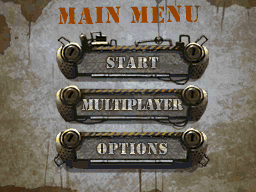
New_Main_Menu.NSCR seems to be an early version of the new main menu, but the text reading "Title Screen" got messed up.
The three rows where the text should be each use the wrong tile character values, using the default ones fixes it. Unsure what they were going for.
Similarly named, Main_Menu_new.NSCR uses the correct character values
New_Main_Menu.NSCR + Main_Menu_New.NSGR |
Fixed Tilemap |
|---|---|
 |
 |
Duplicate Files#
There are multiple unused files which are duplicates of other unused files
- colors.NCLR & Main_Menu.NCLR
Palette for the main menu
- Diff_01.NCGR & Difficulty.NCGR
Tiles for the Difficulty Screen
- Loose.NCGR & Loose_01.NCGR
Tiles for the 'Loose' Screen
- Slider256_Back.NCGR & Slider256.NCGR
Tiles for the Brightness Slider
- Lose01.NSCR and Lose.NSCR
Tilemaps for the 'Lose' Screen
- Lose01.NCGR and Lose.NCGR
Tiles for the 'Lose' Screen
- Main_Menu.NCGR and Main_Menu_01.NCGR
Tiles for the 2 Button Main Menu
- Options.NCGR and Options_01.NCGR and Optuins_BTN_01.NCGR
Tiles for the Options Menu
- Pause.NCGR and Pause_01.NCGR
Tiles for the Pause Menu
Heroes Menu#
This early rendition of the menu also has various menu and UI sprites located in a folder called "Heroes"
There are sprites to represent different stats of robots. Each with both a full and empty variant.
Health


Energy


Armor


Damage (The file refers to it as "weap")


XP Bar


There are also sprites showcasing incrementing variations of stats as well as disabled icons for them.
HP


EP


Default Weapon (taken from the filename)


Armor


There is also a Faces sprite. It shockingly just has one face in it. It also has 7 tilemaps associated with it (0-6) but it doesn't really matter due to them being identical.

Health, EP, and Default Weapon all have 6 tilemaps related to each variation of the sprite. Armor has 3 due to it not having tilemaps related to the disabled state. Each sprite uses 3 different tilemaps to represent each state, this is unnecessary because each set of 3 tilemaps are identical to each other.
Multiplayer Menu#
There are several early 'Kaboom Kaboom'-ified multiplayer menus
Various buttons used throughout the menus


There are other menu buttons whose tilemaps are broken and look like this

Here they are fixed


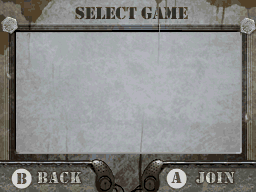
Early Join Game Menu
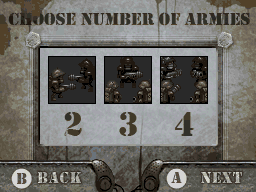
Early Army selection


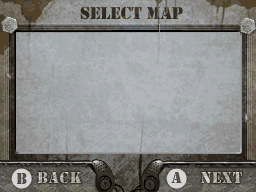
Early Map Selction
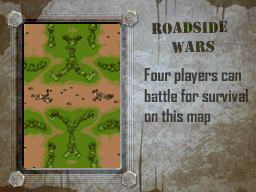
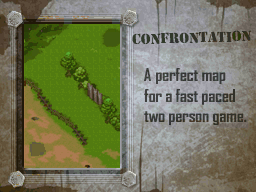


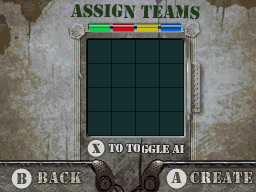
Early Teams Menu


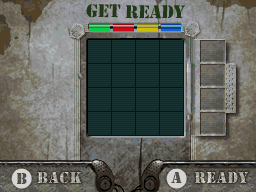
Early Lobby Menu


Various Wifi Sprites
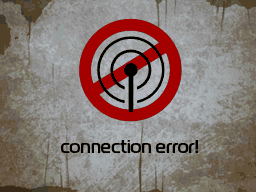
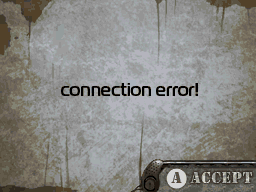
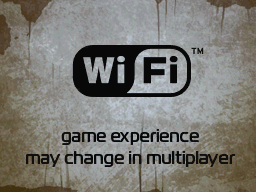


A hint screen to help understand menus
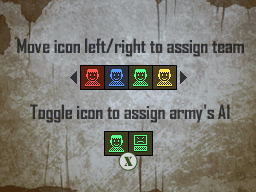
SinglePlayer Menu#
There are early singleplayer campaign sprites leftover as well in a folder called 'single'
Here is the menu background without anything layered over it
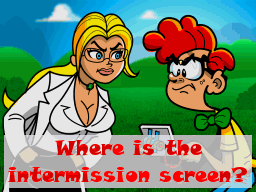
Early placeholder sprite for when there was no intermission screen.
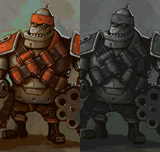
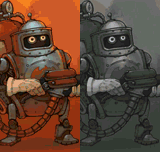
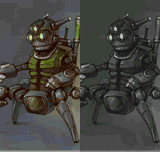
Huge Hero portraits with greyed out variants. The filename calls them Hero1, Hero2, and Hero3.
Early status marks for the Objectives menu.

Various buttons of varying sizes


These sets of sprites use about 5 different sets of tiles to reference from, this is redundant because the sets are all the same.
Unused Text#
In the file triggers.bin for EVERY SINGLE LEVEL in the game, there containts an unused string of dialog parodying the second cutscene. It talks about not having intelligent designers or DevKit's and proposes a fix to that using outsourcing design. Even levels that do not contain any sort of mid-level dialog or special mission objective contains this string of dialog for some reason.
INVALID DIALOG!!!
This is your fault, Pencilneck!
/graphics/dialogs/DefaultBG
But...
Never mind that! What are we going to do about it?!
It's hopeless. We can't fix them without intelligent designers of our OWN...and we don't have enough DevKit's!!
Or do we...
I may have a way!
How? HOW?!
Using outsourcing design!!
Unused Area#

|
This page or section needs more images. |
M1 is the single unused mission in the game. It was one of the earliest levels in development as seen in development screenshots.
Its designed almost as a normal level but certain objects are too close together or simply overlapping.
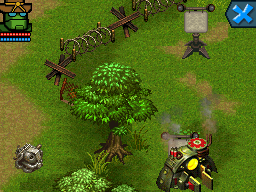
Sergeant Payne is your starting Hero while in the normal game its usually Joe Commando. The level appears to teach you how to use Payne because it starts you off with two Soldiers and a Medic (as well as one Builder).
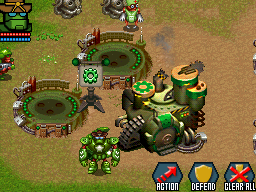
This level has random enemy Soldiers strewn about defending specific points as well as a couple enemy Robot and Hero Factories.
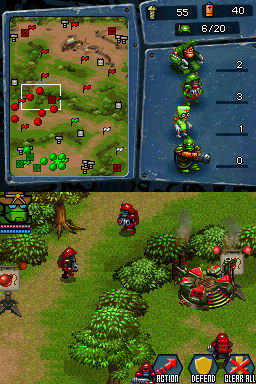
The level has no objectives, no dialogue, no special attributes and destroying the enemy HQ will not end the level.
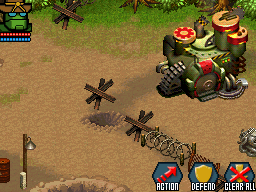
The level also comes with two unique files called miniframe.nanr and objects.bin. Both of which seem to serve no purpose.
Unused Hero#
|
|
This page or section needs more images. |
Despite not appearing as a usable Hero in gameplay, The Demolisher can still be built with a Hero Factory. He costs 300 Scraps and 150 Batteries, and takes about a minute to produce. He's the only bot to not feature a multicolor pallette, because he only samples from the Reds and Greys of the base hero pallettes. He also has a UI HUD picture for easy selection. You command him the same way you would any other Hero Robot. His "Turn the enemy into a bomb" move will happen automatically or by pressing the 'Rampage' icon. He has an unused ability to place down a Jack In The Box which which acts as a quick low cost explosion. Other than that hes functionally how you would expect.
Unused Sounds#
SND_BRR_DEATH.STRM Is a death sound for Demolisher.
SND_SCT_FAKEFLAG.STRM is a voice line for Spyder Scout that would play when he uses his Fake Action Flag ability.
SND_BDR_BUILD_2.STRM is an unused building sound for the builder, likely pairing with the circular saw animation.
SND_BLD_CONSTRUCTION.STRM is a building sound effect likely for when a building is finished contstructing.
Sequence Files#
Multiple music "sequences" are leftover. Though some sound like nonsense, they do all get remade in Mobile Mayhem, with proper names.
SEQ_004 plays a small trumpet stinger. Its remake name is "StingLev2_01.caf" in Mobile Mayhem
SEQ_005 plays a short "Shock" stinger. Its remake name is "StingLev1_02.caf" in Mobile Mayhem. The remade track actually goes used in the sequel Beaver Defense.
SEQ_011 plays a short suspense stinger. Its remake name is "Stinger_L4p.caf" in Mobile Mayhem. The ending flag is placed extremely late.
SEQ_012 plays a short negative stinger. Its remake name is "Stinger_L4a.caf" in Mobile Mayhem. The ending flag is placed extremely late.