


Graphiques Inutilisés#
Bien que ces graphismes ne soient pas utilisés par les développeurs actuels de Roblox, tout le monde peut les utiliser dans leurs jeux. Lorsque le jeu a reçu une énorme restauration d'interface utilisateur, de nombreux graphiques antérieurs à la restauration de l'interface utilisateur sont restés dans les fichiers du jeu.
Icône Tix Inutilisée#
Bien que peu important, le jeu avait auparavant une autre devise appelée Tix, qui existe depuis 2007. La devise a été supprimée en 2016, laissant cette texture inutilisée.

RobuxIcon.png#
An earlier version of the Robux currency icon, which was replaced in 2019. Since then this texture has never been used.

clb_robux_20.png#
Appears to be an early redesign for what would replace the older icon (seen above) for the Robux currency.

icon_premium-16.png#

It seems like the player list icon for Roblox Premium (the membership that replaced Builders Club) was originally going to be a diamond, but it was replaced with a P.
VRChatBackground.png#
This image is a gray square with rounded corners. It can be assumed that this is a 9-square image, which is used in Roblox development to give objects rounded corners, as up until recently, the GUI engine did not natively support rounded corners. The image was probably going to give the chat box rounded corners when the user is in VR, however, this wasn't used and the chat box is the same as the desktop and mobile chat box, with square corners.

robloxlogo.png#
The old Roblox logo (before its simplicity design in 2015) was included in the game files, which was used in a loading screen for about a week during 2014 this replaced the simple loading status text in the middle of the screen. Videos around the time have this loading screen, for example, this one. This was replaced with a much simpler loading screen, which only included the game's name and its creator.

LoadingSpinner.png#

As mentioned above, from 2014 to July 24, 2017, this spinner was the status indicator that appeared on the loading screen, it had "Loading..." written in the middle of it. It eventually became unused and a spinning Roblox logo took its place.
mic_icon.png#
An icon for a microphone exists in the game's files. Roblox uses a different microphone icon for Voice Chat.

Developer Credits#
In several game scripts, developer credits are present.

|
To do: |
CoreScripts\LoadingScript.lua#
-- Creates the generic "ROBLOX" loading screen on startup
-- Written by ArceusInator & Ben Tkacheff, 2014CoreScripts\ServerStarterScript.lua#
--[[
        // Filename: ServerStarterScript.lua
        // Version: 1.0
        // Description: Server core script that handles core script server side logic.
]]--CoreScripts\StarterScript.lua#
-- Creates all neccessary scripts for the gui on initial load, everything except build tools
-- Created by Ben T. 10/29/10
-- Please note that these are loaded in a specific order to diminish errors/perceived load time by userCoreScripts\CoreScripts\BlockPlayerPromp.lua#
--[[
    // Filename: BlockPlayerPrompt.lua
    // Version 1.0
    // Written by: TheGamer101
    // Description: Handles prompting the blocking and unblocking of Players.
]]--CoreScripts\CoreScripts\ContextActionTouch.lua#
-- ContextActionTouch.lua
-- Copyright ROBLOX 2014, created by Ben Tkacheff
-- this script controls ui and firing of lua functions that are bound in ContextActionService for touch inputs
-- Essentially a user can bind a lua function to a key code, input type (mousebutton1 etc.) and thisCoreScripts\CoreScripts\FriendPlayerPrompt.lua#
--[[
    // Filename: FriendPlayerPrompt.lua
    // Version 1.0
    // Written by: TheGamer101
    // Description: Can prompt a user to send a friend request or unfriend a player.
]]--
CoreScripts\CoreScripts\GamepadMenu.lua & GamepadMenuOld.lua#
--[[
        Filename: GamepadMenu.lua
        Written by: jeditkacheff
        Version 1.1
        Description: Controls the radial menu that appears when pressing menu button on gamepad
--]]

--NOTICE: This file has been branched! If you're implementing changes in this file, please consider also implementing them in the other
--version.CoreScripts\CoreScripts\HealthScript.lua#
--[[
    This script controls the gui the player sees in regards to his or her health.
    Can be turned with Game.StarterGui:SetCoreGuiEnabled(Enum.CoreGuiType.Health,false)
    Copyright ROBLOX 2014. Written by Ben Tkacheff.
--]]CoreScripts\CoreScripts\NotificationScript2.lua#
--[[
        Filename: NotificationScript2.lua
        Version 1.1
        Written by: jmargh
        Description: Handles notification gui for the following in game ROBLOX events
            Badge Awarded
            Player Points Awarded
            Friend Request Recieved/New Friend
            Graphics Quality Changed
            Teleports
            CreatePlaceInPlayerInventoryAsync
--]]CoreScripts\CoreScripts\PerformanceStatsManagerScript.lua#
--[[
        Filename: PerformanceStatsManagerScript.lua
        Written by: dbanks
        Description: Handles performance stats gui.
--]]CoreScripts\CoreScripts\PurchasePromptScript2.lua#
--[[
        // Filename: PurchasePromptScript2.lua
        // Version 1.0
        // Release 186
        // Written by: jeditkacheff/jmargh
        // Description: Handles in game purchases
]]--CoreScripts\CoreScripts\Topbar.lua#
--[[
    // FileName: Topbar.lua
    // Written by: SolarCrane
    // Description: Code for lua side Top Menu items in ROBLOX.
]]CoreScripts\CoreScripts\VehicleHud.lua#
--[[
        // Filename: VehicleHud.lua
        // Version 1.0
        // Written by: jmargh
        // Description: Implementation of the VehicleSeat HUD

        // TODO:
            Once this is live and stable, move to PlayerScripts as module
]]PlayerScripts\StarterCharacterScripts\Sound.server.lua#
--[[
    Author: @spotco
    This script creates sounds which are placed under the character head.
    These sounds are used by the "LocalSound" script.

    To modify this script, copy it to your "StarterPlayer/StarterCharacterScripts" folder keeping the same script name ("Sound").
    The default Sound script loaded for every character will then be replaced with your copy of the script.
]]--PlayerScripts\StarterCharacterScripts\Sound\LocalSound.client.lua#
--[[

    Author: @spotco

    This script runs locally for the player of the given humanoid.

    This script triggers humanoid sound play/pause actions locally.


    The Playing/TimePosition properties of Sound objects bypass FilteringEnabled, so this triggers the sound

    immediately for the player and is replicated to all other players.


    This script is optimized to reduce network traffic through minimizing the amount of property replication.

]]--PlayerScripts\StarterPlayerScripts\ControlScript.lua#
--[[
    // FileName: ControlScript.lua
    // Version 1.1
    // Written by: jmargh and jeditkacheff
    // Description: Manages in game controls for both touch and keyboard/mouse devices.

    // This script will be inserted into PlayerScripts under each player by default. If you want to
    // create your own custom controls or modify these controls, you must place a script with this
    // name, ControlScript, under StarterPlayer -> PlayerScripts.

    // Required Modules:
        ClickToMove
        DPad
        KeyboardMovement
        Thumbpad
        Thumbstick
        TouchJump
        MasterControl
        VehicleController
--]]PlayerScripts\StarterPlayerScripts\ControlScript\MasterControl.lua#
--[[
    // FileName: MasterControl
    // Version 1.0
    // Written by: jeditkacheff
    // Description: All character control scripts go thru this script, this script makes sure all actions are performed
--]]
Debug Information#
The game has couple of debugging tools built in which can be enabled and disabled on command.
Key Combination |
Result |
Screenshot |
|---|---|---|
Shift+F1-Shift+F7 (Ctrl+F1-Ctrl+F7 on older versions) |
Shows various things about the game like the physics engine. Can't be interacted with. F1 shows general information. F2 shows graphics information. F3 shows network information. F4 shows performance information. F5 shows a cutdown version of F4. F6 shows a modified microprofiler that is configured to work with Roblox. F7 shows the 'Performance Stats' (also can be enabled in the game's options). The information that these pages shows differs based on platform. |
|
F9 or typing /console into chat |
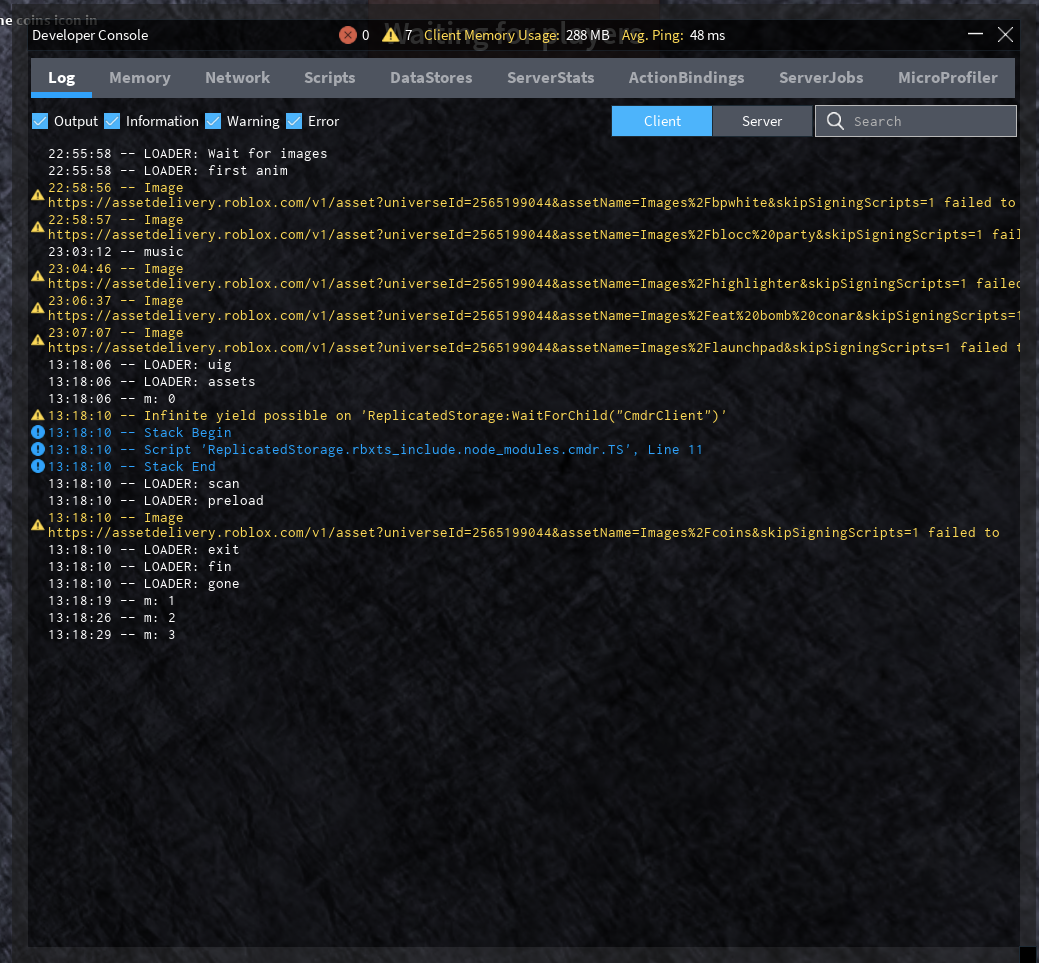
Shows the game's Lua script logs, to determine what is going on in the background. Intended for game developers to debug their games online. Log shows the log of the client, which shows script errors and debug logs produced by the individual game scripts. Game developers also see the 'Server' tab, which allows them to see the output of the server console, and run Lua code on the game server as it is running. Memory allows developers to see what individual features (such as textures, physics) and game scripts are using the most memory. Game developers also see the 'server' tab which allows developers to see the same information on the server. Network (game owners only) allows developers to see what HTTP requests the client & server are making to external servers. Scripts (game owners only) allows developers to see how much time (a.k.a CPU %) each server script is using. DataStores (game owners only) allows developers to see the amount of DataStore calls made for each method. ServerStats (game owners only)) allows developers too see the average ping and data throughput for the server. ActionBindings (game owners only) allows the developers to see what keybindings created using the ContextActionService ServerJobs (game owners only) is similar to ServerStats how it is more focused on internal Roblox functions. MicroProfiler (game server only) allows developers to enable MicroProfiler on the client, and also record a ServerProfile which is a flame chart, which is stored as a HTML file on the clients computer |
 |
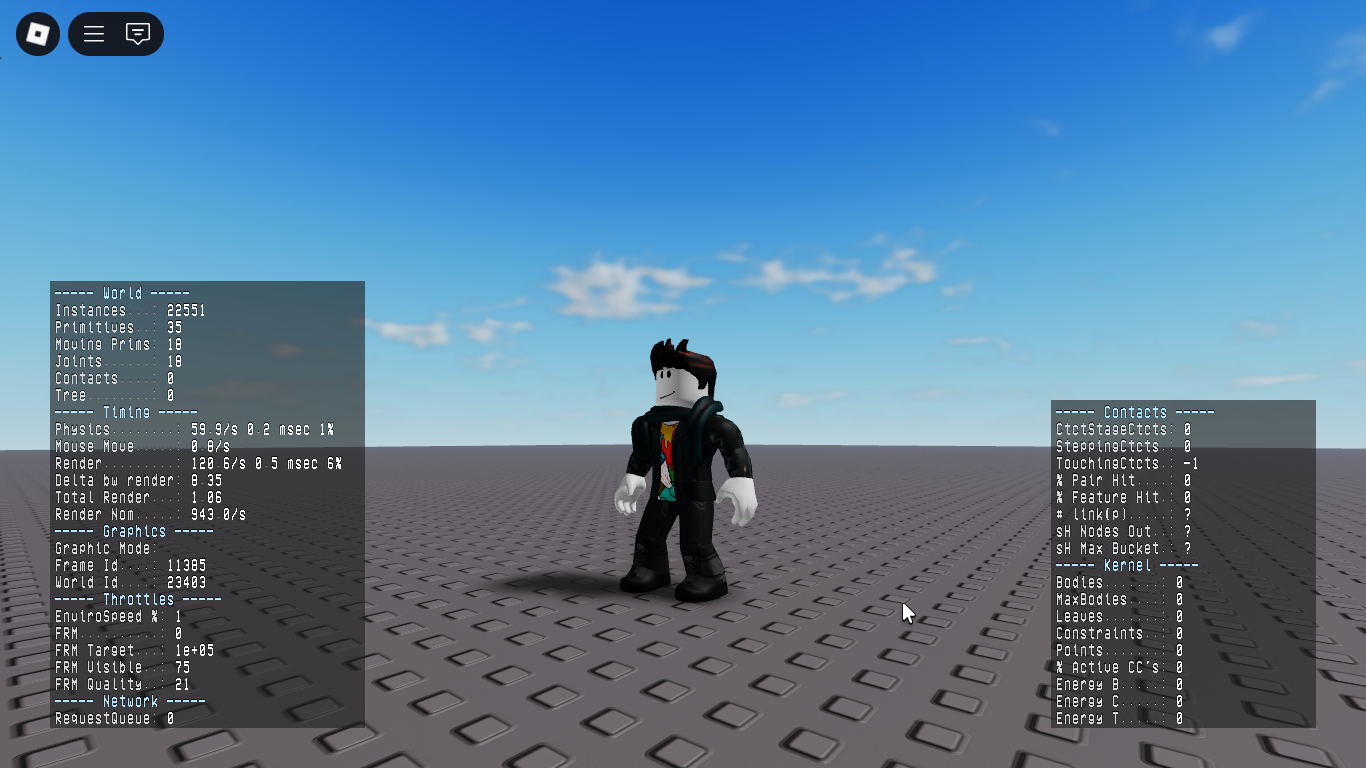
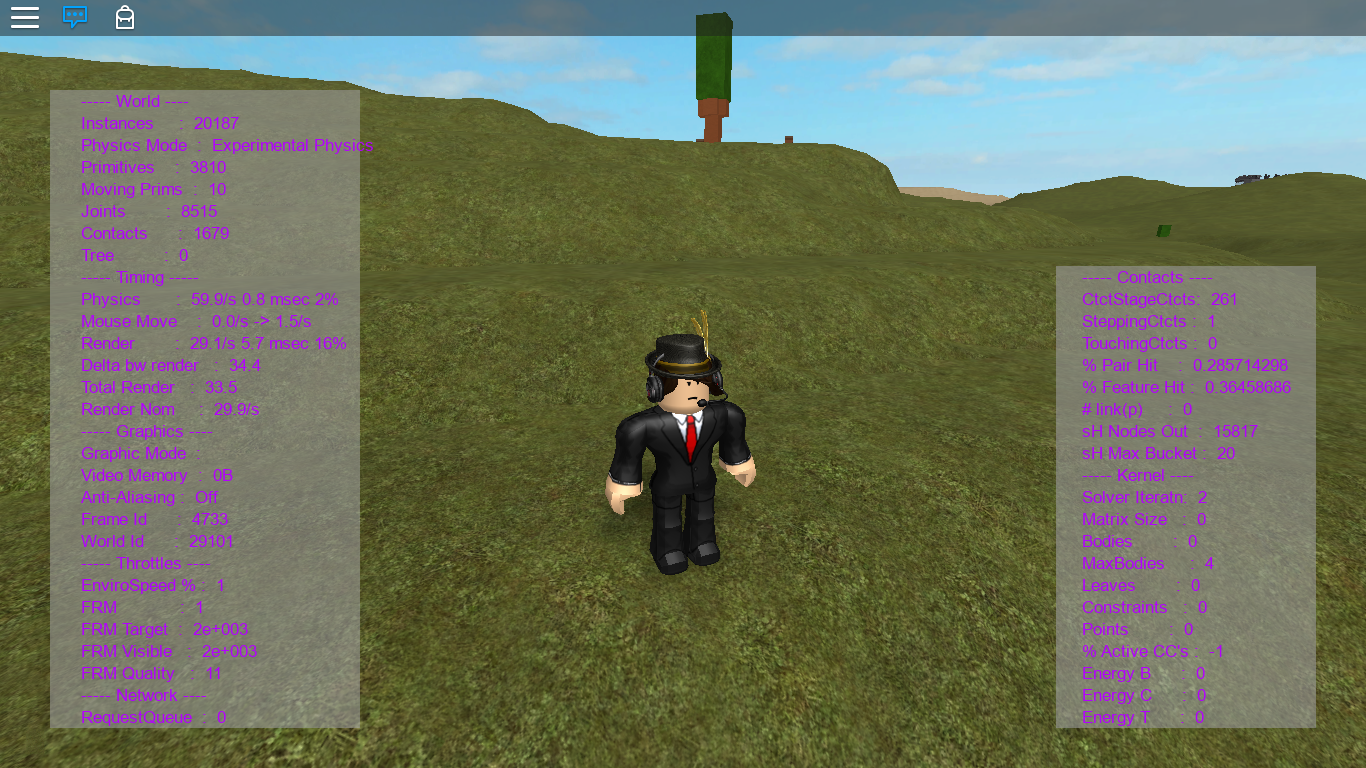
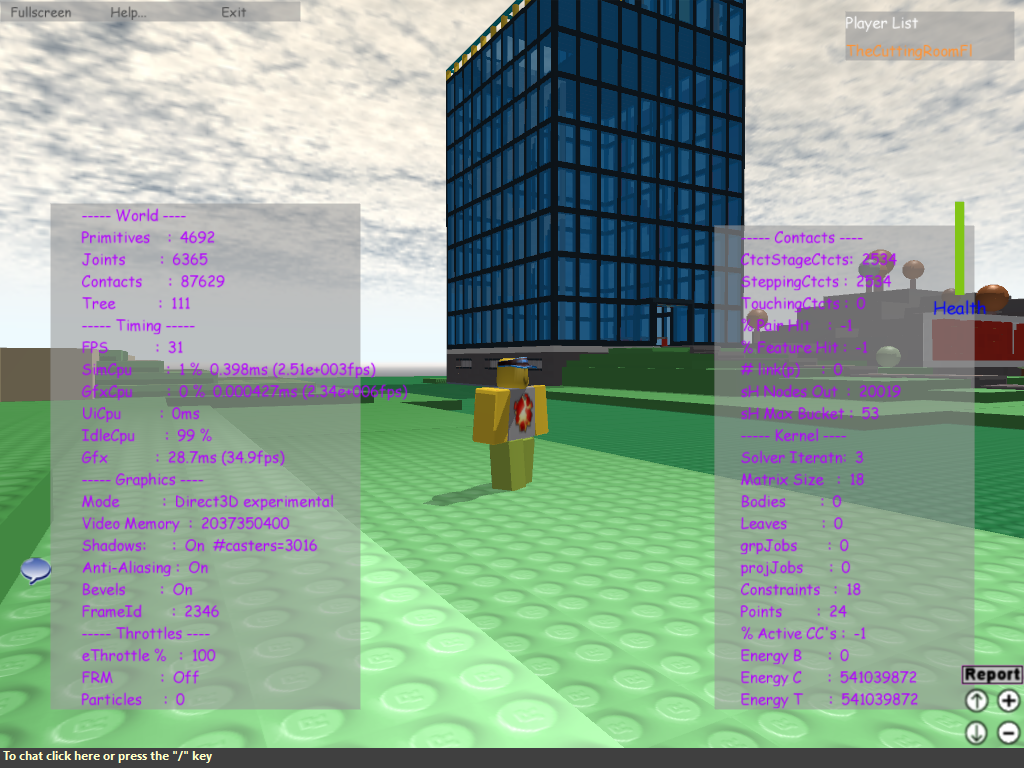


The F1-F7 debug menus were the only remnants of Roblox's legacy hard-coded GUI system, from the ages prior to late 2009. These were changed in 2018 to use a different GUI system, that serves the same purpose.
Almost all of the old built-in UI elements have been removed from the engine, in favor of using the publicly accessible, Lua player GUIs.