This is a sub-page of PlayStation 2.
Red Error Screen#
|
SCPH-1xxxx consoles |
SCPH-3xxxx consoles and newer |
|---|---|
|
|
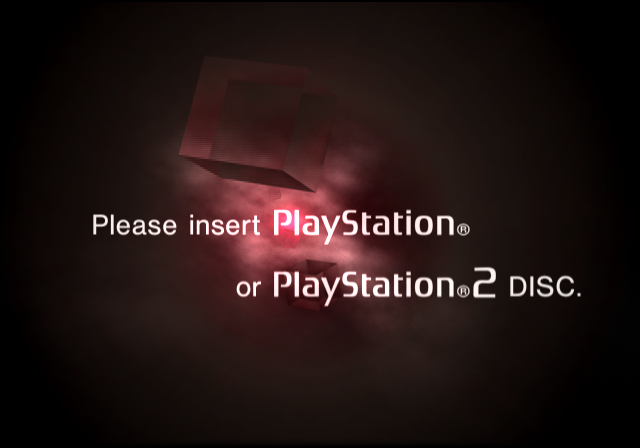
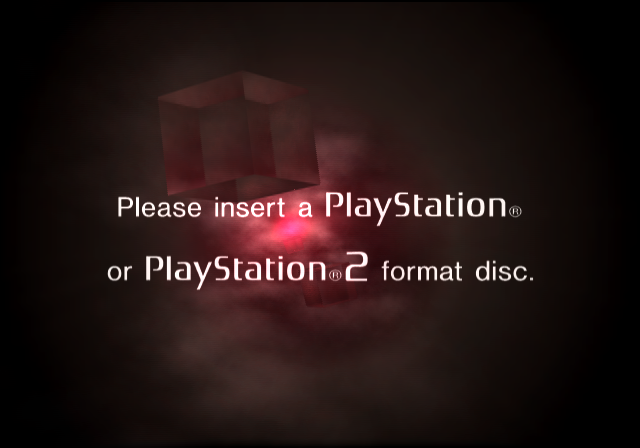
SCPH-1xxxx consoles use an older version of the infamous red error (BootIllegal) screen when the language is set to English. (Japanese was not changed.) The text is centered differently between the two versions and the wording of the error is updated to make more grammatical sense starting with the 3xxxx consoles. The word "disc" is also not capitalized on this screen starting on the 3xxxx consoles (but it still is on the browser screen). The earlier Japanese models (with BIOS versions 01.00J through 01.10J) do not leave the red error screen when the Eject button is pressed, but rather the only way to leave this screen is by pressing the Reset button.
|
SCPH-xxx005-8 consoles |
SCPH-50009 |
|---|---|
|
|
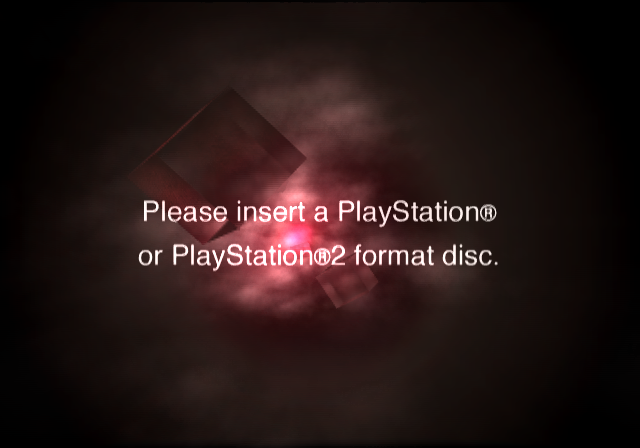
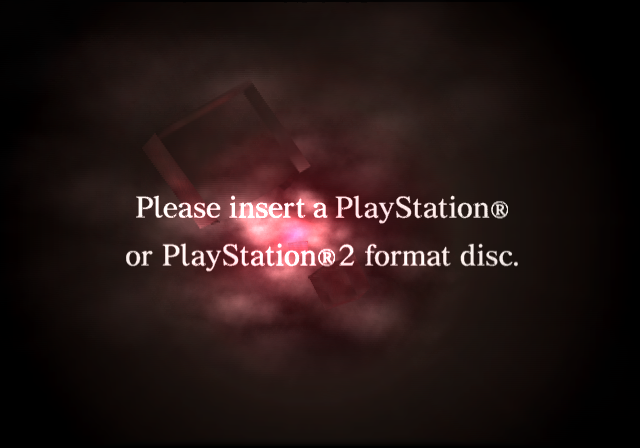
On SCPH-xx005/06/07/08 consoles (Korean, Traditional Chinese and Russian; see below), the "PlayStation" and "PlayStation 2" texts are written in the same Helvetica font as the rest of the message rather than as their respective logos; the same applies to the SCPH-50009 (Simplified Chinese) where the whole message, again including the names of the consoles, is written in a Times New Roman-like serif font. This applies to all languages that said consoles respectively contain.
Time Notation/Format#
SCPH-30001 (v01.10) |
SCPH-35001 (v01.20) Onward |
|---|---|
 |
 |
 |
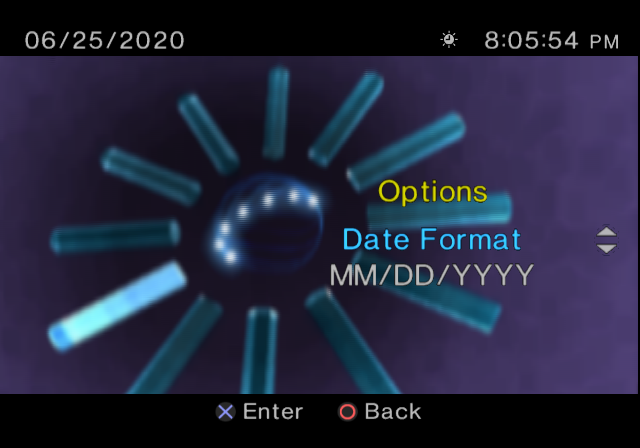 |
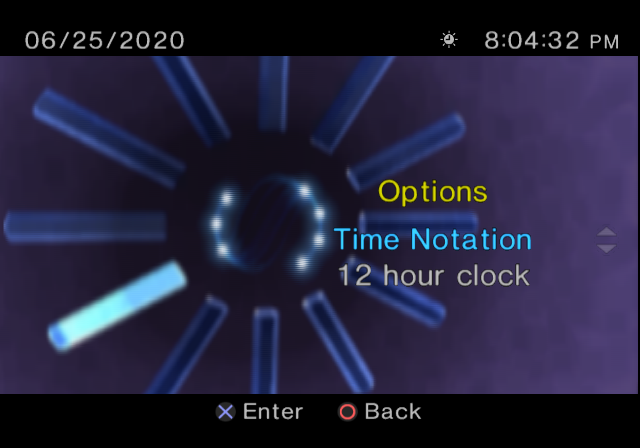
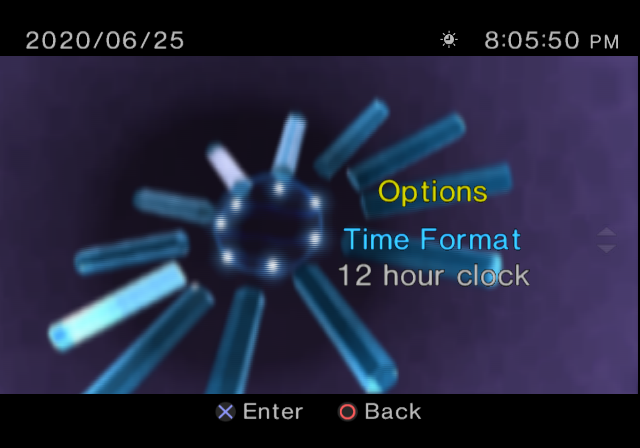
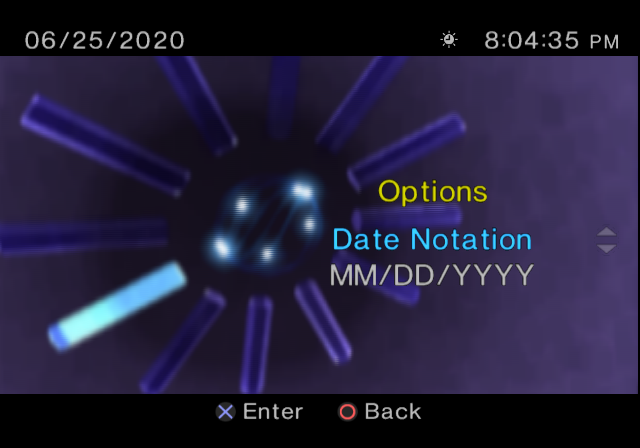
In PlayStation 2 models with BIOS version 01.10, "Time Notation" and "Date Notation" are used to identify the options for time and date formats respectively. In all later BIOS revisions, every instance of the word "Notation" was replaced with the word "Format".
Leaving Time Options Menu Sound#
In BIOS versions 01.60 and earlier, the Confirm sound can be heard when backing out of the Time Options menu. This is corrected in BIOS versions 01.70 and later, where the Cancel sound is heard when backing out of the Time Options menu.
Blurred Cubes on Display#
Through SCPH-39001 (v01.60) |
SCPH-50001 (v01.70) Onward |
|---|---|
 |
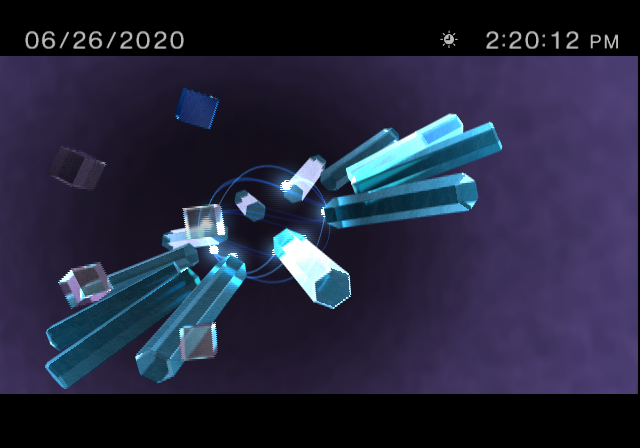 |
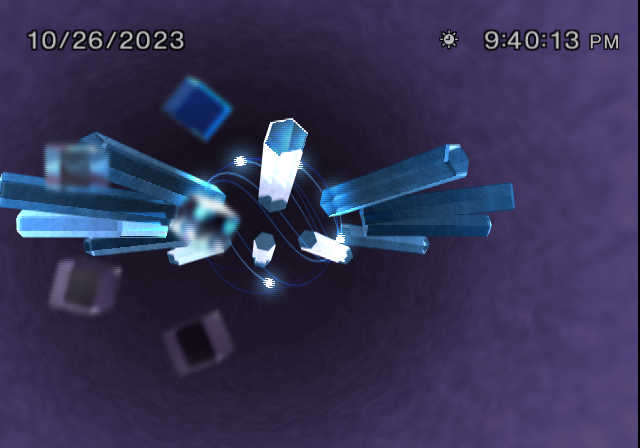
One very minor change between the BIOS versions on the PlayStation 2 models SCPH-39001 (and earlier) and SCPH-50001 (and later) is the way the cubes on the System Configuration menu behave when the Square button is pressed. On earlier revisions, upon pressing the Square button on the System Configuration menu, the cubes on the left part of the screen become blurry, as the entire background deblurs, before they shrink. Pressing the Square button again restores the cubes and then deblurs them as the background becomes blurry. Oddly, in later BIOS revisions, the cubes do not become blurry at all when they shrink or before fully returning to normal. Additionally, only the seven orbs, along with the twelve prisms surrounding them, deblur when the Square button is pressed to hide the squares, then they become blurry again when the cubes are restored. Nonetheless, this interesting change most likely has something to do with every model with the IR sensor built in allowing the player to toggle whether or not the PlayStation 2 Remote Control should control the game that is being played.
Time Zone Listing#
Through BIOS v01.70 |
BIOS v01.90 Onward |
|---|---|
 |
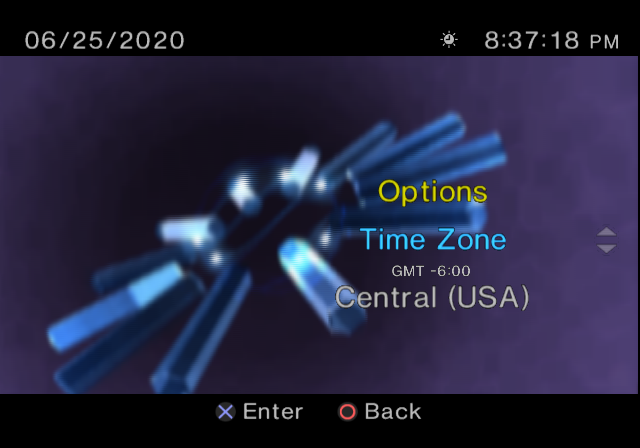 |
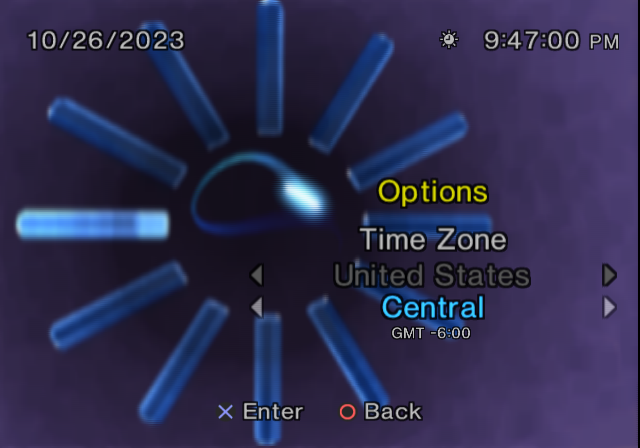
The time zones are listed differently between PlayStation 2 models with BIOS versions 01.70 (and earlier) and 01.90 (and later). On models with the earlier BIOS revisions, the regions are on the main list. Regions with multiple time zones list the time zones underneath. Everything on these models is sorted alphabetically. As for the models with the later BIOS revisions, all time zones are on a single list. The time zones are sorted by their GMT value, then time zones with the same GMT value are sorted alphabetically. Interestingly, this change was made between two versions of the PlayStation 2 model SCPH-500xx, so whichever way the time zones are organized will determine the revision of this specific PlayStation 2 model.
System Configuration and Browser Text#

|
To do:
|
Early PS2 models (v01.90 and earlier) |
Slim PS2 models (v02.00 and later) |
Bravia KDL-22PX300 (v2.50) |
HDDOSD (v2.00) |
|---|---|---|---|
 |
 |
||
 |
 |
|
 |
 |
 |
 |
 |
 |
 |
|
|
 |
 |
|
 |
 |
 |
|
|
 |
 |
|
|
 |
 |
|
|
 |
 |
|
 |
 |
 |
|
|
 |
 |
|
|
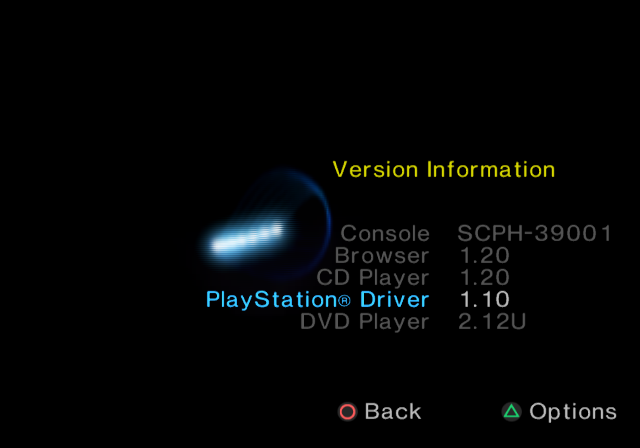
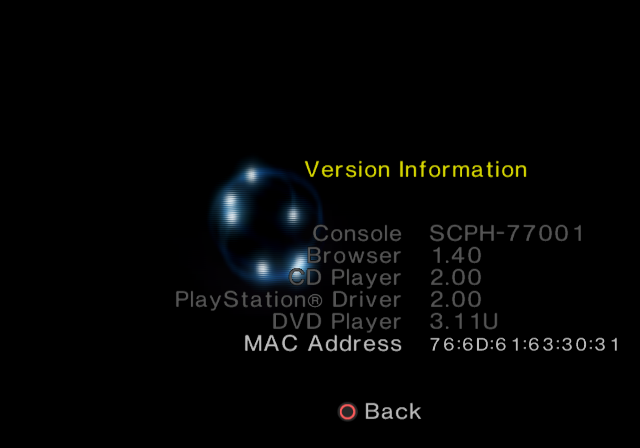
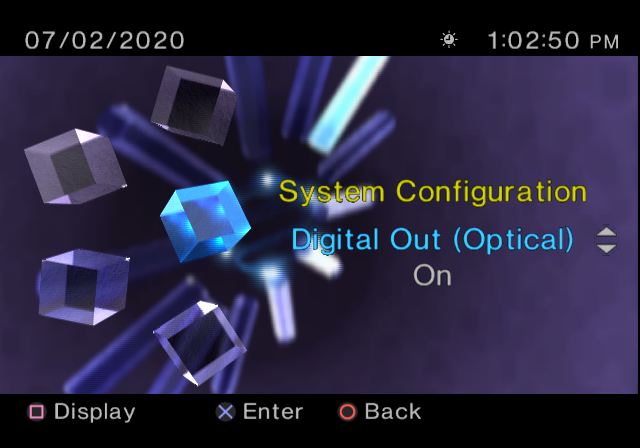
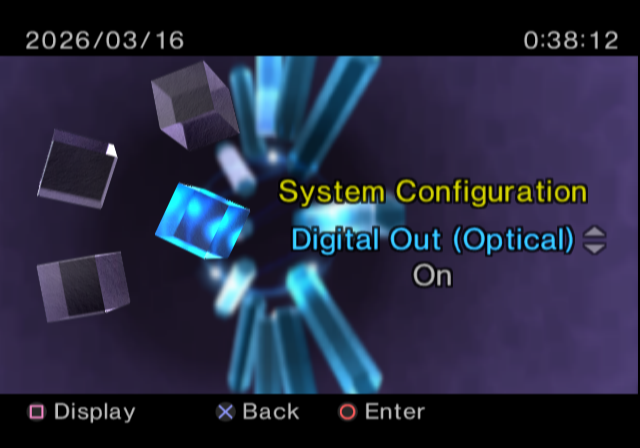
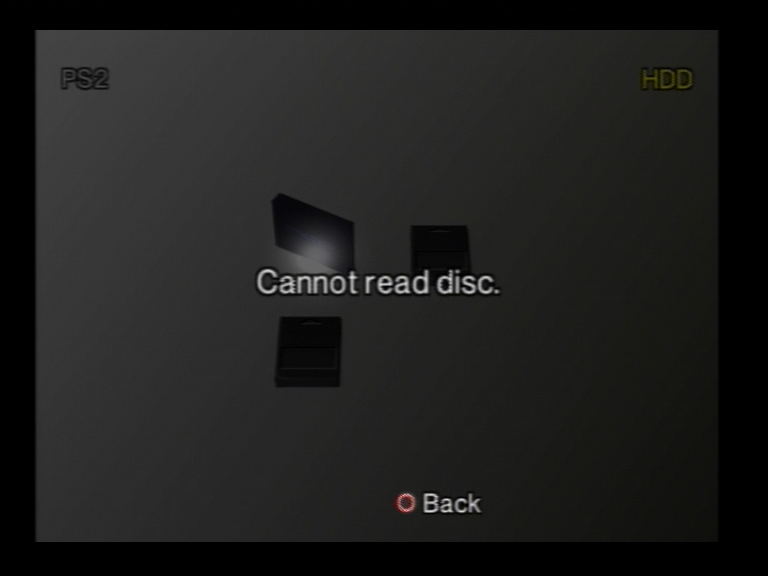
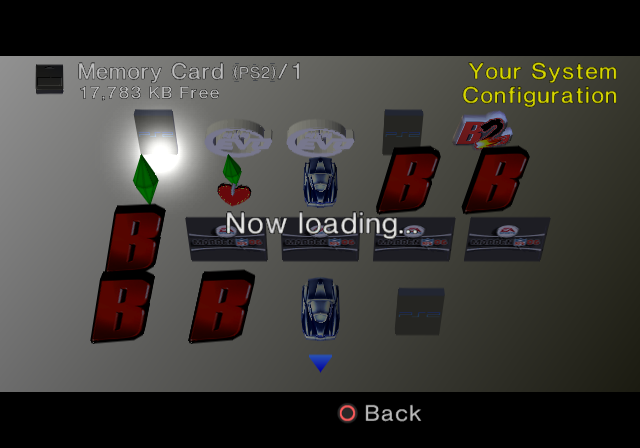
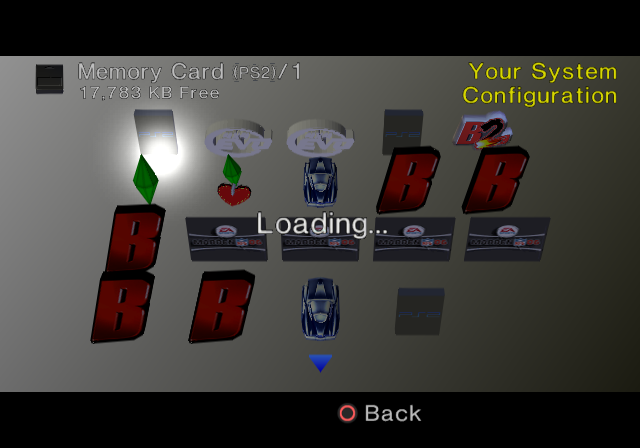
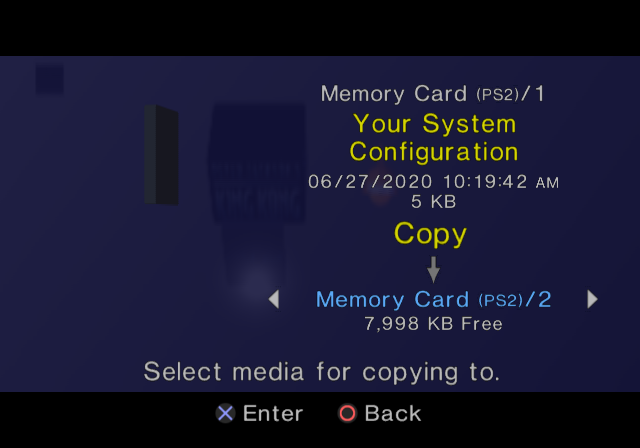
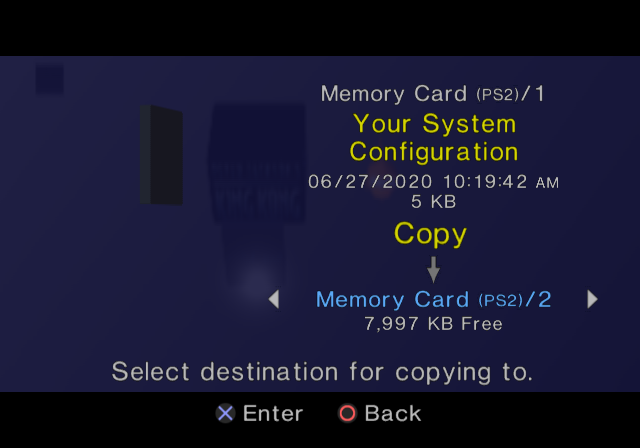
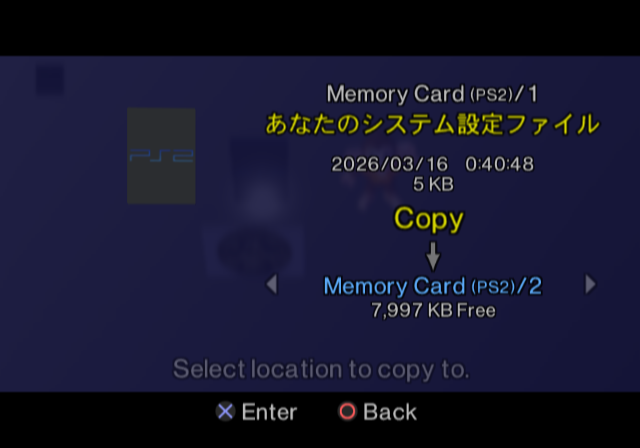
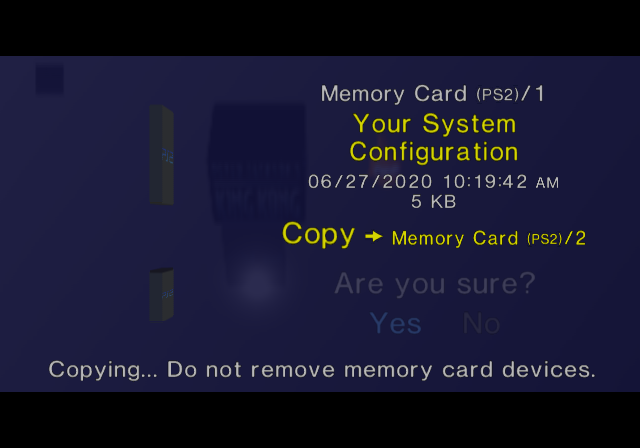
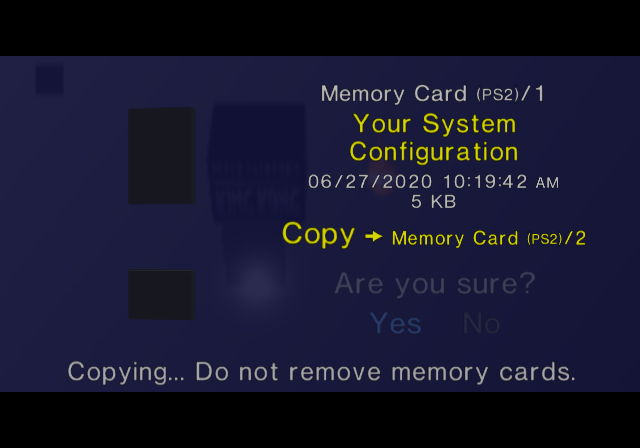
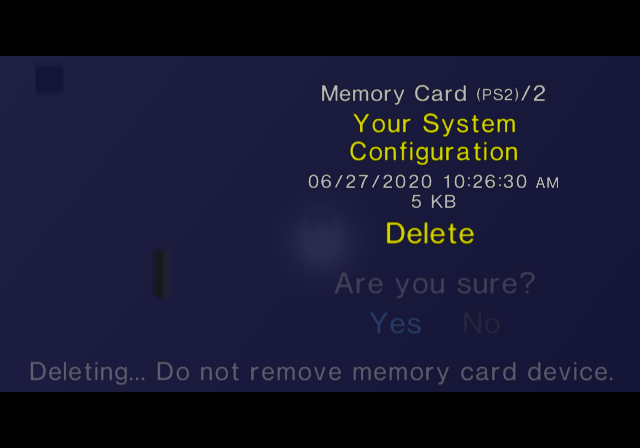
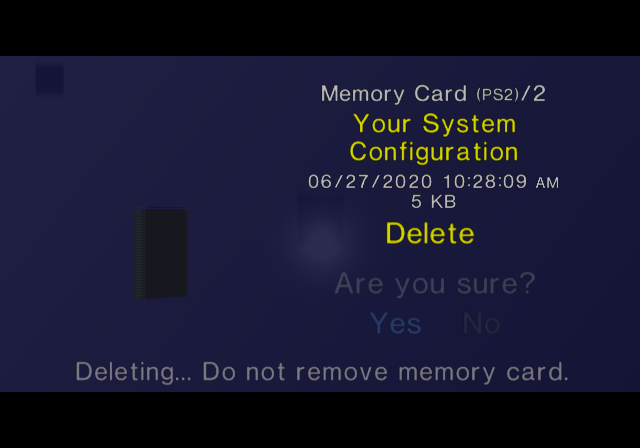
When transitioning from large to small, several text changes were made to the Browser menu. For instance, "No data" on the larger models was replaced with "There is no data." Additionally, if the system is unable to read anything from the disc (and not in a way that causes the Red Screen (of Death) to appear), the larger models say "Disc read error." while the slim models say "The disc could not be read." and HDDOSD says "Cannot read disc." In fact, the change was done following a lawsuit. HDDOSD keeps most text from the large PS2s, except for "Select media for copying to.", which was changed to "Select location to copy to.".
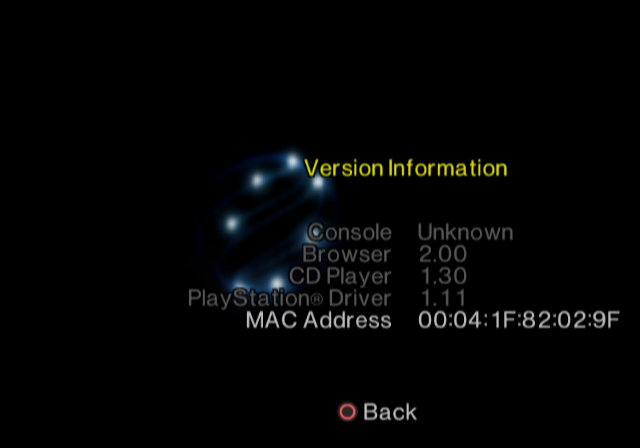
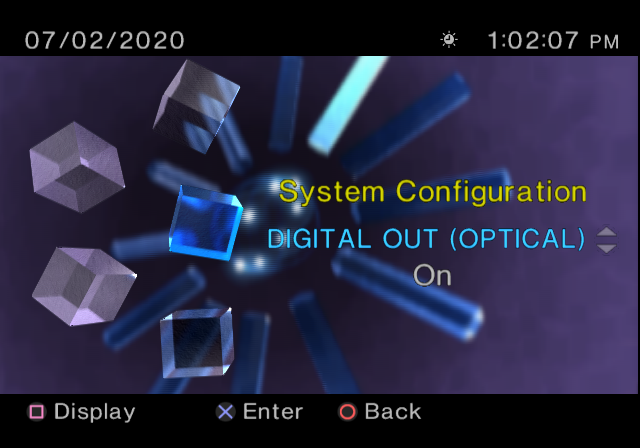
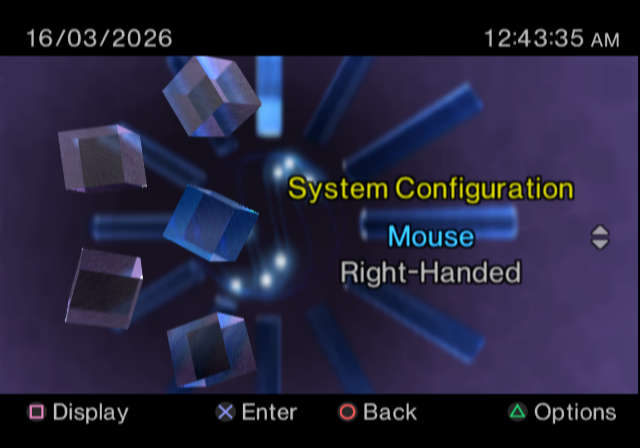
On earlier PS2 models, the startup screen spins slower when the PlayStation 2 Network Adapter is attached. Furthermore, just pressing the Reset button while playing software that makes use of the Network Adapter will not reset the console but instead put it in Standby mode (as if the Reset button was being pressed and held instead of pressed and released) - to reset the game, one has to press the Reset button quickly twice. The BIOS versions on the slims are programmed to negate the aforementioned effects of the PlayStation 2 Network Adapter because of having the Ethernet controller and connector on the main board as well as no (official) support for a hard disk drive. The slims also list the system MAC address when pressing Triangle to display the Version Information screen, a feature originating in HDDOSD albeit with a slightly different appearance. HDDOSD additionally adds two more cubes in System Configuration for keyboard and mouse settings, while ROM 2.50 (which was used in the Bravia KDL-22PX300) removes the option to configure the colour space.
Shift-JIS Character Set#
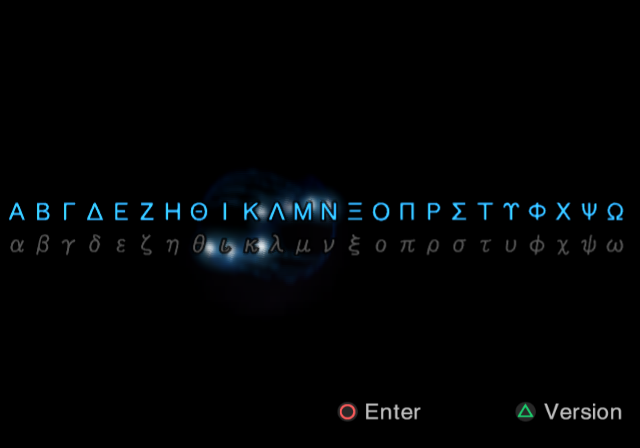
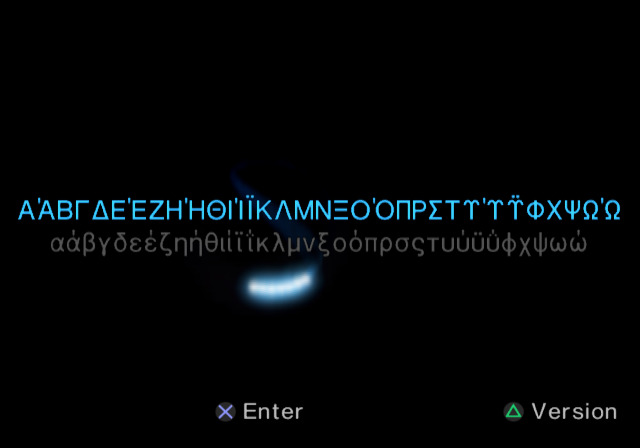
The initial Japan-only BIOS revisions used a single Shift-JIS character set for both the Memory Card and the OSDSYS. It also meant that you could use ASCII characters for Memory Card icon.sys files in BIOS 01.00 and 01.01. Starting from BIOS 01.10 it was split off and made into a separate independent character set just for the OSDSYS, which was updated multiple times across the many PlayStation 2 releases out there.
This spreadsheet should have all of the changes documented.

The changes pointed out in the spreadsheet above are listed below:
- While most versions have no visible difference between an invalid character and a blank character, BIOS 01.00/01.01 displays a somewhat corrupt graphic if an invalid character is entered.


- Blocks
85xx,86xxand87xxin BIOS 01.00 and 01.01 have characters that only appear in these two revisions.- Starting from 01.10 these blocks were repurposed for extended Greek, Cyrillic and Latin characters, which were taken and slightly rearranged from the EUC-JP encoding layout blocks
8FA2xx-8FABxx.- A large amount of these characters were never used, as the PlayStation 2 didn't get localized in many different languages. In particular, despite a Greek character set being fully encoded, a Greek translation was never officially made.
- The extended Cyrillic letter Ў/ў is incorrectly rendered as У́/у́ in all revisions.
- The Czech and Slovak letters ď, Ľ, ľ and ť are incorrectly rendered with a caron diacritic, just like Ď, Ť and other letters would be.
Since neither a Belarusian, Czech, Slovak nor an Uzbek translation was ever officially made, it's likely nobody at Sony noticed this.
- A large amount of these characters were never used, as the PlayStation 2 didn't get localized in many different languages. In particular, despite a Greek character set being fully encoded, a Greek translation was never officially made.
- Some of the 01.00/01.01-only characters were brought back in the last revision of BIOS 01.20 (ROM date 20001027) onward, but only for OSDSYS and a good amount overwritten by the extended characters.
- BIOS 01.10 and initial revisions of 01.20 (ROM date 20000902) crash if those characters are attempted to be put on-screen.
- Starting from 01.10 these blocks were repurposed for extended Greek, Cyrillic and Latin characters, which were taken and slightly rearranged from the EUC-JP encoding layout blocks
- The Russian Cyrillic block
84xxand the Greek characters in block83xxinitially used a different font for BIOS 01.00 and 01.01, which didn't look very good. It was changed for OSDSYS starting from 01.10.- Only OSDSYS received the updated font, meaning Memory Card icon.sys Cyrillic letters, would look the same as BIOS 01.00/01.01 in all revisions.
- The new font was also misaligned, causing the first 16 Cyrillic characters А - О and the 1st Greek character Α to become unavailable.
- The misalignment causing missing characters was fixed in BIOS 01.80 onward.
- The Hangul and Hanzi blocks,
F0xx-F3xx, were introduced in BIOS 01.80 and were slightly revised in 02.00 with the release of Slim consoles.
(A decent amount of the Hanzi characters have duplicate Kanji counterparts found in the regular SJIS blocks81xx-98xx)- The Hangul character 됨 (
F06E) was removed. - The Hangul character 공 (
F04B) was added. - The Hangul character 았 (
F0D8) was added. - The Hanzi character 「 (
F241) was removed and has a duplicate character in8175. - The Hanzi character 」 (
F242) was removed and has a duplicate character in8176. - The Hanzi character 媒 (
F2A4) was removed and has a duplicate character in947D. - The Hanzi character 於 (
F2E6) was removed and has a duplicate character in8997. - The Hanzi character 址 (
F289) was added.
- The Hangul character 됨 (
(Source: Edness)
A bunch of the "duplicate" Hanzi characters are drawn and rendered slightly differently due to differences in the stroke order between Hanzi and Kanji.
 |
 |
Difference between the BIOS 01.00/01.01/Memory Card and the OSDSYS Cyrillic and Greek character font for BIOS 01.10+.
 |
 |
 |
 |
The SCPH-50009 used a different font, similar to Times New Roman, for both Simplified Chinese and English UI languages. Said font was contained in an additional local ROM.
Selectable Languages#
In the history of the PS2, twelve languages were implemented - Japanese, English, French, Spanish, German, Italian, Dutch, Portuguese, Russian, Korean, Traditional Chinese, and Simplified Chinese.
However, not all languages are available on all models, with fat consoles having Japanese or the latter four languages (internally considered 'extended languages') only having one of them and English. The languages contained, aside from English, which was available on all consoles, depended on the region number in the model number:
- 00 (Japan) - Japanese
- 05 (South Korea) - Korean. However, the SCPH-30005 R and SCPH-39005, while supporting Korean characters, did not have Korean as a selectable UI language.
- 06 (Hong Kong and Macau) and 07 (Taiwan) - Traditional Chinese. However, the SCPH-30006/7 R and SCPH-39006/7, while supporting Trad. Chinese characters, did not have Trad. Chinese as a selectable UI language.
- 08 (CIS and Baltics) - Russian. However, the SCPH-39008, while supporting Russian characters, did not have Russian as a selectable UI language.
- 09 (Mainland China) - Simplified Chinese
All others included French, Spanish, German, Italian, Dutch and Portuguese. Slimline consoles - at least the developer kits - include all languages, although not all selectable at once.
Most languages (Chinese, Korean and Russian being exceptions) can be passed to running software, but most games allow this to be overridden in their settings.
(Source: SP193)
Partially due to these limitations, few titles actually follow the console's settings (and when they do, they tend to allow overriding them in the game's options). In one case, Grand Theft Auto III uses the UI language being set to German or French to determine not only the game's default UI language (which can still be changed in the game's menu) but also the censorship, which will apply to all of the game's locales if the PS2 system language is German or French.
Region Select Screen#
 |
 |
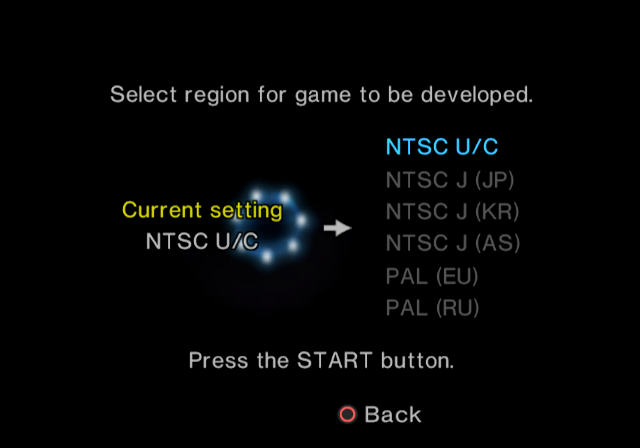
A feature existing on certain Developer Slim PS2 consoles (DTL-H75xxx and DTL-H90xxx consoles only) is the ability to change the region. This can be activated by holding down L1 + R1 + L2 + R2 while turning on the power. The menu can be navigated like normal, but selecting a region from this menu requires the user to press the Start button instead of the standard X button (Circle on Japanese units). The seven dots also orbit in a smaller circle than usual while you select a region but return to their regular size when selecting or going back. After selecting a region, the screen shows text telling you what the console is ("Debugging Station (for PlayStation® 2)"), the region you selected, and a prompt telling you to reset the console by pressing the Reset button. Upon resetting the console, the system boots in the specified region, however, it prompts the user to set up the console by completing the first-time set-up screen (User Preferences), while preserving their system settings.
Hardware/Firmware#
See also: PS2DevWiki for pictures and motherboard model numbers.
Note that these version numbers (referring to the entire boot ROM) are not directly visible in the "Version" screen: homebrew like PS2Ident is required.
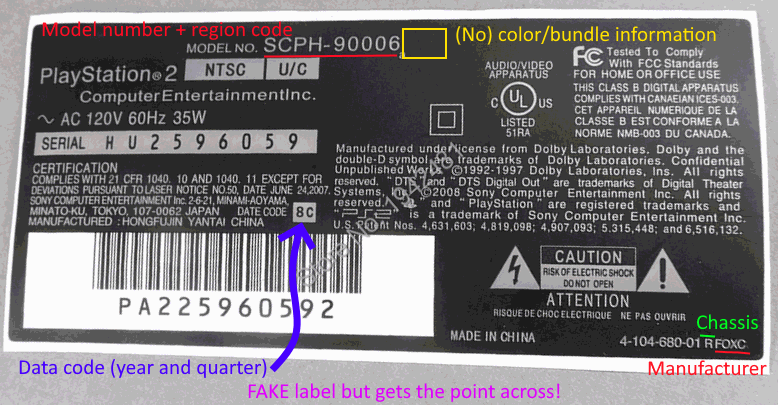
"Chassis" refers to the official model family numbering (lettering?) system, which is printed as a lone uppercase letter in the bottom-right corner of the sticker followed by a four-letter manufacturer ID (except for C and earlier types). Together with the motherboard model (GH-*) they identify the exact internal design and should be preferred to the unofficial and inaccurate V0 through V18 numbering system.
- SCPH-10xxx: Japanese launch model. Lacks many built-in modules present in later consoles, like HDD boot support (a CD bundled with these consoles includes an update installable to memory card to upgrade their ROM kernel in memory on every boot) and DVD-Video support (also installable from the same disc or newer); not the last console to leave the factory incomplete, either... ROM 1.00 or 1.01 (the "protokernel"). A chassis.
- Version 1.01 blocks the launch-day DVD player, as documented below.
- SCPH-15xxx: Another Japanese model with ROM 1.01.
- SCPH-18xxx: First non-protokernel model. A transition model that, due to sharing its firmware with the next model, only supports (without a system update) HDD booting from the nonexisting Expansion Bay despite only taking PCMCIA Network Adapters like its predecessors. Made with A+ or AB chassis and ROM 1.20.
- SCPH-30xxx: First export model of PS2. Replaced PCMCIA slot with proprietary Expansion Bay, allowing for internally fitting HDD. Most use ROM 1.20 and are C or D chassis.
- Exclusive to the B chassis (only used on early American 30001 models) is a skew motor: if the "Diagnosis" option is enabled (which resets on every boot), the console will physically angle the optical drive head for optimum readability of the inserted disc. Otherwise equivalent to a C.
- SCPH-30xxxR: Revised model, F or rarely D chassis, ROM 1.60.
- SCPH-37000: Short-lived model exclusive to Japan, mainly increasing power efficiency; very quickly replaced by 39000 with same motherboards. G chassis, ROM 1.60.
- The 37000L and 37000B semitransparent color variants are considered among the rarest retail PS2 models.
- SCPH-39xxx: Louder fan than previous and following models. ROM 1.60, G chassis.
- SCPH-5xxxx: Cost-reduced console without FireWire (used for early LAN games, not interchangeable with Ethernet) and cheaper build quality, but added internal infrared receiver (between power/eject buttons). New "Dragon" combined mechacon and syscon, restricting write access to EEPROM (to prevent serial number changing) and introducing a bug - known as the "Mechacon Crash" - associated with hard-to-read discs that can result in burnout of the focus/tracking coils (and if unlucky of the amplifier chip driving them). Ironically the first model officially supporting homemade CD-Audio and DVD-Video, as well being exploitable years later through MechaPwn. H, I, or J chassis, 1.70 or 1.90 ROM (1.80 seen on DEX variants).
- While not the first non-Japanese-built model, it is with the 5xxxx that the almost total majority of production moved to China, chiefly to Foxconn factories.
- SCPH-5xxxxN is not a separate model, but rather identifies a console bundled with a Network Adapter. Other two-letter suffixes identify color variants, previously a single character.
- The combination of this model being the first to be vulnerable to the "Mechacon Crash" and the first to support homemade media discs sparked speculation that this was an intentional change to "booby trap" consoles for people who used unlicensed discs.
- SCPH-70xxx: First Slim model. Fixed the Independence Exploit. Removed HDD boot support, but still has a full Network Adapter onboard, allowing for installation of an IDE port. Initial steps taken towards making a future ROM version the same the world over. Due to a design flaw, the optical drive's pickup flat cable is prone to developing a bend and scratching discs. K chassis with ROM 2.00.
- Only 70x1x models have a connector for an internal 56k modem. (Pictures)
- Different motherboards for either separate or combined CPU/GPU. Later units have a safety circuit as a hotfix for the mechacon problem (comparable to the unofficial "Matrix/PIC fix"), properly fixed in following models.
- SCPH-75xxx: Region locking made fully EEPROM controlled; new redesigned "Deckard" coprocessor with built-in Ethernet, HDD support completely removed, slightly inferior compatibility. L chassis with ROM 2.20.
- SCPH-77xxx: Another obscure model built on ROM 2.20; M chassis.
- SCPH-79xxx: Smallest motherboard. Tabs were added to the inner case (in this model only) to hold ribbon cable in place and prevent the scratching issue of previous models. N chassis with ROM 2.20.
- SCPH-9xxxx: Superslim: internal power supply, "2-piece" top case with a less-striped front. P or R chassis with (often-but-not-always respectively) ROM 2.20 or 2.30.
- Later 9xxxx models have ROM 2.30, which removes support for updates from memory card (only officially used on significantly older models, and being reused at the time for Memento/FreeVast/FreeMCBoot).
- Bravia KDL-22PX300: a then-inexpensive TV with a very questionably integrated PS2 with exclusive ROM 2.50. Only available in European regions.
- ROM 2.50 defaults to 16:9 mode and removes the RGB option (as the TV doesn't support sync-on-green for ED/HD modes, and the console is hardwired to a YPbPr input anyway). As a consequence, there are only 5 System Configuration top-level options and the cubes on the left do not scroll.
- The PS2, like the standalone models, is used for games, movie DVDs, and audio CDs; the TV has its own separate USB and Ethernet ports for local media files, DLNA, and defunct online services. Separate Toslink ports are also present, as the internal connection to the TV only supports 2-channel audio.
- The TV's remote lacks most PS2-specific buttons, though a fully featured PS2 remote can still be used. Integration between the TV and PS2 sides is largely limited to having a common power supply and the TV entering standby mode (for any reason) cutting power to the PS2.
- Chronologically located around the 5xxxx and 70xxx, a compendium of all PSX models would be disruptive to this list; all however are X chassis.
(Source: PS2Ident database, 1)
System Updates#
|
|
To do: |
Most models of the PS2 can load (appropriately signed) updates from memory card and/or HDD: while today best known as the basis of FreeMCBoot and FreeHDBoot respectively, unlike the PS1 parallel port they did get some official uses:
- Actual kernel patches and DVD Player for protokernel systems.
- DVD Player updates (infamously removing inherently-Macrovision-free RGB output in 1.01, adding remote control support in 2.00, adding some features and [for 5xxxx+ models] progressive scan in 3.00).
- All consoles with 2.20+ ROMs have the newest DVD Player, 3.11.
- All consoles supporting updates from memory card can be updated to an unofficial patched version of 3.11; all consoles capable of running homebrew can also run a differently patched version from USB.
- A list of officially released updates is as follows:
- Japan: 1.00 (bundled with launch systems), 1.01 (bundled with most 10xxx and all 15xxx models; free as part of 1.00 recall program), 2.01, 2.10, 2.12, 2.14, 2.16, 3.00, 3.04 (bundled with PSBBN 0.32)
- North America: 2.10, 2.12, 2.14, 3.02 (optional install from the HDD Utility Disc 1.10)
- Europe: 2.10, 2.14
- Australia/Oceania: 2.10, 2.14 (2.x installers in all regions were bundled with remote receivers, which are sold in a region coded box merely because of the included disc.)
- China, Asia/HK, Russia, Mexico/South America: None
(Source: ASSEMblerGames, Redump)
- HDDOSD (3 versions: 2 Japanese, 1 American), adds HDD support to the Browser (save backup to/from Memory Card, displaying application partitions, deleting them, running them if applicable) and the MAC address to the "Version" screen, on which "Browser: 2.00" is also displayed.
- The early Japanese version passes to HDD-booted software the argument of their path in a different format, incompatible with some homebrews.
- PlayStation Broadband Navigator: a Japan-exclusive complete UI replacement based on PS2 Linux, adding online "channels" (minisites), CD-Audio ripping, downloadable videos, limited support for USB (photo) cameras, e-mail features, and management of feega subscriptions. Due to MagicGate region locks, the installation discs will not boot on non-Japanese PlayStation 2 models even if they accept Japanese discs. Online services associated with the UI closed on March 31, 2016.
Updates are loaded from memory card from the paths mc?/B?EXEC-SYSTEM/??????.elf and mc?/B?EXEC-DVDPLAYER/dvdplayer.elf, where the variables are:
- 0 and 1: either port.
- One of I, A, E, or C depending on the game region (MagicGate regions still apply to the actual KELF executable).
osdsys.elfon 1.00; the version number rounded up to the next x.x for most later versions (e.g.osd110.elffor 1.01→"1.10",osd130.elffor 1.20→1.30, ...);osdmain.elffor 1.50 through 2.20;xosdmain.elffor all PSXes; and none for 2.30 or 2.50.
(Source: SP193)
DVD Player versions#
In Japan, the J regional suffix was not used officially, but it is used here for the purpose of differentiation and clarity. Cheat discs like DVD Region X modify the DVD player by saving new settings (removing Macrovision and region coding) to a memory card file.
1.xx#
- 1.00J - March 4, 2000
- Only available as an installation to memory card from Utility Disc 1.00 bundled with early SCPH-10000 consoles produced until March 25, 2000 (about 1.25 million units).
- Blocked on later SCPH-10000 and all SCPH-15000 and other consoles (see the Blacklisted discs section).
- Contains a specific button code (a development feature that was mistakenly left in) to bypass the DVD region code check (though it still needs to be 60 Hz video).
- Can output DVD video via RGB, which when combined with peripherals, was used to circumvent Macrovision in order to copy films to VHS.1
- 1.01J - April 1, 2000
- Available as an installation to memory card from Utility Disc 1.01 bundled with late SCPH-10000 and all SCPH-15000 consoles or as a free mail-in replacement for Utility Disc 1.00.
- Fixed some bugs (e.g. some audio skipping on optical output).
- Analog audio output level can be adjusted when optical output is disabled.
- Aspect ratio can be changed even during playback.
- The "secret" region-free button codes from 1.00 have been removed.