 This article has a talk page!
 Debugging FunctionsDebug menus and more!
 Unused ScenesMenus after menus after menus...
 Unused ModelsNow with rotors that could cause epilepsy attacks!
 Unused Graphics & LayoutsA TON of them.
 Unused Sound EffectsA plethora of unused SFX.
 Unused Mission ContentUnused content found in the missions specifications.
 Regional Differences
 Prerelease Info
Notes
Prerelease Info
NotesUnused Map#
Overview |
|---|
 |
Back room |
Front room |
|---|---|
 |
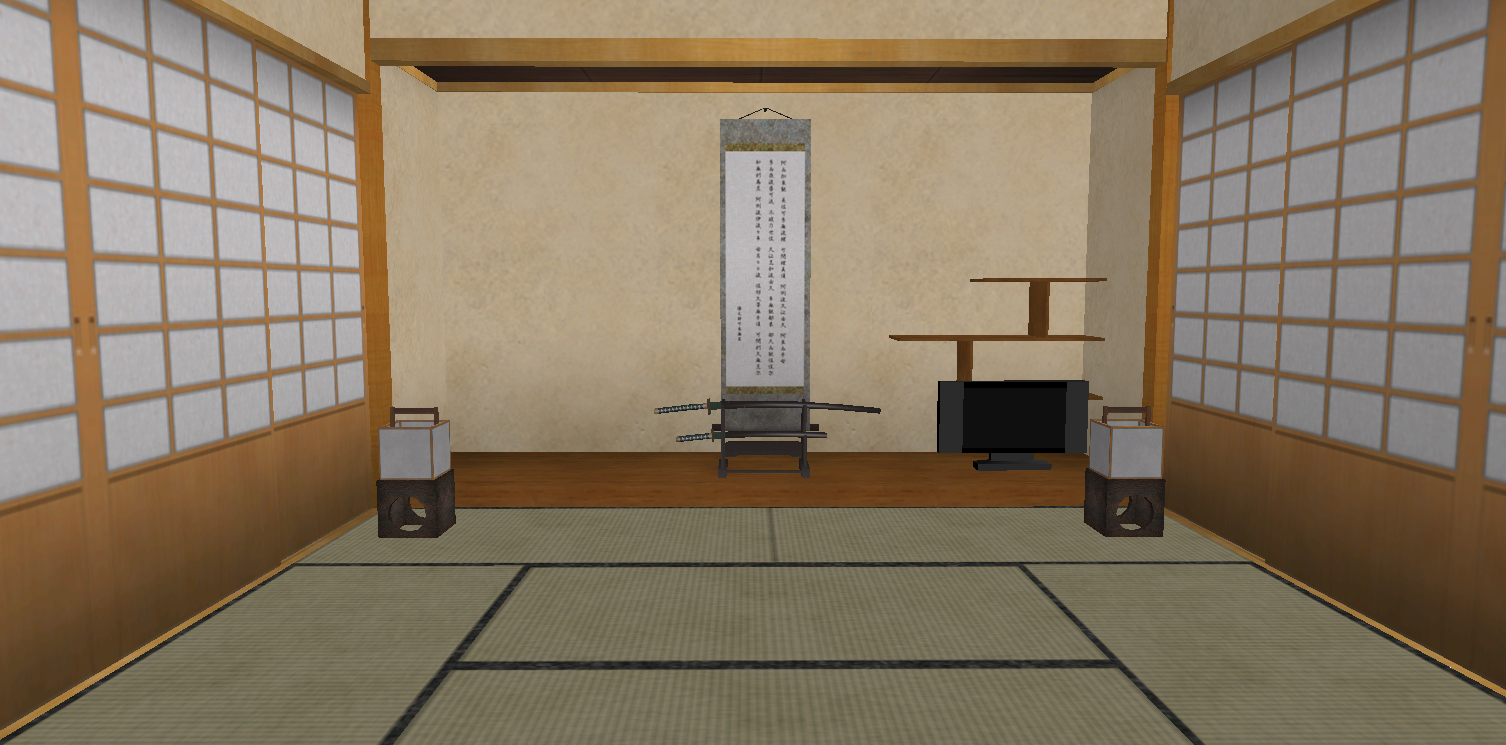 |
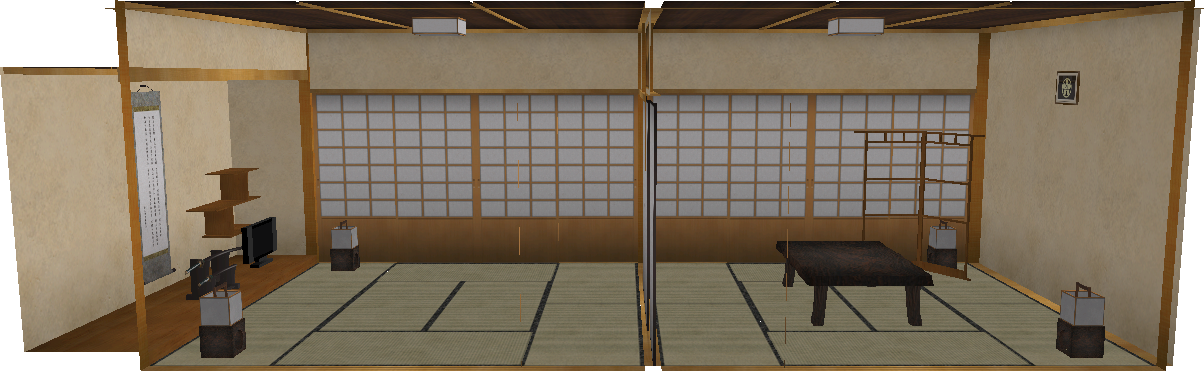
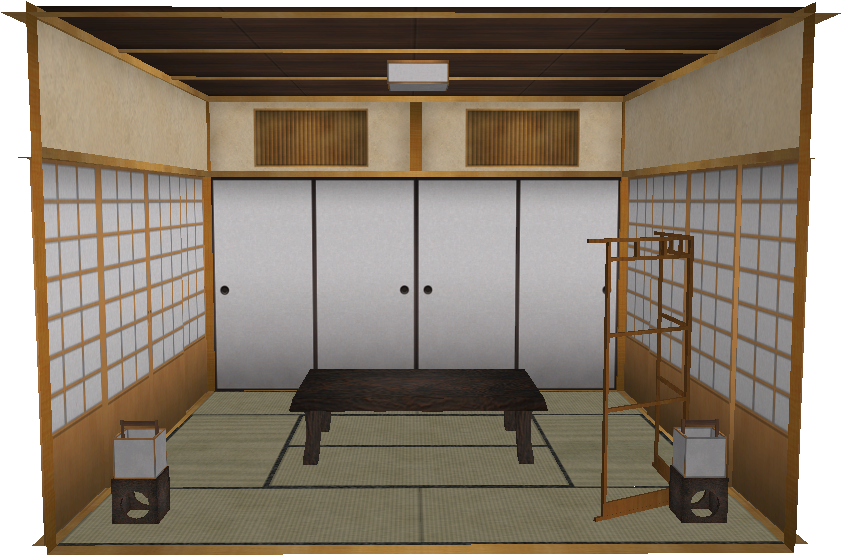
An unused map exists in the game, named JapanOld (sometimes referred to as Japan_old). It is a port of the Japanese Room stage from the game's prequel, Go Go Copter, with a few differences:
- A foot lamp was added behind the wooden structure that is found behind the table in the back room.
- Many pieces were added to the wooden shelf next to the hanging scroll in the front room.
- The jar under said shelf was replaced with a TV.
This map cannot be accessed through the map selection screen, so the only way to play it is through the debug menu (by reactivating a disabled option). The music that plays in this map is the same one from the final Japanese House level.
While this map is present in all versions of the game, it can only be played in the Japanese version. This is because the model, Washitsu_Old.brres, is stored in the model format MDL0 v10, which only the Japanese version supports (the rest only support v11).
Mission 1#
In this mission, players have to land in 3 heliports, one in the back room, and the other two in the front room (which can be accessed by shooting at the sliding door).
A preview card is defined for this mission (those seen in the mission selection menu), which happens to be the same one used for the Park's 2nd mission (mission_info_Park02.arc). This graphic, however, can only be seen by selecting the Confirm mission option in the pause menu (since this level cannot be accessed through the map selection screen).

This is the only mission in which the TV can be interacted with by turning it on/off with the Air Cannon. Turning it on will reveal a screenshot of an earlier version of the game! This shows the B44-Pronghorn helicopter in the final Japanese House map, with some quirks and differences:
- Regarding the HUD, the early life and battery icons are present here. The life counter was also numerical instead of graphical, and in addition, the font used for the numbers seen in the time, score and life counters have an early, plainer design.The pointer graphic is also using an early design, with a yellow square in the center instead of a circle.
- Something notable is how this screenshot reveals an unused helicopter height meter in the left (whose graphics can still be found in the final game).
- The debug System/User free heap displays is shown here.
Mission 4#
In this mission, players have to pass through 5 rings in under a minute.
Treasure Mission#
In this mission, players have to collect 6 coins, some of which are hidden in some of the foot lamps. Unlike with the other Treasure missions, this one does not have an exit defined to save the completion progress, so in order to finish the mission, all coins have to be collected in one take, and after that, land in the heliport.
Curiously, when the mission is completed, the results will show the coin and star icons (as well as the name graphics) merged together, and the coin counter will stay at zero (no matter if any coin was collected or not), resulting in the sound effect for losing being played. Additionally, collecting all of the coins will show a total of 7 collected (despite only being 6 in the mission). The player won't receive any gold either.
Multiplayer Mission (Type A)#
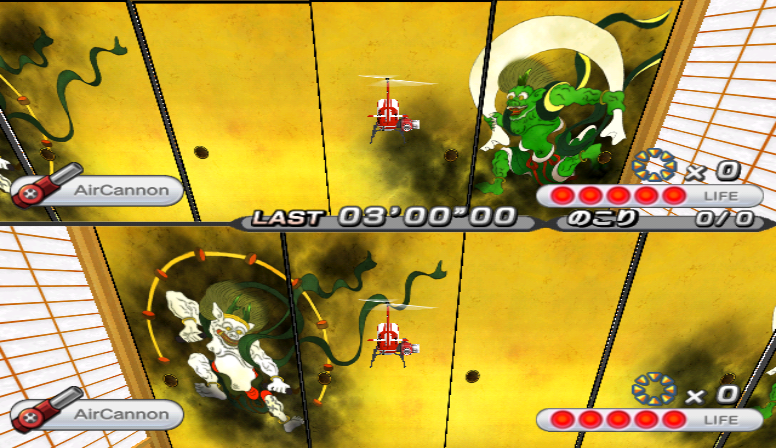
A Type A multiplayer mission exists for this map, which loads the final Japanese House level.
Only the starting positions for both helicopters are set, and there are no objects defined either, other than the sliding door (which can't be opened, since the position for its shooting trigger is not set).
Missions 2, 3 and 5#
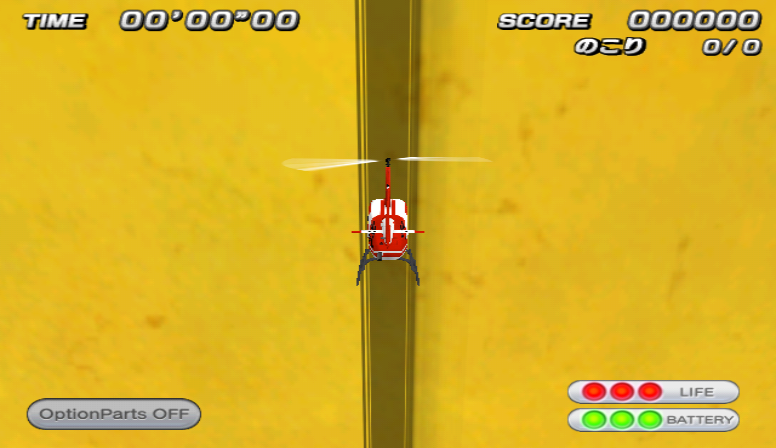
Missions 2, 3 and 5 are duplicates of each other. They are all FreeFlight missions that load the final Japanese House map. No objects are defined in the parameters file, and the starting position isn't set, so players will start in a default position (which in this case happens to be inside the sliding door). However, it is not possible to get out of the door, since it cannot be opened.
Unused Parameters#
Original |
Translation |
|---|---|
|
|
In the map's Param.txt file (lines 23 and 24), there are two commented parameters under the "Anim" group, named set_loop. They include the bones that are used for opening both doors (part19_hit and part20_hit), so perhaps this parameter was used to set whether the opening door animation should loop or not. Uncommenting these parameters doesn't affect the game at all, likely because there's no longer code to parse these set_loop parameters.
The comment states that both parameters were commented out since they interefered with the map. Perhaps, early in development, shooting both doors would result in them opening and closing constantly due to these parameters forcing the corresponding animation to loop, which would explain why the would eventually be commented out.
FreeFlight Mission#
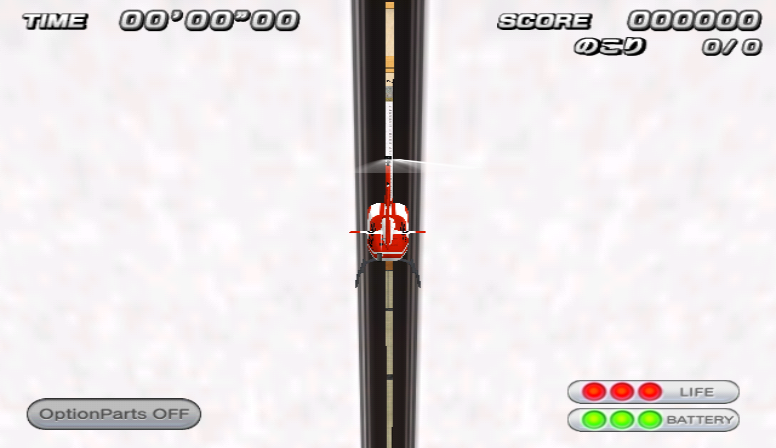
This map also has an unused FreeFlight mission. And much like in the other ones, a starting position isn't set, so players will start in a default position, which in this case happens to be inside the sliding door (which can be opened by shooting at it with the Air Cannon). Other than this door, no other object is defined.
Unused FreeFlight Missions#
Kids Room |
Hospital |
Park |
Resort Hotel |
|---|---|---|---|
 |
 |
 |
 |
Office Building |
Hamburger Shop |
Japanese House |
|---|---|---|
 |
 |
|
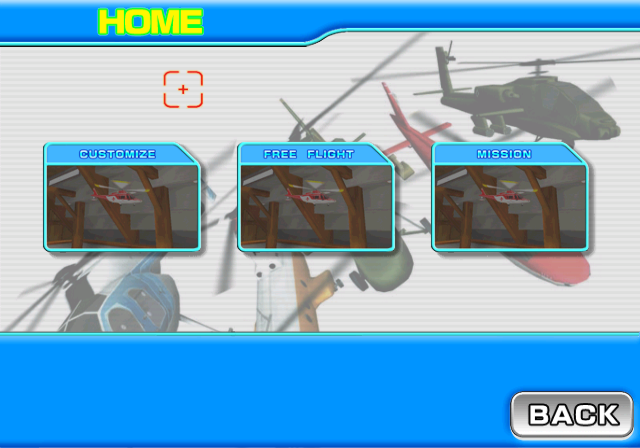
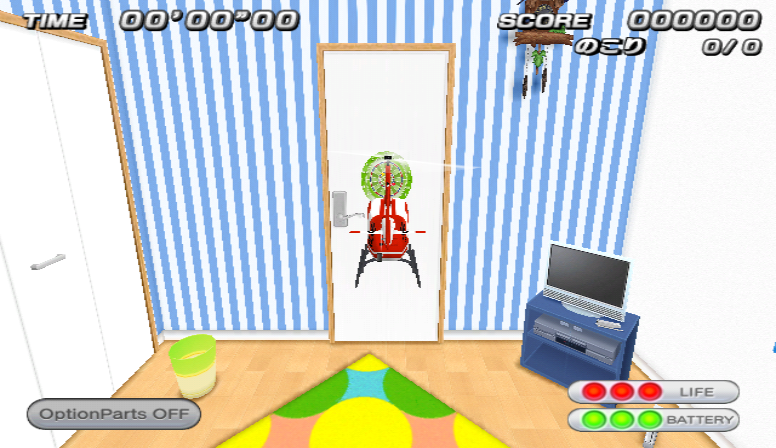
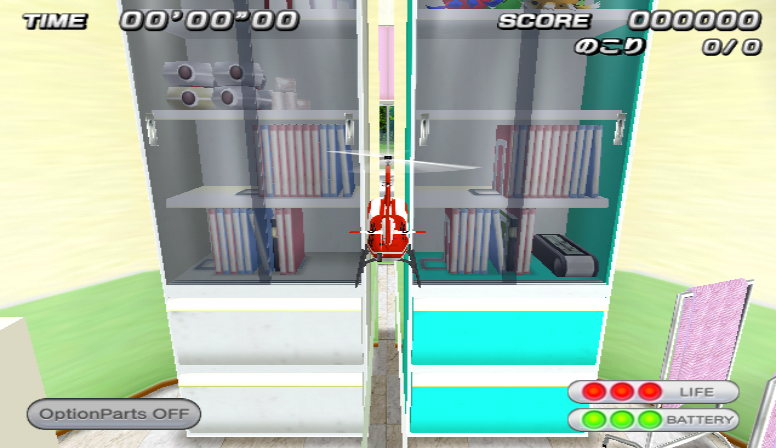
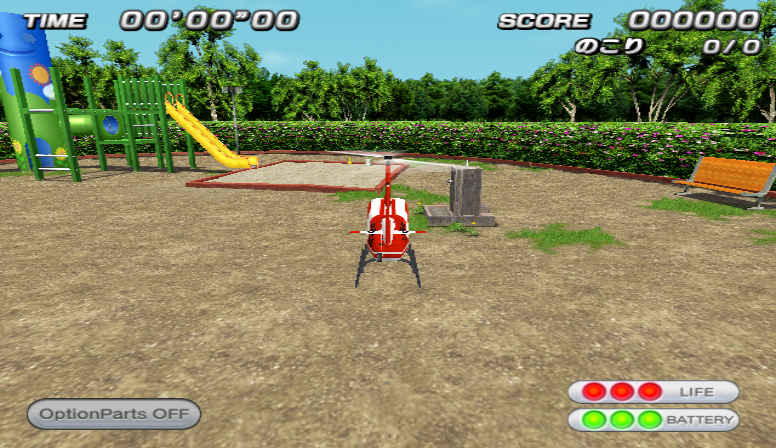
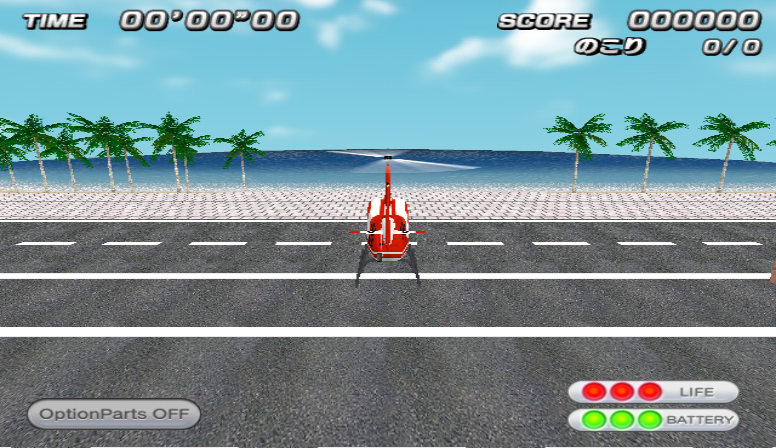
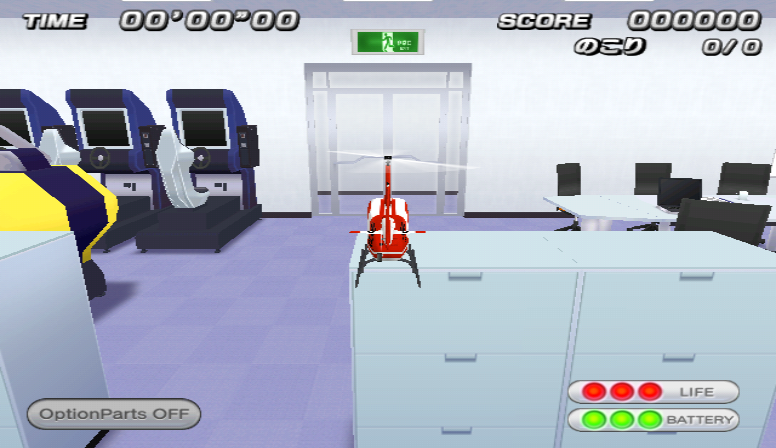
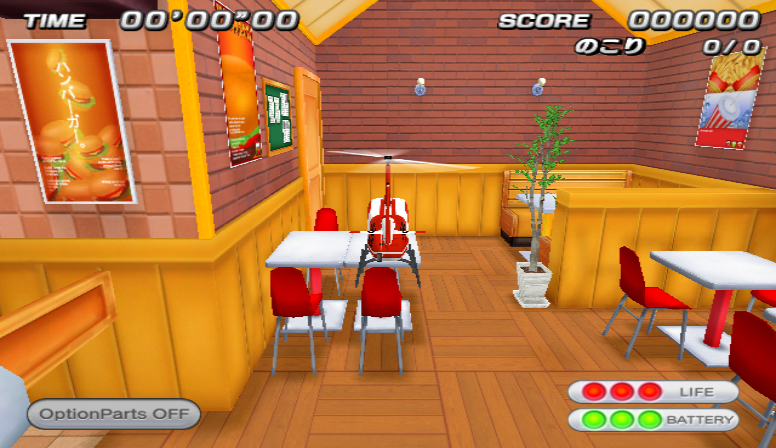
Each map contains a mission known internally as FreeFlight, which is defined in Mission_0.txt in /PCopter/Scenary/MAP_CODENAME. These missions have their own mission type (Free) and are referenced by some unused menus in the game, such as the unused home menu. As the name suggests, these missions have no objectives, so the player is free to explore the map.
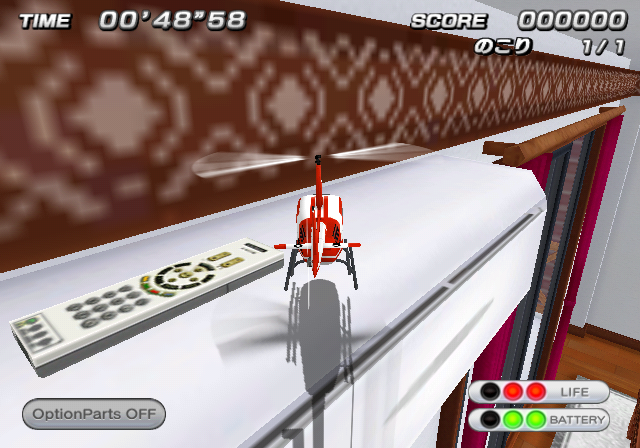
In all cases, the starting position is not set (due to the absence of a BRRES file in the /PCopter/Scenary/ directory for each map that would contain the start position coordinates, among other things), so the player will start in a default position (as seen in the images above), which sometimes causes the player to spawn out of bounds or inside walls. In addition, none of these missions have an associated preview image (those seen in the mission selection menu).
These missions can be loaded in a number of ways, such as by using the debug menu or setting the index of the current mission displayed in the mission selection menu to 0xFF.
Unused Music#
There is an unused song in the game, named PC_BGM11_Practice.brstm, located in /PCopter/Sound/stream. The filename suggests it was intended to play in some kind of practice mode/mission/menu. This song appears in the official Japanese trailer for the game.
Unused Intro Video#
|
Japan/America |
Europe |
|---|---|
|
|
|
There's an unused video file in /PCopter/Menu*, named logo2.thp. Judging by the filename, it would have played when booting the game, perhaps after the "Sonic Powered" logo video (which is named logo1.thp internally, and it is found in the same directory as the unused video file). In the final game, only the American and European versions have a second logo shown after the "Sonic Powered" one. However, it is an image instead of a video.
In the Japanese and American versions, the video is actually a leftover from the Wii's (Revolution) SDK, with a fish swimming. The European version, however, features an animated sequence for the "505 Games" logo.
The internal ID for this video is 3. While one of the functions that is called when setting up the video that is about to be played (CSceneMenuMovie::SetMode) supports loading this video file (when its second argument = 3, the internal ID for logo2.thp), there's no code that calls this function with said parameter left.
Unused Font#

Some archives in the game (such as /PCopter/Layout/PCopterLayout.arc) contain an unused font file named Impact.brfnt. This font could be seen in an early screenshot of the game, used for the HUD numbers.
Unused Cheat Configuration Parameters#
/Config.txt, which is used to load some camera and controller parameters, has an entry group for activating several debugging functions. The entry name is Cheat, and there seems to be no code left to parse any of its values, so changing them won't affect the game at all.
The file sets all the values to 0 (disabled). It also includes comments explaining each parameter, and the second of them states that this entry group "will be removed in the release version".
// チート関連
// 製品状態ではこの項目は削除します
[Cheat]
{
    // 画面の項目表示をOFF
    :hide_info  0

    // カメラ位置変更モード
    :reset_cam  0

    // 当たり判定描画モード
    :coll_draw  0

    // 当たり判定無効モード
    :coll_disable   0

    // バッテリーが減らないモード
    :infinite_batt  0

    // 耐久力が減らないモード
    :infinite_life  0

    // シンプルメニューモード
    :simple_menu    0

    // デバッグ情報表示モード
    :debug_info 0
}
The game is coded to read all of these flags from the byte located in the RAM address below, where each bit represents each flag from the file (starting from hide_info = least significant bit). This byte is the CApp flags. CApp is a class that handles global elements of the game.
JPN |
USA |
EUR |
|
|---|---|---|---|
RAM Address |
0x80500EFB |
0x805067FB |
0x805089FB |
Early Wii Remote (Sideways) Controller Layout#
An early controller scheme for the Wii Remote (when held sideways) is commented out in /InputMap.txt, from line 23 to 40. According to the first line of comments, this was suggested by the game's chief programmer.
Action |
Early Layout |
Final Layout |
|---|---|---|
Auto-Hovering |
B, A |
1 |
Item Switching (ascending order) |
D-Pad Right |
B |
Item Switching (descending order) |
D-Pad Left |
(NONE) |
Use Item |
1 |
A |
Unused Map Elements#
Kids Room#
Unseen Skybox#
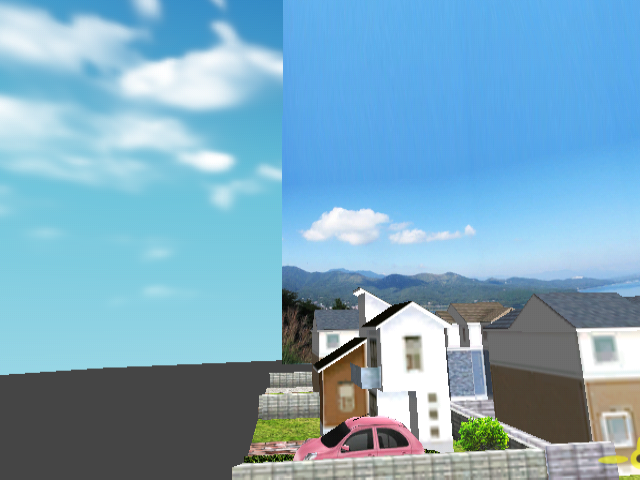
The Kids Room has a unique skybox that is not present in any other map. However, the default skybox (the one that appears in every other map), is actually in the Kids Room as well. It cannot be seen normally, since it's located behind the newer skybox.
Hamburger Shop#
Opening Covers#
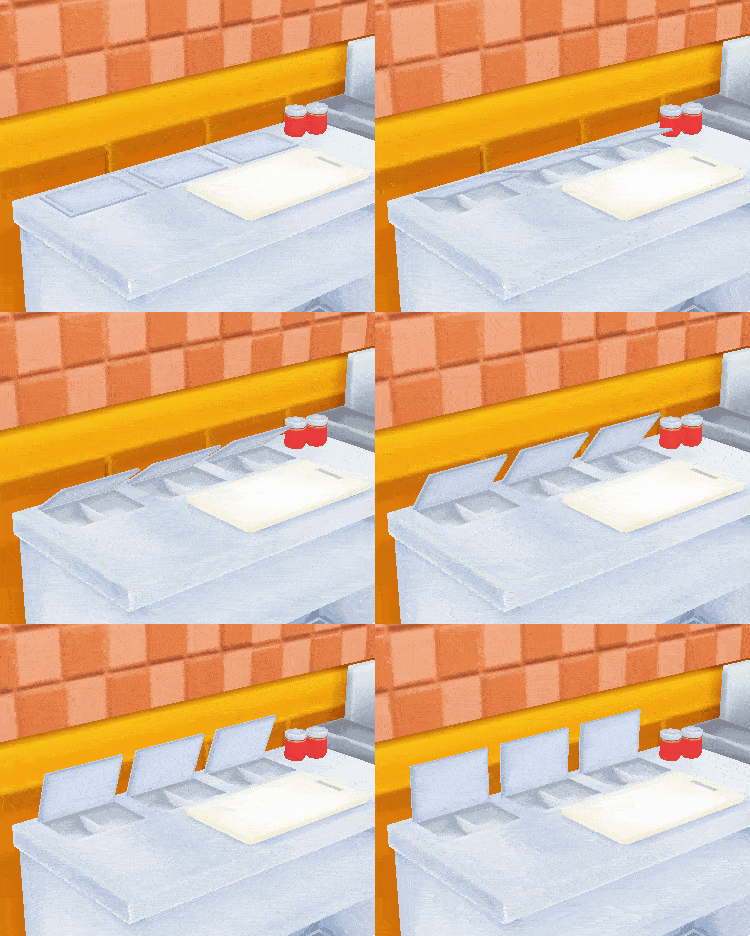
In the Hamburger Shop map, there are three covers next to the fryer that are always closed. However, not only these covers all have bones (named Dummy_cooking1 to 3), but the animation that handles the opening/closing of all interactive objects in the map also animates these covers being opened.
Even then, there are no "Action" entries for these bones in none of the Hamburger Shop's mission parameters files, which means they cannot be opened.
Unused Object Parameters#
Hamburger Shop#
Burger Wrapper Box#
An additional parameters file for the burger wrapper box (used in Mission 5) exists in /PCopter/Model/System/BGShop, named PackDust.txt (and codenamed BG_PackDust according to /PCopter/ResList.txt).
It is almost identical to the used variant (codenamed BG_Pack, and defined in Pack.txt under the same directory). The only differences are that, in the unused version, the box always appears closed (since its "init_state" parameter is set to 1 instead of 0); and also how the early file does not defined a height of separation between the box and the helicopter when it is being picked up by the lift cup (this results in the box being slightly closer to the helicopter when picked up).
Alternative Can Objects#
/PCopter/ResList.txt lists two additional can model files that are not present in the game: Can350B and Can500B, which would have resided in PCopter/Model/System/Can. The used variants are named "Can350A" and "Can500A" respectively. Perhaps they would have used a leftover design seen in the final can texture.
Unused Helicopter Accessories#
There are a number of leftovers in the game regarding 6 unused additional helicopter features, usually codenamed as option or Etc. The debug menu mentions these parts (known as "Etc" there), however, selecting them do not seem to have any effect at all in-game. option.arc in /PCopter/Menu*/Itemimg/ contains explanation cards associated to these accessories, giving a better idea of what they were supposed to do. These also include the icons for each accessory.
The file PartsParam.txt in /PCopter/ (which contains a number of parameters for all helicopter parts) has parameter value entries for each of these accessories. However, none of them has any effect in-game, not only because all of them are 0, but also because the code doesn't seem to take this set of parameters into account when loading a mission.
In PartsParam.txt, these accessories are categorized in Group#6, which is named オプションパーツ (Optional Parts)
The names for most of these appear in /PCopter/Menu/CopterCustomize.arc, which holds all assets used in the helicopter selection screen (from the "Customize" option in the Model Shop) in the Japanese version (also leftover in the European version, under the same directory).
Reserve Battery Pack#

Known as リザーブバッテリーパック in Japanese, and ReserveBatt in the debug menu. According to the description text of the card image, when the battery ran out, this accessory would have refilled the battery to its half.
Treasure Radar#

Known as トレジャーレーダー in Japanese, and Treasure_RD in the debug menu. According to the description text of the card image, it was a radar that would have detected the presence of coins (those from the Treasure missions).
Attack Radar#

Known as アタックレーダー in Japanese, and Attack_RD in the debug menu. According to the description text of the card image, it was a radar that would have detected attacking sources?
Sonic Radar#

Known as ソニックレーダー in Japanese, and Sonic_RD in the debug menu. According to the description text of the card image, it was a radar that would have detected nearby obstacles, warning the player with a sound.
Motor Sound Kit#

Known as モーターサウンドキット in Japanese, and SoundKit in the debug menu. According to the description text of the card image, it would have changed the sound of the helicopter to be much more realistic.
Petitcopter Light Set#

Known as プチコプターライトセット (or simply ライトセット in PartsParam.txt) in Japanese, and LightSet in the debug menu. Unlike the parts above, this doesn't have a full card graphic, only having a header image named option_04.tpl in the same archive as the other graphics above. Because of this, its exact purpose is currently unknown.
Developer Messages#
Several developer messages can be found across the many .txt files found in the game.
itemlistについて.txt#
Found in /PCopter/Menu*/ is a leftover text file containing a developer message. It explains the meaning of some of the fields found in the file /PCopter/Menu*/itemlist.txt, which contains several parameters used in the Shop when buying helicopter pieces.
Original |
Translation |
|---|---|
|
|
Unused Mastering Process Leftovers#
The American and European versions of the game contain many files in /PCopter that were used in the mastering process to compile the game.
PCopter.dlf#
PCopter.dlf contains a listing of all files in the game as they were stored in the developers' computers. Here's the beginning of it:
EU |
US |
|---|---|
|
|
The USA version of the file has a lot of unknown data starting at 0x13FE8.
PCopter.dsf#
A file of unknown purposes.
PCopter.elf#
There is an unused ELF executable in /PCopter, named PCopter.elf. When converted to a regular Wii DOL executable (using tools such as elf2dol), the resultant file will be identical to the final executable. This makes the ELF a great resource for reverse engineering, as it contains all function names, global variable names, the filenames of the original source code files and other interesting information.This file can also be found in the Japanese version.
PCopter.rcf#
This configuration file is referred to as RVL_CONFIG_FILE according to PCopter.dlf
Unseen Banner Names#
The Japanese version of the game normally only shows the name プチコプターWii when highlighting the game on the Disc Channel from the Wii Menu, as said version is meant to be played on Japanese consoles only. However, there's actually text for the rest of the languages inside this version of the game, and they go unseen since said languages cannot be applied on Japanese consoles:
- English = onetri1
- German = einedri1
- French = untri1
- Spanish = unotres1
- Italian = unotre1
- Dutch = enedri1
Internal Project Name#
The game is referred internally as PetitCopter Wii, often abbreviated as PCopter or simply PC. This naming can be seen in some of the game's graphics, such as the engraving of some of the helicopter bodies and other map objects, like newspapers or fax sheets.
Oddities, Oversights and Glitches#
Under the floor#
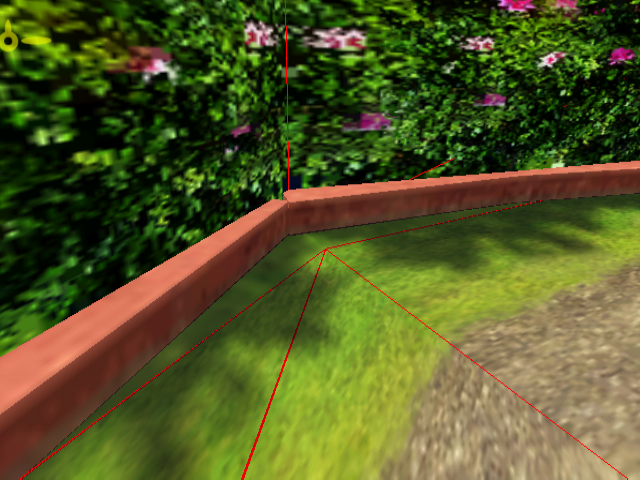
The collision of one of the corners in the Park level does not fully extend past the nearest walls, leaving exposed a small piece of the floor without collision. Pass through it and you will find yourself under the floor.
Sadly, the map has an infinite plane located in this place under the map, which prevents you from going even lower and explore out of bounds. When under the floor, you can't go very high either, as you will crash with the floor above, so in order to move, you have to accelerate in very short intervals.
Losing fanfare and results music playing at the same time in multiplayer#
In multiplayer mode, when a match is over, the mission results music will play. However, when the time runs out, the losing fanfare will play on top of the mission results music.
In single player missions, when the time runs out, the gameplay state 3 is triggered, which normally triggers the losing fanfare, and tells the game to display the "TIME UP" graphic. After that, the gameplay state 7 is triggered, meaning the game must show the results of the match, which makes the mission results music play.
In multiplayer matches, winning/losing/drawing a match only triggers the gameplay state 7, so only the mission results music will play. However, when the time runs out, the game still triggers the gameplay state 3 (time runs out, play the losing fanfare) and right after that the gameplay state 7 (show mission results, play mission results theme), which results in this oddity.
German Text in the English translation#
|
English |
German |
|---|---|
|
|
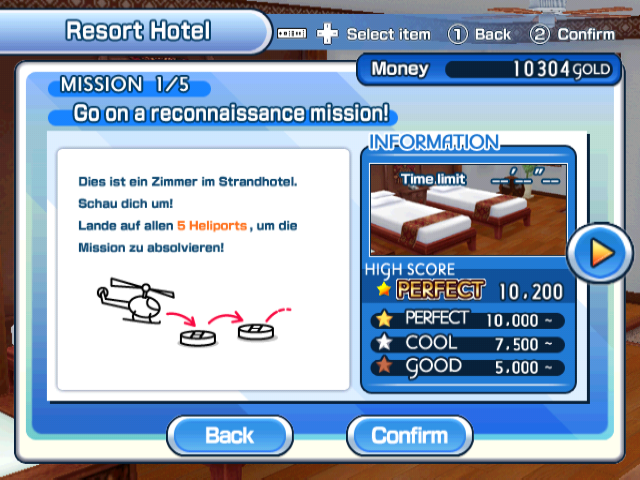
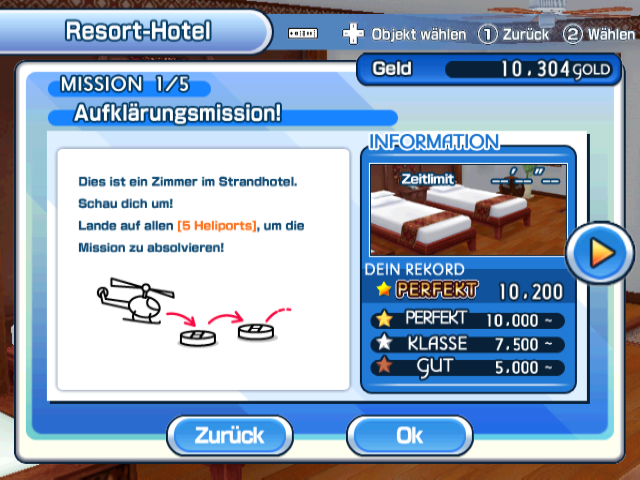
Oddly enough in the European version of the game, if the language is set to English, the description text for the Resort Hotel's first mission will be in German. In fact, when comparing said description with the actual text from the German translation, there are no brackets surrounding the "5 Heliports" text.
The text was correctly translated to English in the American version.
Filename Oddities#
Kids Room mission 2 target sound effect#
The sound effect that plays when shooting at the targets in the second mission of the Kids Room is stored in the directory SE/Can/A in /PCopter/Sound/PCopter.brsar. This implies that this sound effect was originally meant for the cans found in the Park level.