
|
This page contains no introduction. |
Debug Mode#
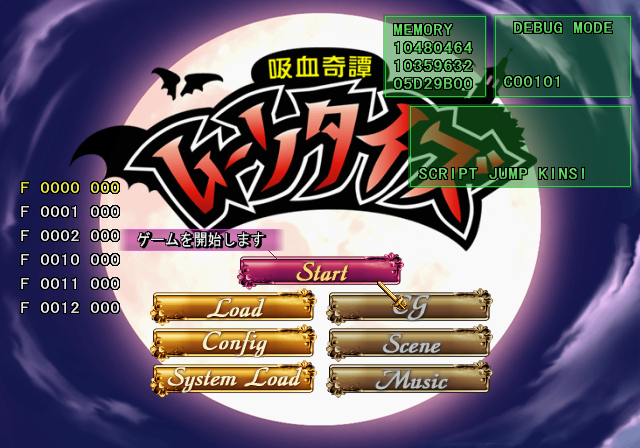
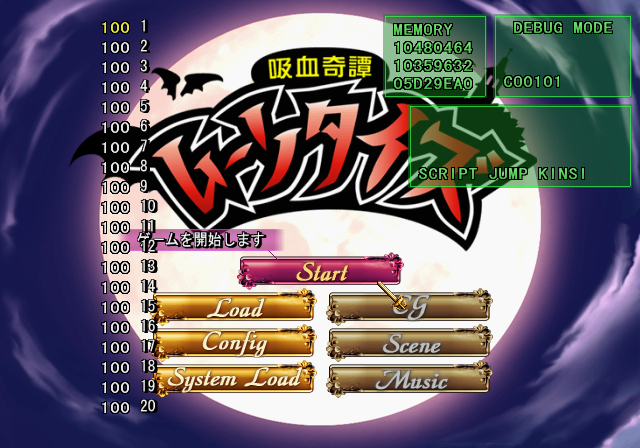
At the main menu, press L3, R3, R3, L3, L2, L1, R1, R2, L3, R3, L3, R3 on Controller 2. This same debug system is also present in Duel Savior Destiny and Ayakashibito: Genyou Ibunroku.
After entering the above code, press Start on Controller 2 to toggle Debug Mode. This allows you to change game-related flags and the volume of each spoken character in the game. Below are the known Controller 2 inputs while this mode is active.
- Hold Triangle and press D-Pad Left / Right to change an event. If SCRIPT JUMP KINSI is enabled, you will start in this event when starting a new game.
- Press L1 for flag list.
- Press R1 for character volume menu.
- Hold Select to make the menu temporarily invisible.
- Press Square to enable SCRIPT JUMP KINSI.
(Source: Original TCRF research)
Debug Display#
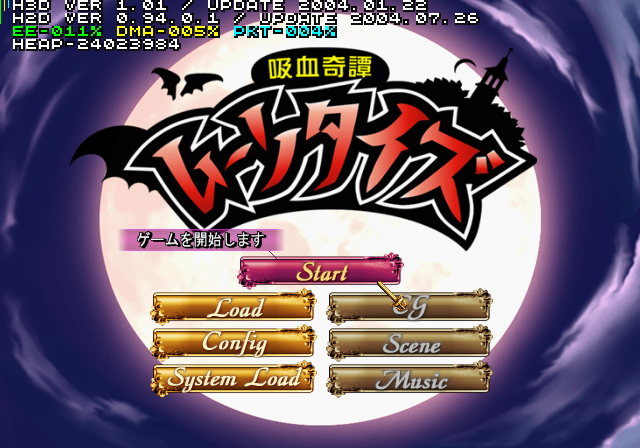
Apply the below code to enable a simple debug display. This is a HuneX debug display present in some other PlayStation 2 games. Apparently, this is an old debug system they are using considering the game was released in 2008.
Enable Debug Display
20168D20 00000000
20168DA4 00000000
(Source: Original TCRF research)