
Unused Graphics#
These textures can be found inside of the game's files. The images are found inside of Texture2D, and the webm files are in the VideoClips folder.
Crystal Bump Map#
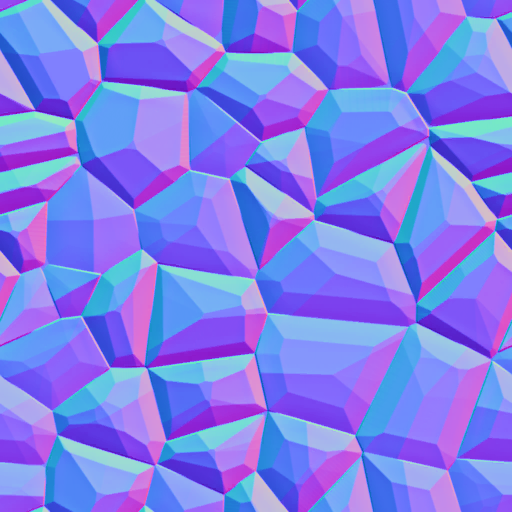
An unused Normal Map. Could have been that the game was going to have dynamic lighting in some way. What it could have been used for is anyone's guess.
(Source: JellyCar Wiki)
jcw_record#

An unused image likely intended for the popup that appears when music changes, before it got replaced by the music tire.
jcw-spoiler-video.webm#
A video with the first few seconds of "Prodigal Sunrise" playing in the background, most likely used as a placeholder intro for World 8.
(Source: JellyCar Wiki)
Early Jellycube?#

In early footage of the game, there were placeholder $ bubbles that may have been used as an early version of the Jellycube. The symbol still exists in the game files as 1F4B2.png.
"Hidden Exit"#

Also in early footage, there was meant to be 3 exits shown. Could have been a Hidden Exit but may have been removed late in development, since it no longer exists in the game files whatsoever. Not even in ui_icons.png.
JellyCar 3 Chain Leftover?#
There exists a singular chain texture from JellyCar 3 called jc3_trigger_rope, likely used as a basis for Chain02.png, but forgot to get removed when JellyCar 3's port got completed.
Demo Leftovers#
The Wishlist Button#
A leftover from when the game was still yet to release, it's still found in modern demos.

Developer Text#
Found in windows/JellyCar Worlds_Data is a file called app.info, opening it with Visual Studio Code (or any coding application) has 2 lines of text that reads:
Walaber
JellyCar Worlds
(Source: Original TCRF research)
Platform Differences#

|
To do: |
PC#
- You can make your own custom sounds in Sound customization and also save it as a Sound pack.
- You can add your photos as a custom Car Textures in the Car Customization menu.
iOS#
- Exclusive only to the Mobile version, the game has touch screen support and Tilt controls for menus and playing the game.
- Like the PC version, you can make your custom sounds in Sound customization.
- Also like the PC version, you can add your photos as a custom Car Textures in Car customization.
Nintendo Switch#
- In the Switch releases of the game, you can't make custom car sounds. As it would be impossible to do so on the console, so the option was removed.
- The game has touch screen support and Gyro controls for menu's and playing the game, much like the mobile port.
- Controller mapping is removed.
References#
|
The JellyCar series | |
|---|---|
|
Android |
|
|
iOS |
|
|
Windows, Nintendo Switch |
|