

Debug Mode#

|
To do:
|
 (This method does not work in any updates after December 19, 2022)
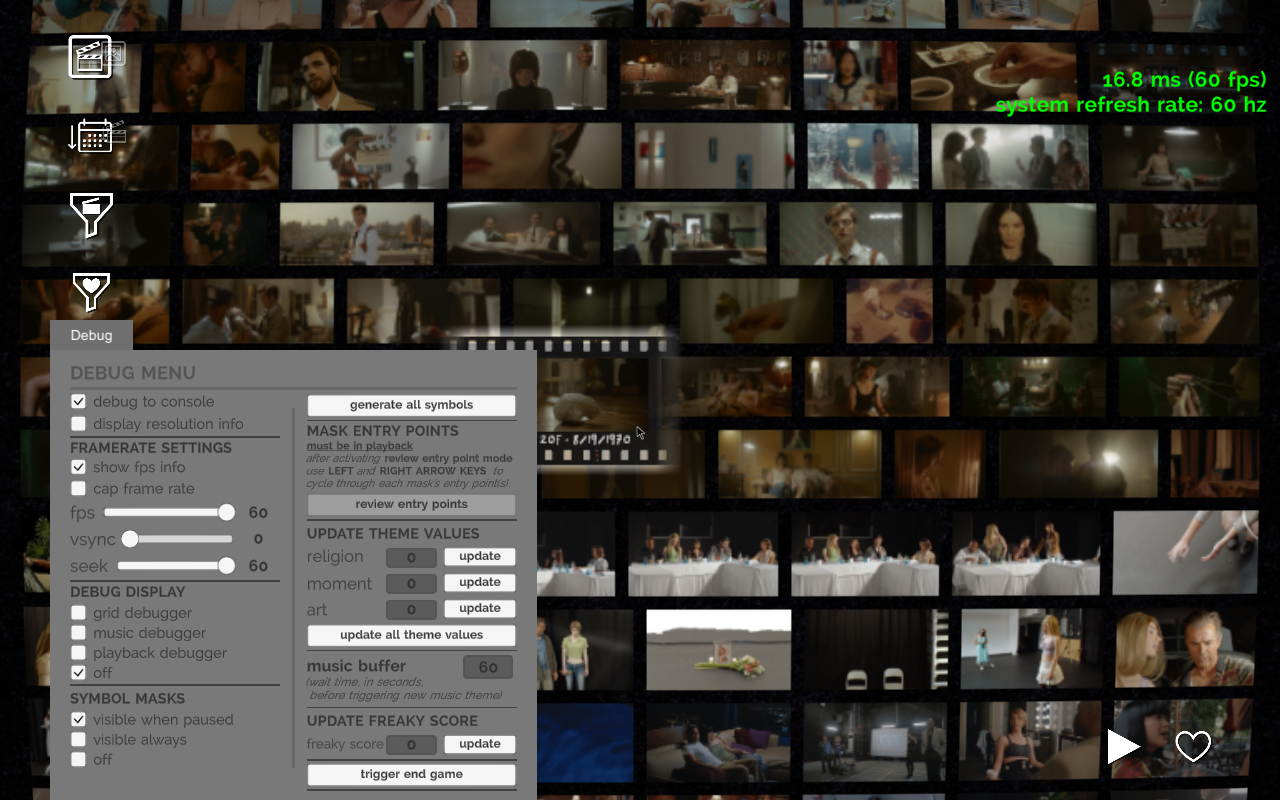
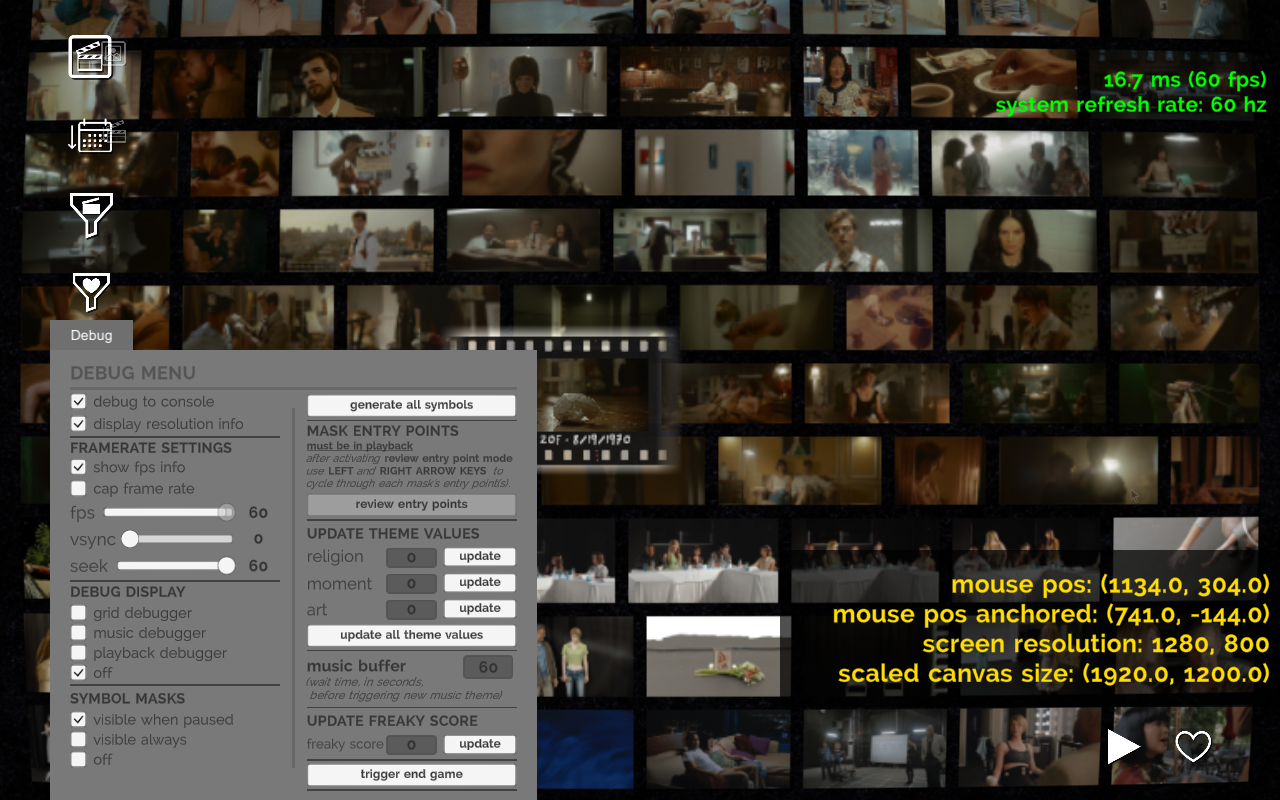
By enabling BuildSettings._debugToolsEnabled (inside DontDestroyOnLoad > BuildSettings > Components > BuildSettings) using a tool like UnityExplorer, activates a debug menu.
Function |
Function Type |
Description |
|---|---|---|
Default Settings |
||
Debug To Console |
Toggle |
Unknown (activated by default) |
Display Resolution Info |
Toggle |
Displays mouse position (normal & anchored), screen resolution & scaled canvas size near the bottom right of the game window. |
Framerate Settings |
||
Show FPS Info |
Toggle |
Shows frames per second and system refresh rate near the top right of the game window. (activated by default) |
Cap Frame Rate |
Toggle |
Caps frame rate to whatever the fps value is. |
Fps |
Slider |
Slider for frame cap that can go between 30 & 60. |
VSync |
Slider |
Slider for Vsync that can go between 1 & 4. Oddly, this makes the game slower |
Seek |
Slider |
Unknown |
Debug Display |
||
Grid Debugger |
Toggle |
Displays current video filename & timestamp near the top right of the game window. (See below for more details) |
Music Debugger |
Toggle |
Displays debug info for the music. (See below for more details) |
Playback Debugger |
Toggle |
Displays debug info for the video playback. (See below for more details) |
Symbol Masks |
||
Visible When Paused |
Toggle |
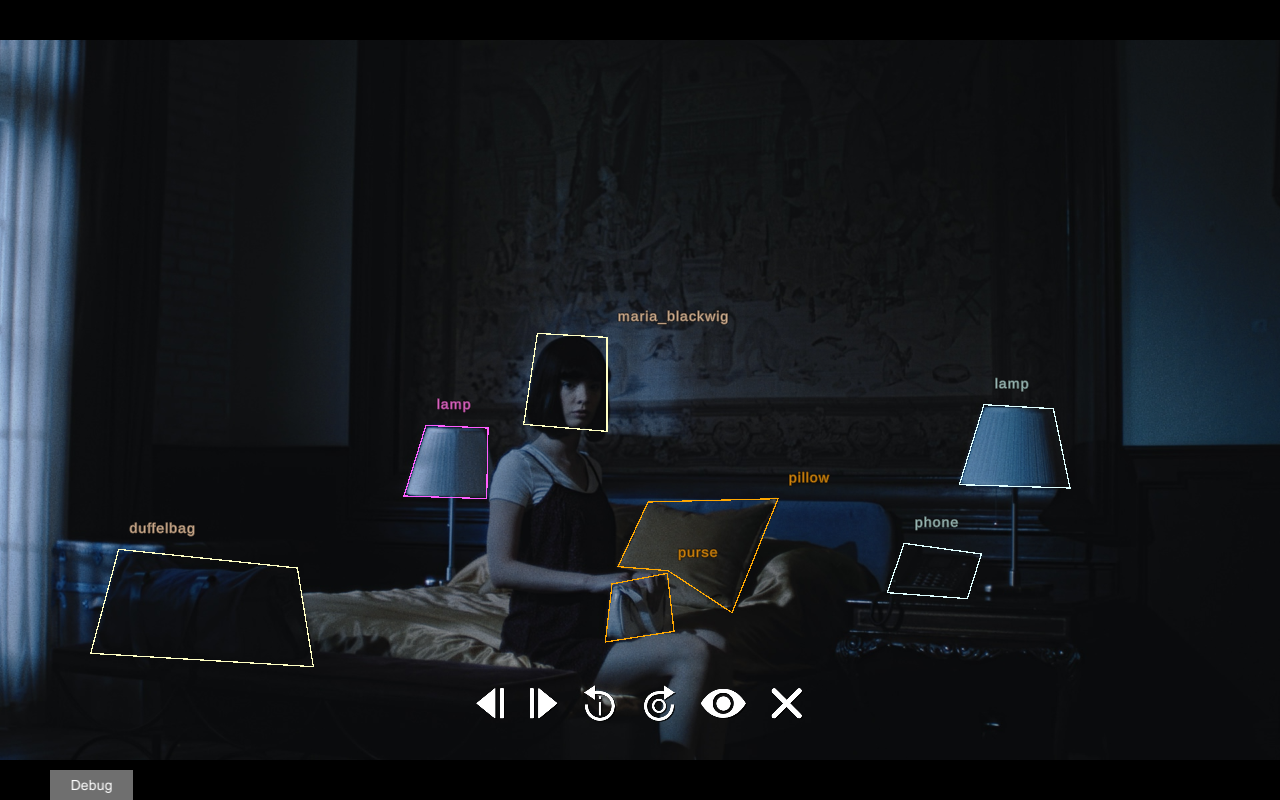
Shows symbol masks for when a video is paused. (activated by default) |
Visible Always |
Toggle |
Shows symbol masks when a video is active. |
Off |
Toggle |
Turns off symbol masks. |
Generate All Symbols |
Button |
Shows an in-game progress window titled Capturing Symbols but it doesn't seem to go any further than "link 1/475, video entry 2/25" |
Mask Entry Points |
||
Review Entry Points |
Button |
(Taken from debug description) |
Update Theme Values |
||
Religion |
Input & Button |
Unknown (May have to do with music?) |
Moment |
Input & Button |
Unknown (May have to do with music?) |
Art |
Input & Button |
Unknown (May have to do with music?) |
Music Buffer |
||
Music Buffer |
Input |
Wait time for a new music theme choice. |
Update Freaky Score |
||
Freaky Score |
Input |
Unknown (May have to do with the ending) |
Trigger End Game |
Button |
Activates game ending. |
Debug Display#
Grid Debugger#
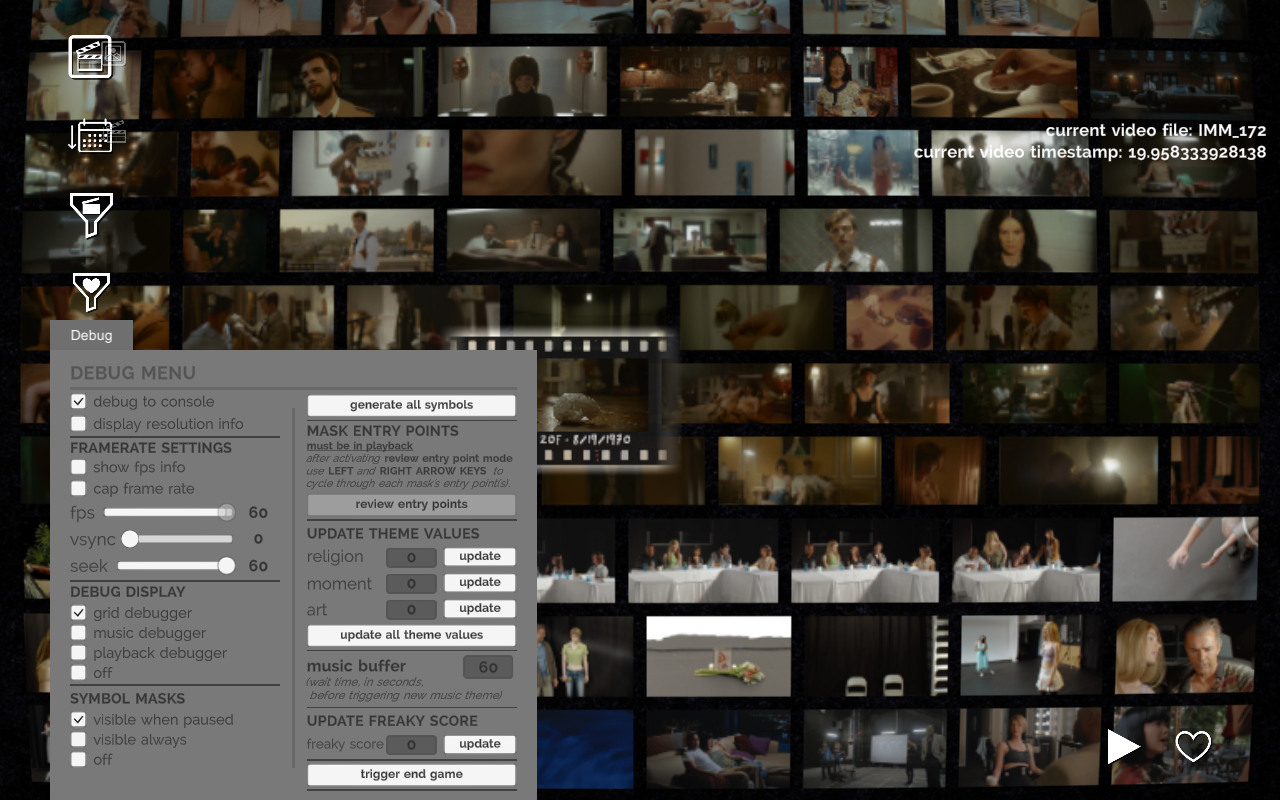
Function |
Description |
|---|---|
Current Video File |
Displays filename for the selected clip. |
Current Video Timestamp |
Displays timestamp for the selected clip. |
Music Debugger#
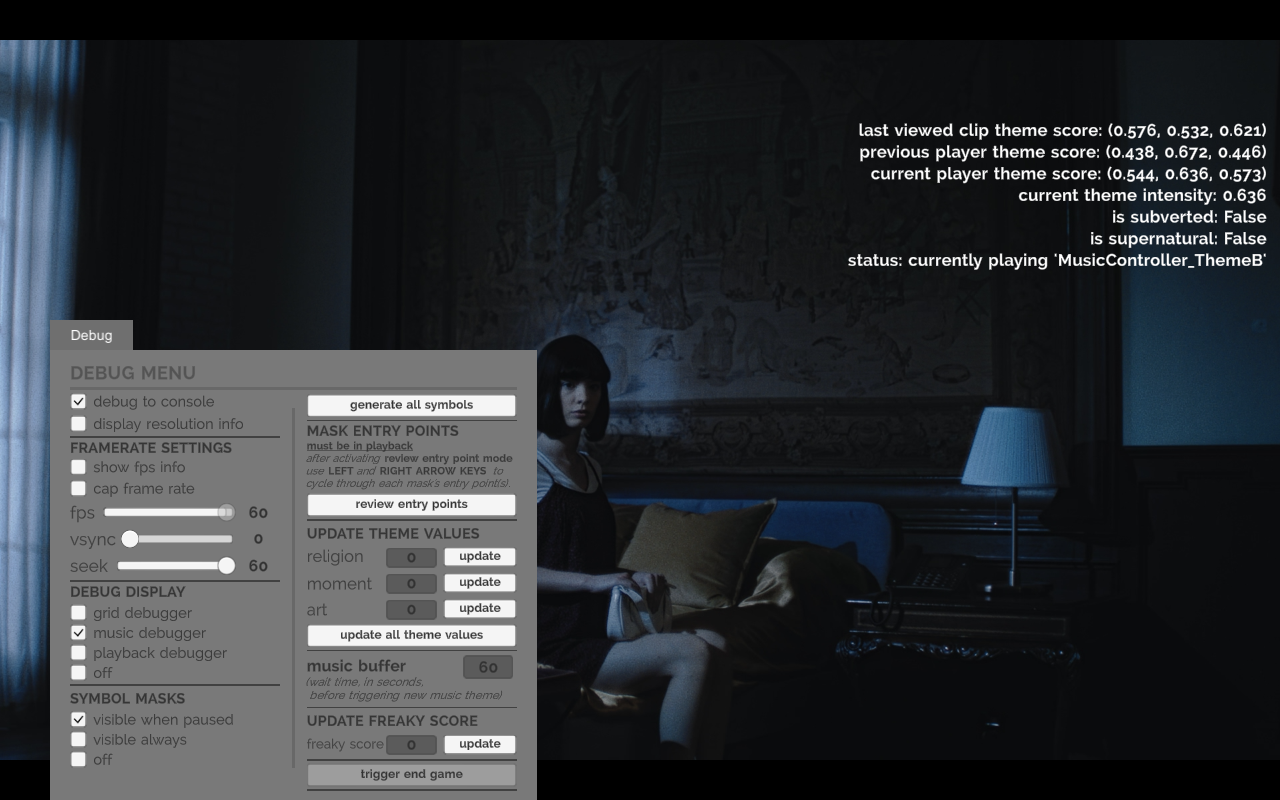
Function |
Description |
|---|---|
Last viewed clip theme score |
Unknown |
Previous player theme score |
Unknown |
Current player theme score |
Unknown |
Current theme intensity |
Unknown |
Is subverted |
Unknown (may be for when a clip has a subverted scene, but it seems inconsistent). |
Is supernatural |
True/False indicator for when the player is in a subverted scene. |
Status |
Status for what track is playing and how long does the buffer want to wait for playing more music. |
Playback Debugger#
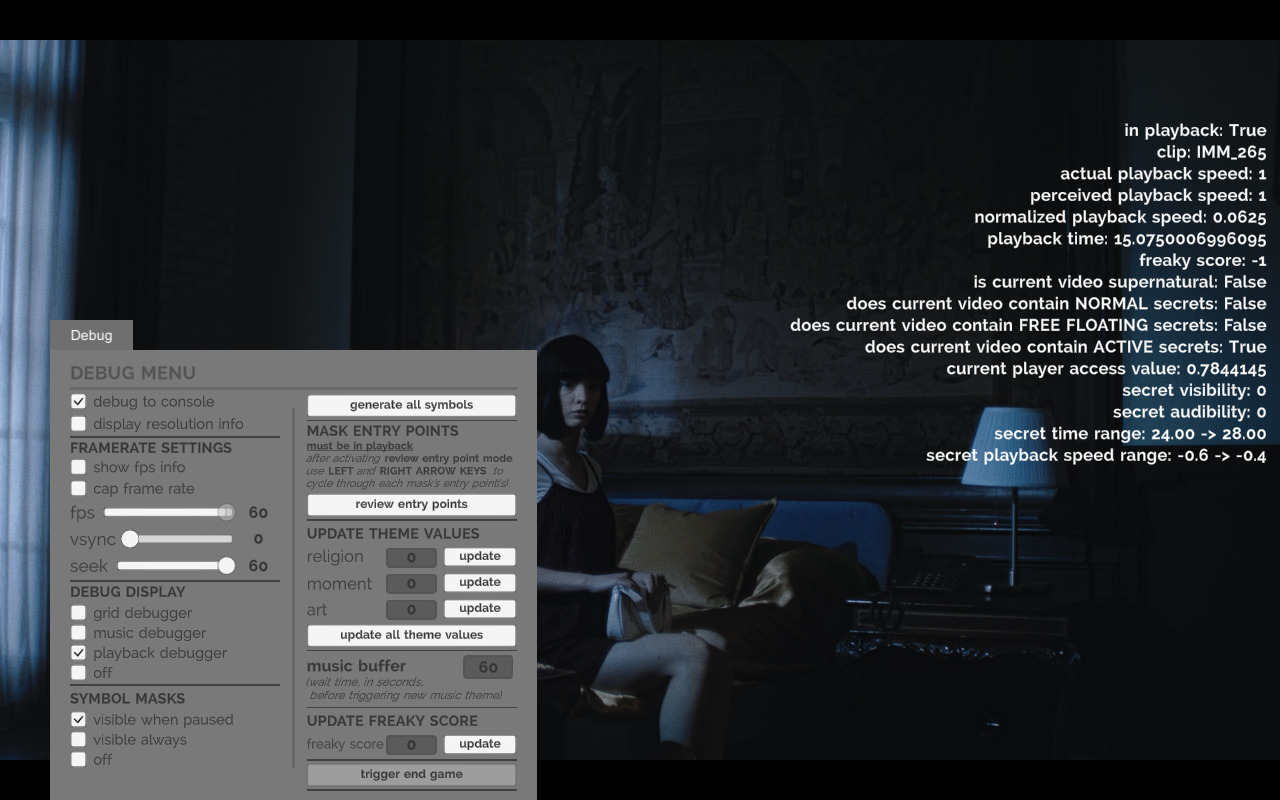
Function |
Description |
|---|---|
In playback |
True/False indicator for when a video is active. |
Clip |
Clip filename |
Actual playback speed |
Playback speed of video. |
Perceived playback speed |
Unknown (Seems to output the same value as Actual playback speed) |
Normalized playback speed |
Unknown |
Playback time |
Video timestamp |
Freaky Score |
Unknown (May have to do with the ending) |
Is current video supernatural |
True/False indicator for when a subverted scene is playing. |
Does current video contain NORMAL secrets |
True/False indicator for when a video contains a non-save file exclusive subverted scene. |
Does current video contain FREE FLOATING secrets |
Unknown (Looked through a handful of clips and it doesn't seem to turn true). |
Does current video contain ACTIVE secrets |
True/False indicator for when a video contains a subverted scene. |
Current player access value |
Unknown |
Secret visibility |
Shows how visible a subverted video is before its activated. |
Secret audibility |
Shows how audible a subverted video is before its activated. |
Secret time range |
Timestamp range for when a subverted video is supposed to show. |
Secret playback speed range |
Speed intervals for when a subverted video can be shown. |
Demo Leftovers#
|
|
To do: |
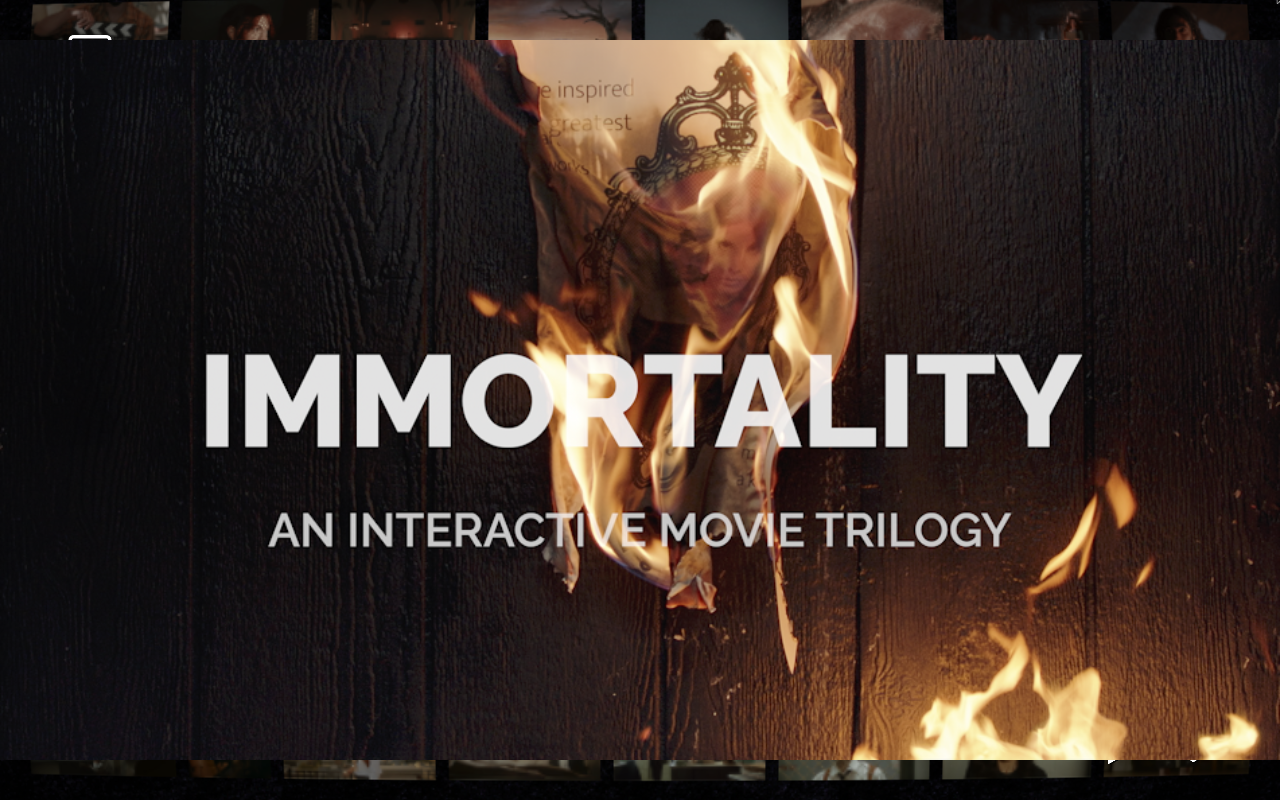
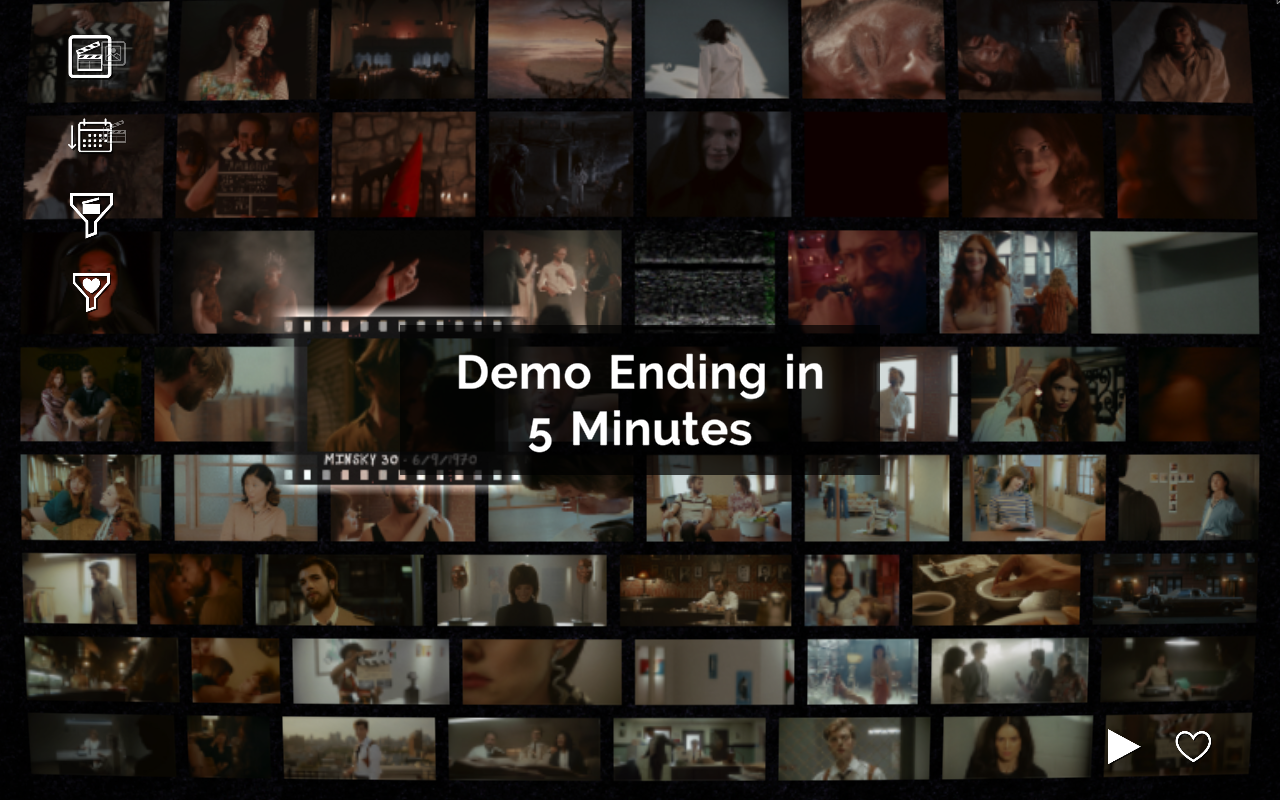
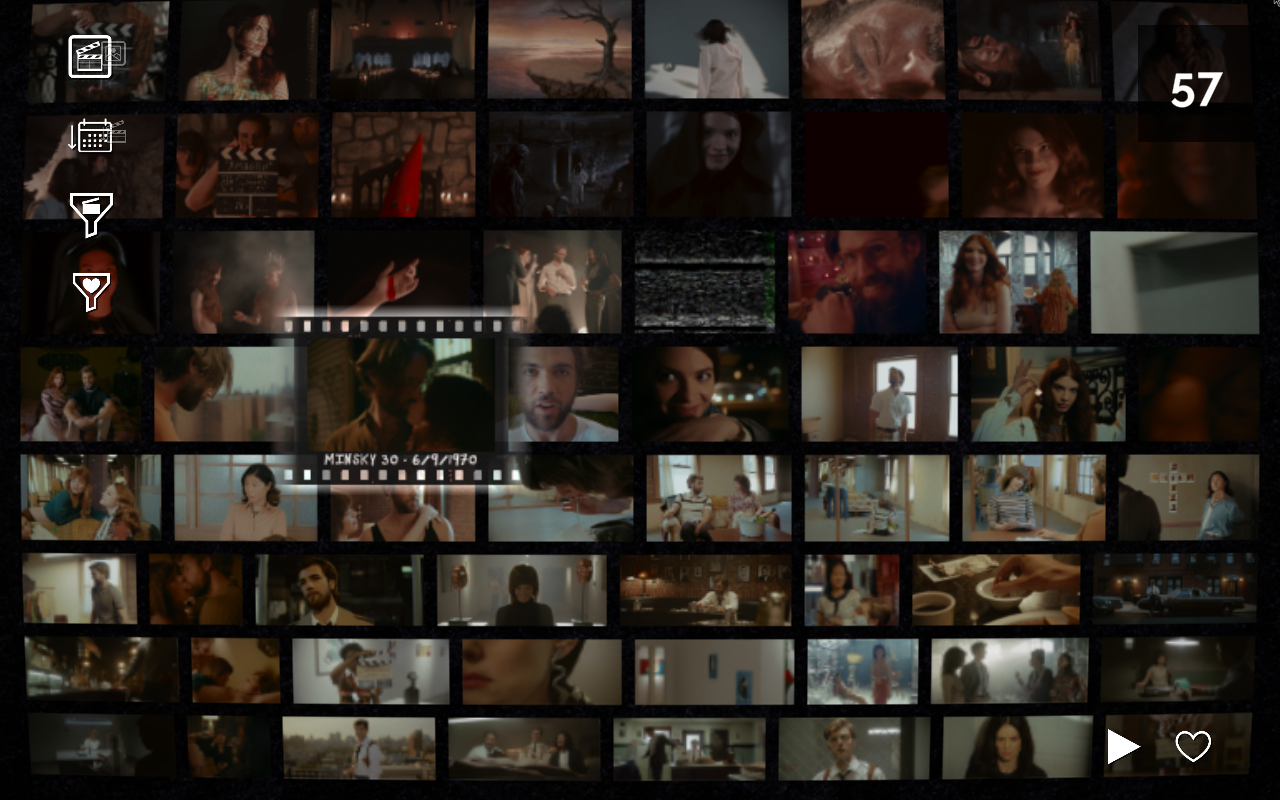 Leftover in the main game is a demo splash screen and two countdown warnings.
Prototype Leftover#
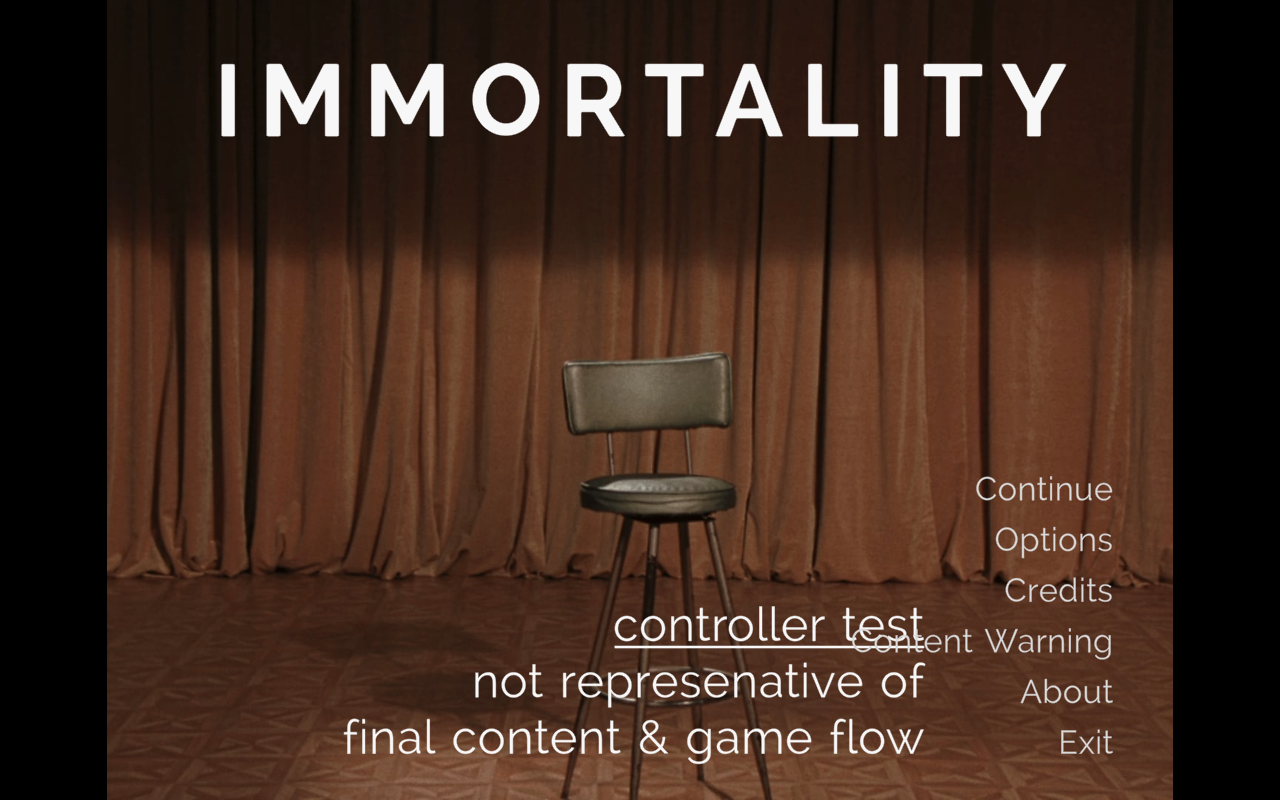
Leftover in the game's main menu is a prototype note from a point when they were testing out the controller usage.
controller test
not representative of
final content & game flow
Unused Downloader#

Inside the game's main menu is an unused download screen which would download the video content if the game didn't have any. An updated version of this would later be used for the Netflix release.
Unused Gamertag & SaveData Info#
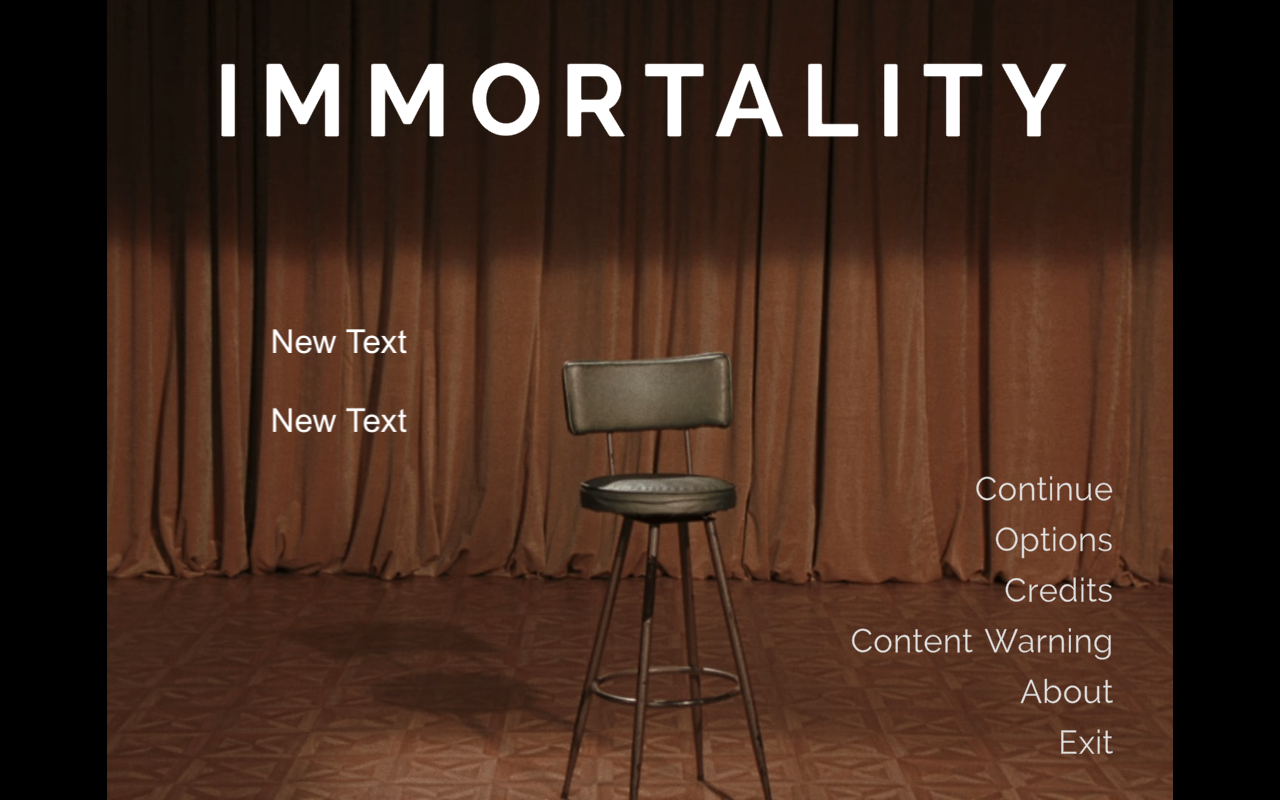
Inside the game's main menu are two unused Gamertag & SaveData text slots both labelled "New Text" which do not have any functionality.