Grand Prix Manager 2, based on the 1996 Formula One season, is one of few late 90's Formula One games that did not feature Jacques Villeneuve. It was also one of last few officially licensed Formula One games where the licensing was handled by FOCA instead of Formula One Administration.
Sub-Pages#


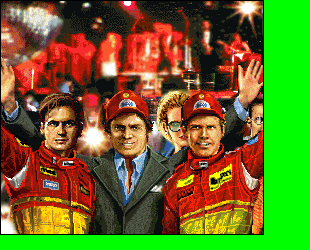
Unused Graphics#
Car Damage Visuals#
In the CARS folder, there are files (cleverly) named SCARS.PCX and SCARSn.PCX (n is a number between 0 to 12) that contains fragments of dirty/damaged cars when viewed from top, intended to be used during the pit screen and related to the Repair button in the mid-race pit menu. Even if you manage to have a worn-out external part that would enable repairing of it, it will not affect the car in the pit screen. The team-specific SCARS files would have been overlaid to pristine car image (CAROVRn.PCX), as shown on the right row.
Team |
SCARSn file |
Mockup with CAROVR |
|---|---|---|
Benetton |

|

|
Williams |

|

|
Ferrari |

|

|
McLaren |

|

|
Ligier |

|

|
Jordan |

|

|
Sauber |

|

|
Tyrrell |

|

|
Footwork |

|

|
Minardi |

|

|
Forti |

|

|
Cassini |

|

|
Tsunami |

|

|

The SCARS.PCX file is universal and would have been applied to any car, to give further impression of further damage. Both could be usable together, leading to one of the following situations (demonstrated using the Benetton car):
Normal |
SCARS only |
SCARSn only |
SCARSn & SCARS |
|---|---|---|---|
 |
 |
|

|
Others#

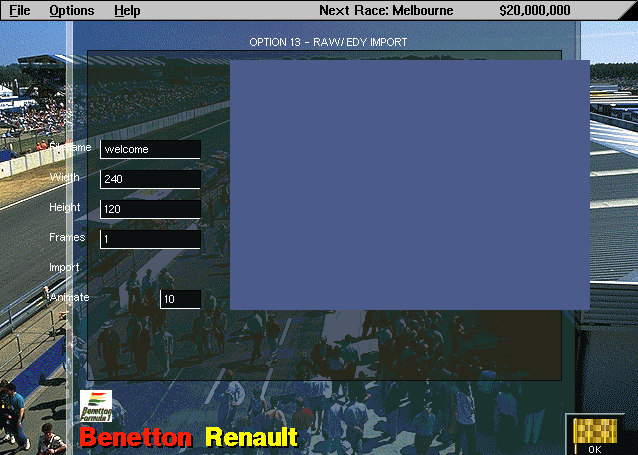
This file, WELCOME.EDY, is the default EDY inputted in the EDY Viewer in Option 13 (see below). It never appears in playable sections of the game, since it is meant to welcome the player accessing the debug feature.
This file also appears in GPM1.

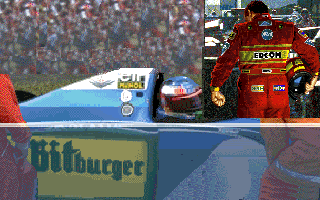
TD_WINPT.PCX and TD_WINP2.PCX appears with this picture of Martin Brundle in a Jordan. The full image is a 640x460 image with the picture located amongst a sea of green. In TD_WINPT.PCX, the picture is placed at 374x158; TD_WINP2 shifts it 24 pixels to the left.
This picture also appears in the first Grand Prix Manager game with the exact same properties, but instead it's a picture of David Coulthard driving his Williams.

Alternate TV Studio "test" screens, the first depicting some houses and the other using some pictures from GPM1. The used one is simply the FIA logo.
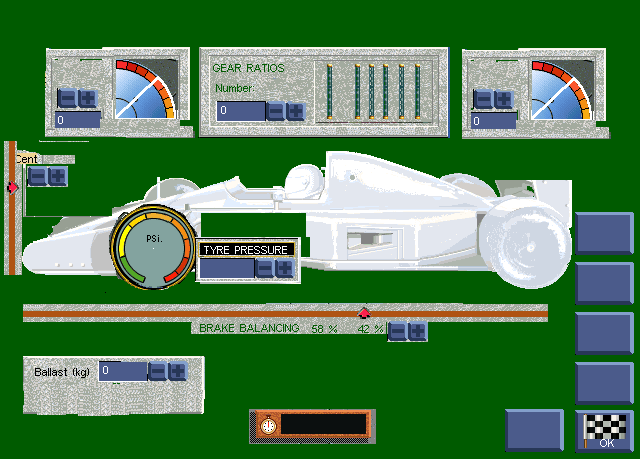
An early, incomplete Car Setup screen, using assets from GPM1. It should be noted that GPM1 does not have a Car Setup screen on its own; rather car settings are changed in Car Internals and Car Externals screens.
Debug Menus#
There are two menus that lead to debug-related functions in the game.
IAMACHEAT Menu#
Type iamacheat on the main screen to access the following cheat and debug features:
- Develop Next Part: Makes the next tier of all car parts available. For instance, if Trakspar is the highest available suspension, using this option makes Mod. Coil suspension available.
- Develop All Parts: Makes all tiers of all car parts available.
- Build All Facilities: Exactly what it says at tin.
- Unban all parts: As above, plus sets the minimum weight limit at 0 kg.
- Make Sponsors Like Me: Makes all sponsor's interest at five stars, allowing you to sign any sponsor. In practice, you can only sign the first 10 listed sponsors.
- Play All Waves: Would have supposed to play all wave (sound) files, but it does not appear to work.
- Money: Adjust how much money you have, by increments of $5,000,000.
- Improve Driver Aids: Increases level of your driver aids (all of them). If you don't have one, you will have all driver aids.
- Cheat Mode: Enables the following debug functions and cheats:
- In Testing: Allows to view drivers' feedback based on current car settings even without doing a test lap.
- In pit menu during testing: Adds transitions to driver picture in the pit screen. There are three types of transitions.
- In Sponsor Deals menu: Fills all the sponsor slots by one specific sponsor, chosen by pressing the letter on the keyboard (likely used to test sponsor graphics). Note this fills the e-mail inbox and the game will eventually prompt you to delete old ones (you are limited to 52 emails per inbox).
- In News screen: Press A (all headlines), D (tests driver name in headlines) , or T (tests team name in headlines) to see three sets of all available news items, then click OK and return. Press C to restore the initial news. See Notes:Grand Prix Manager 2 for the list of all available news items.
Option 13#
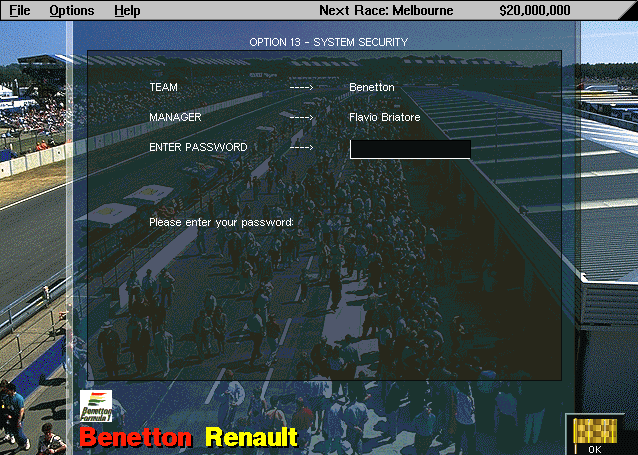
To access Option 13, click on the white area on the left of the newspaper's date. You will be then prompted to enter a password. Enter any of the following passwords below to use the function. (Option 13 is a reference to Benetton's alleged launch control system - a banned driver aid - during the 1994 Formula One season.)
Password |
Effect |
|---|---|
win |
Displays a menu that lists all available car parts and driver aids. Enter 1 for driver aids, 2 for internal parts, 3 for external parts, 4 to exit. The internal and external parts reveal parts that were removed from the final game: fuel injection, radiator, and ballast (in internals) and skirt (in externals). Ballast was moved to car settings, while skirt, previously an external part in GPM1, was moved to driver aids in GPM2. |
debug |
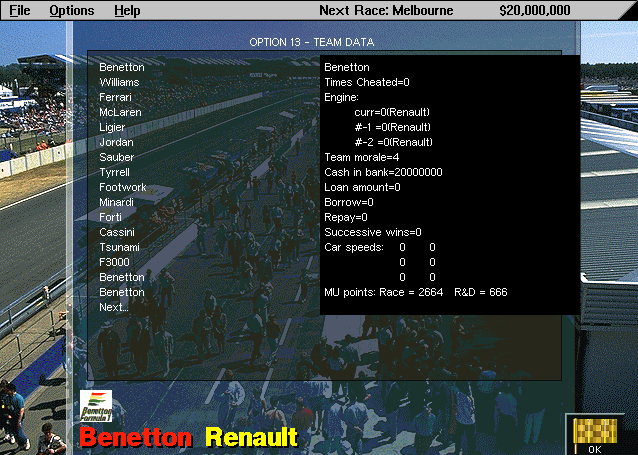
Displays team, chief staff, and driver stats. The Next button is the fourth-last option rather than the actual Next text ("F3000" in first screen), making it impossible to see certain information from chief staff and drivers. While the chief staff and driver stats are exactly as the same viewable in-game (only raw), the team data reveals additional data:
 |
import |
Imports .EDY (raw game graphics) files to be viewed. By default, the WELCOME.EDY file is specified. You don't have to write the .EDY extension, but you need to know the exact resolution of the .EDY file. |
drivers |
Would have been used to edit raw career information of drivers even those that haven't signed yet, but it's broken and dummied out. You can do it on Customize screen anyway before the first race of a single player, long-term contract game, but that's for drivers who are already signed with a team. |
tracks |
Would have been used to edit raw organizational information of tracks, but it's broken and dummied out as well. |
spin |
Spins the screen. That's all, really. To use this option, you need to change 5 bytes of GPM2.EXE using a hex editor, starting from $D62E4, to 90 90 90 90 90. |
wash |
Attempts to delete working files used by the game. This option is considered to be bugged. |
it |
Tests some kind of client/server synchronization stuff. When used, the game blacks out with a red outline "IT" text on the top left corner, without appearing to do anything. Click the near most top-left corner to return to the game. |


(Discovery: Kroah)
Revisional Differences#
Version 1.02B fixes a bug that increased the likelihood of retirements caused by car electronics if the levels of driver aids are equal or higher than the car's EMS.
|
The MicroProse Grand Prix series | |
|---|---|
|
DOS |
|
|
Grand Prix Manager | |
|
Windows |
|