 This article has a talk page!

|
This page or section needs more images. |

|
To do:
|
Finding Nemo is a game based on the movie of the same name. The game is exclusively set underwater, and features 2D-style gameplay where you can play as either Nemo, Marlin and or Dory as you follow the plot of the movie only with a whole lot more colored stone and sliding block puzzles that are mysteriously in your way.
Notable for being the first Disney/Pixar console game published by THQ, and Traveller's Tales' last Pixar movie tie-in game as development for future games would be handled by THQ's internal studios.
Unused Characters#
|
|
To do: |
Nigel the Pelican#
There are three playable characters: Nemo, Marlin and Dory. While there are few differences among them, their gameplay styles are nearly identical, where they swim around in a 2D or 3D plane. However, the game's files show there were plans for more playable characters with different gameplay styles. The config.txt file shows a list of the planned characters. Judging from all of this, Nigel was going to have two gameplay styles: one where he would have been running and jumping and another where he would have been flying. His model is present only in the GameCube version's files, with incomplete textures, that demonstrate that he was cut before he was finished. Each of the cut characters have a .txt file attached to them, with Nigel's listed below as an example:
radius=0.5
miny=0.0
maxy=0.5
scale=5.5

air_gravity=0

platform_gravity=-9
jump_speed=30

acceleration=3
friction=12
min_speed=10
max_speed=30
walk_speed=10
run_speed=10
takehit_speed=6.0
terminal_velocity=45
stop_speed=0.1

anim_start="land"
fpsec=24.0
cycle=off
blend_in=0.2
blend_out=0.2
anim_end

anim_start="tkhitair"
cycle=off
fpsec=24.0
blend_in=0.2
blend_out=1.0
anim_end

anim_start="takeoff"
cycle=off
fpsec=24.0
blend_in=0.0
anim_end

anim_start="jump"
cycle=off
fpsec=30.0
blend_in=0.0
anim_end

anim_start="JLand"
cycle=off
fpsec=30.0
blend_in=0.0
anim_end

anim_start="walk"
fpsec=45.0
    effect_start
        frame=8
        sfx="thunk"
    effect_end
    effect_start
        frame=22
        sfx="thunk"
    effect_end
anim_end

anim_start="fly"
    effect_start
        frame=7
        sfx="flap"
    effect_end
anim_end
This unfinished file doesn't list the full set of animations for Nigel (dive, glide, grab, idle, jglide), since was cut and left unfinished. Underneath his walk and fly animations are "thunk" and "flap" sound effects, which go unused since there are no other characters with actions that use those sounds. As a result, Nigel, a major character in the movie, is completely absent from the game.
Additionally, Nigel has two death animations: ni_drop.cut (if he went too far offscreen) and ni_hitob.cut (for collision detection). Unlike other death animations, there's no txt file to accompany them.
Crush#
Crush has less animations and a shorter txt file so he didn't get as far into development. Unlike Nigel, he was going to be playable underwater. Ultimately, he is featured, but as an unplayable character.
radius=5
miny=-1
maxy=2.3
scale=0.825
mass=10

acceleration=10.0
friction=1.0
min_speed=4
max_speed=10
move_delay=0.1
air_gravity=-12.0


anim_start="swim"
fpsec=24.0
anim_end

anim_start="hide"
fpsec=30.0
blend_in=0.33
blend_out=0.33
anim_end

anim_start="qkhide"
fpsec=30.0
blend_in=0.0
blend_out=0.0
cycle=off
anim_end
This .txt file also has missing animations (idle and surf).
Bubble#
Bubble (not to be confused with the character Bubbles), unlike Nigel and Crush, has no animations, and is just simply a white sphere. Its associated .txt file is also lacking. It's possible this was used as a test object.
scale=1.75
radius=0.37
air_gravity=-12.0
mass=1.25
stop_speed=0.0125
acceleration=0.8
friction=1
min_speed=2
max_speed=10
takehit_speed=5.0
Unused Stages#

|
This page or section has one or more broken YouTube links. |

|
This needs some investigation. |
There are a number of unused levels left in the game's files, although their overall state depends which version of the game. The PS2 version has the most complete files, which can possibly be accessed and reconstructed. The Xbox version has empty files, and the GameCube version only has the .txt files that reference them.
All Versions#
boat#
This level, set on a boat, was likely a level where you play as Nigel (suggested by the line "air_based"). The .txt file is short with very little info about the level, and only the PS2 version has collision detection for all of the unused levels. Watch on YouTube
air_based
settings_start=1
    farclip=285
    nearclip=0.326
    fognear=32
    fogfar=285
    fogr=0
    fogg=71
    fogb=107
    foga=127
    hazer=0
    hazeg=124
    hazeb=100
    hazea=0
    backr=40
    backg=110
    backb=90
settings_end


playtype=offset
camvec_x=-15
camvec_y=20
camvec_z=15
air_based
start_x=5.45
start_y=16.41
start_z=65.32 pier#
A level set in a pier. This may also have been planned as a level for Nigel.
playtype=offset

settings_x=0
settings_y=0
settings_z=0
farclip=300
fognear=5
fogfar=50
fogr=128
fogg=128
fogb=128
foga=30
hazer=0
hazeg=124
hazeb=100
hazea=0
backr=40
backg=110
backb=90
camvec_x=6.7
camvec_y=10.
camvec_z=-6.7
air_based

settings2_x=0
settings2_y=0
settings2_z=0
fogr2=0
fogg2=244
fogb2=200
foga2=122
fognear2=1
fogfar2=17 seagull#
Another planned Nigel level. The .txt file is more complete compared to the other two, suggesting this one was farther along in development. Watch on YouTube
settings_start=1
    farclip=2700
    nearclip=0.38
    fognear=160
    fogfar=2300
    fogr=110
    fogg=103
    fogb=94
    foga=65
    hazer=40
    hazeg=40
    hazeb=40
    hazea=19
    backr_top=0
    backg_top=23
    backb_top=127
    backr_bottom=0
    backg_bottom=23
    backb_bottom=127
    settings_x=-108.0
    settings_y=0.0
    settings_z=-310.0
settings_end

settings_start=2
    farclip=3000
    nearclip=0.42
    fognear=300
    fogfar=2800
    fogr=90
    fogg=118
    fogb=114
    foga=75
    hazer=40
    hazeg=40
    hazeb=40
    hazea=19
    backr_top=0
    backg_top=23
    backb_top=127
    backr_bottom=0
    backg_bottom=23
    backb_bottom=127
    settings_x=-150.0
    settings_y=20.0
    settings_z=-830.0
settings_end

settings_start=3
    farclip=2800
    nearclip=0.42
    fognear=300
    fogfar=2750
    fogr=90
    fogg=118
    fogb=110
    foga=74
    hazer=40
    hazeg=40
    hazeb=40
    hazea=19
    backr_top=115
    backg_top=122
    backb_top=200
    backr_bottom=0
    backg_bottom=23
    backb_bottom=127
    settings_x=150.0
    settings_y=20.0
    settings_z=-220.0
settings_end

settings_start=4
    farclip=2900
    nearclip=0.38
    fognear=600
    fogfar=1500
    fogr=100
    fogg=99
    fogb=97
    foga=60
    hazer=40
    hazeg=40
    hazeb=40
    hazea=19
    backr_top=115
    backg_top=122
    backb_top=200
    backr_bottom=0
    backg_bottom=23
    backb_bottom=127
    settings_x=-410.0
    settings_y=10.0
    settings_z=-510.0
settings_end

settings_start=5
    farclip=2700
    nearclip=0.38
    fognear=140
    fogfar=1700
    fogr=122
    fogg=121
    fogb=123
    foga=63
    hazer=40
    hazeg=40
    hazeb=40
    hazea=19
    backr_top=115
    backg_top=122
    backb_top=200
    backr_bottom=0
    backg_bottom=23
    backb_bottom=127
    settings_x=-450.0
    settings_y=50.0
    settings_z=-730.0
settings_end

settings_start=6
    farclip=2900
    nearclip=0.38
    fognear=170
    fogfar=2750
    fogr=100
    fogg=133
    fogb=148
    foga=76
    hazeg=40
    hazeb=40
    hazea=19
    backr_top=115
    backg_top=122
    backb_top=200
    backr_bottom=0
    backg_bottom=23
    backb_bottom=127
    settings_x=-450.0
    settings_y=136.0
    settings_z=-1000.0
settings_end

settings_start=7
    farclip=2000
    nearclip=0.38
    fognear=70
    fogfar=1600
    fogr=123
    fogg=119
    fogb=112
    foga=60
    hazer=40
    hazeg=40
    hazeb=40
    hazea=19
    backr_top=115
    backg_top=122
    backb_top=200
    backr_bottom=0
    backg_bottom=23
    backb_bottom=127
    settings_x=-65.0
    settings_y=130.0
    settings_z=-900.0
settings_end

sock_start=00
    playtype=sidewalk
    mid_force=xz
    mid_range_inner=1.5
    mid_range_outer=3
    link_duration=6.0
sock_end

sock_start=01
    cam_look_ratio=0.5
    link_duration=6.0
    mid_range_inner=7
    mid_range_outer=11
    current_speed=25
    playtype=out
sock_end

sock_start=02
    playtype=sidewalk
    mid_force=xz
    mid_range_inner=1.5
    mid_range_outer=3
    link_duration=6.0
sock_end

sock_start=03
    cam_look_ratio=0.5
    mid_range_inner=7
    mid_range_outer=11
    current_speed=25
    playtype=out
sock_end

obstacle_start=01
    obj="cylinderroll1"
obstacle_end

obstacle_start=02
    obj="dooropen1"
obstacle_end

air_based
The sidewalk play type was never used in the game at all, and this level may have had Nigel running around and helping.
GameCube#
|
|
To do: |
test#
A test level. The config.txt file shows that any character can be used here. The model and collision detection data are found in the files for the East Australian Current level, while the .txt file is found in the test folder. The level's file size (16.3MB) is too large to swap with any of the other levels, so it currently cannot be accessed.
pause_r=0
pause_g=0
pause_b=255
pause_a=32


shadow_intensity=0.075

cam_ahead=0.35

settings_start=1
    farclip=140
    nearclip=0.208
    fognear=1
    fogfar=134
    fogr=0
    fogg=7
    fogb=7
    foga=0
    hazer=138
    hazeg=152
    hazeb=148
    hazea=109
    backr=74
    backg=77
    backb=120

    fogr_x=0
    fogg_x=7
    fogb_x=7
    foga_x=127
    hazer_x=138
    hazeg_x=152
    hazeb_x=148
    hazea_x=109
    backr_x=0
    backg_x=7
    backb_x=7
    fogdensity=0.040


settings_end


sock_start=00
    playtype=side
    mid_force=xz
    mid_range_inner=0.01
    mid_range_outer=0.2
    link_duration=2.0
    cutlinkin
    current_speed=0.0
    ai_clip_range=25.0
sock_end


obstacle_start
    name="button1"
    obj="button_01_ball"
    obj="button_01",no_collision
    obj="door_02",no_collision
    camera_spline="doorcam_01"
    cam_start_time=0.0
    cam_end_time=2.5
obstacle_end

obstacle_start
    name="button2"
    obj="button_02_ball"
    obj="button_02",no_collision
    obj="door_04",no_collision
    camera_spline="doorcam_02"
    cam_start_time=0.0
    cam_end_time=2.5
obstacle_end

obstacle_start
    obj="chain_01_ball",rightonly
    obj="chain_01",no_collision
    obj="chain_03",no_collision
    obj="chain_04",no_collision
    obj="chain_05",no_collision
    obj="chain_06",no_collision
    camera_spline="doorcam_03"
    cam_start_time=0.0
    cam_end_time=2.5
obstacle_end

obstacle_start
    obj="button_03_ball"
    obj="button_03",no_collision
    obj="door_05",no_collision
    camera_spline="doorcam_04"
    cam_start_time=0.0
    cam_end_time=2.5
obstacle_end

obstacle_start
    name="hatch"
    block_puzzle
    obj="button_04_ball"
    obj="button_04",no_collision
    obj="door_07",no_collision
    camera_spline="doorcam_05"
    cam_start_time=0.0
    cam_end_time=2.5
obstacle_end Xbox#
Start#
Start is supposed to contain graphics, but all of the files in the folder are empty.
subold#
An earlier version of the "Submarine" level can be found within its files. This version contains less files than the final version, though it is currently unknown how different is it from the final version. It is the only unused level in the Xbox version that has collision detection and files that are not empty.
Unused Animations#
|
|
This page or section has one or more broken YouTube links. |
Nemo#
Nemo has two unused animations in a separate subfolder: "swimfast" and "walk". Though the former's removal is unusual, the latter's removal is pretty obvious.
swimfast#
The swimfast animation is only done during a level. Trying to move Nemo will cause the game to crash. The video below depicts this animation glitching and moving a frame per second while trying to implement it into the game.
Watch on YouTube
walk#
Again, the video below depicts the animation glitching, but it is interesting to see what Nemo's walk animation would've been like.
Watch on YouTube
Nigel#
Nigel's animations can only be inserted into the loading screen, as it will crash if loaded anywhere else.
idle#

walk#
fly#
This may have been intended for the unused Pier level, during the seagull chase.
Watch on YouTube
tkhitair#
Ditto for this hit animation.
Watch on YouTube
Unused Models#
|
|
This page or section has one or more broken YouTube links. |
|
|
To do: |
|
|
This needs some investigation. |
There are many unused models for the game, including this seagull, which may have been intended for the seagull chase.
Watch on YouTube
(Source: MegaSpeed Xtreme (video))
Unused Graphics#
The "stuff" folder in the PS2 and Xbox versions contain some unused graphics. Unless otherwise noted, these are leftovers from Crash Bandicoot: The Wrath of Cortex.
PS2#

ariel32 is a font set from Wrath of Cortex.

envtxt is a bunch of random colors.

Spectxtf is a bright light with no clear purpose. Both of these graphics differ from the similarly-named ones found in Wrath of Cortex. The Xbox version also contains oldspectxtf which shows a bunch of grey diamonds separated by black diagonal lines.

particle.raw is a bunch of leftover textures, one of which is a stained glass texture featuring Dr. Neo Cortex, which is also found in LEGO Star Wars: The Video Game, albeit darker.

nemo_old.ico is a leftover PS2 save icon from Wrath of Cortex. It may have been used as a placeholder.
Xbox#

WaterCubemap.dds is an image of the interior of Microsoft's building.
Unused Cutscenes#
|
|
This page or section has one or more broken YouTube links. |
intro.xmv#
intro.xmv, found only in the North American Xbox release, is an unfinished workprint of the movie's opening titles dated January 2003, four months before the movie's theatrical release. It was most likely used as a placeholder before Pixar sent the final footage.
mfbout.cut#
Present in all versions (except GameCube) is "mfbout.cut", which is a cutscene from the Minefield level in an unfinished state, with incomplete animations, no lip-synching, and no audio.
Unused Audio#
Character |
Transcript |
|---|---|
Merlin |
"Come on, Nemo. Time for school." |
Nemo |
"Hurray!" |
Merlin |
"Make sure you keep up, Nemo. There are rings of bubbles along the way. See if you can swim through all of them. You might just gotta reward if you do." |
Nemo |
"Wow! Cool!" |
Merlin |
"Right, let's go!" |
Present only in the GameCube and Xbox versions is the file audio\english\gts_intr, which is placeholder dialogue of Marlin and Nemo from the "Going to School" level.
Unused Gameplay Styles#
Config.txt shows all of the gameplay styles that were planned to be in the final version.
Used in the final game are:
- Side
- In
- Out
- Boing
There are a few more styles listed:
- Default - Listed to have directional controls (Left, right, forwards or backwards, but not up or down) and meant to be used in any Out of Bounds areas.
- Sidewalk - The camera is shown from the side (originally intended for the cut Nigel levels).
- Offset - The camera has a fixed offset form the player.
- Down - The player would be moving along the y-axis.
- Free - A free-roaming mode where the player can swim anywhere.
- Next to this listing in the .txt file is a dev message: (aaaaaarrrrrgggghhh.....!!!!)
Any of the unused styles can be added to the levels in the game, though since they're not designed for those styles, the controls can glitch. The huge abundance of invisible walls also makes it difficult to use these styles and there is zero freedom. Even if the player bypasses these walls and gets out of bounds, the game will switch to the "default" style, and depending on the locations, the player can get stuck.
The config.txt file also mentions "water_based" and "air_based", meaning that the level was designed for underwater or above water, respectively. However, "water_based" is not in any of the .txt files for each level, since that is the default setting to begin with. "air_based" can be added to any of the levels, allowing the player to swim above water, although once a certain height is reached, the game will force you into the "default" style, with no way back down.
Unused Text#
config.txt#
Config.txt can be found in the files. This contains all of the information about the game: playable characters, graphics, gameplay styles, cutscenes, dialogue, etc. The .txt file shown below is from the GameCube version. The Xbox version's config.txt adds the level select code at the start of the file (for the PS2 version, strangely). The game does not read it, as it is not referenced in the executable, and modifying it has no effect on gameplay.
**********************************************
* COMMAND-LINE PARAMATERS (CASE-INSENSITIVE) *
**********************************************

RECORD
 - When the level starts the game will record up to 1 minute of pad 1's input.
 - In NTSC, the file saved is a ".pad" (60Hz), in PAL a ".ppd" (50Hz).
 - Press START to save the file while recording.

PLAY
 - Will play back the last recorded pad input.

NOFMV
 - Game will not run movies, even text placeholders.

TBSYSTEM
 - Will run with the SYSTEM timing bars active.

TBGAME
 - Will run with the GAME timing bars active.

TBPLAYER
 - Will run with the PLAYER timing bars active.

TBDRAW
 - Will run with the DRAW timing bars active.

DRAWSOCK
 - Will run with the option to draw the player's current sock volume turned on.

NOSOCKERRORS
 - Will turn off sock error message list. Cam be toggled in-game from "Debug Options" menu.

PATH
 - Will set an alternative data path, the default being "\\primary\drive\projects\nemo".

LOADEROFF
 - Turns off animated loading screen

LEVEL
 - Will bypass all front end stuff, going straight to the level in question.
 - Any component of the level's name may be used, ie. "level qua" will take you to the AQUARIUM.
 - Do not include spaces of the level name, ie. "whale chase" will be treated as "whale".

DRAWTERRAIN
 - The game will draw the terrain. Can be turned off from the pause menu in-game.

DRAWSPLINES
 - The game will draw all current scene splines, cycling the colours to indicate direction.

DRAWCOLLISIONSPHERES
 - The game will draw all collision spheres. Can be turned off from the pause menu in-game.

CHEAT
 - Activates the cheat menu in the map area, and all cheats in said menu.

INVINCIBLE
 - The player's invinciblility cheat will be ON. Can be toggled in the MAP level or Debug Options menu.

OPENLEVELS
 - All levels are available from the start, rather than locked as if in final game.

NOBACKUPS
 - Stops the editor system automatically making file backups before writing new data.

TESTCHAR
 - Sets the playable character for the 'Test' level. Choose from...
    - NEMO
    - FATHER
    - DORY
    - NIGEL
    - CRUSH
    - BUBBLE

DRAWSOUNDMEM
 - Draws the sound memory bar on-screen (can be turned off from Debug Options)

NOMUSIC
 - Sets the music volume to zero at the start of the game

RUMBLEOFF
 - Turns off controller-vibration at the start of the game

**************************************************************

************************************************
* LEVEL CONFIG - ALL VALUES GIVEN ARE DEFAULTS *
************************************************

fog=new                // default - use new fog system
fog=old                // use old fog system
playtype=default       // level is played with the default mechanism (directional controls)
        =down          // level is played down the y-axis
        =side          // level is played from a side-view
        =in            // level is played into the screen, ie. away from the camera
        =out           // level is played out of the screen, ie. towards the camera
        =free          // level is free-roaming (aaaaaarrrrrgggghhh.....!!!!)
        =offset        // level is played with the camera a fixed offset from the player
        =boing         // level is played by bouncing around fixed points
        =sidewalk      // level is played from a side-view platforming perspective
camvec_x=0.0           // offset in x from player to camera
camvec_y=5.0           // offset in y from player to camera
camvec_z=-2.5          // offset in z from player to camera
height=1.0             // general-purpose, ie. player's height above terrain in "levtype=offset" levels
swoopcam_time=30.0     // time taken for swoopcam to travel along rail
cam_ahead=1.0          // general-purpose look-ahead distance, ie. particularly for 'side' levels
air_based              // all in-game stuff is by default above water in this level
water_based            // all in-game stuff is by default under water in this level
current_speed=0.0      // minimum speed at which player is forced through the level
start_x=0.0f           // override start-position spline point by changing the x component
start_y=0.0f           // override start-position spline point by changing the y component
start_z=0.0f           // override start-position spline point by changing the z component
finish_x=0.0f          // override finish-position spline point by changing the x component
finish_y=0.0f          // override finish-position spline point by changing the y component
finish_z=0.0f          // override finish-position spline point by changing the z component
checkpoint_reset=on    // objects, AI etc. will re-activate if ahead of last checkpoint when player dies
checkpoint_reset=off   // objects, AI etc. will stay as they are when player dies and goes back to a checkpoint
notes=1,2,3            // sequence of up to 10 musical notes to play (choose from 1, 2 or 3).
shadow_intensity=0.125 // darkness of shadow - 1.0 = black, 0.0 = invisible (0.125 = 1/8th)
shadow_length=4.0      // distance complex-shadow primitives will be cast from objects
ring_boost=0.2         // multiplier of dart_speed to apply when player goes through a (bonus) ring.
boing_radius=2.0       // boing range while in level
ai_clip_range=25.0     // range at which AI units clip in/out
pause_r=127            // red component of scren-tint when paused
pause_g=191            // green component of scren-tint when paused
pause_b=255            // blue component of scren-tint when paused
pause_a=32             // alpha component of scren-tint when paused (128 = completely opaque)
ptwang_range=50.0      // maximum range between ptwang points

// Configure draw/fog/haze/background settings - set 1 is the default/master.
// If any of these aren't set, they will use the values from the default set 1.
settings_start=1
    farclip=1000
    nearclip=0.15
    fognear=0
    fogfar=0
    fogr=0
    fogg=0
    fogb=0
    foga=0
    hazer=0
    hazeg=0
    hazeb=0
    hazea=0
    backr=0 // set RGB of whole screen clear
    backg=0
    backb=0
    backr_top=0 // set RGB of top of screen clear (copied to bottom settings)
    backg_top=0
    backb_top=0
    backr_bottom=0 // set RGB of bottom of screen clear
    backg_bottom=0
    backb_bottom=0
    settings_x=0.0 // point with which default settings are associated (will override "settings" spline point)
    settings_y=0.0
    settings_z=0.0
    cut_scene_only // these settings will not be used in-game
settings_end

sock_start=xx                // start sock settings block, xx = 00/01/02/03/04/05/06/07
    circuit              // the end of sock xx loops back to the start (xx = 00/01/02/03/04/05/06/07)
    playtype=default     // sock is played with the default mechanism (directional controls)
            =down        // set sock's play mode (types listed above), overriding that set for the level
            =side
            =in
            =out
            =free
            =offset
    link_duration=3.0    // time taken for player to travel from end of this sock to destination (min = 1.0)
    cutlinkin            // player and camera will cut when starting a link
    cutlinkout           // player and camera will cut at end of a link
    cutlinkteleport      // player and camera will cut immediately to the start of the next sock
    current_speed=0.0    // forced-scroll speed along this sock (overrides global current_speed)
    mid_range_inner=0.0  // distance at which player starts to be forced back towards MID rail
    mid_range_outer=0.0  // distance at which player is forced back with maximum force
    mid_force=xyz        // default (ie. not necessary) - force will be applied in all 3 axes
                 =xz         // force will NOT be applied in the y-axis
    cam_look_ratio=1.0   // fraction of angle looking towards player (from looking along CAM spline) to use.
    ring_boost=0.2       // multiplier of dart_speed to apply when player goes through a (bonus) ring.
    boing_radius=2.0     // boing range while in sock (overrides value set for level)
    cam_ahead=0.0        // camera's look-ahead value - ie. for SIDE sections.
    campos_seek=5.0      // camera position seek-rate
    camang_seek=5.0      // camera angles seek-rate
    ai_clip_range=25.0   // range at which AI units clip in/out
    mid_force_down       // player will be forced down if above MID rail (not valid if 3D MID force is applied)
    cam_segments_ahead=0 // 'in' socks only - camera's angles are taken from a number of segments ahead
    ptwang_range=50.0    // maximum range between ptwang points
    cam_sidemidlock      // 'side' socks only - camera will still to the MID rail and not pan up or down
    cam_lateral_ratio=0  // ratio of player's distance from MID to add to camera's destination coordinate
    shadow_intensity=0.125 // darkness of shadow - 1.0 = black, 0.0 = invisible (0.125 = 1/8th)
    shadow_length=4.0      // distance complex-shadow primitives will be cast from objects
    start_x=0.0f           // override generated start-position point by changing the x component
    start_y=0.0f           // override generated start-position point by changing the y component
    start_z=0.0f           // override generated start-position point by changing the z component
sock_end                     // finish sock settings block

obstacle_start                   // start breakable-scenery block
    obj="name"               // list name(s) of scene-object(s) that make up an 'obstacle'
                  ,no_collision  // added immediately after end quotes - player will not collide with this object
                  ,leftonly      // in 2d sections, can only break obstacle object if facing left
                  ,rightonly     // in 2d sections, can only break obstacle object if facing right
                  ,ter_collision // player will not collide with this object's sphere if ter_type is valid
    nemo_only                // only Nemo can break the obstacle
    father_only              // only Father can break the obstacle
    dory_only                // only Dory can break the obstacle
    left_only                // in 2d sections, can only break obstacle if facing left
    right_only               // in 2d sections, can only break obstacle if facing right
    any_contact              // obstacle will activate on contact, ie. no need to dart/spin etc.
    player_only              // only the player can break the obstacle
    ai_only                  // only AI units can break the obstacle
        no_player_collision      // player's object will not even bother trying to collide with obstacle objects
    add_fruit                // breaking an obstacle will add collectible fruit into the level
    name="name"              // a signature for this obstacle to identify it easily in the game code
    block_puzzle             // obstacle is indestructible until level's sliding-block puzzle is complete.
    ter_type=-1              // index of normal terrain type, if not -1 used instead of sphere collision.
    camera_spline="name"     // name of a 2-point spline. While obstacle animates, camera will use these points.
    cam_start_time=0.0       // time after starting obstacle anims to cut camera to view obstacle.
    cam_end_time=0.0         // time after starting obstacle anims to cut camera back to game.
    stop_player              // when obstacle breaks, player will stop rather than pass through.
    route_spline="name"      // name of a spline that the player is forced along while obstacle animates.
    route_duration=0         // length of time taken to move player from start to finish of route spline.
obstacle_end                     // finish breakable-scenery block

teleport_start        // start teleport block
    spline="name" // name of spline
    in=0          // index (from zero) of spline point at which player is turned off
    out=0         // index of spline point at which player is turned back on again
    duration=3.0  // total time for teleport sequence
    nemo_only     // only Nemo can use this teleport
    father_only   // only Fater can use this teleport
    dory_only     // only Dory can use this teleport
    block_puzzle  // only available once level's sliding-block puzzle has been completed
    stop_player   // player will stop dead at the end of a teleport, giving enough chance to teleport again
    range=1.0     // if set, range for player against starting point, else range is derived from player's radius
    short_cut     // teleport is a designated short-cut alternative route
    long_cut      // teleport is a designated long-cut alternative route
    special=0     // set a general-purpose code (where zero = off)
teleport_end          // finish teleport block

anemone_start         // start anemone block
    spline="name" // name of spline
    type=spin     // default type - bestows player with invincible spin-power
            =reveal   // activates something level-specific
anemone_end           // finish teleport block

**************************************************************

************************************************************
* CHARACTER CONFIG OPTIONS - ALL VALUES GIVEN ARE DEFAULTS *
************************************************************

mass=1.0
radius=0.5
miny=-0.5
maxy=0.5
scale=1.0
stop_speed=0.0          // speed at which contact with terrain stops the character
min_speed=1.0           // move speed with minimum pad input
max_speed=3.0           // move speed with maximum pad input
walk_speed=2.0          // move speed if walking on the ground
run_speed=3.0           // move speed if running on the ground
air_gravity=-5.0        // gravity above water
water_gravity=0.0       // gravity underwater
platform_gravity=-10.0  // gravity when platforming!
acceleration=1.0        // force applied to movement with pad input
friction=1.0            // force applied to movement without pad input
move_delay=0.0          // time after pad input stops before starting idle phase
collision_locator=-1    // if not -1, id of locator used as collision-sphere origin instead of object origin
max_tilt=45.0           // degrees up or down to which a character's tilt is limited (ie. 'side' levels) if relevant
dart_speed=3.0          // move speed when performing 'dart' move
dart_anticipate_frame=0.0 // if >1.0, anim-frame at which 'anticipate' phase becomes the 'dart' phase
dart_recover_frame=0.0    // if >1.0, anim-frame at which 'dart' phase becomes the 'recover' phase
ptwang_speed=3.0          // move speed when player has been 'ptwanged'
terminal_velocity=10.0    // maximum speed attainable in any direction, regardless of other speed settings
panel_locator=-1        // id of locator used as origin for info above player, ie. '?', '!' etc.
panel_scale=1.0         // arbitrary scale of info above player
panel_offset=1.0        // distance above player of drawn info
takehit_speed=0.0       // speed to move player backwards when taking a hit
boing_time=1.0          // time taken to boing on the spot
boing_height=1.0        // height character jumps when boinging on the spot
boing_jumptime=1.0      // time taken to boing to another point
boing_jumpheight=1.0    // height character jumps when boinging to another point
layers=0,1,2,3,4,5,6,7  // Set model layers available
spin_friction=1.0       // force applied to movement if spinning
thought_offset=1.0      // distance in y to position origin of thought-bubble object
thought_scale=1.0       // scale at which to render thought-bubble object
thought_text_offset=1.0 // distance in y to position origin of thought-bubble text
thought_text_scale=1.0  // scale at which to render thought-bubble text
pipe_blow_frame=0.0     // if >1.0, anim-frame at which character actually starts blowing
pipe_out_frame=0.0      // if >1.0, anim-frame at which character finishes blowing

******************************
* CHARACTER ANIMATION CONFIG *
******************************

anim_start="swim"    // Start anim settings block.

 fpsec=30.0          // Anim playback rate (frames/second). Use a negative value to play backwards
 blend_in=0.2        // Time (seconds) taken to blend into anim
 blend_out=0.2       // Time (seconds) taken to blend into anim
 speedmul_speed=0.0  // If > 0.0, pad-input speed at which anim will play at fpsec
 speedmul_maxfps=0.0 // If > 0.0, maximum playback rate if anim is speed-scaled
 cycle=on            // Anim will repeat
 cycle=off           // Anim will not repeat
 minreps=0           // If >0, minimum no. of times idle anim will play
 maxreps=0           // If >0 and >minreps, maximum no. of times idle anim will play
 sfx="parp"          // Anim is associated with the sample that has this name in the list or the filename
 type=normal         // Default - not needed unless re-setting type while testing
     =idle           // Anim is a one-off idle (but NOT a default cycling idle).
     =move           // Anim is one of a set of anims to choose from when moving normally.

 effect_start           // Start of effect description - must go within anim_start and anim_end
  timing=constant       // Effect will be added every frame for the duration of the anim
        =between        // Added between frame and frame2 - if frame2 is not set, added from frame to the end
  frame=1.0             // Sets main anim-frame - under normal circumstances, effect will occur at this frame only
  frame2=1.0            // Optional - sets secondary frame
  deb_name="POO"        // Case-insensitive - name of debris effect to add
  num_particles=1       // number of particles of named debris effect to add - if not set, whole effect is added
  locators=0,1,2,3      // locator IDs to use for this effect - can be used in different ways (see other settings)
  random=0.0            // 0...1 - if greater than zero, this is the chance of the effect occuring
  rumble=0.0            // 0...1 - if greater than zero, time (and strength) of pad's main rumble motor
  buzz=0.0              // 0...? - if greater than zero, time of pad's buzz motor
  judder=               // +/- If non-zero, sets time and magnitude of camera judder
  sfx="bwip"            // name or file-name of sound effect to play if all conditions are satisfied
  sfx_2d                // by default, a sound will be played in 3D - this will override it to played in 2d
  condition=on_ground       // if set, object being tested must be touching (or very close to) the ground
           =under_water     // if set, object being tested must be under-water
           =above_water     // OR, if this is set instead, object being tested must be above-water
           =intersect_water // OR object'collision spheroid must be intersecting the water layer
  surfaces=non_solid    // if set, effect will only be added if object is on or above 'dusty' surfaces
  at_ter_surface        // effect will be added at surface directly under object being tested
  at_ter_layer          // effect will be added at layer coordinate (ie. water surface)
  at_obj_bottom         // effect will be added at base of object's collision primitive
  at_locator_average    // effect will be added at the average of all locators being considered, if any
  min_mode=xz_speed     // when testing min value, treat it as a speed in the xz plane
          =xyz_speed    // when testing min value, treat it as a speed in 3d space
  max_mode=xz_speed     // when testing max value, treat it as a speed in the xz plane
          =xyz_speed    // when testing max value, treat it as a speed in 3d space
  min_val=0.0           // set min value for testing depending on mode
  max_val=0.0           // set min value for testing depending on mode
  side_only             // effect will only be added if current play-type is _SIDE or _SIDEWALK
  in_only               // effect will only be added if current play-type is _IN
  not_in                // effect will only be added if current play-type is not _IN
  player_only           // only add effect to player's object, not any object using that character model
  at_obj_speed          // effect particles are added at momentum of object
 effect_end          // End of effect description - must go within anim_start and anim_end

anim_end             // End anim settings block.

************************************************************************
* CUT-SCENE CONFIG OPTIONS - ALL VALUES GIVEN ARE DEFAULTS OR EXAMPLES *
************************************************************************

fpsec=30.0                     // Animation frame-rate of cut-scene
actor="nemo"                   // List characters that appear in this cut-scene (use cut-scene group name)
     ="father"
     ="dory"
set_player_pos=on              // Set in-game player coordinate from equivalent cut-scene model when cut-scene ends
set_player_pos=off             // Turn above setting off for this cut-scene
skippable=off                  // Cut-scene can never be skipped (not valid for bonus or death sequences)
skippable=on                   // Useful only in debug builds to change above setting back while testing
lock_fog                       // Use last in-game fog settings for duration of cut-scene
no_fog=on
no_fog=off                     // Turn off fog during the cut-scene
fog_settings=1                 // Use ONLY the specified set of fog settings during the cut-scene

line_start                     // Start dialogue-line settings block
    character=nemo         // Optional - name of character that says this line (useful for colours, sfx etc.)
    start=1.0              // Frame of cut-scene at which dialogue-line starts
    end=1.0                // Frame of cut-scene at which dialogue-line ends
    english="Dialogue..."  // English dialogue text
    french="Dialogue..."   // French dialogue text
    german="Dialogue..."   // German dialogue text
    italian="Dialogue..."  // Italian dialogue text
    spanish="Dialogue..."  // Spanish dialogue text
    dutch="Dialogue..."    // Dutch dialogue text
    japanese="Dialogue..." // Japanese dialogue text
    korean="Dialogue..."   // Korean dialogue text
line_end                       // End dialogue-line settings block

*************************************************************************
* VOICE-OVER CONFIG OPTIONS - ALL VALUES GIVEN ARE DEFAULTS OR EXAMPLES *
*************************************************************************

duration=3.0                   // Duration of audio file

line_start                     // Start dialogue-line settings block
    character=nemo         // Optional - name of character that says this line (useful for colours, sfx etc.)
    start=0.0              // If >1 line, time from start of audio (0.0s) at which this dialogue-line starts.
    end=0.0                // If >1 line, time from start of audio (0.0s) at which this dialogue-line ends.
    english="Dialogue..."  // English dialogue text
    french="Dialogue..."   // French dialogue text
    german="Dialogue..."   // German dialogue text
    italian="Dialogue..."  // Italian dialogue text
    spanish="Dialogue..."  // Spanish dialogue text
    dutch="Dialogue..."    // Dutch dialogue text
    japanese="Dialogue..." // Japanese dialogue text
    korean="Dialogue..."   // Korean dialogue text
line_end                       // End dialogue-line settings block

**************************************************************

*****************
* TERRAIN TYPES *
*****************

                terrain type   extra terrain type
SURFACES
Default              0                 0
Burrow               1                 0
Non-sandy            2                 0
Pebble pad           3                 0
Clam             4                 0
Non-sandy bumpy      5                 0
Kill                 6                 0
Pop 7 0Logs#
 |
Download FindingNemo XboxLogs.zip File: FindingNemo XboxLogs.zip (info) |
Throughout the files of the Xbox version are several logs relating to when raw assets were converted to the formats used by the game.
Regional Differences#
|
|
To do:
|
Copyright Screen#
International |
Japan |
Korea |
|---|---|---|
 |
 |
 |
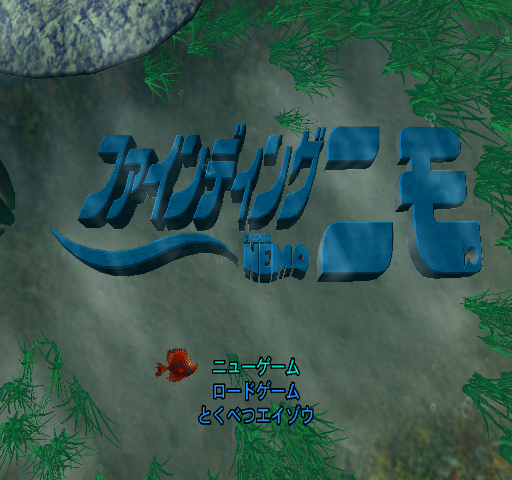
The game title and copyright notices were updated for each respective region.
Yuke's Logo#
The Japanese PS2 and GameCube versions add the Yuke's logo (file name YUKES.pss) to the set of logos that appear the start of the game.
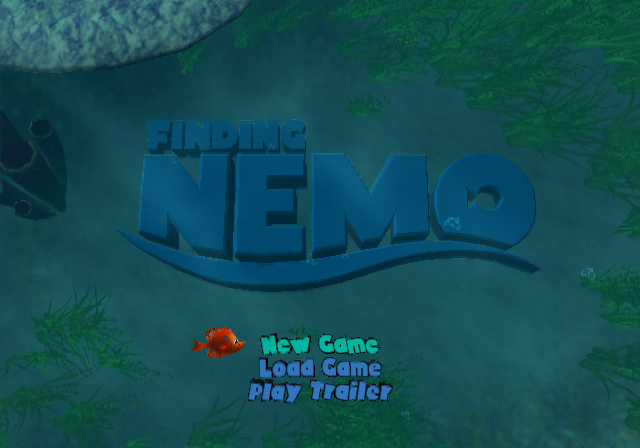
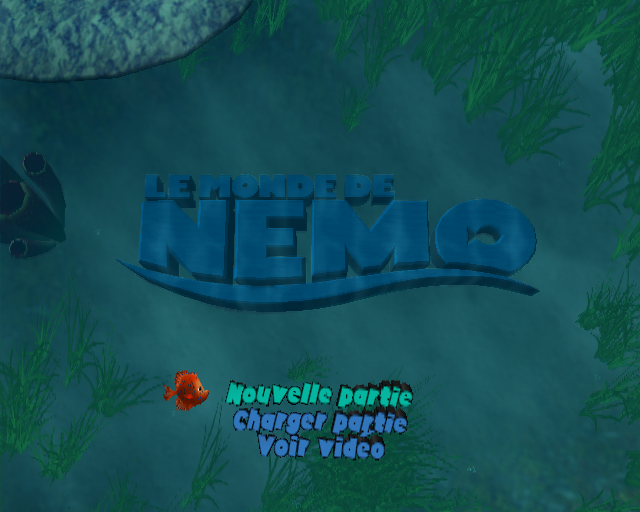
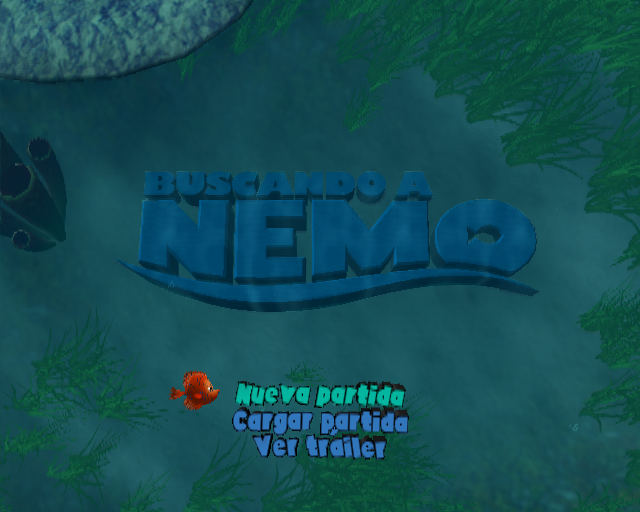
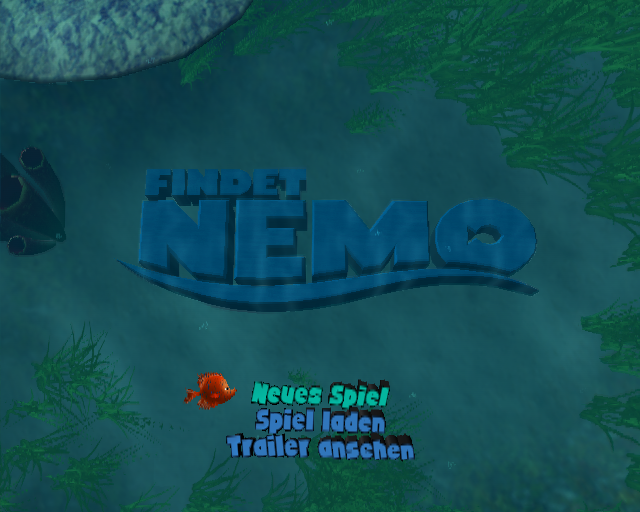
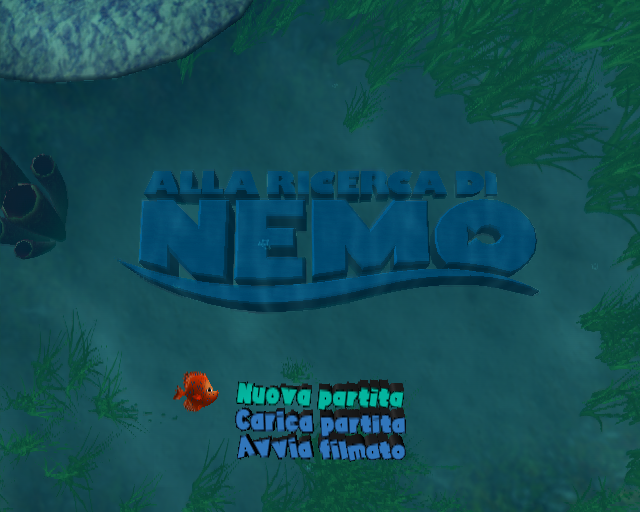
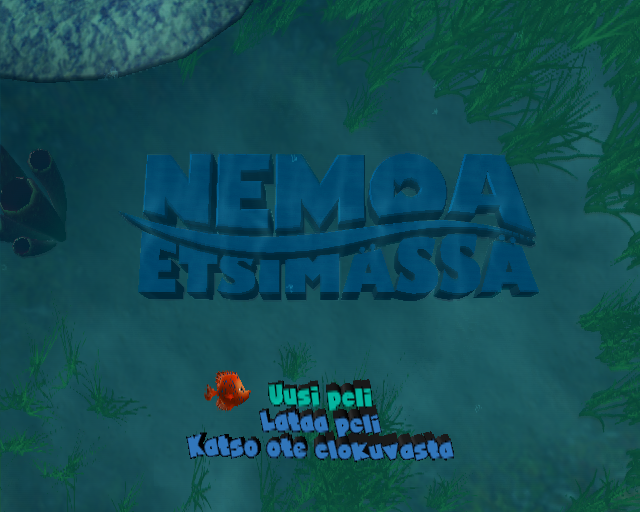
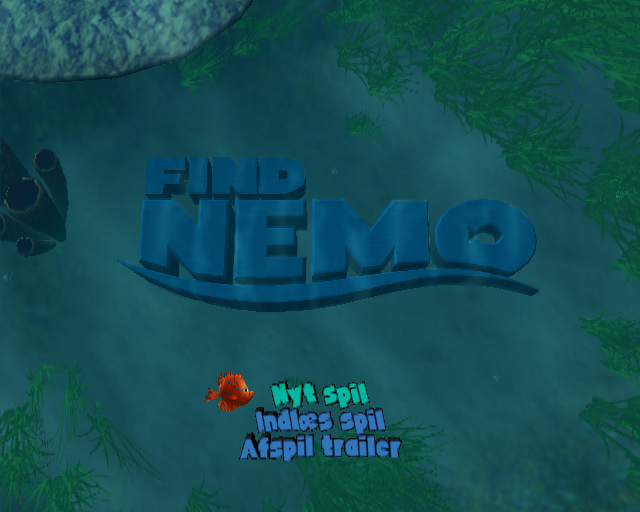
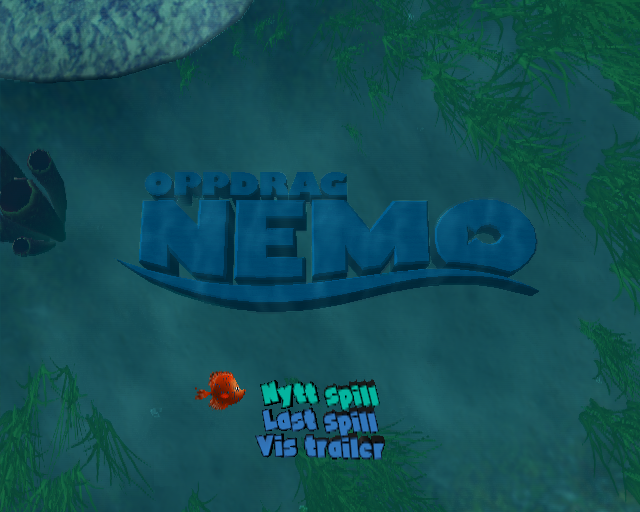
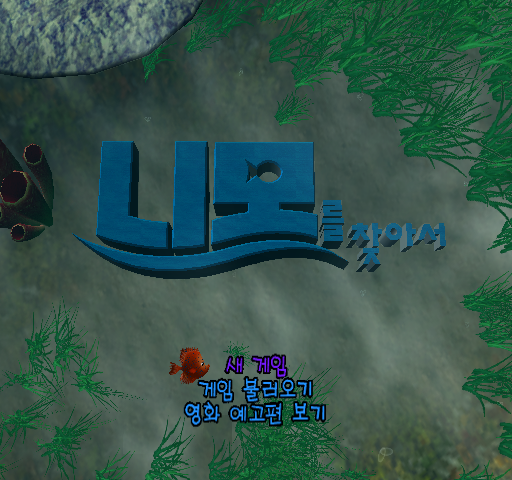
Title Screen#
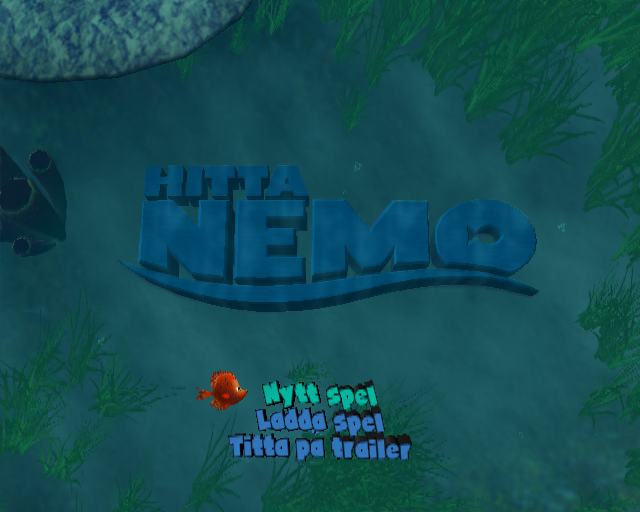
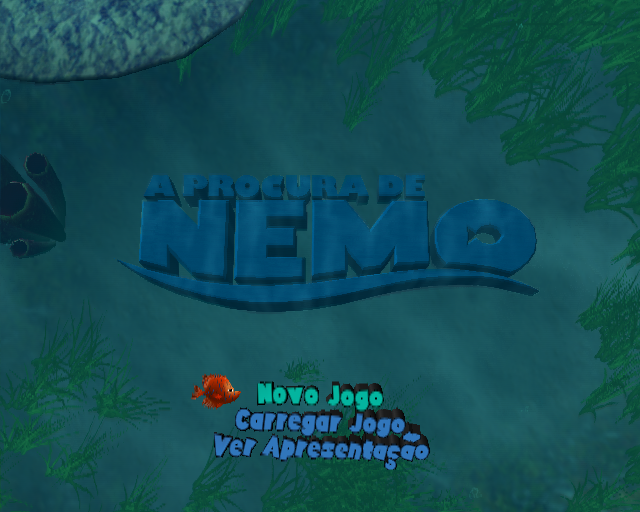
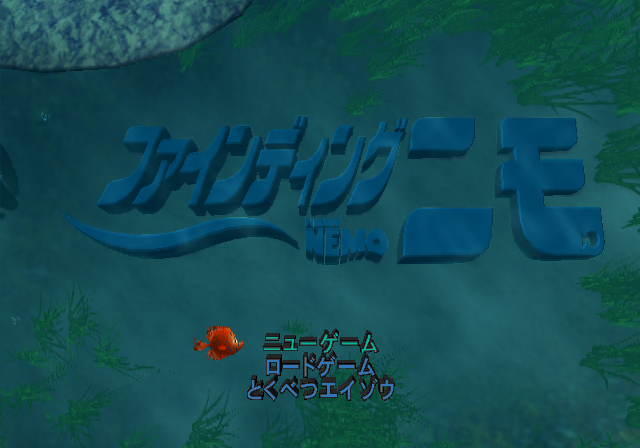
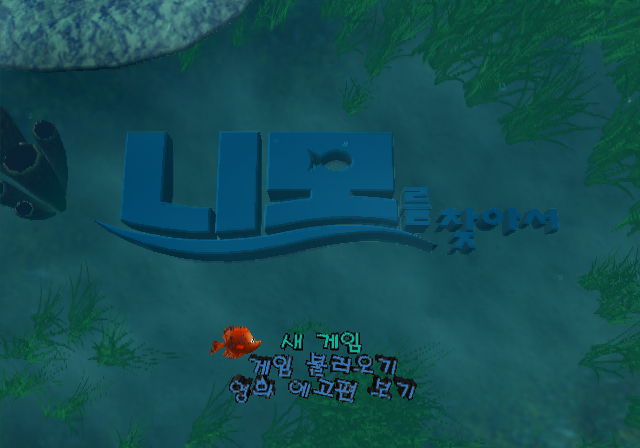
The logo is different for each respective language.
English |
French |
Spanish |
|---|---|---|
 |
 |
 |
German |
Italian |
Finnish |
 |
 |
 |
Danish |
Norwegian |
Swedish |
 |
 |
 |
Portuguese |
Japanese |
Korean |
 |
 |
 |
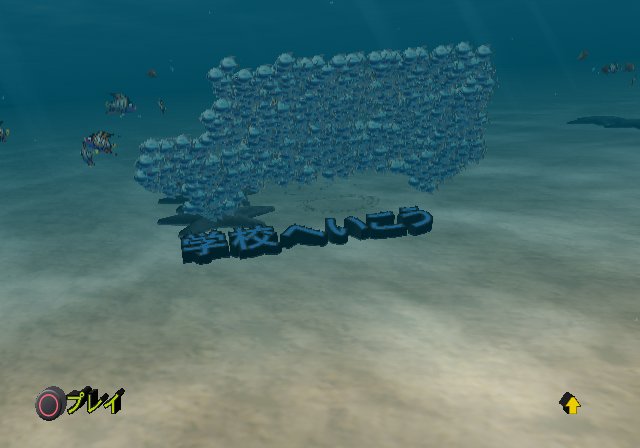
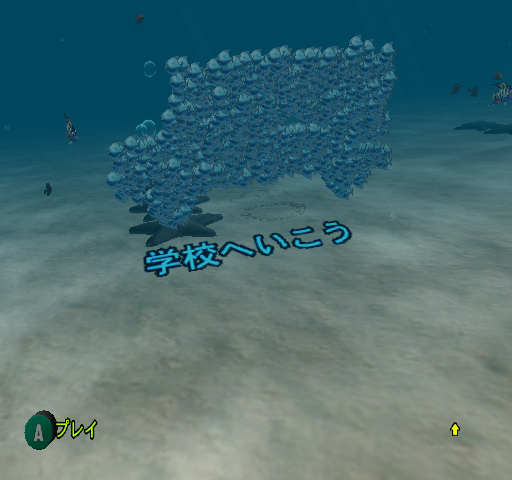
Font#
PS2 (Japan) |
GameCube (Japan) |
|---|---|
|
 |
|
 |
 |
 |
PS2/Xbox (Korea) |
GameCube (Korea) |
|
 |
|
 |
 |
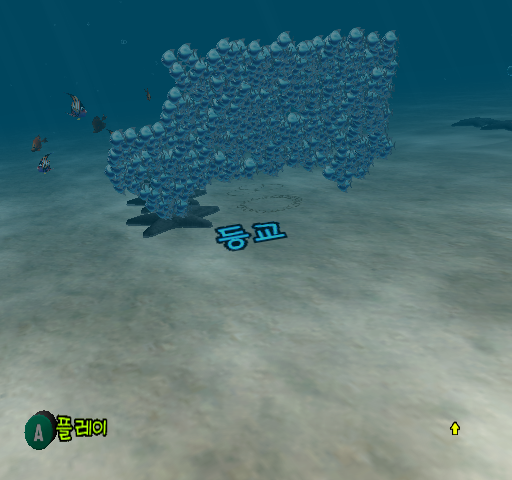 |
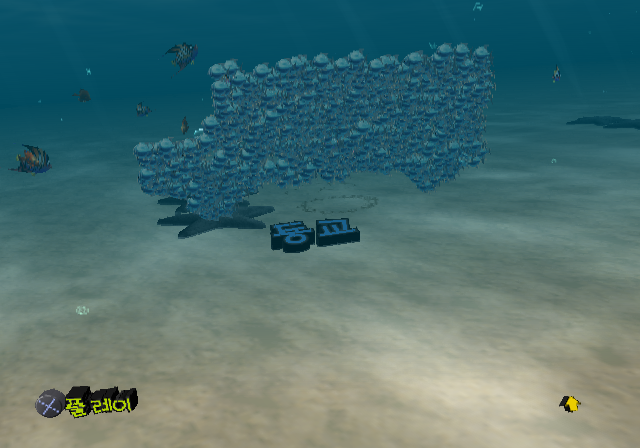
- The Korean PS2 and Xbox versions have a moving animation for the text, which the Japanese PS2 and Japanese/Korean GameCube versions lack.
- The level names in the Japanese PS2 and Korean PS2/Xbox versions are raised from the ground, as opposed to the flat texture that in the Japanese and Korean GameCube versions.
Trailers#
English (US, EU & KR) |
French |
Spanish |
German |
|---|---|---|---|
Italian |
Finnish |
Danish |
Norwegian |
Swedish |
Japanese |
Portuguese |
|
The film's theatrical trailer is present in all versions of the game, except for the version released in Portugal, which instead has a trailer for The Incredibles.
General Differences#
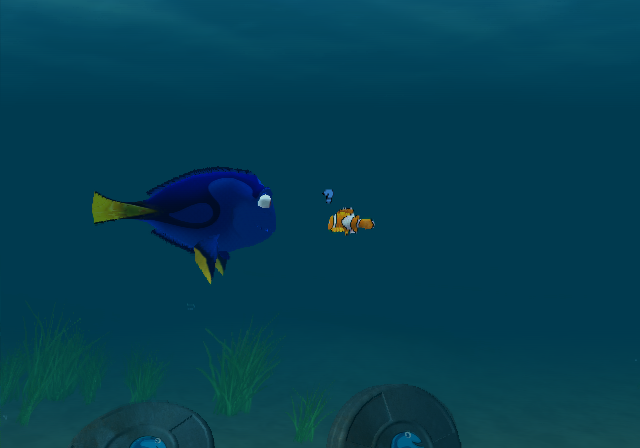
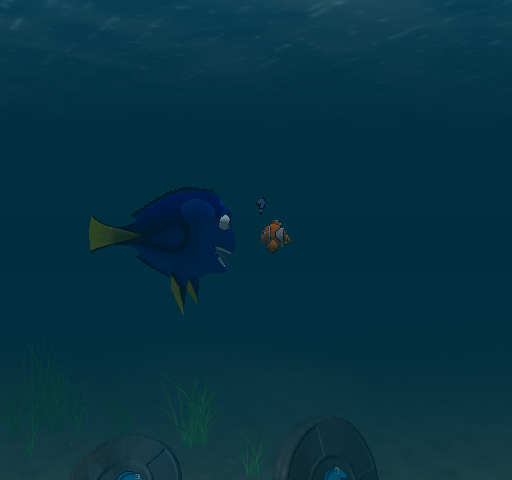
In the Submarine level, whenever Marlin is attacked by eels, the cutscenes that show his demise differ between versions.
PS2 (US)/Xbox (US) |
GameCube/PS2 (EU/JP/KR)/Xbox (EU/KR) |
|---|---|
Dory has her mouth closed in the PS2 version, while in the GameCube and Xbox versions, her mouth is opened.
PS2 |
Xbox/GameCube |
|---|---|
 |
 |
Revisional Differences#
Miscellaneous Differences#
- Each version has different options. The GameCube and Xbox versions set stereo or mono audio based on the system setting. The GameCube and PS2 versions have a toggle for Surround sound. The PS2 version has an option for adjusting the screen position.
- The Xbox version has Dolby Digital 5.1 support and has an option for headphones.
- Curiously, the Xbox version has a "Press Start to Resume" text when the game is paused.
- The rolling demos that play when left idle at the title screen are different. The PS2 and Xbox versions have gameplay demos, but each version has slightly different sequences that are featured. The GameCube version has flythroughs of a few levels.
- Graphically, the Xbox version has a shinier bloom effect while the GameCube version is the weakest, suffering from worse overall graphics (poor color and darker areas) and performance. The PS2 sits in between, with better frame rate but less shiny graphics.
GameCube Version#
Two different revisions were released for the GameCube version. Version 1.00 was released in North America and English language PAL regions and had the following issues:
- Drastically longer load times, ranging up to about a minute.
- Some missing sound effects, such as when the seashell counter lands in the ground in the level select after finishing the level with a new high score.
These issues were fixed in Version 1.01, which was released in Japan, Korea, some parts of Europe and later in North America.
PlayStation 2#
- The music on the level continues to play during the cutscene and does not restart after the cutscene, unlike in other versions.
References#
- Finding Nemo – TT Games↩︎
- 2003年12月発売 ライセンシーソフト↩︎
- THQ Ships Finding Nemo - IGN↩︎
- ::::: Welcome to THQ-KOREA :::::. "발매일 : 2003년 12월 15일"↩︎
- www.thq.co.uk↩︎
- www.NINTENDO.se. "Finding Nemo 2003-11-07 Children Disney Interactive"↩︎
- nintendo.com.au - News from Nintendo. "Melbourne, Australia, September 3rd, 2003 – THQ® Inc. (NASDAQ: THQI) announced the release of Walt Disney Pictures Presentation of Pixar Animation Studios’ Finding Nemo videogame for Nintendo GameCube™ and Game Boy® Advance."↩︎
- Gamewizz Digital Entertainment New Zealand↩︎
|
The Finding Nemo series | |
|---|---|
|
GameCube, PlayStation 2, Xbox |
|
|
Game Boy Advance |
|
|
Nintendo DS |
|
|
Nintendo 3DS |
|
|
Windows, Mac OS Classic |
|