 This article has a talk page!

|
This game is defunct. |

|
This page is rather stubbly and could use some expansion. |
Despicable Me: Minion Rush marks Despicable Me's the Minions' leap into the endless runner genre.
Minion Rush on Windows stopped receiving updates in March 2015 and its servers were fully shut down on July 31, 2025 along with the Samsung Store version. It uses an older build of the game predating the overhaul released in 2018.
|
|
To do:
|
Development Text#
|
|
To do: |
This is the place to put the all the game code.readme.txt contains a message from a developer as to where the game's code gets placed.
Unused Graphics#


In Assets\PortraitText, there is a message in multiple languages telling you to play in landscape mode. However, this game doesn't need landscape mode, as it is a portrait-type game.
Debugging Functions#
Strings for many debugging functions are present in the executable and binary level data libraries; the game does not have native Lua files but supports loading them for debugging.
In-Game#
k_dbgFlag_LOD
k_dbgFlag_aabb
k_dbgFlag_anim
k_dbgFlag_bodyParts
k_dbgFlag_debugForbiddenMovements
k_dbgFlag_debugMinionSpeed
k_dbgFlag_debugRocketPath
k_dbgFlag_jumpDefinition
k_dbgFlag_lanes
k_dbgFlag_pacesetter
k_dbgFlag_platform
k_dbgFlag_postAnimate
k_dbgFlag_safeMinionPoints
k_dbgFlag_shadowmap
k_dbgFlag_states
k_dbgFlag_trailMap#
Cheats_Button
Cheats_2_Button
Cheats_3_Button
Cheats_Button
debugSlide1
debugSlide2
debugSlide3
debugSlide4
debugSlide5
debugSlide6
debugSlide7
debugSlide8
debugSlideParentPause#
EnableCheatsRestart Game#
FluffyDebugButton
FreezeGunDebugButton
GiantDebugButton
CostumeDebugNext
CostumeDebugLastMultiplayer#
debugMinionCollisionsGame Settings#
debugSettingsElsewhere#
EnableDebug
GameOptions_debug.json
InterfaceRegularGridDebug
debugdlclocation
debugfps
debugger_test_func
disableDebugMessages
enable_debug_output
have_debug_json
Debug Menu#
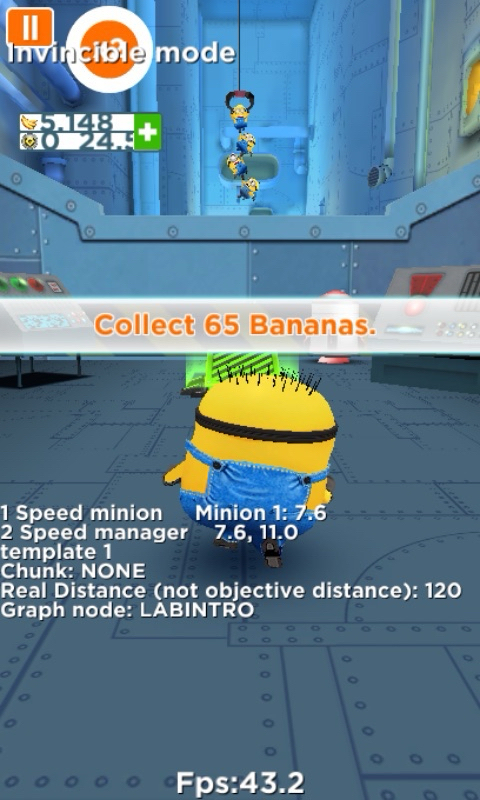
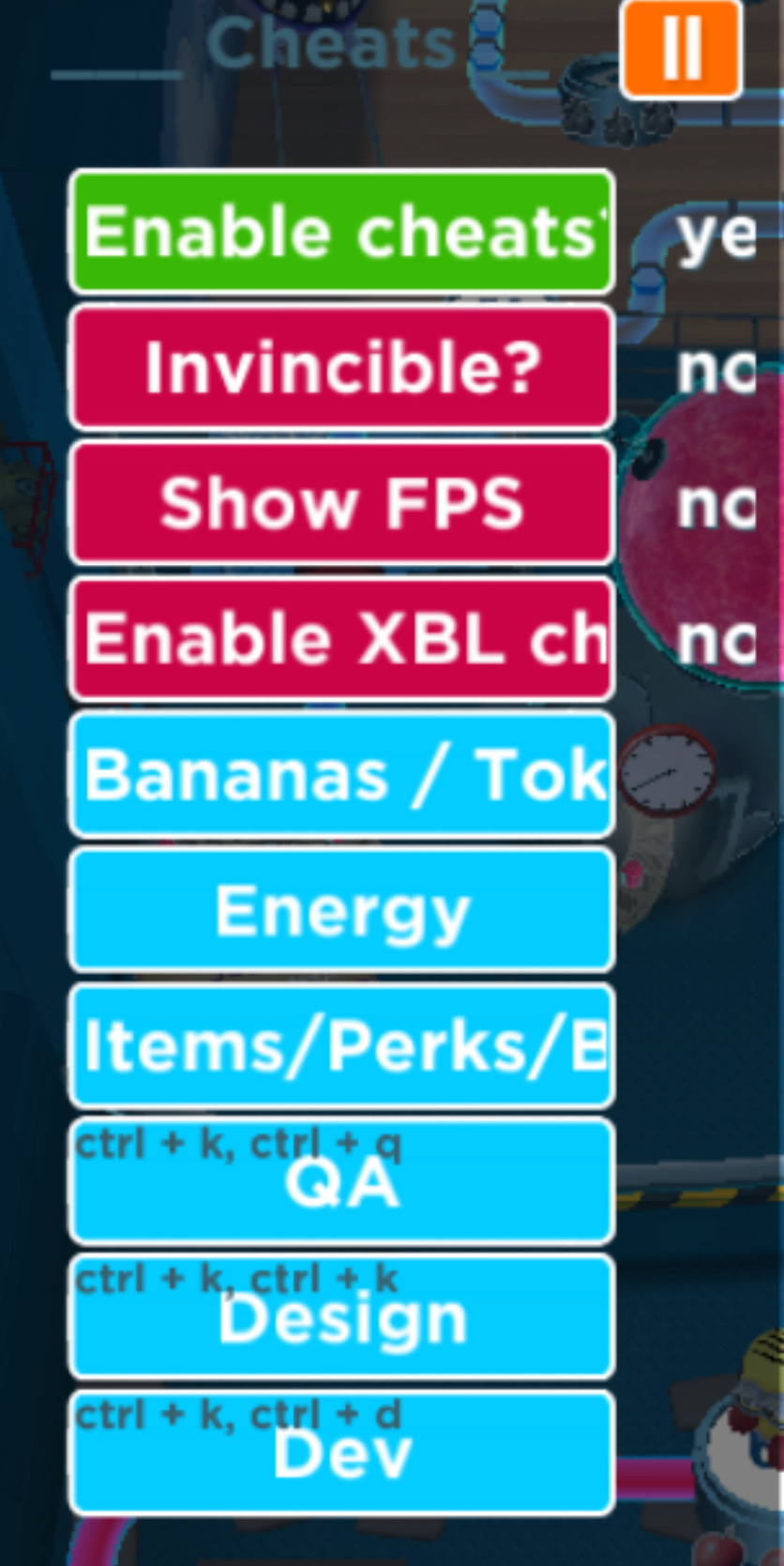
For some reason Gameloft uploaded a number of QA and debug builds of Minion Rush to the Microsoft Store specifically for Windows Phone. These builds include cheats, qa, dev, and design options. Half of them are encrypted as they are XAP packages, while others are APPX files that can be sideloaded onto Windows Phone. The debug builds use version 4.x.x of the game, which dates back to 2016 while updates for the Windows Phone version were discontinued in March 2015.
In-Game Debug |
Debug Options |
|---|---|
 |
 |
Unused Level Data#
|
|
To do: |
level_empty.bclara from the CDN isn't mentioned at all by the game's executable, and therefore has no calls for it.
Internal Names#
Many files and executable code mention Despicable Me, Despicable Me 2, DM2, dme2 and DespicableMe2. The internal name being Despicable Me 2 is likely in reference to it being Gameloft's second Despicable Me game, and that it was released originally as a tie-in to Despicable Me 2.
|
The Despicable Me series | |
|---|---|
|
Nintendo DS |
|
|
Android |
|
|
iOS |
|
|
Windows |
|