 This article has a talk page!
Blockland is that one indie game where you can build stuff.
Sub-Pages#

Steam Greenlight's Green Light#
There are several images that went unused after Blockland was released on Steam. They were part of a GUI that would give you an overview of Blockland's Steam Greenlight page.


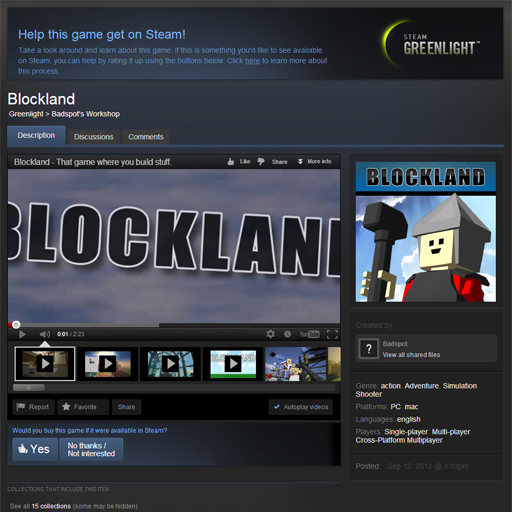



The greenlight overview GUI still exists, which can be found using the GUI editor.

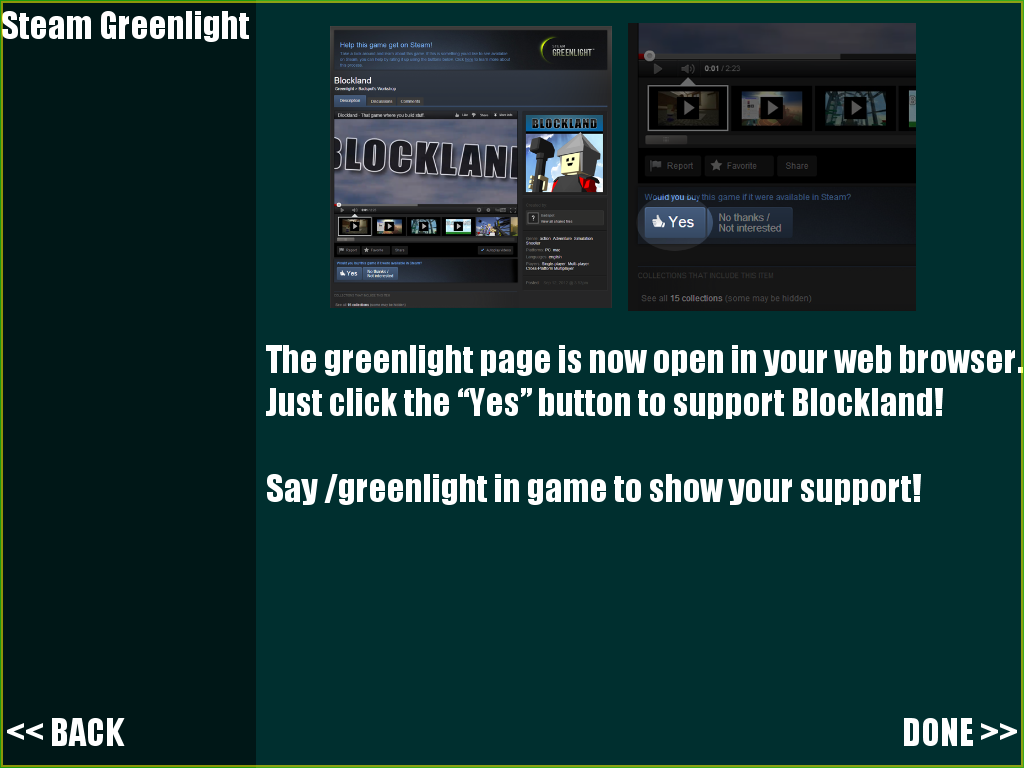
Typing steamGreenLightGui.clickForward(); into the console or pressing the VOTE FOR BLOCKLAND >> button will change the GUI into the second image. The button will also open your web browser with Blockland's Steam Greenlight page and grants you the ability to activate an in-game green light that would replace your ordinary light when you typed "/greenlight" into the chat. This means that anyone who never got the chance to click this never will, unless they dig into the GUI editor. The light itself though is usable on bricks.
Tutorial Leftovers#
Before version 21, the Tutorial had its own button and was part of the main menu. Ever since version 21 though, the Tutorial has been transformed into its own individual gamemode.

If one were to dig into the Tutorial's coding, you would see many v20 tutorial leftovers.
Server.cs#
//-----------------------------------
// Secrets trigger
// Tip trigger
//-----------------------------------
Many of the maps included in Blockland contain
secret passages and hidden spaces to build.
Try finding some of them with your friends later on
The code below the comment would have handled the secret room, however this room doesn't exist anymore, leaving this tip unused.
//-----------------------------------
// Print tip trigger
// Hackish thing to detect when you change a print
//-----------------------------------
Shoot a Printable Brick to set its Print
You can press the letter or number on your keyboard instead of selecting it
Complete the Puzzle!
There was a print room where you had to solve a puzzle by answering what an animal sounds like. This was to teach the player how printers work. However, this room doesn't exist anymore, again, leaving this unused.
//-----------------------------------
// Target Trigger
// Activates when conditions are met
//-----------------------------------
Prepare for Target Practice!
Aim at the targets and use "%bind" to fire
Again, another room was removed, leaving this unused. This gun room was a nifty target practice room that would have showed the player that there is a combat system.
//-----------------------------------
// Wand trigger
// Tip trigger
//-----------------------------------
Open the chat box by pressing "%key" and then type /wand to equip the Wand.
Now use the wand to break the bricks. Unlike the hammer, the wand
can break bricks anywhere in a stack.
However any bricks supported by it will also fall!
The wand room was removed as well, this would have showed the player the special features of the wand.
//-----------------------------------
// Jeep checkpoint trigger
// Hackish thing to detect when you drive a vehicle in the box
//-----------------------------------
//-----------------------------------
// Drive tip trigger
// Hackish thing to detect when you drive a vehicle correctly
//-----------------------------------
Complete the course and park the jeep
Sadly, another pretty cool room was removed. The drive room would have showed you the driving mechanics, by having you drive through a course.
Hats#

In Blockland r1956, the files 'testHat.mtl' and 'testHat.obj' were added. These files can be found in "Blockland/base/hats". They are probably linked to the hats Blockland was planned to receive at one point.
Plant Errors#
There are a couple plant errors that are unused.
The first one is a 'teams' plant error. It's unknown what the original use of this error was for, and there's only a small version of it.
The second one is a 'too loud' plant error. This was in the game at first, but was removed. It originally would stop you from spamming music bricks.
The third one is an extended version of the 'too loud' error, actually saying what it is this time.


Unused Sounds#
There's 3 sounds in 'base/data/sound' that are unused.
The first one is 'banned.wav' which is actually used in the 'sound_beeps' add-on and listed as "Beep_No.wav" in-game in events.
The second one is 'clickSuperMove.wav' which most likely would have been used whenever a brick was moved using "Super Shift."
The third one is 'underWater1.wav' which would have probably been used whenever you were underwater.
Other Unused Files#

|
To do: |
The file 'base/data/shapes/player/m_visorup.dsq' is an animation file, yet it seems to be incomplete.
The folder 'base/data/shapes/Sharp_Trees/Trees' contains tree shapes and their textures, used before v21.
There's a file in 'base/data/specialfx' called cloakTexture.png, of a simple white-to-black gradient.
Unused Functions#
setWorldSpaceMovement#
This function sets a player's movement controls to move their player in the four cardinal directions (north, south, east, west) instead of relative to where they are facing. There is no way to activate this without mods or with default events.
This movement mode can be activated in-game by typing this into the console:
findClientByName("YOUR NAME").player.setWorldSpaceMovement(1);
This does result in a few bugs, the camera is still placed behind the player in a third person view making it confusing where pressing your forward key will lead you unless you look north.
Movement speeds are also wrong; moving north is faster than moving south.