 This article has a talk page!
This page details one or more prototype versions of Teardown.
On September 23, 2020, almost exactly 5 weeks before launch day, Dennis Gustafsson released a semi-public "interactive performance test" in the now defunct de facto official "Unofficial Teardown Discord".1 The perftest consists of only a single level, being Lee Chemicals sandbox but with extra stuff to shoot at. You can't move and you have no tools, and the camera is moved along a track, and when it reaches the end, you get kicked back to the main menu and given some stats like how many voxels you destroyed and what your average framerate was.

|
To do:
|
Title screen#
|
Performance test |
Final |
|---|---|
|
|
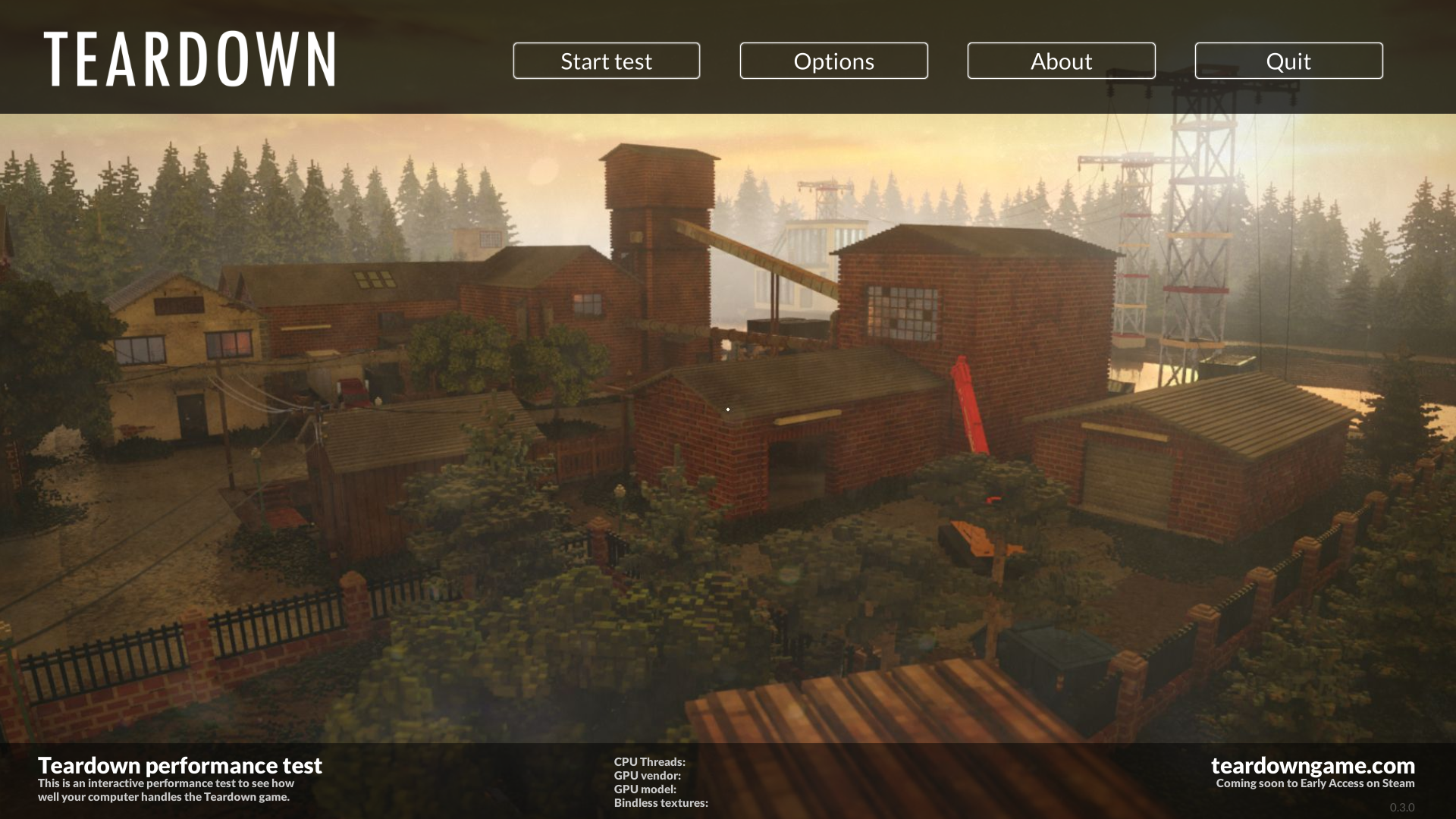
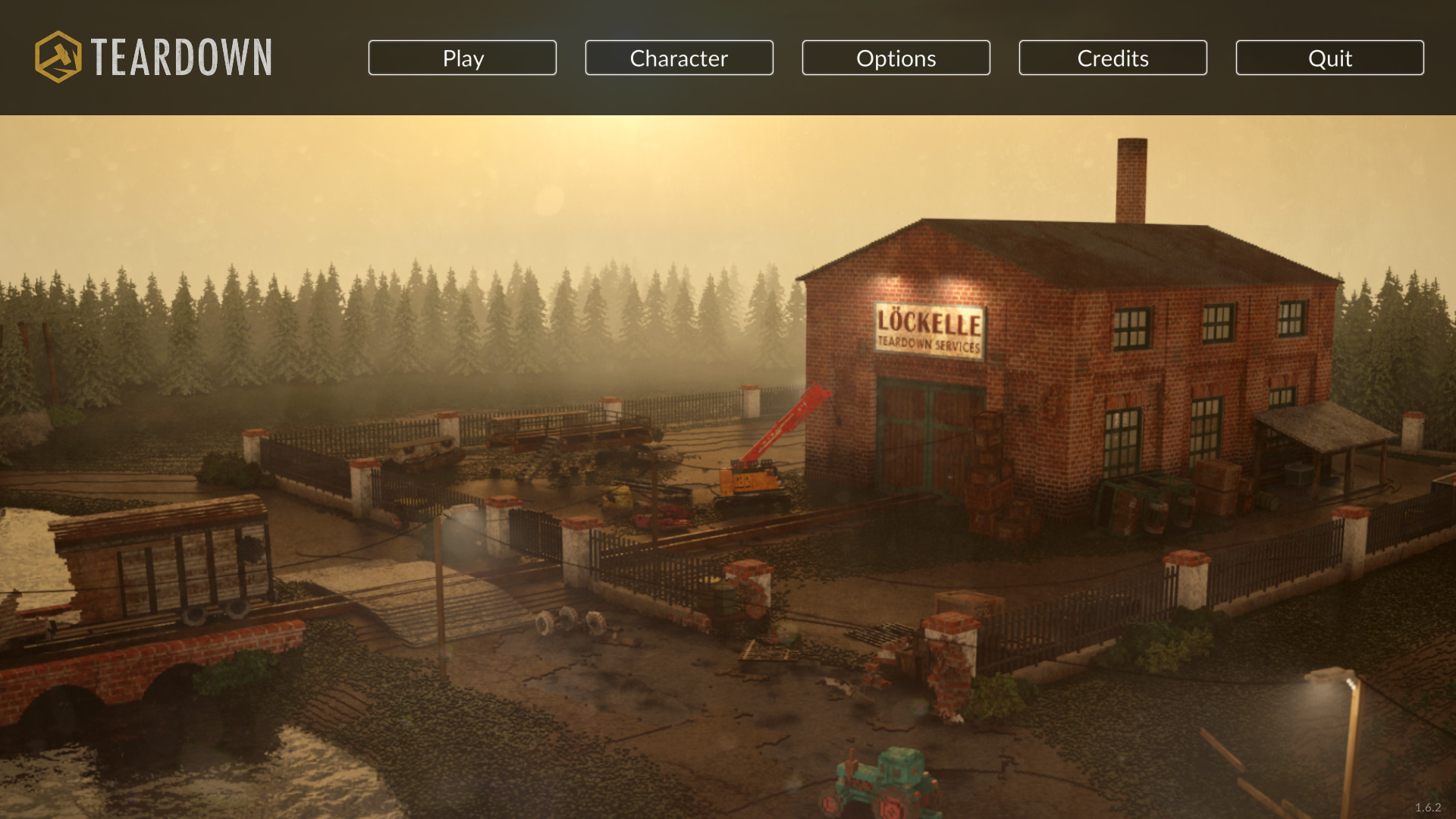
There is a bar at the bottom with information specific to the perftest, the "Play" button instead says "Start test", it says "About" instead of "Credits", the background images are noticeably lower quality than the final, and the crosshair is visible in the background images despite the crosshair image not being in the perftest.
Debugging symbol path#
The executable (teardown-perftest.exe) contains the path C:\teaser\teardown\x64\Release\teardown.pdb. Unfortunately for us, this symbol file was not distributed. Strangely, it differs considerably from the final game's path of D:\tuxedolabs\teardown\trunk\teardown.pdb.
Cursor#
|
perftest |
Final |
|---|---|

|

|
Not only does this cursor differ from the final one, there is no hub computer or any other screen that can be interacted with anywhere, so this goes unused.
"Debug" option on main menu#
In some developer streams, there's a debug menu in the bottom left of the main menu. This menu is stripped from all Steam releases leaving only some remnants, but here we can see some more of it. It still doesn't have all of the options seen in the streams, which makes sense as most of it is campaign-specific stuff, which is not present in the perftest.
"Clear baked" will delete everything in data/bin/. If your game suddenly starts crashing every time you click "Start test", it's probably because you clicked this option without knowing what it does.
"Bake missions" presumably loads data/level/lee.xml with layer 'test' and writes a compressed quicksave to data/bin/test.bin, but it just crashes the game no matter what I put in the XML.
data/ui/menu.lua#
gDeploy = GetBool("game.deploy")if not gDeploy then
drawDebug()
endfunction drawDebug()
UiPush()
UiTranslate(20, UiHeight()-20)
UiColor(1,1,1,0.5)
UiFont("font/regular.ttf", 20)
if UiTextButton("Debug") then
if gDebugScale == 0 then
SetValue("gDebugScale", 1, "easeout", 0.25)
else
SetValue("gDebugScale", 0, "easein", 0.25)
end
end
if gDebugScale > 0 then
UiTranslate(0, -28)
UiScale(1, gDebugScale)
UiTranslate(0, -30)
if UiTextButton("Bake missions") then
local toBake = {}
toBake[1] = {id="test", file="lee.xml", layers="test"}
for i=1, #toBake do
Command("game.bakemission", toBake[i].id, toBake[i].file, toBake[i].layers)
end
print("====================================================================================")
print("== DONE ==")
print("====================================================================================")
end
UiTranslate(0, -20)
if UiTextButton("Clear baked") then
Command("game.clearbaked")
end
end
UiPop()
end