This is a sub-page of Proto:Star Fox Adventures.
 Comparison to final Star Fox AdventuresTwo sides of the same scarab.
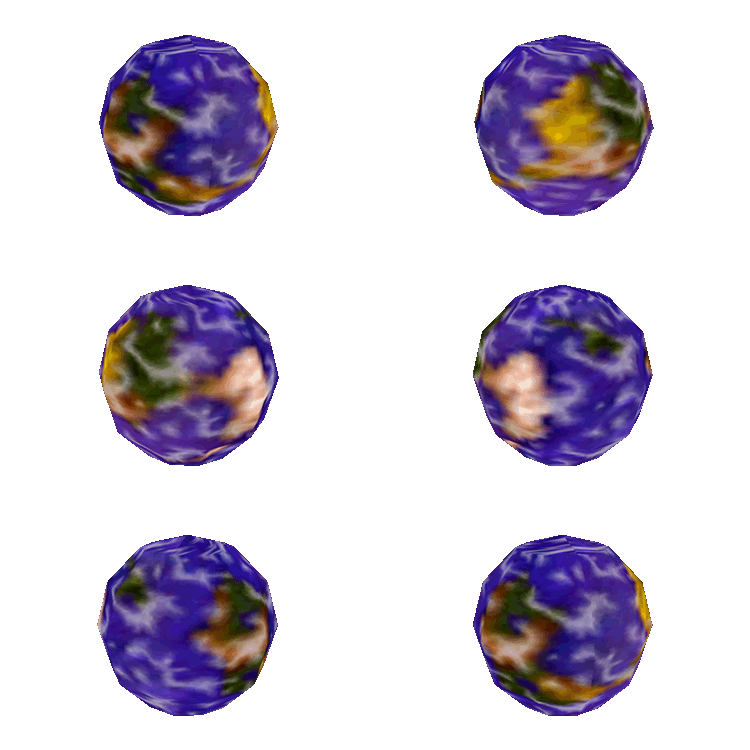 Unused ModelsAll the dev purpose markers, unused planets, and catching those hands!
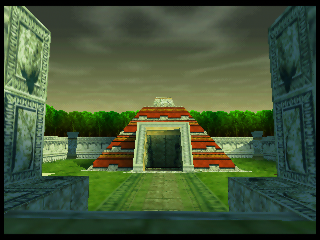 Unused Areas & MapsBack when Walled City and Earth Walker Temple still were two separate areas.
 Unused Text & Development TextEarly localizations, early scripts, and lots of placeholders.
 Unused Sounds & DialogueUnused sounds found within the game files.
See also#
- Proto:Star Fox Adventures/July 2002 Demo/Dinosaur Planet Leftovers
- Star Fox Adventures/Dinosaur Planet Leftovers.
General Differences#
- In a bit of a surprise, Fox McCloud has already begun replacing Sabre, the original male protagonist, by this point. This said, there are still numerous references to Sabre present, including his model, implying that the change was rather recent.
- Krystal is fully playable throughout the game, rather than only being playable in the prologue.
Sabre#
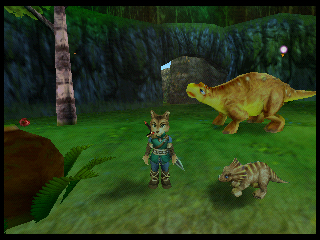
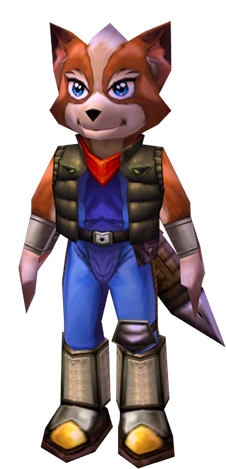
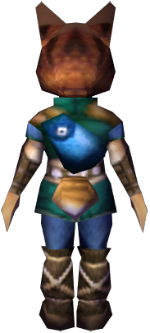
Although Sabre has been partially replaced by Fox in this build, two of his character models are thankfully still present! One can be seen without hacking just by using the Illusion Spell.
Protagonist Character Models |
|---|
Gameplay Low |
 |
0x0 |
 |
0x7 |
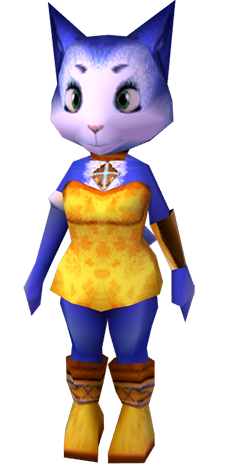
Krystal has five character models:
- 0x0: Gameplay Low-Quality (501 tris) - a lower-poly model (compared to her cutscene model 0x1), using the same textures as 0x1 and 0x2 except on her arms, legs, and the back of her head, which are untextured and vertex-shaded
- 0x1: Cutscene (693 tris) - a higher-poly model with face blendshapes
- 0x2: Gameplay High-Quality (unused) (501 tris) - an identical model to 0x0 except textures are applied to her arms, legs, and the back of her head
- 0x3: Shadow (193 tris) - the lowest-poly model, untextured, used to generate projected shadow textures
- 0x4: Illusion Spell (501 tris) - the same model as 0x0 and 0x2, but with different half-resolution multi-frame textures that are used to blend her disguise in/out
Assuming Sabre originally had the same collection of models it seems likely that his Gameplay Low-Quality and Cutscene models were overwritten by Fox's two models, and his surviving meshes are:
- 0xA: Gameplay High-Quality (unused) (705 tris) - likely identical to his missing Gameplay Low-Quality model, except Sabre's LQ model may have had some untextured vertex-shaded polygons like Krystal's does
- 0x9: Illusion Spell (unfinished) (705 tris) - the same model as 0xA, but with different half-resolution textures that would be used to blend his disguise in/out
Sabre's shadow model is a duplicate of Krystal's (causing it to animate bizarrely because of Sabre/Krystal's different joint hierarchies). His Illusion Spell model is partially set up for multi-frame texture blending like Krystal's (the textureID datablock has duplicate entries for storing the extra frames, just like Krystal's), but the SharpClaw texture frames had yet to be created. Judging by Krystal's models, Sabre's missing cutscene model would likely have used all the same textures as the High-Quality Gameplay model but with some extra polygonal detail, particularly around the face to provide appropriate topology for his expressions.


Sabre's models each have some issues: his pupils animate properly in both, but he doesn't blink despite the frames for this animation being referenced in the model. The models also have a bug that causes Sabre's sword (which is a separate model) to turn white most of the time, occasionally flickering back to normal under unpredictable circumstances.
The Illusion Spell model uses the wrong textureID for the back of Sabre's head, applying a similar-looking ShadowHunter dinosaur texture (#2300) by mistake. It should probably use this texture instead (#3032), which is half-resolution like the rest of the Illusion models' textures and matches the dimensions the model's texture datablock expects for this material (32x64px):
TID 2300 |
|
|---|---|
 |
 |
Sabre's high-detail gameplay model has some animation issues: he stays in one pose during gameplay and wiggles his ear when his jaw should be moving. This happens because the model's animation list (in MODANIM.bin) and joint remap list (in AMAP.bin) only contain data for one animation ID. Sabre's Illusion Spell model also occasionally plays the wrong animation, for example during the item pickup cutscene, because he seems to have outdated animation and joint remap lists with data for 33 fewer animation IDs than his gameplay/cutscene models' lists.
Sabre's face doesn't change expression during cutscenes because his gameplay models contain no blendshapes. Dinosaur Planet stores blendshapes inside characters' cutscene models, so Sabre's facial expressions were sadly erased when his cutscene model was overwritten with Fox (who also lacks blendshapes of his own). Sabre's missing expressions are still called during his cutscenes however, which is why Krystal emotes when brought into scenes that are supposed to feature Sabre.
(Source: Original TCRF research)
The following GameShark code will replace Fox's gameplay and cutscene models with Sabre's Illusion Spell model:
81021780 0C02
81021782 6CC1
81021784 0000
81021786 0000
8109B304 240E
8109B306 0007
8109B308 108E
8109B30A 0003
8109B30C 240E
8109B30E 0008
8109B310 148E
8109B312 0002
8109B314 0000
8109B316 0000
8109B318 2404
8109B31A 0009
8109B31C 0800
8109B31E 5F57
8109B320 0004
8109B322 2023
Unused HUD Elements#
Scarab Counter#
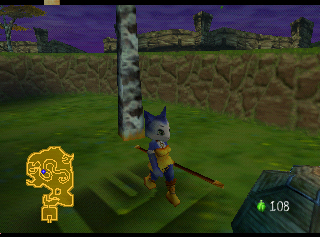
The game contains a Scarab counter which is normally disabled. It can be re-enabled with the following GameShark code: 805C4D66 0008.
Krazoa Language Icons#
The game contains 26 16x16px glyph icons grouped with the rest of the HUD graphics. Higher-resolution versions of these symbols also appear in the Krazoa shrines' entry corridor wall murals, making it clear that they're stylised alphabetical characters based closely off their Latin alphabet counterparts.
Krazoa Alphabet |
|---|
A |
B |
C |
D |
E |
F |
G |
H |
I |
J |
K |
L |
M |
The unused "krazoatext" object's DLL can display UI messages using these textures. It can print strings from file #1 in Gametext, which contains the unused text "THE GREAT BATTLE" and "THE MAJESTIC A" (the "A" is probably just a placeholder for "8" since only alphabetical glyph sprites had been implemented - though Rare had designed numerical glyphs too). This language system was intended for the "Krazoa Translator", a late-game inventory item which Krystal would have used to decipher ancient text that opens the way to Krazoa Palace. There appear to be some placeholder locations for such translatable text in Cape Claw, where the letter "T" is marked on several cave wall tiles. There are no "krazoatext" objects placed in the game world though, and it's unclear if anything calls the object's UI print function without hacking. The 3D model and inventory object for the Krazoa Translator are fully implemented however!
Bytes 030E to 0342 in TEXTABLE.bin seem to be used for storing the textureIDs to be used by each alphabetical glyph, but it's currently unknown if any code references these bytes.
The Krazoa shrine murals spell out the names of the 8 Krazoa Tests, and appear to reveal early names for some of these challenges.
Krazoa Shrine Murals |
|---|
Texture |
Translation |
Final Name |
An unused Krazoa shrine map with minor model differences also includes numerical glyphs under these murals.
Krazoa Numerals |
|---|
1 |
2 |
3 |
4 |
The Krazoa glyphs even make a very minor (and previously indecipherable) appearance in the final Star Fox Adventures, spelling out "KEITH" (likely an Easter egg left by artist Keith Rabbette) on Krazoa Palace's wall textures. Early textures for the SFA version of Walled City also spelled out the word "FIRE" using these glyphs.
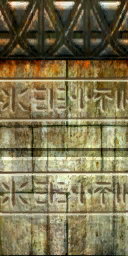
The HUD icons are difficult to parse at their tiny 16x16px resolution, but it's still possible to discern their details based on the larger Krazoa mural textures and the commonalities in the characters' design choices. For clarity's sake, here are recreations of the glyphs at a higher resolution. The symbols for 0 and 9 are speculative and extrapolated from the other symbols, but it's possible that the Krazoa language is supposed to have a Base 8 number system (in this case the single-dotted symbol could denote 0 instead of 1) considering how the number 8 recurs in Dinosaur Planet's story (8 planets/spirits/shrines).
A |
 |
K |
 |
U |
 |
1 |
 |
|---|---|---|---|---|---|---|---|
B |
 |
L |
 |
V |
 |
2 |
 |
C |
 |
M |
 |
W |
 |
3 |
 |
D |
 |
N |
 |
X |
 |
4 |
 |
E |
 |
O |
 |
Y |
 |
5 |
 |
F |
 |
P |
 |
Z |
 |
6 |
 |
G |
 |
Q |
 |
7 |
 |
||
H |
 |
R |
 |
8 |
 |
||
I |
 |
S |
 |
9 |
 |
||
J |
 |
T |
 |
0 |
 |
||
(Source: Original TCRF research)
Early HUD#
Remnants of an earlier user interface seen in the press video and several teasers for the game. The head icons are prerendered images of the characters' high-poly models, the same models which were used for the higher resolution rendered artwork seen on the leaked character biographies. Sabre's icon is missing (it would also be a prerender of the model seen in the character bios, and is seen in teasers). It is unknown if Kyte ever had one in the first place, but an icon for her is missing as well. Also missing are most of the item icons and the font for the magic and food counters, along with the base health bar, which this blue one would overlay and be cut off as your health lowered.


E3 HUD Leftovers#
Unfortunately, little remains of the HUD shown off at E3.


Opening Demo Cutscene#
|
|
To do: |
An unused opening demo. It doesn't appear to be finished given how rough the animation looks in some areas. It can be viewed in-game by using the following GameShark code and pressing D-Pad Up after starting a new save file.
815C5048 C538
815C504A 1BC8
815C504C 4092
815C504E 73A3
815C5050 4694
815C5052 F18A
D10A7DC0 0800
800B4A58 0001
Unused Model Elements#
Cutscene Krystal Eyebrows#
 |
Krystal's cutscene model references a transparent eyebrow texture which isn't used by any of her polygons. This suggests that an earlier version of her character model had her eyebrows as separate pieces of geometry from the rest of her face.
Randorn's Cape#
|
|
To do: |
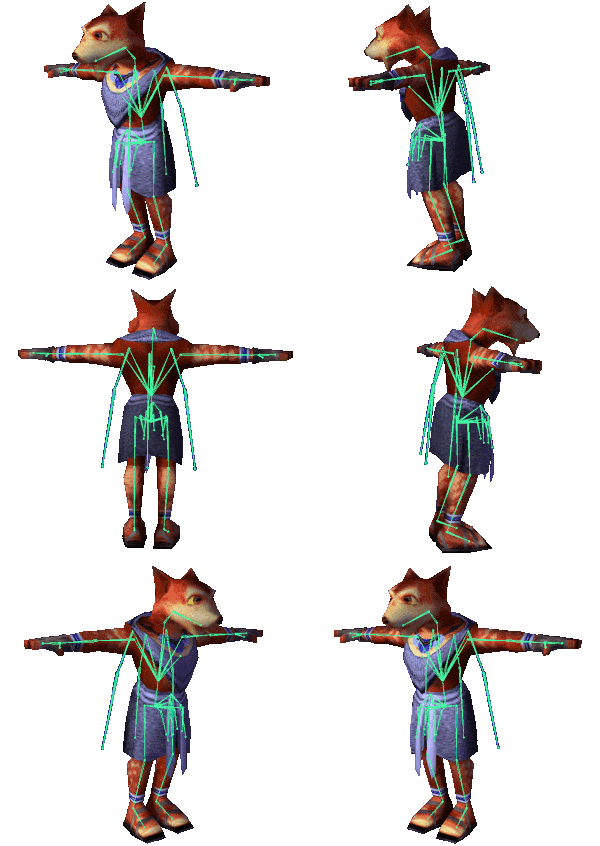
Randorn's character model has three unused joint chains intended for a cape, which was seen in early footage of the game but deleted by the time of this build (possibly because Randorn spends a lot of his screen-time either sitting or sprawled on the ground, and counter-animating his cape's floor intersections could have been nightmarish). Despite this, many of his animations still contain movement for the cape! The texture for his cape is also referenced in his model, and luckily it still exists:

Glowing SharpClaw Eyes#
Early footage showed that Scales and the GuardClaws once had glowing eyes, but the effect is missing in this build. Despite this they still have the glowing effect partially defined in their models: their pupil verts' offsets are all zeroed out within the vertexGroup Offset datablock (the block with its four-byte offset at 0x14 in the decompressed model). The SharpClaw footsoldiers' glowing eyes still work in this build because their pupil verts also aren't referenced within their model's vertexGroup datablock (the block with its offset at 0x18, decompressed), as well being zeroed out in the vertexGroup Offset datablock. Vertices' colours will only be updated by the lighting system if they're referenced in the vertexGroups block, which is why the unreferenced pupil vertices appear to glow.
While Scales' eyes could be made glow by removing all references to his pupil verts in his vertexGroup datablock, this method would unfortunately also break his face blendshapes since the verts excluded from his vertexGroup block would no longer have their positions updated. With that in mind, it's possible that Scales' glowing eyes had to be removed when blendshapes were added to his model midway through development. Scales' model doesn't make use of any blendshapes during the entire opening Galleon sequence (the only scene where his glowing eyes were seen), whereas cutscenes from a more recent point in development like the CloudRunner Race sequence do make use of them, suggesting they're a later addition.
Krazoa Spirit Animated Texture#
 |
The ghostly Krazoa heads found in the Test Shrines seem to be intended to use an animated texture for the wisps that trail behind them, but only a single frame from the animation is used. Variations of this texture exist for each of the different Krazoa ghost models.
(Source: Original TCRF research)
Unused Animations#
The game contains data for 2296 model animations, but only 1990 of these are actually referenced by the game's character/object models. The 306 unreferenced animations can't be played by the models by default, since they have no joint remap data in AMAP.bin and no animationID listing in MODANIM.bin. Thankfully it's still possible to tell what model the animation was intended for in most cases since the animation indices are generally grouped by character, so an AMAP entry for one of the character's other animations can often be reused to play the animation in-game!
Some of the referenced animations are also unused, for example Rubble's sleeping animations.
Rubble's Sleeping Animations#
Rubble (the denizen of SwapStone Circle) has a series of detailed sleeping animations that go unused. In anim #1366 he uses his arms as a pillow while resting against the right side of Circle's winding path. In #1367 he sucks his thumb, and props his head up with his elbow while leaning against the left side of the path. He has animations for transitioning between these states, and unique wakeup animations for each state too! Unfortunately in the Dec 2000 build he simply reuses Rocky's sleeping animation, curling/uncurling from a ball with no intermediate wakeup animation. Rubble's sleeping animation system does seem to have been working at one stage though, since he can be seen leaning to the side in an early promotional screenshot. Rubble's arms-as-pillow animation and its wakeup animation can be seen on the separate "GPSHswapstone" object used during the Test of Knowledge, but the rest of his sleeping animations are unused here too.

One of the unreferenced SwapStone animations (#1397) looks like a variation on the warping animation, where the SwapStone holds someone in one hand and strikes a spellcasting pose with his free arm. This also seems to suggest Rare wanted to distinguish each SwapStone by giving them unique animations for their shared behaviours.
Unused Options Menu#
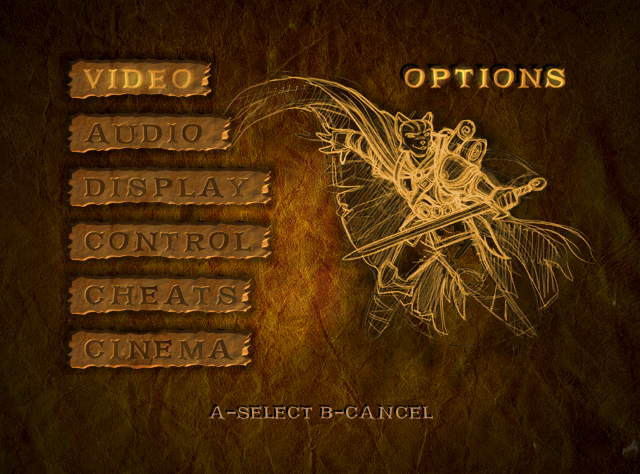
Almost none of the options work, however. Enabling the below code will bring the game here upon booting, instead of the save file menu. Exiting this menu with B will crash the game; the game appears to load segment ID 0x3E, which was likely an old menu screen that no longer exists.
Main Menu = Unused Options Menu
8008C857 0041
To exit the menu without crashing, apply the below codes and disable the above code to exit back into the logo screens from this menu. This makes the menus slightly glitchy, however.
Return Out of Options Menu
8008C853 003C
8008C857 003FVIDEO#
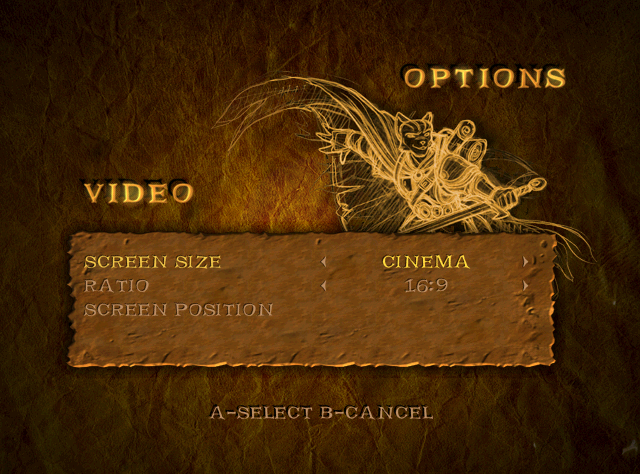
Allows for adjustments to screen settings. The Ratio option is always set to 16:9 by default, but the game still appears in 4:3.
AUDIO#
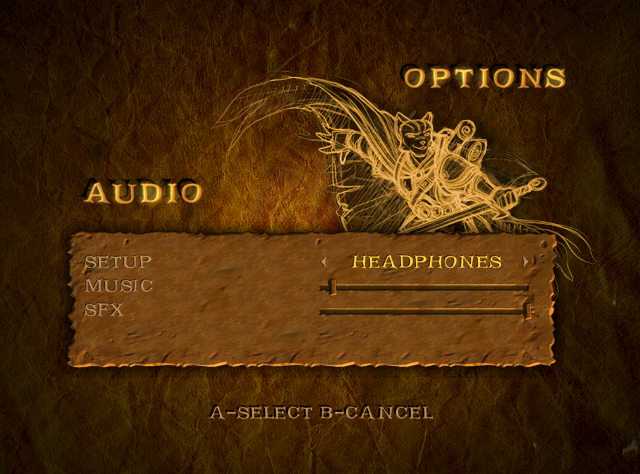
Allows changing of music, sound effect volumes, and speaker setup settings. Setup appears to take no effect, but the Music and SFX sliders work as intended.
DISPLAY#
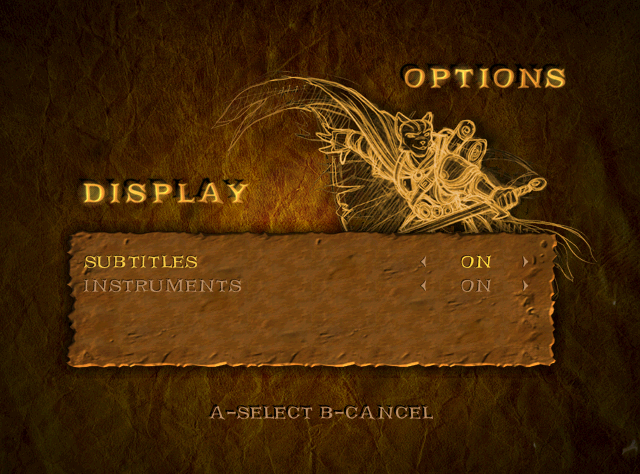
Allows toggling of subtitle text, though subtitles still output regardless. The "instruments" option hides HUD elements, for example the minimap.
CONTROL#
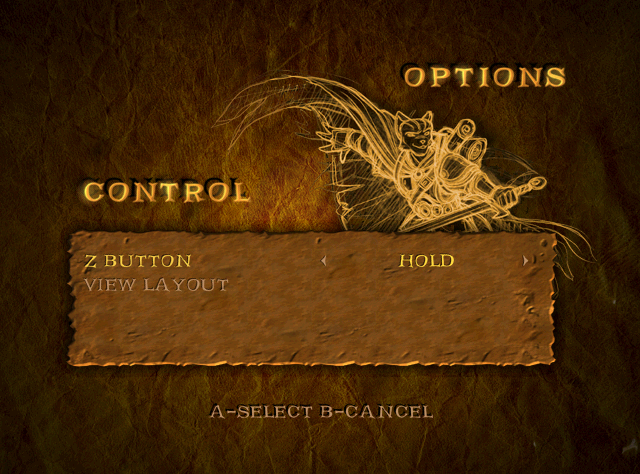
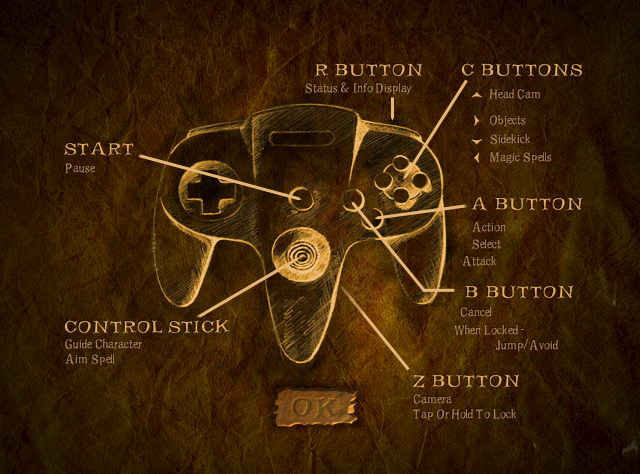
Allows changing of the Z button functionality. Also shows the controls.
CHEATS#
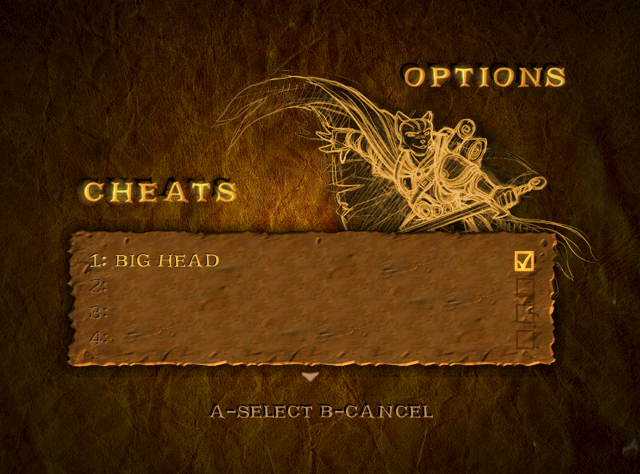
A cheat menu with no functionality. "BIG HEAD" is set to On by default and can't be turned off, though it has no effect. The rest of the cheats are below:
GIANT HEAD
BLANK 1
BLANK 2
BLANK 3
BLANK 4
BLANK 5
There's two pages of cheats. Attempting to scroll down to a third page will crash the game.
CINEMA#
Doesn't work. Was possibly intended to be used to view all cutscenes currently encountered in a save file's playthrough.
Crash Handler#
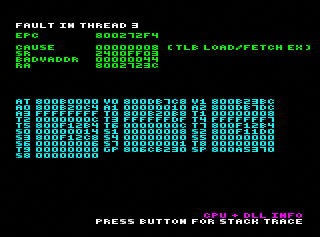
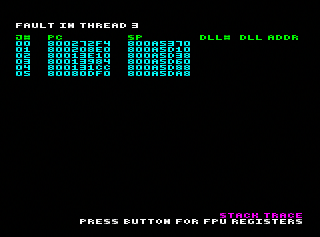
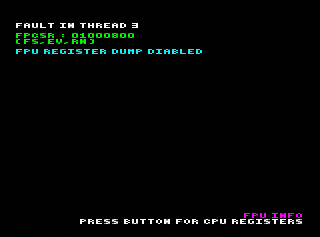
If the game ever crashes, it'll display this crash handler.