 This article has a talk page!
This is a sub-page of Proto:Midtown Madness.
This early version of Midtown Madness is the only one of its kind that is publicly available, thanks to archival. It is not to be confused with the demo.
Being less than a month away from the final release, this build is very close to the final product. However, it has a few additional features as well as very interesting debug content.

|
To do: |
Debug Content#
The CD has a folder named "debug" that is not installed on the system by the installer. It contains an alternate version of the executable, named test1560.exe, as well as the associated MAP file for it; this program has allowed the community to improve the game even further through modifications such as the Open1560 project.
The default debug executable seems to crash on most modern operating systems. A patched version of the program is required to run it; said patched version exists but redistribution of the patch on The Cutting Room Floor has not yet been discussed with the author.
The following features in this section are only present when using the debug executable. It is all sourced from the Midtown Club Discord server community unless otherwise noted.
Debug Controls#
There are various debug hotkeys available during gameplay.
|
|
To do: |
Keyboard shortcut |
Purpose |
|---|---|
SHIFT + Q |
Toggle between various car masses. Likely for Cops n Robbers testing. |
SHIFT + W |
Draw AI IDs. |
SHIFT + E |
Activate replay. |
SHIFT + R |
Teleports to various predefined locations within the city. |
SHIFT + T |
Some kind of AI debug. |
SHIFT + I |
Draw intersection IDs. |
SHIFT + U |
Returns the camera to player view. |
SHIFT + O |
Cycle camera between opponent vehicles. |
SHIFT + C |
Cycle camera between police vehicles. |
SHIFT + P |
Saves some kind of position data. |
SHIFT + A |
Toggle the audio system on/off. |
SHIFT + S |
Toggle sky rendering. |
SHIFT + F |
Toggle force feedback. |
SHIFT + 1-4 |
Toggle specific force feedback effects. |
SHIFT + 7 |
Load next race. |
SHIFT + 8 |
Re-load current race. |
SHIFT + 9 |
Explode vehicle. |
SHIFT + F1 |
Toggle CULLMGR debug pages. |
SHIFT + F2 |
Toggle overdraw/depth debug. |
SHIFT + F3 |
Toggle render mode (textured/solid/wireframe). |
SHIFT + F4 |
Toggle physics debug mode. |
SHIFT + F5 |
Save a BMP screenshot in the game folder. |
SHIFT + F7 |
Toggle mipmaps. |
SHIFT + F12 |
Frame step. |
One of the CULLMGR debug pages is a performance graph. This has its own subset of controls.
Keyboard shortcut |
Purpose |
|---|---|
CTRL+SHIFT+F2 |
Makes the graph shorter. |
CTRL+SHIFT+F3 |
Makes the graph taller. |
CTRL+SHIFT+F4 |
Changes the active/top layer of the graph. |
'Midgets' Menu#
No really, the class for this menu is "asMidgets". Angel Studios called their development UI system "widgets", this is most likely something akin to "mini widgets". This menu can be used to move through the scene tree, toggle various debug, and modify various object parameters.
Keyboard shortcut |
Purpose |
|---|---|
CTRL+M |
Turn on the menu. |
NUMPAD 8 |
Move cursor up. |
NUMPAD 2 |
Move cursor down. |
NUMPAD 6 |
Increase selected value. |
NUMPAD 4 |
Decrease selected value. |
NUMPAD 7 |
Move cursor to top of current page. |
NUMPAD 1 |
Move cursor to bottom of current page. |
NUMPAD 9 |
Page up. |
NUMPAD 3 |
Page down. |
ENTER |
Select. |
1-9 |
Go to child menu. |
P |
Return to parent menu. |
Main Menu#
Keyboard shortcut |
Purpose |
|---|---|
F12 |
Cycle through menus. Also pops up some text showing the current menu name. |
Position Display#
|
|
To do: |
Pressing P will display the coordinates for the player's position on the screen.
(Source: Eoflogs)
Race Locales#
In the final game, a "Race Locales" button exists but is normally not accessible. It was made so the game's community could add their own cities and tracks to the game. However, the developers also made test maps that they accessed through the same system.
RaceCity#
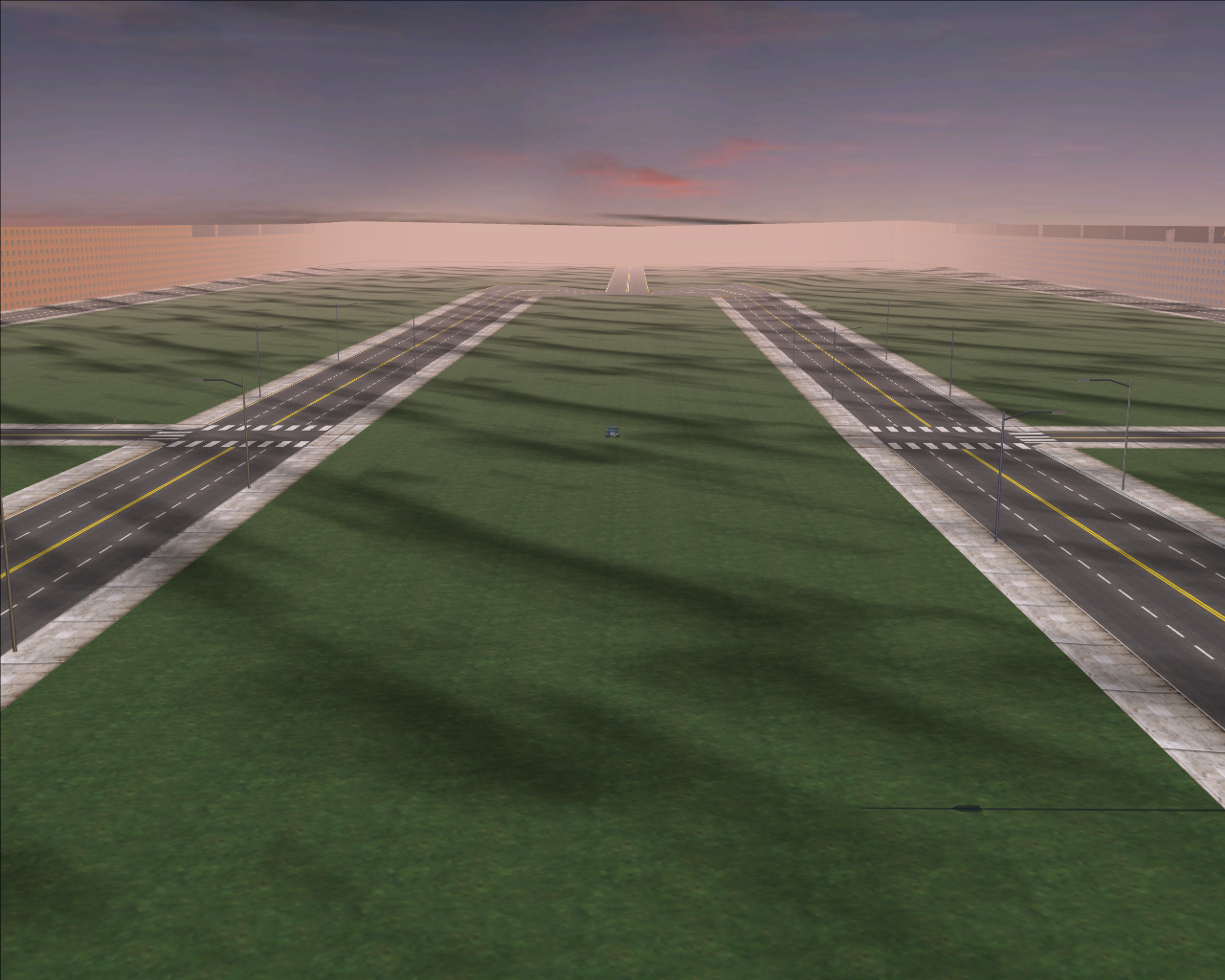
It is the only alternate test city available besides Chicago. It is a symetrical map that was probably used during development to create and test races.
The city has a single Circuit Race named "The Big Loop", with the following default settings:
Setting |
Value |
|---|---|
Laps |
2 |
Opponents |
8 |
Time of Day |
Morning |
Weather |
Cloudy |
Traffic Density |
None |
Pedestrian Density |
None |
Cop Density |
None |
Despite having a maximum of 8 opponents, only 6 other racers exist in the map. All of them are Panoz Roadsters of different colors.
Interestingly, the very first Circuit Race for Chicago is named The Littler Loop, with the same settings.
Vehicles#
Disco Ball#

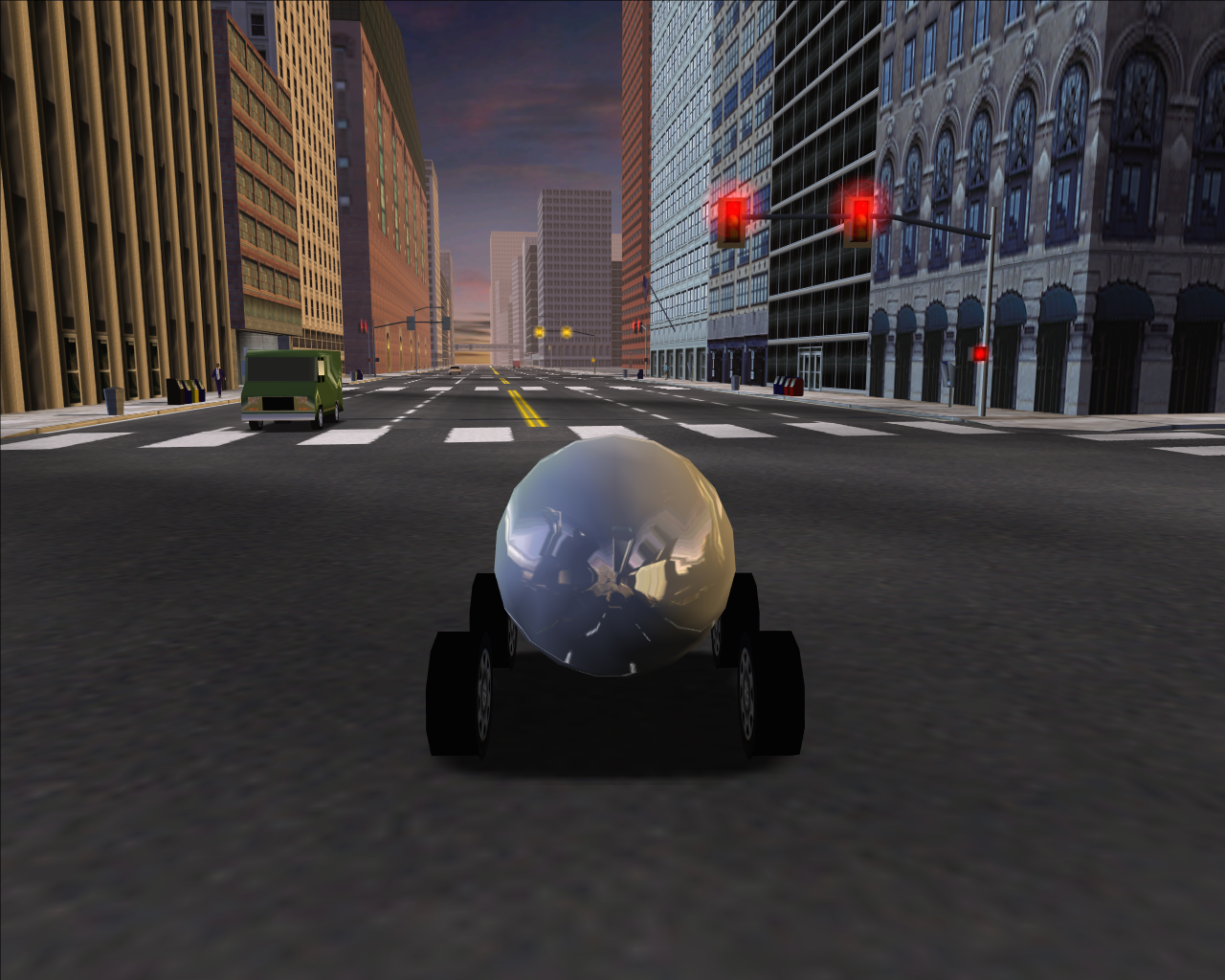
A round vehicle similar to a Disco Ball. It uses the VW New Beetle dashboard and brake lights. Destroying the vehicle will crash the game.
It was most likely used to test reflections on player vehicles.
|
The Madness series | |
|---|---|
|
Monster Truck Madness | |
|
Windows |
|
|
Nintendo 64 |
|
|
Game Boy Advance |
|
|
Midtown Madness | |
|
Windows |
Midtown Madness (Prototypes) • Midtown Madness 2 (Prototypes) |
|
Xbox |
|