 This article has a talk page!
This page details one or more prototype versions of Forza Horizon 3.

|
This page or section needs more images. |
On January 3, 2017, an update known as Version 1.037.2 was accidentally released, which turned out to be a Dev Build version with a debug menu and unencrypted files. This mistake was quickly rectified with the correct update (v35.2), especially after reports of game saves being corrupted after creating a new game save on the Dev Build.
Unused Driver Models#
All of the player models listed here can be loaded into the game inside a car and have no textures unless stated otherwise.
AIRRACE#
A male figure with what seems to be an open face helmet and loads in a T-Pose except for the torso being properly seated in the car.
aiunsuited#
Like the last one except without the helmet model, has a hair model and textured eyes.
ce_ai#
Uses the Warren driver model, so it sits in the car normally. It comes with a hat.
default#
A person in a race suit in a standard T-Pose.
defaultrace#
This model is in the same T-Pose position as the first two and seems to have the same head model as aiunsuited, except the torso has a fully-textured racing suit and the legs are broken.
stig#
A model of The Stig from Top Gear in a standard T-Pose. Most likely a leftover from Forza Motorsport 6.
SUITED#
The model is invisible when loaded in-game.
UNSUITED#
The model is only a pair of arms in a T-Pose when in-game.
Keira and Warren#
These models aren't actually unused, but can't be selected in normal gameplay. Keira's model is used in the introductory race when driving the Centenario while the Warren model is used for the Off The Chain Showcase when he's driving the Jeep Willys.
(Source: Speedyheart)
Unused/Early Cars#
Most cars in this build that weren't in the game during this version of the game are either DLC or Forzathon exclusives that were used sometime after this update or are vehicles from previous leaks that never got used. These cars are fully drivable with slightly different engine sounds or don't have them all together except for the Porsche Macan Turbo missing the Porsche logo on the infotainment screen in this build.
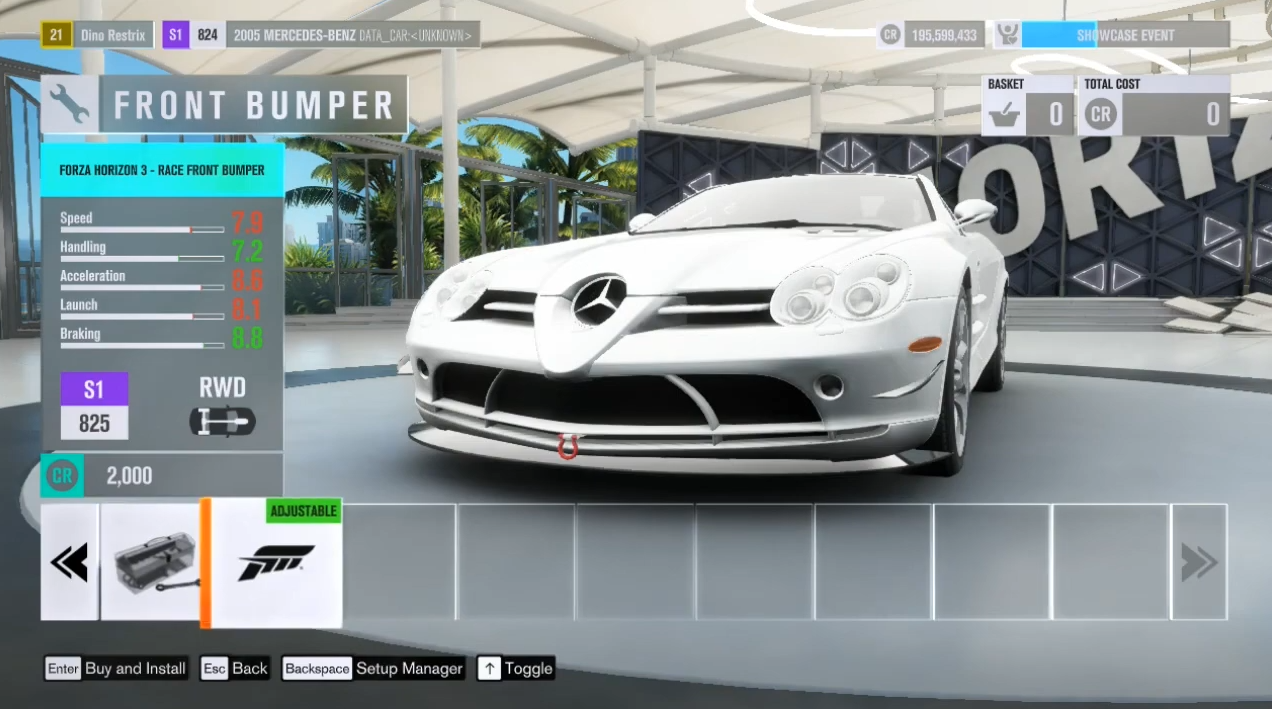
2005 Mercedes-Benz SLR McLaren#
The SLR can be driven, modified, could be viewed through Forzavista with fully functional doors, hood, and trunk and it even has its own engine sounds. The reason behind its exclusion could be a disagreement between the two companies involved with the car. Probably a Formula 1-related problem. 
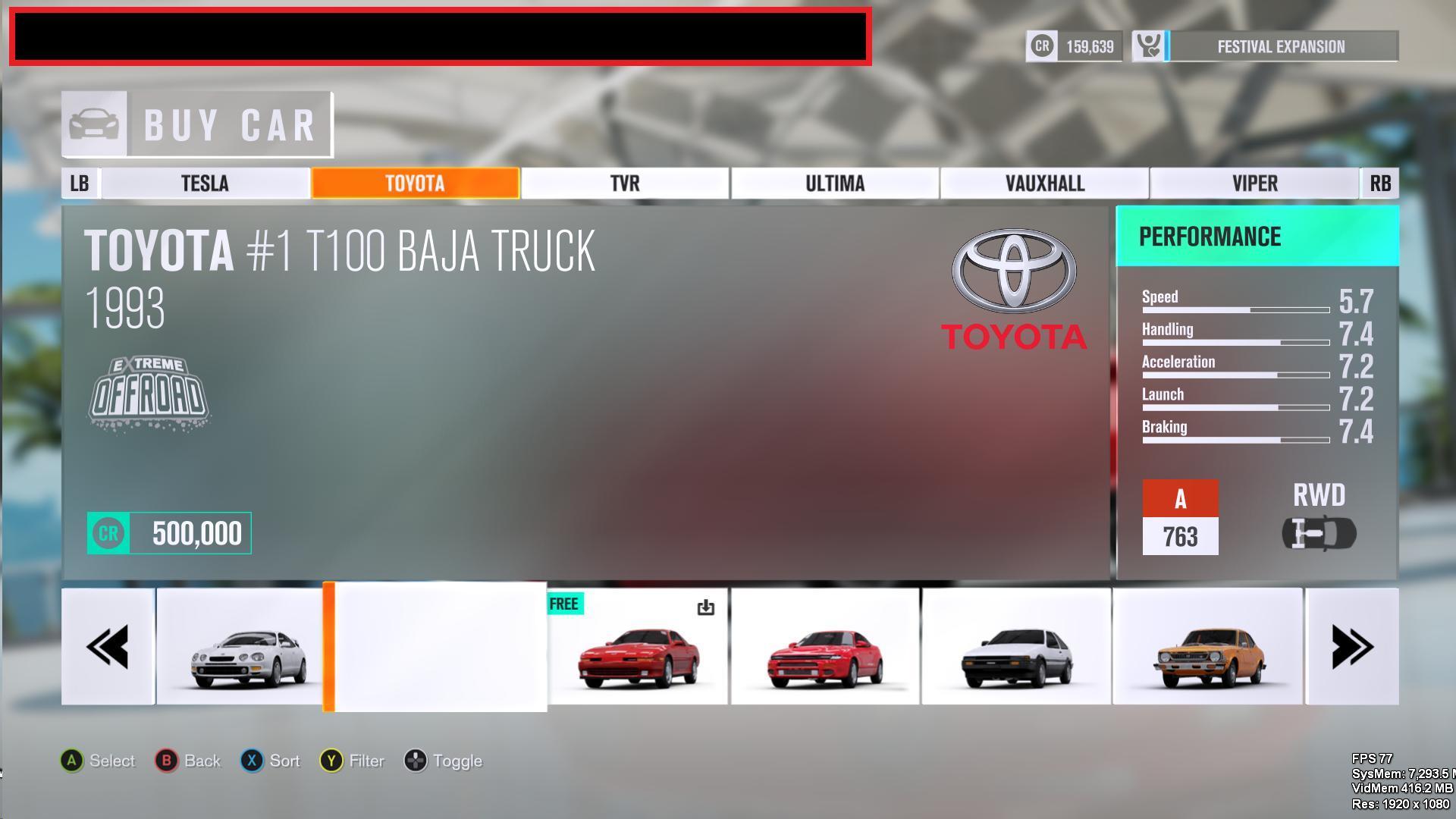
1993 Toyota #1 T100 Baja Truck#
Unfortunately, the only info on this vehicle is its name and performance data though it can be looked at through the Autoshow. This car later made its Forza debut in Forza Motorsport 7 and its Horizon debut in Forza Horizon 4.
1970 Porsche 3# 917 LH#
Once again the only info is its name and performance data, but it cannot be viewed through the Autoshow. This car made its Forza debut in Forza Horizon 4.
(Source: GTPlanet)
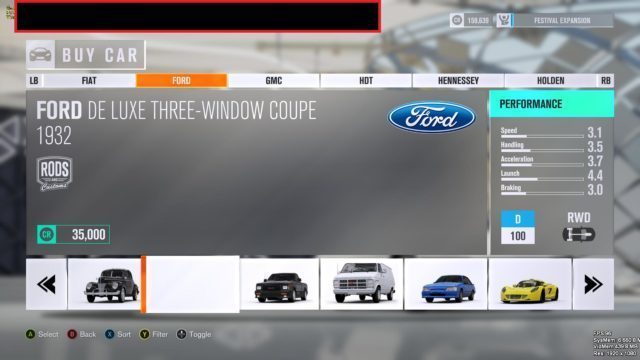
Ford De Luxe Five-Window Coupe#
In this build,this car named Ford De Luxe Three-Window Coupe,this was fixed to correct name in Hot Wheels Expansion
(Source: GTPlanet)
Debug Mode#

|
To do: |
The debug mode can be easily accessed by pressing the tilde key (it should be noted this only works with English UK keyboard settings) or by pressing both thumbsticks in if using an Xbox One controller.
Camera Options#
As located in LegacyDebug/Simulation are the camera-related features like...
ViewPrevCar and ViewNextCar#
These options simply allow you to view other Drivatars and traffic vehicles driving within the loaded area.
ForceFreeCam#
Pressing this will activate free cam that basically acts like the Photo Mode camera without the HUD or limitations and you can change the FOV with the zoom buttons.
ForceFreeCamWatchCar#
It's free cam except it locks on to the currently chosen car.
TrackSeg#
The camera follows the front wheels but with it still being behind the car and it's notably much lower to the ground in comparison to the normal camera options in the retail version.
ForceWheelCam#
It locks on to the rear right wheel with the camera pointing towards the front of the car.
PlaceFocusCar#
Allows to take any car you are "focused" on and place it elsewhere.
ForceAITakeover#
As it says this option will allow an AI takeover and drive but only if you put down a waypoint beforehand though it can also work in races.
ForceHumanTakeover#
It puts the player back into control.
CollisionTest#
Once again as it says it tests the collision although the way how it does so is amusing by spawning in 7 cars plus the car you're using and crash into each other. You can change the center X, Y, and Z-axis which would normally default to 0 unless you do the test anyways in which it changes to your current axis. You can also change the radius and the speed of the crash though the speed seems to cap at 300.
(Source: Speedyheart)
E3 Demo Leftovers#
|
|
To do: |
Surprisingly, the program for the E3 demo (or Kiosk Demo Disc v7.0) can run on this build with some glitches such as the wheels on the cars during the selection screen would actually spin slowly despite the car itself not moving and there are two broken cutscenes, One at the beginning cutscene after selecting a car will briefly go black before immediately spawning your car and the one that transitions to the player to driving the BJ Baldwin will have the camera freak out in a spastic manner before spawning the vehicle. The BMW M4 is missing its white paint job so it defaults to the first manufacturer color. The mockup #Forzathon used in the E3 build seems to be not working.
Interestingly this demo forces the game's settings to 4K, sets everything to Ultra, and uses 7800MB of VRAM in comparison to the retail 4000.
|
Dev Build |
E3 Demo |
|---|---|
E3 Centenario Showcase#
Another set of programs that can be accessed is one that showcases the game's cover car the Lamborghini Centenario but there isn't anything to do except watch the camera move around the car. Two different loops can be accessed one will only move around the exterior of the car while the other will open the driver's side door before closing and later the camera goes inside the interior through the windows during that point seem to be completely blacked but the light still shines onto the dashboard normally.
(Source: Speedyheart)
Oqus crash uploader#
If the game crashes 4/5 times, the game will boot to the Opus crash uploader 
|
The Forza series | |
|---|---|
|
Forza Motorsport | |
|
Xbox |
|
|
Xbox 360 |
|
|
Xbox One |
|
|
Xbox Series X |
|
|
Windows |
|
|
Forza Horizon | |
|
Xbox 360 |
|
|
Xbox One, Windows |
Forza Horizon 3 (Prototype) • Forza Horizon 4 • Forza Horizon 5 |
|
Xbox Series X |
|
|
Other | |
|
iOS, Android |
|