 This article has a talk page!
This is a sub-page of Proto:Burnout Revenge (PlayStation 2, Xbox)/Alpha 7 (PlayStation 2).

|
To do:
As well as short summaries and clarifications (especially for |
There are quite a bunch of debugging options that were intended to be toggled through a debug menu that isn't present in this build. The removed debug menu can be seen in the Production 10 build of Burnout Dominator.
The debug option names and sections use their original function names as found in the executable.
(Source: Edness)
CB4PhysicsManagerDebug#
DrawBodyHulls#
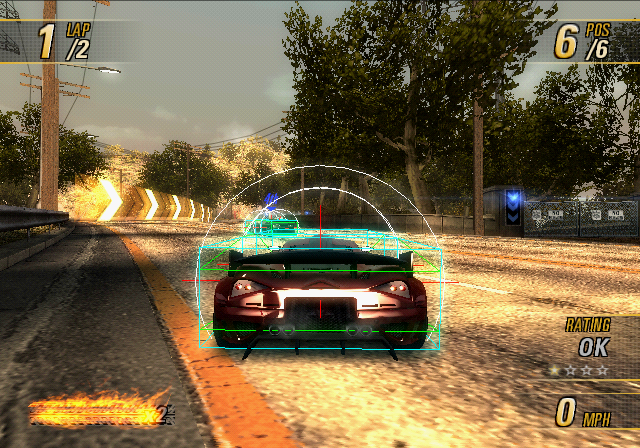
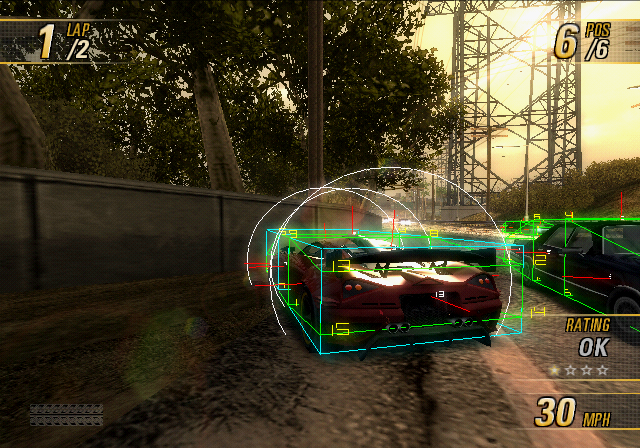
004CD2D7 00000001Some vector text can be enabled if this option is also enabled.
004CD2D4 00000001DrawPropCOM#
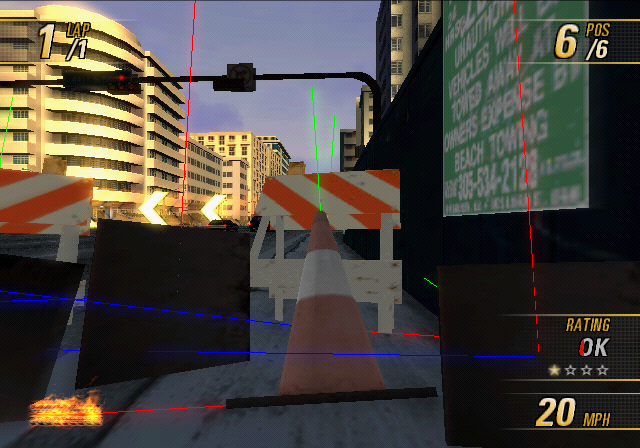
004CD2D8 00000001DrawIntervals#
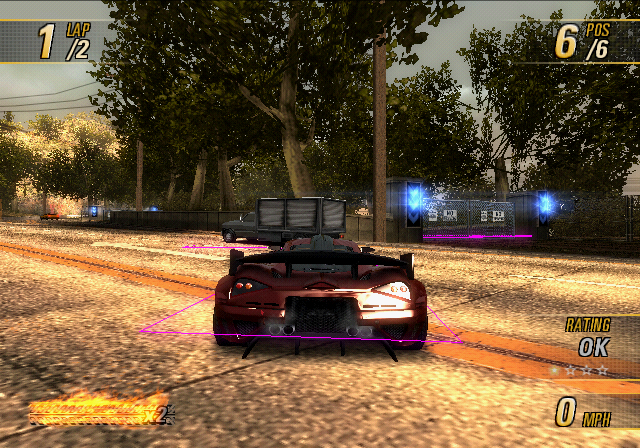
004CD2D9 00000001DrawCollisionWorld#

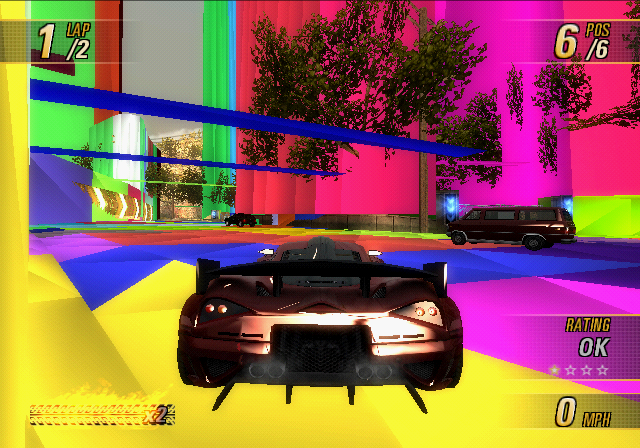 There are two different types of collision worlds to draw, the first one is seen on the left:
004CD2D6 00000001And then the 2nd one seen on the right can be enabled only when the 1st code is active, replacing it:
004CD2DB 00000001DrawShockwave#
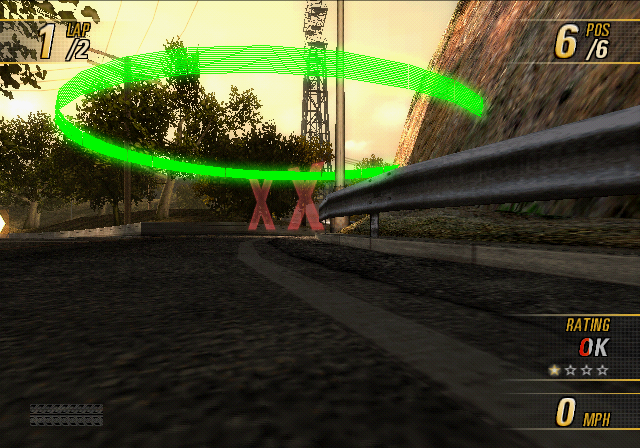
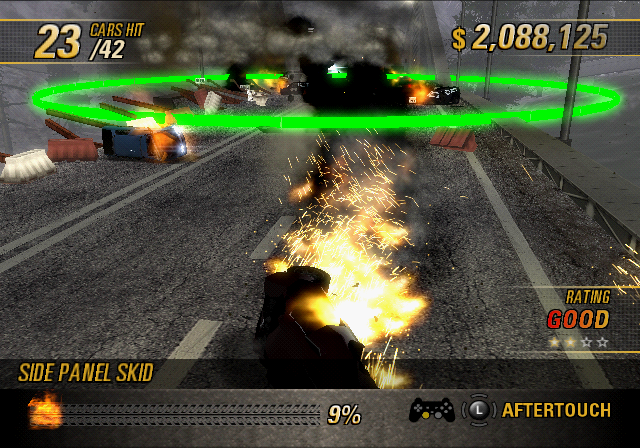 Draws a green circle when the Crashbreaker is used. If it doesn't hit an opponent vehicle, then it stays drawn in the world.
004CD2E7 00000001CB4CarViewerDebug#
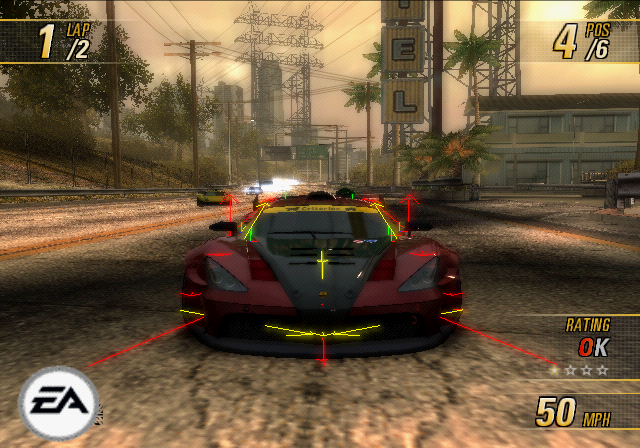
While this option is normally only meant to be used while in the Car Viewer game mode, this restriction can be bypassed with this code:
NOTE! It is NOT recommended to do so. May cause several unusual side effects, as well as crashes.
2012A2EC 00000000
2012A300 00000000DrawBones#
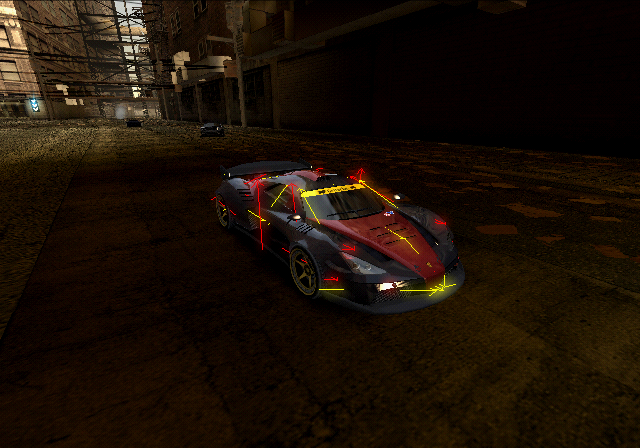
004CF2A3 00000001DrawHull#
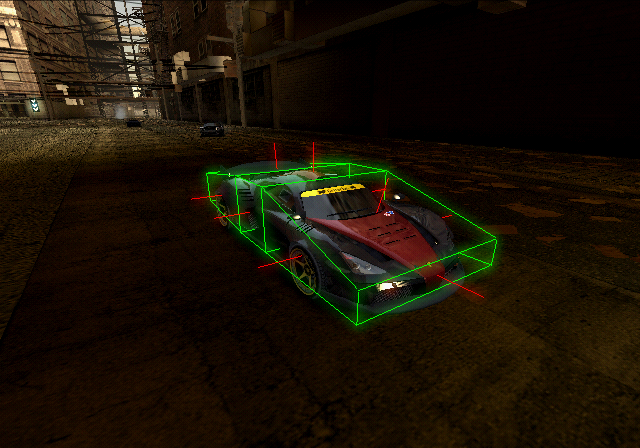
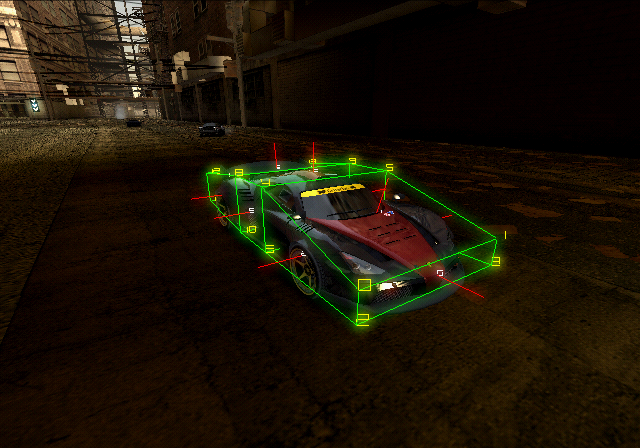 The same green and red lines as seen in
 CB4PhysicsManagerDebug::DrawBodyHulls, but only for your car.
004CF2A4 00000001As with the normal one, vector text can also be enabled here.
004CF2A7 00000001DrawAttachPoints#
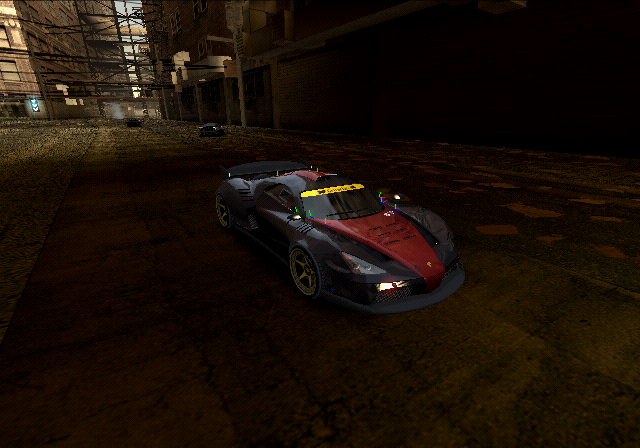
004CF2A2 00000001DrawCollisionPoint#

So small, that it can only be seen if the camera is moved inside of the car.
004CF2C9 00000001
004CF250 00000001DrawRegions#
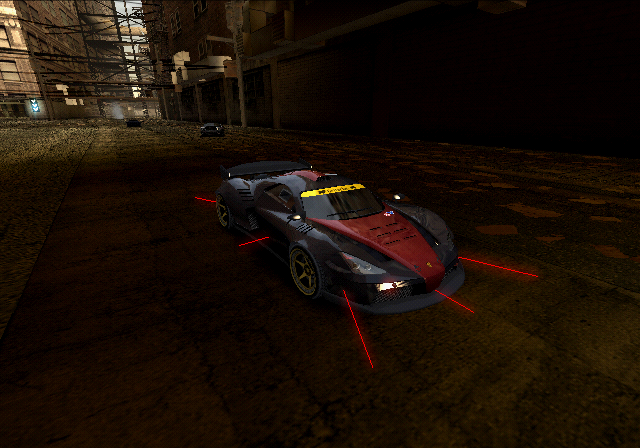
004CF2A5 00000001DrawTagPoints#
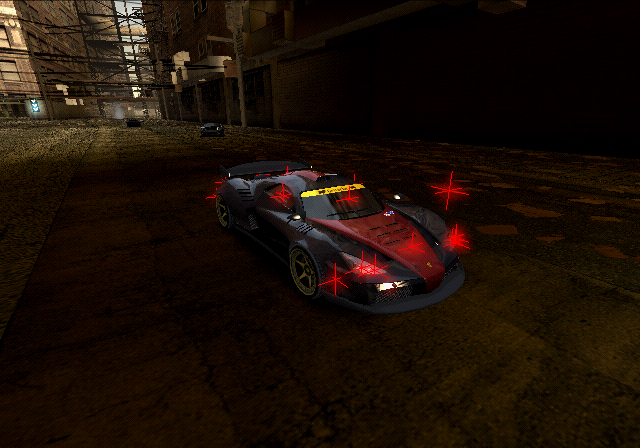
Various tag points for a car that can be toggled on and off.
004CF2A8 00000001 // headlights
004CF2A9 00000001 // taillights
004CF2AA 00000001 // brakelights
004CF2AB 00000001 // nothing?
004CF2AC 00000001 // reverse lights
004CF2AD 00000001 // left turnsignal
004CF2AE 00000001 // right turnsignal
004CF2AF 00000001 // ??? (front, left)
004CF2B0 00000001 // exhaust pipes
004CF2B1 00000001 // windows
004CF2B2 00000001 // hood
004CF2B3 00000001 // engineDrawCollisionLine#
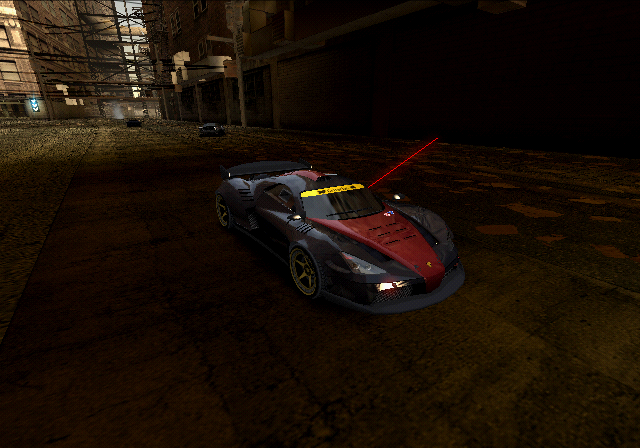
The same line that's toggled by pressing Square to set the target angle.
004CF2BE 00000001CB4TrafficDebug#
RenderTrafficLanes#
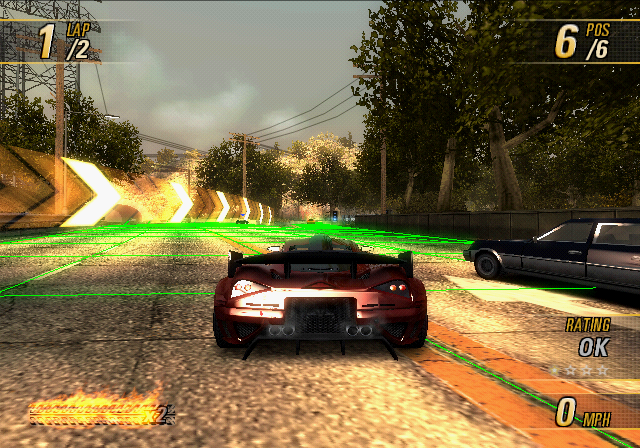
004CF2D5 00000001RenderTrafficVehicleDebug#
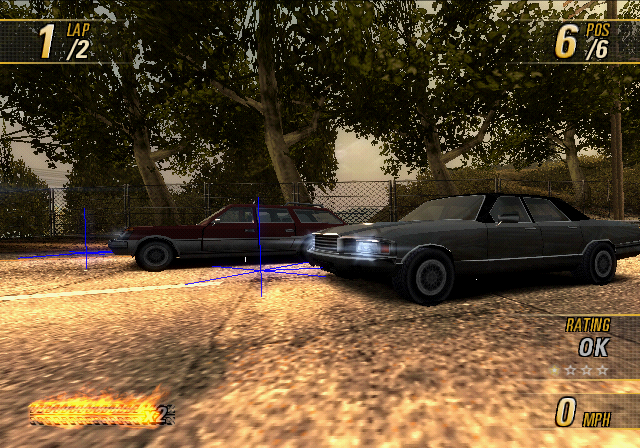
004CF2D6 00000001RenderNearMissData#
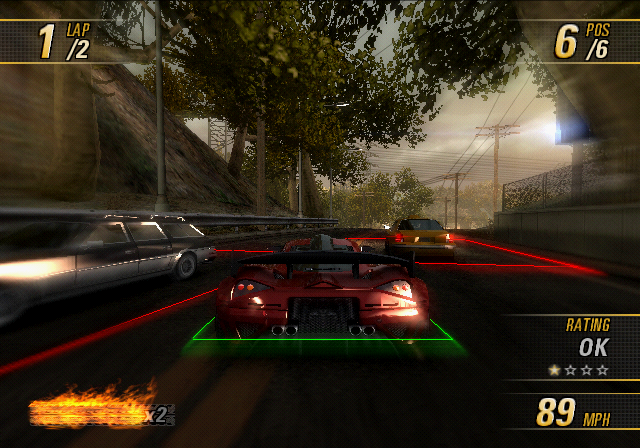
004CF2D0 00000001RenderSpatialTriggers#
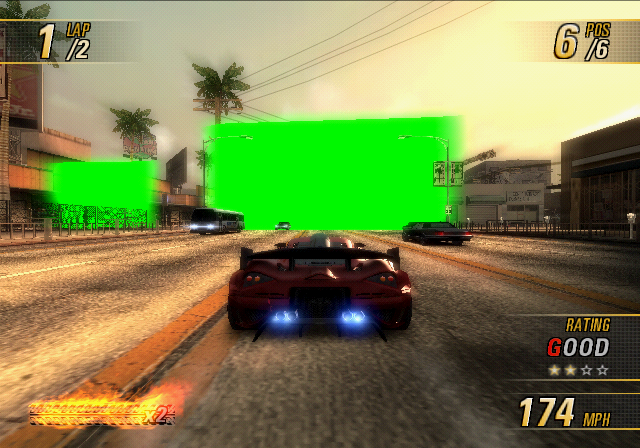
Unsure of its true meaning/usage. Draws green walls.
004CF2D1 00000001CB4GameDataDebug#
RenderSignatureData#
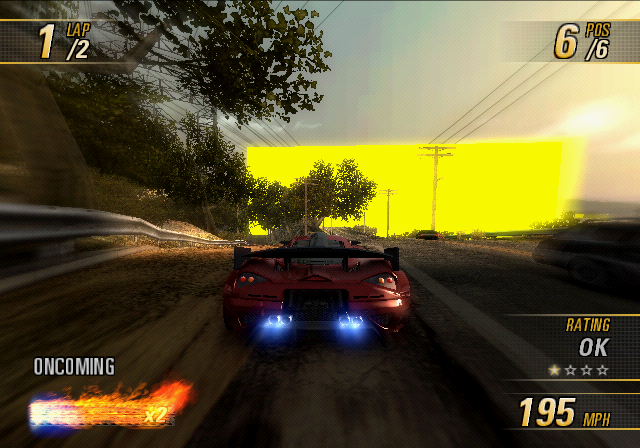
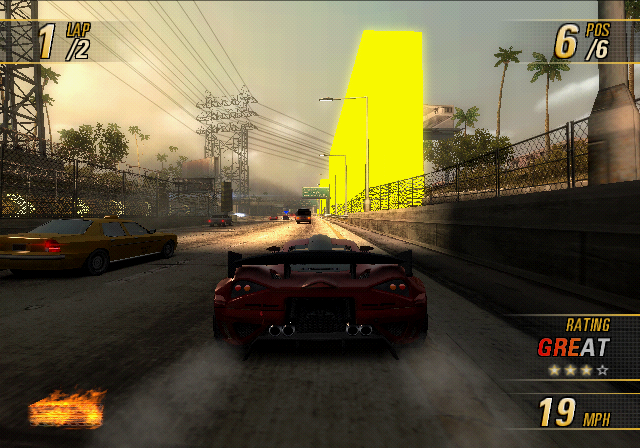 Draws the zones where taking down an opponent will award a Signature Takedown.
004CF2D7 00000001Other Options#
DebugShowTime#
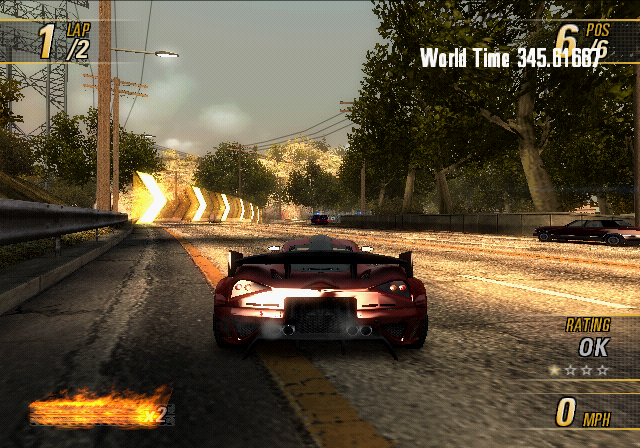
Shows how much time has elapsed in the current event.
2010CB00 00000000
2010CC08 00000000
Non-Functional Options#
There are a few debug functions that are never called, because the CB4DebugManager::RenderOverlays function is stubbed out. Patching them to be called elsewhere causes the game to crash, caused by the DrawText subroutine.
CB4PhysicsManagerDebug::DrawDamageValues#
This function is meant to be called whenever the player crashes, and display the following text on the screen. Not necessarily all of the Damage, Fatigue, and Total lines would be shown, only the ones that apply to the current vehicle.
Roof damage = %0.3f
                      Damage       Fatigue       Total
Left Door             %0.1f        %0.1f         %0.1f
Right Door            %0.1f        %0.1f         %0.1f
Front Bumper          %0.1f        %0.1f         %0.1f
Rear Bumper           %0.1f        %0.1f         %0.1f
Bonnet                %0.1f        %0.1f         %0.1f
Boot                  %0.1f        %0.1f         %0.1f
Spoiler               %0.1f        %0.1f         %0.1f
Left Skirt            %0.1f        %0.1f         %0.1f
Right Skirt           %0.1f        %0.1f         %0.1f
Front Windscreen      %0.1f        %0.1f         %0.1f
Rear Windscreen       %0.1f        %0.1f         %0.1f
Rear Left Door        %0.1f        %0.1f         %0.1f
Read Right Door       %0.1f        %0.1f         %0.1f
Wheel 0 damage = %0.3f
Wheel 1 damage = %0.3f
Wheel 2 damage = %0.3f
Wheel 3 damage = %0.3fCB4CarViewerDebug::DrawCarInfoText#
This would normally only be displayed while in the Car Viewer, but of course can be patched to display during regular events as well. It's supposed to display the name of the current car, current colour, and the level of detail on the top left. For example:
MEDIUSCAR1A
Colour 0
LOD 4