 This article has a talk page!

|
This page contains no introduction. |
Debug Menu#

A debug menu allowing you to easily select any option in the game, as well as exclusive debug options can be enabled using the codes below. Unfortunately some options do not appear to work. The debug menu is oddly rendered at 640x224, while the game's native resolution is at 512x448.
Master Code (For use on an actual PS2)
901F1E38 0C07C734
Debug Menu (Replaces Arcade Mode)
10100918 00000000
With the above code on select the first option at the menu menu and press Circle twice to enter the debug menu. If you are using an emulator with the code you will need to restart the game while the code is active.
(Source: Original TCRF research)
MODEL VIEWER#

Using this mode allows you to view all of the objects and models in the game, such as trucks and items.
Model Viewer Controls:
- D-Pad: Rotates the model.
- Square: Zooms out the camera.
- X: Zooms in the camera.
- Circle: Changes the model (back).
- Triangle: Changes the model (forward).
TEST FUZZ#

A sound test option. This allows you to play SFX, voices and BGM here. The controls for the options selected are given to you by the game.
TEST CSEADMIN#

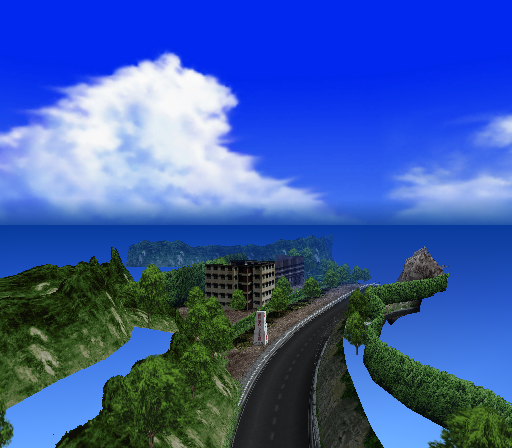
A stage viewing option. You can select and freely view the stages in the game here.
Controls:
- D-Pad: Rotates the camera.
- Square: Zooms out the camera.
- Triangle: Zooms in the camera.
- Circle: Press to make the camera follow stage paths.
References#
- Shares code from past Metro games (Debug menu code, audio). - punk7890↩︎