
|
To do:
|
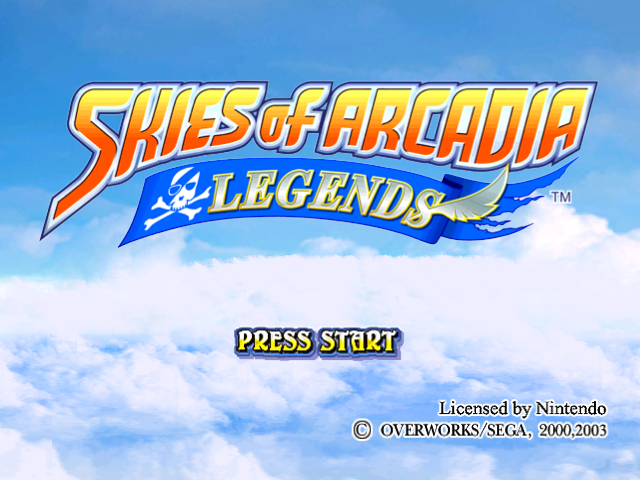
Skies of Arcadia Legends (also known as Eternal Arcadia Legends in Japan) is an enhanced port of the Dreamcast game, Skies of Arcadia, for the Nintendo GameCube. A PlayStation 2 and a PC version were also announced, but were cancelled.
Unused Graphics#
This section will only cover unused graphics unique to this version of the game. For unused graphics in the original Dreamcast release, see here.
Piastol Lineart#


Inside \field\a250aq13.mld are three unused linearts for an earlier version of Piastol's flashback cutscenes.
(Source: NoseGuy for finding it, DarthDub for ripping it.)
Debugging Functions#
Hydra Debug Menu#
|
|
To do:
|
This menu (in Japanese only) lets you skip to different points of progression throughout the game. The script that handles this scene is named ME355A.SCT.
To access this menu, use the following Action Replay code, and then press L + R + X during an area transition (do not activate it while flying a ship).
Note that some of the Japanese text will be shown cut off or empty. In addition, the European version does not show the text properly.
USA |
EUR |
JPN |
|
|---|---|---|---|
Action Replay Code |
|
|
|
When enabled, the player will be teleported into a small dialogue cutscene in the Hydra, which resembles the one seen before confronting Galcian on said stage near the end of the game. The player will then be greeted with the following options:
Original |
Translation |
Action |
|---|---|---|
(《どうせみないでしょ?》) |
(《Do you not want to look?》) |
- |
「みる」 |
「Look」 |
Opens the door, showing Galcian. |
「みない」 |
「Don't look」 |
The door won't open. |
If the 「みる」 option is selected, Galcian will say the following:
Original |
Translation |
|---|---|
(《ガルシ庵》) |
(《Galcian Hermit》) |
最近どうなのよ? |
How is it these days? |
Either way, selecting both options will take the player to the main submenu, where the player can choose the following:
Main submenu |
|---|
Original |
(《どうする?》) |
「各パートに飛びたい」 |
「世間話をする」 |
「ここから抜けたい」 |
「Jump to a part」 |
|---|
Original |
(《どうする?》) |
「Bパートへ」 |
「Cパートへ」 |
「次へ」 |
「Dパートへ」 |
「Eパートへ」 |
「次へ」 |
「Fパートへ」 |
「Gパートへ」 |
「次へ」 |
「Hパートへ」 |
「Iパートへ」 |
「次へ」 |
「Jパートへ」 |
「Kパートへ」 |
「次へ」 |
「Lパートへ」 |
「頭に戻る」 |
「ここから抜ける」 |
NOTE: The following text will only show up if the 「みる」 option was previously selected. Otherwise, an empty textbox will show up instead.
「Small talk」 |
|---|
Original |
(《ガルシ庵》) |
まぁ君のいうことも一理あるよね。 |
でもやっぱりその考え方は変だよ。 |
「Small talk」 |
|---|
Original |
(《ガルシ庵》) |
へぇ、アイツがねぇ・・・。 |
(Codes: TheRealNoseguy)
(Translations: Ares Arcadia)
Debug Fast Travel#
|
|
To do: |
This menu (in Japanese only) enables a debug fast travel feature where the player can talk to the helmsman inside the Delphinus ship and select the different options to warp to many of the explorable maps from the game.
Note that some of the Japanese text will be shown cut off or empty. In addition, the European version does not show the text properly.
USA |
EUR |
JPN |
|
|---|---|---|---|
Action Replay Code |
|
|
|
The helmsman will begin saying their usual lines, and then the following options will be displayed:
Original |
Translation |
|---|---|
(《どうする?》) |
《What will you do?》 |
「かじを取る」 |
“Take the wheel.” |
「もう少し船内をまわる」 |
“Look around the ship some more.” |
「運転をたのむ」 |
“Driving Request” |
Select the third option, which displays the following text (depending on the helmsman):
Original |
Translation |
|---|---|
(《ロレンス》) |
《Lawrence》 |
わかった。 |
Understood. |
どこへ行く? |
Where do you want to go? |
Original |
Translation |
|---|---|
(《ドン》) |
《Don》 |
了解、ヴァイス船長! |
Aye aye, Captain Vyse! |
どこへ行くんだ? |
Where will we go? |
And finally, the map selection menu! Three options will be displayed, depending on the type of location the player wants to go:
Original |
Translation |
|---|---|
(《どこへ行く?》) |
《Where will you go?》 |
都市 |
City |
ダンジョン |
Dungeon |
その他 |
Other |
Selecting one of the options opens up a new submenu with each of the available maps, depending on their location type. Since not all options fit in a single textbox, usually three options will be displayed, with the third one, 他へ (Next page), showing the next two locations on the list. If this option is やめる (Stop), it will close the menu.
CITY |
|---|
Original |
(《どこへ行く?》) |
空賊島 |
船乗り島 |
他へ |
マランバ |
ナスラード |
他へ |
ホルテカ |
ヤフトマー |
他へ |
エスペランザ |
本拠地 |
やめる |
DUNGEON |
|---|
Original |
(《どこへ行く?》) |
神殿島 |
ピュラミス神殿 |
他へ |
月煌石鉱山 |
ドラド |
他へ |
宝島 |
サルガッソー |
他へ |
氷の遺跡 |
タルタスの穴 |
他へ |
ダングラール基地 |
コアルーム |
やめる |
OTHER |
|---|
Original |
(《どこへ行く?》) |
ハマチョウ島 |
リュウカンの島 |
他へ |
テンコウ島 |
ドブラレストラン |
他へ |
アルキュミスの島 |
王の小屋 |
やめる |
When a map is selected, the helmsman will say the following:
Original |
Translation |
|---|---|
(《どこへ行く?》) |
《Where will you go?》 |
わかった。 |
Okay. |
超特急でいくから、 |
We're fast travelling, |
しっかりつかまってろ。 |
so hang on tight. |
(Codes: TheRealNoseguy)
(Translations: Ares Arcadia)
|
The Skies of Arcadia series | |
|---|---|
|
Dreamcast |
|
|
GameCube |
|