 Removed FeaturesФункции, которые были удалены из игровогодвижка.
 Removed ContentФайлы, которые раньше находились внутри Roblox и были полностью удалены.
 Unused Studio TexturesИзображения, встроенные в Roblox Studio, которые в настоящее время неиспользованный.
Неиспользуемая графика#
Хотя эта графика не используется фактическими разработчиками Roblox, любой может использовать их в своих играх. Когда игра получила массивное переделывание пользовательского интерфейса, куча графики до повторного использования пользовательского интерфейса осталась в файлах игры.
TixIcon.png#
Хотя это не так важно, игра имела вторую валюту под названием Tickets (билеты для краткости), которая существовала с 2007 года. Валюта была удалена в 2016 году, оставив эту текстуру неиспользованной.

RobuxIcon.png#
Более ранняя версия значка валюты Robux, которая была заменена в 2019 году. С тех пор эта текстура никогда не использовалась.

clb_robux_20.png#
Похоже, что это ранний редизайн того, что заменит старый значок (см. выше) для валюты Robux.

icon_premium-16.png#

Похоже, что значок списка игроков для Roblox Premium (членство, которое заменило Builders Club) изначально должен был быть бриллиантом, но он был заменен на P.
VRChatBackground.png#
Это изображение представляет собой серый квадрат с закругленными углами. Можно предположить, что это 9-квадратное изображение, которое используется в разработке Roblox для придания объектам закругленных углов, так как до недавнего времени движок GUI изначально не поддерживал закругленные углы. Изображение, вероятно, должно было придать окну чата закругленные углы, когда пользователь находится в VR, однако это не использовалось, и окно чата такое же, как настольное и мобильное окно чата, с квадратными углами.

Неиспользуемый логотип Roblox#
Логотип Roblox был включен в файлы игры, которые использовались на экране загрузки около недели в течение 2014 года, который заменил простой текст состояния загрузки в середине экрана. Пример этого экрана можно увидеть в видеороликах того времени,например, этот,Это было заменено гораздо более простым загрузочным экраном, который включал только название игры и ее создателя.

LoadingSpinner.png#

Как уже говорилось выше, с 2014 года по 24 июля 2017 года этот спиннер был индикатором состояния, который появлялся на экране загрузки, у него было «Загрузка...» написано в середине. В конечном итоге он стал неиспользованным, и его место занял вращающийся логотип Roblox.
Неиспользуемый значок микрофона#
Значок микрофона существует в файлах игры. Предполагается, что это будет использоваться, когда Roblox добавляет голосовой чат, однако эта функция все еще находится в разработке.

Кредиты разработчика#
В нескольких игровых скриптах присутствуют кредиты разработчика.

|
Что нужно: |
CoreScripts\LoadingScript.lua#
|
первоначальный текст |
переведенный текст |
|---|---|
|
|
CoreScripts\ServerStarterScript.lua#
|
первоначальный текст |
переведенный текст |
|---|---|
|
|
CoreScripts\ServerStarterScript.lua#
|
первоначальный текст |
переведенный текст |
|---|---|
|
|
CoreScripts\CoreScripts\BlockPlayerPromp.lua#
--[[
    // Filename: BlockPlayerPrompt.lua
    // Version 1.0
    // Written by: TheGamer101
    // Description: Handles prompting the blocking and unblocking of Players.
]]--CoreScripts\CoreScripts\ContextActionTouch.lua#
-- ContextActionTouch.lua
-- Copyright ROBLOX 2014, created by Ben Tkacheff
-- this script controls ui and firing of lua functions that are bound in ContextActionService for touch inputs
-- Essentially a user can bind a lua function to a key code, input type (mousebutton1 etc.) and thisCoreScripts\CoreScripts\FriendPlayerPrompt.lua#
--[[
    // Filename: FriendPlayerPrompt.lua
    // Version 1.0
    // Written by: TheGamer101
    // Description: Can prompt a user to send a friend request or unfriend a player.
]]--
CoreScripts\CoreScripts\GamepadMenu.lua & GamepadMenuOld.lua#
--[[
        Filename: GamepadMenu.lua
        Written by: jeditkacheff
        Version 1.1
        Description: Controls the radial menu that appears when pressing menu button on gamepad
--]]

--NOTICE: This file has been branched! If you're implementing changes in this file, please consider also implementing them in the other
--version.CoreScripts\CoreScripts\HealthScript.lua#
--[[
    This script controls the gui the player sees in regards to his or her health.
    Can be turned with Game.StarterGui:SetCoreGuiEnabled(Enum.CoreGuiType.Health,false)
    Copyright ROBLOX 2014. Written by Ben Tkacheff.
--]]CoreScripts\CoreScripts\NotificationScript2.lua#
--[[
        Filename: NotificationScript2.lua
        Version 1.1
        Written by: jmargh
        Description: Handles notification gui for the following in game ROBLOX events
            Badge Awarded
            Player Points Awarded
            Friend Request Recieved/New Friend
            Graphics Quality Changed
            Teleports
            CreatePlaceInPlayerInventoryAsync
--]]CoreScripts\CoreScripts\PerformanceStatsManagerScript.lua#
--[[
        Filename: PerformanceStatsManagerScript.lua
        Written by: dbanks
        Description: Handles performance stats gui.
--]]CoreScripts\CoreScripts\PurchasePromptScript2.lua#
--[[
        // Filename: PurchasePromptScript2.lua
        // Version 1.0
        // Release 186
        // Written by: jeditkacheff/jmargh
        // Description: Handles in game purchases
]]--CoreScripts\CoreScripts\Topbar.lua#
--[[
    // FileName: Topbar.lua
    // Written by: SolarCrane
    // Description: Code for lua side Top Menu items in ROBLOX.
]]CoreScripts\CoreScripts\VehicleHud.lua#
--[[
        // Filename: VehicleHud.lua
        // Version 1.0
        // Written by: jmargh
        // Description: Implementation of the VehicleSeat HUD

        // TODO:
            Once this is live and stable, move to PlayerScripts as module
]]PlayerScripts\StarterCharacterScripts\Sound.server.lua#
--[[
    Author: @spotco
    This script creates sounds which are placed under the character head.
    These sounds are used by the "LocalSound" script.

    To modify this script, copy it to your "StarterPlayer/StarterCharacterScripts" folder keeping the same script name ("Sound").
    The default Sound script loaded for every character will then be replaced with your copy of the script.
]]--PlayerScripts\StarterCharacterScripts\Sound\LocalSound.client.lua#
--[[

    Author: @spotco

    This script runs locally for the player of the given humanoid.

    This script triggers humanoid sound play/pause actions locally.


    The Playing/TimePosition properties of Sound objects bypass FilteringEnabled, so this triggers the sound

    immediately for the player and is replicated to all other players.


    This script is optimized to reduce network traffic through minimizing the amount of property replication.

]]--PlayerScripts\StarterPlayerScripts\ControlScript.lua#
--[[
    // FileName: ControlScript.lua
    // Version 1.1
    // Written by: jmargh and jeditkacheff
    // Description: Manages in game controls for both touch and keyboard/mouse devices.

    // This script will be inserted into PlayerScripts under each player by default. If you want to
    // create your own custom controls or modify these controls, you must place a script with this
    // name, ControlScript, under StarterPlayer -> PlayerScripts.

    // Required Modules:
        ClickToMove
        DPad
        KeyboardMovement
        Thumbpad
        Thumbstick
        TouchJump
        MasterControl
        VehicleController
--]]PlayerScripts\StarterPlayerScripts\ControlScript\MasterControl.lua#
--[[
    // FileName: MasterControl
    // Version 1.0
    // Written by: jeditkacheff
    // Description: All character control scripts go thru this script, this script makes sure all actions are performed
--]]
Debug Information#
The game has couple of debugging tools built in which can be enabled and disabled on command.
Key Combination |
Result |
Screenshot |
|---|---|---|
Shift+F1-Shift+F7 (Ctrl+F1-Ctrl+F7 on older versions) |
Shows various things about the game like the physics engine. Can't be interacted with. F1 shows general information. F2 shows graphics information. F3 shows network information. F4 shows performance information. F5 shows a cutdown version of F4. F6 shows a modified microprofiler that is configured to work with Roblox. F7 shows the 'Performance Stats' (also can be enabled in the game's options). The information that these pages shows differs based on platform. |
|
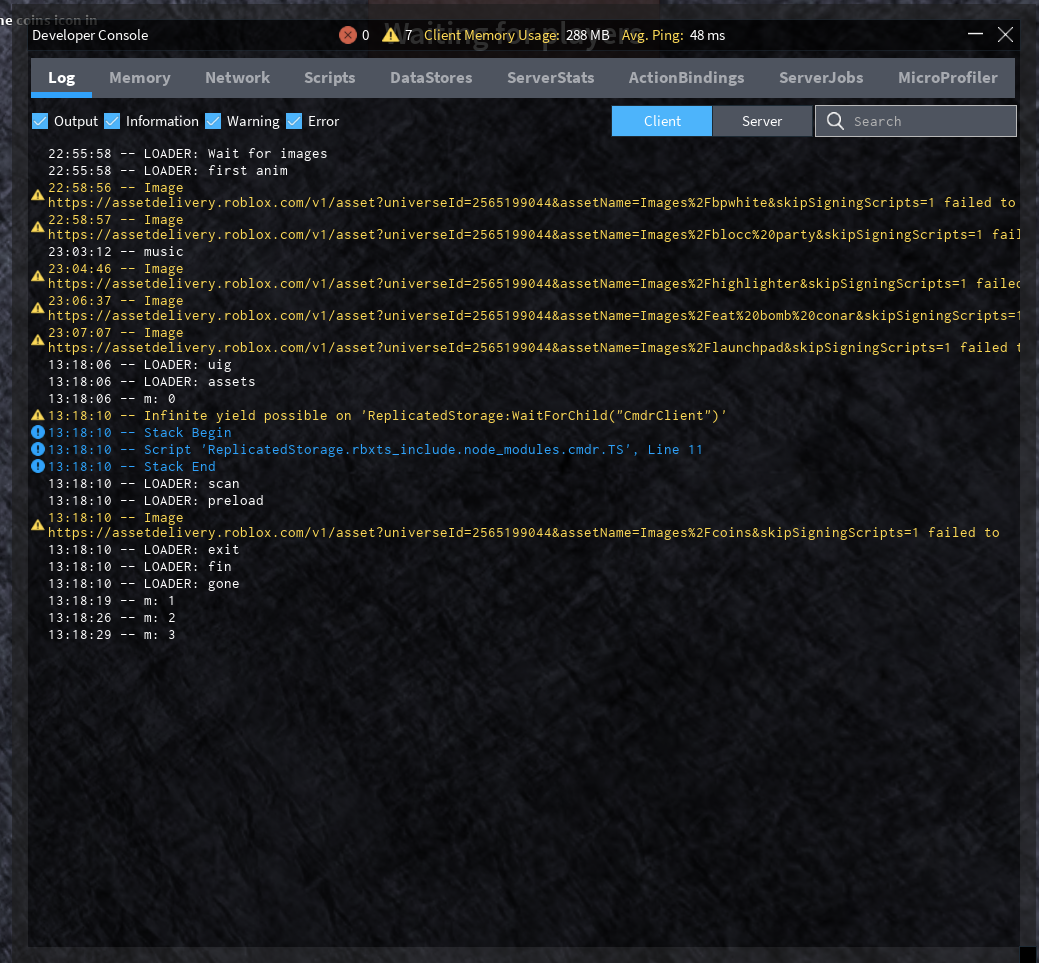
F9 or typing /console into chat |
Shows the game's Lua script logs, to determine what is going on in the background. Intended for game developers to debug their games online. Log shows the log of the client, which shows script errors and debug logs produced by the individual game scripts. Game developers also see the 'Server' tab, which allows them to see the output of the server console, and run Lua code on the game server as it is running. Memory allows developers to see what individual features (such as textures, physics) and game scripts are using the most memory. Game developers also see the 'server' tab which allows developers to see the same information on the server. Network (game owners only) allows developers to see what HTTP requests the client & server are making to external servers. Scripts (game owners only) allows developers to see how much time (a.k.a CPU %) each server script is using. DataStores (game owners only) allows developers to see the amount of DataStore calls made for each method. ServerStats (game owners only)) allows developers too see the average ping and data throughput for the server. ActionBindings (game owners only) allows the developers to see what keybindings created using the ContextActionService ServerJobs (только для владельцев игр) похож на ServerStats, поскольку он больше ориентирован на внутренние функции Roblox. MicroProfiler' (только игровой сервер) позволяет разработчикам включить MicroProfiler на клиенте, а также записывать ServerProfile, который представляет собой диаграмму пламени, которая хранится в виде HTML-файла на клиентском компьютере |
 |
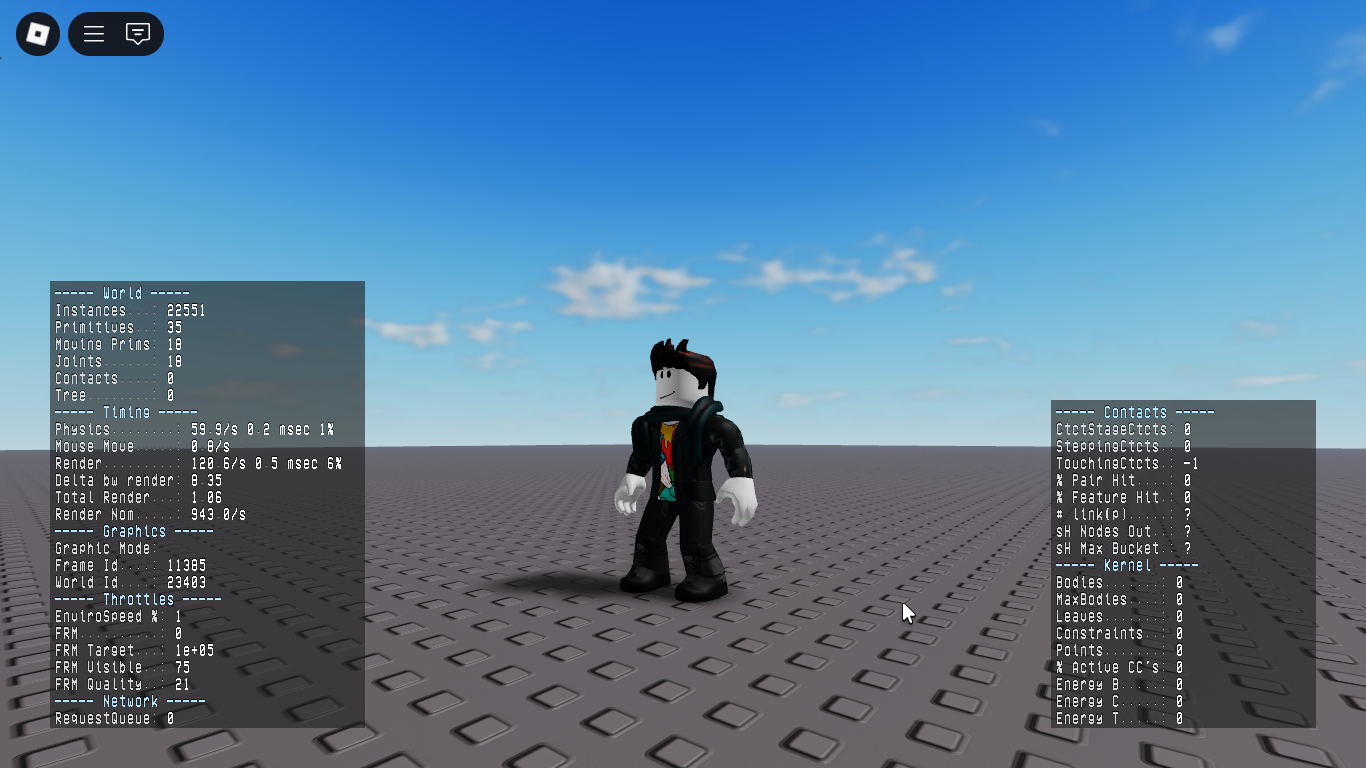
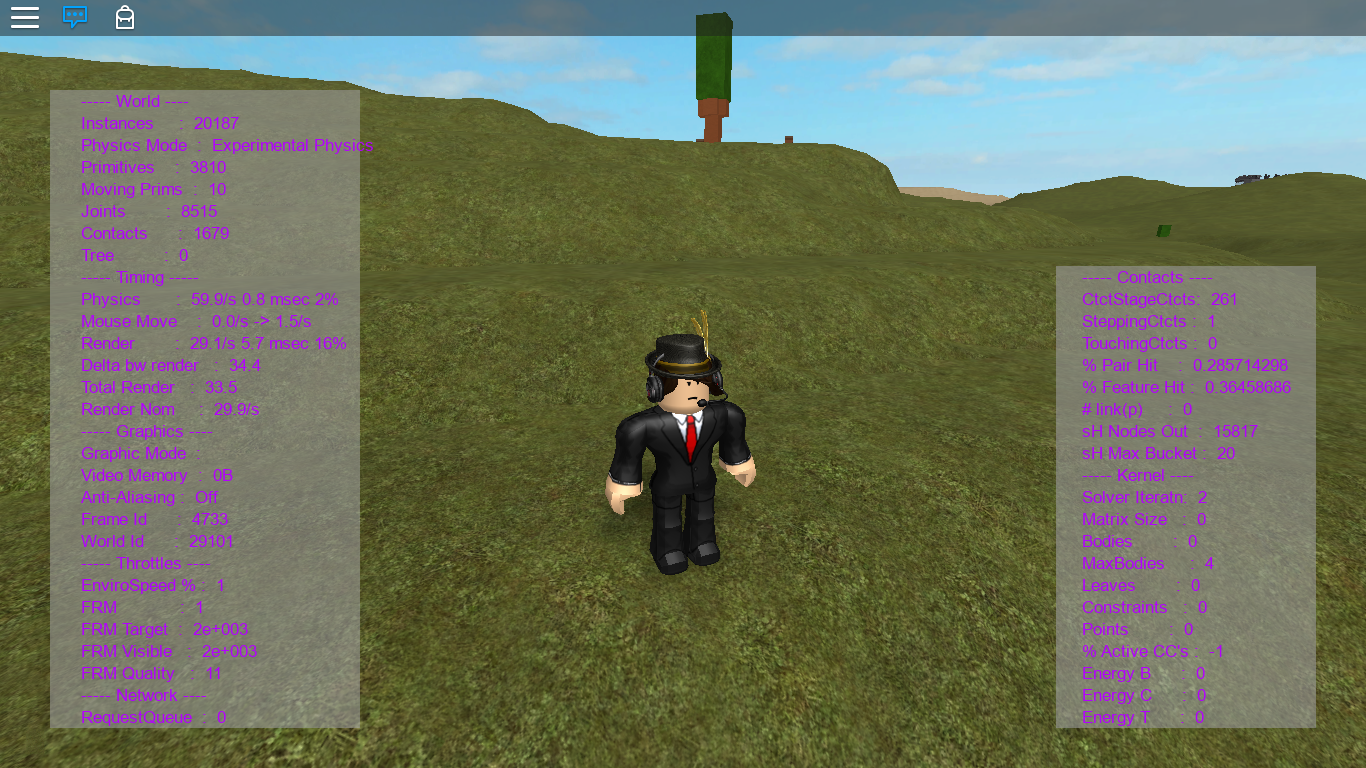
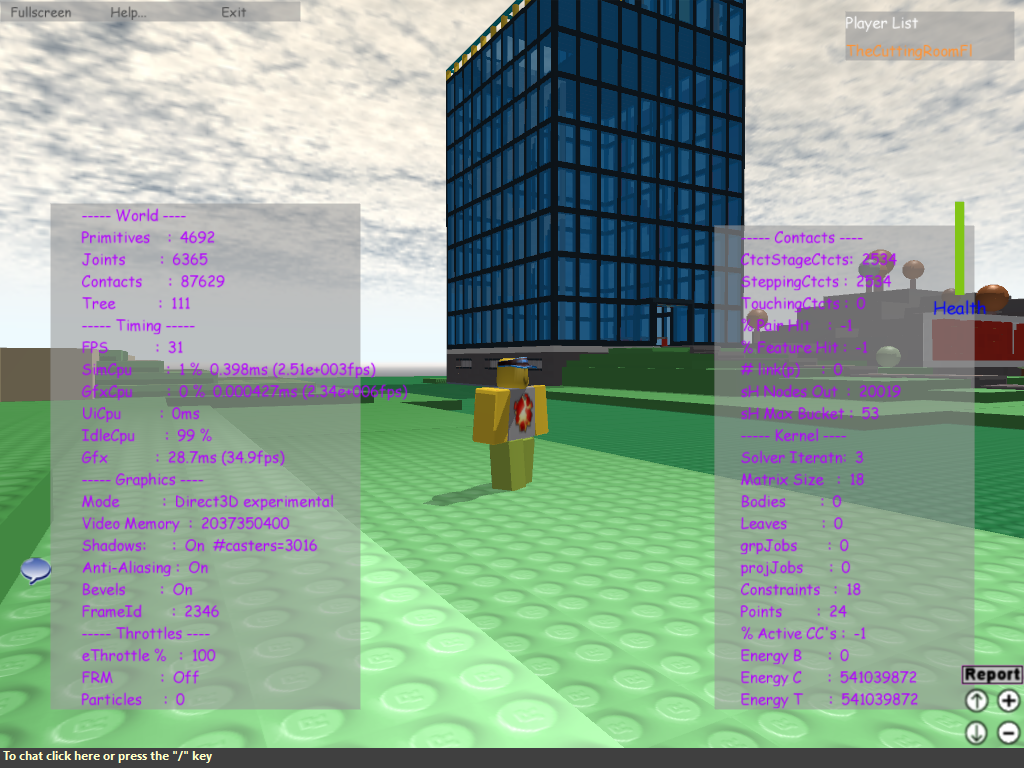


Интересно, что отладочные меню F1-F7 являются единственными остатками, оставшимися от устаревшей жестко запрограммированной системы пользовательского интерфейса Roblox, начиная с эпох до конца 2009 года.
Почти все старые встроенные элементы пользовательского интерфейса были удалены из движка в пользу использования общедоступных графических интерфейсов Lua player.