 This article has a talk page!

|
This page contains no introduction. |
Stage Select#


Applying the below code will enable a stage select debug menu when starting a new game.
US code:

Replace New Game With Stage Select Menu
00106684 0000000B
Movie Select#


Selecting the stage select menu option PolyMovie will bring you to this menu. This enables you to view all event scenes in the game.
(Source: Original TCRF research)
Unused Maps#
T02:ACTION TEST LEVEL#


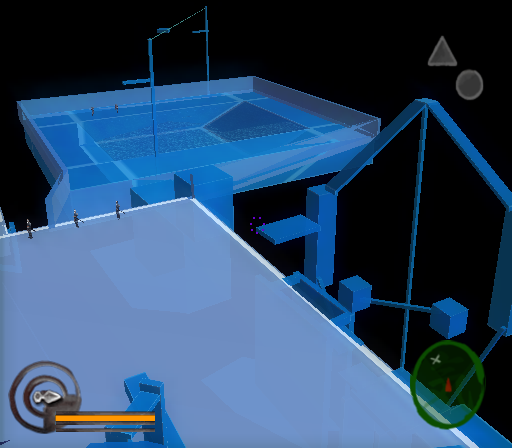
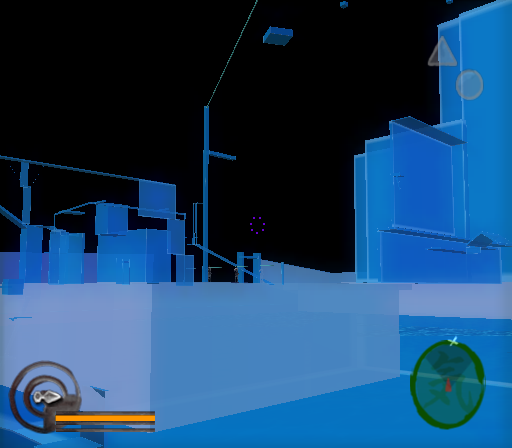
A large test map featuring stationary enemies and lots of platforms. This can be selected in the Stage Select debug menu.
Other Debug Menus#
Present below are some remaining debug menus that don't appear to work when called.
- 0035e828 CPU
- 0035ec48 == DMAC EVENT LOG ==
- 0035f078 RG
- 0035f4d8 == TEXTURE TEST ==
- 00360268 == SCREEN ADJUST ==
- 00360480 == FB TEST ==
- 003607f0 == EFFECT TEST ==
- 00360b98 == MODEL TEST ==
- 00361238 == SCREEN SHOT ==
- 00361460 == SYSTEM DEBUG(NOW QUAT ONLY) ==
- 003614e8 == VERSION INFO ==