This is a sub-page of Pokémon Stadium 2 (International).
Various debugging fragments for the game are found in the game
Debug Display#
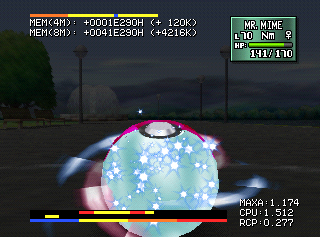
This display shows the current CPU usage, RCP usage, and memory usage with graphical meters and numbers.
Version |
GameShark Code |
|---|---|
USA |
81087232 0003 |
Japan |
81088B12 0003 |
Europe |
81087392 0003 |
France |
81087352 0003 |
Germany |
81087492 0003 |
Spain |
81087552 0003 |
Italy |
81087572 0003 |
(Source: Gilgamesh)
Debug Menu and Debug Remnants#
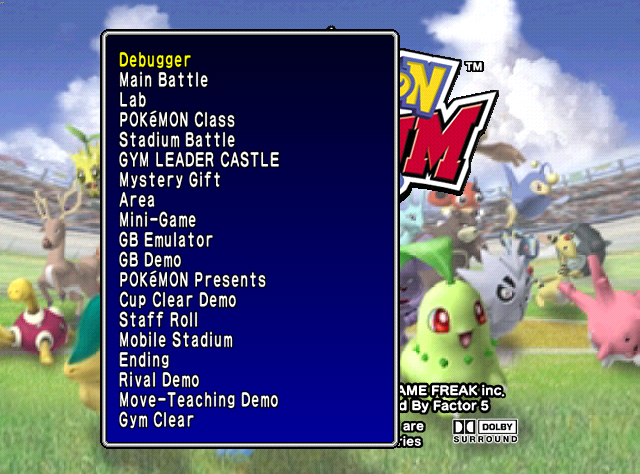
Watch on YouTubeThe game has a functioning debug menu, along with some unused strings for debug functions that aren't listed on the menu. Unfortunately, it's pretty boring, with most of the options just taking you to the specified place in the game or showing you cutscenes. Most of the unused text seems to imply it once had more functions than what's been found in the final (though it may also be related to the "Debugger" option, which hangs the game).
The following codes activate the menu; press L + D-Pad Up on the title screen to access it.
Japan |
USA |
UK |
France |
|---|---|---|---|
D112CA34 0820 |
D112B554 0820 |
D112B6B4 0820 |
D112B574 0820 |
Germany |
Spain |
Italy |
|
D112B694 0820 |
D112B774 0820 |
D112B794 0820 |
Title Screen Debug#
At the title screen, C-Left takes you to the attract screen, and C-Down changes the background.
Japan |
USA |
UK |
France |
|---|---|---|---|
8112A232 0003 |
81128BF2 0003 |
81128D52 0003 |
81128C12 0003 |
Germany |
Spain |
Italy |
|
81128D32 0003 |
80128E12 0003 |
81128E32 0003 |
Trainer Battle Select#
|
Stadium/Gym Leader Castle |
Battle Now |
|---|---|
|

|
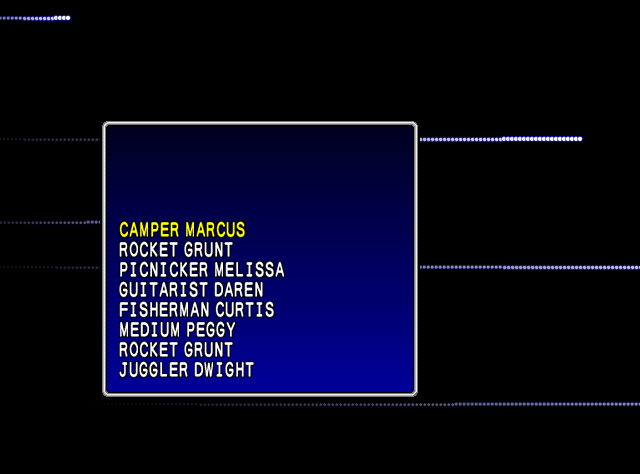
Lets you choose which trainer to fight in a Cup/Gym, along with the random seed value in "battle now".
Japan |
USA |
UK |
France |
|---|---|---|---|
8112A230 0003 |
81128BF0 0003 |
81128D50 0003 |
81128C10 0003 |
Germany |
Spain |
Italy |
|
81128D30 0003 |
80128E10 0003 |
81128E30 0003 |
Gym Leader Castle Battle Select#
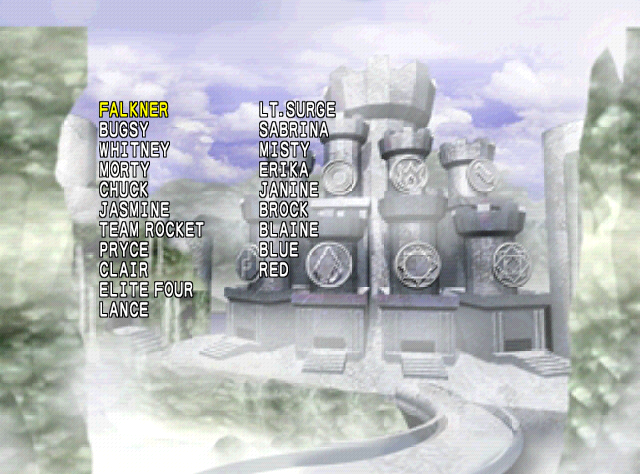
Hold Z when choosing Gym Leader Castle to select a Gym Leader, an Elite Four Member, Team Rocket, Lance, or Red to battle.
Japan |
USA |
UK |
France |
|---|---|---|---|
8112A234 0003 |
81128BF4 0003 |
81128D54 0003 |
81128C14 0003 |
Germany |
Spain |
Italy |
|
81128D34 0003 |
80128E14 0003 |
81128E34 0003 |
(Source: fkualol (JPN/USA version codes), xdaniel (debug menu GER version port, PPLToast (rest of the codes))
Debug Menu#
Debugger#

|
This needs some investigation. |
Hangs the game on a black screen.
Main Battle#
Selecting this brings up a small box with all of the stages as options. After selecting a stage, you will immediately enter a two-player battle on that stage, with no Pokémon selection screens. The first trainer's name is set to "Pokemon" and the second trainer's name is set to "Stadium", both purple because the Pokémon in each team have illegal moves. Player 1 is given a team of Charizard, Squirtle, and Wartortle while Player 2 is given a team of Blastoise, Caterpie and Metapod all of them Level 100. Of note is that if the player has a Transfer Pak and Generation 1/2 game inserted and selects this, the Pokémon used in this mode will be the same ones from the inserted game's party. Otherwise, it plays out like a normal battle.
Lab#
Takes you to the Lab screen.
Pokemon Class#
Takes you to the Pokémon Academy screen.
Stadium Battle#
Takes you to the Stadium Cup selection screen. Of note, however, is that you will be in Round 2 regardless of whether or not you completed the first round.
GYM LEADER CASTLE#
Takes you to the Gym Leader Castle. Again, you will be in Round 2 regardless of whether or not you completed the first round.
Mystery Gift#
Takes you to the Mystery Gift screen.
Area#
Takes you to the map screen that you normally see when looking up Pokémon locations in the Pokédex. However, no Pokémon is selected, and so the game shows " 's Nest" and "Area Unknown". The music also stops on this screen.
Mini-Game#
Takes you to the mini-game screen.
GB Emulator#
Takes you to the Transfer Pak select screen, from which it loads into the Game Boy Tower.
GB Demo#
Displays the text seen when unlocking the Doduo Game Boy Tower. After pressing A, the game will hang on a black screen. While the icon and description on the map will be updated as if it was unlocked, it will actually not give the option to change the game speed in-game.
Pokémon Presents#
Displays the cutscene for obtaining a new Pokémon (e.g. after defeating a Gym Leader). The particular Pokémon shown here is the Farfetch'd you normally get for defeating the rival in Round 1. Of note is that the game does give you the Pokémon, as if you had actually defeated the rival. After the cutscene ends, you are taken back to the title screen. Seemingly this will force the game into Round 2 mode.
Cup Clear Demo#
Displays the "Cup Clear" cutscene. The Pokémon normally shown here are the ones you won the Cup with, but since you didn't actually win a Cup to see this, it shows a team of Pikachu, Raichu, Sandshrew, Sandslash, Nidoran♀, and Nidorina. The Cup it shows as being "Cleared" is the Prime Cup. After the cutscene ends, you are taken back to the title screen.
Staff Roll#
Takes you to the credits.
Mobile Stadium#
In the Japanese version, this takes you to the Mobile Stadium menus once used in conjunction with a (Japanese) copy of Pokémon Crystal and the Mobile Adapter GB. Selecting this in the US version, however, just takes you to the normal Transfer Pak check screen you see after pressing Start on the title screen.
Ending#
Displays a (very long) cutscene showing all 251 Pokémon, normally seen after finishing Round 2. After the cutscene ends, you are taken back to the title screen.
Rival Demo#
Displays the screen you normally see before the battle with the rival. Pressing A to "continue" just brings you back to the title screen.
Move-Teaching Demo#
Displays the cutscene shown when a Pokémon learns a new move. Oddly enough, this particular instance shows a Bulbasaur learning Counter, which is something it can't legitimately learn.
Gym Clear#
Displays the cutscene shown after clearing the Gym Leader Castle in Round 2. After the cutscene ends, you are taken back to the title screen.
Leftover Text#
A bunch of leftover text from a different Debug Menu which is documented below.
0xD3FB0:
Registered PokeMon Editor0x1E56B0:
Item Editor

Will make the item(s) full in the Metal Case and the
Color Case.

Warning. Current item(s) will be deleted.
Start Button ----- Do
B Button ----- Exit

It won't activate unless, the Game Pak is inserted
in the Controller 1's Transfer Pak

.Metal CaseColor Case%3d item(s)%3d item(s)0x35E620:
Screen Viewer0x36CA10:
PokeMon Editor0x1D95DB4:
DUMMY1
DUMMY20x1DC71D8:
Debug Menu
Model Viewer
Screen Viewer
POKéMON Editor
GB-SRAM Editor

Ogawanoyu
AI Editor
Back Up Editor
Creating Icon
Music Room
Trainer Viewer
Creating Registrate POKéMON
Creating VS.Message Debug
Room of Legend
Clock Editor
Item Editor

What can I do for you?
Eye Catcher
POKéDEX
IconNumber:
POKéMON:
X point:
Y point:
Z point:
Angle:
Scale:
Animation:
Save on ROM
Mini-Game
Creating Icon
Normal POKéMON
Rare POKéMON
SMEARGLE
Sound Track #03
Exit

Current Music #03
Current Music None
Resolution Change
Low-Res
Hi-Res
Trainer:
Face:

Debugger
Main Battle
Lab
POKéMON Class
Stadium Battle
GYM LEADER CASTLE
Mystery Gift

Area
Mini-Game
GB Emulator
GB Demo
POKéMON Presents
Cup Clear Demo
Staff Roll
Move-Teaching Machine
Mobile Stadium
Ending
Rival Demo
Move-Teaching Demo
Gym Clear

BAKKATSUKUN
POKéMON1 GB EMU SPEED
POKéMON2 GB EMU SPEED
ROUND ONE
ROUND TWO
RIVAL ARRIVES
RIVAL DEFEATED
LITTLECUP
POKéCUP
CHALLENGECUP
PRIMECUP

GYM LEADER-JYOTO
GYM LEADER-KANTO
GYMLEADER-ELITE FOUR
GYMLEADER-DEMO
MOBILE STADIUM APPEARS
MINI-GAME GREAT APPEARS
<TEX,0>
ROUND SWITCH0x1DCAAF8:
Message Debug
Battle Message
Trainer Message
Check Battle Message
Check Trainer Message
Quit
NextTrainerNo.
Check Done
Ally PKMNFoe PKMN0x1DCABD8:
Making VS
Initialize
Save
Done
Suck up
Battle Name
Long Name
AI
This Game Pak can't be used as carrier.
Not initialized as a carrier.
No VS data exist.
Game Pak can't be found.
Battle name is not set.
Long Name is not set.
AI number is not set.
Another Debug Menu#
This debug menu for Pokémon Stadium 2 is left hidden in the code, and can be patched in the game via XDelta in which replaces the options menu with it.
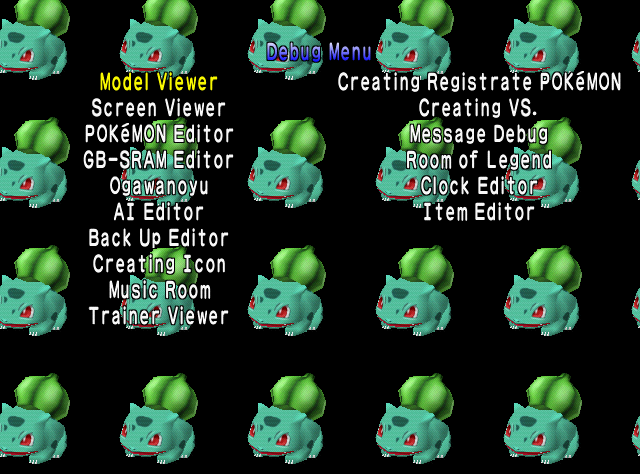
There is a lot to discover here, lets check them out one by one.
Model Viewer#
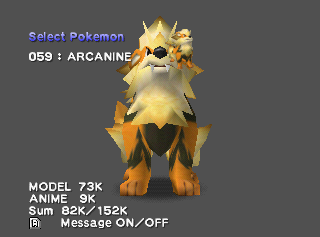
A model viewer in which you can view all of the Pokémon. It has some functions to it.
Controls:
- A: Plays the selected animation once.
- C-Right: Continuously repeat the current animation.
- C-Left: Continuously repeat the current animation in addition to the previous one.
- L: Plays the selected animation in combination with the currently-selected texture animation once.
- R: Hides/shows debug message.
- Z Trigger: Turns Pokémon's shadow off/on.
- Start: Pauses the animation on the current frame. Will play each following frame-by-frame by pressing A.
- Analog Stick: Rotates the model.
- C-Up: Enlarges the model.
- C-Down: Shrinks down the model.
Animation#

Allows you to view certain animations the Pokémon has.
Texture Animation#
Allows you to check animations for textures.
Check Poke-Buffer#
Cycles through all of the Pokémon in the game, seems to crash on some emulators.
Hue#
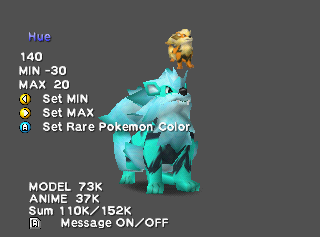
Allows you to change the Pokémon's color based off hue, for some Pokémon it will set the model in their T-Pose.
Lightness#

Allows you to change how dark or light the Pokémon is.
Saturation#

Allows you to control the saturation the Pokémon has.
Shadow#

It can change the size of the Pokémon's shadow in either axis. In some instances it might appear as "Cannot control". Max value is 4000.
Alpha#
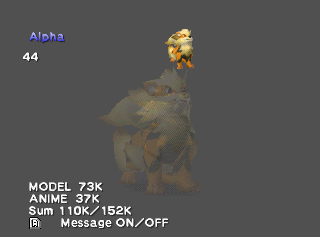
Allows you to control the transparency of the Pokémon.
Env Mapping#

Also known as reflection mapping, the texture of the Pokémon can be changed into Silver or Gold.
Rare Pokemon#

Turns the Pokémon into it's Shiny Variant.
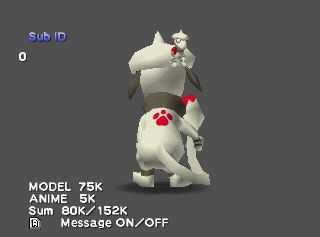
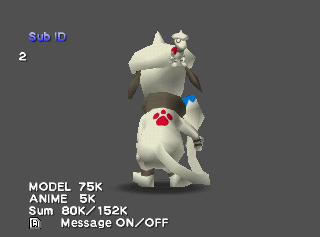
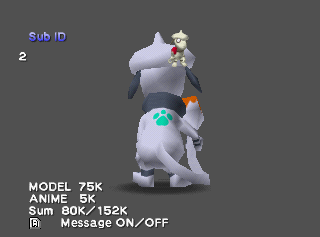
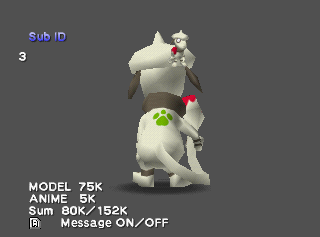
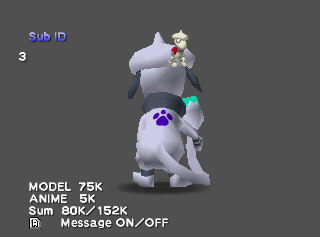
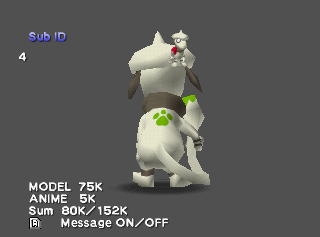
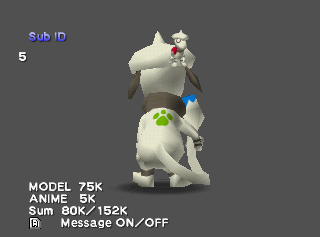
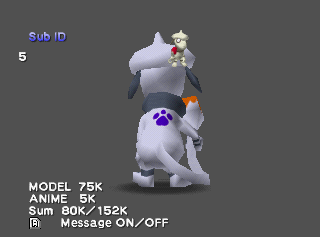
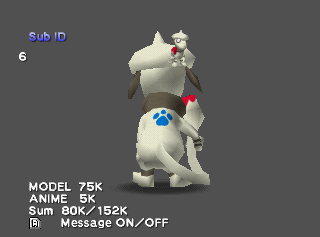
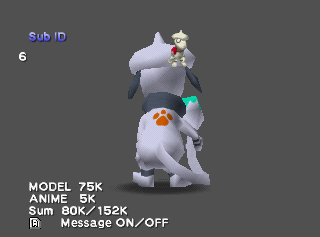
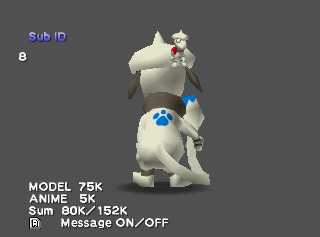
Sub ID#
Doesn't do much, besides controlling it from 0 to 15.
It only seems to affect Smeargle's tail tip and back mark's colors, of which there are 3 variants for each combination (both normal and shiny).
Apparently, because these color variants are determined by DV stats, which also determine if the Pokémon is shiny or not, it's actually impossible for a shiny Smeargle to use Sub IDs values 0, 1, and 5. 1
ID |
Normal |
Shiny |
|---|---|---|
0, 9-15 |
 |
 |
1 |
 |
 |
2 |
 |
 |
3 |
 |
 |
4 |
 |
 |
5 |
 |
 |
6 |
 |
 |
7 |
 |
 |
8 |
 |
 |
Screen Viewer#
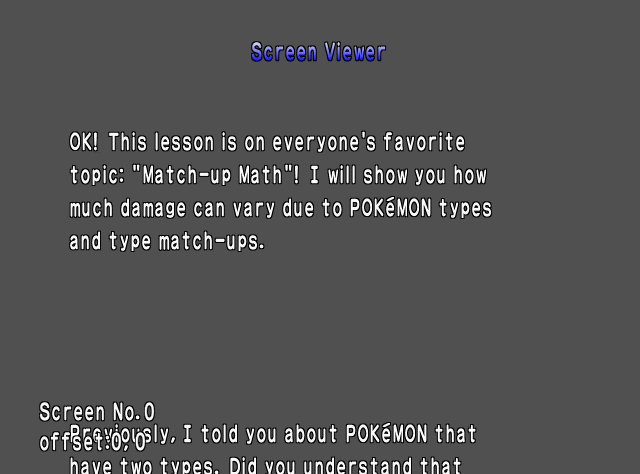
Allows you to cycle through all of the screens, many of which is instructions and certain menu UI.
Pokémon Editor#
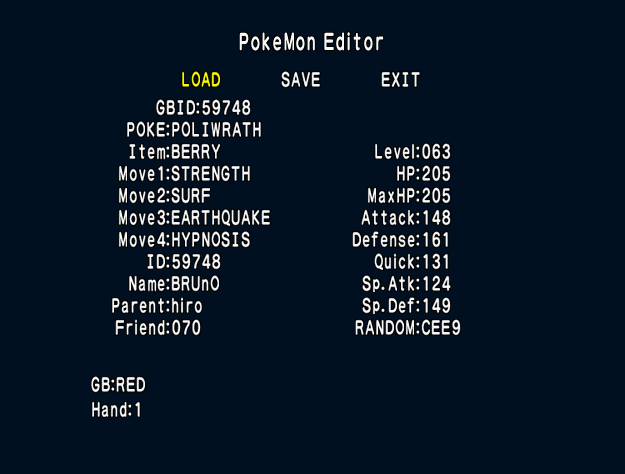
Requires a Game Boy cartridge to be connected through the Transfer Pak. Modifies the Pokémon data from the cartridge's save file.
GB-SRAM Editor#
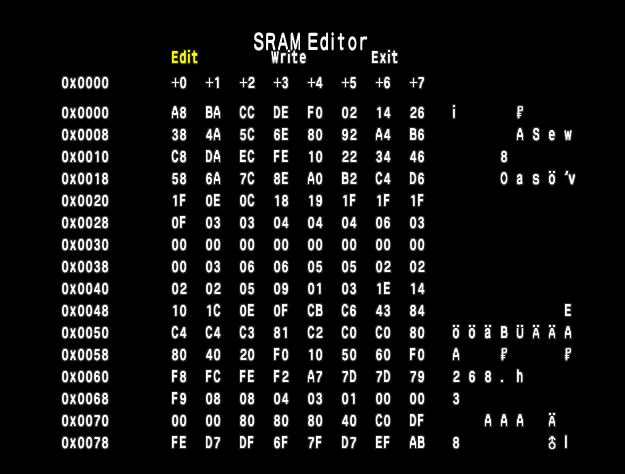
Requires a Game Boy cartridge to be connected through the Transfer Pak. Modifies the cartridge's save file data like in a hex editor.
Ogawanoyu#

Changes certain flags. The menu shows a Pichu, a Chikorita and a effect. The bottom text reads "モデル" (Model) and " アニメ" (Anime), appears garbled in the US version, however shows up as intended in the Japanese version.
A.I Editor#

|
'...But what does it mean?' |
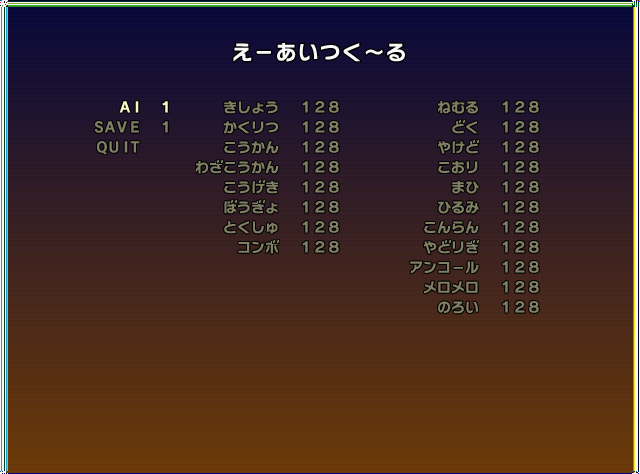
Allows you to change the A.I, most of the text is unreadable in the US version due to being left untranslated, however the text shows up correctly in the Japanese version.
Back Up Editor#

Allows you to edit a save file, and also change the built-in Game Boy emulator's speed.
Creating Icon#
|
|
This needs some investigation. |

This will generate the icons used in gameplay. Choosing one of these options will default to Chikorita, but cycling through the menus will repeat the cursor selection sound in a loop indefinitely. Creating Icon gives the player a FLASHRAM DMA read address error on a emulator, and will crash the game.
Music Room#
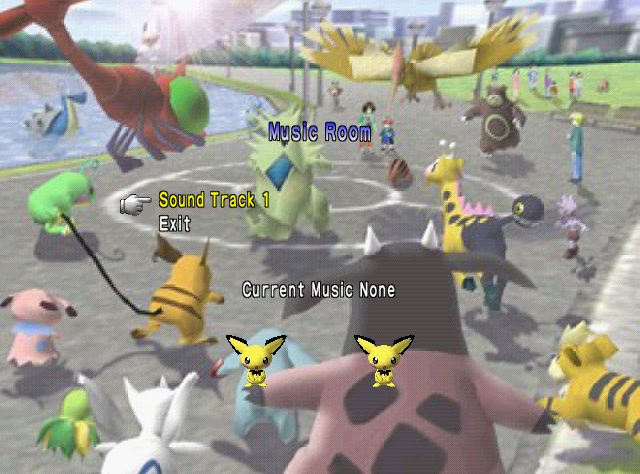
Sound tester for music, it will actually disable the music from the debug menu and all sound menu effects after exiting.
Trainer Viewer#
|
Hi-Res |
Low-Res |
|---|---|
|

|
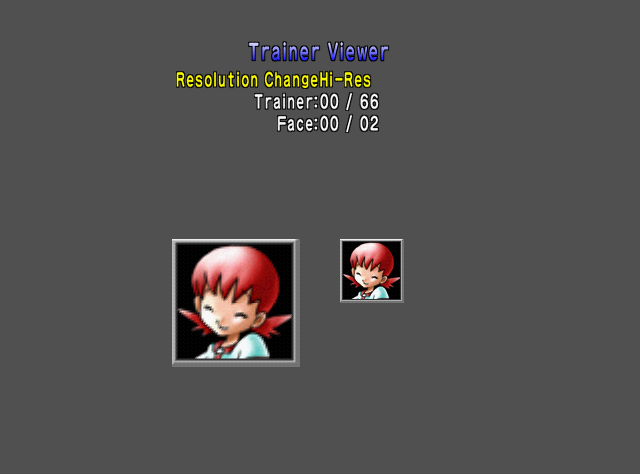
Allows you to cycle through all of the trainers' portraits you battle with in the game. It has two resolution modes, in which changes the text and the portrait resolution as well the game's internal resolution.
Creating Registrate Pokémon#
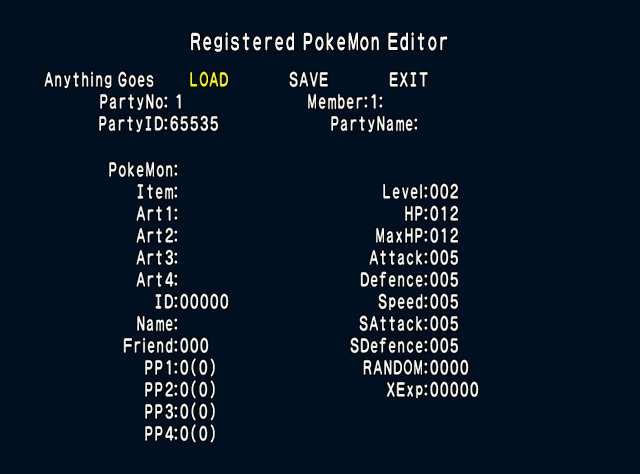
Allows you to change the registered Pokémon that you have in your party.
Creating VS.#

Shows a versus screen, selecting the "Suck Up" option spawns in some eggs.
Message Debug#

Allows you to check out the Battle and Trainer Dialogue the game has during gameplay. Check Battle Message and Check Trainer Message cycle through all of the dialogue they have.
Room Of Legend#
|
|
This needs some investigation. |
Does nothing.
Clock Editor#
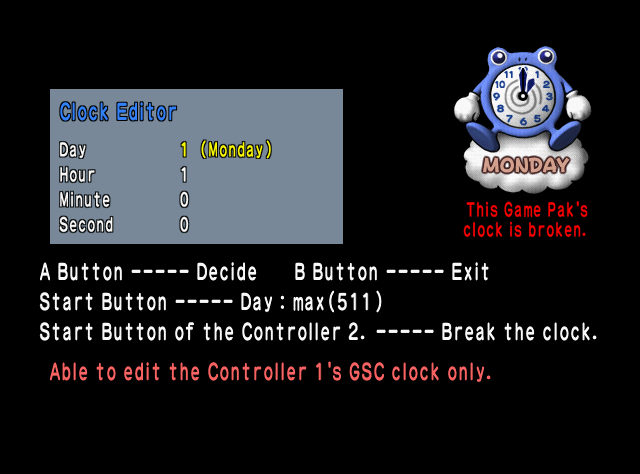
Allows you to change the in-game clock. Exiting this debug option will stop the music.
Item Editor#
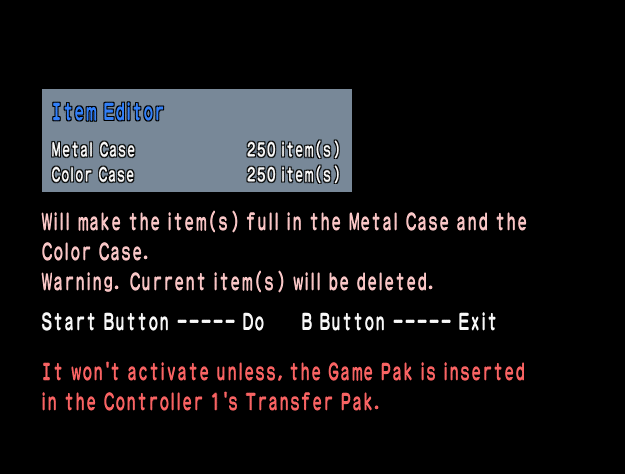
Requires a Game Boy cartridge to be connected through the Transfer Pak. It will fill up the Color and Metal Cases.