
|
To do:
|
A game where you deliver pizzas on a dune buggy. Features some of the most horrifying models in any game ever.
Build Date#
At 26FF50 in engine.exe:
Build 457 (%s)..Aug 25 2005.Pizzadude
Unused Sounds#
Present in /sounds/ are several sounds that, despite being named, all have no data and thus do not play:
- woosh.wav
- airstrike_active.wav
- airstrike_explosion.wav
- airstrike_start.wav
- bullethit_impact1.wav
- bullethit_reflected1.wav
- chain_active.wav
- chain_end.wav
- chain_fire.wav
- chain_start.wav
- console.wav
- empty.wav
- fire.wav
- flamerActive.wav
- flamerStart.wav
- gun_fire1.wav
- hit_cone.wav
- hit_glass1.wav
- hit_water.wav
- MessageBeep.wav
- mine_active.wav
- mine_explosion1.wav
- mineFire.wav
- minehit1.wav
- missile_active.wav
- missile_explosion1.wav
- missile_loop.wav
- missile_start.wav
- repair.wav
- ride_water.wav
- rock.wav
- rocket_active.wav
- rocket_explosion1.wav
- rocket_loop.wav
- rocket_start.wav
- shell1.wav
- slow.wav
- false.wav
Many of them are leftovers from either Manhattan Chase or Elite Heli Squad, previous games by Team 6 Studios. Interestingly, the game still calls for their presence and throws console errors if it can't load them in.
Developer Features#
Some features used by the developers (such as console commands and a script editor) made their way to the final game. Many of those can be found in other Team 6 games from that period, since they share the same engine.
Command Line Parameters#
Parameter |
Effect |
|---|---|
|
Enables "test mode": on startup, loads |
|
Opens the Mission Editor |
|
Sets the verbosity of logs, 3 being the most verbose. Logs are output to the in-game console and to |
|
Skips the intro and goes straight to the main menu |
|
Runs the game in windowed mode |
(Source: Original TCRF research)
Console Commands#
A console can be brought up by pressing the ~ key. Some of those commands are only recognized by the console if the game is run with the -TEST command line parameter.
Command |
Effect |
|---|---|
|
Loads a script from the |
|
??? |
|
Changes the gravity. Doesn't affect the character when walking on foot |
|
Enters and exits camera edition mode. The camera can be adjusted by moving the mouse, zoomed in and out with the scroll wheel, and FOV can be changed with Numpad + / Numpad - |
|
Adjusts how fast the camera rotates when the player rotates |
|
Toggles whether the player's car is visible. Might have been used for a first person view in another game, since in this case, 0 makes the character invisible along with their vehicle |
|
Flips the camera around: when on foot, the camera looks behind when set to 0; when on a vehicle, the camera looks behind when set to 1 |
|
??? (does not seem to write anything to the game's folder) |
|
??? |
|
Picks the light that will be changed with the following commands |
|
Changes the light intensity |
|
Sets the ambient color of the light |
|
Sets the diffuse color of the light |
|
Sets the specular color of the light |
|
Defines how far from the character the fog starts |
|
Changes the fog's intensity |
|
Sets the color of the fog |
|
Saves the modified light parameters to |
|
Sets the boost meter in your vehicle to 100. |
|
??? |
|
Writes to |
|
Draws lines from the center of the map to the specified texture (presumably? can't get it to work) |
|
Prints the names and counts of each entity type in the console |
|
Highlights all the places where advertisements injected by DFEngine.dll are displayed in-game |
|
Unsure; low values (10) make the vehicle sink into the ground and makes the game laggy, high values (1000) make the vehicle very slippery, and higher values (10000) make it prone to flying around for no reason |
|
Displays the path of the AI cars |
|
Toggles a FPS counter |
|
Toggles a polygon counter |
|
Toggles a vertex counter |
|
Toggles a render call counter |
|
Toggles a (???) counter |
|
Toggles a (???) counter |
|
Toggles a texture switch counter |
|
Sets the logging level, similar to the |
|
Prints an "MLPStack" to the console, which seems to always have 2 entries: |
|
Toggles wireframe rendering |
|
??? |
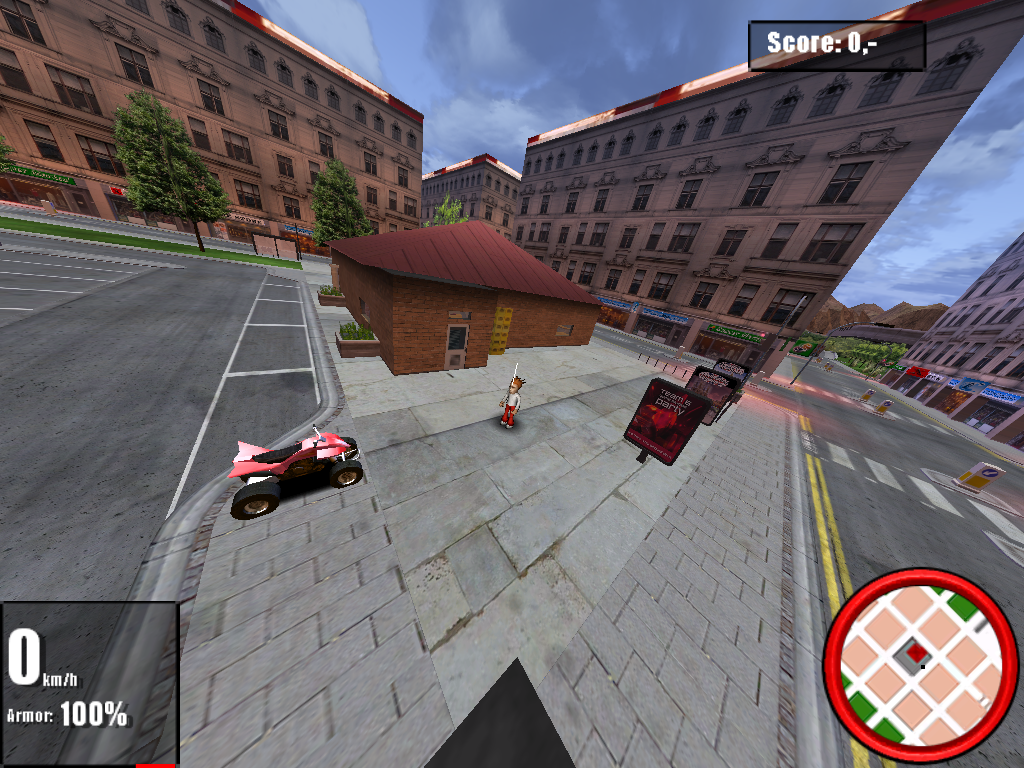
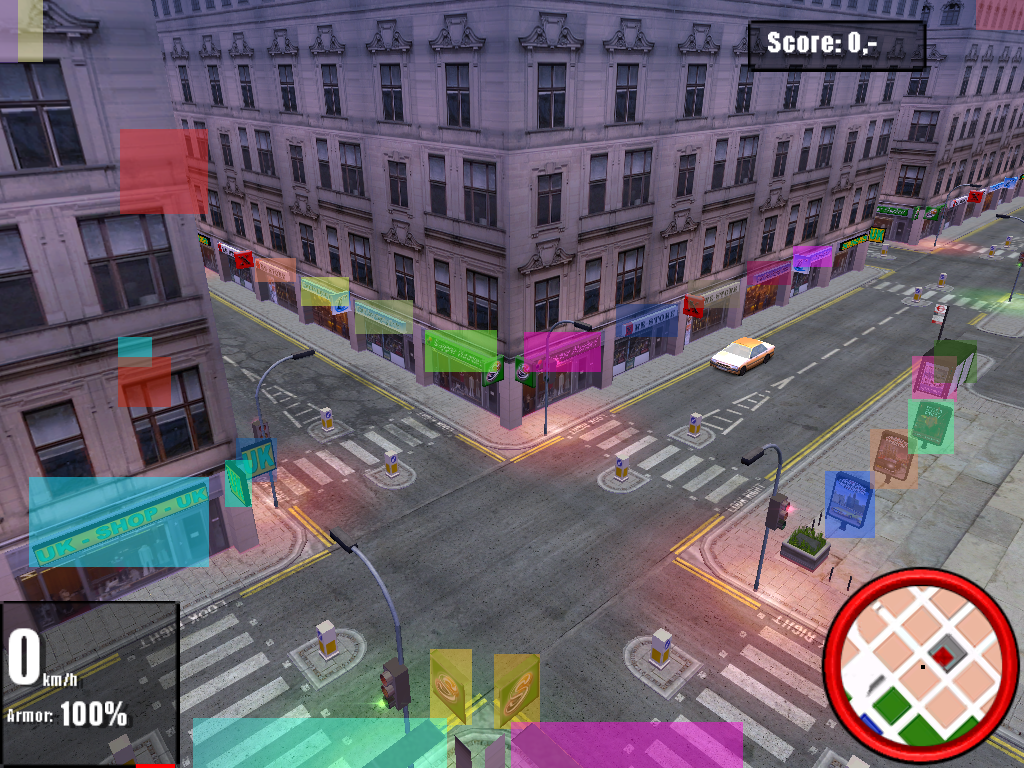
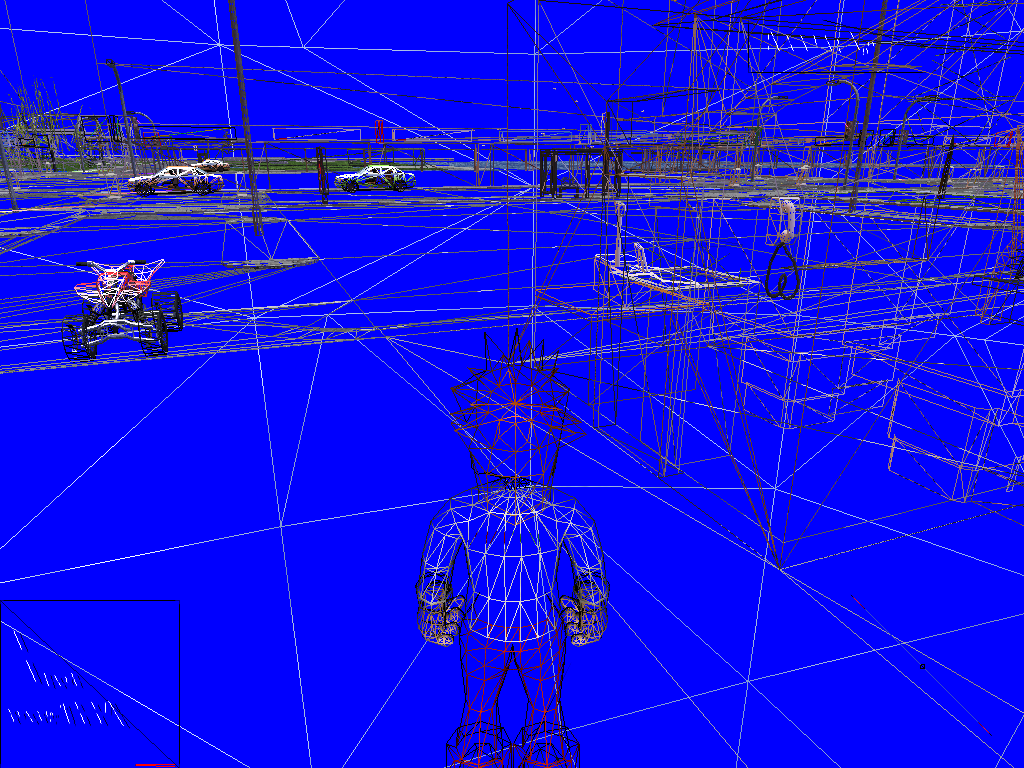

|
This needs some investigation. |
(Source: Original TCRF research)
Debug Keys#
When the game is run with the -TEST command line parameter, some hotkeys are unlocked:
Key |
Effect |
|---|---|
T |
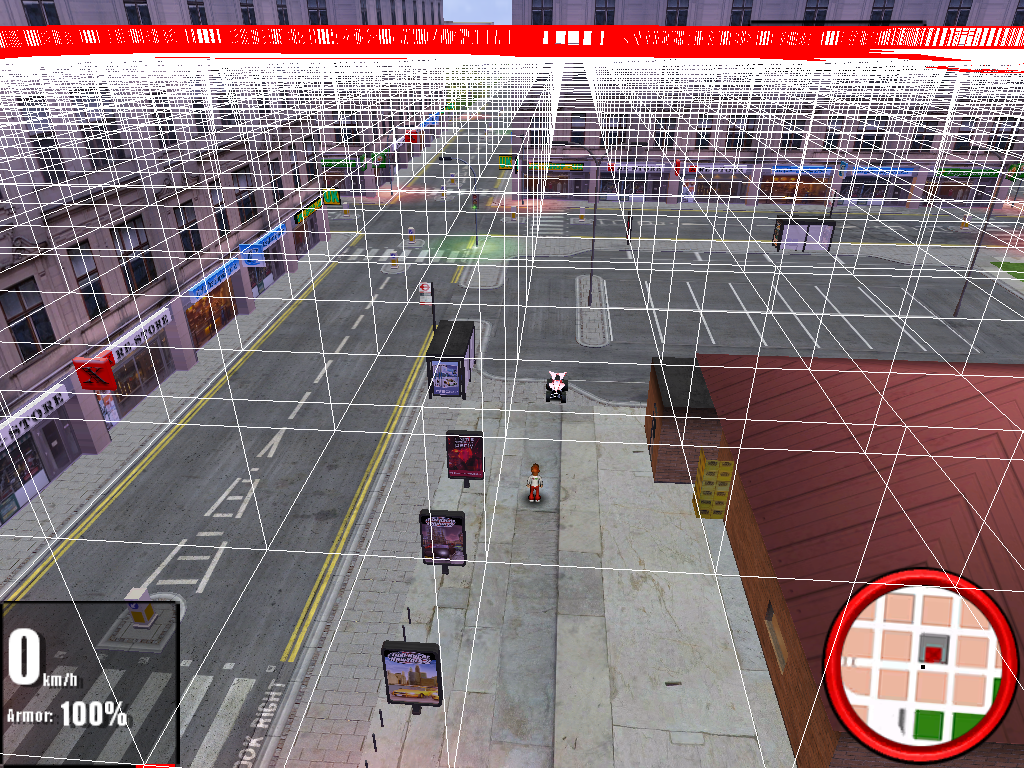
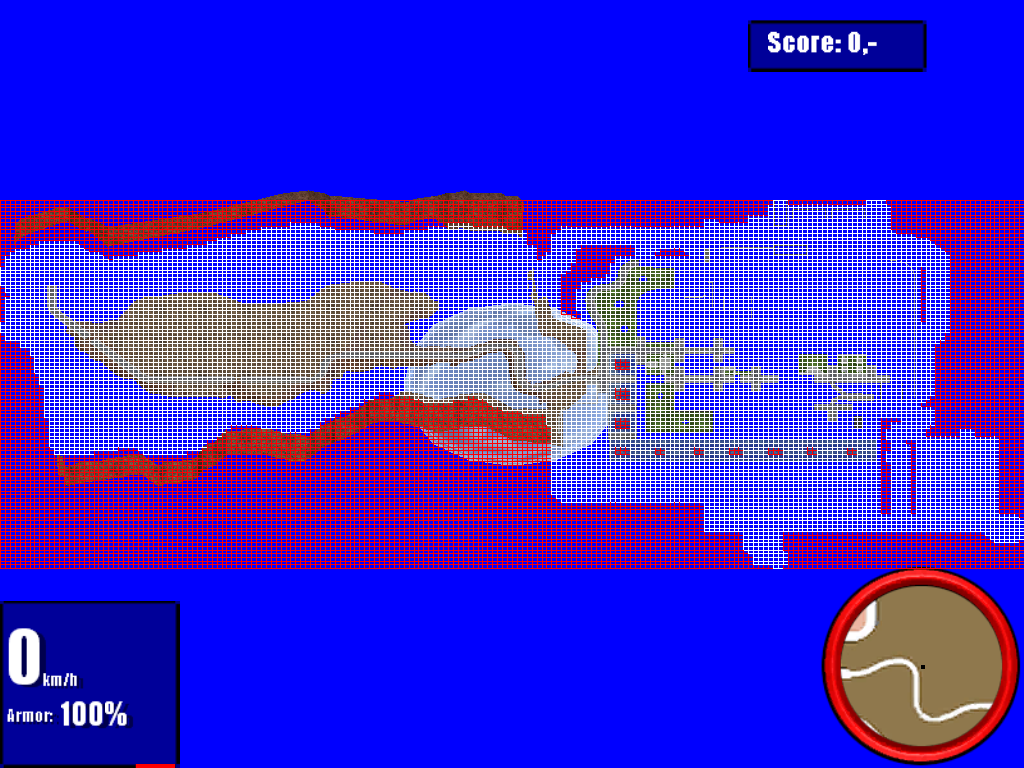
Shows some sort of grid over the entire map |
X |
Switch to Free Cam Mode |
O + R |
Switch to Map Overview (top-down view of the entire map, can be controlled similarly to Free Cam, hit X then F1 to exit it) |
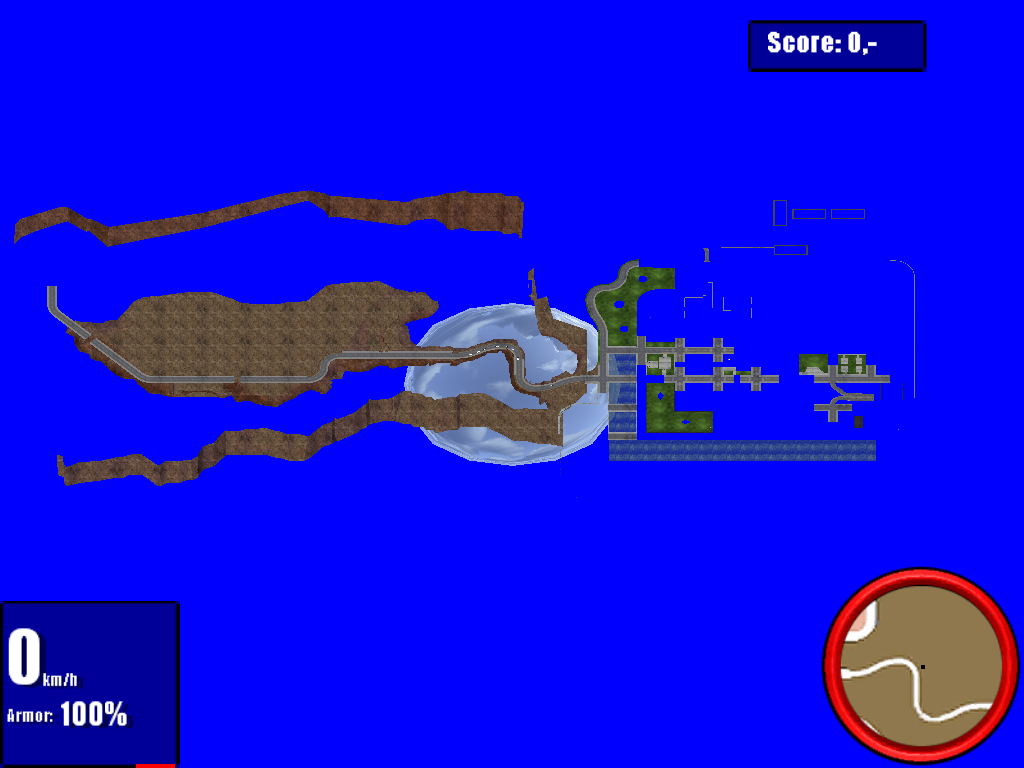
Free Cam Controls#
Key |
Effect |
|---|---|
WASD |
Move around |
Numpad + / Numpad - |
Change FOV |
- / = () |
Change draw distance |
F1, which is the key to change the camera to the default in normal play, exit Free Cam mode.
(Source: Original TCRF research)
Mission Editor#

The game ships with a tool that allows to edit .dcScript files, called the "Manhattan Chase Mission Editor" (the name of a previous game by Team 6 Game Studios). It can be accessed directly by running the game with the -ME command line parameter.
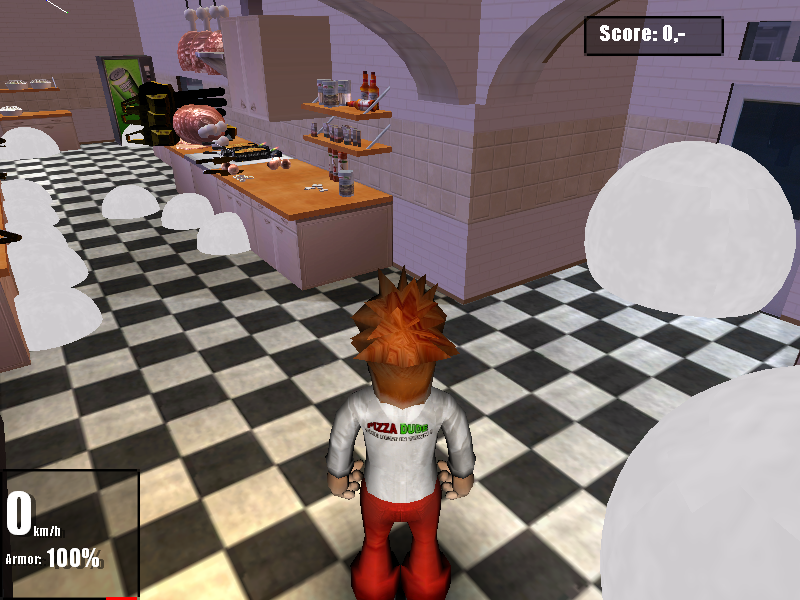
When run that way, the main window sometimes fails to open. It can more reliably be launched by running the missioneditor command when the game is running with the -TEST command line parameter. This has the additional effect of showing some objects' interact zones, and showing hidden objects. That includes the different "frames of animation" of the kitchen tools, such as the ham-cutting chainsaw on the screenshot.
(Source: Original TCRF research)
Revisional Differences#
The Polish release of the game, compiled on August 25, 2005, introduced a few changes from its more commonly available English version:
- Different font. The Polish release uses a Disney-esque one in place of the more generic Impact font from the other release.
- The shader used for the reflections of coins is different, making them look more saturated.
- Certain coins now give you +2 score instead of +1.
- Now, when you impact into a wall while boosting, your character will fall off its vehicle.
- You can pull up the wheels and ride on one (or in the case of the Quad, two), the English release only allows for boosting. It's likely an addition from Ultimate Motocross, where a similar action can be performed.
- Certain player vehicle sounds have been changed.
- Boost is infinite in the Polish release, whereas in the English one isn't.
- Taking orders now pops up a red 3D arrow pointing you towards your objective.
- Outside the Pizzeria there are advertisement banners, which aren't present in the English version.