 This article has a talk page!
Developer Mode#
This mode will activate hidden menus normally not accessible, enable debug displays, and allow you to open a debug menu at anytime with a second controller. Apply the following code for your version of the game to enable this mode.
USA Codes:

Enable Code (for console only)
901089F0 0C042224

Enable Developer Mode
201004B8 8F848814
201004BC 34840002
201004C0 1000000B
201004C4 AF848814
D0260442 0000FEFF
20248744 000004B0
D0260442 0000FDFF
20248744 0000000A
D0260442 0000FFFB
20248744 00000014

JP Codes (SLPS-20345):

Enable Code (for console only)
90108D30 0C0422F4

Enable Developer Mode
201004A0 8F848810
201004A4 34840002
201004A8 1000000B
201004AC AF848810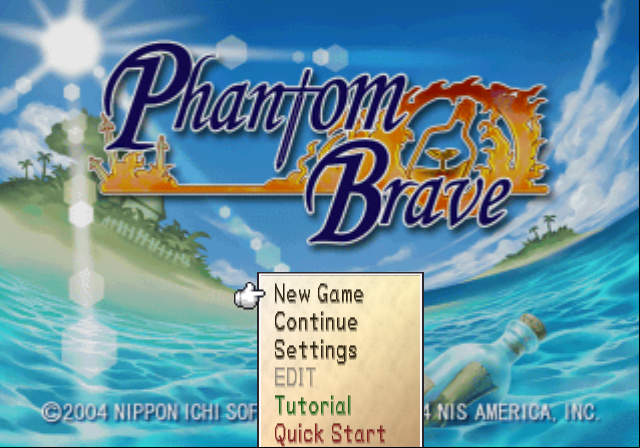
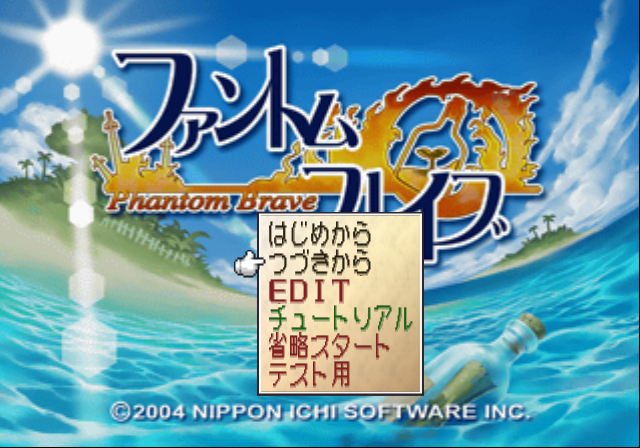
- EDIT doesn't work in the international versions.
- Tutorial plays the tutorial stage.
- Quick Start sends you into a new game without the opening cinematic.
- Test (JP only) sends you in-game with a lot of items on your island.
The international versions of this game removed the EDIT option in the main menu, and removed Test as well. A hack was applied to the USA version to re-enabled EDIT in-game at anytime by pressing certain buttons listed below.
Known controller one inputs:
- L3 to bring up debug info. This only works when not at the main menu.
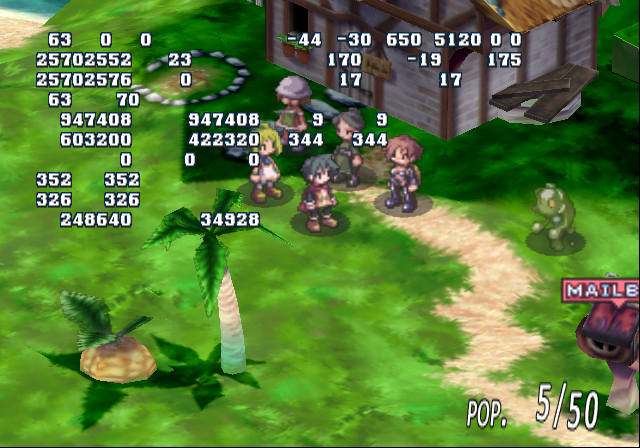
- L2 to enter edit mode (USA only).
- R2 to enter battle mode (USA only).
- R3 to return to normal state (USA only).
(Source: Original TCRF research)
Debug Menu#
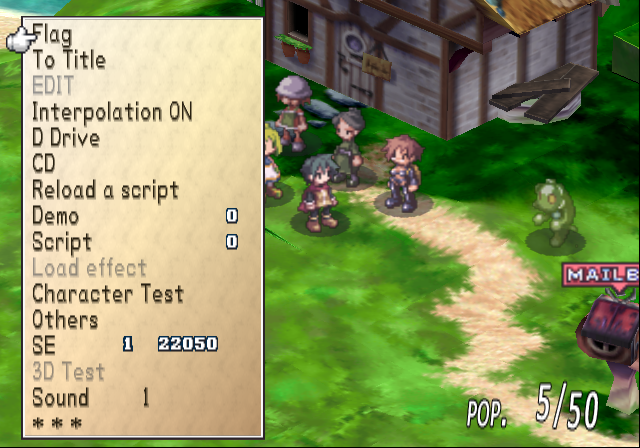
With a second controller plugged in, to bring up the debug menu anytime, press Select on controller 2. The known controller 2 inputs are below:
- Select open / close the debug menu.
- D-Pad / Left Stick moves through the menu.
- Right / Left will toggle the option on or off you have highlighted.
- Circle to enter a option.
Text |
Effect |
|---|---|
Flag |
Opens a game flag submenu. It is unclear what these do. |
To Title |
Sends you to the title screen. |
EDIT |
Sends you into map editor mode. This doesn't work in the international versions. |
Interpolation |
Doesn't appear to work. |
Drive |
Presumably allows you to save edits you've made. |
CD |
|
Reload a script |
|
Demo |
It is unclear if this works. |
Script |
|
Load Effect |
This doesn't work in the international versions. |
Character Test |
Sends you to a graphic / sprite viewing mode. |
Others |
Opens a sub-menu. |
SE |
Allows you to play any SFX as well as change their pitch. |
3D Test |
This doesn't work in the international versions. |
Sound |
Allows you to play music. |
EDIT#

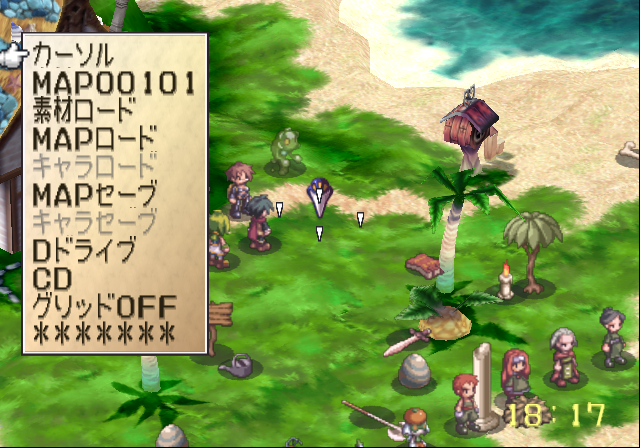
This option allows you to edit maps, even make entirely new ones. This has untranslated menu items in the international versions. Nothing in those versions will display correctly.