 This article has a talk page!

Internal Character Name#
The internal codename for the player character is Sein, while the floating orb is named Ori.
Hidden Developer Message#
There is a hard-to-notice message carved on one of the trees in Thornfelt Swamp: A♥S. This is a reference to Arie (one of the game programmers) and Sasha (his girlfriend).
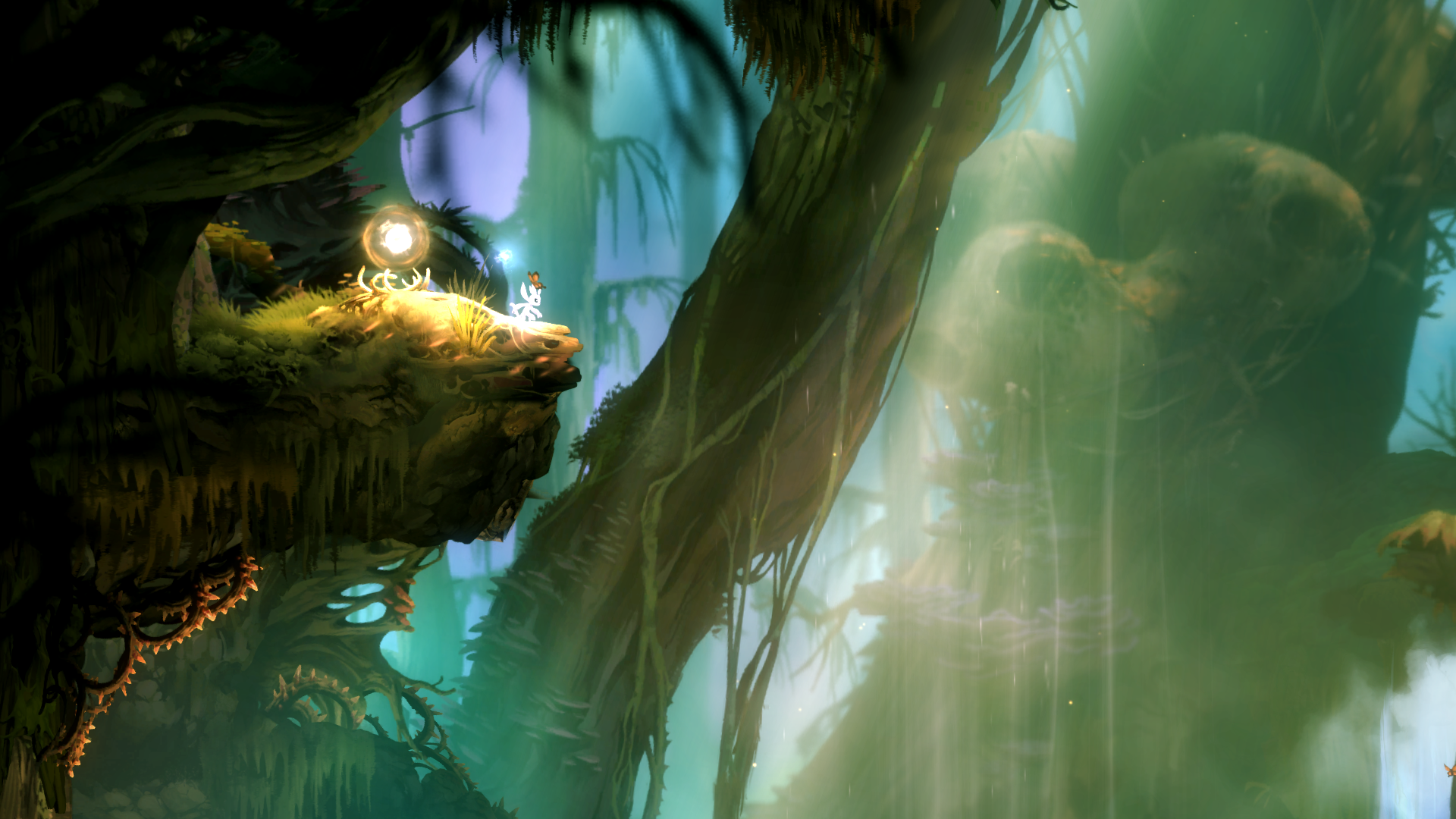
(Source: Reddit)
Hidden Commands#
Pressing Alt+U will hide the game HUD showing Ori's health/energy.
Pressing Left, Up, Right, Down, Up, Up, Up, Space (jump) will change Ori to a random color.
Pressing Up, Right, Down, Left, 8, Up, Up, Space (jump) will teleport Ori to a placeholder position on the current map.
Debug Menu#
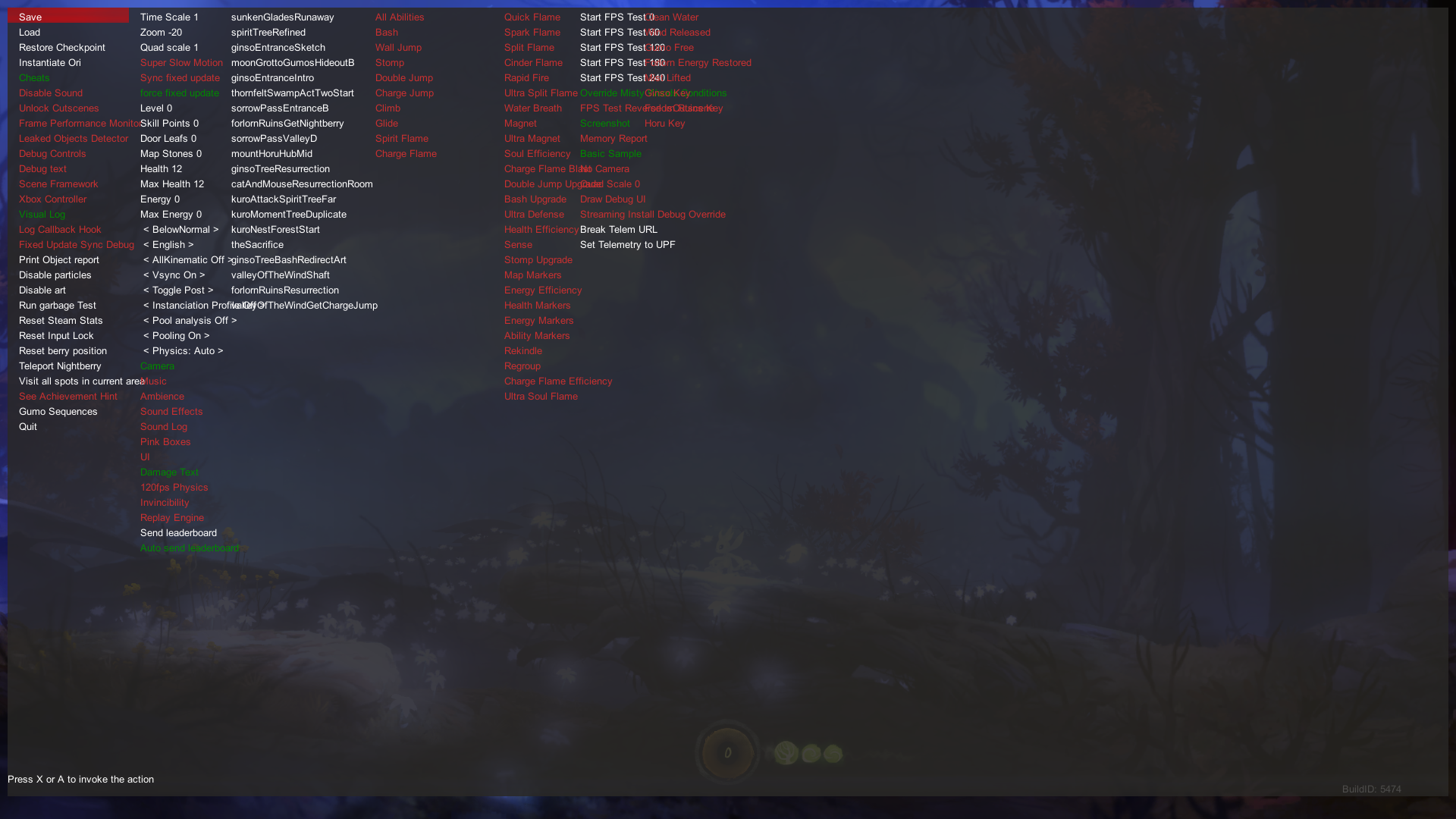
The game checks for the file C:\temp\moonDebugPC.txt on startup. If the file exists, pressing the 8 key (or R3 on an Xbox controller) will open a debug menu. This menu has several features such as maxing out Ori's stats, saving and loading at any time, use of the game's abilities and enable debug text.
Debug Controls#
Enabling Debug Controls enables extra functionality:
- LB: Fast forward the game by 3x
- RB: Activates a cursor to teleport Ori to anywhere ignoring collision
- RB on world map menu: Show/hide undiscovered areas on the map
- LT (Charge Jump) + Y (Bash) + B (Soul Link): Exit game
References#
|
The Ori series | |
|---|---|
|
Windows |
Ori and the Blind Forest (Definitive Edition) • Ori and the Will of the Wisps |
|
Xbox One, Nintendo Switch, Xbox Series X and S |
|