 This article has a talk page!

|
This page contains no introduction. |
Debug Menus#
Several debug menus remain in this game. These allow you to quickly view images, sounds, character routes, among others. Apply the below code to enable these menus.
Note: the following codes were only tested on the original version of the game.
Master Code (Only needed for cheat devices)
901D4B98 0C07528E

Enable Debug Menus
D04B5902 0000DBFF
2023C360 00000000
D04B5902 0000DFFE
2023C360 00000015
D04B5902 0000D7FF
2023C360 0000000C
With the code on, press and hold one of the following buttons while entering another screen (such as starting a new game):
- Press and hold Circle + L1 for Start debug menu.
- Press and hold Circle + R1 for ShortCut01 debug menu.
- Press and hold Circle + Select for Filer debug menu.
(Source: Original TCRF research)
Start#

The main debug screen.
Text |
Translation |
Notes |
|---|---|---|
ストーリー |
Story |
Starts the game normally. |
テスト |
Test |
Sends you to a test menu. |
デバッグ |
Debug |
Sends you to the debug menu. |
Test#

This menu has no function.
Debug#

The same debug menu that appeared in Regista's PlayStation 2 games can also be found here. This lets you choose music and sound effects to listen to. It also contains options to view background images, character sprites, and CG images. You can also select various scenarios to view.
Text |
Translation |
Notes |
|---|---|---|
シナリオ |
Scenario |
Sends you to a list of story related scenes to choose from. |
キャラクタ |
Character |
Allows you to view all of the character portraits. |
BG |
BG |
Allows you to view all of the background images. |
イベント |
Event |
Allows you to view all of the event images in the game. |
BGM |
BGM |
Plays all songs from the game. |
SE |
SE |
Sends you to a list of sound effects to choose from. |
エフェクト |
Effect |
Sends you to a menu where you can test screen effects. |
ムービー |
Movie |
Allows you to watch all of the movies in the game. |
SAVE |
SAVE |
Sends you to the save menu. |
システムフラグ |
System Flag |
Unlocks everything in the game. |
Scenario


This menu allows you to view all of the story related scenes of your choice.
Character


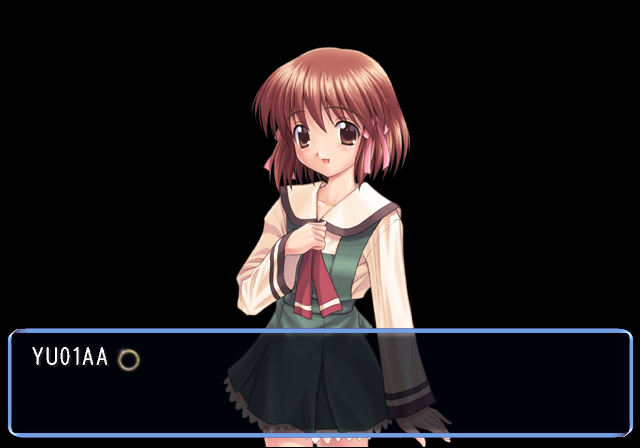
This option allows you to view all of the character portraits in the game.
BG
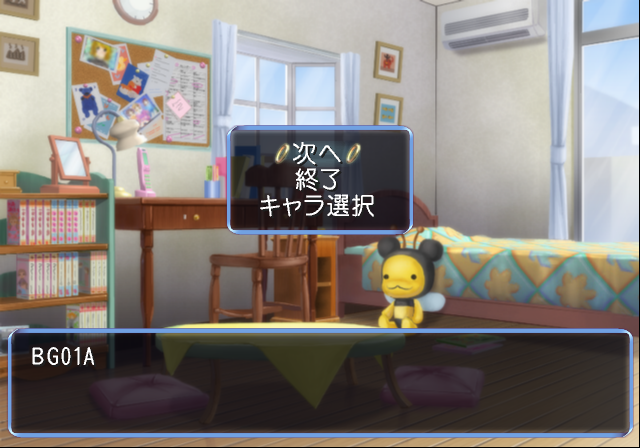
This allows you to view all of the background images in the game.
Event
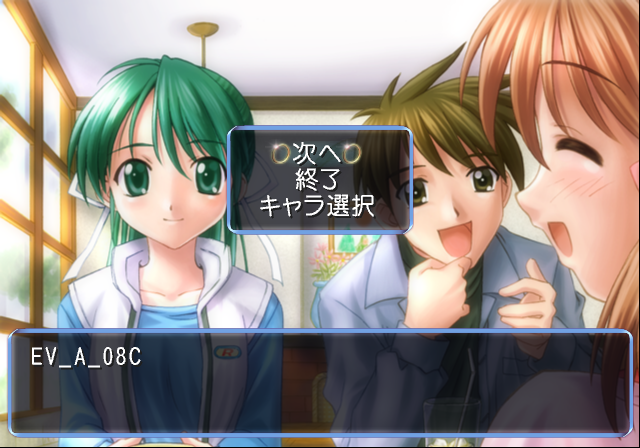
This allows you to view all of the event images in the game.
SE

This option allows you to listen to all of the SFX in the game. It also contains descriptions of every SFX.
Effect


This menu lets you view various screen effects and weather patterns.
ShortCut01#

These send you to various test options.
Filer#


This option lets you edit files and memory card data. Playing movies is also an option, but that does not work anymore.