This is a sub-page of New Super Mario Bros. Wii.

|
To do:
|
Note: all changes also apply to subsequent versions. You can see the version ordering here.
General#
Title Screen#
International |
Japan |
Japan Kiosk Demo |
|---|---|---|
 |
 |
 |
Korea |
Taiwan / Hong Kong |
China |
 |
 |
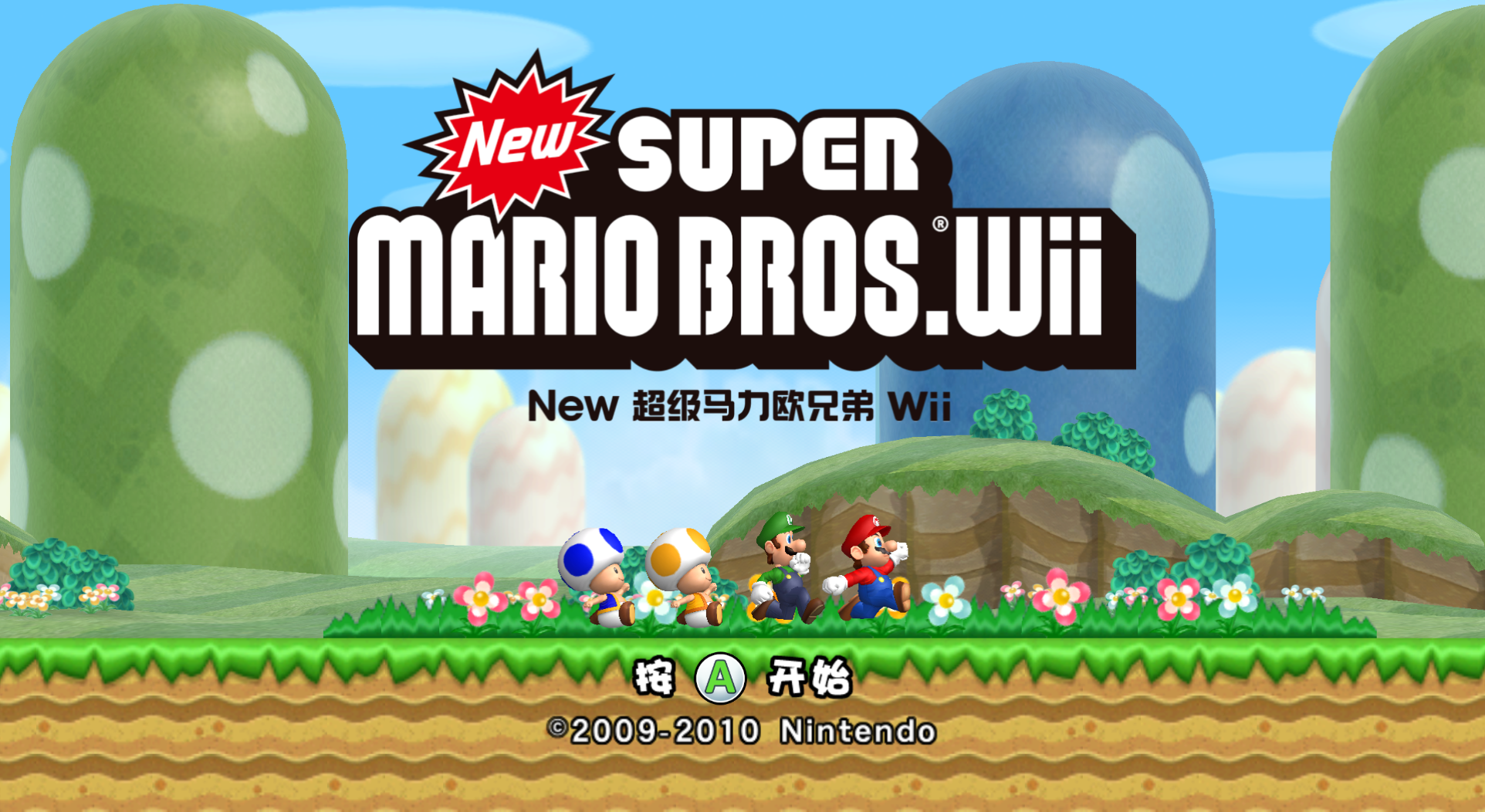 |
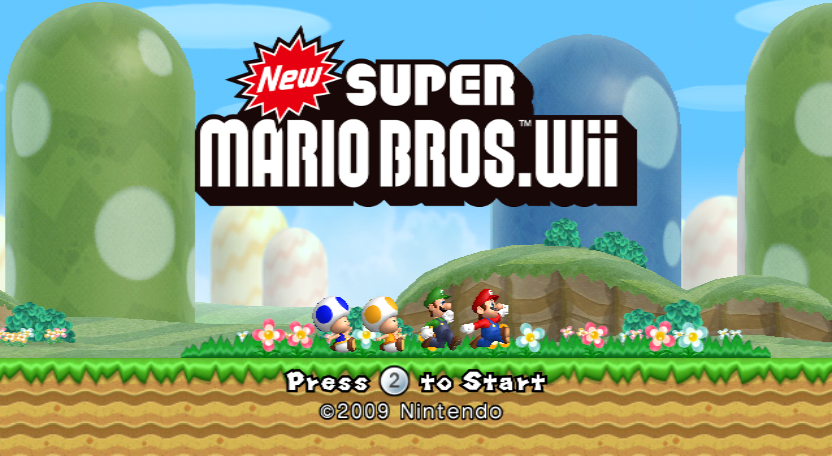
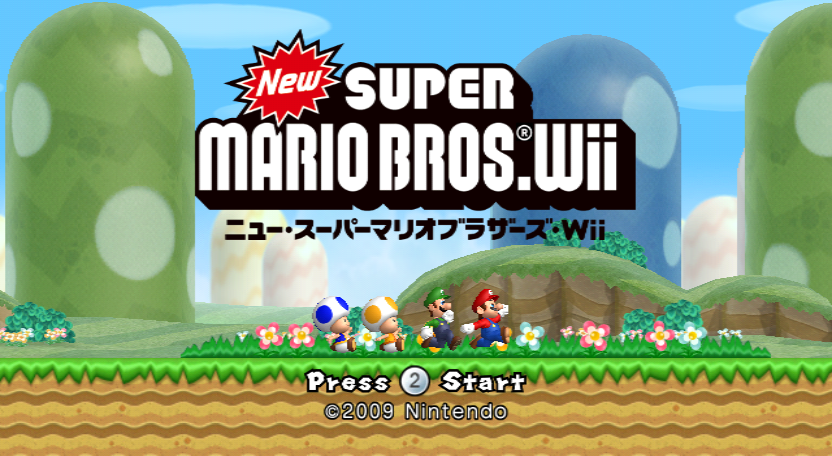
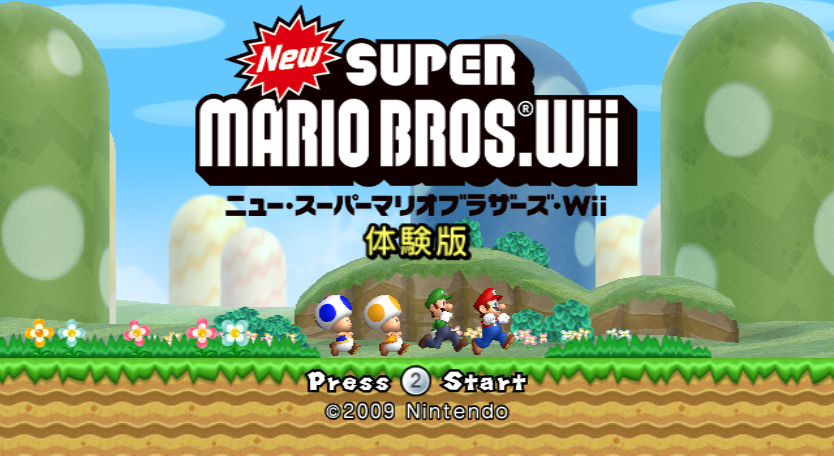
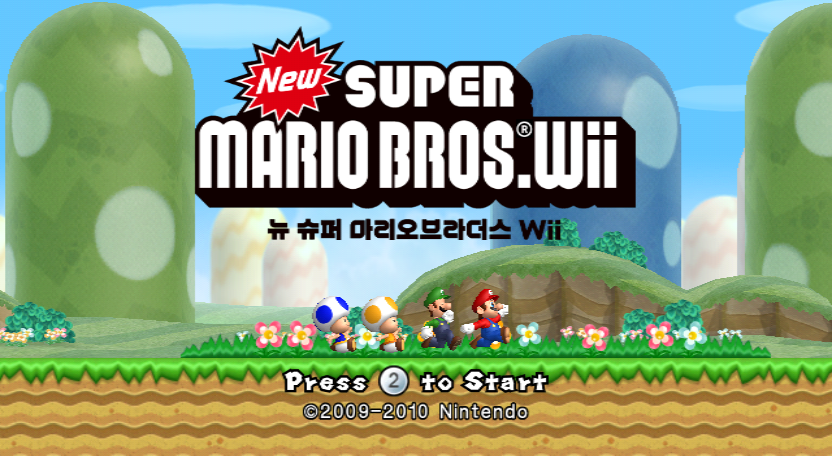
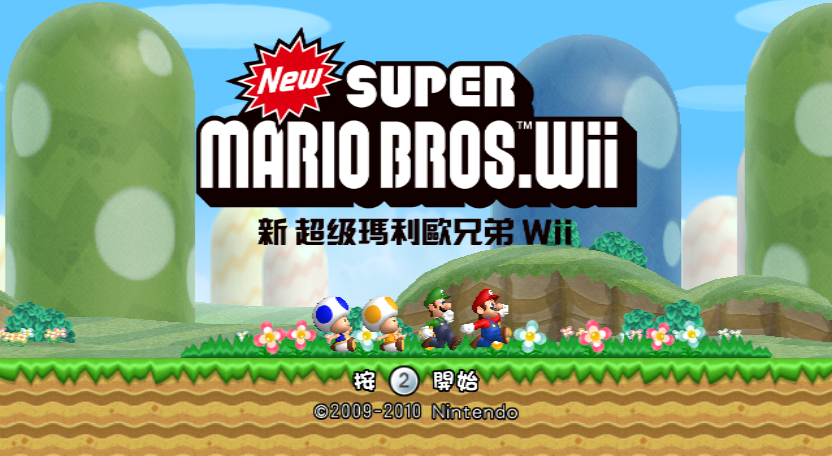
The non-international versions' logos are mostly unchanged, but have a subtitle in the respective language under it. The Japanese version's title screen says "Press 2 Start" instead of "Press 2 to Start". The Japanese Kiosk Demo version's has a new icon with the word 体験版 (taikenban, meaning "Demo" or "Trial"). In the Korean and Taiwanese/Hong Kong versions, the copyright info was updated, since the game was first released in 2010 in those regions. The Chinese version gets a different copyright font.
Wii Menu Banner#
International |
Japan |
Korea / Taiwan |
|---|---|---|
 |
 |
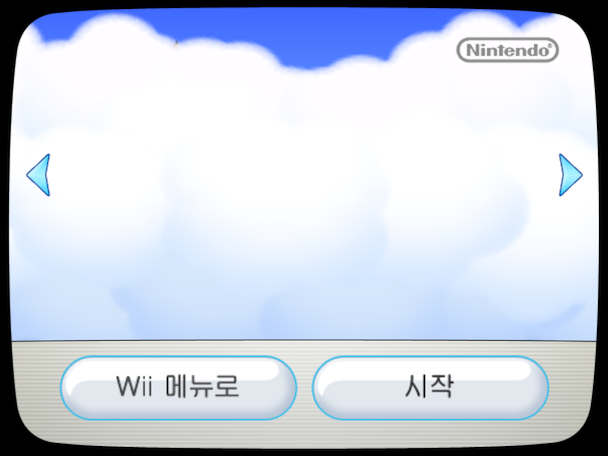 |
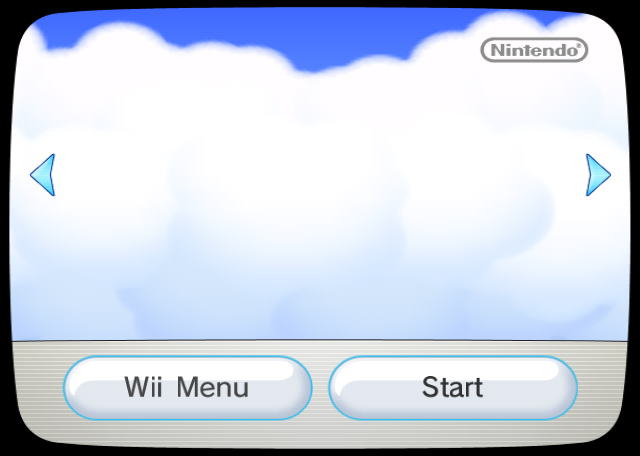
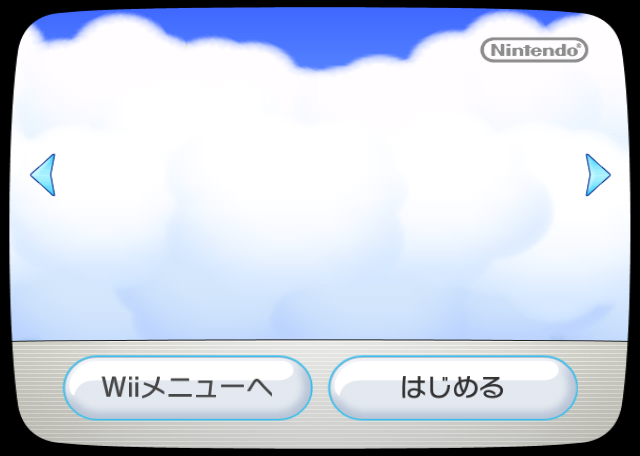
There are some strange regional differences between the International, Japan, and Korea and Taiwan versions of the Wii Menu banner. The International version has the clouds seen at the start of the banner on the left half of the screen be placed lower on the banner than the Japan, Korea and Taiwan versions. Additionally, the Korea and Taiwan banner has a noticeable graphical flaw where a black spot can be seen in the clouds.
Save Banner#
|
Japan |
International |
|---|---|

|

|
Version 2#
The North American, PAL, and Japanese versions got a revision built in early 2010. All changes made were carried over to future regions when those released as well.
World 7-Tower Boss Battle Tileset#
Tileset Image |
Collision Data (Revision 1) |
Collision Data (Revision 2) |
|---|---|---|
 |

|
 |
The collision data for World 7-Tower's boss battle tileset was changed to make the entire platform solid, including the empty area underneath. In version 1, if a player is popped from a bubble while under the floor, they can get stuck in that space, because there's a second platform just below the camera. This can lead to a softlock if the other player(s) also bubble and join them there, making it impossible to do anything but exit the stage or wait for the timer to run out.
Korea#
Credits#
- The spelling of Bowser Jr. voice actor Caety Sagoian's name was fixed, misspelled as "Catey Sagoian" in previous versions.
- The "Debug" section was removed, leaving Naoki Takami, Ryuhei Matsuura, and NOA Product Testing uncredited. (Mario Club Co., Ltd. was included in a new "Product Testing" section.)
Taiwan / Hong Kong#
World 4-1 Out-of-Bounds fix#
|
International |
Taiwan / Hong Kong |
|---|---|
|
|
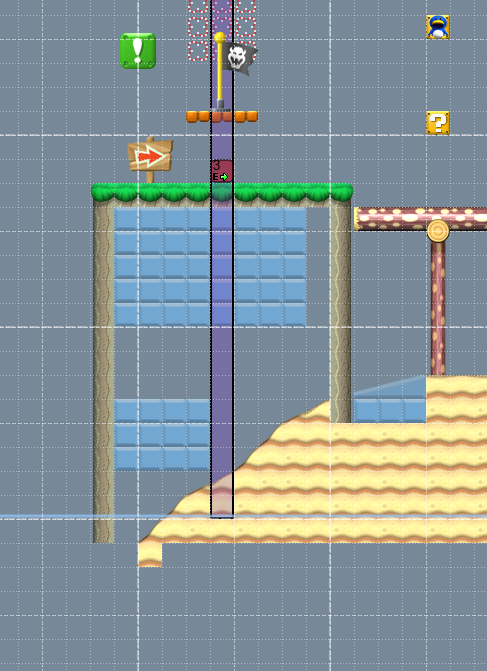
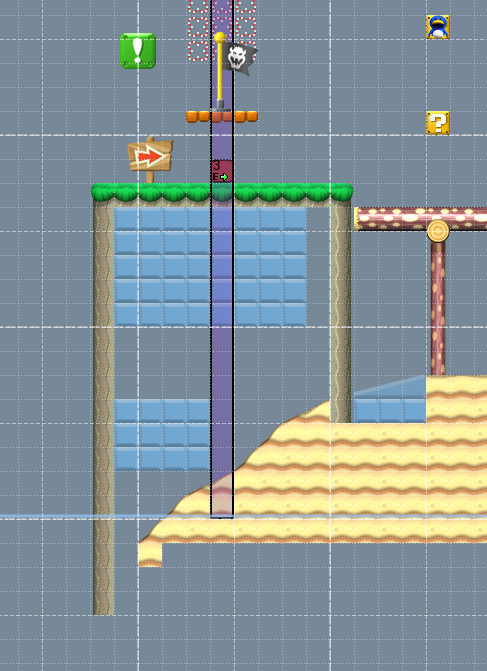
In the Taiwan / Hong Kong version, a wall in World 4-1 has been extended downwards to prevent you from swimming below the level terrain.
Credits#
While every regional release has new credits sections for the localization and quality assurance teams, this one also adds Megumi Shichida to the general "Special Thanks" section.
China (NVIDIA Shield TV)#
HUD#
International |
China |
|---|---|
 |
 |
 |
 |
 |
 |
 |
 |
The character icons in the HUD are new larger-resolution renders in the Chinese version. Luigi's icon, for some reason, is squished horizontally (but it looks fine in-game, since the UI layouts that use it specify a size with the correct aspect ratio).
Ghost House Tileset#
|
International |
China |
|---|---|
|
|

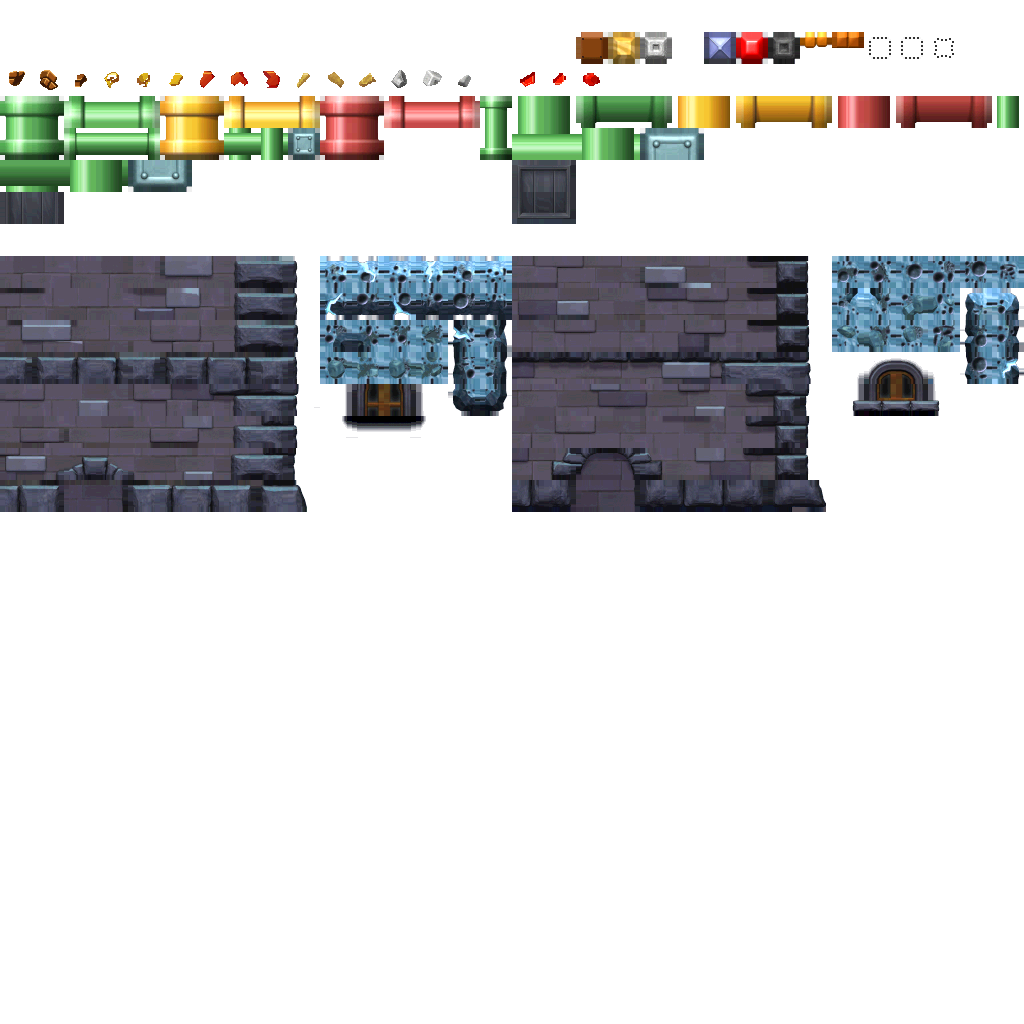
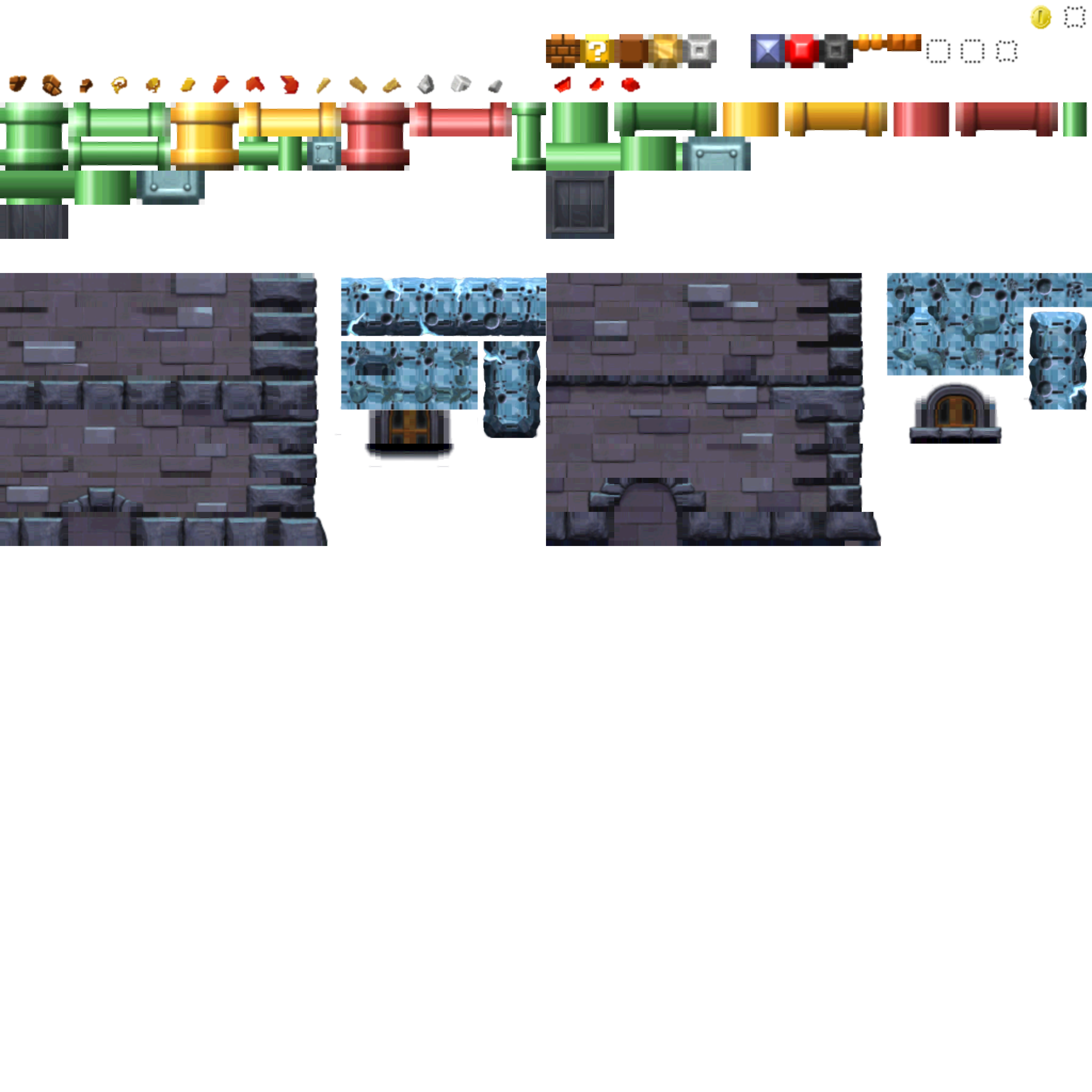
The tileset texture used outside of Ghost Houses was upscaled and "touched up" a bit for the Chinese Nvidia Shield.
Normally, the outer pixels of each tile are duplicated outwards. This is to prevent tiles from bleeding into each other when the camera size/position changes, since the individual tiles are scaled and the GPU interpolates using the full texture rather than just the tile. With the extended outer pixels, it'll interpolate using the outer edge of each tile instead of bleeding into the tiles next to the one being scaled in the full texture atlas. Unfortunately, someone at Nvidia didn't quite understand this, as their redrawn edges just pass through these areas without following the extensions pattern as they should.
In addition, some of the tiles near the ones they were editing were slightly messed up, too, as shown on the left!
Archive Sorting#
New Super Mario Bros. Wii packs the majority of its assets into bundles of files, or archives. Nintendo's build system repacks every archive when the game is built. In the Wii releases, the files inside are always sorted alphabetically and case-insensitively. Nvidia's build, on the other hand, is not so consistent; a few of the archive files are sorted case-sensitively or even seemingly randomly.
Here is an example from /Layout/sequenceBG/sequenceBG.arc/anim:
|
International |
China |
|---|---|
|
|
Credits#
The in-game credits for this release are actually almost identical to those of the original Japanese version, including reintroduction of the "Catey Sagoian" misspelling. The only difference is that the "Sound Effects" section is, for some reason, now titled "Sound Effect". As this seems more like a mistake than an intentional change, the developers may have used a slightly outdated copy of the Japanese credits here.
The engineering, QA, and management teams for this release are credited in a separate credits menu built into the emulator app. The Chinese translators are uncredited.
Anti Addiction screen, Nintendo and NVIDIA "LIGHTSPEED" logos#
|
|
To do: |
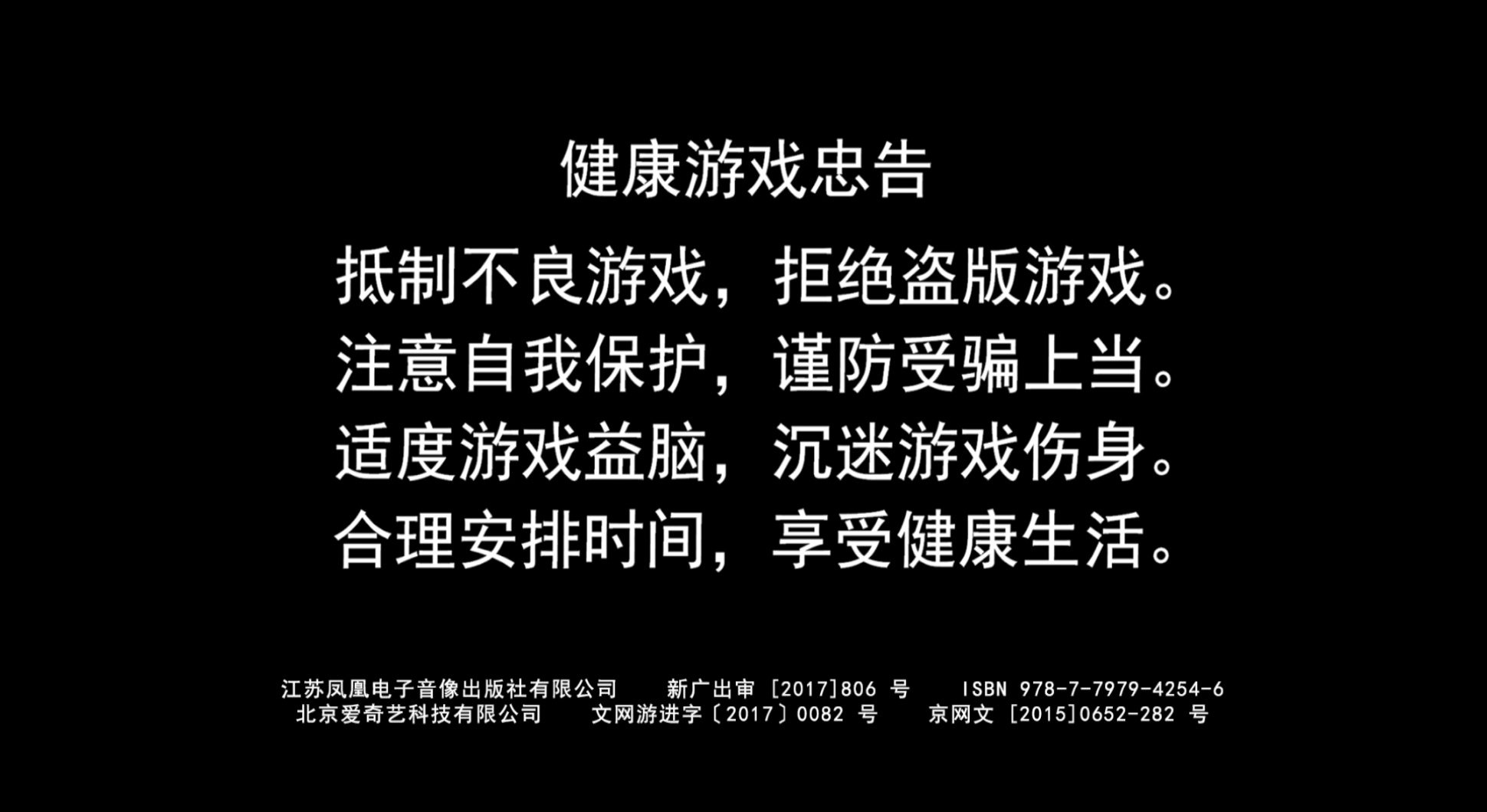
When booting the game up, the following screens appear in the following order:
Anti Addiction |
Nintendo Logo |
NVIDIA "LIGHTSPEED" Logo |
|---|---|---|
 |
 |

|
The layouts for these screens are located at /CN/Layout/antiAddiction/antiAddiction.arc, /Layout/logoScreen/logoScreen.arc and /Layout/nvLogo/nvLogo.arc, respectively. The textures inside go unused, however, because the emulator replaces them on-the-fly with higher res versions.
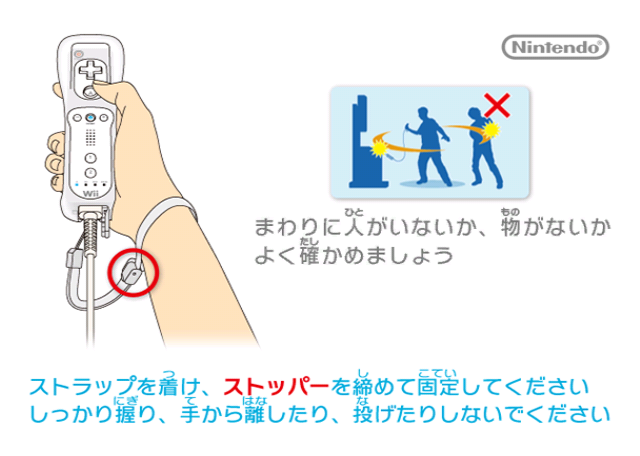
These screens replace the Wii Remote strap warning screen. Its actor, WII_STRAP, was replaced with the actors LOGO_SCREEN, NV_SCREEN, and ANTI_ADDICTION_SCREEN in that order. The strap screen layout is still present at /CN/Layout/wiiStrap/wiiStrap.arc, just unused.
Japan Kiosk Demo#
General Differences#

|
This prototype is documented on Hidden Palace. |
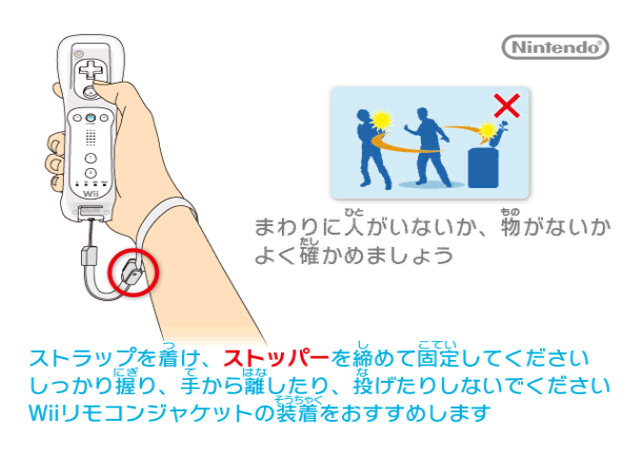
In late August 2025, a post-release Japanese Kiosk Demo for New Super Mario Bros. Wii was recovered from slack data from a WIS-009 kiosk unit hard drive dump1.
Its title ID is DAKJ01 (for reference, the title ID for the retail Japanese version is SMNJ01). As with other kiosk demos, the game image is devsigned, so it needs to be re-encrypted in order to work on retail hardware.
====Safety Screen====
Demo |
Retail |
|---|---|
 |
 |
Controls Screen#
Demo |
Retail |
|---|---|
 |
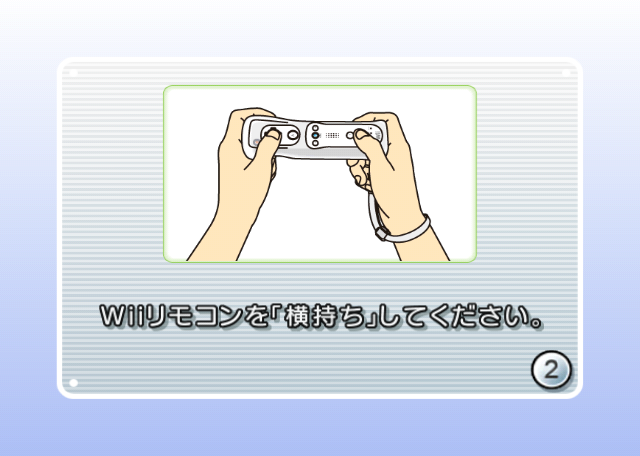 |
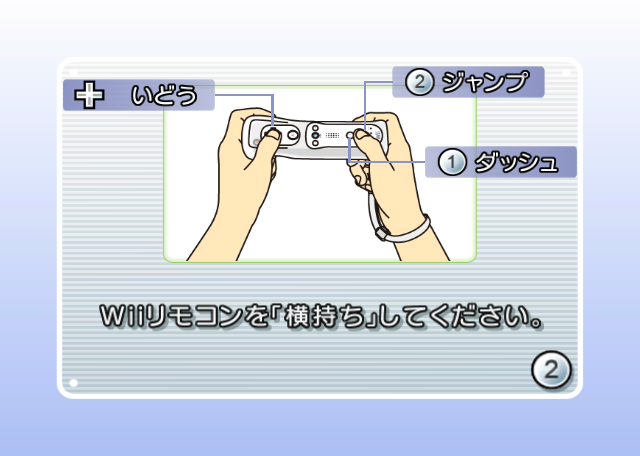
Hold the Wii Remote sideways. |
Hold the Wii Remote sideways. |
Main Menu#
Demo |
Retail |
|---|---|
 |
 |
 |
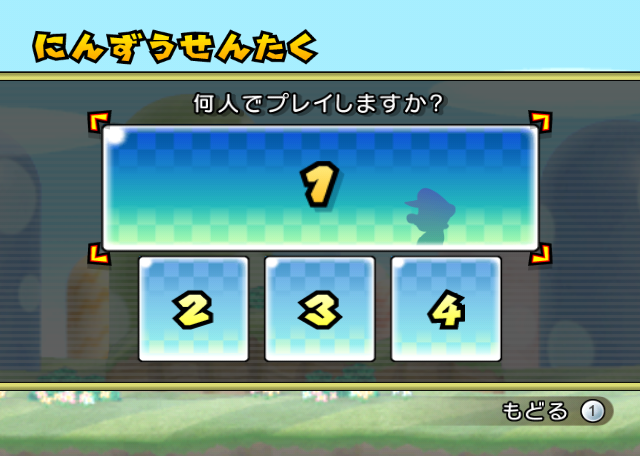 |
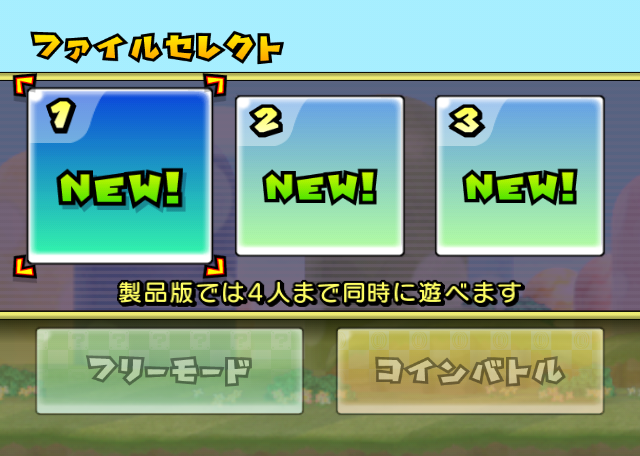
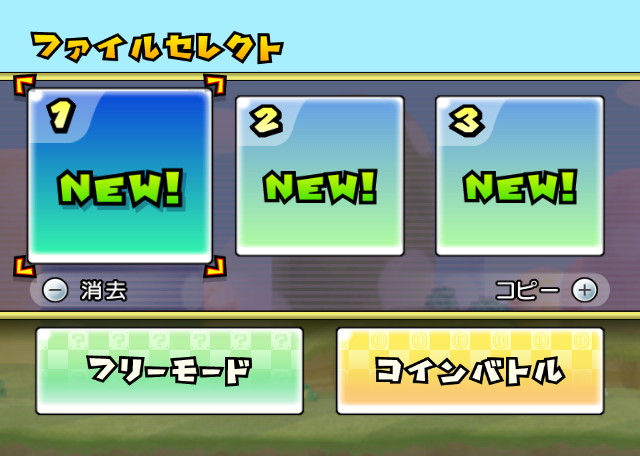
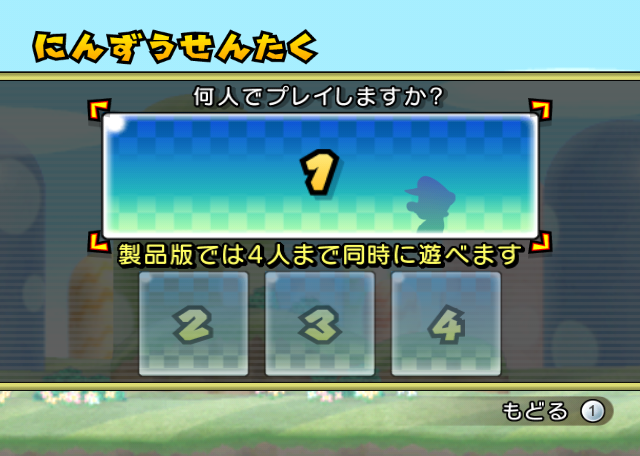
In the demo, save files cannot be copied or deleted, and only singleplayer mode is playable, so all buttons related to multiplayer are greyed out. The yellow notice in the middle says "Up to 4 people can play simultaneously in the full product".
Menu Map#
Demo |
Retail |
|---|---|
 |
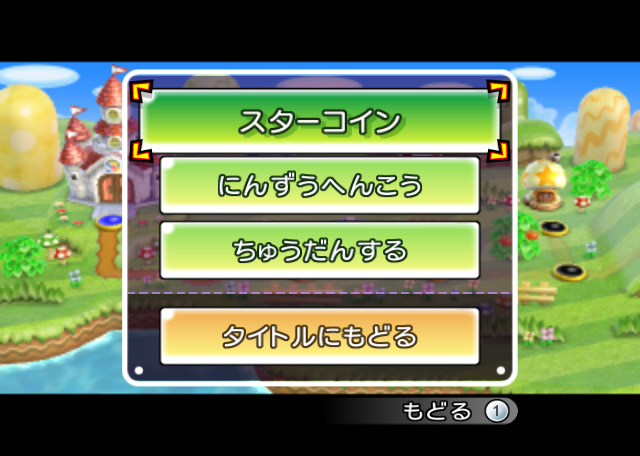 |
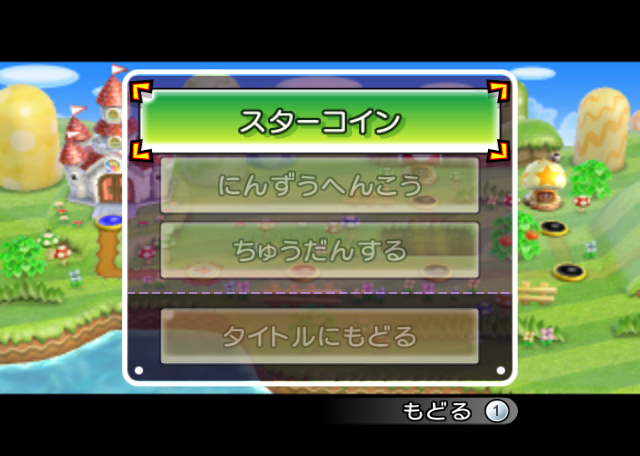
Only the "Star Coins" button is selectable in the demo. The other buttons are greyed out.
Demo End#
Trial End Screen |
|---|
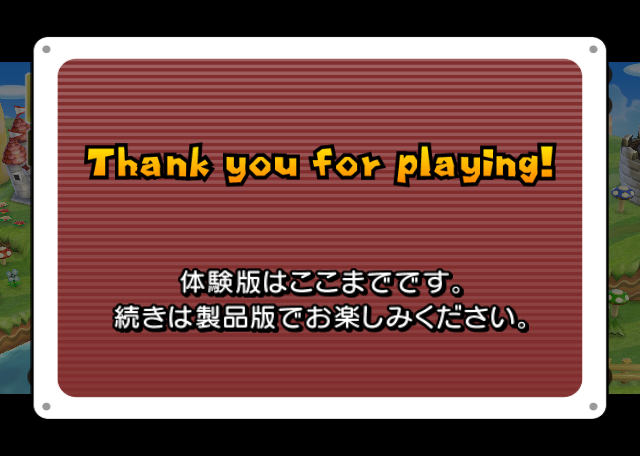 |
This is the end of the demo version.Please enjoy the rest in the full version. |
The demo runs on a timer. After 10 minutes (or after 2 minutes of no controller input), or upon clearing 1-Castle, the game shows this screen, and after 7 seconds, goes back to the Kiosk Menu / Home Menu.
Technical details#
File differences#
The following files from the disc are either exclusively found in the demo (NEW), or are present in both the retail Japanese version and the demo, but their contents differ across builds (MODIFIED):
/COPYDATE_CODE_2009-12-04_163634                                            (NEW)
/COPYDATE_DATA_2009-12-04_131456                                            (NEW)
/COPYDATE_LAST_2009-12-04_163634                                            (NEW)
/JP/Font/mj2d00_MessageFont_32_I4.brfnt                                     (MODIFIED)
/JP/Layout/openingTitle_trialPlay/openingTitle_trialPlay.arc                (NEW)
/JP/Layout/wiiStrap_trialPlay/wiiStrap.arc                                  (NEW)
/JP/Message/Message.arc                                                     (MODIFIED)
/Layout/controllerInformation_trialPlay/controllerInformation_trialPlay.arc (NEW)
/Layout/fileSelectBase_trialPlay/fileSelectBase_trialPlay.arc               (NEW)
/Layout/fileSelectPlayer_trialPlay/fileSelectPlayer_trialPlay.arc           (NEW)
/Layout/timeUp_trialPlay/timeUp_trialPlay.arc                               (NEW)
/rels/d_en_bossNP.rel.LZ                                                    (MODIFIED)
/rels/d_enemiesNP.rel.LZ                                                    (MODIFIED)
/rels/d_profileNP.rel.LZ                                                    (MODIFIED)
/REV_INFO_r37761                                                            (NEW)
/WIIMJ2DNP.str                                                              (MODIFIED)
Asset differences#
The following assets differ from the retail Japanese version:
mj2d00_MessageFont_32_I4.brfnt
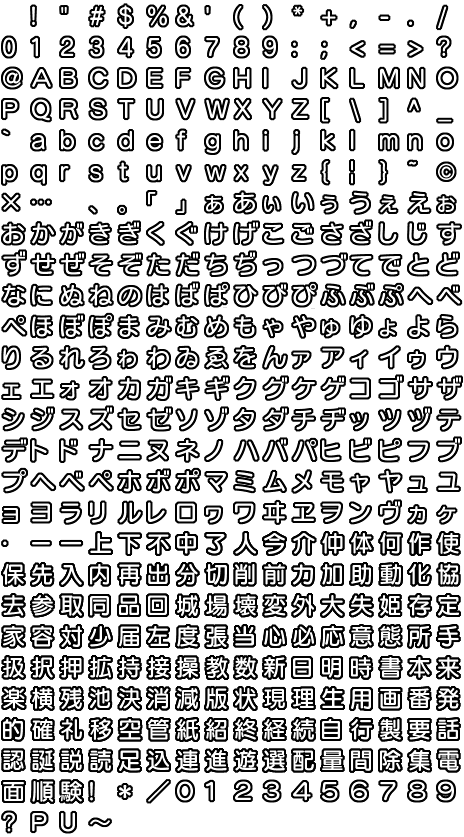
This file contains the different fonts used by the game. The following fonts were changed between the retail Japanese and demo versions:
This font is used for most of the game's text.
Demo |
Retail |
|---|---|
 |
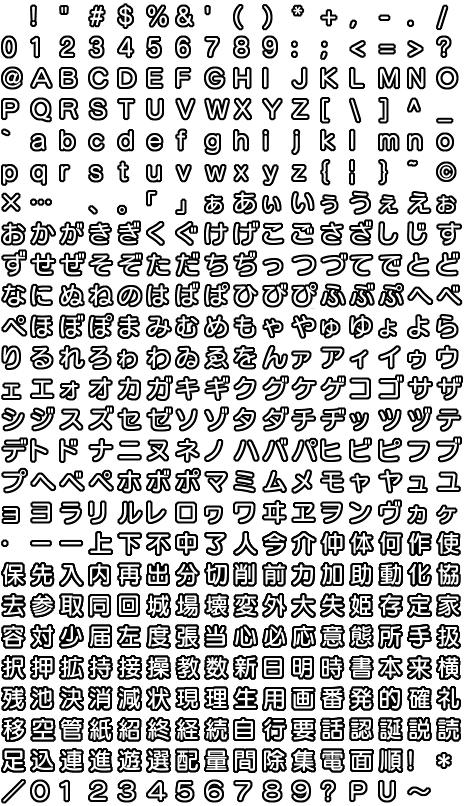 |
In the demo, the kanji characters 品, 楽, 版, 製 and 験 were added, which are needed to display a few of the demo-exclusive text strings.
Message.arc
The Message.arc file also contains text differences between the demo and the retail version.
Demo |
Retail |
|---|---|
|
|
These messages are exclusive to the demo version (and correspond to the added text on the main menu and the word "Demo" on the title screen, respectively):
Demo |
|---|
|
|