
|
This page contains no introduction. |

|
This needs some investigation. |
Development Text#
TEMPDEMO.WRI is a small file in the main folder which includes the following text:
This is a placeholder for a Creative Wonders Demo program!
A file titled README in the folder for the Sesame Street: Let's Make a Word! demo. This is also present in some editions of Madeline European Adventures.
Instructions for Let's Make A Word Macintosh Demo
Small World Software
October 22, 1995

Holly,

You need to do the following steps in order to run the Let's Make A Word Macintosh demo program included in this package.

1)  Create a single volume with all the necessary files on it.  The volume can either be
     a CDROM or hard disk partition volume.  Please note the path to the containers, as
     you will need this information in step #2.

     The following files need to be copied from the LMAW folder in the CDROM labeled
     SSAW, which contains the PC/Windows version of the Let's Make A Word Demo.

        error.msg
        FB.CON
        FN.CON
        IN.CON
        INTROFIL.WAV
        LB.CON
        LG.CON
        LMAWICON.ICO
        LMAWTADA.WAV
        LN.CON
        LNOBDING.WAV
        LNOBHLTE.WAV
        LNOBNEWB.WAV
        SPARKLE.00
        SPARKLE.01
        SPARKLE.02
        SPARKLE.03
        SPARKLE.04
        SPARKLE.05
        TR.CON
        TRANFARM.WAV
        TRANSTUD.WAV
        UG.CON
        UN.CON

     The Macintosh demo also requires the following file from the Let's Make A Word
     Macintosh game CDROM.

        macwow.inp

     All these files need to be in the same folder for the demo to run properly.

2)  As we discussed on the phone, you will need to use the 'ResEdit' program to set the
     path to the containers.  This allows you the flexibility of changing the executable
     with respect to the path to the containers, without recompiling the executable.  The
     following steps describe this procedure.

3)  Start ResEdit.

4)  Open the 'Wow' executable located in this archive.  You will see a list of resources
     come up.

5)  Double click the 'STR#' resource (you may have to scroll the list down to see it).  A
     list of resources will pop up.

6)  Double click on ID #600 resource, labeled 'Path to Containers'.

7)  Replace the first entry 'Let's Make A Word:LMAW:' with the full path name to the
     containers.  Make sure the path name ends with a colon (:), as in the default setting.

8)  Save your changes, and close this executable.

9)  Repeat steps 4 through 8 for the wow.fat executable.  Quit ResEdit when you are
     finished editing both executables.

10) Both executables are now ready to run.

If there are any problems, please do not hesitate to contact us.

Seth Aron
Ari Shamash
Small World Software
Unused Graphics#
BOOKCASE.BMP, FLOORS.BMP, PETS.BMP and TOOLS.BMP are placeholder images for the decoration game.


PUZZLE1.INF and PUZZLE2.INF are photos of unknown people, probably family members of one of the developers, located in the folder for the jigsaw puzzle images. They may have been used as placeholders.


PUZZLE16.BMP is an unused image for the jigsaw game.

Revisional Differences#
|
|
This needs some investigation. |
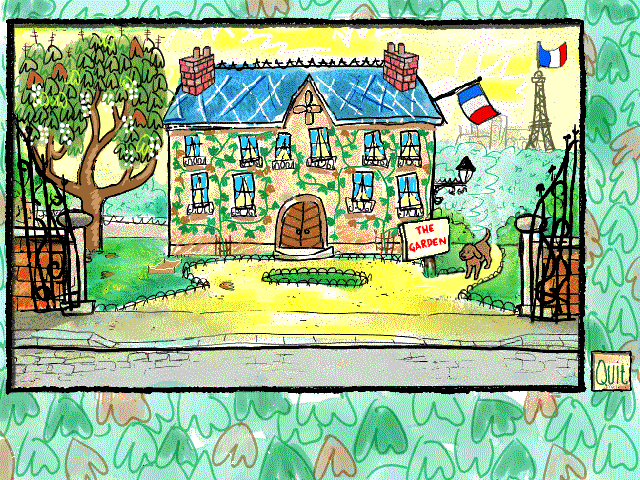
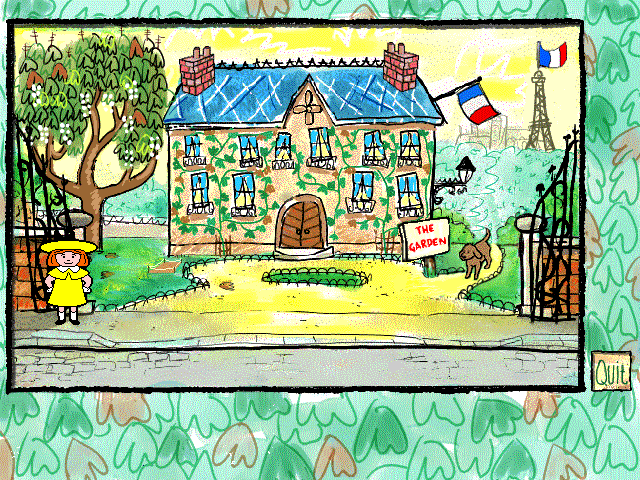
The game was rereleased as Madeline Thinking Games Deluxe. This edition of the game included an animated Madeline sprite in all of the main screens, who would provide additional commentaries.
|
Original |
Rerelease |
|---|---|
|
|
|
The Madeline series | |
|---|---|
|
Windows, Mac OS Classic |
The Magnificent Puppet Show • Thinking Games • European Adventures • 2nd Grade Math |