This is a sub-page of Gauntlet Dark Legacy (PlayStation 2, Xbox, GameCube).

|
To do: |
Throughout Gauntlet's development, many items were created to assist in the development of the game. To include menus, overlays, a model viewer, and texture viewer.
Debug Menus#
There are multiple 'types' of debug menus throughout the game. The PS2 has the most unique and in depth menu. This is most likely due to the game being ported from Arcade to PlayStation 2 first.
Playstation 2 (US)#

Access#
The debug menu can be accessed via Action Replay with the following code and pressing Select.
Enable Debug Menu |
|---|
|
GameCube (US Revision 1 & PAL)#
The debug menu used in the Playstation 2 release had its GUI removed (However, all of the underlying code was left in the game and still works if used with a memory editor.)) and was replaced with a menu where the options were to be selected prior to starting a game. One notable quirk of this menu is it requires the use of specific character names in order to be activated. At the end a little message is given that says "Mike and Bob say, Thank you for Playing!" Presumably, this was probably as a little nod to the play testers.
Access#
Activating the menu is done by pressing R+Z after entering an applicable character name. (While the name is blinking.)
Debug Menu (Rev 1) |
Debug Menu (PAL) |
Characters |
|---|---|---|
|
|
|
- The characters with asterisks will also change the character model like a cheat code.
In Revision 0, the menu does not exist. ADMBLY & MNTHRX will give unlimited everything like a cheat code. ADMBLY just gives unlimited keys & potions.
(Source: CyberNomadic)
Overlays#
|
|
To do: |
Text Overlay#
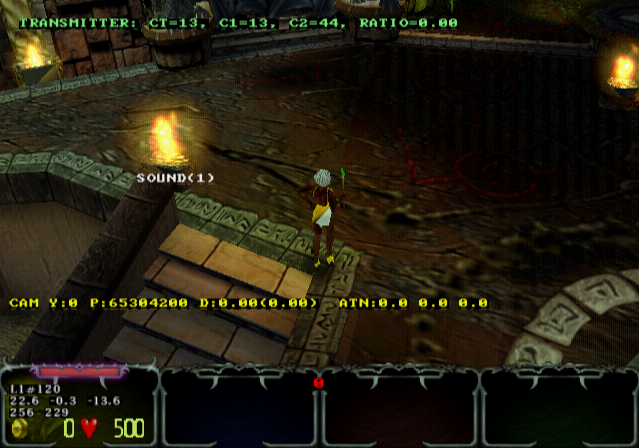
All builds of the game contain text overlays for various information. (Camera Position, nearest transmitter, etc.) These are controlled by the DoDebug & AuxLevels variable internally.
Additionally, where the player stats/inventory are located, information pertaining to player location & looking direction are printed over.
The following code also requires the Debug Menu code be enabled to work.
Playstation 2 (USA) |
|---|
|
Arrow Overlay#
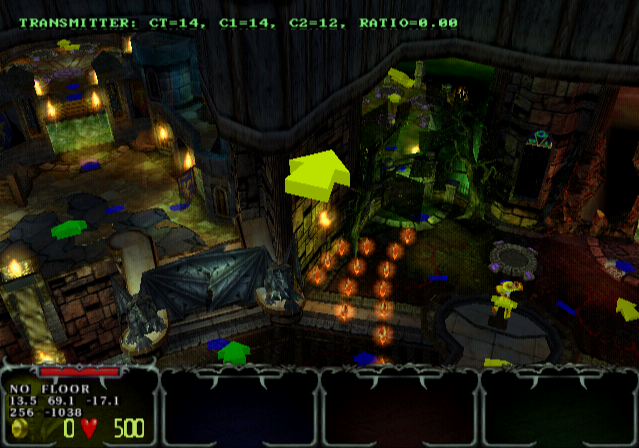
The Arrow Overlay is only present in the Playstation 2 build. This was used for camera location, placement, and to mark where the camera would move. This can be enabled through the Debug Menu with the option Cameras. The Arrows were originally used to tell players which direction to go in a level on the Arcade version if they were to be turned around or not move for a while.
Debug Credits Warp/Revision Text#
|
|
To do: |
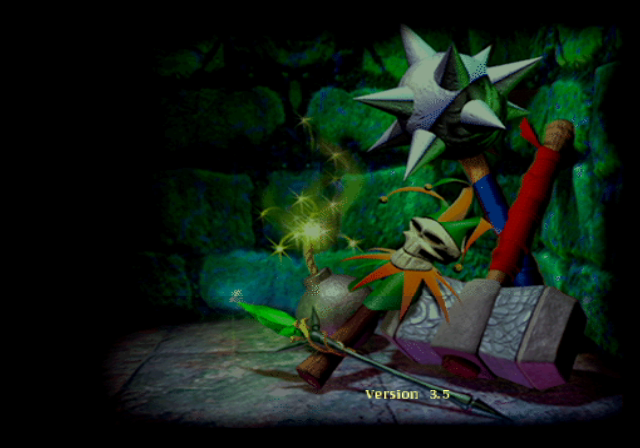
In the GameCube version, press R + Z as the game loads FMV at the title screen to skip to the credits sequence. If the buttons are held, the game revision will be displayed in the lower-right.
The easiest way to do this is to press and hold the buttons during the third and final intro FMV sequence (the orc attack which leads into the title screen), as pressing any buttons during this FMV will jump directly to the title screen.
The USA Rev 0, USA Rev 1, and Europe releases of the game are all identified internally as Version 3.5.
Once this has been done once in the current session, the credits warp can be performed again from screens other than the title screen, such as any of the three opening FMVs, the Game Over FMV, or the attract sequence.
(Source: Original TCRF research)