 This article has a talk page!
Galerians: Ash is a survival horror game for the PlayStation 2. It is a direct sequel to Galerians.

Debug Menus#
The game executable contains code and text for several debug menus. Most of these menus are partially or completely non-functional, but enough code remains to reconstruct how they would have displayed, and some debug features are still functional. The following PCSX2 cheat files can be used to enable the remaining functional debug settings (OYAJI mode, clip boxes, and the blur and focus effects). For the US version, create a file called B506C936.pnach in PCSX2's cheats folder with the following contents:
// OYAJI mode
patch=1,EE,002d0378,word,00000001
// clip box
patch=1,EE,002d1015,byte,03
// blur mode off
patch=1,EE,002cf494,byte,00
// focus mode on, blur mode off
//patch=1,EE,002cf494,byte,02
// blur and focus mode on
//patch=1,EE,002cf494,byte,03
For the Japanese version, create E8E54032.pnach:
// OYAJI mode
patch=1,EE,002a9b38,word,00000001
// clip box
patch=1,EE,002aa6ed,byte,03
// blur mode on
patch=1,EE,002a8c94,byte,01
// focus mode on
//patch=1,EE,002a8c94,byte,02
// blur and focus mode on
//patch=1,EE,002a8c94,byte,03
Debug menu#
The menu titled "DEBUG MENU" has three options which open sub-menus:
  --- DEBUG MENU ---
   Change Room  Mode
   Change Event Mode
   Change Enemy Mode
Room mode menu:
   Change Room  Mode
      Room No. %s %03d
This menu allows warping to any room in the game. %s would be the room name (an ID like "RAA010") and %03d would be the index in the game's list of rooms.
Event mode menu:
   Change Event Mode
NONE
Presumably the "NONE" text would change to reflect the current event, but there doesn't appear to be any code for any other values. It's unclear exactly what this would have controlled.
Enemy mode menu:
   Change Enemy Mode
       Change OYAJI Mode
       Change OYAJI Mode
       Change OYAJI Mode
All three options have the same text and show the same menu:
       Change OYAJI Mode
         ON
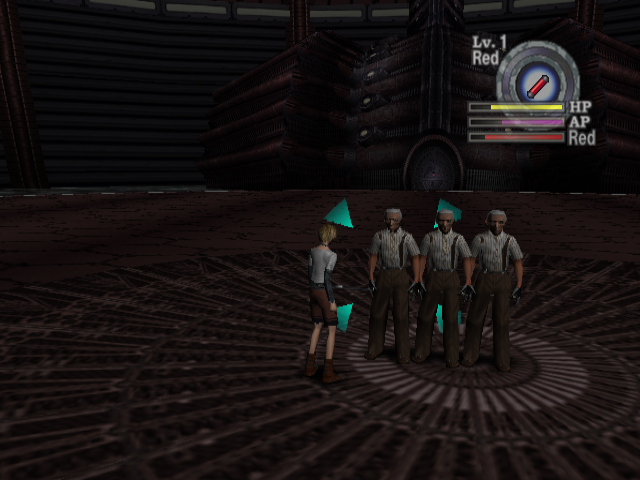
The second line displays either "ON" or "OFF" depending on the setting of "OYAJI mode". OYAJI mode turns all enemies into an invincible, immobile old man (oyaji means "old man" in Japanese). This character also appears in several of the game's debug rooms.
Blur mode#
  -- Change Blur Mode --
  Fog
  ON
  Alpha
  %6d
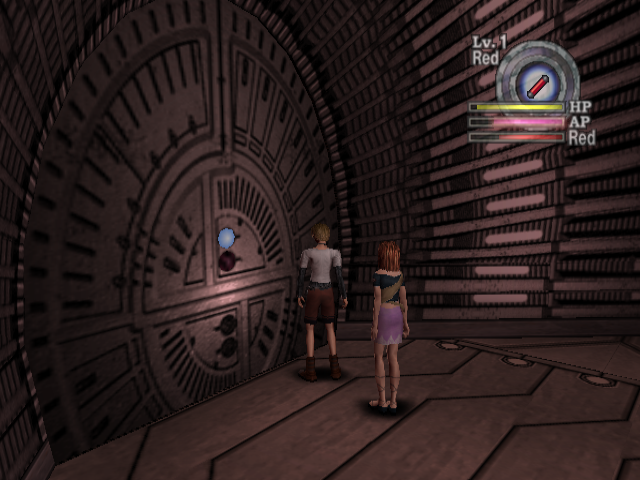
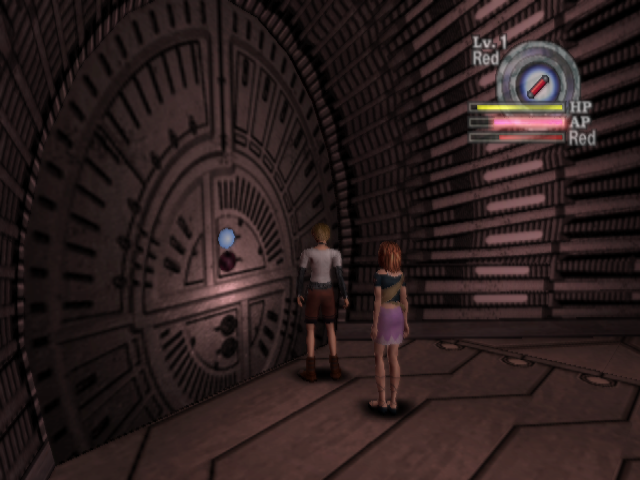
The fog setting can be ON or OFF. It doesn't actually seem to control fog, but rather, in line with the title of the menu, a screen blur effect. Interestingly, the US version has it enabled while the Japanese version has it disabled.
|
Blur off |
Blur on |
|---|---|
|
|
%6d would be the current value of the alpha setting. This alpha value doesn't appear to be used outside of the debug menus themselves.
Focus mode#
  -- Change Focus Mode --
  Focus
  ON
  Alpha
  %6d
  Zoom
  %6f
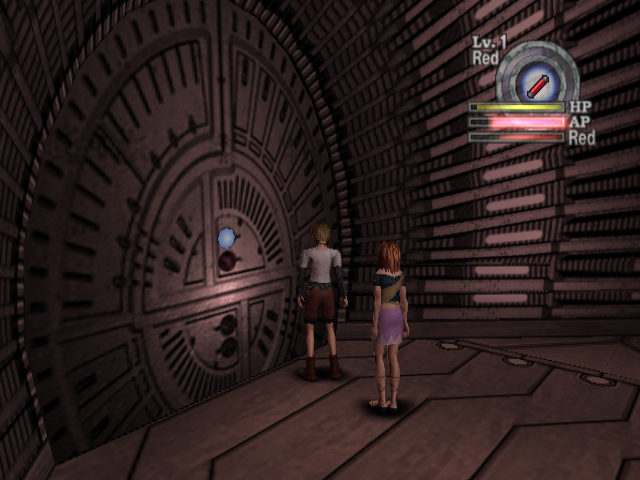
Focus can be ON or OFF. It also seems to have a blurring effect (or perhaps an out-of-focus effect?).
Focus off |
Focus on |
|---|---|
 |
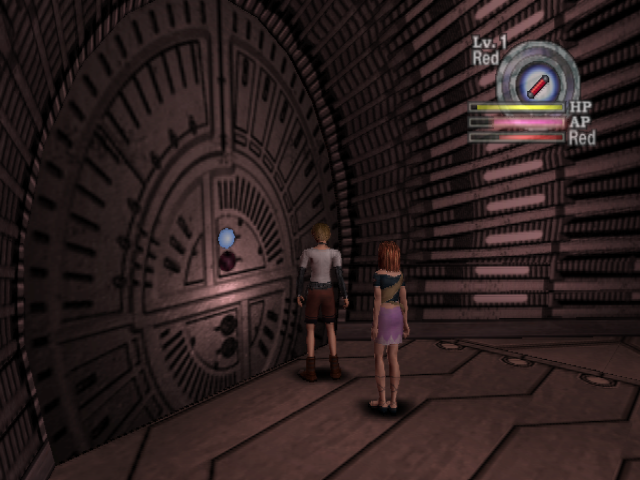 |
Blur and focus |
|---|
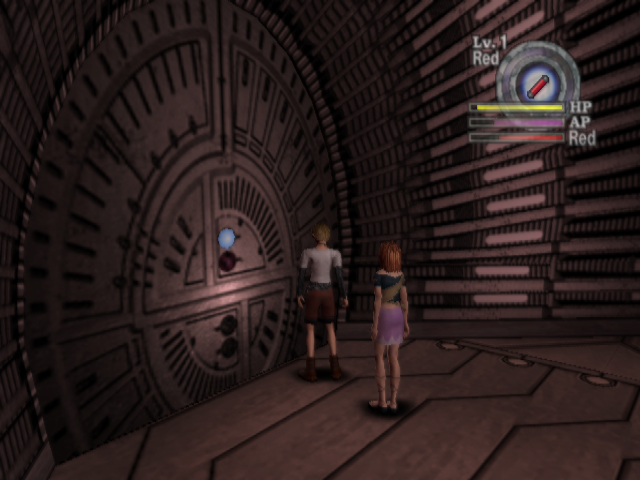 |
Alpha is the same value from the blur mode menu. %6f is the value of the zoom setting. Like alpha, the zoom setting doesn't actually seem to be used.
Debug select#
This large series of menus seems to allow toggling various debug displays. Unlike the previous menus, code referencing this menu still exists, and it can be toggled on by setting the appropriate flag in memory. However, the text doesn't display, making it unusable. The textless menu is visible in the screenshot below as the dark box in the center of the screen.
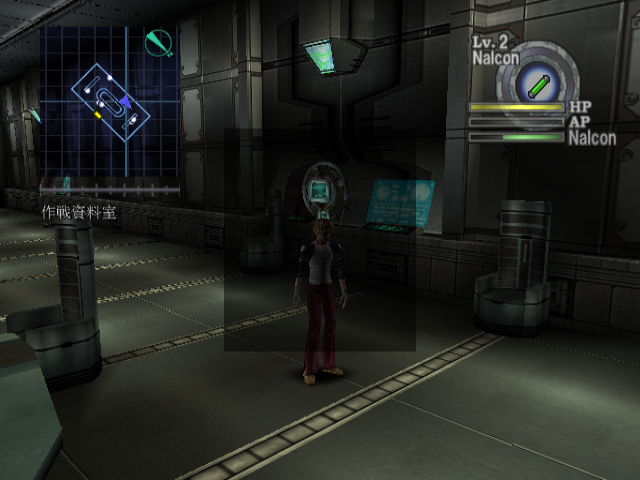
Regardless, the text can still be found in the code.
  -- DEBUG SELECT --

  INFOMATION
  CAMERA
  NORMAL LIGHT
  POINT LIGHT
  SCREEN
  BGM
  SE
  VIBRATION
  TEXT OUT
INFOMATION (sic), SCREEN, and TEXT OUT open sub-menus. It's not clear exactly what effect the other options would have.
Sub-menus#
INFOMATION:
   -- INFOMATION --

     TEXT        OFF
     FONT        OFF
     TASK METER  OFF
     DMA INFO    OFF
     MODEL INFO  OFF
     CLIP BOX    OFF
Each of these toggles a corresponding debug display. Most of the flags controlling these displays have no effect in the final game, but the "CLIP BOX" mode is still functional.
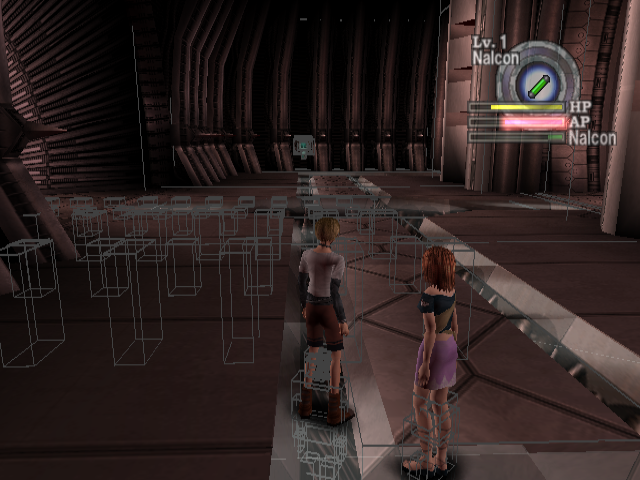
This mode draws bounding boxes around solid objects. Character clip boxes don't seem to align with the character's animation, which is probably why Rion and Lilia's clip boxes appear partially in the ground.
TEXT OUT:
    -- TEXT OUT --

* HEAP
  CAMERA
  NORMAL LIGHT
The asterisk (*) indicates the selected option. The exact function of HEAP is unknown. CAMERA and NORMAL LIGHT print relevant debug information:
----
camera
len: %7d.0f
v:   %7d.0f,%7d.0f,%7d.0f, 1.000000f
p:   %7d.0f,%7d.0f,%7d.0f, 1.000000f
r:   %9ff,%9ff, 0.000000f, 1.000000f
----
normal light
rot0: %9ff,%9ff, 0.000000f, 1.000000f
rot1: %9ff,%9ff, 0.000000f, 1.000000f
rot2: %9ff,%9ff, 0.000000f, 1.000000f
col0: %9ff,%9ff,%9ff, 0.000000f
col1: %9ff,%9ff,%9ff, 0.000000f
col2: %9ff,%9ff,%9ff, 0.000000f
amb:  %9ff,%9ff,%9ff, 0.000000f
SCREEN:
     -- SCREEN --

  FOG
  EFFECT
These options correspond to two sub-menus.
FOG:
      -- FOG --

  TASK   ON
  NEAR   %3d
  FAR    %3d
  FCR    %3d
  FCG    %3d
  FCB    %3d
Displays fog-related information. TASK can be toggled on and off, but its function is unclear.
EFFECT:
     -- EFFECT --

  BLUR     ON
  FOCUS    ON
  DIVIDE   ON
  ALPHA    %d
  ZOOM     %f
  DIV      %d
BLUR is the same screen blur effect as the FOG toggle on the "Change Blur Mode" menu. FOCUS, ALPHA, and ZOOM are the same as the options in the "Change Focus Mode" menu. DIVIDE and DIV's functions are unknown.
Unused Title Screen#
DATA/PACTIT.BD2 has an unused title screen. It features young Rion instead of adult Rion and the other cast of characters.

Unused FMVs#
ME_H99#
The US version has a placeholder FMV at DATA/CGM_E/T/ME_H99.PSS.
Machine translation:
ME_L02
Security Area A/RAC030
Check terminal appeared.
RAC030 is the room ID of Security Area N; specifically, it's the version of Security Area N the player visits as adult Rion (young Rion at the beginning of the game gets a different version of the room, RAA030). ME_L02, referenced in this video, is the name of the FMV that actually plays in that room in the final game. In that FMV, the spiky computer ball (presumably the "check terminal" from this video) appears and tells Rion his access has been revoked.
MX_XXX#
The Japanese version has an unused FMV at DATA/CGMOVIE/A/MX_XXX.PSS. This video sequence does appear in other FMVs, but this specific video is not used, and it seems to have a higher-pitched (almost ear-piercing) sound effect.