This is a sub-page of DropMix.

|
To do:
|
Requirements & Notes#
- Debug APK, original data & obb files. (Archive.org link) [Note: This is the 1.9.0 IL2CPP build]
- DropMix Controller (for some of the keybinds and debug buttons)
- USB/Bluetooth Keyboard for your phone (if none, this is a fine alternative: wifikeyboard [The Google Play Store may say it's too old for your device, but it works fine])
Android emulators (like BlueStacks & Windows Subsystem) are not really preferable for this due to certain graphic layers not showing properly or (for Nox) the keyboard commands may not work.
Controls#
Keybind |
Effect |
|---|---|
A |
DropMix button |
X |
Stops sound (Also randomly changes Key and resets BPM to 128) |
Z |
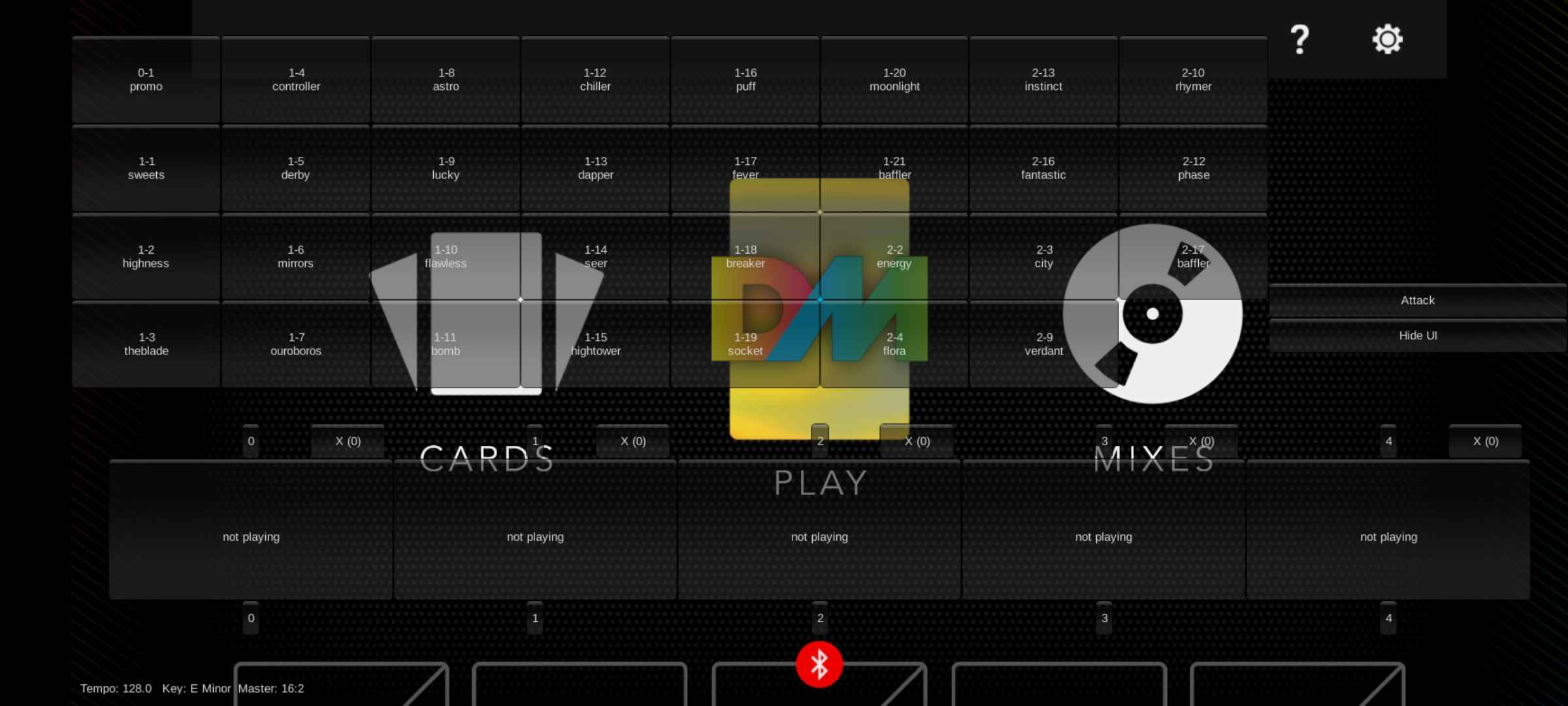
Shows Debug card display/Mode |
D + B |
Main Debug Menu |
C |
Save Mix |
Shift + Z |
Turns on kNoReader mode (Which means you can access certain parts of the game without the controller) |
Tab |
Drops a random card on a random slot. |
Main Debug Menu Buttons#

|
This needs some investigation.
|
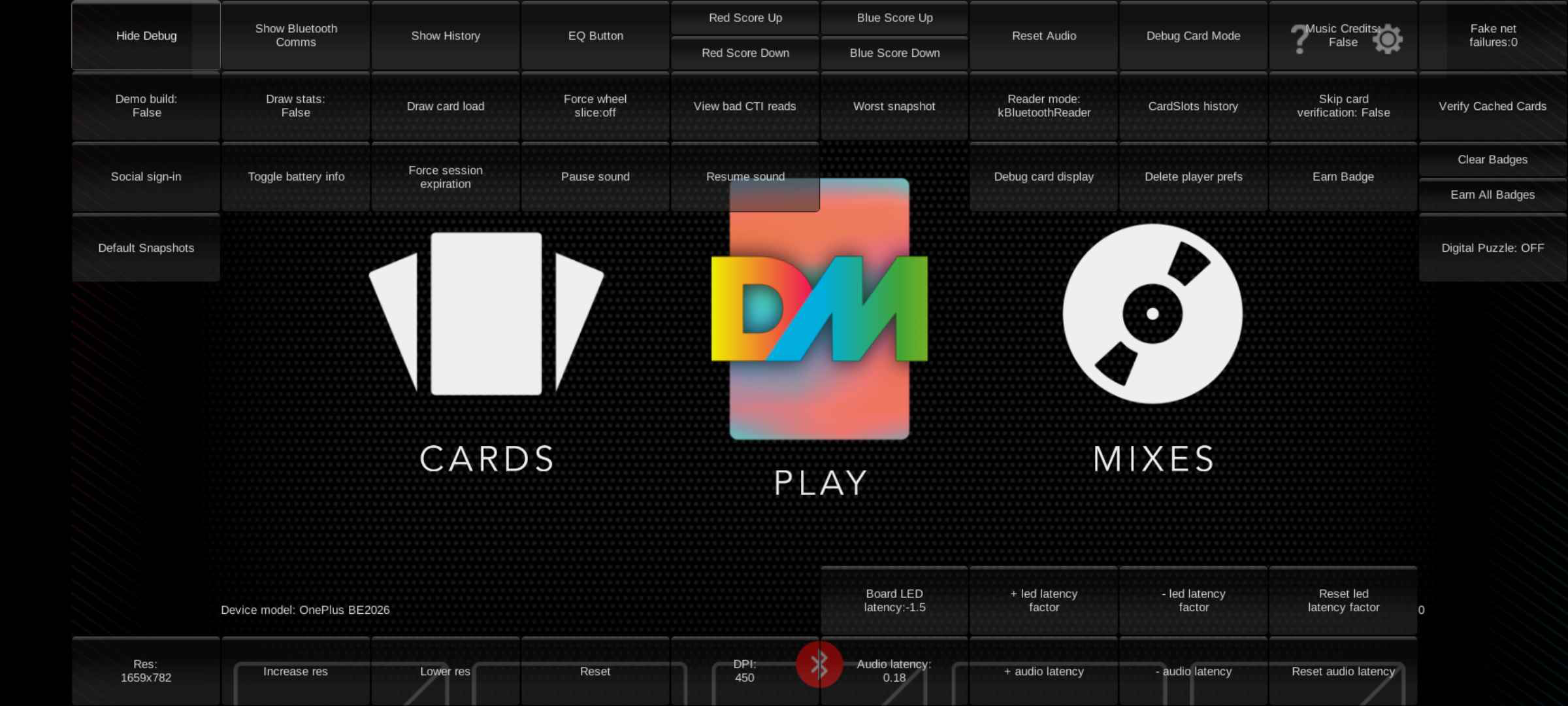
Top Rows#
Button |
Effect |
Notes |
|---|---|---|
Row 1 |
||
Hide Debug |
Hides debug menu |
|
Show Bluetooth Comms |
Shows Bluetooh Communication Logs (When pressed two buttons appear in place of it "Hide Bluetooth Comms" & "pause/unpause") |
Suggests the bluetooth board communicates by sending CTI values from cards. 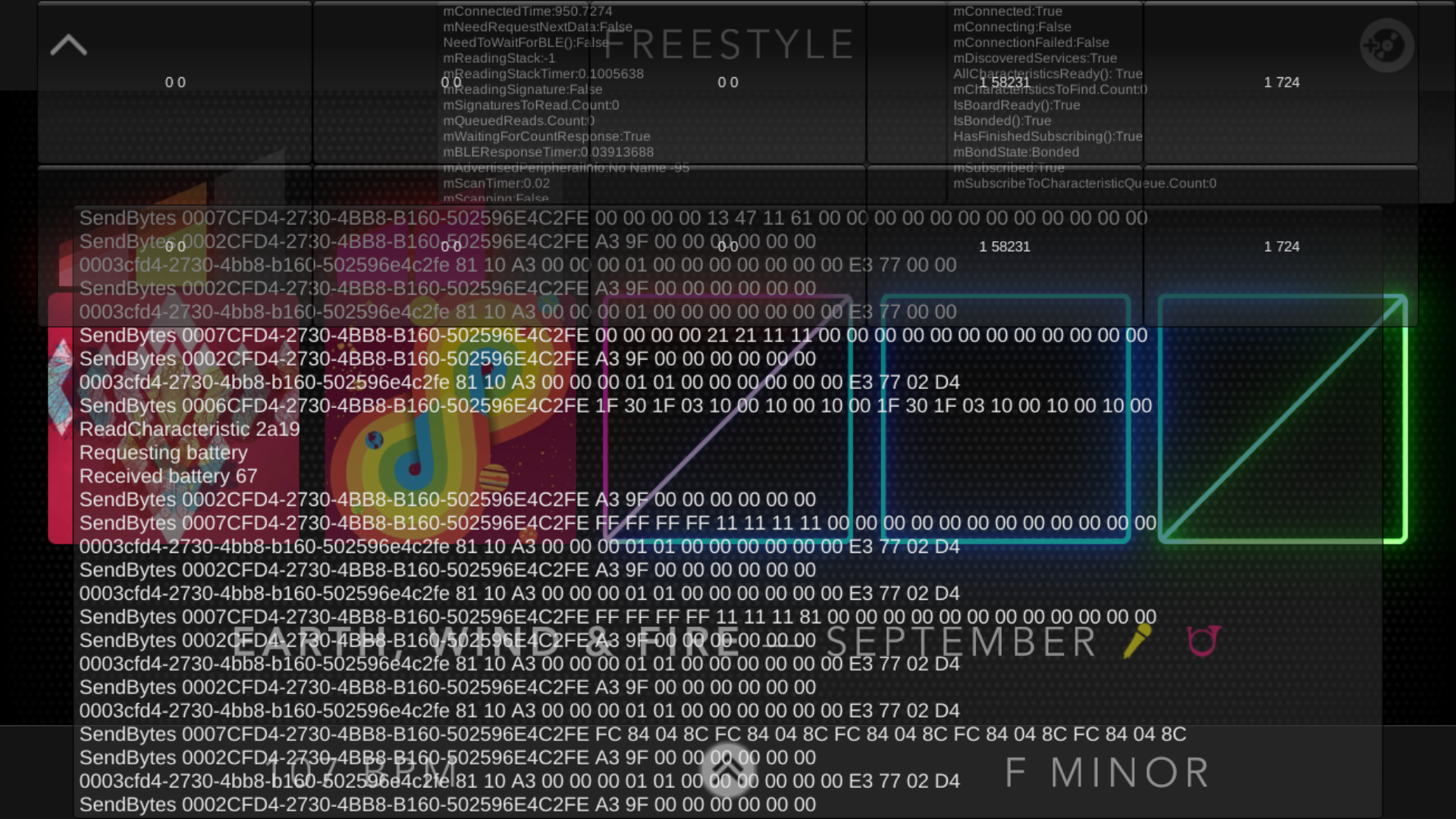 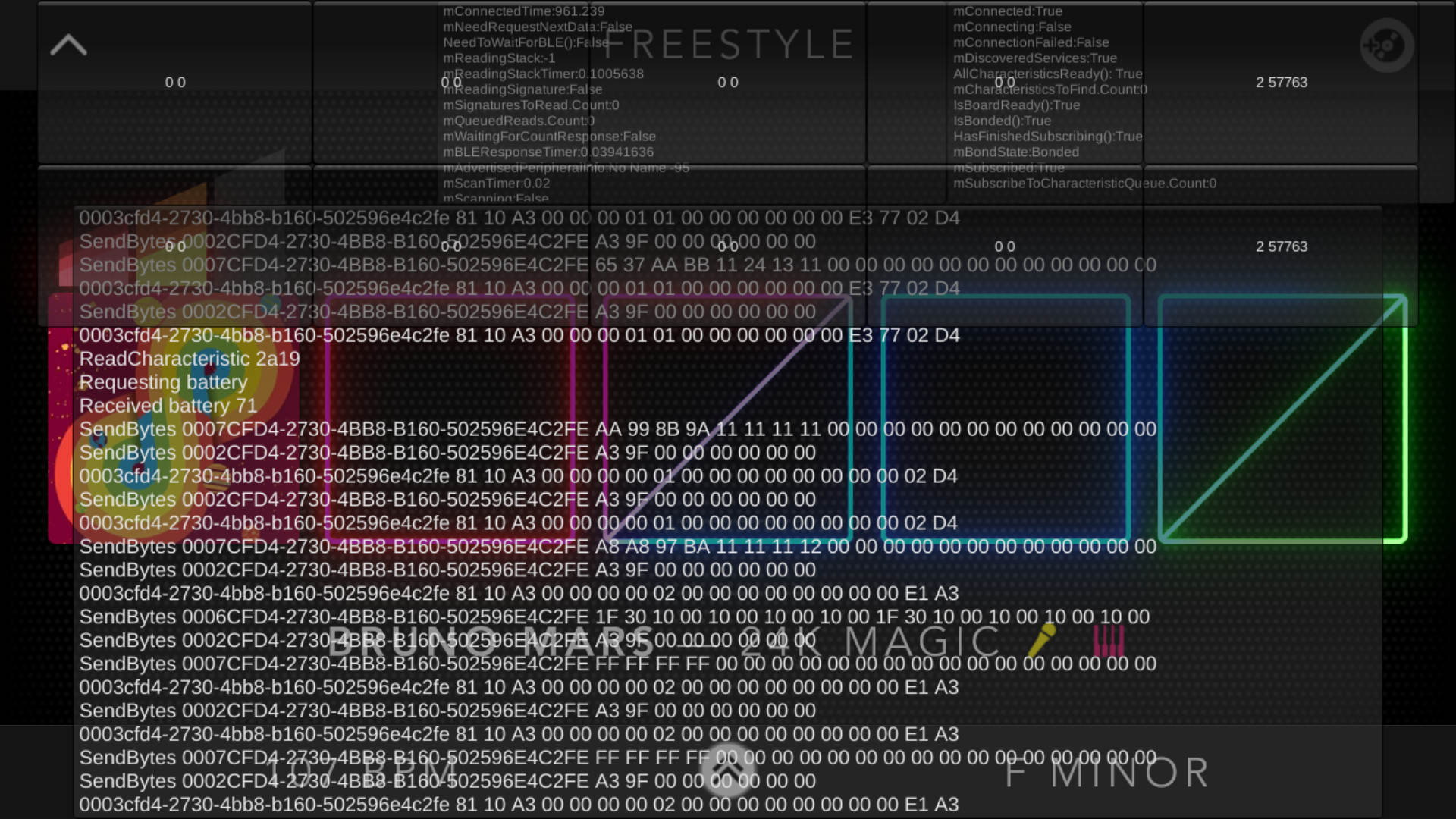 |
Show/Hide History |
Unknown |
|
EQ Button |
Presses the DropMix button |
|
Red Score Up/Down |
Increases or decreases the score for the players on the left side in Clash Mode |
|
Blue Score Up/Down |
Increases or decreases the score for the players on the right side in Clash Mode |
|
Reset Audio |
Stops sound, randomly changes Key and resets BPM to 128 |
|
Debug Card Mode |
Shows Debug card display/mode |
|
Music Credits On/Off |
Determines whether Credits field appears in card info on collection screen (data derived from level0 card data table) |
|
Fake net failures |
Unknown |
|
Row 2 |
||
Demo build |
Activates Demo Mode & disables Freestyle Mode |
|
Draw stats |
Shows FPS and "Audio plugin memory" on the top right of the screen. |
|
Draw card load |
Card loading log |
|
Force wheel slice |
Depending on what you pick the wheel will automatically spin to your choice |
This only works in Clash, Party, and Puzzle |
View bad CTI reads |
Likely refers to values which the server rejected 1; changing a card asset to an invalid CTI value displays an error message here. Switching September's 02D4/724 value in sharedassets results in |
|
Worst snapshot |
Saves a unplayable snapshot mix called "All Wilds" that features Bruno Mars - 24K Magic, Rick James - Super Freak, Skrillex - Bangarang (ft. Sirah), Disturbed - Down With The Sickness & Childish Gambino - Heartbeat |
|
Reader mode |
Swiches between kBluetoothReader & kNoReader |
|
CardSlots history |
Shows card history of each board slot |
|
Skip card verification |
When using modified game assets to swap card data, they fail intermittently when internet is enabled. This likely fires a request to check the data matches what the card data says it is. |
|
Verify Cached Cards |
Unknown |
Pauses game for a few seconds, might have to do something with the game cache but unsure. May also also reset the card cache after restart. Possibly a means of forcing the game to update card data if updates were required after the initial download. |
Row 3 |
||
Social sign-in |
Activates Google Play Games sign-in |
|
Toggle battery info |
Shows game board battery info |
|
Force session expiration |
Expires Google Play Games session and then activates Google Play Games sign-in |
|
Pause sound |
Pauses card audio (if playing) |
|
Resume sound |
Resumes card audio (if paused) |
|
Debug card display |
Shows Debug card display/mode |
|
Delete player prefs |
Resets user preferences |
|
Earn badge |
Earns badge from an assigned list (See note) |
|
Clear Badges |
Clears badges and Activates Google Play Games sign-in |
|
Earn All Badges |
Unlocks all badges (only works outside of collection) |
|
Row 4 |
||
Defaul Snapshots |
Resets snapshot mixes |
|
Digtal Puzzle |
Unknown |
|
Bottom Rows#
Button |
Effect |
|---|---|
Row 1 |
|
Board LED latency |
Displays game board LED latency of the LEDs flashing with the audio |
led latency factor |
Increases latency of the LEDs flashing with the audio by 0.1 |
led latency factor |
Decreases latency of the LEDs flashing with the audio by 0.1 |
Reset led latency factor |
Resets latency of the LEDs flashing with the audio to 0 |
Row 2 |
|
Res |
Displays debug text resolution |
Increase res |
Increases debug text resolution |
Lower res |
Decreases debug text resolution |
Reset |
Resets debug text resolution |
DPI |
Unknown |
Audio latency |
Displays audio latency |
+ audio latency |
Increases audio latency by 0.01 |
- audio latency |
Decreases audio latency by 0.01 |
reset audio latency |
Resets audio latency to 0.08 |
Party Mode-Exclusive#
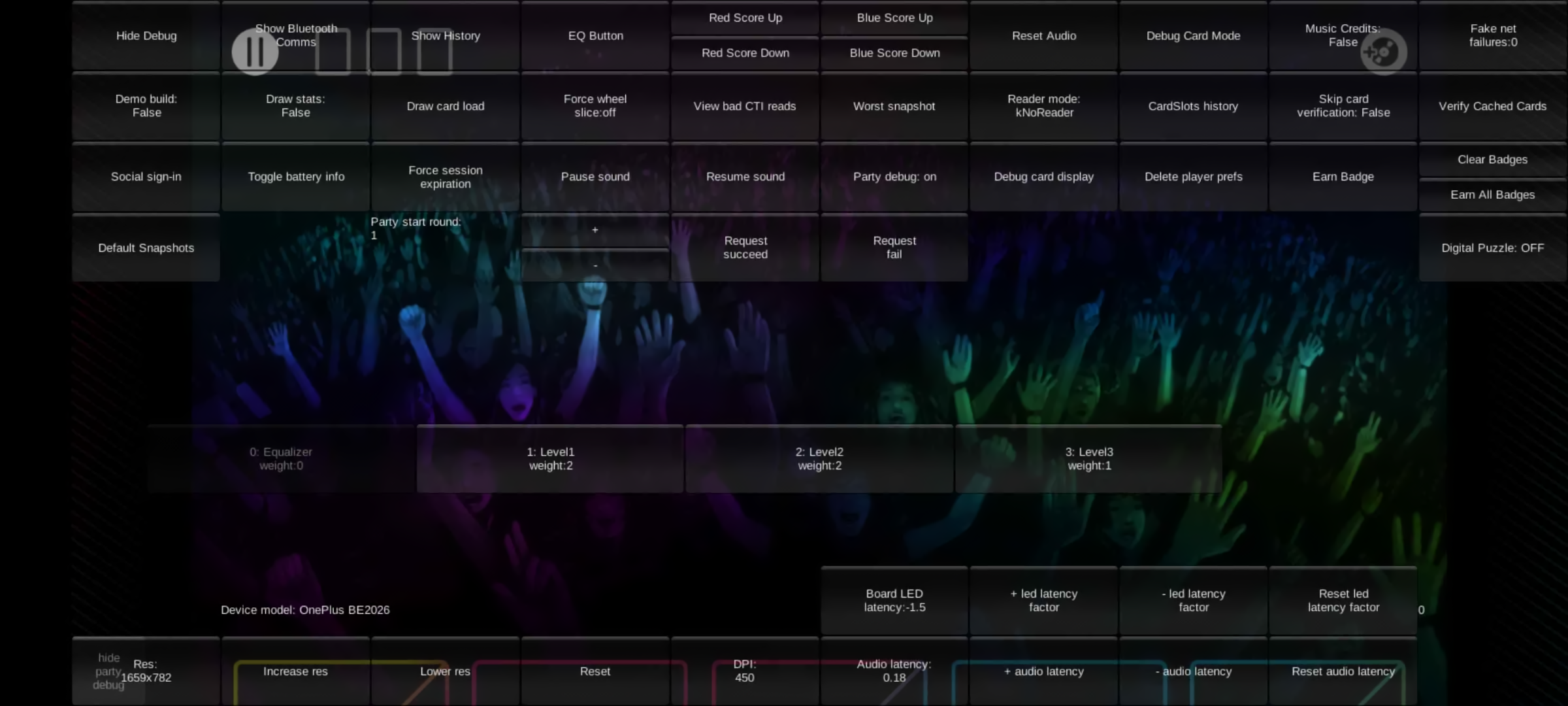
Button |
Effect |
|---|---|
Party debug |
Shows/Hides debug buttons when in gameplay. |
+ |
Increases the number for "Party start round" (up to 6). Value is shown to the left of the button. |
- |
Decreases the number for "Party start round" (down to 1). Value is shown to the left of the button. |
Request succeed |
Makes request succeed (when active) |
Request fail |
Makes request fail (when active) |
[Requests] |
Bottom rows show what requests and actions are coming up. |
hide party debug |
Hides debug buttons when in gameplay. |
Puzzle Mode-Exclusive#
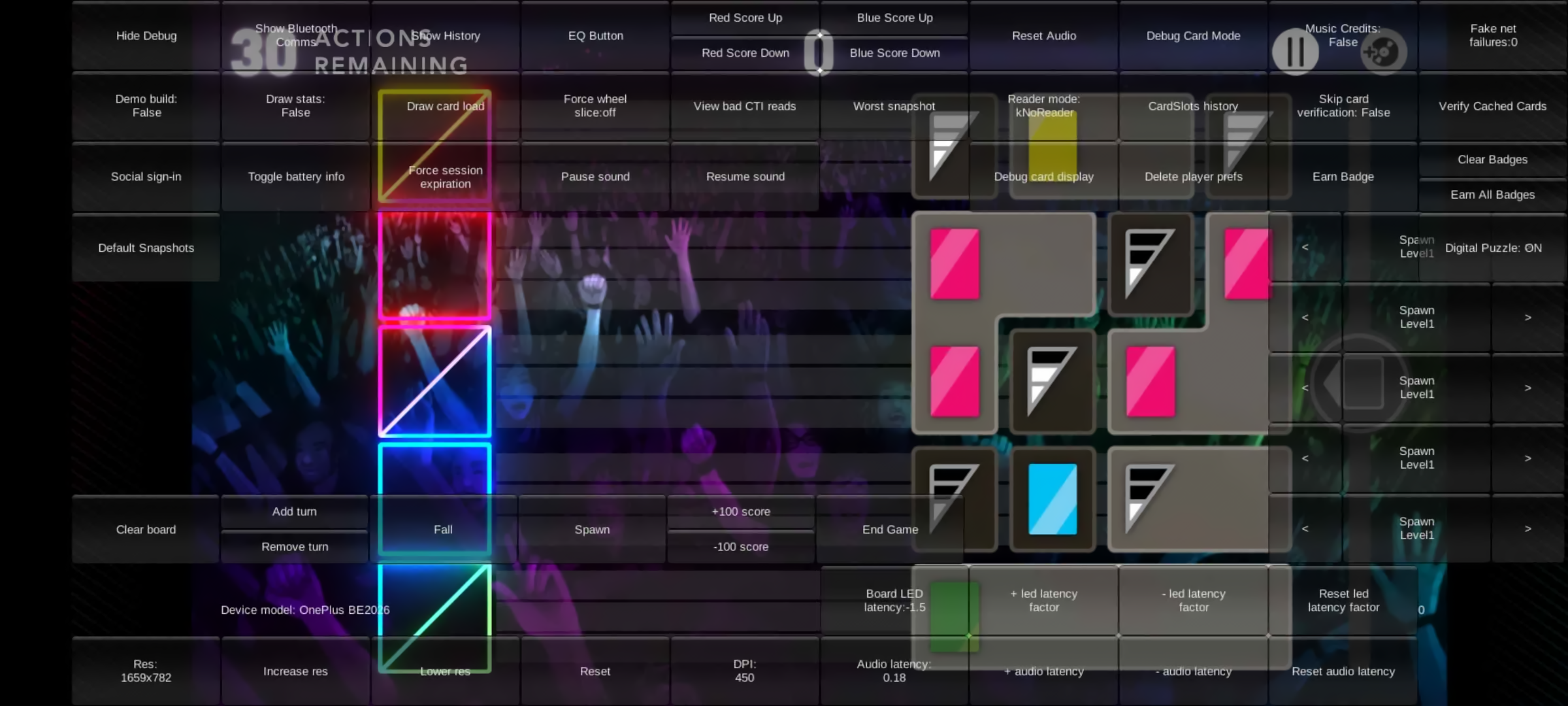
Button |
Effect |
|---|---|
Spawn Buttons |
Spawns the Puzzle block of your choice (from Level1-3, Lead, Loop, Beat, Bass, Synth, Guitar, Horns, Strings, Vocal, Drums, Sampler, & Equalizer) and spawns it on the row you pressed on (adjacent to the rows in-gameplay) |
Clear board |
Clears board |
Add turn |
Increases the value for "ACTIONS REMAINING" |
Remove turn |
Decreases the value for "ACTIONS REMAINING" |
Fall |
Unknown |
Spawn |
If the board is empty, the button spawns 4 full columns of blocks. If the board has blocks, the button spawns 2 full columns. |
+100 score |
Adds 100 points to the final score |
-100 score |
Subtracts 100 points to the final score |
End Game |
Starts Finale round and then ends the game. |
Card Display Mode#
|
|
To do:
|
Miscellaneous Features#
- In Settings, Board Firmware Update has an extra button named "UPDATE ANYWAY (DEBUG)" that updates the board even if it's up to date.
- In Settings, the version number shows on the bottom-left of the screen. For example the latest release (1.9.0) is: 20191022-1521