
|
To do:
|
Disco Elysium, known previously as No Truce With The Furies, is an RPG in which you get blackout drunk, completely forget your identity and start having entire conversations with the different elements of your shattered psyche. It's disco, baby.
Unused Graphics
QTE Icons#


The game contains 2 images, labelled "QTE 0 Good" and "QTE 1 Evil" respectively.
These images seem to simply be leftovers from a store-bought Unity package and were likely never intended to be used in the game.
Debug Mode
A fairly in-depth debugging mode known as the "Writer's Tool" is present in the game.
On recent versions of the game, the mode seems to be inaccessible unless changing a game variable (with CheatEngine, for example).
On older versions, it can be accessed by first modifying the game's settings file. On Windows, it is located at:
AppData/LocalLow/ZAUM Studio/Disco Elysium/Settings/Settings.jsonChange the "boolValue" field of the "WRITERS_TOOL" entry to "true". Then, run the game with the command line parameter "--debug". The game will launch into debug mode.
Title Screen#
Upon launching into debug mode the game will present the debug title screen. 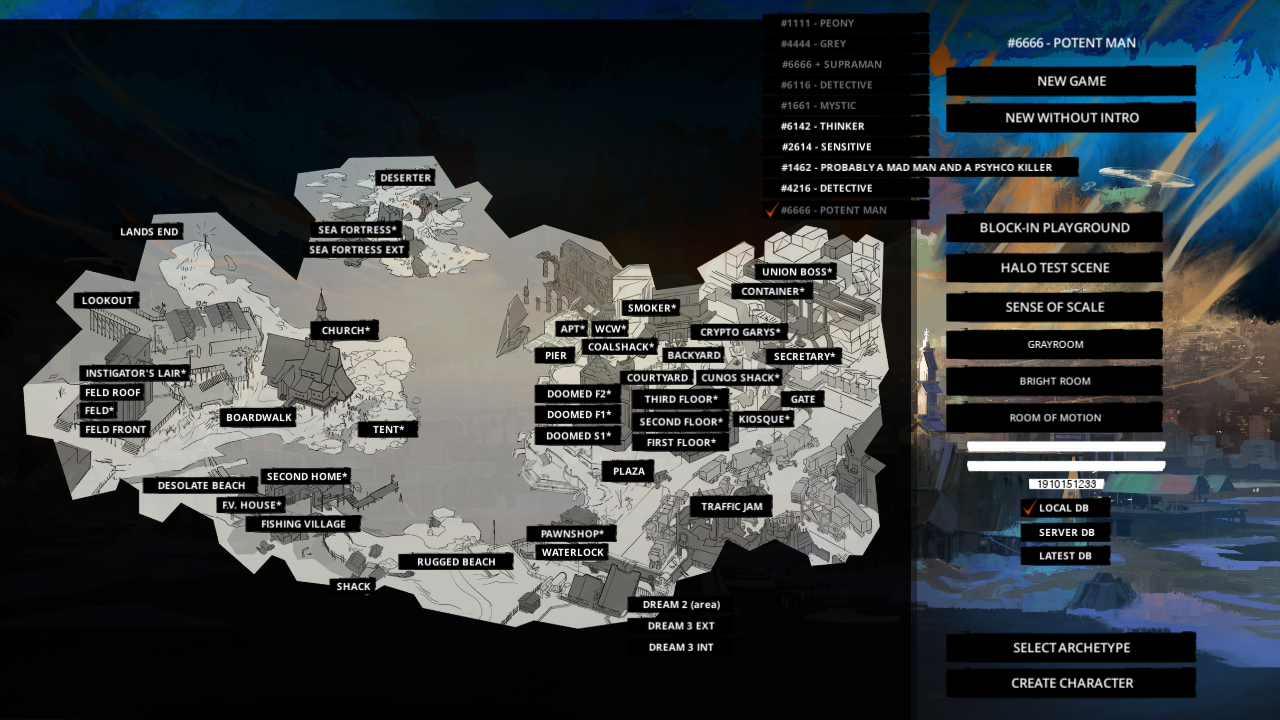
This screen has a few notable features.
Map#
The labelled map occupying most of the screen allows you to warp to any location in the game. Asterisks indicate that the associated area is an interior. The labels off the map on the right are intended to allow warping to various debug areas however these rooms are sadly no longer present in the release build of the game so the buttons do nothing.
New Game Options#
Self explanatory, these options allow you to either start a new game or start a new game without going through the intro sequence.
DB Options#
During development these options would have allowed switching where the game loads certain files from. They're non-functional in the release build of the game and give a message informing you that the functionality is disabled when clicked.
Select Archetype#
Doesn't appear to do anything, likely intended to open the archetype selection screen but seems broken.
Create Character#
Opens the character creation screen, it doesn't seem to serve any purpose besides testing the UI. It's inadvisable to click this as it causes a black overlay to get stuck on the screen which will completely obscure your vision in-game, requiring a restart.
(Source: Original TCRF research)
In-game#
Once in-game the debug menu can be opened by pressing period. Each button, from the left to right:
Hashtag Button#
This button just closes the current section of the menu.
D Button#
|
|
To do: |
Presumably stands for Dialogue.
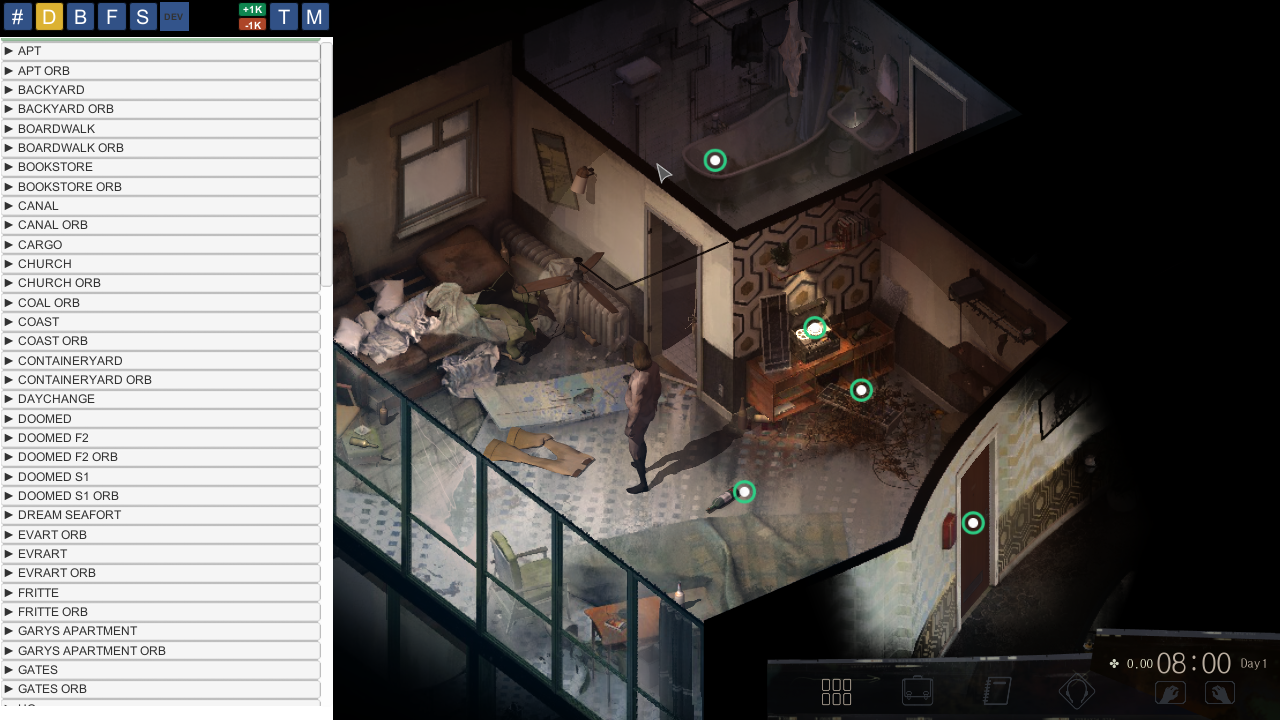
Allows you to test any of the dialogue sequences in the game. It's very easy to softlock yourself with it as a lot of sequences require scripted events to occur which often don't work if dialogue is triggered outside of its normal area. Interestingly, clicking the "DEV" button will sometimes force the sequence to progress and allow you to get out of the lock but other times the softlock will require a restart.
B Button#
Allows you to view and debug most of the different gamestate variables in the game. By default, the window will show nothing. To use the tool, you must search for the variable(s) you wish to debug, click them and then press "Done". This will add the variables to the main screen where their values will be displayed and can be edited. The skull icon next to the variables allows you to remove them from the screen.
F Button#
|
|
To do: |
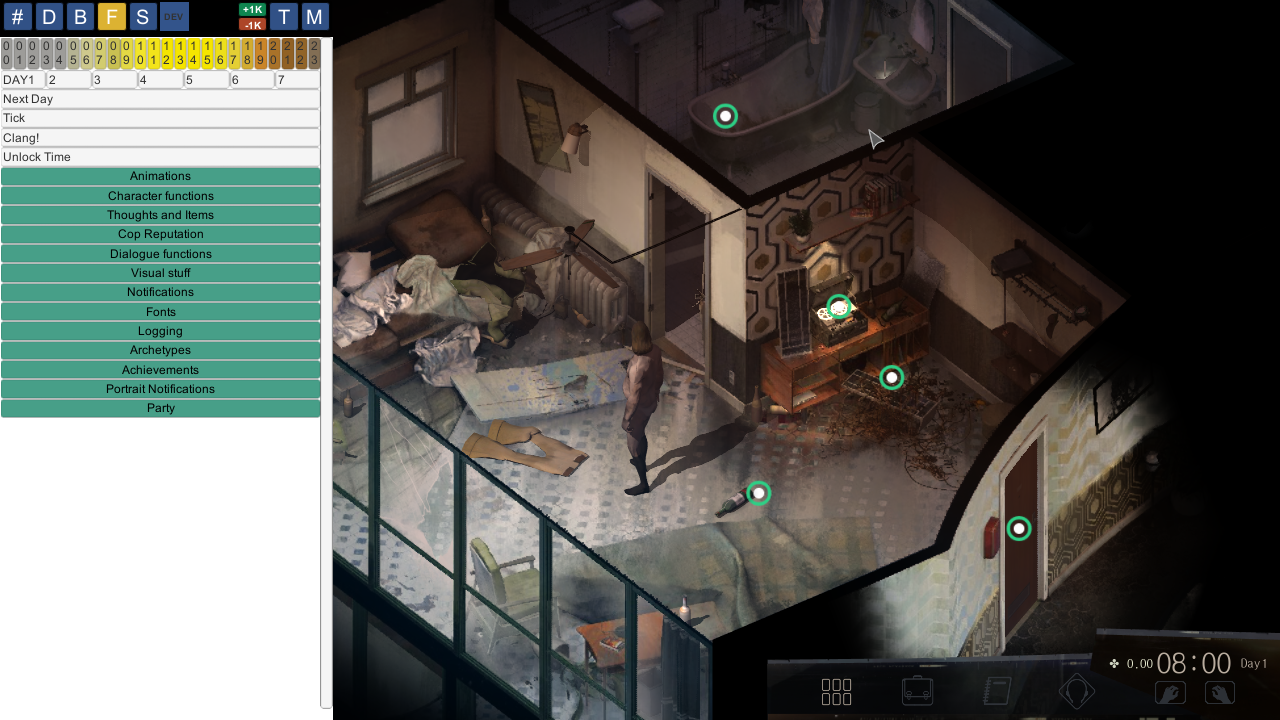
Seems to hold everything that didn't warrant its own category. From this screen you can manage the time of day, test fonts, achievements and more.
S Button#
|
|
To do: |
Seems to stand for Sequence.
Apparently for managing "sequences". Clicking "new sequence" presents you with options for recording and playback but it's not clear how to use the tool, if it even still works.
It's likely this tool was used to record scripted sequences where characters move around.
DEV Button#
|
|
To do: |
Clicking it plays a sound and displays a message saying "DEV MODE: Activating/deactivating placeholders". It's not clear what this means and it doesn't appear to do anything else. As mentioned above this button can sometimes be used during dialogue softlocks to force the dialogue to progress but this is likely an unintended side effect.
+1K and -1K Buttons#
Respectively add or subtract 1000 to all your non-passives dice rolls, effectively making them always succeed or fail.
T Button#
Stands for Teleport.
Toggles teleport mode. In teleport mode, clicking somewhere will instantly teleport you to that location. Clicking an interactable will teleport you into position to use it.
M Button#
Stands for Map.
Opens the labelled =map also seen on the title screen which can be used to warp to any area of the game. Doesn't display properly on lower resolutions.
(Source: Original TCRF research)
(Source: ImJustMaxie)