This is a sub-page of Crash Twinsanity (PlayStation 2, Xbox).
This game has a large assortment of commands hidden within used scripts, sometimes with never-before-seen animations and objects attached to them. Since the vast majority of unused actions will have these three elements integrated together, they will all be grouped in this same section.
Crash#
Wrestle Gameplay#
Scripts: |
COM_CRASH_WRESTLE_CREATURE |
ID 3907 |
|---|---|---|
COM_CRASH_ABOUT_TO_WIN_BRAWL |
ID 5339 |
|
COM_CRASH_WIN_BRAWL |
ID 5341 |
|
COM_CRASH_ABOUT_TO_LOSE_BRAWL |
ID 5343 |
|
COM_CRASH_LOSE_BRAWL |
ID 5345 |
A wrestling mechanic very similar to the Rollerbrawl function was planned for a minigame on N. Sanity Island, where Crash would have to pin down a monkey for long enough to escape its offence to "win a bonus".
CRASH_WRESTLE_CREATURE has data to spawn smoke particle effects, play the brawling animation already seen in Rollerbrawl gameplay, and engage in an unused action named SetVehicleWrestleCreature. This action makes the camera shake intensely, but otherwise, movement remains the same. If the game was not ready to engage with the entity, the script would have made Crash play the belly scratch animation, similarly to the old games where Crash would play a short animation before jumping on the boar.
Watch on YouTubeABOUT_TO_WIN_BRAWL includes an animation (ID 446) that displays Crash visually broken. This animation consists of roughly 30 frames of seemingly random rotations applied to one single model's joint. It is suggested that it was used for something Rollerbrawl-related (the next animation, ID 447, is indeed the used Rollerbrawl brawling effect animation seen in Cavern Catastrophe).
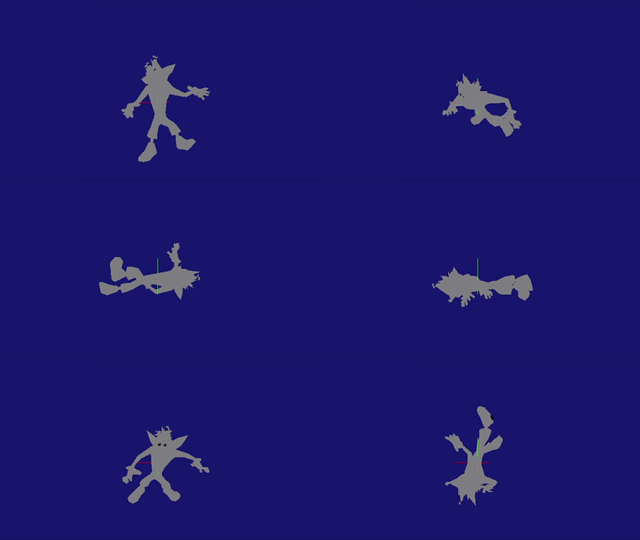
WIN_BRAWL has code to stop the player's movement and play an animation (ID 999) that depicts Crash stretching the monkey's legs (confirmed in official concept art), to then resume back to standard gameplay.
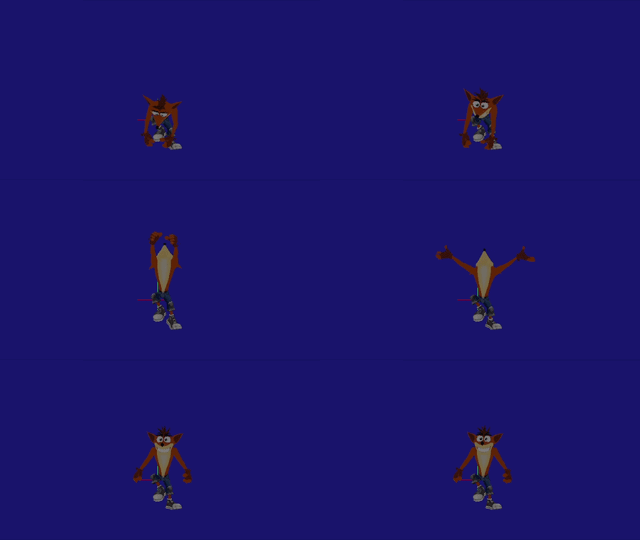
ABOUT_TO_LOSE_BRAWL only includes data for a rough animation (ID 1299) that shows Crash flapping his arms and legs, as if he's struggling to fight the monkey.

LOSE_BRAWL has the same logic of resuming normal gameplay seen in WIN_BRAWL. It only includes the same flapping animation from before.
Super Punch#
Scripts: |
COM_GENERIC_CHARACTER_SPIN_PUNCH |
ID 344, 345 |
|---|---|---|
COM_GENERIC_CHARACTER_SPIN_PUNCH_RECOVERY |
ID 346, 347 |
Seen in the demo, Crash was supposed to use a forward punch after spinning by pressing the slide button. It was removed due to being "too powerful", as it could destroy unintended terrain.
SPIN_PUNCH makes Crash play a punching animation (ID 1059) and player control is disabled. Immediately after, a series of damage areas spawn. The code points to a missing object to be spawned alongside the animation (that is, the CRASH_SPECIAL_EFFECTS object, which is indeed the yellow blur effect seen in the demo).
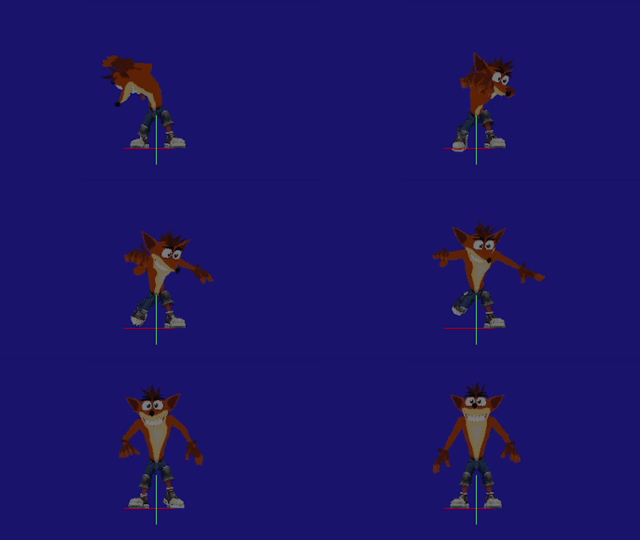
SPIN_PUNCH_RECOVERY will play a cooldown animation after the punch (ID 314) and, once the animation finishes, player movement will be resumed.
Flying Kick Move#
Scripts: |
COM_CRASH_FLYING_KICK |
ID 348, 349 |
|---|---|---|
COM_CRASH_FLYING_KICK_FALL |
ID 350, 351 |
|
COM_CRASH_FLYING_KICK_LAND |
ID 352, 353 |
More moves were planned from the start. Crash once had the ability to do a kick after a slide, according to a developer.

FLYING_KICK causes Crash to do a kick pose (ID 452), creating damage areas and locking movement. FLYING_KICK_FALL just has the regular falling animation, to then transition to the FLYING_KICK_LAND script, having only the recurring landing animation within it and re-enabling movement again.

Stomp Kick Move#
Scripts: |
COM_CRASH_STOMP_KICK |
ID 622, 623 |
|---|---|---|
COM_CRASH_STOMP_KICK_LAND |
ID 624, 625 |
This multiple kick move would have been activated somewhere within Crash's moveset, with the porpouse of "inflicting multiple hits on enemies in one attack", according to a design document.
STOMP_KICK creates damage areas constantly with an animation of Crash doing consecutive kicks (ID 453). This script receives parameters values for hang time, forward speed and gravity for this Flying Kick move. However, these values are always set to 0. Similary to other scripts, STOMP_KICK_LAND uses the same landing animation.
Old High Seas Hi-Jinks Cutscene#
Script: |
COM_CRASH_BATTLESHIP_CUTSCENE |
ID 4563, 4564 |
|---|
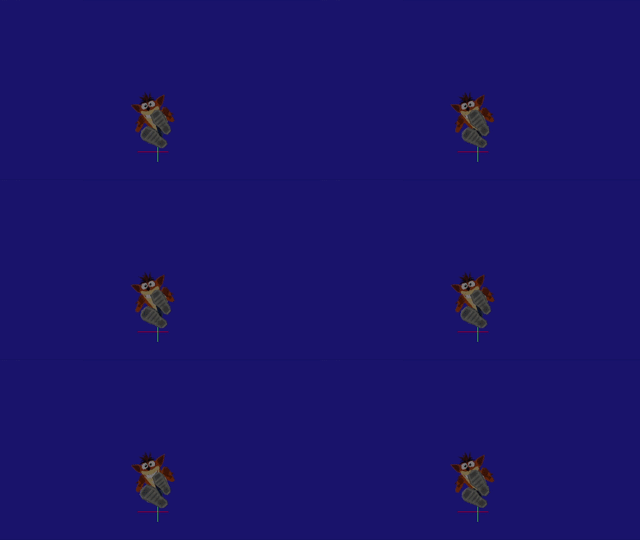
This script seems to be the script seen in action in the February 2004 prototype of the game. It has two sections that the game can read depending of the situation. The first one includes idle and run animations, with player input code and a fadeout screen command. The second one launches Crash towards a specific spot (the game will default to the coordinates' origin if there's no reference) with a slowed-down playback version of the slide-jump animation. Altogether, this matches the battleship's jump scene logic of the old builds. This script is always tied to the Crash object itself and is not found within the High Seas Hi-Jinks level.
Tikimon Intro Skip for Crash#
Script: |
COM_CRASH_TIKIMON_APPEAR_SKIP |
ID 4318, 4319 |
|---|
This script is empty, probably due to the fact that Crash is already in the right spot before being able to skip the cutscene. Once again, this script is bounded to the main Crash object package, not the Tikimon one.
Cortex#
Tikimon Intro Skip for Cortex#
Script: |
COM_CORTEX_TIKIMON_APPEAR_SKIP |
ID 4322, 4323 |
|---|
The Cortex object also has a Tikimon skip script counterpart. It features commands to set the object, set his flags and, strangely, set his hit points to 1 instead of usual 2.
Unused CoCortex Idle#
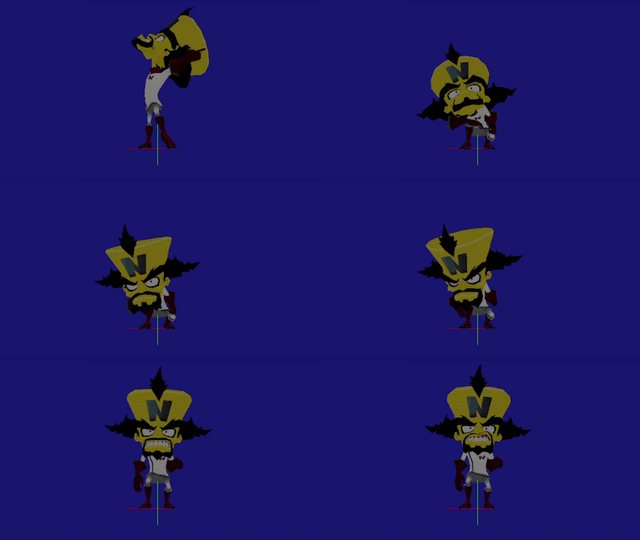



The pose shown here (ID 1594) almost matches the pose of the reveal animation when the pre-fight cutscene begins, pointing to a possible scrapped extended scene or a different idle animation to display in the field before triggering the cutscene.

Demo Pre-Fight Cutscene Leftover#
The demo animations are still included in the boss fight arena, both the transition one (ID 1184) and the talking one (ID 1185).
Unused Plasma Blast Reaction#
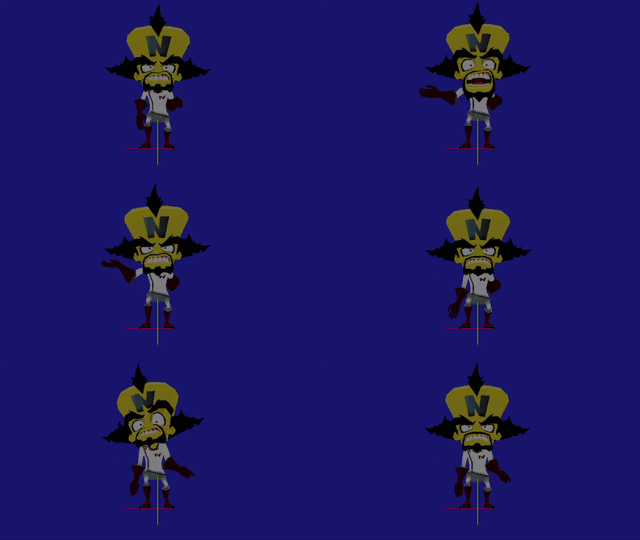
As seen in older builds, Cortex was going to react to the returning plasma blast (ID 1170). In the final game, he just continues his current animation.

Unused Hoverboard Tilting#

There are variants of tilted poses on the hoverboard. He has one for going left (ID 936), going right (ID 935), going forwards (ID 937), and going backwards (ID 938). Cortex was going to be a standalone boss before him and Mecha fights were split up, so it's possible that he had different behaviours where these animations were used.
Nina#
Unused Slam Attack#
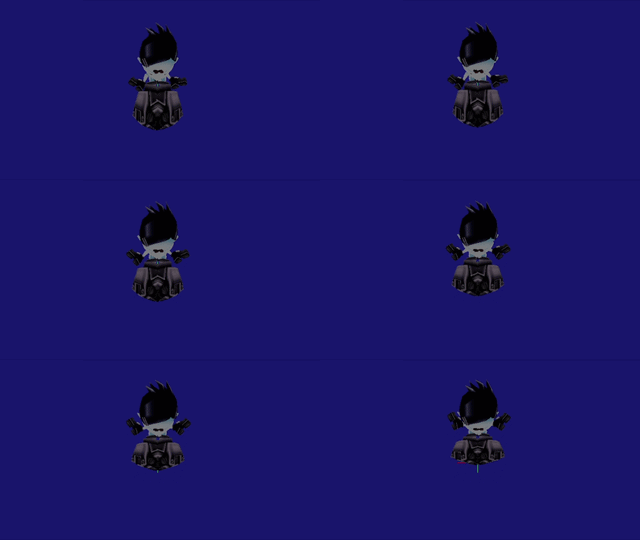
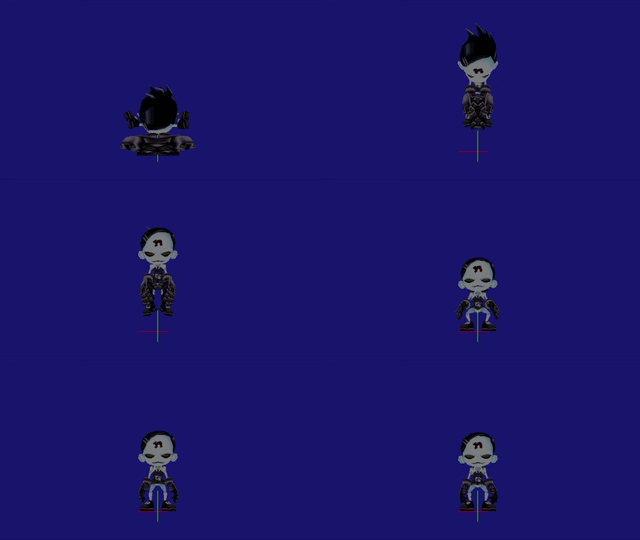
Nina used to feature an attack equivalent of Crash's bodyslam. No special scripts exist, meaning that she would have used the generic "knee drop" character scripts found across all playable entities in the game.

Unused Slash Attack#
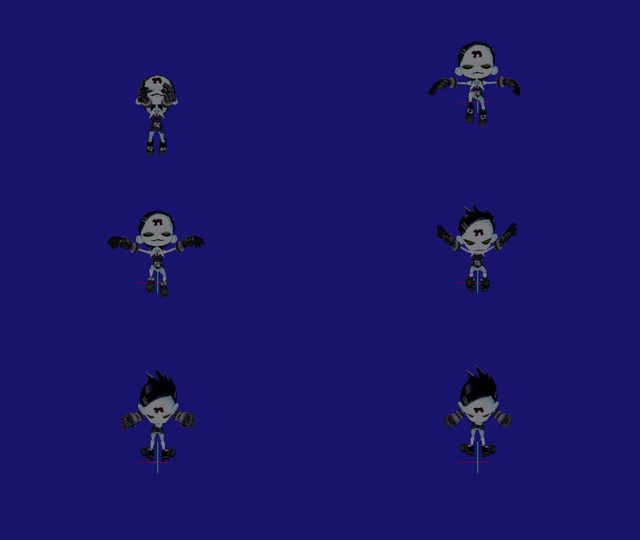
Nina also used to have an attack equivalent of Crash's slide attack. Again, no special scripts exist, meaning that she would have used the generic "knee slide" character scripts found across all playable entities in the game.


Unused Spin Recovery#
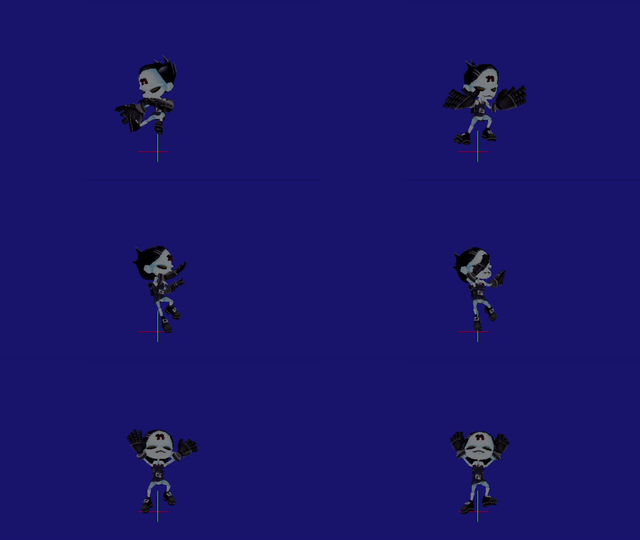
Nina actually features animations for a spin cooldown, both grounded (ID 1259) and in the air (ID 1258). In the game, she just reverts back to her idle animation after spinning.
Coco#
There's an unused character slot (ID 2) across all playable entities in the game. Coco was planned to be a playable character for at least one level, known as Security Insanity. According to a design document, she was planned to have a Spin Kick (possibly like TWoC), a Spin Chop (Crash's equivalent to the Super Punch), a Forward Flipkick (slide-like move), Kung-Fu poses and a Electro Slam.
The last two have remnants of it in the game. The rat enemies have a script to detect and react to kung-fu attacks, and one of the particles are named after the last attack, COCO_ELECTRO1, which is a pink light flash when spawned.
The game actually allocates a different texture for the life icon in the HUD if an existing playable character is set to have the Coco character ID slot. Even though the texture shown is a placeholder of Crash's mug, a Coco life icon was officially created (not found in-game).
The Game Over screen will show one of the loading screens instead.
Mecha-Bandicoot#
Shortened Taunt#
The playable character version has an animation that depicts him seemingly getting his weapons ready. This animation starts from his idle pose and gets cut off with no transition back to idle or without another separate animation present that can follow it. It's very similar to the taunt done by the Mecha-Bandicoot boss, so this could have been used as a taunt animation if Crash was to die in that first boss battle.
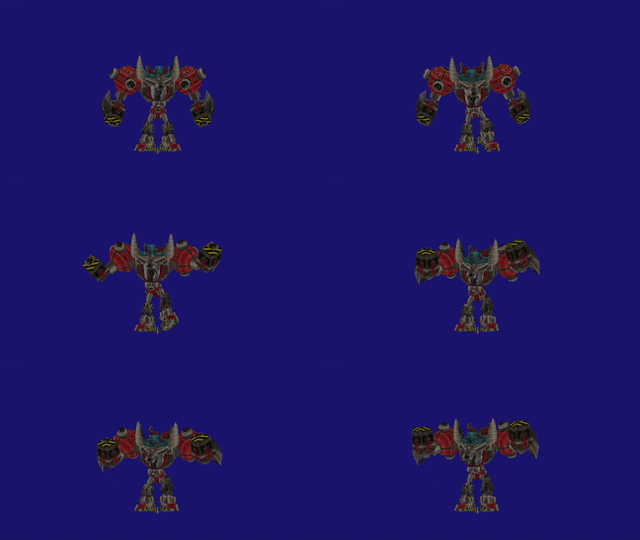
Chainsaw Attack Move#
This animation (ID 1332) is different from the one used in the ending cutscene of the final boss (ID 1649) and the first boss chainsaw attack (ID 961). It was meant to be used as an actual attack for the playable Mecha-Bandicoot by pressing the crouch button, as seen in older versions.
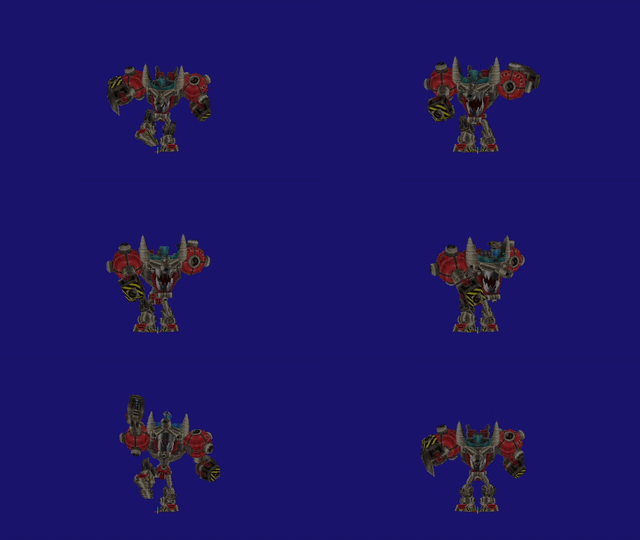
Floating Moveset#
There are animations for Mecha-Bandicoot firing while floating (ID 1641) and simply floating (ID 1642), which is different from the floating seen in the first boss fight (ID 601). These animations are mysteriously included in slots for unreachable scenarios. For instance, the drowning/explosion/burnt/angel deaths are all occupied by the firing while floating animation, whereas the strafing animation slots are filled with the floating one.

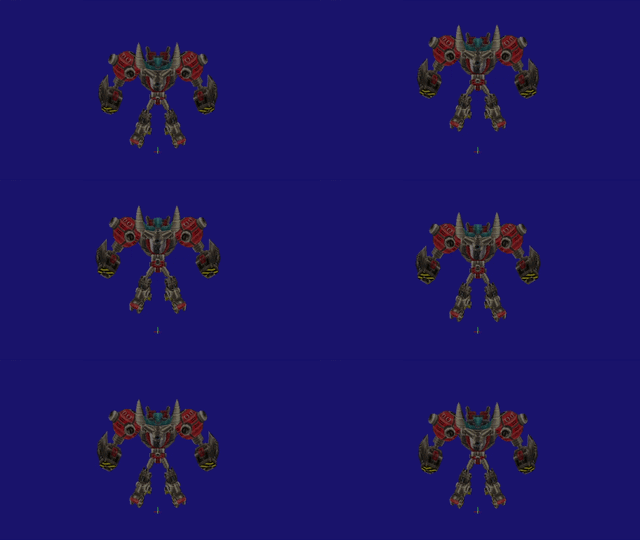
Mecha-Bandicoot was going to be featured in a level called Ocean Commotion/Mecha Madness, where he would travel across the ocean destroying structures. It is likely that these animations were going to be used for that level and used here as placeholders to fill the blank slots.
Strangely, Mecha-Bandicoot did have strafing animations already allocated in those strafing slots in older versions.
Tikimon#
Unused Fireball Attack#
Object: |
TIKI_MON_FIREBALL |
ID 686 |
|---|---|---|
Script: |
COM_TIKI_MON_FIREBALL_DEFAULT |
ID 4212, 4213 |
This is one of the attacks the developers were testing that can be found inside a hidden fireball object. The model of a TNT is present with fiery particles, tracking the player's position. The fireball causes damage, both the explosion and the particle residue.
Different Animation Sequences#
The Tikimon object has a handful of unseen moves that suggest different animation patterns.
Firstly, a grabbing animation (ID 1033) that seems to be an early attack if the player was to get too close to the boss.
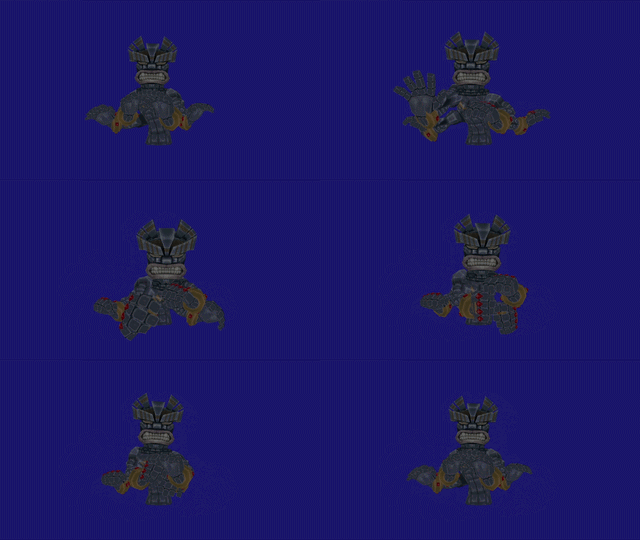
Watch on YouTubeAn animation for an arm shuffle move exists, both the transition from idle (ID 1054) and the main move itself (ID 1053). In the final game, the Tikimon does not play an animation when turning to face the player after an attack, suggesting that this move might have been used here. However, there's no animation for him to turn counter-clockwise, possibly explaning why it got unused (which, coincidentally, there's a gap of two animations slots after these, so it's possible they existed at some point).
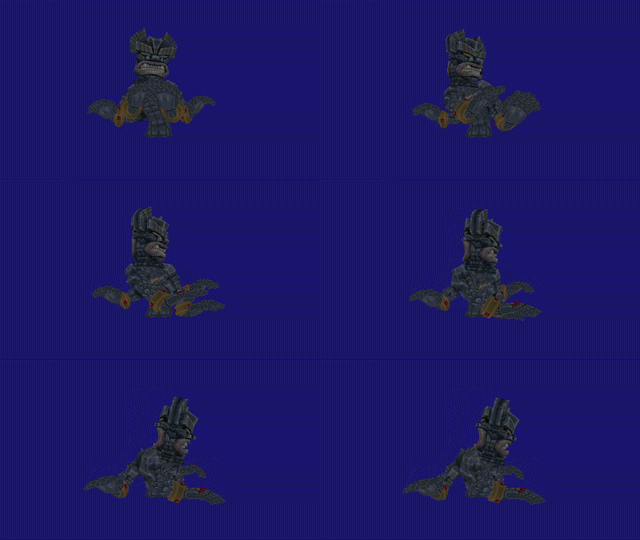

There is another animation (ID 1034) that was shown in early footage of the game that depicts the Tikimon turning his head around. It seems that he used to shift faces to change attacks patterns (hence the circular piece design in his neck) instead of crudely transition to the attacks that has his face already shifted (the Minimon summon attack). This attack seems to be the predecessor of the vulnerable state of the boss, as the choking animation begins with the same first frame than the last frame of this unused animation.
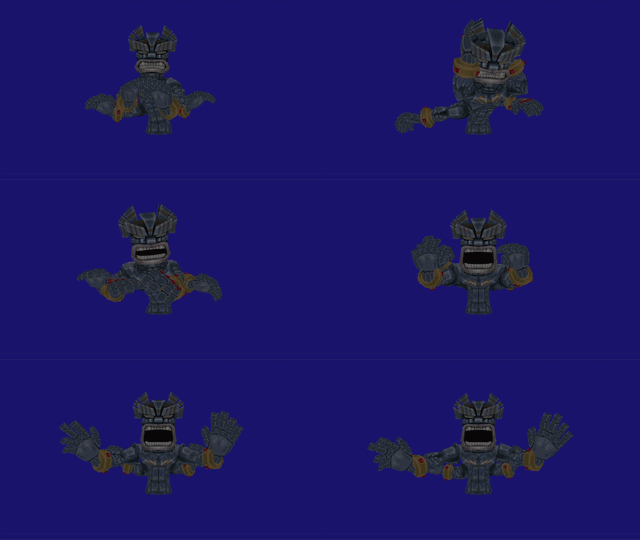
Following from the previous one, there is a roar animation (ID 1045) that precisely continues from the "shifting face" animation, too. This seems to be the alternative outcome if the player was to not damage the Tikimon, returning to his idle animation. That follow-up idle animation has his face still shifted, suggesting that a batch of open-mouthed variants of existing animations might have been created.

Lastly, there's something concerning an animation that's actually used in the battle. The animation when the boss summons its minions also has its face already shifted instead of using the main face with its mouth closed. The first frames of this move, once again, match the ending frames of the supposed old vulnerable animation (ID 1034). This could mean that this animation originally was an attack that the boss would have used if the player didn't interact with him, and was later repurposed as the current vulnerable animation (the "attack" might have been the fireball one or the Minimon summon one).
Uka Uka#
Ice Cage Move#
Object: |
UKA_ICE_MONSTER_ICE_CAGE_SECTION |
ID 696 |
|---|---|---|
Scripts: |
COM_UKA_ICE_MONSTER_ATTACK_ICECAGE |
ID 4332, 4333 |
COM_UKA_ICE_MONSTER_ICE_CAGE_SECTION_DEFAULT |
ID 4282, 4283 |
|
COM_UKA_ICE_MONSTER_ICE_CAGE_SECTION_DAMAGED |
ID 4358, 4359 |
There used to be an attack to enclose the player in a cage made of eight pieces of an unused ice cage object, using the already-seen summoning animation. The default behaviour of this object just generates the individual object. If one ice cage part is body-slammed, they will shake; if it's spun, some will outright break, but some may shake and eventually break upon more hits. The objects are set to despawn after a few seconds, but they will remain in the field if they're previously hit but not entirely destroyed.
Ice Cover Move#
Object: |
UKA_ICE_MONSTER_ICE_COVER |
ID 715 |
|---|---|---|
Script: |
UKA_ICE_MONSTER_ICE_COVER_DEFAULT |
ID 4384, 4385 |
Uka Uka uses COM_UKA_ICE_MONSTER_ATTACK_ICE_BEAM (ID 4386, 4387) in the second and third phases of the fight; this script is not unused. However, the implementation of this attack in the game was likely unfinished, due to the behaviour displayed by Uka Uka in the field versus the name suggested by the script.
The game does not show any "ice beam" action from the boss: when Uka Uka jumps to the center, it just plays the aforementioned summoning animation. Alongside this, the game will randomly pick two of the six air vents, to then make Uka Uka rotate and face those spots.
It is highly likely that he was going to use his powers to freeze the top of the air vents, using this unused ice cover object; the idea being that the frozen vents could no longer throw fire and damage the boss (no logic for that exists). The default behaviour will set the object, and that script sets the object to be destroyed only if the player does a body slam.
Unused Stunned State#
Script: |
COM_UKA_ICE_MONSTER_STUNNED |
ID 4468, 4469 |
|---|


An unused recoil animation (ID 1124) plays before another unused guard animation (ID 1123) plays. As the name suggests, it was used as a stunned action by Uka when the player could spin back the snowballs at him, as seen in the July prototype.
Unused Walking Cycle#
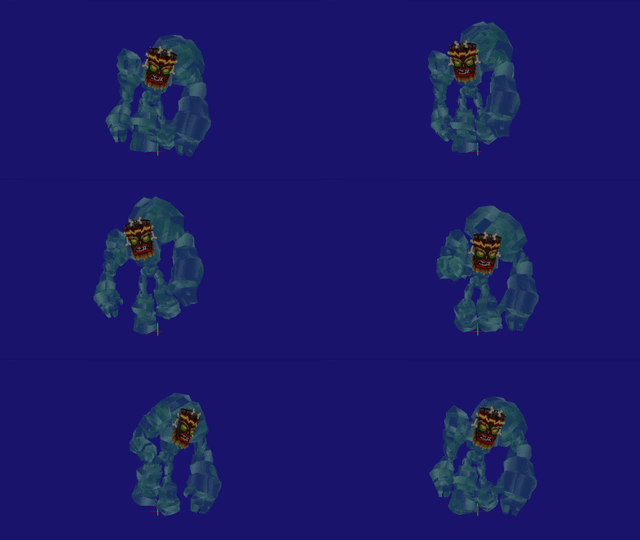
There's an animation (ID 1121) depicting Uka Uka walking in a hunched manner, different from the walking cycle he normally uses.
Henchmania#
Unused Brio Monster Phase 2#
Scripts: |
COM_N_BRIO_MONSTER_PHASE_2 |
ID 4522, 4523 |
|---|---|---|
COM_N_BRIO_MONSTER_ICE_SLAM |
ID 4524, 4525 |
|
COM_N_BRIO_MONSTER_ICE_FEED |
ID 4612, 4613 |
|
COM_N_BRIO_MONSTER_LAND_ON_EDGE |
ID 4992, 4993 |
As seen in old builds, the Brio Monster was going to have a follow-up phase after the bouncing sequence. After diving, the boss would have emerged and tilted the ice floe, with TNT crates falling down the sky. In order to advance, the TNTs would have been used to explode them to hit him, to then move on to the N. Tropy phase. (Note: Animations 1100 and 1101 are used in the ending cutscene of the battle).
If the PHASE_2 script is set as is from the main fight script, it will trigger the ICE_SLAM script. He will appear from below the sea and then land on one of the sides of the platform (ID 1100). He will stay put afterwards.

If the units of the scripts are re-routed, the boss will play a roar animation (ID 1101). (The floor tilting and the TNTs appearing are shown by hacking to simulate the fight using the actual code; more info on these objects below).

Re-routing the script more reveals an interaction with Brio and the crates, where if they collide, the boss will do a munching animation (ID 1109). If the TNTs explode, the boss will play a damaged animation (ID 1104).
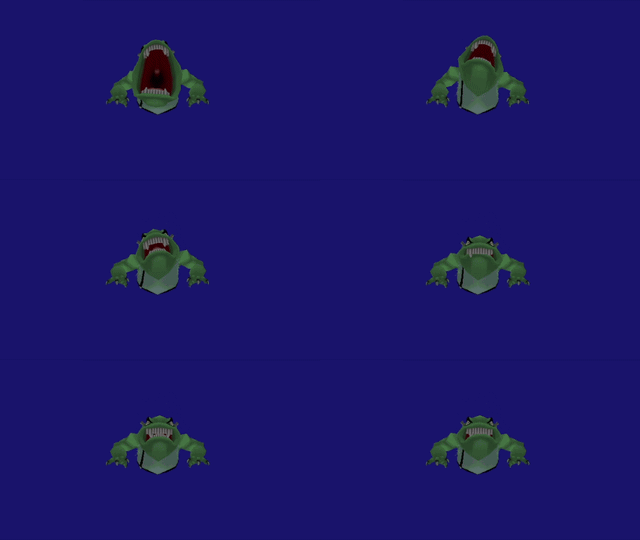
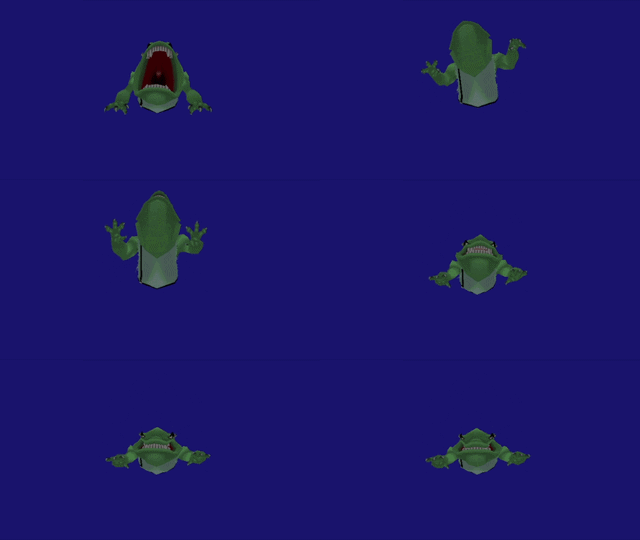
There is also a crawling move while still grounded (ID 1120). This move could have been used in a harder phase using the same tilting ice floe mechanic, or there was a plan for Brio to crawl his way up the platform if the player didn't damage him on time.

An animation for returning to the ocean after being damaged exists (ID 1106).
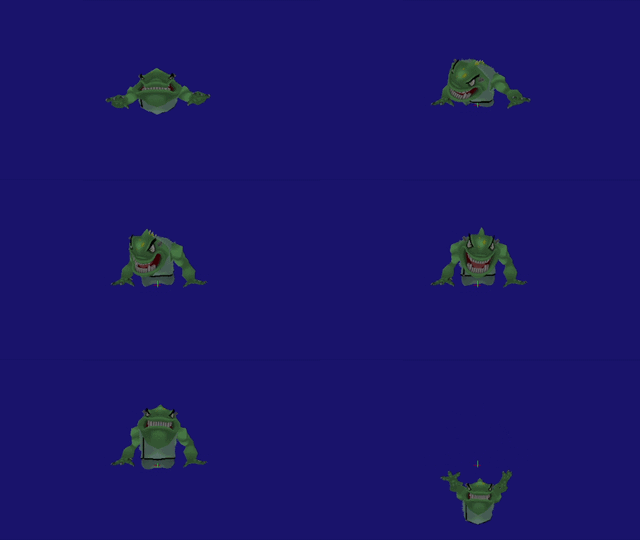
An animation of landing on the ice floe after emerging exists (ID 1107).

Tilting Ice Floe#
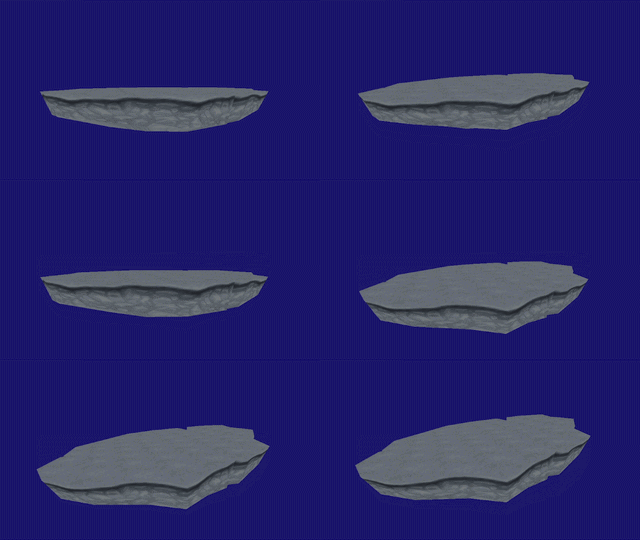
As part of the unused Brio Monster phase, the ice floe was meant to be tilted. No other animations for coming back to its regular position exist. This animation is actually used in the ending cutscene of the fight where Crash gets flung away.
Unused Rigid TNT Crate#
Object: |
TNTCRATERIGID |
ID 755 |
|---|---|---|
Scripts: |
COM_TNTCRATERIGID_DEFAULT |
ID 4580, 4581 |
COM_TNTRIGID_DEACTIVATED |
ID 4608, 4609 |
|
COM_TNTCRATERIGID_ACTIVATED |
ID 5028, 5029 |
As part of the old phase, unique TNTs with integrated physics were designed to spawn above when the boss tilted the arena.
TNTCRATERIGID_DEFAULT sets the object with "rigid" behaviour physics.
TNTRIGID_DEACTIVATED simply destroys the objects and generates particles, with no sounds.
TNTCRATERIGID_ACTIVATED triggers the actual TNT countdown and explosion logic to the crate, while changing velocity values.
Unused Henchmania Polar#
Object: |
HENCHMANIA_POLARBEAR |
ID 845 |
|---|---|---|
Scripts: |
COM_HENCHMANIA_POLARBEAR_DEFAULT |
ID 4996, 4997 |
COM_HENCHMANIA_POLARBEAR_DESTROY |
ID 4998, 4999 |
This mysterious object of Polar exists in the battlefield. The HENCHMANIA_POLARBEAR_DEFAULT sets the object as a rigid entity, just like the previous object. It also has code to do an animation (ID 1119) seemingly slipping off the ground. HENCHMANIA_POLARBEAR_DESTROY makes the object disappear with the particles of flying feathers seen in the chicken objects.

Both the TNT and the Polar objects have an argument receiver for their "destroy" scripts, with the same value. Also, an unused trigger area can be found below the ocean that would trigger those scripts if they were to overlap. It's likely that Polar was going to spawn just like the TNTs for the monster to potentially eat, as some kind of gag.
N. Tropy Vulnerable Recovery#
Watch on YouTubeThis recovery animation (ID 1116) is present in the game files along with a slot for this animation to be placed. However, that slot is occupied by the spawn animation, i.e. he T-poses. That's why in-game he has no proper animation when recovering, despite the fact that an animation for this scenario was created.
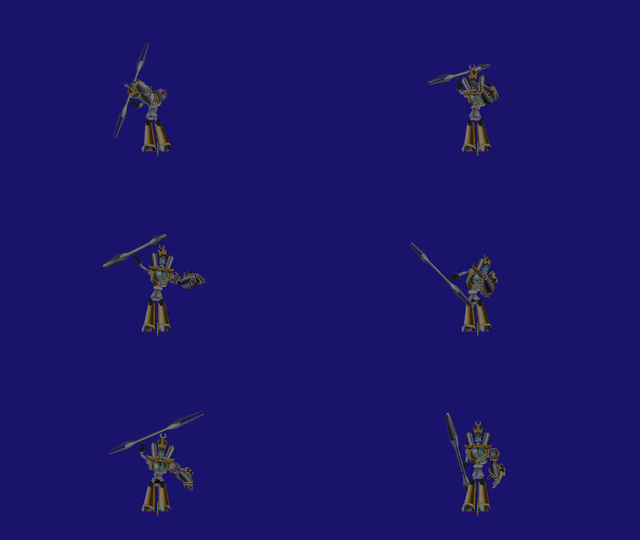
N. Tropy Rod Slam#
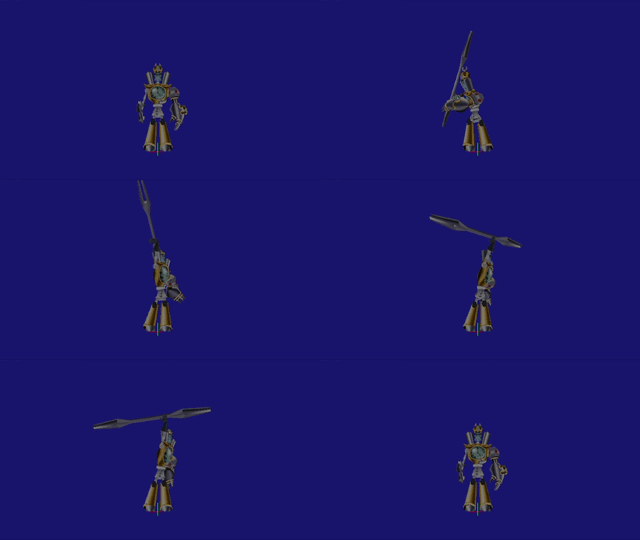
N. Tropy hits the ground in a more powerful manner. This animation (ID 1112) is presumed to either be a animation for when he'd make the first strike on the floor and break the ice platform, or was part of an old attack seen in storyboards where he would create radial waves of energy as part of a harder phase.
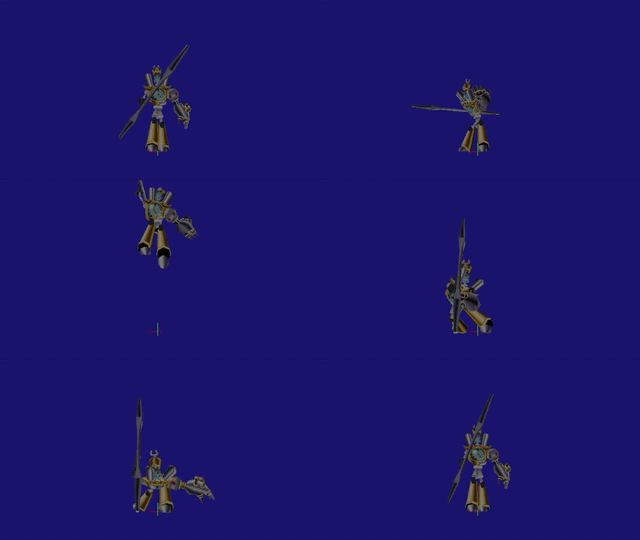
N. Tropy Jumping#
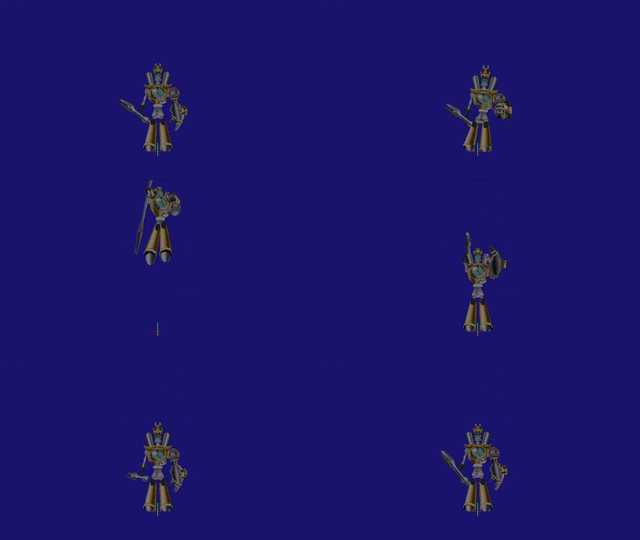
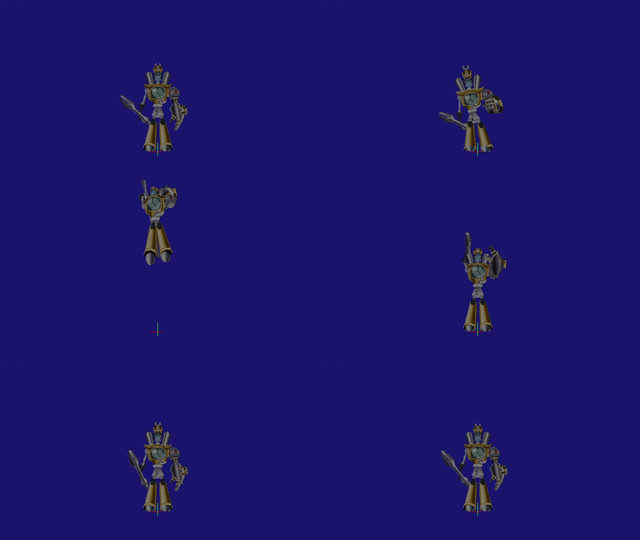
Animations for jumping to the left and right (ID 1114 and 1115) exist. Even though no code is found, one could speculate that he would jump across the ice platforms a la Tiny Tiger from Crash 2, chasing the player. A different taunt animation (ID 1118) also exists that may have played after hitting Crash, either by colliding with him or using the standard rod attack.
Dingodile#
Quadshoot Fire Projectile#
Script: |
COM_DINGODILE_BOMBARD_QUADSHOT |
ID 6853 |
|---|
This attack is found in the main projectile bombardment script used in the first and last rounds of the fight. When triggered alone, it will use the already-seen shooting animation four times, tracking the player's position. An animation for shooting four times (ID 1320) can be found in the single shots script, presumed to be meant for this unused attack.
Different Attack Pattern#


There are animations suggesting a different kind of boss fight planned for Dingodile in very early stages, as it contains a generic damaged animation (ID 586), a different kind of close-up fire spread attack (ID 589) and some kind of distant fire projectile attack (ID 590).
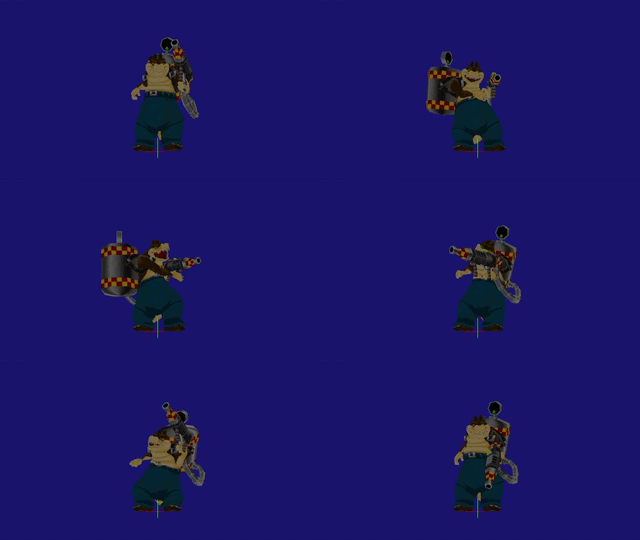

Judging by the IDs, the run (ID 588), walk (ID 591), and idle animations (ID 587) were created at the same time as these unused ones, whereas the attack patterns seen in-game are separated by +600 ID slots. There is also a clear gap between the Dingodile object itself and the objects used in the fight, suggesting a different pattern logic for Dingodile, as if he was a free-roaming entity more than a stationary one.
Madame Amberley#
Amberley Wheel Attachment#
Object: |
MAM_WHEEL |
ID 443 |
|---|---|---|
Script: |
COM_MAM_WHEEL_DEFAULT |
ID 2474, 2475 |
The strings that are attached to Amberley are always connected to an invisible object called MAM_SHUTTLE (ID 442). It is presumed that the MAM_WHEEL object would have connected these strings instead, or that these wheels were once part of old decoration for the strings. The script itself technically gets read, but it is re-routed to a dead end; if changed, they actually spawn in three different locations in the shuttle object with weird rotations applied.
Evil Twins#
Phase 1 Idle Animations#
The final boss' round 1 model has idle animations for looking left (ID 1398) and looking right (ID 1399). It never idles even when it stops moving, as it was changed in favor of a constant head tracking mechanism. However, it does do an idle animation looking straight for a few moments when the fight begins (ID 1397).
Phase 1 Turning Around#
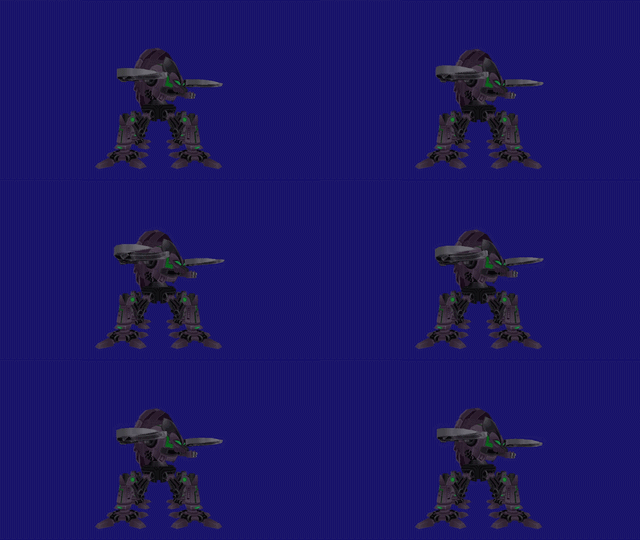

The deathbot was meant to turn around 90 degrees, both to the left (ID 1385) and to the right (ID 1386). In the final game, it just goes straight to walking if in need to change direction.
Phase 1 + 2 Upper Part Rotations#

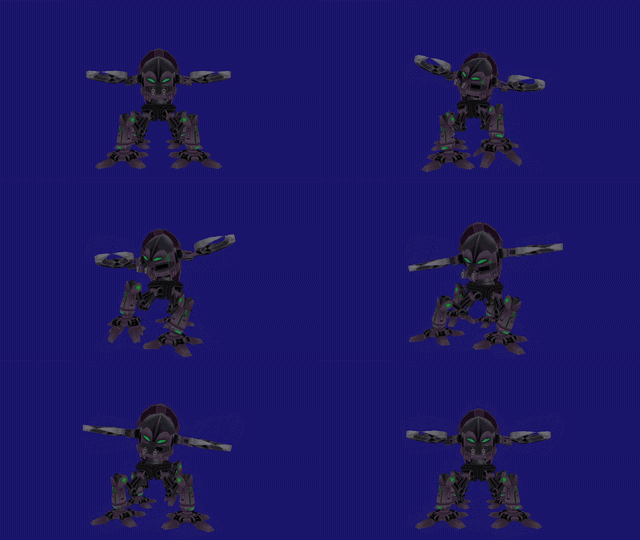
Both round 1 and round 2 models have animations depicting the boss rotating its upper section. Once again, because that part ended up always tracking the player's position, these went unused. Phase 1 has both for rotating left (ID 1392) and right (ID 1391), but strangely, phase 2 only has the left rotating animation included (ID 1411).
Phase 2 Fire Guns#
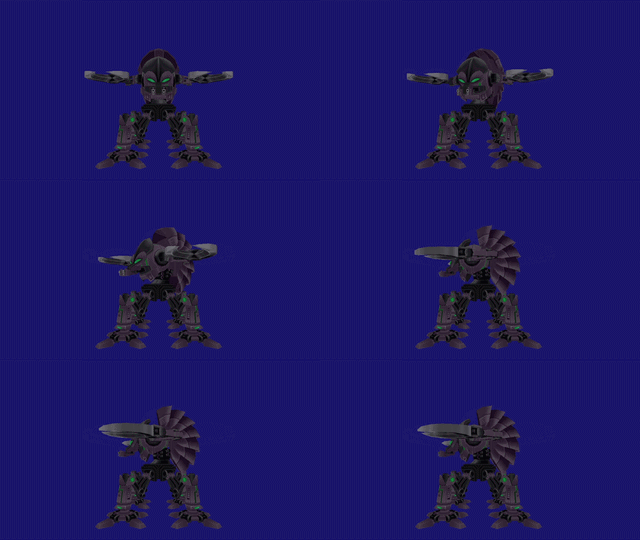
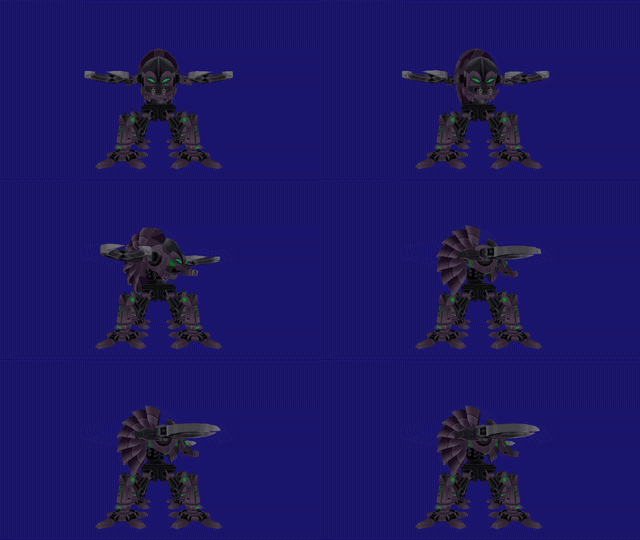
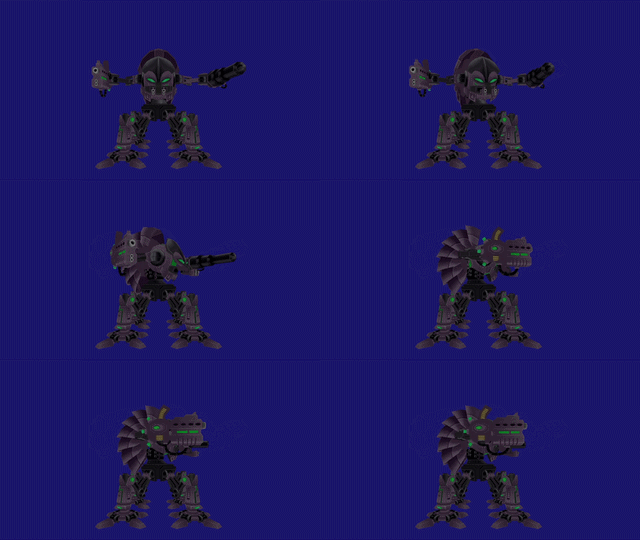
There are animations for firing the bullet gun (ID 1418) and the beam gun (ID 1419). In the game, it just stays put when firing.


Different Phase 3 Moveset#
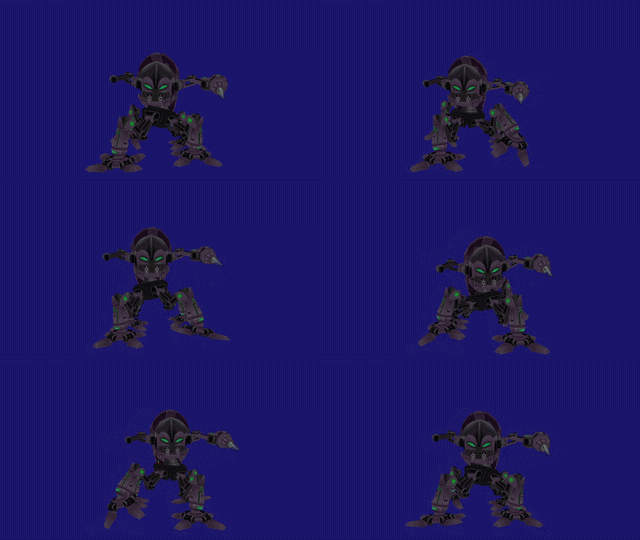

The third phase model has a walking animation (ID 1644) and a different take on its weapon attack (ID 1429), where he doesn't recoil back before attacking and it's not a three-part animation sequence, unlike the actual final version.
Old Phase 3 Shield#
Scripts: |
COM_ENDBOSS_ENERGY_SHIELD_ACTIVATED |
ID 6160, 6161 |
|---|---|---|
COM_ENDBOSS_ENERGY_SHIELD_DEACTIVATED |
ID 6162, 6163 |
|
Object: |
ENDBOSS_ENERGY_SHIELD |
ID 1023 |
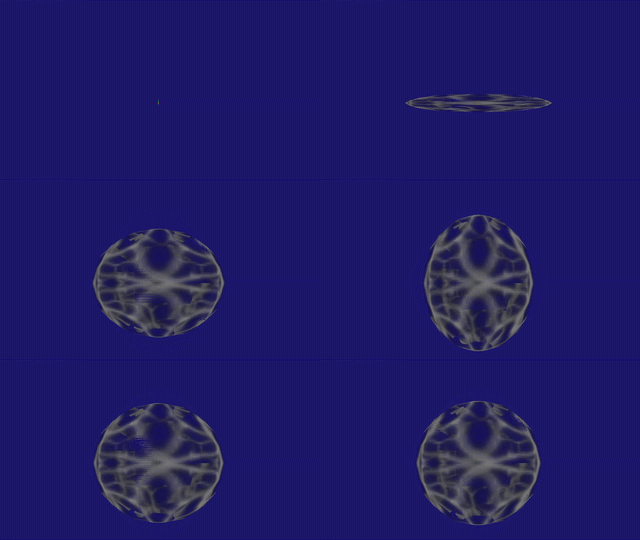
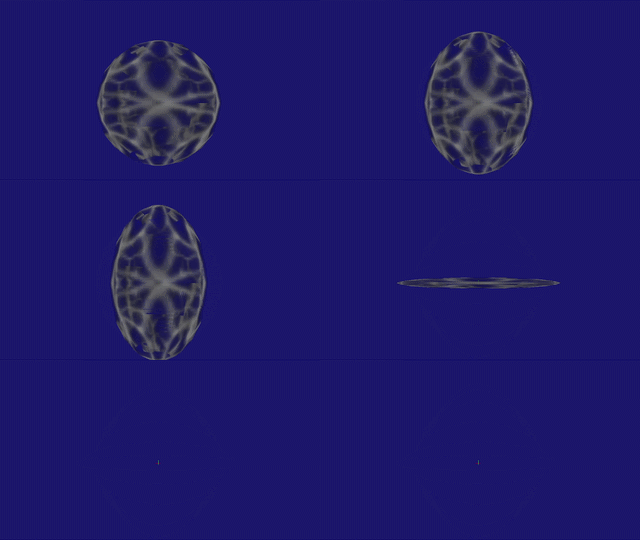
As seen in old builds, before the rotating shield was implemented, there used to be a spherical variant where it would just activate (ID 1472) and then deactivate (ID 1473). Note that these animations have been borrowed from the Henchmania boss fight and are not really unused, as the N. Tropy shield uses the very same ones.
General Entities#
Punch Attack Detection#
Script: |
COM_GENERIC_CREATURE_DAMAGED_PUNCH |
ID 1796, 1797 |
|---|
Along with the punch move itself, the detection for the attack goes unused. This script can be found in enemies with the COM_GENERIC_CREATURE_HIT_RADIUS script in their respective damage script slots. As seen in the demo, particles appear and the entity launches forward.
Kung-Fu Attack Detection#
Scripts: |
COM_GLOBAL_RAT_DEATH |
ID 1630, 1631 |
|---|---|---|
COM_GENERIC_CREATURE_DEATH_KUNGFU |
ID 1242, 1243 |
The rats in Cavern Catastrophe and Academy of Evil have a unique type of death script created specificly for them that go unused, along with a Kung-Fu attack detection set by default inside of it. The first script has particles and changes flags to the object, and the latter script has the logic to launch the entity and apply wobble effects to it.
Super Attack Detection#
Script: |
COM_SUPER_GENERIC_CREATURE_DIE |
ID 2697 |
|---|
Found only within the unused free-roaming Frogenstein's scripts, it seems that the developers planned a special script for "super" moves.
Dizzy Worm State#
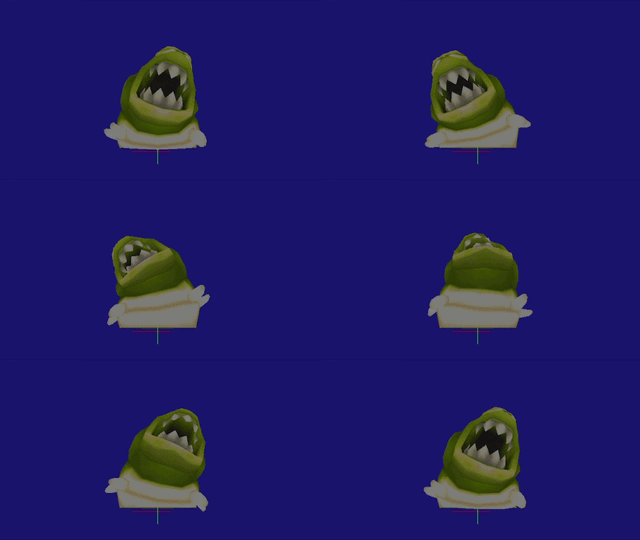
A dizzy animation (ID 533) found without any direct link to it in their scripts.
Unused Monkey Behaviours#
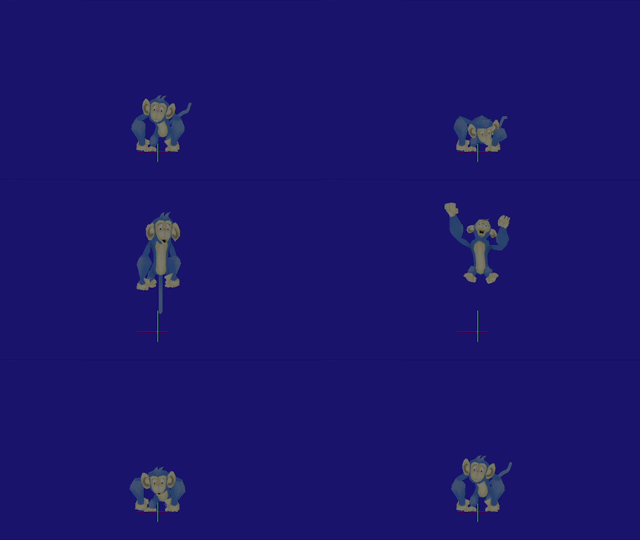
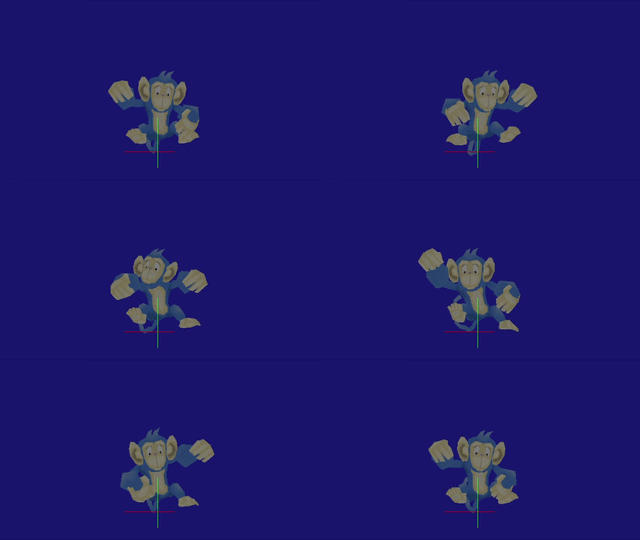
There's a different take on the monkey damage animation (ID 655), possibly as a part of an old hit point system where the player couldn't defeat it in one hit. The punched pose animation is also contained (ID 1191).
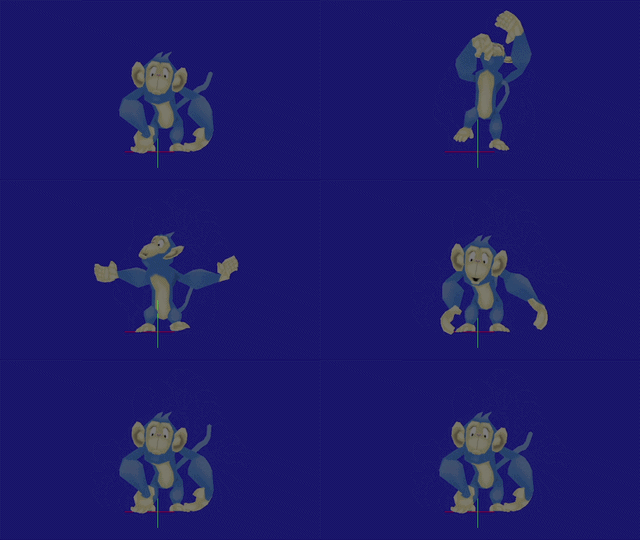

As part of the old attack logic seen in older builds, the attack animation (ID 1199) still exists.
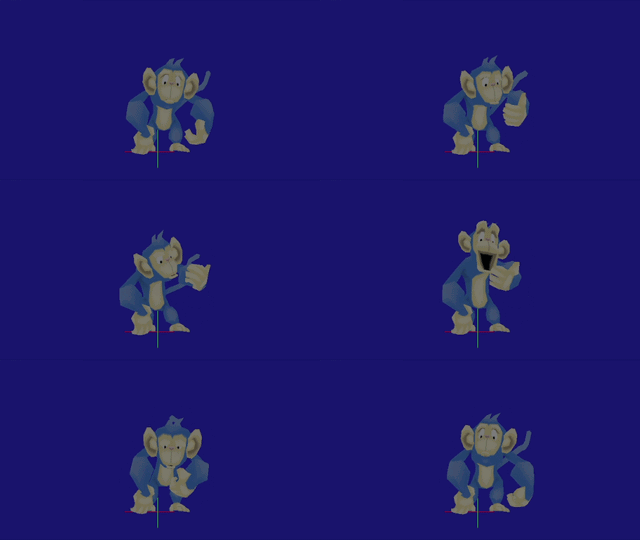
An animation depicting the monkey seemingly harvesting the Wumpa from the tree (ID 690), where it may have gotten the fruit without shaking it like in the final game.
Watch on YouTubeRight besides the Wumpa throwing animation, there is an eating one (ID 702) inside the monkey's "ecology" script. The code is fully functional and, due to a flaw in the code, it never gets to do it.
Unused Eaten Wumpa Tree Behaviour#
Script: |
COM_WUMPA_TREE_EATEN |
ID 4258, 4259 |
|---|
Confirmed by a developer, the greedy worms were going to eat the Wumpa trees from below. The script makes the tree descend 10 units, then it warps it back up and restarts its default behaviour.
Unused Seagull-Crab Interaction#
Script: |
COM_GLOBAL_SEAGULL_ATTACK_CRAB |
ID 1630, 1631 |
|---|
The seagulls used to have a behaviour to chase down and attack the crabs. It was probably removed due to the fact that crabs are never seen wandering around the map unless Crash gets close to its spawn spots. This code doesn't ever trigger on its own even if crabs are roaming around.
Piranha Plant Spitball Attack#
Object: |
PIRANHAPLANT_SPITBALL |
ID 307 |
|---|---|---|
Scripts: |
COM_PIRANHAPLANT_SPITBALL_DEFAULT |
ID 1198, 1199 |
COM_PIRANHAPLANT_SHOOTSPITBALL |
ID 1570, 1571 |
|
COM_PIRANHAPLANT_SPITBALL_DAMAGED |
ID 1572, 1573 |
This object is included inside the main Piranha Plant behaviour as a subtype of the object. It will launch a spitball with a trail of particles when the player gets close enough that can damage the player on contact. If attacked, it launches upwards; if hit again after falling, it'll launch towards the piranha plant, killing it. If the spitball gets hit with Damage areas (like using the super punch), it will immediately launch towards the plant with just one hit.
Unused Spear Variant#
Object: |
NATIVE_CENTERED_SPEAR |
ID 614 |
|---|---|---|
Scripts: |
COM_NATIVE_CENTERED_SPEAR_DEFAULT |
ID 3672, 3673 |
COM_NATIVE_CENTERED_SPEAR_LAUNCH |
ID 3984, 3985 |
This object is attached to the TRIBESMAN_B objects used in the Totem Hokum river section. This tribesmen type is only used to sit on the whirlpool boats. When dropped by the entity, it will try to align itself to the Y axis.
Rhino Cutlass Attack#
Object: |
RHINO_PIRATE_CUTLASS |
ID 470 |
|---|---|---|
Scripts: |
COM_RHINO_PIRATE_KNIFE_FIGHTER |
ID 2693 |
COM_RHINO_PIRATE_CUTLASS_DROPPED |
ID 2748, 2749 |
Inside the main Rhino Pirate script, there are variants of the entities we see in-game that go unused. This one includes an unused object as part of a knife fighter behaviour, where he swings the cutlass when close, and actually drops it upon defeating him.
Walrus Knife Attack#
Object: |
WALRUS_KNIFE |
ID 460 |
|---|---|---|
Script: |
COM_WALRUS_KNIFE_THROWN |
ID 2572, 2573 |
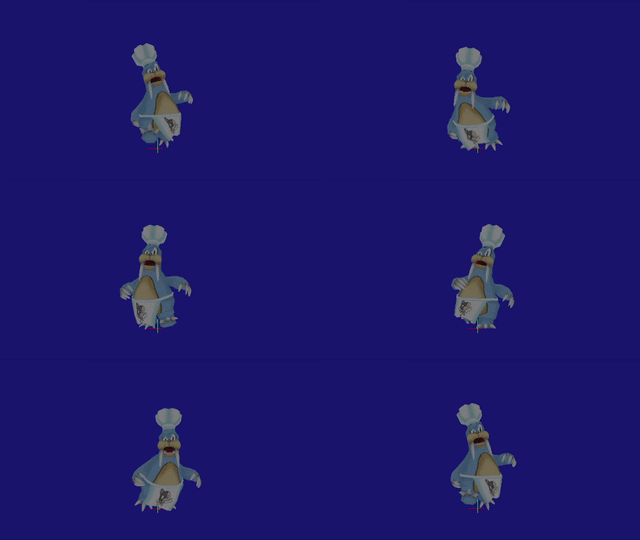
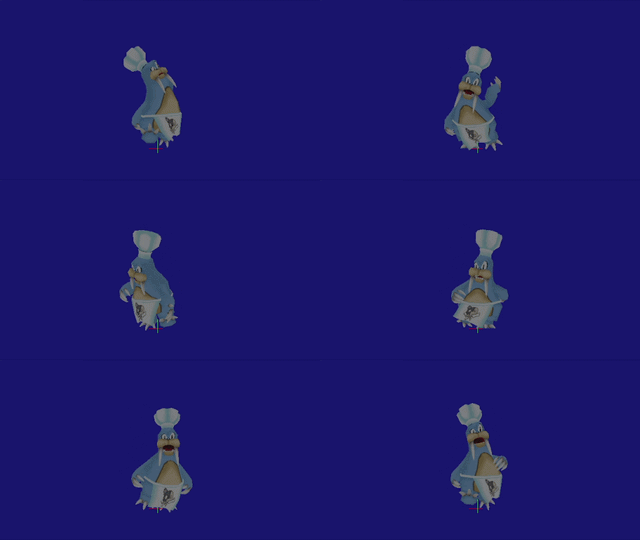
Rusty Walrus has an animation for running while holding a knife (ID 745) and throwing it while running (ID 747). When the script is activated anywhere, the knife will rapidly move towards a specific point (if no reference is set, the knife will go towards the coordinates' origin).
General Game Objects#
Breakable Nitro Switch Crate#
Object: |
BREAKABLENITROSWITCHCRATE |
ID 584 |
|---|---|---|
Scripts: |
COM_BREAKABLE_NITRO_SWITCH_CRATE_TRIGGER |
ID 3398, 3399 |
COM_BREAKABLE_NITRO_SWITCH_CRATE_LANDED_ON |
ID 3400, 3401 |
|
COM_BREAKABLE_NITRO_SWITCH_CRATE_HEADBUTTED |
ID 3402, 3403 |
This crate works similary to the detonator crate, where if it's linked to a crate, you can make it trigger after opening this unused crate.
Unused Classroom Chaos Minigame#
Script: |
COM_CORTEX_GAME_ACTION_MOVE_INVADERS |
ID 3398, 3399 |
|---|
In the final game, the game rooms only use the "PACMAN" mode in all three rooms. This script name indicates a pattern with movement similar to Space Invaders. However, the script is pretty much incomplete, and when played in-game, the creatures don't move due to the script having no moving logic whatsoever. Curiously, these classrooms have rat holes in the front and in the back of them, suggesting that these were the spawn and despawn spots for the entities in the INVADERS mode.
Invisible/Inaccessible Objects#
These objects are included somewhere on the field, but remain invisible or inaccesible by normal means.
Controllable Hoverboard#
Object: |
CORTEX_HOVERBOARD |
ID 396 |
|---|---|---|
Scripts: |
COM_ACTIVATE_HOVERBOARD |
ID 5472, 5473 |
COM_HOVERBOARD_HIT_RADIUS |
ID 5474, 5475 |
By going out of bounds, it is possible to activate a controllable hoverboard by landing on it, triggering its ACTIVATE script and setting the SetVehicleHoverboard gamemode. It is different from the one used in the boss fight, which is CORTEX_HOVER_BOARD (ID 595).
It is set to always move forwards. You can go higher if there's terrain below you by holding R1 or R2. You will always start going lower if there is no ground or these buttons are no longer pressed, however if you apply more pressure to the L1 or L2 buttons while the other ones are still being pressed, you will actually descend this way as well.
If you hit a wall at high speeds the camera will lock movement momentarily, but will still rotate to keep the player on-screen. The camera will behave the same after a few seconds. This was probably a premature death sequence for the hoverboard, where if you got it destroyed by smashing it, the camera would have followed your last moments before resetting you back in a checkpoint as you were falling.
If damaged by Damage areas, the HIT_RADIUS script triggers, making the object rigid and making it launch with particles. When a certain amount of time has passed, the object disappears with particles and sound effects.
Spinning Blade#
Objects: |
BLADE_POST |
ID 863 |
|---|---|---|
SPINNING_BLADE |
ID 864 |
|
Scripts: |
COM_BLADE_POST_DEFAULT |
ID 5114, 5115 |
COM_SPINNING_BLADE_DEFAULT |
ID 5120, 5121 |
Outside the second open area of the battleship, there's a spinning blade object floating in midair. If a BLADE_POST object is placed, it will read its DEFAULT script, spawning the SPINNING_BLADE object with its DEFAULT script.
You can actually set the blade post to spawn 1 to 3 blades at the same time. Moreover, you can freely choose which sections will be occupied.
There are actually 4 subtypes for the blades. Numbers 1, 3 and 4 are the same, whereas number 2 spins the other way around (while being able to spin or slide through them).
Academy Speller Students#
Objects: |
SCHOOL_SPELLER_A |
ID 935 |
|---|---|---|
SCHOOL_SPELLER_B |
ID 937 |
|
SCHOOL_SPELLER_C |
ID 938 |
|
Script: |
COM_SCHOOL_SPELLER_A_DEFAULT |
ID 5624, 5625 |
There are 4 objects along the hallways of the Crash section of the Classroom Chaos level, before the rising acid pool chase (1 in gpa01, 2 in gpa02, and 1 in gpa05). There used to be ambient sounds of kids spelling different words, along with other school-related dialogue. There were at least three versions of this object created, with only one type of script applied to these.
This script is actually read in-game, but it doesn't do anything due to the re-routing the developers did to the script. If modified, we can have two different versions of this script showing different takes on the voiceline logic that was tested.
The first route includes a system to shuffle between three different sound effects. Once it's completed, it is read back again. The sounds are influenced by the chunk's ambience, so they have echo effects. The number of sound slots match the three different audio versions of the same spelled word.
The second route takes an audio from the language voiceline folder and it's emitted from the focus object in a ranged manner, rather than a global playback. This would match the non-trimmed version of the individual voicelines found in one of the versions.
Unused Standalone Frogenstein Enemy#
Object: |
SCHOOL_FROGENSTEIN |
ID 451 |
|---|---|---|
Scripts: |
COM_SCHOOL_FROGENSTEIN_DEFAULT |
ID 2528, 2529 |
COM_SCHOOL_FROGENSTEIN_IDLE |
ID 2531 |
|
COM_SCHOOL_FROGENSTEIN_MOVE |
ID 2533 |
|
COM_SCHOOL_FROGENSTEIN_ATTACK |
ID 2535 |
|
COM_SCHOOL_FROGENSTEIN_DODGE |
ID 2537 |
|
COM_SCHOOL_FROGENSTEIN_WALK |
ID 2543 |
|
COM_SCHOOL_FROGENSTEIN_RUN |
ID 2545 |
|
COM_SCHOOL_FROGENSTEIN_DAMAGED |
ID 2553 |
|
COM_SCHOOL_FROGENSTEIN_HOP |
ID 2595 |
|
COM_SCHOOL_FROGENSTEIN_HOP_FAST |
ID 2595 |
|
COM_SCHOOL_FROGENSTEIN_FOLLOW_KEYS |
ID 2675 |
|
COM_SCHOOL_FROGENSTEIN_VERT_JUMP |
ID 2747 |
|
COM_SCHOOL_FROGENSTEIN_JUMP |
ID 2985 |
|
COM_SCHOOL_FROGENSTEIN_JUMP_ATTACK |
ID 3051 |
|
COM_SCHOOL_FROGENSTEIN_OPERATE |
ID 3051 |
|
COM_SCHOOL_FROGENSTEIN_PET |
ID 3421 |
|
COM_SCHOOL_FROGENSTEIN_IDLE_LOOK |
ID 3423 |
This creature is different from the one seen in the Cortex minigame rooms (Note: the model and jumping animation listed here is used there). This enemy exists inside the corridor of the second stealth section of Classroom Chaos. There's four of them that, even though they are deactivated by script on spawn, you can still trigger its damage script by bodyslamming.
Unlike other roaming-type creatures, this object has unique scripts named after the enemy itself. Some of the names are self-explanatory, though some context will be given to those who need it.
By re-routing its DEFAULT script, the OPERATE script can be activated to see this enemy in action. It will use the IDLE script first with its proper animation (ID 729), to then engage in the FOLLOW_KEYS script to move around; it will read the MOVE command simultaneously. Inside of it, it will randomly choose to WALK or RUN to the next key position, reading the HOP or HOP_FAST script respectively to play the bounce animation (ID 730). The game may choose to JUMP or VERT_JUMP if needed.


The game has a chance to trigger the IDLE_LOOK script, which makes the frog randomly look to the left (ID 731), to the right (ID 732) or do the aforementioned idle animation. Curiously, there's a different idle animation (ID 727) that doesn't get to play anywhere.



This object can behave differently depending of the subtype that is assigned. If no value is set, the creature will begin to ATTACK if the player is near the creature and finishes turning around to face its target. The game will make the Frogenstein RUN to the player's nearest AI position, to then JUMP_ATTACK to the player, with its corresponding jumping (ID 725) and landing (ID 726) animations.
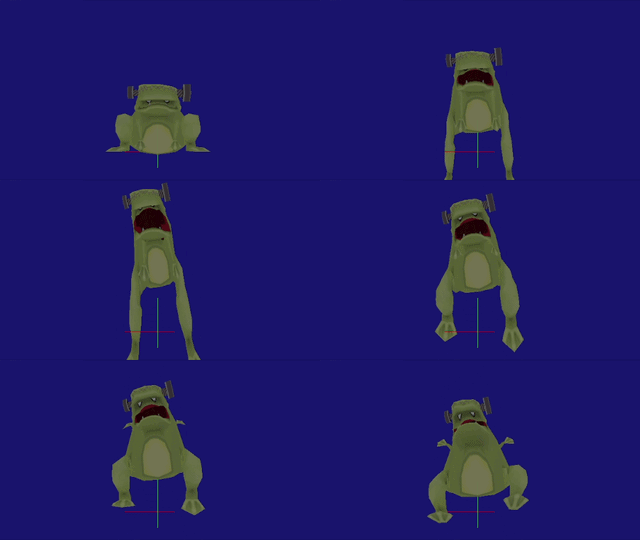

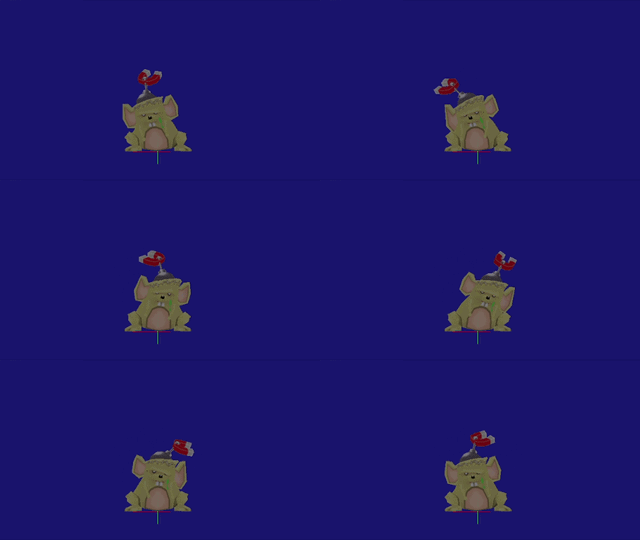


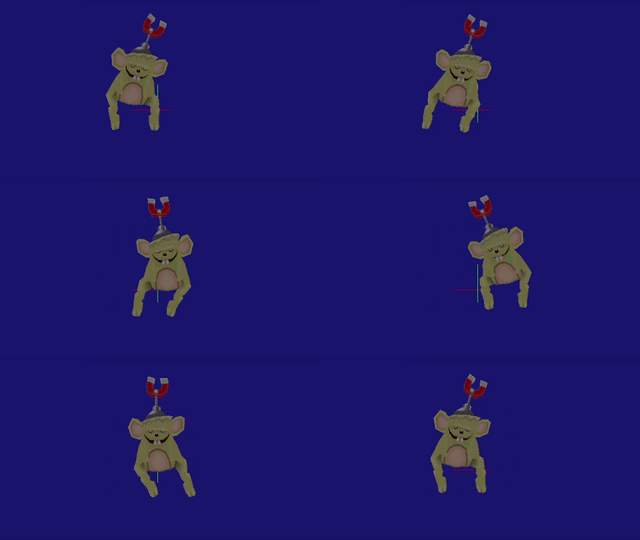
If hit, it will trigger the DAMAGED script, which will launch the object with an animation (ID 728), while also spinning it around. This animation isolated depicts the frog seemingly hanging from the ceiling by the magnetism between the screw on its head and something else, suggesting that this animation served a different purpose before. Another damage animation exists (ID 724) while being standstill that doesn't play anywhere.


Watch on YouTubeIt is possible to have this creature have multiple hits before killing it. If ultimately defeated, the COM_SUPER_GENERIC_CREATURE_DIE script will spawn the particles and make the object invisible; if it still has more hit points left, it will restart its default behaviour.
If subtype 1 is set, it will behave the same way with no notable differences; subtype 3 makes the frog roam around without caring about the player. Some animations don't play correctly in this state, but otherwise it's completely functional.
Subtype 4 doesn't seem to work as the game crashes upon loading. The route has the IDLE script and the PET script, which only includes code to move around with an unknown action that does nothing.
It also has the ability to DODGE an upcoming attack. It can detect either grounded attacks or Cortex's bullets.
Unused Free-Roaming Loboto Mouse#
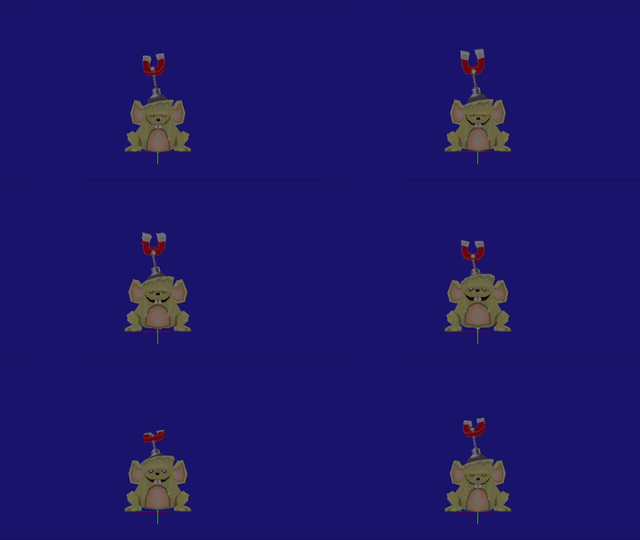

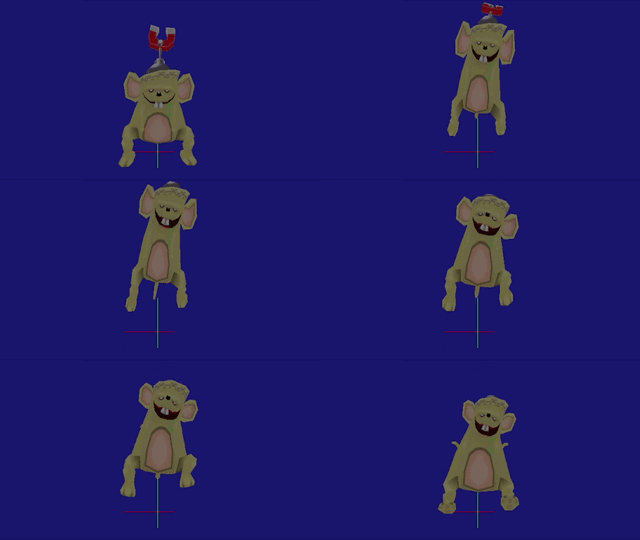

The Loboto Mouse found in the Cortex minigame sections contains a batch of animations similar to the Frogenstein's, albeit with no counterpart for the "damage while standstill" animation (ID 724). This points to this object being originally a standalone entity as well, or a possible re-skin of the Frogenstein.
Instant-Opening Lab Door#
Object: |
DOOR_CORTEX_LAB |
ID 648 |
|---|---|---|
Script: |
DOOR_CORTEX_LAB_DEFAULT_2 - COM_DOOR_CORTEX_LAB_DEFAULT |
ID 3948, 3941 |
This door does not support the streaming logic seen in the regular doors, where the doors have to wait for the game to load to finally open. This door opens instantly upon getting close, with no sounds. This door could be seen in early screenshots of the game in Iceberg Lab.