 This article has a talk page!
 TexturesSpace whales and explosions.
 ModelsThings you can't shoot.
 SkyboxesPlaces you can't shoot in.
Command Console#
Pressing ~ brings up a command console. Cheats are disabled in-game, but enabled in the main menu. Here they seem to be crucial, as turning them off and then on again causes the game to crash when you try to navigate the menu. The help, dir, health and addlives commands work fine in the main menu. Next, name, map and restart cause it to crash immediately. Opensesame and enemyspawn do the same as mlpdev. These are the commands: 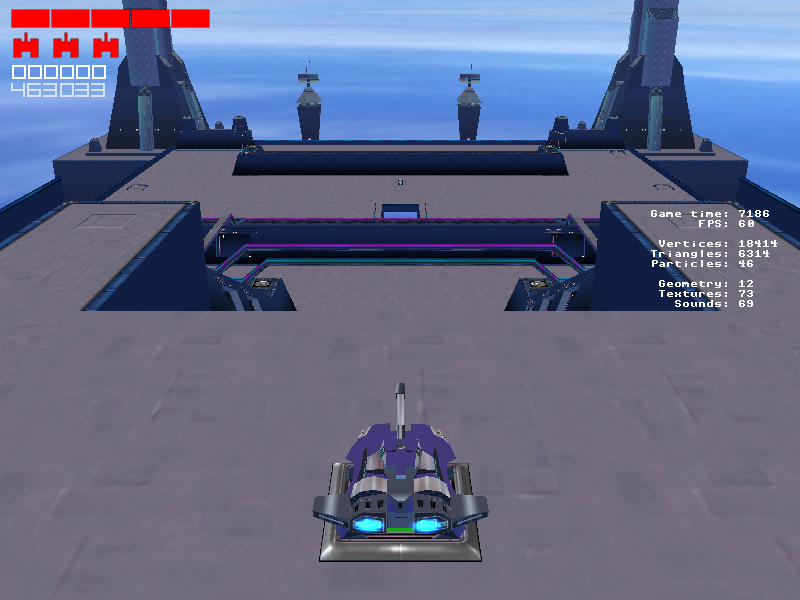
- mlpdev - Toggles cheats on or off.
- help - Displays some info detailing the help, dir, map, health, addlives, name and next commands.
- dir - Displays all level filenames in the Levels folder. When there are too many levels (by making your own, for example) the later entries appear glitched.
- next - Loads whatever level the current level would exit into.
- name - Prints the filename of the current level.
- health - Refills your health. Doesn't work when you're currently dead.
- addlives # - Adds # amount of lives. Doesn't work either when dead.
- map name - Loads a specific level.
- restart - Reloads the current level.
- opensesame - Forces all doors open while active.
- enemyspawn - Stops levels from spawning enemies, but not bosses. Since many doors require specific enemies to be killed, many levels are unbeatable without use of opensesame.
When cheats are on in-game pressing tab once causes some statistics to appear. The sound counter seems broken. The "Game time" counter resets at 100000. Pressing tab again just displays the FPS counter, and pressing tab again toggles everything off.
Several things can be toggled in-game when cheats are on as well. Most of these print text to the console:
Command |
Printed text |
Effect |
|---|---|---|
Shift + G |
GOD MODE ON / GOD MODE OFF |
Toggles invincibility. |
Shift + V |
INVISIBILITY ON / INVISIBILITY OFF |
Toggles indefinite cloaking. |
Shift + B |
ENEMY BRAINS OFF / ENEMY BRAINS ON |
Toggles enemy AI. |
Shift + ] |
SWITCH TAGGED ENEMY |
Switches what enemy is tagged at the moment, see enemy debug functions. |
Shift + [ |
None |
Toggles control of tagged enemy, see enemy debug functions. |
Enemy Debug Features#
The file containing enemy definitions starts with several toggles for enemy debug functions, all of which cause lines in various colors to be drawn around and from enemies. None of these have any effect on bosses, but they do work for any enemies spawned by them. The text in boxes are the explanations from the file itself.
Scan Snout#
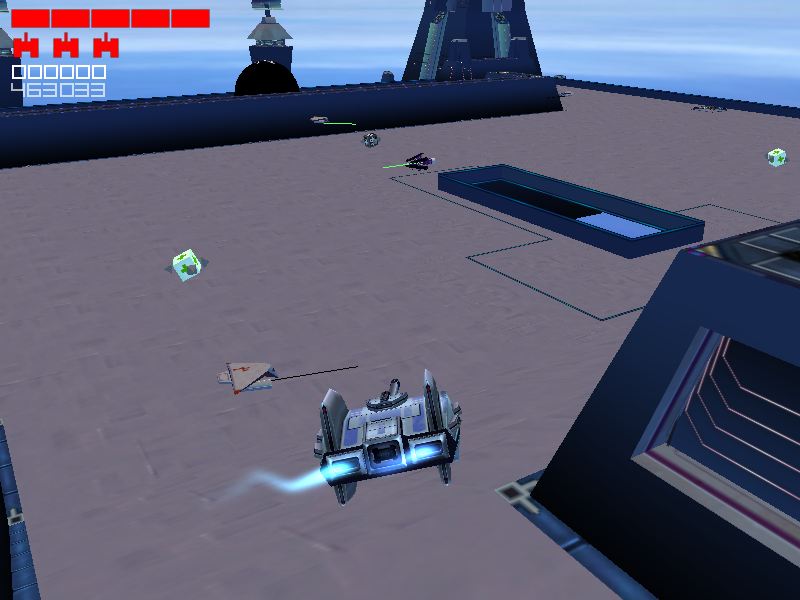
Do we want to show the scan "snout"?A short line appears, for most enemies in the direction they're pointing. It takes on various colors depending on the situation of the enemy:
- Green - Default
- Yellow - Lost sight of player.
- Red - Attacking player.
- Black - Facing wall or otherwise obstructed.
- Cyan - Exact meaning unknown, appears around slopes for some enemies.
Player Scan Line#
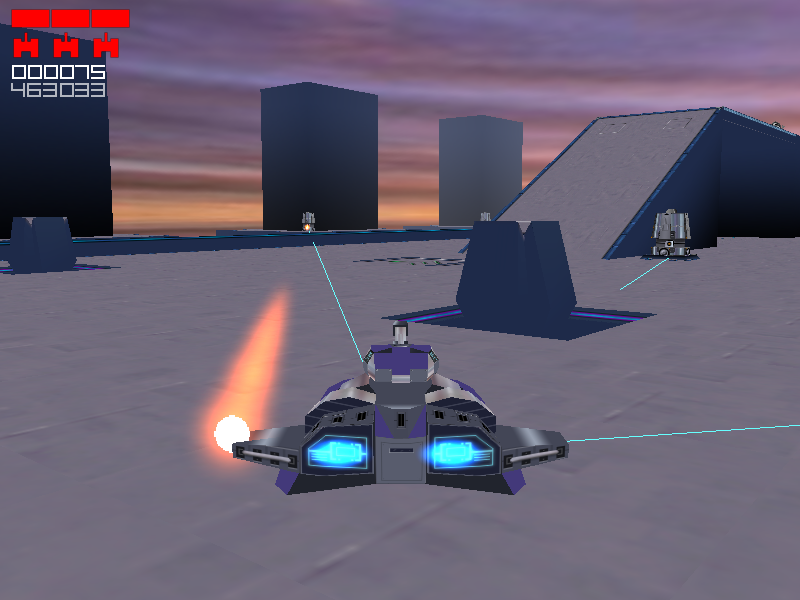
Do we want to show the player scan line?Displays a cyan line to the player when possible; This can be cut off by walls. These disappear when the player is cloaked.
Fire Control Lines#
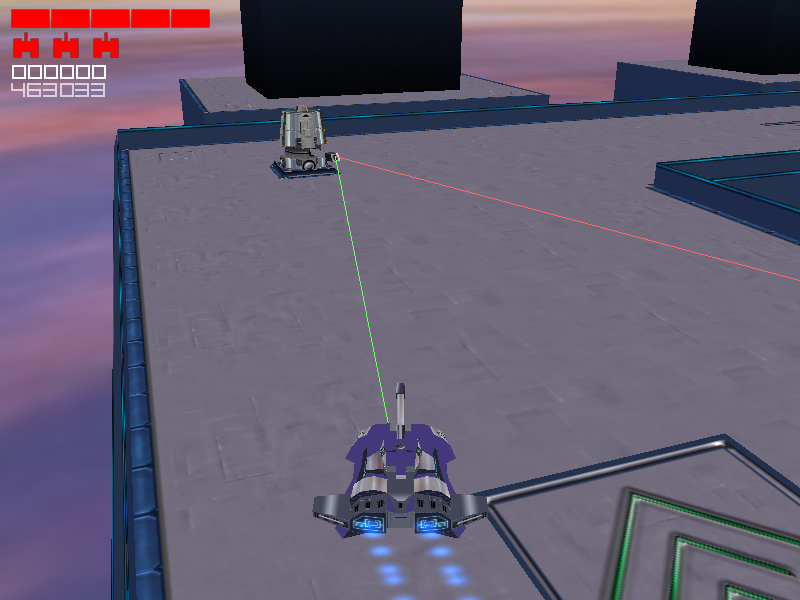
Do we want to show the fire control lines?Desplays a green line from applicable enemies to where they're trying to aim, and a red line where they're actually aiming.
Radial Collision Box#
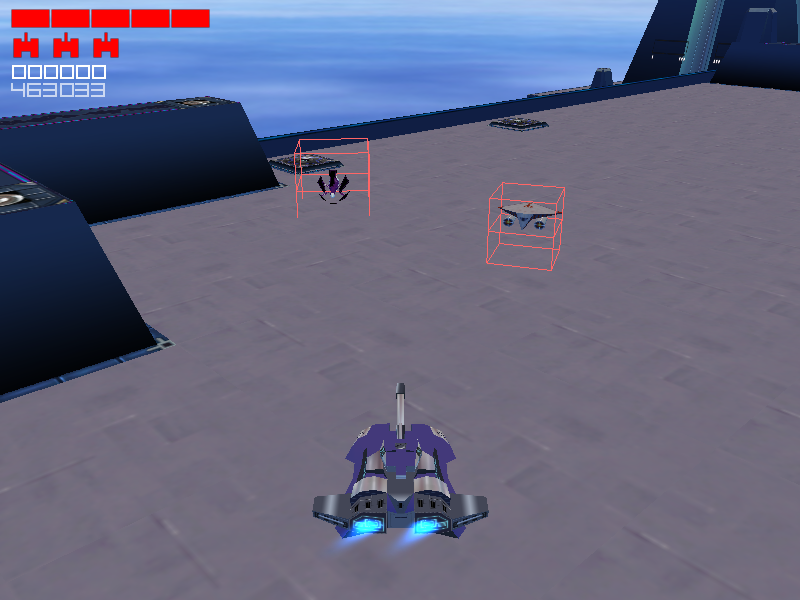
Do we want to show the box which would enclose the top hemisphere of
the collision sphere?
Displays two red boxes related to collision, although for most enemies the lower box is partially in the ground.
Rectangular Collision Box#
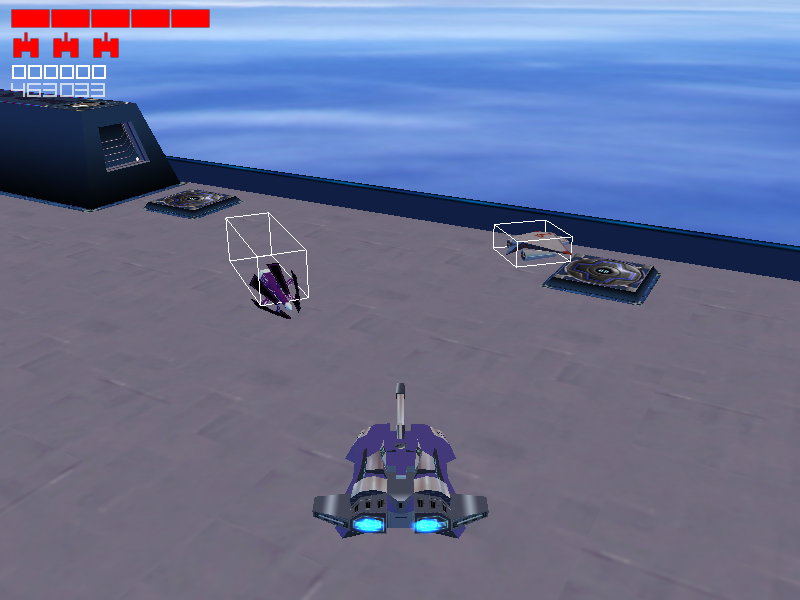
Do we want to show the box collision volume?Displays a white box apparently also related to collision.
Tag Test Mode#
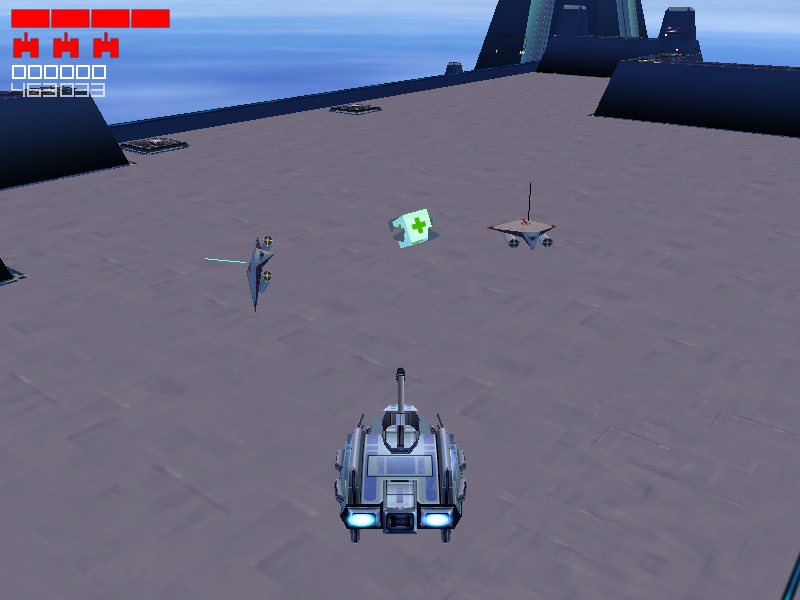
Do we want one of the guys to be tagged?  If so, one dude will be tagged.
This guy can be avatared on and off.
Displays a black line above every enemy. When cheats are on shift + ] allows you to cycle between enemies, the currently tagged enemy's line will be red. Shift + [ will give you control over the enemy and turn the line cyan. Carrier's fighters also initially spawn with their line cyan. In this state they cannot be interacted with in any way, although this can't normally be seen.
These are the controls for controlling an enemy:
- I,K - Move forwards and backwards respectively.
- J,L - Rotate
- U,O - Strafe
- Shift - When held, rotating the enemy causes it to do a turn.
- Right control - Fire
- 1,2 - Displace enemy up or down.
- 3,4 - Rotate turret.
- 5,6 - Angle turret.
- 7,8 - Adjust pitch.
- 9,0 - Adjust roll.
What controls work depend on the enemy you're controlling. For example, the large turret is the only enemy capable of angling its turret.
Audio#
In the name of efficient hard disk use, 58 out of 150 items from the sounds folder are not even loaded by the game.
Filename |
Audio |
Used |
Used audio |
Description |
|---|---|---|---|---|
2600TankDie01.wav |
N/A |
Various Atari 2600 sounding effects. These sounds are meant for Sente, which is based on the tank from the original game. All of the tanks in the final game use the same sounds, although vehicle-specific sounds were intended. Whether this is still functional isn't known. |
||
2600TankFire01.wav |
||||
2600TankFireBounce01.wav |
||||
2600TankFireBounce02.wav |
||||
2600TankFireBounce03.wav |
||||
2600TankFireBounce04.wav |
||||
2600TankIdle01.wav |
||||
2600TankMove01.wav |
||||
Boss-MiddleBoom01.wav |
BossExplosion02.wav |
The unused file sounds like it's filtered/edited from the used one. |
||
BossExplosion01.wav |
N/A |
A stock explosion sound. |
||
ChatMessageInGame01.wav |
N/A |
Although there is multiplayer the game has no chat function. ChatWindowOpen01 and ChatWindowClose01 are the same audio, but in reverse. |
||
ChatWindowClose01.wav |
||||
ChatWindowOpen01.wav |
||||
ContinuePointActivate01.wav |
N/A |
The game uses the sound meant for entering a secret level portal instead. Secret level portals don't use their own sound, despite it being loaded separately for that purpose. |
||
DamageBoss01.wav |
N/A |
A weird sort-of explosion sound. |
||
ElevatorMaze01.wav |
N/A |
The only unused music track that isn't a duplicate. This would have been used for a scrapped secret level, since normal levels all share the same music corresponding with their tileset. |
||
Enemy-Accelerate-01.wav |
N/A |
Rather grating effects for enemy movement. In-game enemies don't make any movement sounds. |
||
Enemy-Decelerate-01.wav |
||||
Enemy-Move-01.wav |
||||
Exit-Spawn-01.wav |
Exit-Spawn-02.wav |
The used file is a distorted version of the first. |
||
ExitTest01.wav |
N/A |
Two copies of a rather odd low-pitched and distorted noise. As the filenames suggest ExitTest01 is in stereo and ExitTestMono01 in mono. |
||
ExitTestMono01.wav |
||||
ExtraLife01.wav |
ExtraLife02.wav |
ExtraLife02 has the first bit cut out, and is made louder. |
||
Fire-Gun-01.wav |
N/A |
Fire-Gun-02 is in stereo. |
||
Fire-Gun-02.wav |
||||
PercussionBomb01.wav |
PercussionBomb02.wav |
PercussionBomb02 is slightly louder than PercussionBomb01. |
||
PercussionBombShot01.wav |
PercussionBombShot02.wav |
Again here, PercussionShotBomb02 is slightly louder than PercussionShotBomb01. |
||
PlayerHit02.wav |
PlayerHit01.wav |
These three files are distortions of each other. |
||
PlayerHit03.wav |
||||
PlayerHitProtected03.wav |
PlayerHitProtected01.wav PlayerHitProtected02.wav |
|
Only PlayerHitProtected02 is used by the player. PlayerHitProtected01 is used for enemies instead. |
|
PlayerSpawn01.wav |
N/A |
The game doesn't use any sound for spawning the player. |
||
Power-Up-01.wav |
Power-Up-01a.wav |
Power-Up-01 is in stereo and goes on for considerably longer. |
||
Quick-Light-PickUp01.wav |
N/A |
This is probably an ammo pick-up sound. It sounds quite out of place compared to the rest. |
||
RamVehicles01.wav |
N/A |
Sounds like it's based off an explosion sound. |
||
Reach-Exit-01.wav |
ReachExit02.wav |
As with many of these, the used file is a distorted version of the unused one. |
||
ScrapeFloor01.wav |
N/A |
Some abrasive noise. |
||
Shot-Hit-Wall-01.wav |
N/A |
Doesn't sound appropriate for the purpose. The used file is nothing like this and sounds more like a metal impact. |
||
SmartBombShot01.wav |
SmartBombShot02.wav |
Another case of the used file being louder. |
||
Solid-Fuel-Drone-Awakens-01.wav |
Solid-Fuel-Drone-Awakens-02.wav |
The used version is slightly sped up and has some additional noise added. |
||
Tank̠-Accelerate-01.wav |
N/A |
Mono versions of Tank01-Accerelerate-01 and Tank01-Decerelerate-01 detailed below. |
||
Tank̠-Decelerate-01.wav |
||||
Tank-SmallBoom01.wav |
N/A |
A generic explosion. |
||
Tank̠01-Accelerate-01.wav |
N/A |
Four sets of sounds intended for different sounding player tanks. In-game every tank sounds identical. |
||
Tank̠01-Decelerate-01.wav |
||||
Tank̠02-Accelerate-01.wav |
||||
Tank̠02-Decelerate-01.wav |
||||
Tank̠02-Move-01.wav |
||||
Tank̠03-Accelerate-01.wav |
||||
Tank̠03-Decelerate-01.wav |
||||
Tank̠03-Move-01.wav |
||||
Tank̠04-Accelerate-01.wav |
||||
Tank̠04-Decelerate-01.wav |
||||
Tank̠04-Move-01.wav |
||||
VR-Miniboss01.wav |
Patrollersminiboss.wav |
Patrollersminiboss is much louder. The VR in the unused file's name suggests that the Patrollers were intended to be a boss in the third set of levels rather than the second. |
||
VR-SecretLevel02.mp3 |
VR-SecretSlalom.wav |
These are copies of the VR secret level music. The unusedVR-SecretSlolem is actually louder than VR-SecretSlalom for once. VR-SecretLevel02 is the only MP3 file in the folder, and is likely misplaced from the bonus soundtrack on the disc, as it is the only missing track there. |
||
VR-SecretSlolem.wav |
||||
Config Files and Text#
game.txt#
GROUP Enemies
    ELEMENT Drone
    Name        Solid Fuel Drone
    Model       e_1hit_01.AMO
    BrainID     1
    HitPoints   1
    Score       100
    ELEMENT END

    ELEMENT     Tank
    Name        Digital Tank
    Model       e_1hit_02.AMO
    BrainID     2
    HitPoints   1
    Score       500
    ELEMENT END
GROUP END

GROUP Powerups
    ELEMENT DoubleShot
    Name        Double Shot
    Message     DOUBLE SHOT
    Length      15
    ELEMENT END

    ELEMENT Speed
    Name        Speed
    Message     SPEED UP
    Length      20
    ELEMENT END

    ELEMENT Bonus1000
    Name        1000 Pts
    Message     1000 POINTS
    ELEMENT END

    ELEMENT Repair
    Name        Repair
    Message     DAMAGE REPAIRED
    ELEMENT END

    ELEMENT FullRepair
    Name        Full Repair
    Message     ALL DAMAGE REPAIRED
    ELEMENT END

    ELEMENT ExtraLife
    Name        Extra Life
    Message     EXTRA LIFE!
    ELEMENT END

    ELEMENT LevelSkip
    Name        Level Skip
    Message     OUTTA HERE!
    ELEMENT END
GROUP END
Some early enemy and powerup definitions. The Solid Fuel Drone has ID 0 in the final list (ID 1 is the Buzz Bomb) and awards 50 points instead. The Digital Tank has no known equivalent in the final, but it's difficult to say for sure with so little to go on.
The final powerup definitions also include their effects, and several are missing from the above list. LevelSkip was cut.
Unused Features#
Enemy Spawner AI#
400px|Would this be a broodmodem? Watch on YouTube
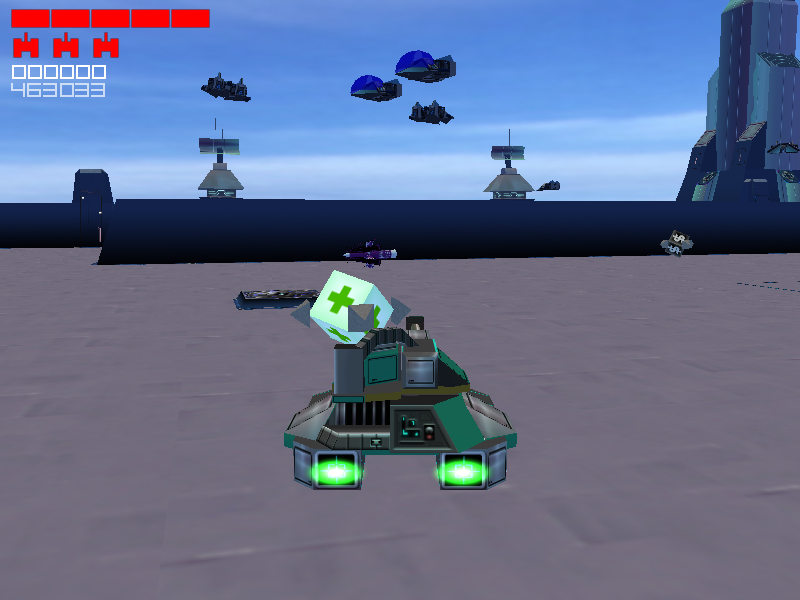
Since there's no enemy to go along with the ID a copy of the Solid Fuel Drone has been used.
Enemy ID value 4 is the only unused one that doesn't default to what seems to be Dagger AI. It causes the enemy to periodically spawn pairs of Carrier's Fighters. Unlike Carrier's these Fighters don't seek out the player. Instead they will aimlessly fly about, slowly descending until they crash into a wall or sometimes the floor. They will shoot at you if you happen to be in their sights though. The spawner enemy will move if it has no line of sight with the player and will freeze if there is.
Closing Exits#
The game supports closing exits after a set amount of time. This is never used, even for secret levels or the shortcut in level 1 as this would leave the player trapped. While the game defines a sound to be played when closing an exit (the same sound used for opening one) nothing plays when one closes.
Lightning Bonus#
There is a end-of-level bonus for completing the level in 10 seconds or less. It was previously thought that no levels included in the game's files could be completed this fast. The levels "Slider" and "Sewer" have since been completed with a lightning bonus, albeit exploiting some physics properties. This is also confirmation that the lightning bonus works properly on an unmodified version of the game. The following citations are videos of Slider and Sewer being completed with a lightning bonus, respectively.
(Source: https://youtu.be/7NuOGLmPgAw)
(Source: https://youtu.be/PUz7gjjLgJo)
Overhead Views#
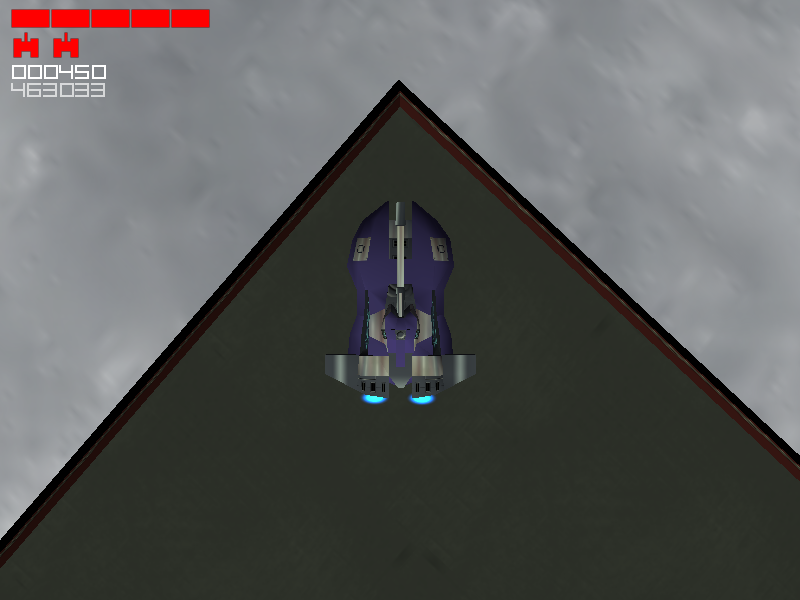
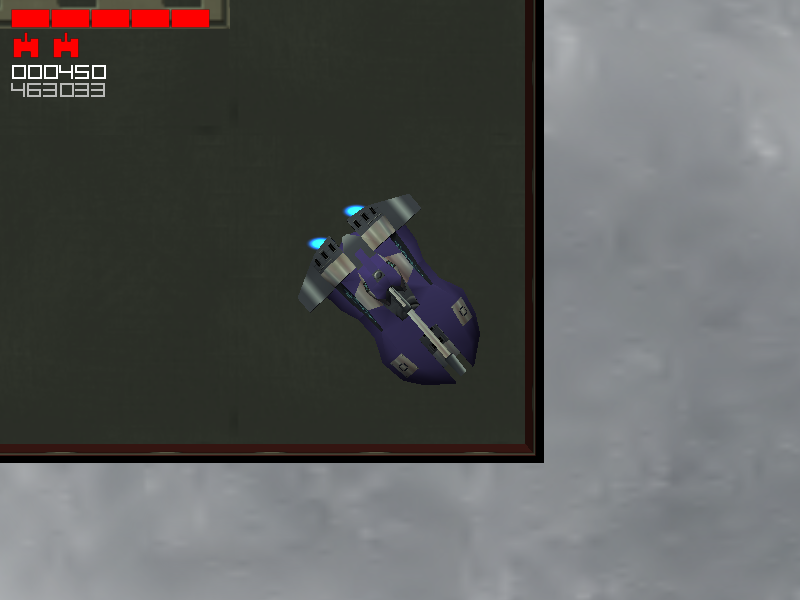
The game's manual states that you can change between three camera angles using F1 through F3. Instead in the final game, you switch between the low, close-in view and a higher downward view with F5; The overhead angle is not available. Two different versions of the latter can be reached by appending View4 and View3 groups to the controls.txt. View2 and View1 can also be added, these correspond to the low and higher view respectively.
|
View 3 |
View 4 |
|---|---|
|
|
Both are similar and work somewhat inconsistently. The angle you transition from influences how zoomed in you are: the low angle causes more zoom than the higher angle (screenshots are made with the latter). Normally your tank is at the bottom edge of the frame, but if you die while using one it centers on your tank. You can switch between the two without losing this, but switching to one of the used ones resets the centering. You have to be at the same height as pretty much anything you'd want to attack and vice versa, so these are more or less useless.
Bonus Files#
In the Goodies folder on the disk are:
- A map editor for the game.
- A plugin for 3DSMax 4.0 for exporting models in .AMO format for the game.
- Most of the game's soundtrack. As noted above, the VR secret level music is missing, but the elevator maze track is included.
- Atari 2600 emulator Stella version 1.1, along with ROMs for Combat and the Combat 2 prototype.
Bonus Tiles#
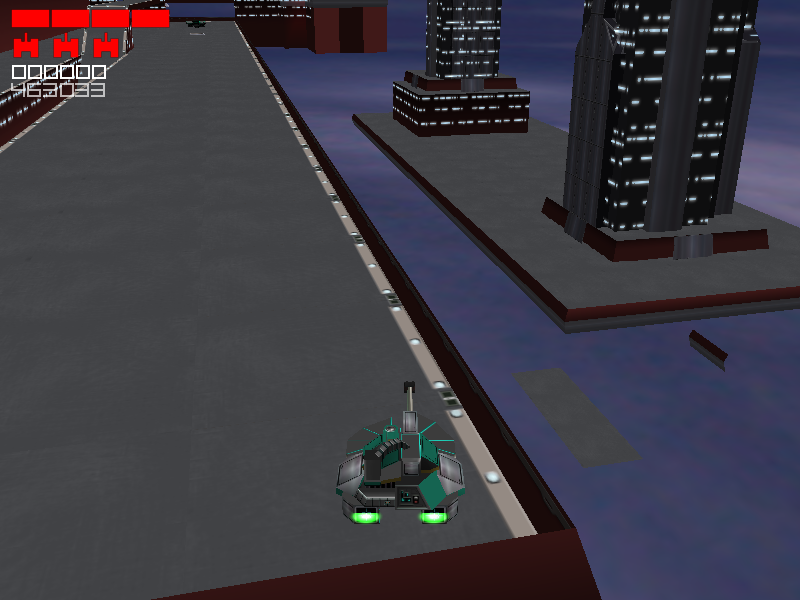
Below a decorative platform in level 19 ("Clear Air Turbulence") are a few tiles of floor and a platform rail. Although the building above is visually 3*3 tiles, it only uses 1 tile in the level.