Unused Objects#

|
To do: |
GoldenBlock#

goldenBlock is, as expected, a block of solid gold. When placed in a map, they will normally not appear. However, if the player enters the room with a gold berry, they will fly in from the bottom of the screen. These can be used to create an alternate “golden route”, as seen in some custom maps. The only place where this is done in the final game is in the last room of Farewell, but this is implemented using a hardcoded case in the Badeline booster entity and not with golden blocks.
- Noel explained on Discord that this is what they were originally meant for, but that they were made long before the ending had been finalized.
dreamHeartGemis a Crystal Heart variant which has no collisions and cannot be collected. It is transparent and has a wavy look, and always appears blue, even in B- and C-sides. This was intended for the crystal heart hint with the poem near the end of Old Site. In the final game, an inaccessible (though still technically collectible) crystal heart can be found here.
(Source: Noel)
fakeHeartappears and behaves identically to a normal crystal heart. However, it vanishes just before Madeline is about to collect it. It will then reappear a few seconds later. The color of this is randomized, seemingly depending on the entity’s position. This is not to be confused with Farewell’s fake heart, which is a property on the normal crystal heart entity.- There's an unused glass block entity.
Nega Block#

The Nega block is a solid red block. This block does nothing, but Madeline's dash does not restore when she stands on it.
Slider#

A slider is an unused entity. It moves along walls turning at corners, similar to Hothead enemies from Mario series. It is rendered as a hollow red circle and kills the player on touch.
Lightning Clutter Switch#
This variant of the clutter switch is unused. It disables lightning when pressed. May have been intended to be used in Farewell in place of the breaker box.

Unused Graphics#
|
|
To do:
|
Unlit Lit Torch#


The pre-lit Mirror Temple torches found in "Atlases/Gameplay/objects/temple" have an unlit texture and a light animation, despite the fact that they are inherently never in these states. They can be seen by swapping the graphics around.
(Source: Original TCRF research)
Unused Mom Portraits#





|
Unused |
Used |
|---|---|
|
|

|
Dialog portraits of Madeline’s mom without a phone, which go unused since the only time she appears is in a phone conversation at the end of Chapter 2. The game doesn’t even have these registered as valid dialog portraits, The portraits were drawn first and Amora (one of the game's artist) would add the phone later on to create the phone portraits that do go used. These images remained just in case they needed them.
(Source: Noel Berry)
Journals#

The in-game sprites for the journals seen in pre-release videos are still in the final game, in "Atlases/Gameplay/objects/journal".
Mirror#

"Atlases/Gameplay/objects/mirror/resortframe_copper.png" is a Celestial Resort-sized mirror that matches the color scheme of the rest of the level, instead of looking like the Old Site mirror.
Pico-8 Console Background#

The Pico-8 console background includes an image of the title screen, which is always covered up by the actual game. This sprite is used but the Celeste title screen goes obstructed.
Darkswamp.png fog#

"Atlases/Misc/darkswamp.png". This is a fog overlay, but it isn't used in any level. According to Noel Berry these are leftovers from the now cancelled project Skytorn, in which he was working on before Celeste was completed. They would've served the same purpose in Skytorn. Many of the fog textures in Celeste (like this one) are recycled from Skytorn. This also explains the name "darkswamp" since there are no swamps in Celeste, but there might have been in Skytorn.
(Source: Noel Berry)
PathLights#


The “lights” used to represent the path for the Mirror Temple dash blocks in the developer livestream can be found in "Atlases/Gameplay/objects/swapblock". They don’t quite match up with the variants shown there though, indicating they might have gone through a bit of further tweaking before being replaced by the final design. These still exist for the Farewell version of the blocks, seemingly unmodified.
Switchgate Icon Border#

In "Atlases/Gameplay/objects/switchgate", there is an unused border sprite, that seemed like it would have been added around the icon on the switchgate.
Diving Board#


A diving board, split into two separate graphics for the base and the board. It probably would have bent when stepped on. Where it would be used is unknown, though the room in Golden Ridge where Granny is found would be a good guess, considering that water, a life preserver, and a "rules sign” (going by the filename) can all be found there.
Mr. Bones Door#

A “Mr. Bones door”, whatever that is. The graphic shows a brown door with a lighter border.
Snowberry#

A little stem growing out of the ground surrounded by snow, with a somewhat crude graphic. It may be scrapped from an old mechanic where the player would have to look for some strawberries in the snow, although this wouldn't fit well with the game, which may be why it was removed.
Press#

"Atlases/Gui/controls/press.png" shows a downward arrow graphic in pixel style, something which wasn’t used in the UI since much earlier pre-release builds, meaning this is probably unused.
Assist Mode Stamp#

"Atlases/Gui/assistmodestamp.png" is still in the files, despite having been replaced with the “tab” on the left in the Farewell update.
Lightless Kevin Block#

The Kevin blocks have a texture for a variant without lights on any sides, which goes unused since the lights indicate which sides can be dashed into, so this would do nothing. It is not actually implemented in-game.
Old BumpBlock Textures#


The folder "Atlases/Gameplay/Objects/BumpBlock" contains what looks like an older set of textures for the fire/ice blocks in Core. (The used versions are in BumpBlockNew.)
DreamOrb#


"Atlases/Gameplay/Objects/dreamorb" depicts an orb.
This orb was replaced by the mirror in Chapter 2 (Old Site) as the way to open dream blocks.2 It seems to have behaved similarly to Crystal Hearts when bounced on, though recoil was noticeably slower.
Eyebomb#

"Atlases/Gameplay/Objects/eyebomb" is the graphic used for the Mirror Temple pulse orbs in the developer livestream. These would later evolve into the Farwell fish, which apparently still use the name “eyebomb” in code.
Gondola Stretch#


The Golden Ridge gondola has an animation of it being stretched horizontally. Not used in the actual cutscene.
Blue Zip Mover Border#

An alternate “zip mover” border exists, that is blue instead of grey.
Duplicate Reflection Tileset#

starjump.png is a duplicate of the main Reflection tiles. The used Starjump blocks are under "objects/", and have special visuals.
Template Tileset#

template.png is a template for tileset layouts. Pedro mentions this in one of his livestreams, but I’m not sure if we ever see it.
Golden Strawberry Seeds#


There are graphics for Golden Strawberry seeds, though they’re identical to the normal ones.
Planets#


Unused Planet sprites can be found within "Atlases/Gameplay/bgs/10/Planets", which would have been used as decal for Farewell. Interestingly, the stylegrounds effect that creates the floating pink and green starfish in Farewell is called planets.
Original Oshiro Boss#

In version 1.3.0.0, the original Oshiro boss design can be found in "Atlases/Gameplay/characters/oshiro/New Folder" (yes, that’s the actual directory name). They are in a single combined texture sheet, unlike all the other character textures. It was removed shortly after.
"Placeholder" Farewell Chapter Icon#

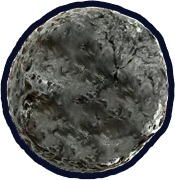
In version 1.2.6.1, a seemingly placeholder farewell icon was found in the files. It uses an image of The Moon from Majora's Mask, with the backside being a slightly edited version of it. It was removed soon after.
Star transformation#


A bunch of graphics exist in "Graphics\Atlases\Gameplay\characters\player" called starMorph, showing Madeline... morphing into a star. The first few frames of this are used for the feather pickup animation, but the rest go unused. According to Noel and several internal names, the feather was originally a star. It’s likely that it used this animation.
Original Dream Blocks#


Seemingly early dream block textures can be found in "Atlases/Gameplay/objects/dreamblock". There are textures for when they are active and disabled, as well as a folder of "shard" textures whose purpose is unclear.
Early Checkpoint Textures#
In version 1.0.0.0 of the game, textures for the checkpoint flag and obelisk shown in development footage can be found in "Graphics/Assets/Gameplay/objects/checkpoint". Their names are "flag" and "obelisk". These textures have since been removed.


Unused Sounds#
|
|
To do:
|
- In "character/dialogue/wow_so_secret", Madeline lets you know that she’s never gonna give you up.
- There is a sound for the Celestial Resort dust tendrils retracting ("game/03_resort/fluff_tendril_recede"). They never do this in the final game. The FMOD event notes state that they originally retracted after a set amount of time.
- "ui/game/increment_dashcount" is a very quiet “click” sound. It matches the name of increment_strawberry, the sound used when the in-game strawberry counter increments after collecting one, but there’s no equivalent of this for dashes.
- "char/madeline/jump_special" (and its Badeline equivalent) were intended to be used in special moments like "jumping off spikes". They aren't in the final game.
Unused Music#
- "music/mus_lvl6_thefall_loop" is a duplicate of the third variant of Reflection, except it’s missing one of the synths in the background.
:* This is used in the developer livestream, where it's the only variant of the track.
- "dlc_music/mus_lvl9_ending_finalrun_multiloop_131bpm" (Farewell) has an outro, which goes on for some time. The multi-loop prevents it from being heard, and it is not even included in the FMOD event so bypassing the loop would still not allow it to play. It is included in the soundtrack version, however.
- While not in the final game’s files, the FMOD project provided by the developers includes a “scary” version of the prologue theme, supposedly intended for Farewell. It was likely meant to be used in the starting room with Granny (which has no music in the final game).
Unused Music Features#
|
|
To do: |
Functionality implemented in FMOD events that is broken or obsolete. These were discovered in the publicly-released FMOD project.
- Farewell (the music track) has a special case implemented to skip to the 3rd or 4th multiloop portions if the player makes it too far into the level while it’s still on the 1st or 2nd. This is functional, and has been mentioned several times by Kevin and Lena. However, the parameter is never actually set in code, rendering it unused in-game.
- The FMOD event for Joy of Remembrance includes a parameter called if_bubble. It doesn’t affect anything, and Kevin isn’t even sure what it was used for according to the attached comment.
- In the Mirror contains an extra layer which is supposed to be added when a seeker is aggro’d, but it doesn’t work correctly and is never enabled. It is included in the soundtrack version however.
Debug Mode#
Celeste has a well-known debug mode which can be activated by editing the player's save file. To do so, open Celeste/Saves/settings.celeste and set LaunchInDebugMode (near the bottom of the file) to true. Next time the game is launched, it will run in debug mode, allowing access to the debug save, debug map, and developer console.
Debug Save#
The debug save is accessed using the ~DEBUG~ option on the main menu. It behaves identically to normal saves, except everything is unlocked by default, and collected strawberries are reset when loading a level.
Using the debug save is not required to access the debug map or developer console.
Debug Map#
The debug map can be opened by pressing Tab while in a chapter. It shows a map of all rooms in the chapter, which are color-coded (usually based on the checkpoint they are from, though this varies by map). The following keys are available:
- Right-click on a room: Teleports the player to the room, placing them at the nearest spawn point to the mouse cursor. This loses the current session, so any strawberries collected will be lost, and the music may reset.
- Mouse wheel: Zoom in and out.
- Movement keys, middle click, or space + left click: Pan the view.
- Ctrl + space: Reset view position and zoom.
- Rooms can be dragged around, and filler rooms can be resized by dragging the orange corner.
- F + left click: Create a filler room, used to prevent seeing the background during screen transitions.
- F + right click: Remove a filler room.
- Ctrl + A: Select everything.
- Ctrl + Z: Undo.
- Ctrl + Y: Supposed to redo, crashes the game.
- 1 through 7: Set room color.
- Ctrl + S or F1: Supposed to save, doesn't work.
- Q: Shows strawberry numbers when held, in the format
checkpoint #:strawberry #.
Developer Console#
The developer console can be opened by pressing the ~ key. When open, the hitboxes of all on-screen objects will be shown. If using a controller, the player can still move while the console is open, but keyboard input instead types into a command box. Useful commands include help (provides a list of commands, or info about a specific command), load (loads a level), assist (toggles assist mode), and variants (toggles variant mode).
Command |
Parameters |
Effect |
|---|---|---|
assist |
none |
Toggles assist mode on and off. |
audio |
none |
Prints audio debug info. |
berries |
chapterID:int |
Displays how many (non-golden) strawberries are in the game or a single chapter. Entering a chapter ID will further break down the berries by checkpoint. |
berries_order |
none |
Checks strawbs order. |
blackhole_strength |
strength:int |
Value 0 - 3. |
bounce |
none |
Bounces Madeline upwards. |
capture |
filename:string |
Capture the last ~200 frames of player movement to a file. |
characters |
none |
Gets all the characters of each text file (writes to console). |
cheat |
none |
Toggles cheat mode on and off. |
check_all_languages |
compareContent:bool |
Compares all languages to English. |
clear |
none |
Clears the terminal. |
colorgrading |
enabled:bool |
Sets color grading enabled. |
complete |
index:int=1 mode:int=0 deaths:int=0 strawberries:int=0 gem:bool=False |
Tests the complete screen. Doesn't fully work compared to normally completing levels. |
core |
mode:int=0 session:bool=False |
Set the core mode of the level. 0 - Normal, 1 - Burning, 2 - Frozen. |
count |
tagIndex:int=-1 |
Counts entities on Scene. Pass a tagIndex to count only Entities with that tag. |
detailed_levels |
area:int=-1 mode:int=0 |
Counts detailed levels. |
dflag |
flag:string setTo:bool=True |
Set a savedata flag |
dialog |
none |
Opens dialog debugger. |
e |
index:int=-1 mode:int=0 |
Opens the map editor with specified map. Defaults to Prologue. |
exit |
none |
Exits the game. |
export_dialog |
none |
Export dialog files to binary format. Files are mostly readable. |
flag |
flag:string setTo:bool=Ture |
Set a session flag. |
fonts |
none |
Check loaded fonts. |
fullscreen |
Switches to fullscreen mode. Does not switch to windowed mode. |
|
give_golden |
none |
Gives you a golden strawb. |
givekey |
none |
Spawns a key on you. |
global_stats |
none |
Logs global steam stats. |
hard |
id:int=0 level:string |
Opens B-Side of specified map. |
|
|
To do: |
Filename Oddities#
- The dashless golden berry in Chapter 1 is named "memorialTextController". This was done to prevent dataminers from discovering it too quickly.
(Source: Kevin)
- The boss fight against Badeline at the end of Chapter 6 is called "finalBoss".
- The feather powerup that first appears in Chapter 6 is named "infiniteStar".
- The purple spiky things are named "spinner" despite not spinning in the final game.
- Similarly, the bumpers are called "bigSpinner" even though they also don't spin and have no relation to the aforementioned spikes.
- The Oshiro boss fight at the end of Chapter 3 is called "friendlyGhost".
- The various versions of Quiet and Falling and In the Mirror are called lightnorm_loop, lightreverse_loop, darknorm_loop, darkreverse_loop, and freedomreverse_loop. There is no freedomnorm_loop, implying this track may have been cut at some point in development. It is also missing from the FMOD project.
- The Farewell map and tilesets are called LostLevels. Noel explained that this was because they initially thought of the chapter like Super Mario Bros. 2 (aka Lost Levels) - the same game mechanics, but much harder.
Cheat Mode#
|
|
To do: |
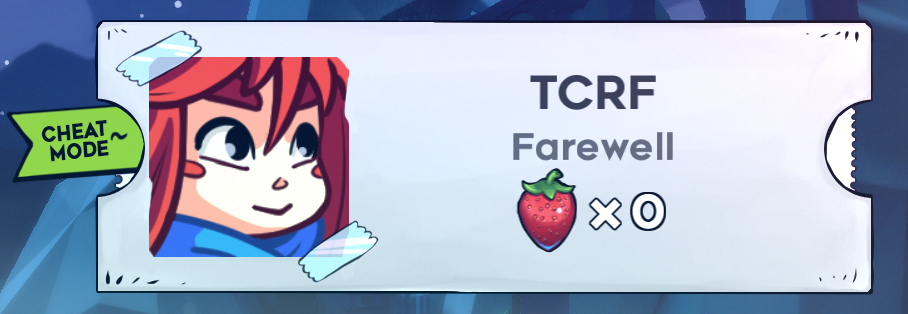
In all versions of the game, there's a cheat code that will unlock all chapters (including B- and C-sides) and checkpoints, but doesn't mark collectibles as collected. Using it adds a permanent "Cheat Mode" tag to the save file. To use it, go left in the Prologue to the screen with the car and enter these inputs:
- Keyboard: Left, Right, Tab, Z, Up, Up, Down, Left, Z, C
- Controller: Left, Right, LT, RT, Up, Up, Down, Left, RT, A
- Custom controls: Left, Right, Journal, Grab, Up, Up, Down, Left, Grab, Confirm
(Source: Celeste Wiki)
Other Things#
- There’s a map metadata setting for whether or not the player should be allowed to hold Crystal Theo while in a booster. No rooms in the final game contain both of these, and it’s not enabled in any vanilla maps.
- The Event Trigger has an unused event ch9_goto_the_past, which teleports Madeline back to the pre-lightning version of the Farewell start room (while playing the same lightning animation). It isn’t used for obvious reasons, but why it is here to begin with is a mystery.
- There’s an “Underwater” setting for rooms, tinting the background blue and allowing Madeline to swim everywhere. While water does appear in Celeste, and can be swam in, there are no fully underwater rooms like this. It’s been revealed that Reflection was originally meant to be a water level, so this is likely a remnant from that.
- There are a couple unused stylegrounds effects:
:* dreamstars consists of blue squares of various sizes floating upwards and slightly to the left.
:* tentacles seems to be an early version of the Badeline tentacles from Reflection. The final versions are handled with a specific entity. These have simpler graphics, and smoothly retract as Madeline moves instead of doing so at specific points.
Event and Demo Modes#
In addition to Normal and Debug modes, Celeste can run in two other inaccessible modes: Event and Demo. They can be activated by opening Celeste.exe in dnSpy, and changing the default value of PlayMode in the Celeste.Celeste class.
Demo Mode is identical to Normal mode, except for a "Demo Build" mention on the title screen.
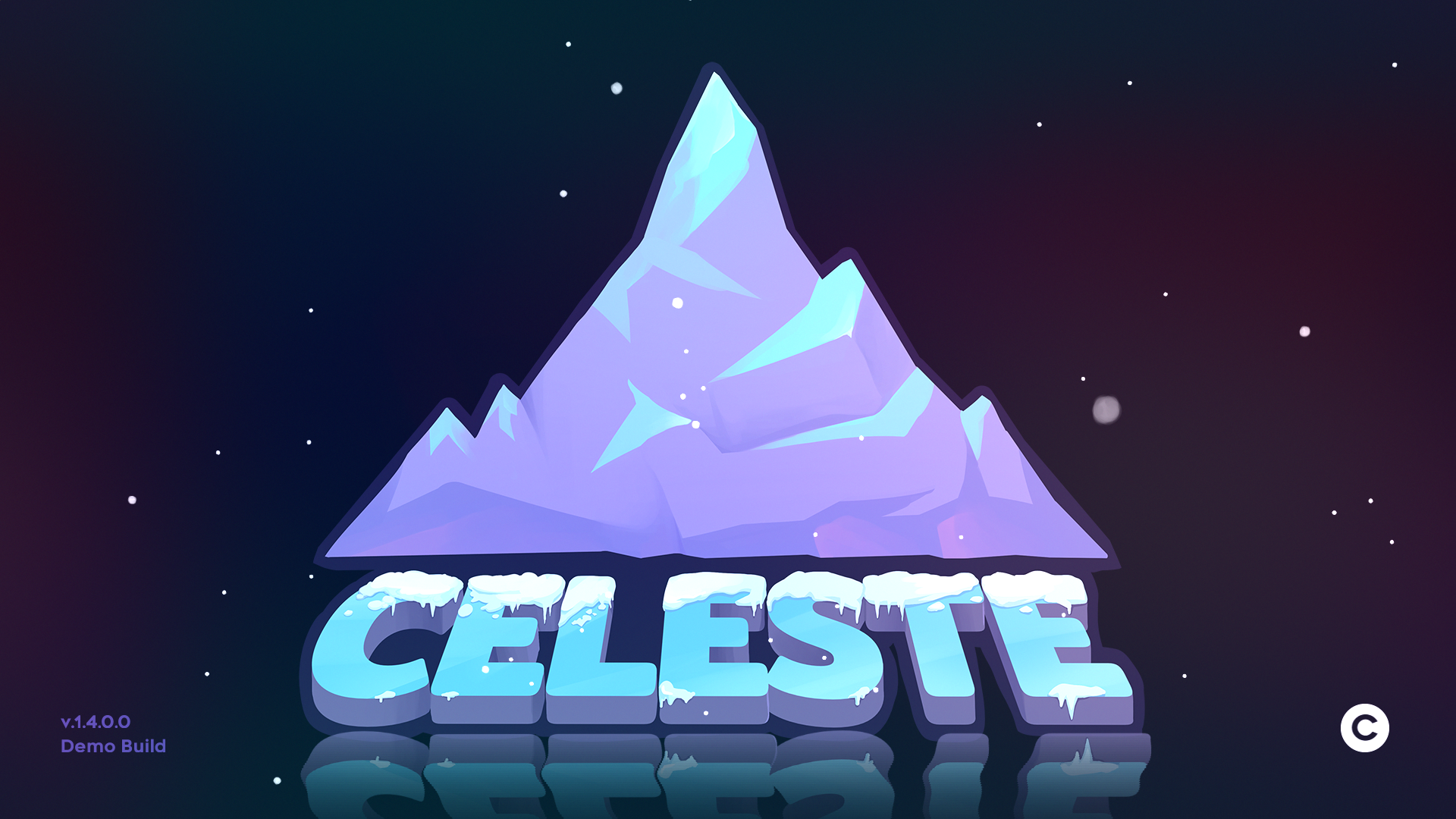
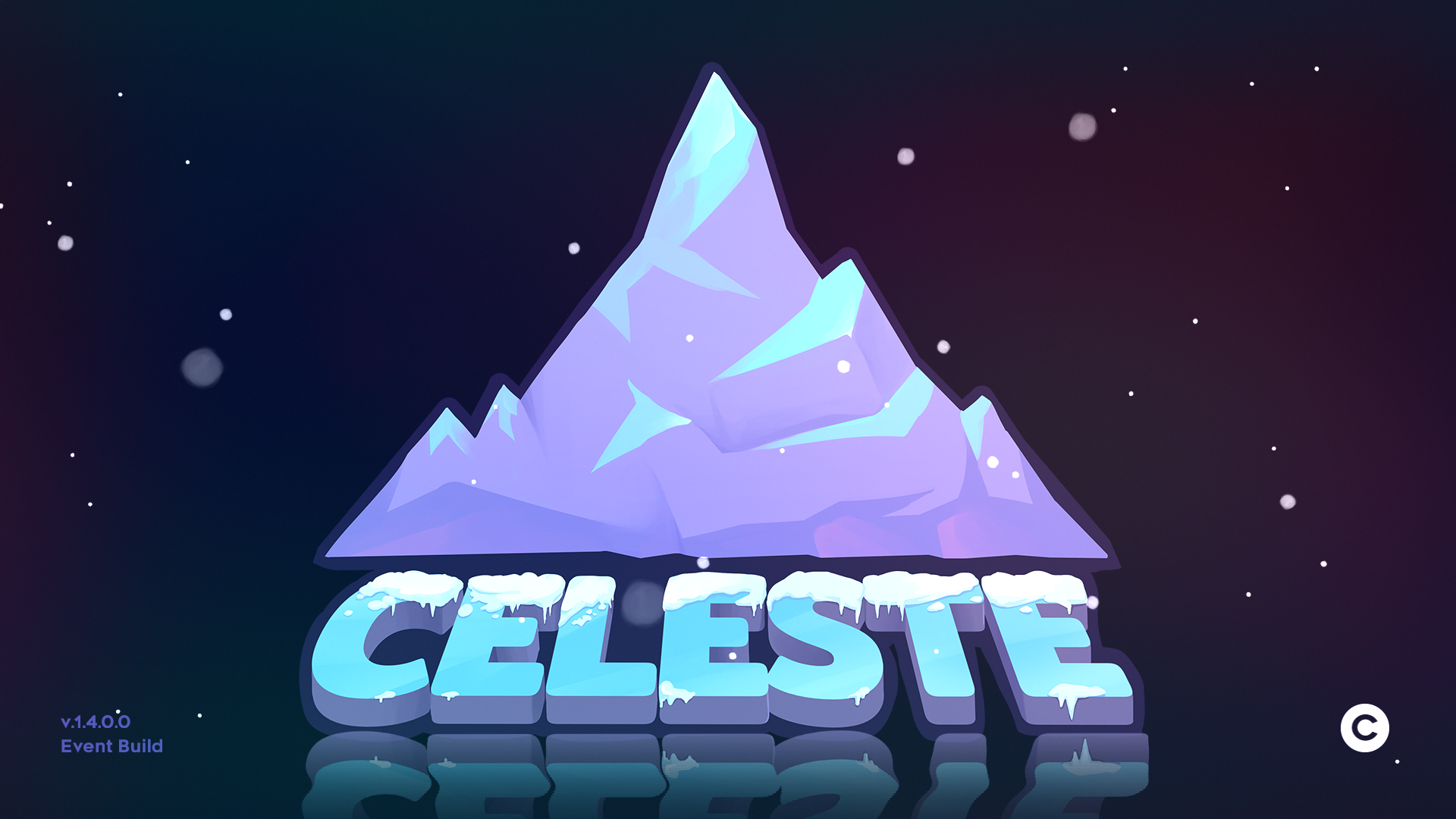
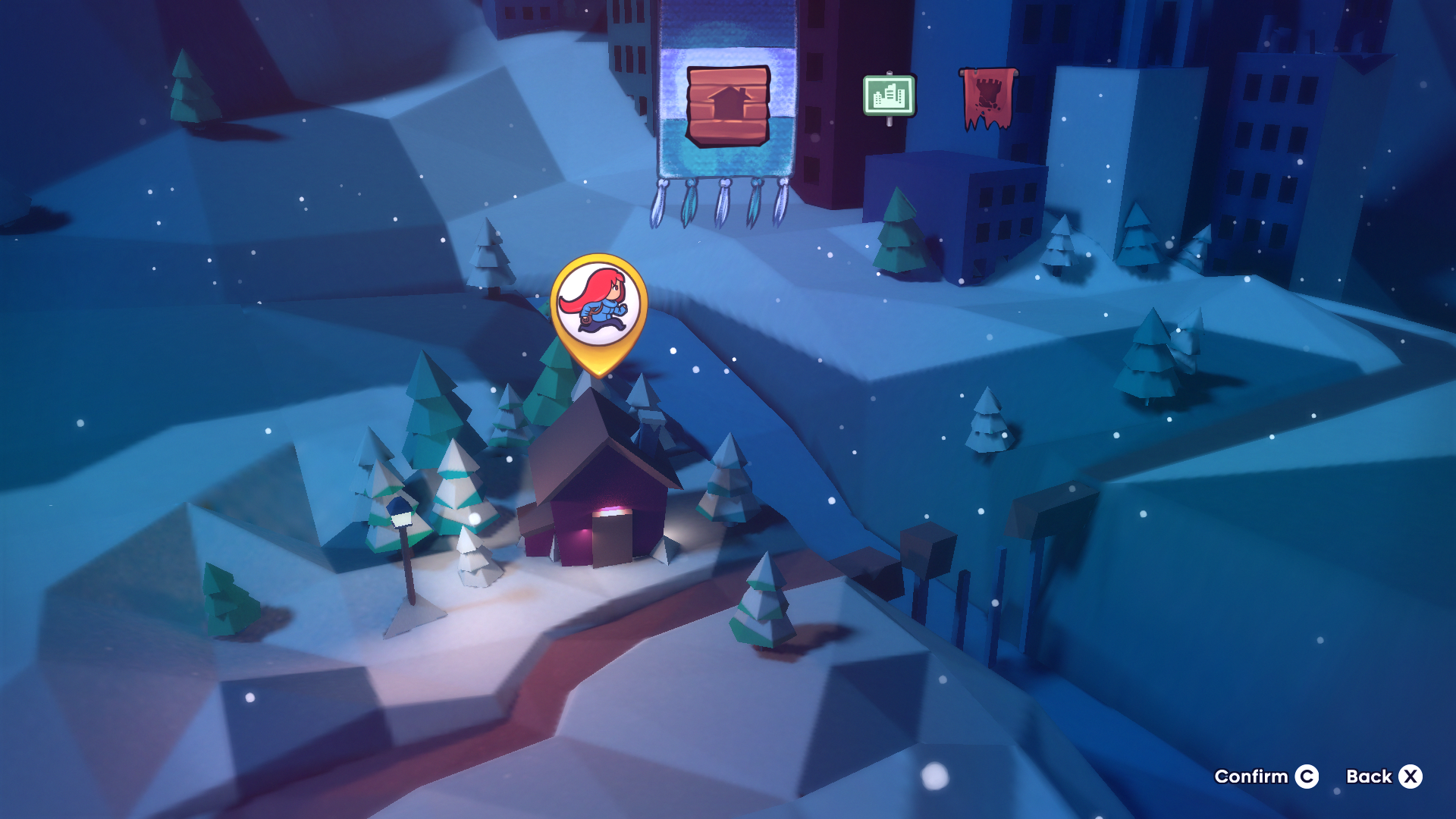
Event Mode appears to have been intended for some sort of pre-release demo playable at an event: instead of taking the player to the save file selection screen, the "Climb" button in the main menu directly loads a save with Prologue and the 2 first chapters unlocked, along with their B-sides, but no checkpoints. "Event Build" can be seen on the title screen, and PICO-8 is unlocked on the main menu.
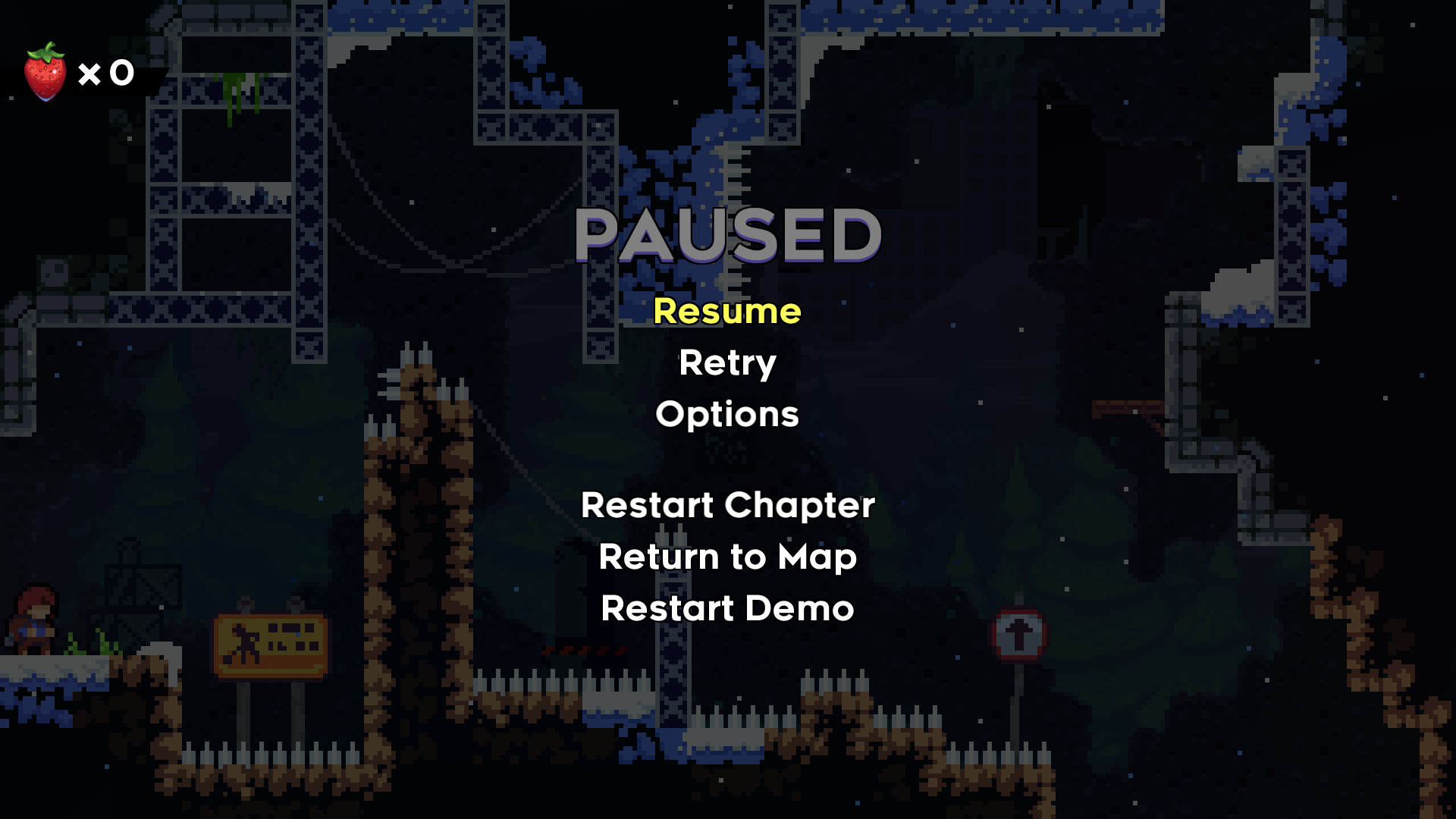
It is impossible to make progress in this mode: unlocking new checkpoints or chapters isn't possible, and while the game saves progress to the debug save (debug.celeste), entering the overworld from the main menu doesn't load it, and creates a new save instead. This means progress can be easily reset at any time by returning to the main menu. In addition to this, "Save & Quit" is also gone from the pause menu, replaced with a "Restart Demo" button that returns the player to Prologue.
Early Oshiro Color Scheme#
Mr. Oshiro's animation frames for when he shrinks after collapsing the bridge use an earlier skin color, compared to throughout the entire rest of the game.

Regional/Language Difference#
- When the language is set to Japanese, the Celestial Resort logos are switched to versions referring to it as the Celeste Hotel. No other languages do this, keeping the original English name.
Revisional Differences#
|
|
To do: |
v1.3 Changes#
Besides adding the new chapter, the Farewell update (v1.3) made several other changes:
- The seeker forcefields in Mirror Temple were given wavy edges, matching the Farewell versions (internally these are the same object).
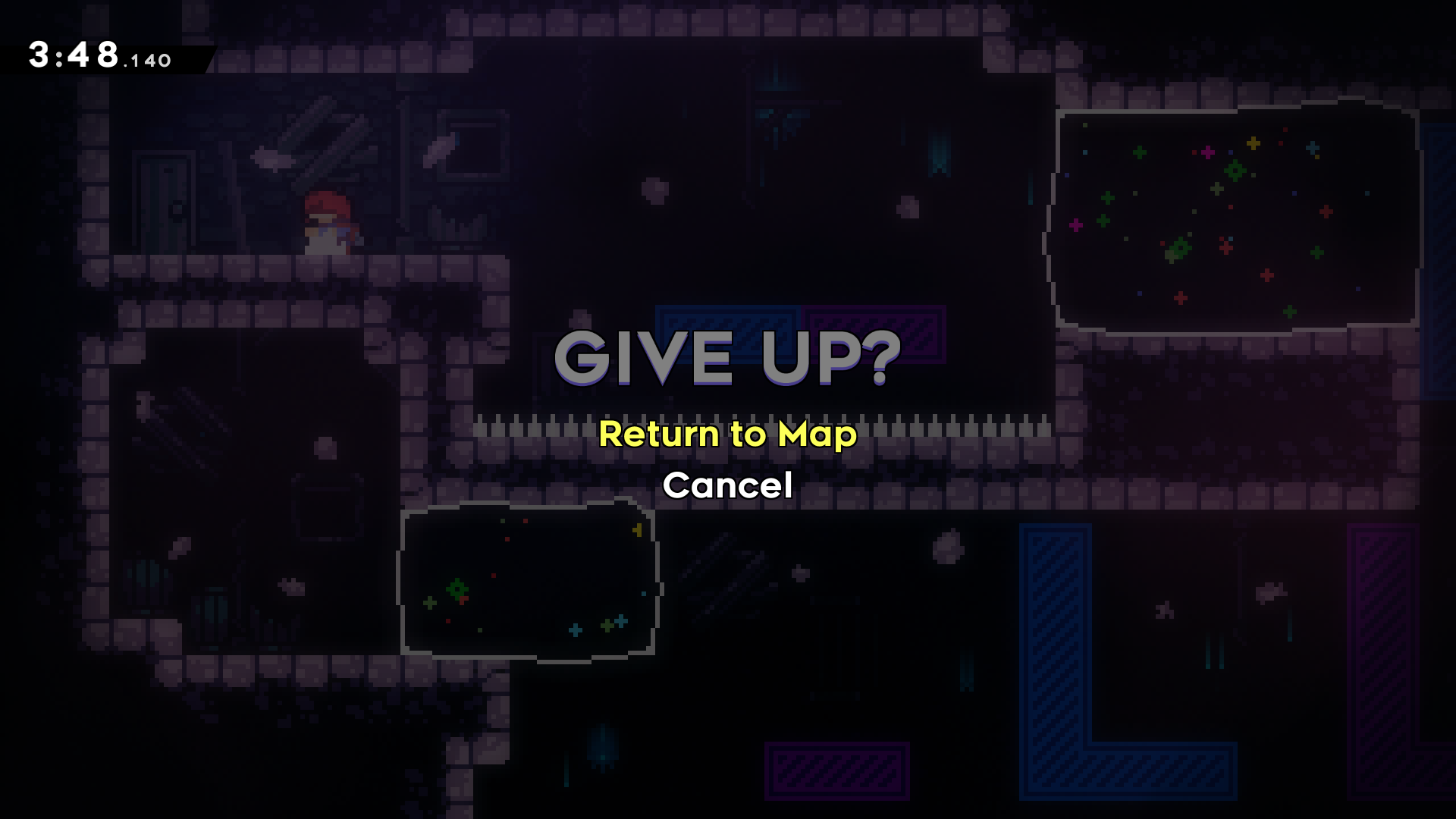
- The Return to Map confirmation was changed to clarify that collectibles, etc. will be saved, but you will need to return to an earlier checkpoint. The old version simply said “Give Up?”, implying you would lose all progress.
- Assist mode, variant mode, and cheat mode are now indicated on save files by “tabs” on the left, instead of the stamps. Several Farewell-related stamps now take their place.
- Dying with a golden strawberry now plays a unique sound, instead of the standard death sound.
- Various new console commands were added.
- Dialog is now stored in binary .export files, which can be generated from the text files using the export_dialog command in-game. This command/behavior did not exist before 1.3.
- Cassette Blocks are given unique line patterns, to help with colorblindness.
Other Changes#
- The time the game is frozen when collecting a refill gem was 100 ms, and was shortened in v1.2.0.0.
- The collectable view, shown after completing a stage, was aligned to the lower right, instead of the lower center, and would also show if the Crystal Heart and Cassette Tape were collected. This functionality was removed by v1.1.3.0.
- The speedrun clock used to function differently, stopping during death, a cutscene, or while the game is paused. This was changed in v1.2.1.0, as the old system was deemed "exploitable".
- The millisecond part of the speedrun clock was drawn smaller.
- A shortcut was added in the final screen of the chase section of Chapter 2.
- In v1.0.0.0, the speedrun clock turns blue after a chapter is completed, with no indication of whether the player hit a personal time record.