 This article has a talk page!

|
This page contains no introduction. |
Debug Mode#
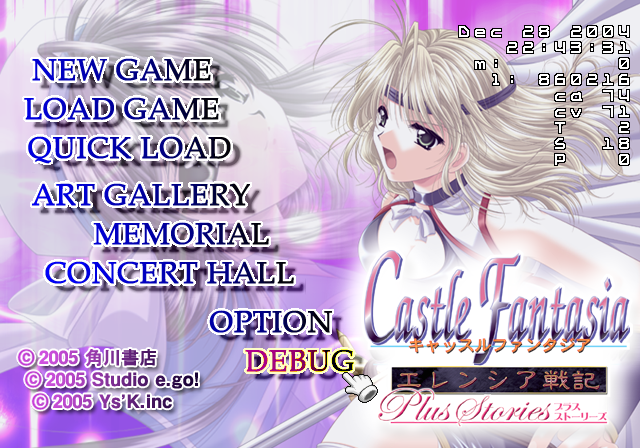
Having the below code active re-enables a debug mode. This notably puts DEBUG at the main menu and enables a debug display by pressing  . A debug menu can then be opened with
  button.
Enable Debug Mode
0020BE72 00000001
(Source: Original TCRF research)
DEBUG#
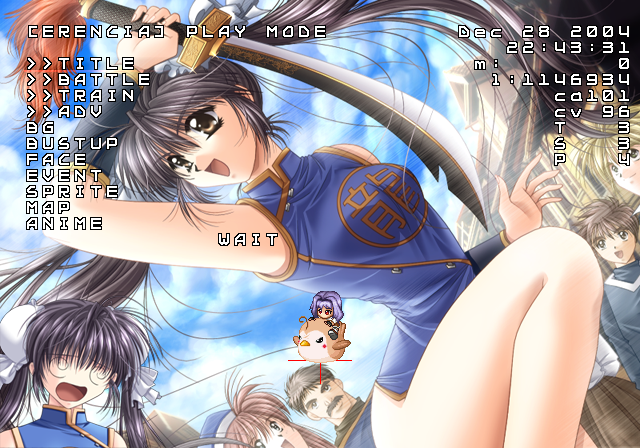
This can be accessed from the main menu.
Text |
Notes |
|---|---|
TITLE |
Returns to the title screen. |
BATTLE |
Allows choosing any battle in the game. |
TRAIN |
Allows choosing any training session in the game. |
ADV |
Allows choosing any scene in the game. |
BG |
Select background images to view. |
BUSTUP |
Select character images to view. |
FACE |
Select small character images to view. |
EVENT |
Select event images to view. |
SPRITE |
Select sprite sheets to view. |
MAP |
Select maps to view. |
ANIME |
Select animated images to view. |
Flag Menu#
Pressing will reveal this menu allowing one to set various parameters.
Flag#
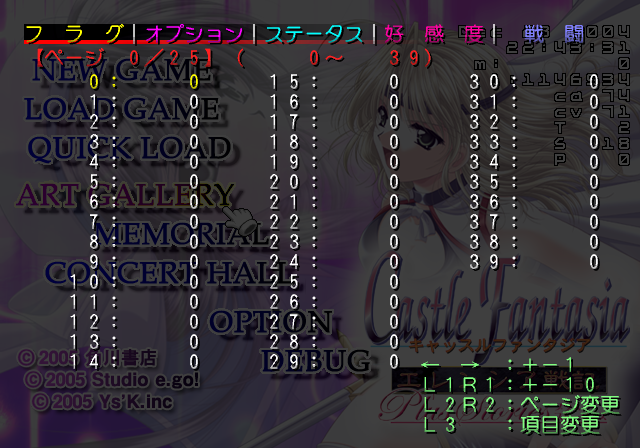
Shows various flag settings the user has enabled by progressing the game. None can be manually set.
Option#
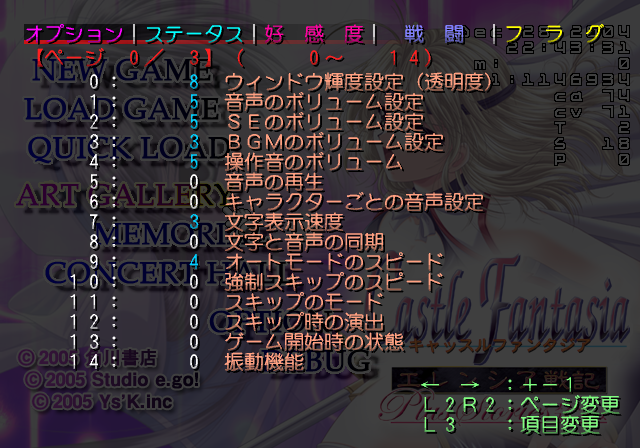
Allows setting of various options. Some are found from the options menu, while most appear exclusive to this menu.
Status#
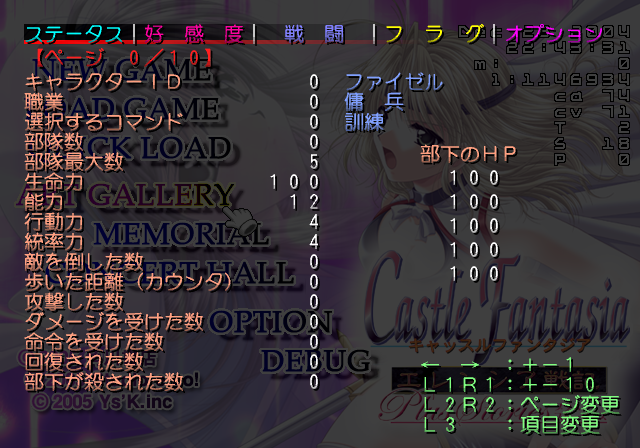
Allows setting player statistics, such as HP and attack values.
Impressions#
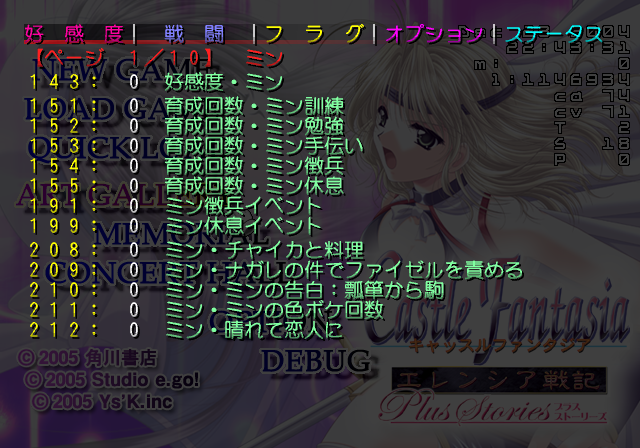
Allows setting character flags.
Battle#

Allows setting various in battle settings. Only displayed while in a battle.