 This article has a talk page!
AstroPop Deluxe is Tetris, but with a new mechanic!
Sub-Pages#

Partner.xml File#

|
This needs some investigation. |
Present in almost every PopCap game is partner.xml. partner.xml enables PopCap, as well as PopCap's partners, to easily modify small details of the game without needing to recompile the game or access the game's source code. This file has been edited numerous times by multiple partners and PopCap themselves, and later revisions of the PopCap framework have added additional features to it. Also present is a checksum check, so not every user can make any changes they want. If the checksum fails, an error message appears, and the game either fails to boot up or boots up with default values, typically enabling the trial or registration system. Below is an attempt to list the features for partner.xml in Zuma Deluxe. Some features may not be present in earlier revisions.
Boolean Value |
Effect |
|---|---|
DefaultWindowed |
On a fresh installation, start the game in Windowed or Full Screen. |
DontUpdate |
Toggle the in-game update system. |
NoReg |
Toggle the registration system. Configurable through MaxPlays |
Integer Value |
Effect |
|---|---|
MaxPlays |
Max amount of times allowed to play before forcing registration. |
MaxTime |
Trial duration in minutes. |
String Value |
Effect |
|---|---|
RegistryKey |
Path to the game's registry. |
MoreGamesLink |
The URL for More Games. If not present, sends the user to the in-game More Games UI. |
Funkytown Easter Egg#
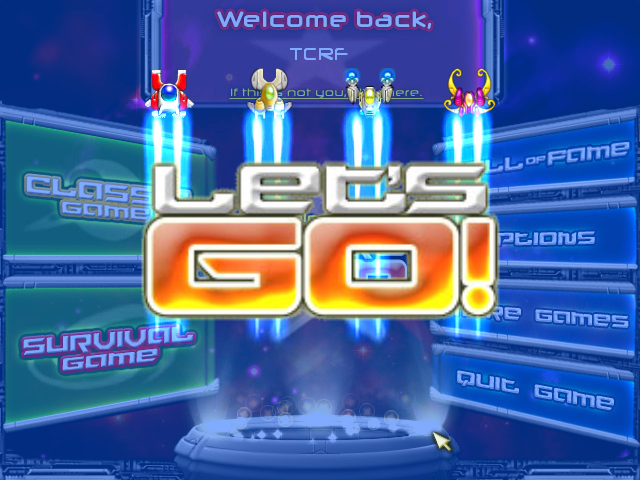
There is an easter egg referencing Funkytown by Lipps Inc.. The player should hover their mouse over each button on the main menu in this order:
- Hall of Fame
- Hall of Fame
- Classic Game
- Hall of Fame
- Survival Game
- Survival Game
- Hall of Fame
- Options
- More Games (or Help)
- Quit Game
The sound each button makes on hover is in tune with the song's main riff. Then LET'S GO with the four main space ships fly by and the screen flashes in a rainbow sequence for a brief moment.
Revision List#
- 1.0 = Initial release!
- 1.1 = Windows Vista Compliance.
As with most PopCap games, versions are a mess. Multiple versions of 1.0 exist, and numerous changes are between them.
1.0 (Installer, Popcap.com, April 6, 2004)#
- First known compiled version of the game.
- The build information using -version marks version 1.0 (2004) as build 211 dated Tuesday, April 6, 14:39:05, 2004
1.0 (Installer, Popcap.com, October 6, 2006)#
- Updated PopCap's Game Framework
- Quite uncommon, but it is a 2006 build with the -version info still intact
- The build information using -version marks version 1.0 (2006) as build 217 dated Friday, October 6, 15:43:00, 2006
1.1 (Installer, Popcap.com, July 2, 2007)#
- Updated PopCap's Game Framework
- Implemented opening the game through main.pak. However, this was never used in AstroPop and seems unsupported.
- Information using -version is now missing
Title Screen#
April 8, 2004 |
March 7, 2007 |
August 15, 2007 |
|---|---|---|
 |
| |
| |
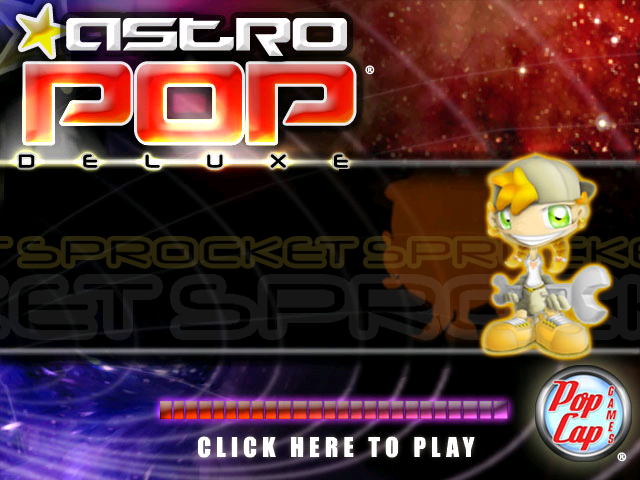

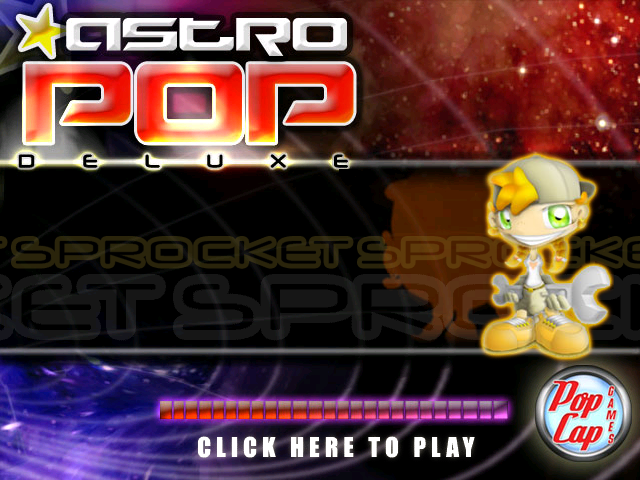
Three versions of the title screen were used in AstroPop. Oddly, in the newest revision, PopCap messed something up with the text layering and colours on the title screen, making them look worse. The first version appears to have been made about the same day the game was released, which is actually quite uncommon for PopCap Games. Maybe during pre-release, they still used the old PopCap logo. As usual, late 2007 was the last version, and mid-2007 had, for a very short period, the trademarks changed to registered trademarks.
More Games Menu#
Some PopCap games, such as Zuma Deluxe, Pixelus Deluxe, and Astropop Deluxe, include a menu named "More Games". Numerous things control this menu.
First, it checks if the entry MoreGamesLink is present in partner.xml. If it is, the menu is disabled, and the button will direct the person to the linked URL instead.
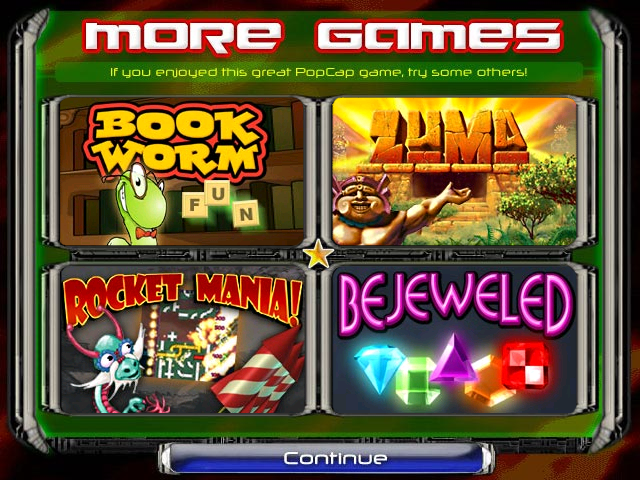
Earlier installers don't have an entry yet, and instead open a fully functional, more games menu, that advertises four PopCap games you can click on, and then download. It functions as follows:
- The folder win32ads contains the assets for the More Games menu.
- The text file adlist.txt contains all the data, such as which menus link to which assets, and where they redirect you to. The limit of games is four.
The More Games menu |
|---|
 |
Later installers and partner versions completely scrapped this menu and made the partner.xml change to push you to Popcap.com or the partner's website instead, likely because they felt advertising only four games wasn't enough.
Anti Tampering#
Many PopCap games allow players to modify the game freely, except for the Partner.xml file. AstroPop Deluxe has a rather strange system in which each data file includes a checksum that is very similar to the checksum seen in Partner.xml. Modifying the bonus file results in a FATAL error on the title screen, which then closes the game. Modifying the descriptor file causes a FATAL error upon clicking Click here to play on the title screen. Only the demo file seems not to have a checksum, which is the file used for the demo introduction.
Bonus file modifications |
Descriptor file modifications |
|---|---|
 |
| |

Lastly, profiles, found at ProgramData\PopCap Games\AstroPop\users, also have tampering protections. If found tampered with, the following error will pop up in-game
Profile data modifications |
|---|
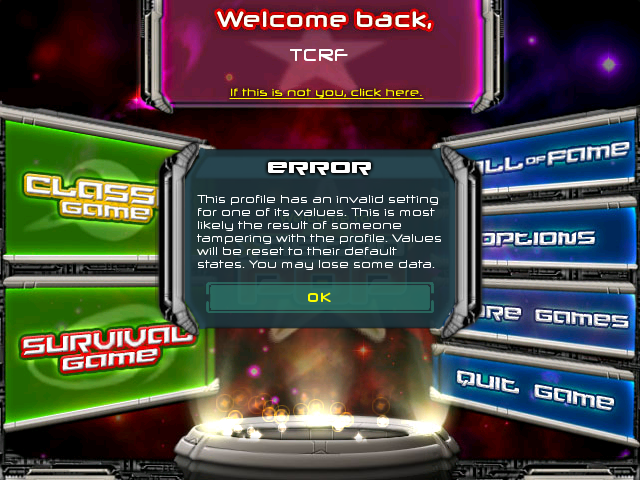 |
As to why AstroPop in particular has this much protection against tampering is unknown.
Unused Graphics#


Early graphics for the bricks in color blind mode.
Used |
Unused |
|---|---|
 |
 |
Created in October 2006, it is a second revision of the Game Select screen with the More Games button replaced with Help. In Zuma Deluxe, there's a partner.xml boolean that determines whether the More Games button opens the help screen. It's possible this was supposed to work similarly, but it seems unused. MoreGamesHelp is also not referenced in the executable at all.
Deleting the image, however, causes a FATAL ERROR, indicating that the executable itself is looking for it. There's currently no known build, PopCap or Partner that uses it.