 This article has a talk page!
This is a sub-page of Proto:Ratchet: Deadlocked.

|
This prototype is documented on Hidden Palace. |
A preview build of Ratchet: Deadlocked for PAL regions that predates the final build by approximately a month.
This build contains a security check that prevents the game from running on consoles without a WibuKey security dongle attached. The downloadable copy available on Hidden Palace contains an xdelta patch to remove this security check.

|
To do:
|
General Differences#
- FMV cutscenes are incomplete. They contain placeholder graphics, missing textures, timestamps and are missing most sound effects and music.
- Most in-game level music is missing.
- The music that plays when completing a challenge is entirely different.
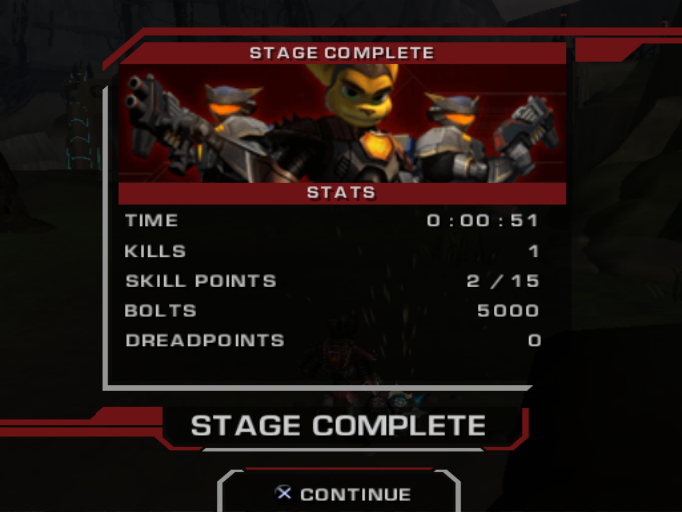
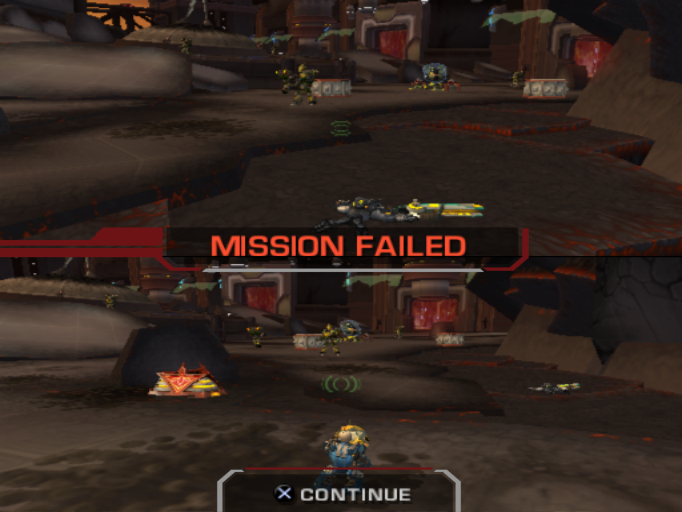
- Challenges are instead referred to as Stages when completed or Missions when failed.
Stage Complete |
Mission Failed |
|---|---|
 |
 |
- Some levels will crash the game when loaded normally in single player or via the debug menu.
- ⚠️ This can be worked around by visiting a level in co-op mode, saving the game and then loading it from single player mode.
- The Combat Bot's Ravager weapon is called the Super Bomb on the HUD.
Proto |
Final |
|---|---|
 |
Menu Differences#
Title Menu#
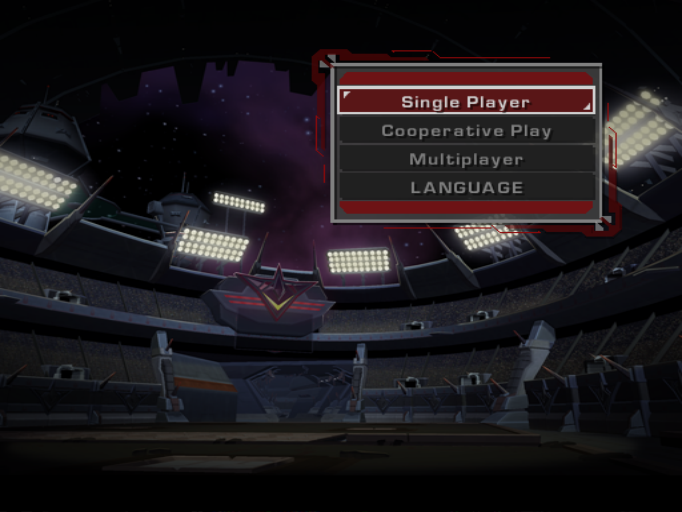
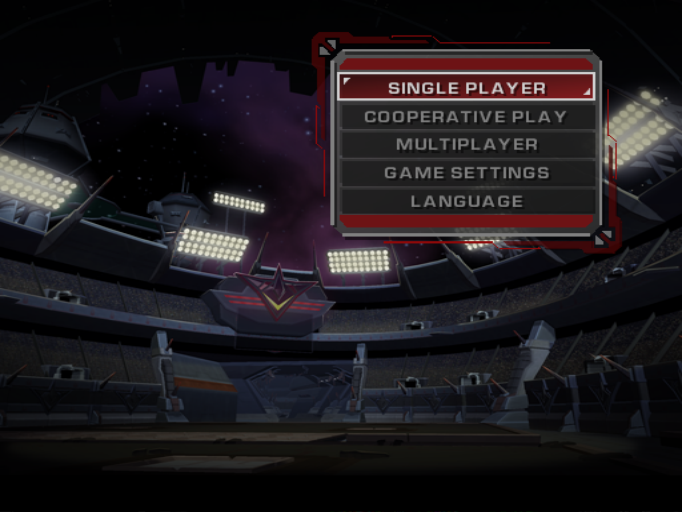
- The title menu is missing "Game Options" and all other options with the exception of "Language" are not in uppercase as they are in the retail game.
Proto |
Final |
|---|---|
 |
 |
Save/Load Menu#
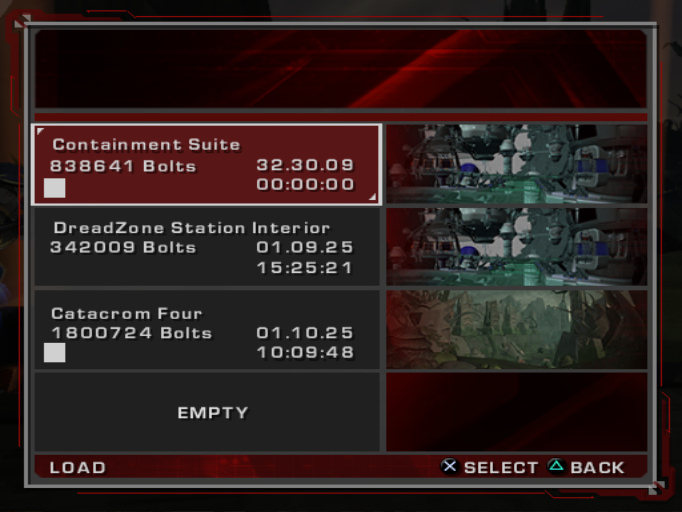
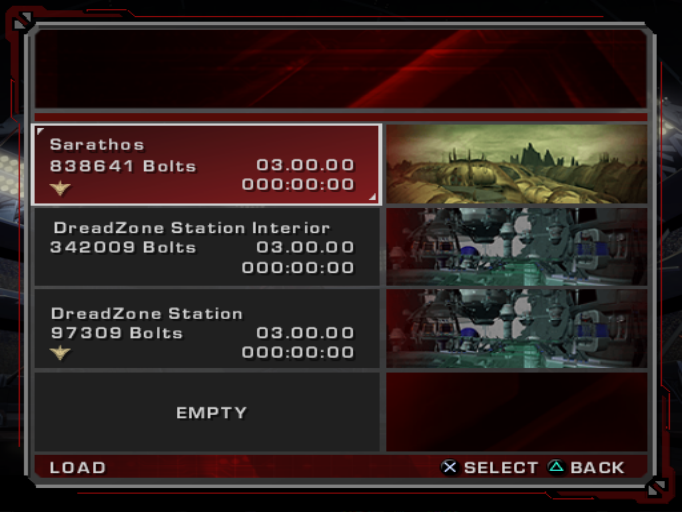
- The challenge mode badge is missing with a white square in its place.
Proto |
Final |
|---|---|
 |
 |
Pause Menu#
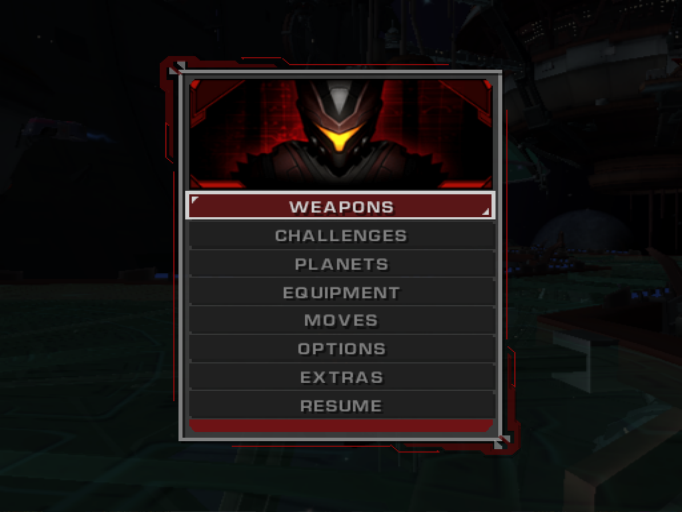
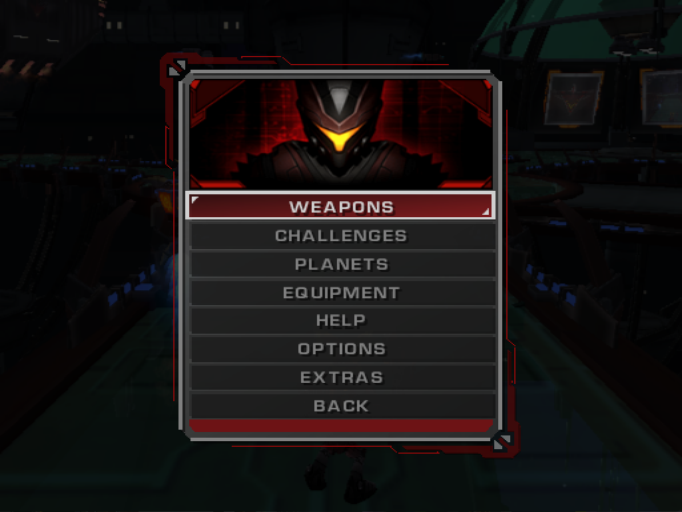
- The entire "Help" submenu is missing. Instead, the "Moves" option is in its place and the "Help Log" is instead in the "Extras" menu.
- The "Back" option is instead named "Resume" in the prototype.
Proto |
Final |
|---|---|
 |
 |
Extras Menu#
Skins#
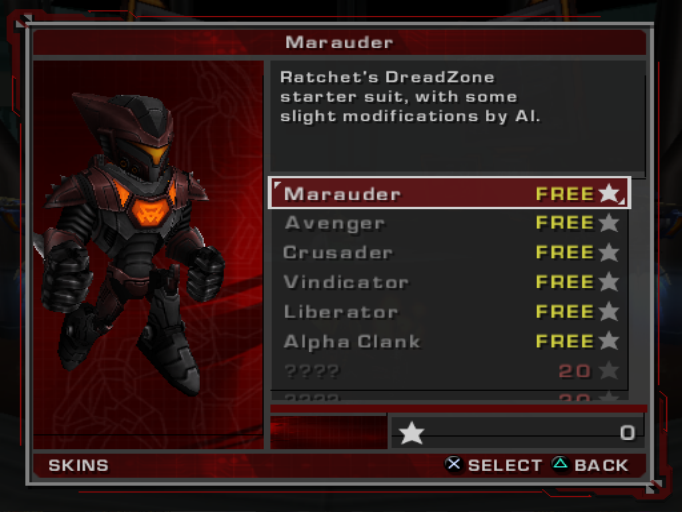
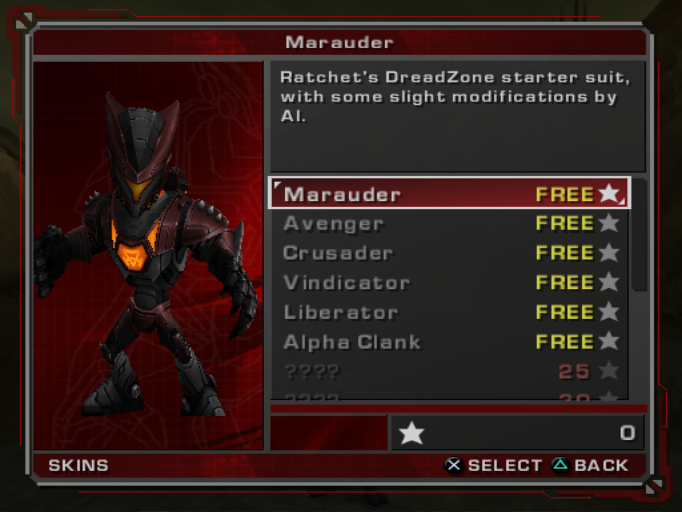
- The skin preview uses a running animation instead of the idle pose used in the final game.
Proto |
Final |
|---|---|
 |
 |
Level Differences#
DreadZone Station#
- Weapons can be fired while in DreadZone Station, unlike in the final game.
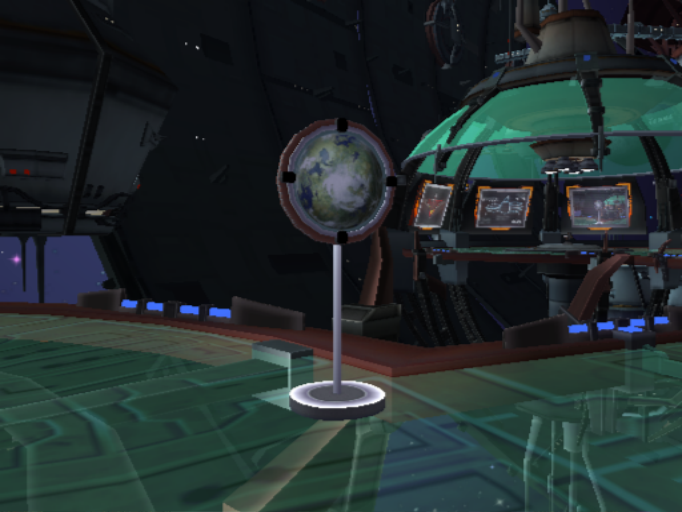
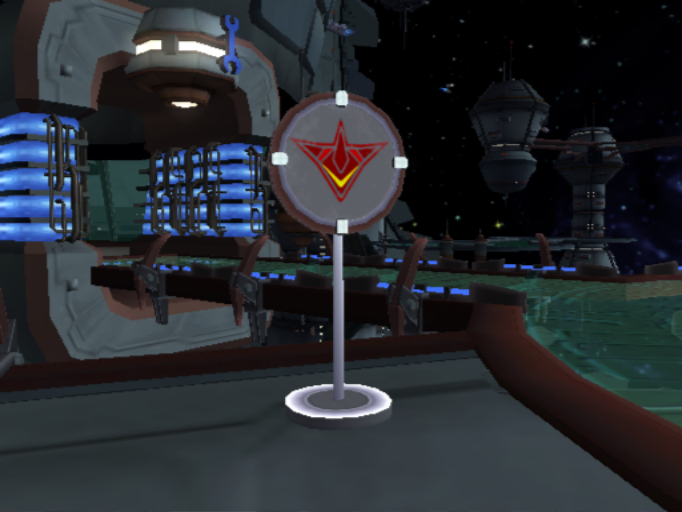
- There are "taxi signs" to indicate where the planetary transport and DreadZone stadium transports are.
 |
 |
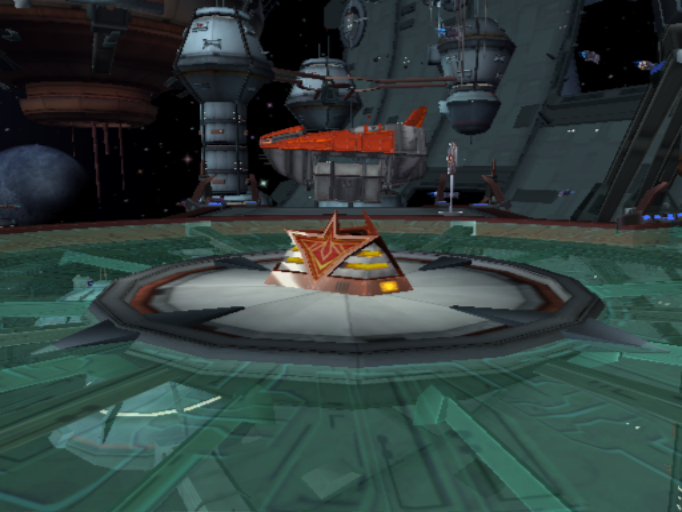
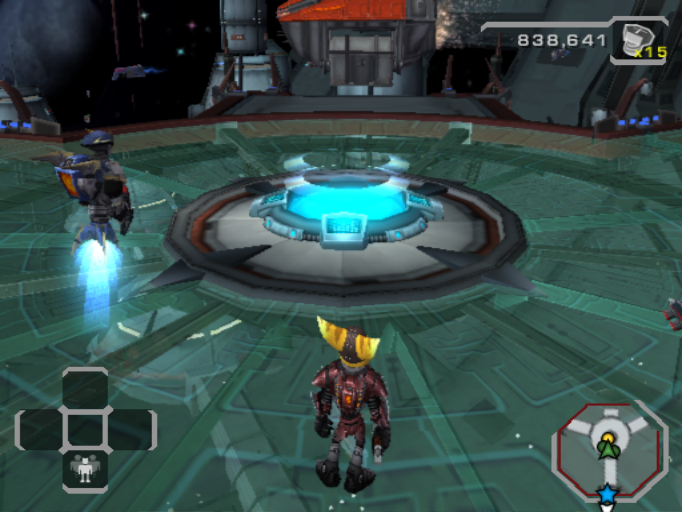
- The DreadZone leaderboard is missing, with the weapons vendor being in its place instead.
Proto |
Final |
|---|---|
 |
 |
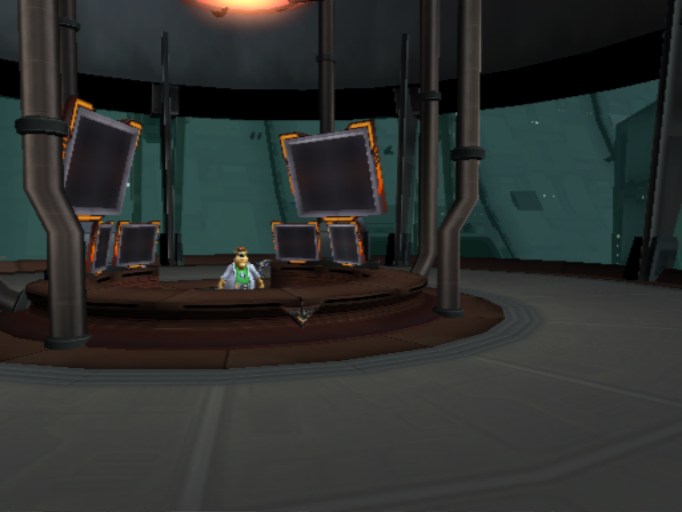
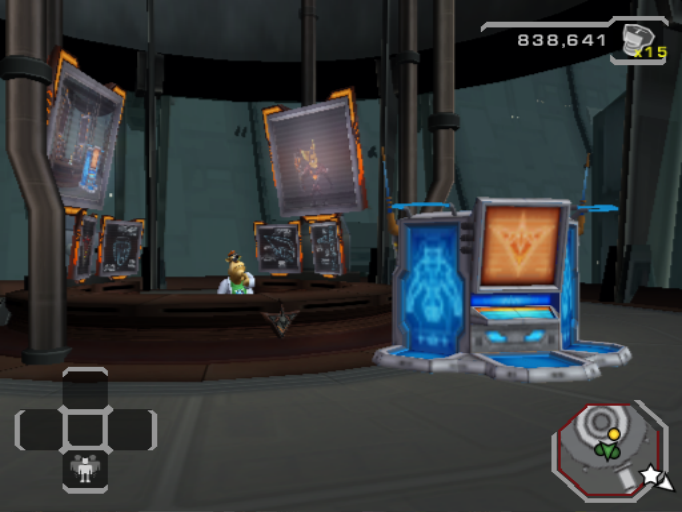
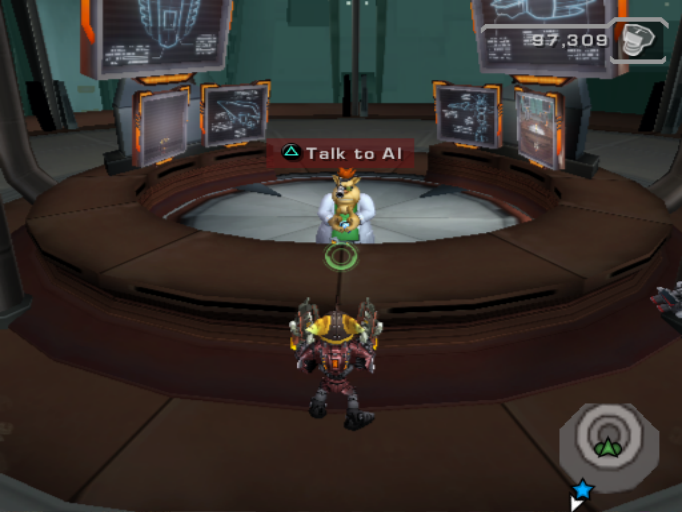
- The vendor in Al's shop is missing. Instead, bot upgrades are purchased by talking to Al directly.
Proto |
Final |
|---|---|
 |
 |
 |
Debugging Features#
Level Select#
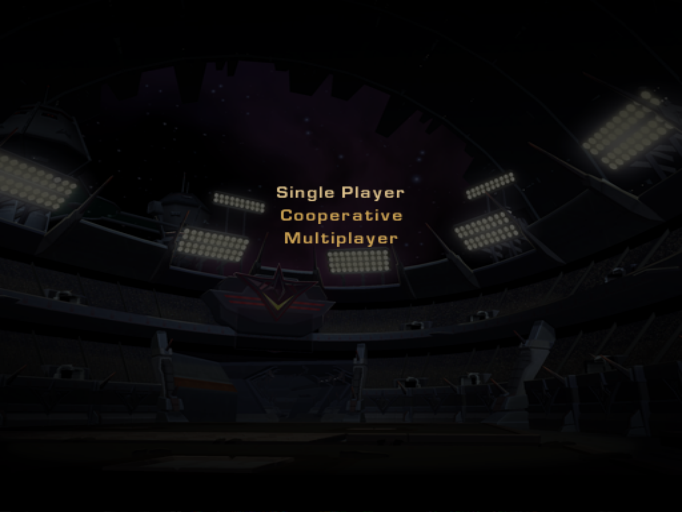
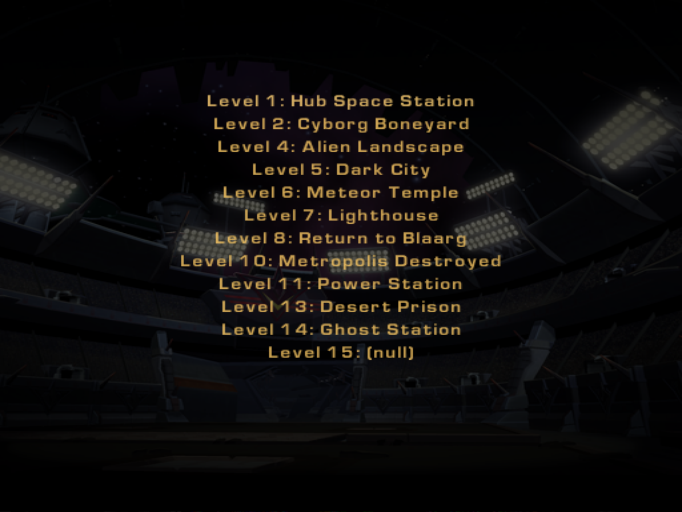
An alternate "debug" main menu with a level select feature can be accessed while holding L1 + L2 + R1 + R2 on the main menu.
 |
|
Debug Menu#
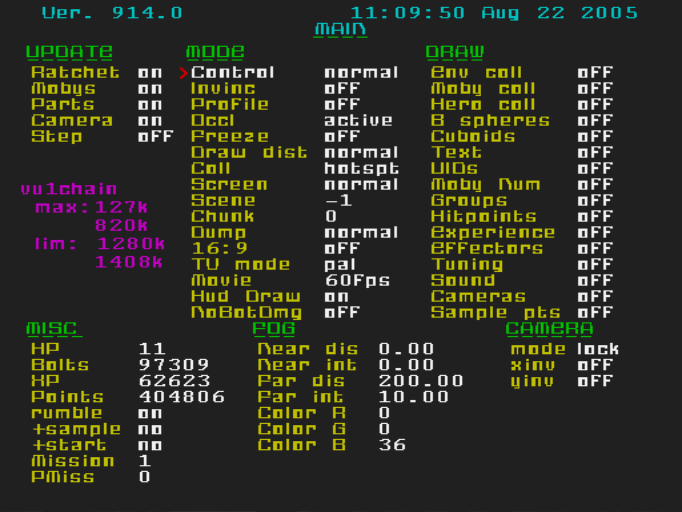
This build contains a working debug menu which can be accessed by pressing L1 + Select + R3 together. Once open, the menu can be closed by pressing R3.
Main#

|
This needs some investigation.
|
This page contains options for controlling the game camera & player character, certain rendering properties, toggling detailed on-screen debug information and manipulating various status such as bolts, XP, points and health.
Weapons#

|
|
This needs some investigation.
|
This page contains options for the player's unlocked weapons and their current level, ammo, damage and gained experience.
Weapons (excluding the wrench and Combat Bot armaments) can be upgraded to Lvl 9 on a normal playthrough, or Lvl 99 in challenge mode. Decreasing a weapon's level below 1 will cause it to become unowned. Likewise, increasing the level to 1 or higher will unlock a previously weapon.
The Combat Bot's armaments can also be unlocked from this screen.
Weapon Mods Page#

|
|
This needs some investigation.
|
This page is used to configure Alpha and Omega mods on the player's weapons. The number of each property seems to correspond to the quantity of the corresponding mod that is applied to the weapon.
Third-Person#

|
|
This needs some investigation.
|
Gadget XP#

|
|
This needs some investigation.
|
Load Level#

|
|
This needs some investigation.
|
This page is essentially a level select screen and can be used to warp to any planet in the game. Highlighting a level with the D-Pad and pressing Square will load that level.
L01-L15 are single player levels, L21-L35 are the split screen co-op versions of those levels.
The levels listed here are using placeholder names which were likely chosen early in development before the planet's final names were decided.
Proto Name |
Final Name |
|---|---|
Hub Station |
DreadZone Station |
Boneyard |
Catacrom Four |
Alien Landscape |
Sarathos |
Dark City |
Kronos |
Meteor Temple |
Shaar |
Return to Blaarg |
Orxon |
Lighthouse |
The Valix Belt |
Metropolis |
Planet Torval |
Power Station |
Stygia |
Desert Prison |
Maraxus |
Ghost Station |
Ghost Station |
Vox HQ |
DreadZone Station Control Level |
RC2HUD Tweaks n' Settings#

|
|
This needs some investigation.
|
This page only contains two options related to the in-game HUD. The name is a leftover from during the development of Ratchet & Clank 2, when the quick select pause feature was introduced.
QSEL Pause is used to toggle whether the game pauses when using quick select.
IGE Debug is likely related to HUD debugging, however it's exact purpose is unknown.
RC3 Challenge Mode#

This page is used to determine if the save file is currently in challenge mode, and if so, how many times the game has been replayed.
Incrementing the only option on this page (number of replays) will immediately put the game into challenge mode with effects such as making Mega weapons purchasable, triggering certain challenge mode related helpdesk dialogue and more.
Cam Fly By#

|
|
This needs some investigation.
|
At a cursory glance, this page doesn't appear to have any options but seems to be related to scripted camera "fly by" events. It may be associated with the initial "fly by" cutscenes that play at the start of a challenge.
Font Properties#

|
|
This needs some investigation.
|
This page controls certain visual characteristics of in-game text. Specifically, the available options control drop shadows and the scale (size) of the font used in the game.
Render Stuff#

|
|
This needs some investigation.
|
This page controls various post-processing effects in-game such as bloom and ambient occlusion.
Level Transitions#

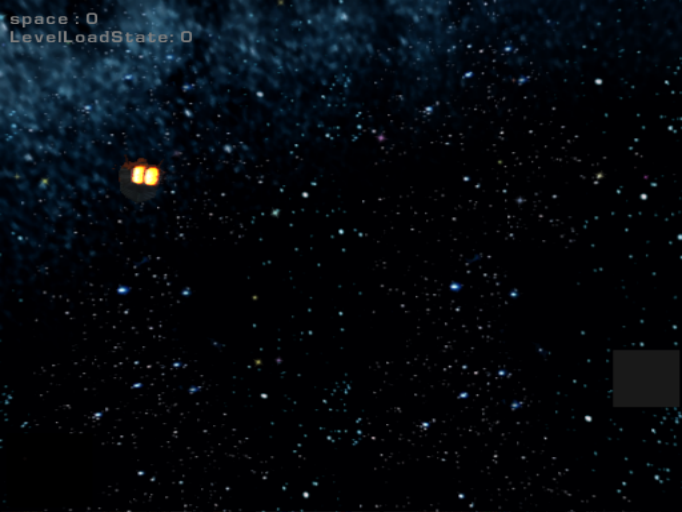 This page is used to test level transitions. By selecting source and destination levels by their level number then choosing "Show transition", the game will play the level load transition with some debug text in the top left corner.
space: This seems to correspond to how many scenes have played of the ship traveling through space. Each time a ship "fly by" is played, this number increments by one.
LevelLoadState: This appears to relate to the current progress of the level load. The load starts with this value at 0, with the final animation of the ship flying into the planet happening at a value of 3.
Hero Warp#

|
|
This needs some investigation.
|
This page can be used to teleport Ratchet to specific coordinates within the currently loaded level.
IOP Modules#

|
|
This needs some investigation.
|
This page appears to display memory usage information for various modules used by the game.