 This article has a talk page!
 Debug FunctionsUseful features and Arial font everywhere.
 Pre-Rendered VideosLeft front. Right rear. Thob.
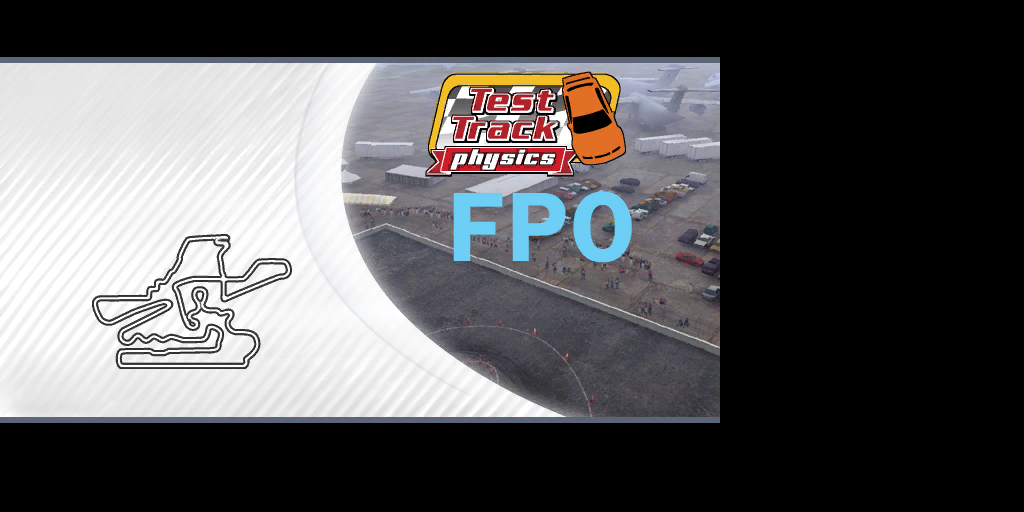 Track Loading BannersCropping ensues.
Differences#
General#
- The game starts with a removed "Team 4za" loading screen. The game will quickly flash over the disclaimer screen because of that.
- The game starts loading immediately after bootup, rather than after the Microsoft Studios logo.
- There's no "Simulation" or "Welcome to Forza Motorsports" screen.
- When saving to your profile, the loading icon is on the top right of the screen instead of the center. The icon also doesn't fade out.
Track Selection#

|
To do: |
- The "Series" text is colored to match the UI outlining
- The rows of information is more separated.
- The course logo boxes are less high.
- The course flythrough is bigger and shows more of the video.
- All course logos are aligned more to the left.
- On the Free Run and Time Trials track selection screens, the track order for Hot Lap is different.
Prototype |
Final |
|---|---|
Sunset Peninsula Speedway |
Maple Valley Raceway Short |
Maple Valley Raceway Short |
Tsukuba Circuit |
Tsukuba Circuit |
Silverstone Circuit Short |
Alpine Ring |
Road Atlanta Short |
Maple Valley Raceway |
New York Circuit Short |
Road America |
Alpine Ring |
Mazda Raceway Laguna Seca |
Mazda Raceway Laguna Seca |
Rio De Janeiro Circuit |
Tokyo Circuit |
Road Atlanta Short |
Sunset Peninsula Speedway |
New York Circuit Short |
Road Atlanta |
Blue Mountains Raceway |
Sunset Peninsula Infield |
Silverstone Circuit Short |
Maple Valley Raceway |
Sunset Peninsula Infield |
Blue Mountains Raceway |
Road Atlanta |
Blue Mountains Raceway II |
New York Circuit |
Rio De Janeiro Circuit |
Blue Mountains Raceway II |
Silverstone Circuit |
Silverstone Circuit |
New York Circuit |
Tokyo Circuit |
Road America |
Nürburgring Nordschleife |
Nürburgring Nordschleife |
Test Track Infield |
Test Track Infield |
Test Track Infield II |
Test Track Infield II |
Test Track Oval |
Test Track Oval |
Class Selection#
- The class and scoreboard text are colored to match the UI outlining.
- "No Scores" was black instead of gray and aligned to the left.
- Some different text for some of the classes.
Car Selection#
|
|
To do: |
- The car icon boxes are raised down a little bit.
- The order that these cars appear in is different.
- Various car specs different slightly.
Loading Screen#
- The track temperature text has a dot after "Temp".
- The map, backdrop and track logo are squashed (likely intended for 16:9 monitors), regardless if your Xbox is set to normal view.
- When the screen goes to black to load into the track, there's no loading icon.
Returning to Main Menu#
- There's no fadeout and the game hangs for a bit before abruptly going to the menu loading screen.
- There's no black loading screen. Instead, the game cuts to text reading "LOADING UI" before displaying "UPDATING LEADERBOARDS".
- The white fade fading to the track selection is shorter.
Misc#
- The "tEAm4za" and "nOsLiW" profile names to grant either 900 million credits or level 50 from the start for the Career mode don't work.
- Some of the default audio settings have their sliders at different positions.
- "Menu Sound Effects" are louder.
- "In-Game Music" is quieter.
- "Engine Sound" is maxed out.
Bugs#
- The Soundtrack option on the pause screen is bugged. You can't exit out of it or confirm to select a different track, effectively being softlocked.
- All of the Nürburgring Nordschleife tracks do not load properly. Some assets will be loaded, but you'll be softlocked on a loading screen with a loading bar that barely progressed.
- Some scenery may pop in and out during gameplay. An example would be the cockpit rails in Maple Valley Raceway Short.
Text Document Leftovers#
Build 1.05.03.05.58093.txt#
Has the build date written onto. A duplicate of this file exists in media\gameversion.txt and is used by a crash dump screen.
1.05.03.05.58093 fullbuild.txt#
A text document indicating if this is a build for the full game or a demo. It's the full game in this case.
I'm a full build!media\Disclaimer.txt#
The game's disclaimer screen written in a text document. Despite the 2004 copyright date, the main text is identical.
The driving depicted herein may not be realistic and is potentially dangerous in real life. Do not try these driving maneuvers when on the road.
Not all parts are legal for use on vehicles used on public roads or highways.  Please check all applicable laws and regulations in your area.  Some, or all, of the parts may also void your Original Manufacturer's Warranty.  Please consult your Owner's Manual, or visit your Authorized Dealer for more Warranty information.
All right reserved.  All Trademarks, Tradedress, Design Patents, Copyrights and Logos are the Property of their respective Owners.
2004 Microsoft Corporation. All rights reserved.media\Shaders\shaders.txt#
A placeholder file that... well... you can read.
This file is a placeholder to create the correct directory structuremedia\Tracks\VancouverReverse\VancouverReverse PVS XBDBSMon.txt#
 |
Download Forza Motorsport "Vancouver Reverse" File: Xbox-ForzaMotorsport-VancouverReverse-1.zip (1.22 MB) (info) |
A massive debugging log file present in the track folder for Pacific Shipyards II. It seems that aside from someone testing this track, they were modifying its QuickPreview1.pvs file (line 12210), setting that file with a creation/modification date of October 11th, 2004. It appears they were using a demo version of the game (line 12271) with the build date 1.04.10.10.37417 (October 10th, 2004) along with mentions of files that no longer exist.
Unused Tracks#
Both tracks can be loaded from the Debug Free Run menu.
Physics#

An open track with no finish line for testing the car's... you know. There are ramps, long hallways, curved surfaces, different types of surfaces, and some developer jokes scattered throughout. There's no textures aside from the occasional marked areas, which all have been marked with either flat colors or a rainbow pattern.
TestTrack2#

A large boxed up area with nothing in it. Whether this was the base for a (scrapped) track or if this was supposed to test anything at all is unknown.
Unused Graphics#
|
|
To do:
|
Fonts#
Arial_Black_72.xpr#
Likely an early race countdown. The first character is invalid.

Eurostille_11.xpr#
Unknown. Could've been part of a gauge.

Interstate_Black_72.xpr#
Also likely an early race countdown. The first character shows up this time.
 |
Reverse_14.xpr#
Was the font originally used for an early version of the gauge meters.

Reverse_21.xpr#
The same font as above, but bigger and only having numbers and a few special characters.

Retool_16.xpr#
Also likely intended for a gauge meter, though this font isn't used by any gauge at all.

Titlebar_Font.xpr#
Intended to be used on track loading banners in an early build.
 |
XboxDings_24.xpr#
Two different Xbox button mappings meant for the Duke controller. The final game only ever mentions the S controller.
 |
Textures#
carbonfiber.xpr#
A bigger version of the used carbon fiber.

Chicklets#
|
|
To do: |
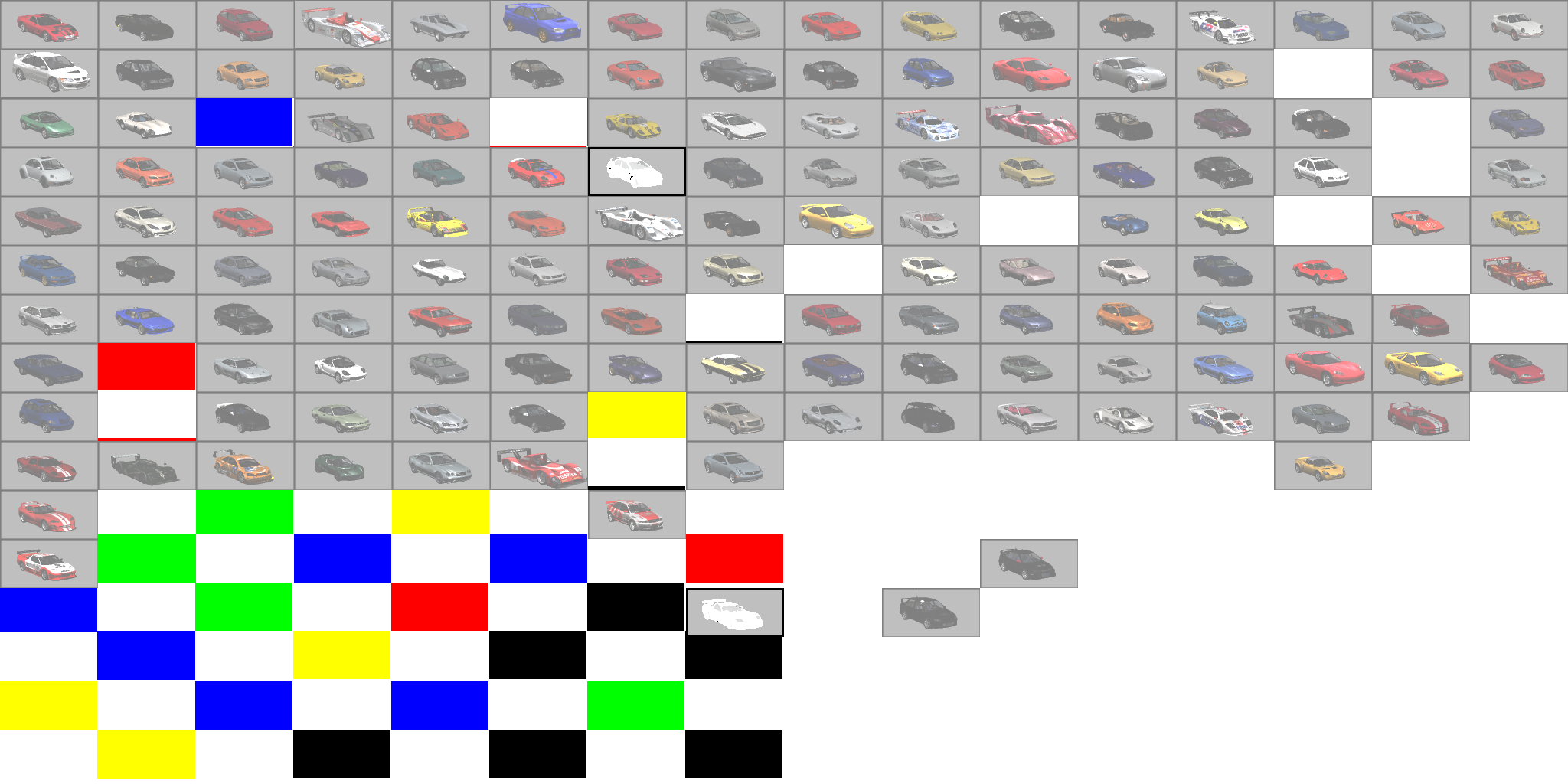
Two files are present titled media\chicklets_garage.xpr and media\chicklets_stock.xpr. They seem to be scratchpads of sorts, containing various car icons with colored placeholders, some of which aren't even aligned properly. Some of these icons do match their final counterparts, except they're just a little less bright.
Also, there are Icons for the following cars, despite them not appearing in the final game:
BMW Z4 (E85), BMW CSL (E9), BMW M3 (E36 & E46)

Early Dashboard Save Icons#
These icons are supposed to show up on the Xbox Dashboard when a game is saved. Some of early versions of these icons resemble some icons that were eventually used for the main menu.
Name |
Early |
Final |
|---|---|---|
SaveImageDrivatar.xpr |
 |
 |
saveImageGhost.xpr |
 |
 |
saveImageProfile.xpr |
 |
 |
saveImageReplay.xpr |
 |
 |
saveImageSettings.xpr |
 |
Nothing identical |
Unused Audio#
"UI Music"#
Only one unused track exists in this build. It's in a folder that was deleted from the final game (media/Audio/SoundTracks/UI) and doesn't seem to resemble anything from Junkie XL. The file name suggests this may have been used at some point for a title screen or menu.
Leftovers#
A handful of leftovers from earlier builds are still here.
The September 14th, 2004 trial audio files still exist in media\Audio as UIMusicTrial.zwb and UISoundsTrial.xsb, and are identical to that build of the game.
Going back a few years, some sample audio files from a November 7th, 2002 build are still here in media\Audio\SoundTracks as sample.xwb and small.wav. They're both empty audio files and are identical to that build. A file titled XactSounds_streaming.xwb exists with a track listing titled XactSounds.xsb. It's almost identical to sample.xwb, just with a few shifted bytes.
Car Lists#
|
Download Forza Motorsport Car Lists File: Xbox-ForzaMotorsport-Carlists-1.zip (54.3 KB) (info) |
Present in media/cars are two XML files titled Carlist.xml.xls and Carlist_E3.xml.xls, which act as source (code) files to be written to a carlist.xml file in one of the game's *.cab files. Carlist.xml.xls is a backup list of every car present in the game, listing 231 cars in total. The list details car file names, display names (both full names and short names), car manufacturers, car revisions, classes, used audio index files, list they appear in in the car selection menu, in-game price, what cars are unlocked at the start (though they're all set to 1), and car statistics displayed in the car selection menu, such as manufacturer ID, performance, speed, acceleration, brakes, handling and rarity. Carlist_E3.xml.xls is generally the same, listing a select 31 cars, only with statistics. Above the list is a directory listing leading to c:\sd\racing\Forza\Dev\Media\cars\ and a "Write File" button that likely would've exported several files to the assigned folder.
Both lists have some metadata included. They were created by one named "Martyn R. Chudley" at Bizarre Creations, who is briefly credited by his first name under the special thanks. Carlist.xml.xls was last saved by someone simply titled "Microsoft Employee", and was created on April 15th, 2000 at 16:44, was last printed out on October 2nd, 2000 at 16:18, and was last modified on November 21st, 2004 at 00:32. Carlist_E3.xml.xls was last saved by "Dan Greenawalt", who is credited as a Lead Game Designer. The creation and print dates are the same, but the modify date is May 8th, 2004 at 08:59, three days before the game's reveal at E3.
In the FULL LIST BACKUP within the normal car list, several cut cars are mentioned, which are the Bizzarini 5300 GT Stradale, BMWs like the M3 Lightweight, 3.0 CSL, E36 M3, E46 M3, M3 CSL, and the Z4 E85, #51 and #53 Dodge Viper GTS-Rs, a non-#12 333 SP, a RE-Amemiya RX-7, and a NSX Nakajima.
Feedback Leftovers#
In the final game, an *.ini file exists in media\cabs\Mega.ca2\vince containing some leftover feedback data from an early version of the game. This build has the remaining files and list of questions that this file would redirect to. A unique version of the Arial font is used not seen anywhere else, and playtesters are asked four questions about fun, challenge, and difficulty. There's some brackets used at places where it shouldn't be, so it's possible this text document was either changed by accident at some point, or was partially filled out.
The list of questions goes as follows:
[Fun]
How fun was this race?
<Challenge>
Very fun
Somewhat fun
Not fun
[Challenge]
How challenging was that race?
Too hard
<Hard>
About right
Too easy
<Easy>
[Hard]
What is the biggest thing that made the race too hard?
Track layout
The car I chose was not good enough
Car handling
Race goals
Opponent skill
Opponent behavior (e.g., crashing)
My skill
Other
[Easy]
What was the biggest thing that made the race too easy?
Track layout
The car I chose was too good
Car handling
Race goals
Opponent skill
Opponent behavior (e.g., crashing)
My skill
Other
The background and font can be seen here.
 |
 |
Two unrelated 1-to-5 feedbacks can also be found in media, titled SXQuery_EndRace.txt and SXQuery_EndScene. It's unknown where these would've been used.
SXQuery_EndRace.txt |
SXQuery_EndScene.txt |
|---|---|
|
|
Misc#
Batch Script#
A one line batch script can be found in media titled getLayoutsFromXbox.bat that copies over UI.ini to a host computer, forced to overwrite any existing files before that. The file no longer exists, thus making this script useless.
xbcp /y xE:\Forza\Media\UI*.iniForza Icon Display#
Present in media is a file titled TitleImage.rdf. It's a simple text resource description file giving instructions on displaying a *.bmp file titled Forza_Icon.bmp. Both this file and the file listed exist in a trial version, though that isn't the same case here, making this useless.
Texture MyTex
{
   Source Forza_Icon.bmp
   Format D3DFMT_DXT1
   Width 128
   Height 128
}