 This article has a talk page!
This page details bugs of Ratchet & Clank Collection.
Ratchet & Clank Collection was ported to the PS3 by Idol Minds and to the Vita by Mass Media. Both ports suffer from numerous bugs, which thankfully are mostly visual rather than game-breaking, such as incorrect aspect ratios on some cutscenes, oversized helmets and some framerate issues.
The bugs listed on this page are only present in the Collection and not the original PS2 versions, unless otherwise specified.
General Issues#
Ratchet & Clank#
- Certain sounds (such as the Heli-Pack glide) are out of sync with the visuals.
- Vendor renders/textures are vertically squashed, or very rarely horizontally squashed.
- Al's 3D model has gaps.
- The localization bug on Kalebo III from the PAL Platinum release on PS2 has been carried over to the PAL version of the trilogy. The Gadgetron building reads "Galactron", which is a Japanese localization.
- The static effect on HUD elements is broken. It's completely stretched out vertically or horizontally.
Ratchet & Clank: Going Commando#
- Death fade outs are broken and show the last gameplay frame instead of staying on the black screen. The fade outs for the weapon upgrades also don't work, instead switching to the upgrade screen after a split second, and instead of the fade in it stays on a darkened picture of the area for a bit.
- A texture for the slot machines on Maktar Resort is missing, leading parts of them to appear pure white.
- Some sounds, such as the ones for the slot machines on Maktar Resort, are at a higher pitch than on PS2.
- The Taxi vehicle at the Insomniac Museum is invisible, despite still being present and drivable.
- Some NPC dialogue is missing, such as the Fizzwidget Tour Bot on Todano, who doesn't speak at all in the remaster.
- Being attacked by multiple enemies simultaneously on Grelbin can cause Ratchet to become both invisible and invulnerable until switching planets or reloading.
- Frequent crashes on the Vita. Some physical copies can crash on every continue point, making the game practically unplayable.
- Starting a new challenge mode playthrough will make the game crash upon loading Wupash after Oozla.
Ratchet & Clank: Up Your Arsenal#
- Leaving multiplayer and starting a new single-player game will cause the multiplayer quick select characteristics to carry over, meaning the game will not pause during quick select. This issue permanently affects the save file.
- Using the "unlock all weapons" debug cheat on any save slot after Slot 2 will cause a game-breaking bug that skips Marcadia and Annihilation Nation, making them inaccessible for future missions. This corruption will spread to any new save files or Challenge Mode playthroughs unless all corrupted files are deleted first.
- The ship loading screen plays the "ship approaching planet" sound one scene before the planet is shown, and when the planet is shown it plays a different ship thruster sound than intended.
- The HUD and menus are a significantly brighter shade of orange than they should be. The exception is the Quick Select graphic in the pause menu, where the color difference is noticeable. In addition, the menu textures at the top and sides are filled with seams, and the lines separating options are missing. Finally, HUD elements in the Qwark Vid Comics are no longer transparent.
- Special effects are not rendered correctly. Bloom is missing, which makes Obani Draco look flatter and Titanium Bolts not have their "full bright" effect. The Shock Cannon's charged attack looks like static instead of a death beam with a blue glow.
- The fade out at the completion of the Biobliterator fight is bugged, revealing a "Paradox ERR" message that was hidden in the PS2 game.
All Games#
- Severe slowdowns in areas that involve a high number of onscreen entities (mobys). In Ratchet & Clank: Up Your Arsenal, most HALO jumps suffer from slowdowns at the start from the fog.
- There are numerous issues regarding music not looping correctly, or suddenly stopping.
- The pause menu often displays the wrong background. Instead of your current location, the background will change to the last continue point.
- Sometimes, quick select can suddenly stop working, requiring a game restart.
- HUD elements have not been properly adjusted for widescreen, and so certain elements (such as the oxygen gauge) don't fully go offscreen. In addition, HUD elements are poorly aligned, usually being further down and to the right than intended.
- Ratchet's helmet is oversized for his head in cutscenes. This is very obvious in Going Commando and Up Your Arsenal because Ratchet normally always wears a helmet as part of his armor, but can be noticed in the first game as well when equipping head gear.
- Clank has coloring issues during cutscenes. His antenna and collar are the same color as his eyes instead of the intended shades of gray.
- Cutscenes lock up for a split second at the end.
(Source: Original TCRF research)
Game Quit Glitch#
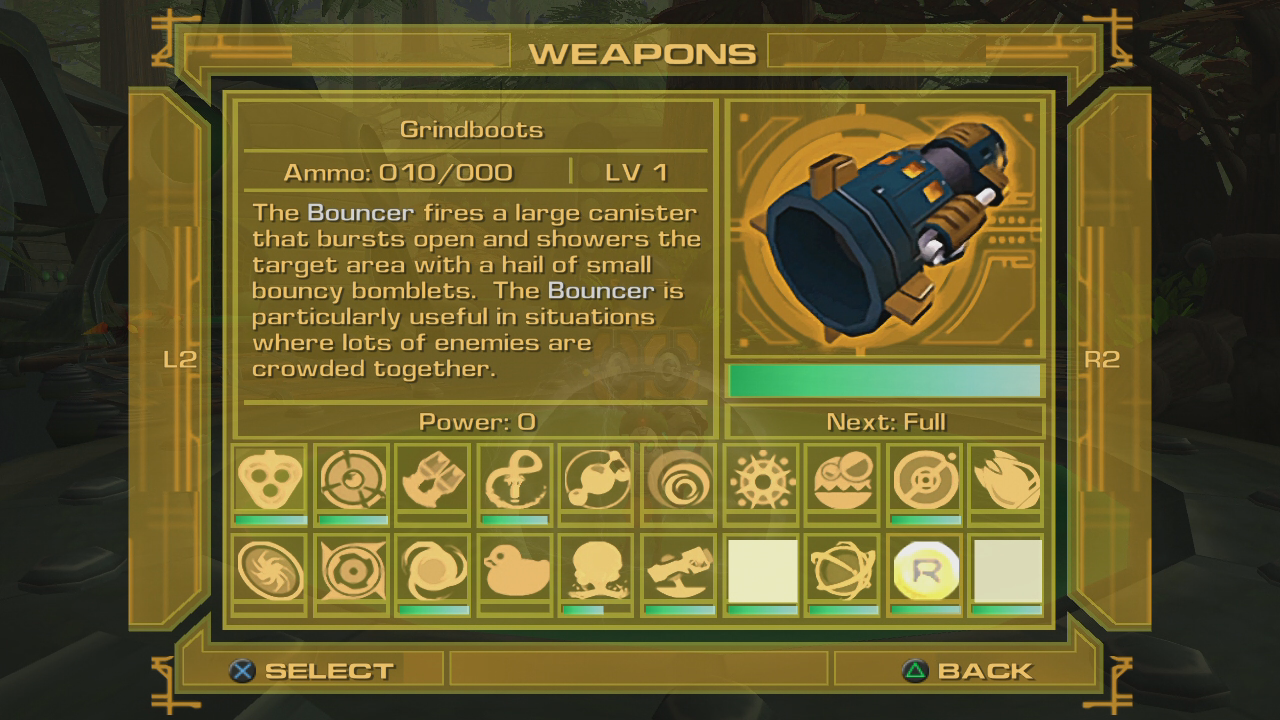
On the HD versions of Ratchet & Clank 2, Ratchet & Clank 3, and Ratchet: Deadlocked, quitting the game will allow you to corrupt certain values in memory with control. Every time the game autosaves, it writes the data that is used for the save-file description in the save/load menu (save-description): the ID of the planet you're currently on, your bolt count, your current challenge mode, and your total playtime in frames. The save-description takes up 0x10 (16) bytes.
However, where it writes this is determined by another value (write-offset) multiplied by 0x1C (28), stored nearby in memory. The write-offset takes up 2 bytes (remember this!) and should always be 0, but it's not...
For example, this is what the 0x10 (16) bytes containing the write-offset could look like by default (the write-offset is in brackets):
00 00 00 00 - [00 00] 00 00 - 00 00 00 00 - 00 00 00 00
Not very interesting, right? When you quit the game, it could change to look like this ("FF FF" means -1):
00 00 00 00 - [FF FF] 00 00 - 00 00 00 00 - 00 00 00 00
Then, as explained earlier, on the next autosave it would write the save-description on top of this, due to the write-offset being -1. Take a file on Florana with 867,432 bolts, challenge mode 7, and 400,000 frames played:
00 00 00 02 - [00 0D] 3C 68 - 00 00 00 07 - 00 06 1A 80
Thus, from now on, it will not overwrite the write-offset anymore (until you quit game again), but instead write the save-description at a location [ 0x000D (13) * 0x1C (28) = 0x016C (364) ] bytes after the default location. This new location is part of what you can call the "item redirection table" - basically, where it determines what item an item ID corresponds to.
This glitch is also known as the "Paradox ERR" glitch due to the game putting the text "Paradox ERR" whenever it doesn't have a text entry. And as you can see, it allows you to edit a lot of things in memory (with limitations of course). To see further documentation of item tables, item IDs, etc., see the Notes page.
(Source: doesthisusername, I haha)