
|
This page contains no introduction. |
Debug Mode#
right Start the game with the Pro Action Replay code 00A30301 active to access the game's debug menu.
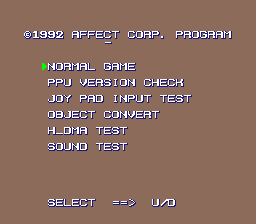
Selecting "normal game" exits the debug menu and begins the game like normal.
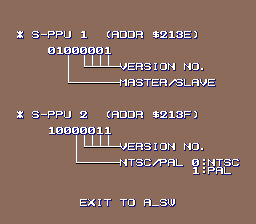
PPU Version Check#
right This screen displays the status of the two PPU registers, including the version numbers of the PPU1 and PPU2 chips. This makes Zenkoku Koukou Soccer one of a handful of games capable of displaying this information (though it can't be accessed without a cheat device, unlike better-known cases such as The Lion King).
Joypad Input Test#
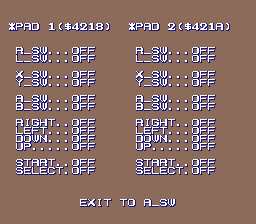
right This screen displays the button status of controllers 1 and 2. Pressing A on controller 1 returns to the debug menu.
Object Convert#
right This screen is used to display player animations. All but the topmost player animate constantly, and display all character animation frames from various angles.
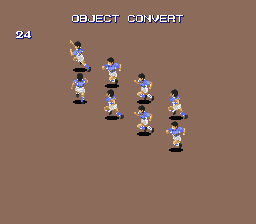
Pressing B on controller 1 advances the topmost player's animation by one frame, and the D-Pad moves the sprite around the screen. Pressing A returns to the debug menu.
HDMA Test#
right This screen is used to display the SNES's horizontal DMA features by masking the background in a "circle wipe" style.

Setting RAM address 7E1B54 to 01 will begin a transition from a black screen to a fully visible one; setting address 7E1B56 to 01 will do the opposite. Setting both addresses to 00 while a transition is in progress will allow you to manually resize the background mask by holding X or Y.
Pressing A will return to the debug menu. (If the background isn't fully visible when exiting, you'll have to trigger a wipe-in by setting 7E1B54, or else the text on the menu won't be displayed.)
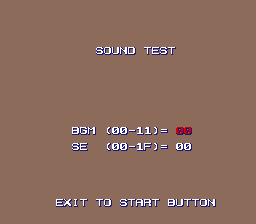
Sound Test#
right Finally, the sound test screen does the same thing as every other sound test. Press A to load and play the selected music track or sound effect, and press Start to exit.
(Source: Original TCRF research)