 This article has a talk page!
U.N. Squadron, known as Area 88 in Japan, is a horizontal shoot 'em up loosely based on the Area 88 manga. Each of its ten numbered missions is preceded by a shop whose weapon selection varies by pilot and mission.
Extended Service Menu#

Normally, only the first four options (Dot Test, I/O Test, Dip Sw Test, and Color Test) are available in the service menu. To access the full service menu, set the Game Mode dip switch to "Game", hold 1P Coin, then press the Service Mode button (F2 by default in MAME).
Scroll Test#

This displays the foreground and background layers from any mission.


- 1P Button 1: Selects between free-movement mode, 16x16 movement mode, and 32x32 movement mode.
- 1P Start: Selects between the following modes: Scroll 2 (Foreground), Scroll 3 (Background), Scroll 23 (Foreground + Background), and Cursor.
- 2P Start: Jumps to the next mission and resets the mode to Scroll 2.
- Scroll 2 / Scroll 23: 1P Joystick moves the camera; hold 1P Button 2 to move four times faster.
- Scroll 3: 2P Joystick moves the camera; hold 2P Button 2 to move four times faster.
- Cursor: 1P Joystick moves the camera, with 1P Button 2 doubling its speed; 2P Joystick moves the cursor.
Object Test and Scroll 1 Test#


View the Object (sprite) and Scroll 1 (HUD and font) graphics.
- 1P Up / Down: Cycle through tiles.
- 1P Up / Down + 2P Start: Cycle through tiles four times as fast.
- 1P Left / Right: Cycle through color palettes.
- 1P Button 1: Splits tiles for easier viewing (Object Test only).
- 1P Button 1 + 1P Down: Exits test.
- 1P Button 2: Toggles horizontal flipping.
- 1P Button 3: Toggles vertical flipping.
- 1P Start: Hold to cycle through eight rows of tiles every eight frames.
Scroll 2 Test and Scroll 3 Test#


These should be used to view Scroll 2 (Foreground) and Scroll 3 (Background) graphics, but they both seem to be broken at this point.
(Source: Original TCRF research)
Music#
Unused Tune#
Sound command 07, known as "Unused Tune" on soundtrack releases, has its own music data in the sound ROM. The table which assigns music to the game's stages skips directly from commands 06 to 09, and no other gameplay code sends 07. The sound ROMs in Area 88 and U.N. Squadron are identical, so the track is present and unused in both versions.

The ordinary I/O Test includes a sound command test. 1P Left / Right selects a hexadecimal command, 1P Up plays it, and 1P Down stops it. Selecting 07 is therefore a way to hear the unused tune in full.
In-Game Playback Lengths#
The Battleship stage theme is allowed to run for at least 5,400 frames, or 90 seconds, before the stage controller forces the next phase. This is long enough to hear its introduction and one complete loop if the player avoids destroying the target.
The post-game name-entry screen is different. Its timer starts at 20 seconds, much shorter than the full "Last Ranking" track, so the music cannot finish during the screen on which it is normally used. Select sound command 14 in the I/O Test to hear it without the name-entry timer.
(Source: Original TCRF research)
Unused Shop Prices#

Each numbered mission has a nine-entry shop: six weapons arranged as three pilot-specific pairs, plus three shared items along the lower row. The Japanese version's special mission has no shop.
Each entry specifies a weapon, its ammunition, and one of fifteen price codes ranging from 00 to 0E. Four codes are never selected; they are shown in bold below.
Money is stored as five separate digits and displayed with a zero on the end, so every price is a multiple of ten.
00 |
01 |
02 |
03 |
04 |
05 |
06 |
07 |
08 |
09 |
0A |
0B |
0C |
0D |
0E |
|---|---|---|---|---|---|---|---|---|---|---|---|---|---|---|
FREE |
2,000 |
3,000 |
10,000 |
12,000 |
20,000 |
25,000 |
30,000 |
15,000 |
35,000 |
40,000 |
28,000 |
33,000 |
45,000 |
50,000 |
(Source: Original TCRF research)
Unused Weapons#
Thunder Lasers#


Thunder Laser is only available as a hidden bonus item in Mission 5, after destroying all rock pillars & catching the powerup; Thunder LaserⅡ is completely unused. Neither laser appears in the table that assigns shop stock and starting weapons.
To add the Thunder Laser and Thunder LaserⅡ to Round 1's shop, put the following code in MAME's unsquad.xml cheat file:
  <cheat desc="Add T Laser Items to Shop">
    <script state="run">
      <action>maincpu.mw@1DB44=000A</action>
      <action>maincpu.mw@1DB46=0124</action>
      <action>maincpu.mw@1DB4E=000B</action>
      <action>maincpu.mw@1DB50=0128</action>
    </script>
    <script state="off">
      <action>maincpu.mw@1DB44=0008</action>
      <action>maincpu.mw@1DB46=011C</action>
      <action>maincpu.mw@1DB4E=0009</action>
      <action>maincpu.mw@1DB50=0120</action>
    </script>
  </cheat>
Icon |
Item Name |
Description |
|---|---|---|
 |
THANDER LASER |
It discharges lasers in 3 directions. |
 |
THANDER LASERⅡ |
The most destructive laser. |
|
Thunder Laser |
Thunder LaserⅡ |
|---|---|
|
|

Thunder LaserⅡ is essentially a stronger version of the normal Thunder Laser, with yellow bolts in place of blue ones. Both weapons fire three bolts which spread apart as they cross the screen.
(Source: Original TCRF research)
Weapon Select Routine#
An unused routine cycles through all 18 special weapons, including both Thunder Lasers, when button 3 is pressed. Selecting a weapon gives it 32 rounds of ammunition; the weapon ID advances by four and wraps back to zero at 48.
It has no callers or pointers in any of the three sets, and the preceding routine ends with an rts, preventing execution from falling through into it.
The following MAME cheat replaces that rts with a nop, allowing execution to continue into the weapon select whenever the ammunition count reaches zero:
  <cheat desc="Unused Weapon Select on Button 3">
    <script state="run">
      <action>maincpu.mw@D3BE=4E71</action>
    </script>
  </cheat>
Adding maincpu.mw@D366=6000 runs the weapon select on every frame instead, but also prevents the special weapon from firing.
(Source: Original TCRF research)
Unused Graphics#
Filler Graphics#
All three graphics banks contain unused filler.


A sunfish is in the object bank, and a smiling square and circle are in the foreground bank.

The background bank holds numbered circles and a face.
(Source: Original TCRF research)
The object bank holds ten byte-identical copies of the sunfish, at tiles 16C8 to 16CD and 16FA to 16FD.
Unlike the rest of the filler, the smiling square is written into the tilemap during a mission. Replacing every entry that holds Scroll 2 tile 23D8 leaves the screen unchanged, even with Scroll 1 switched off.
Helicopters#

Five three-tile helicopters sit in the object bank, at 0CA4, 0CB7, 0ECB, 0F50 and 0F70. No animation frame references any of them, and no other object tile holds the same graphics. Their intended palettes are unknown, so the image above borrows colors from neighboring tiles.
Explosion Frames#

Four explosion frames run from 11CC to 11FF, two tiles square each: a pale disc, the disc breaking open, a fireball, and the embers left behind. No animation frame reaches any of the sixteen tiles.
Carrier Deck#

The aircraft carrier that Mission 9 puts up is drawn from a sheet with one row spare. The fifteen tiles from 1530 to 153E carry its hull and deck markings, and the rows above and below them are both in use.
(Source: Original TCRF research)
Unused Objects#
The game stores active enemies, projectiles and effects in several fixed groups of memory, referred to below as object pools. Each pool contains a number of object slots, and the type number stored in a slot determines which routine controls it. The Pool column in the table shows which groups can hold each object.
Five otherwise unused type numbers point to complete, working routines. Four of the objects have hit points and a hitbox, allowing the player to shoot them down, while all five have their own animation and movement.
Nothing in the game ever creates them. They are not referenced by any stage script or spawner, nor are they dropped by another object, so none of the five can appear during normal play.


They can still be seen by manually placing one of these type numbers into an object slot. The animations below were taken in this way, on a stage whose spawn script was silenced and whose scrolling was held still, so nothing else gets in the way. Their starting positions are arbitrary, but the movement and animation shown are the objects’ own.



Type |
Pool |
Hit points |
What it does |
|---|---|---|---|
050 |
6/7 |
3 |
Travels across the screen from right to left at a fixed height. It appears as a short dashed line only a few pixels tall, making it easy to lose against the scenery even when it is directly in front of the player. |
054 |
6/7 |
3 |
Similar to 050, but travels diagonally up and to the left, drawn as a thin, unbroken streak aligned with its direction of travel. It comes to rest just above the top of the screen and stays there. |
0F0 |
6/7 |
3 |
A delta-winged jet that climbs up the screen before breaking apart in an explosion. |
0F4 |
6/7 |
3 |
The same jet approaching from the opposite direction. It enters from the top of the screen, descends and then levels off. The two versions share the same artwork and animation. |
004 |
8/9 |
none |
A yellow burst that lasts for two frames before removing itself. It appears to be an effect rather than an enemy. |
The two line-like objects are difficult to make out at normal size:


(Source: Original TCRF research)
Ending Scenes#
After the epilogue, the ending plays one of three scenes under the PRESENTED BY CAPCOM card, picked on the low two bits of the random number generator. One roll in four shows Mobi-chan jetting across the screen with a smaller version behind him; another gives a white unicorn galloping in ahead of a crowd of tiny Mobi-chans. On the remaining two rolls, ninety small Mobi-chans enter from all four edges of the screen and steer toward fixed positions that spell "THANKS" — but the fade to GAME OVER always cuts the scene off while they are still assembling, so the word never actually forms.
The animations below were taken with the push to GAME OVER held off, so each scene runs to completion; in normal play the fade interrupts all three.



(Source: Original TCRF research)
Unused Code#
The program contains several routines and states which normal execution cannot reach.
Level Select#
An unused routine reads the coinage dip switches and maps their value to Mission 1 through Mission 10 or the Japan-only special mission. Values beyond the end of the table are ignored.
It has no callers or pointers in any of the three sets, but still works if invoked manually: set the dips, call the routine, and the current mission changes to match.
Since the table covers the special mission, it would also have provided a shortcut to that mission without waiting on the coin flips described below.
(Source: Original TCRF research)
Income Data Display#
An otherwise complete bookkeeping display is stranded immediately after an unconditional attract-mode loop. The routine which checks its input has no callers or pointers, and execution cannot fall through to it, so the screen is inaccessible in all three versions.
The disconnected check looks for 2P Left + Down + Button 1. If the checker is called manually with that combination held, it opens a screen headed "INCOME DATA DISPLAY" with the following fields. It remains open until 2P Button 1 is released.
1P CONTINUE.
2P CONTINUE.
PLAY TIME.
TOTAL PLAYER.
TOTAL INCOME.
TOTAL TIME.
AVERAGE TIME.
The values come from the game's bookkeeping counters. The Japanese greeting at the top, "おつかれさまです。" ("Thanks for your hard work."), is always displayed. One out of every four openings also adds a message selected from the following 16-entry table. If the total player count is from 100 through 109, a seventeenth message overrides the random selection.
Index/condition |
Japanese |
English translation |
|---|---|---|
0 |
きょうも、じこにちゅういして |
Let's watch out for accidents and do our best again today. |
1 |
おとなじゃん。 |
Pretty grown-up, huh. |
2 |
ひまだなぁ |
I'm bored. |
3 |
おなかすかない? |
Aren't you hungry? |
4 |
おなかすいたよぉ |
I'm hungry. |
5 |
かわいいこでもいた? |
Did you see a cute girl or something? |
6 |
へたっぴ |
You're not very good. |
7 |
めんたいこ |
Spicy cod roe. |
8 |
ぶるぼん |
Bourbon. |
9 |
おおまいごっと |
Oh my God. |
10 |
つかれたなぁ |
I'm tired. |
11 |
ねむいよぉ |
I'm sleepy. |
12 |
でしょ? でしょ? |
Right? Right? |
13 |
だとう |
Defeat Manual Boy. |
14 |
おおいばりっと |
Showing off. |
15 |
はやく かえりたいなぁ |
You're thinking, "I want to go home soon," aren't you? |
Total player count 100–109 |
ばんざぁい |
Hooray! 100 income units! |
"Bourbon" and "Manual Boy" appear to be names or in-jokes; neither is identified elsewhere in the game. The special message ends with まい (mai), the Japanese counter for flat objects, so its translation is approximate.


(Source: Original TCRF research)
Damage Alarm States#
The damage panel has three warning states based on the amount of armor remaining, but their thresholds are checked in the wrong order:
  armor < $18 ?  ->  state 6
  armor < $10 ?  ->  state 5
  armor <  $8 ?  ->  state 4
All three states use the same artwork: the normal pilot portrait followed by two red warning frames. Only their script delay differs.
State 4 (unused) |
State 5 (unused) |
State 6 |
|---|---|---|
 |
 |
 |
Delay 5 |
Delay 4 |
Delay 3 |
Failing the first test means the armor value is at least 18, so the following checks for values below 10 and 08 can never succeed. Every lower value therefore selects state 6, leaving the scripts for states 4 and 5 unused.
(Source: Original TCRF research)
Easter Eggs#
Ranking Screen Messages#
Once the ranking table has finished showing in attract mode, the game takes another look at the initials on it. Each entry has three letters, and it reads the middle letter of the top five entries downwards. Two names will do something:
Middle initials |
Message shown |
|---|---|
K E I K O |
|
N O R I P |
|
|
KEIKO Ranking |
Message |
|---|---|

|

|
|
NORIP Ranking |
Message |
|---|---|

|

|
Both names sit back to front in the ROM, as "OKIEK" and "PIRON", because the check works up the table from fifth place.
Factory defaults are MKP, SHO, POO, ZEN, and BLB, which gives KHOEL down the middle, so nothing happens on a board that's just been switched on. Once a message has appeared the game writes BLB over all five entries, and it won't come back until the next reset.
Four of those default initials are shortened staff credits: MKP is MAKO P, SHO is PARAZOLL SHONO, POO is POO, and BLB is BLBON. No matching credit for ZEN appears in the staff roll.
Both messages work identically in Area 88 and U.N. Squadron.
(Source: Original TCRF research)
Alternate Staff Roll Credit#
|
Normal |
Hidden Variant |
|---|---|

|

|
The staff roll contains nine page pointers but only eight distinct pages, as the ninth normally repeats the Direction page. As that ninth page begins, hold 1P Right + Button 1. The game replaces the Programming credit with an otherwise unused version of the same text.
The normal credit spells the second name "TAK∀KO", using a special graphics tile for the inverted A. The alternate script instead spells "TAKAKO" with an ordinary ASCII A. It is likely a programmer's visual signature or joke. There may even be wordplay in the trigger: holding Right plus the A/shot button makes the A "right" again. This check is present in all three versions.
(Source: Original TCRF research)
Regional Differences#
Area 88 vs. U.N. Squadron#
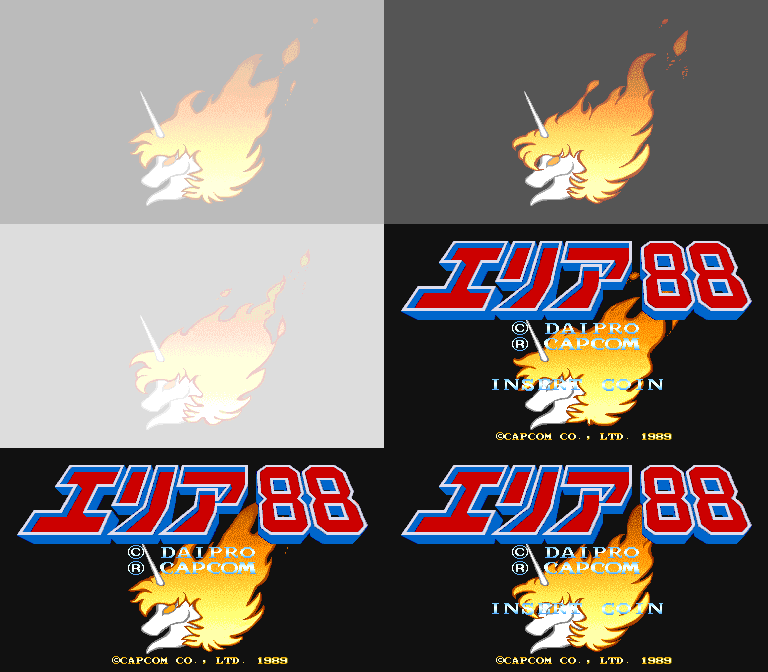
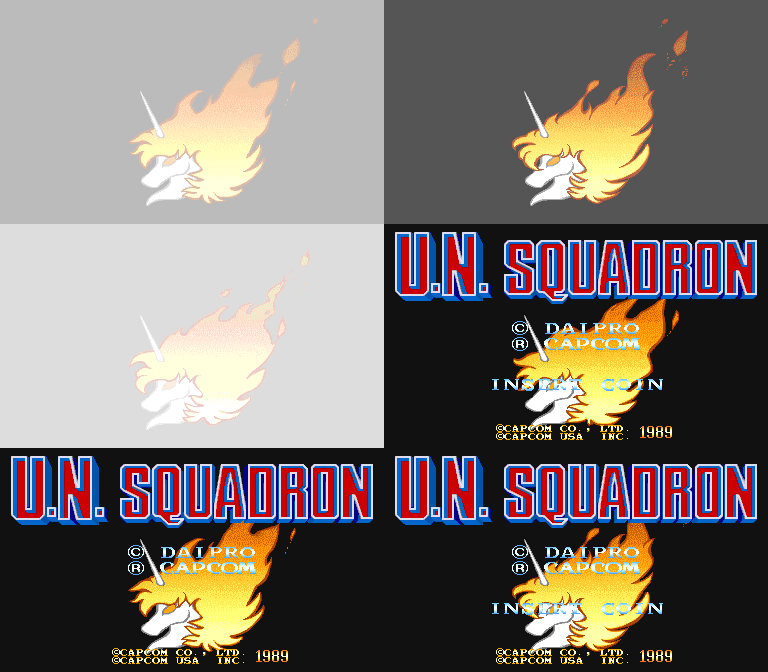
|
Area 88 |
U.N. Squadron |
|---|---|
|
|
Only a few hundred bytes separate the Japanese and world programs. Their only functional difference is a startup flag, zero on Japanese boards and one everywhere else, which controls every regional change in the game. The remaining differences are unused vector entries, leftovers, and padding.
"Winners Don't Use Drugs" Screen#

The world version shows the FBI warning once per attract loop. The drawing routine checks the region flag first, so both Japanese versions skip it.
The screen uses Scroll 2 tiles 2260 to 22BD. The Japanese and world versions contain byte-identical graphics data, so the complete artwork is present but unused in Area 88.
(Source: Original TCRF research)
Special Mission#

The Japanese version has an extra mission that the world release never shows. Its title card reads MISSION SPECIAL with no number on it, and the briefing puts you over the Mediterranean with a bomb planted on an airliner.
A short stretch of the mission leads to a large airliner carrying three rectangular bombs on its hull. Shoot them off before the timer runs out to clear the mission. The starting time depends on the Difficulty dip-switch setting:
Difficulty |
Time |
|---|---|
0-1 |
60 seconds |
2-3 |
55 seconds |
4-5 |
50 seconds |
6-7 |
45 seconds |
The factory default, Difficulty 3, therefore starts at 55 seconds rather than 60. Finishing more quickly awards a larger bonus:
Completion time |
Points |
Cash |
|---|---|---|
Under 10 seconds |
80,000 |
30,000 |
10 to under 15 seconds |
70,000 |
25,000 |
15 to under 20 seconds |
60,000 |
20,000 |
20 seconds or more |
50,000 |
5,000 |
Let the timer run out or damage the plane too badly and the mission still ends, just without the bonuses.
How It Is Triggered#
There's no score, shop, or skill requirement. The game decides at the end of a mission, going on which round you've just cleared:
- After Round 3, a 50/50 chance.
- After Round 4, a 50/50 chance.
- After Round 5, always.
It can only happen once per game. A flag goes up the first time the mission is played and stays up until a new game starts, so anyone unlucky with both coin flips is still guaranteed it after Round 5, and anyone who gets it early won't see it twice on the same credit.
Your place in the run is put aside before the switch and restored afterwards, so nothing gets skipped or repeated. Clear Round 3, play the special mission, carry on to Round 4.
World-Version Lockout#

All of the special mission's gameplay data and code are present in U.N. Squadron. Its mission-advance code simply checks the region flag and skips the special-mission selection in the world version. Setting that flag to zero allows the mission to appear under the same rules and play through normally.
Missing English Briefing#
|
Area 88 |
U.N. Squadron |
|---|---|

|

|
However, no English briefing was included. If the special mission is forced to run while the game remains in world mode, its title card and gameplay work normally, but the briefing appears with an empty message box. The English briefing text ends with Mission 10, while the Japanese text includes an eleventh entry for the special mission. With all of the playable content left intact, the briefing appears to have been deliberately omitted, though the reason is unknown.
(Source: Original TCRF research)
Revisional Differences#
All three programs occupy 1 MB but use different ROM layouts.
Set |
Title |
B-Board |
Program ROMs |
|---|---|---|---|
|
U.N. Squadron (USA) |
89624B-2 |
Two pairs of EPROMs plus one mask ROM |
|
Area 88 (Japan) |
88622B-3 |
Eight EPROMs in pairs |
|
Area 88 (Japan Resale Ver.) |
91634B-2 |
Two 27C4096 EPROMs |
The Resale version uses a 91634B-2 board first seen in 1991; none of the three ROM sets includes a build date.
Area 88 (Resale Version)#
Around 400 KB of the program ROM on the original boards, roughly 38% of it, duplicates data found earlier in the same ROM. The Resale version uses that space for remnants of another game instead, as described below.
Beyond that it's a rebuild rather than a rewrite. Some 96 bytes of code were added across half a dozen places, and since each insertion pushes everything after it further along, the two builds compare badly byte for byte while behaving almost identically. The region flag is still set to Japan.
SW(B):6 Debug Functions#
The Resale version connects SW(B):6, listed as unused in the manual, to two routines that are present but unreachable in the original Area 88 ROM.
The first routine has two entry points, called before the frame wait and at the start of each frame's interrupt. Both write 32 cells down the leftmost column of the text layer: one uses tile 0020 and the other 0011, instead of the usual blank tile, 3020. They appear intended to clear the cells, but instead produce a broken white line that may be hidden by a cabinet's overscan.
|
SW(B):6 Off |
SW(B):6 On |
|---|---|

|

|

The second routine prints six four-digit hexadecimal values over the picture: the X and Y positions of Scroll 2 and Scroll 3, the distance scrolled into the mission, and the fuel gauge. The readout appears during missions and the attract demo, but not on the title screen.
Carrier Air Wing Remnants#
The unused portion of the Area 88 Resale program ROMs contains remnants of Carrier Air Wing, Capcom's next game. The data on one chip matches the Japanese release, cawingj, while the 68000 code on the other is very close to the known revisions but matches none of them exactly. It also includes a 6 KB block absent from every released set, suggesting that the leftovers come from an otherwise undumped revision. None of this code is referenced by Area 88, and it could not run in its present state.
(Source: Original TCRF research)