This is a sub-page of Tony Hawk's Underground 2 (PlayStation 2, Xbox, GameCube, Windows).

|
Oh dear, I do believe I have the vapors. |
Like other games in the Tony Hawk's Series, Tony Hawk's Underground 2 has a debug mode, which allows access to a rather large debug menu. This debug mode can be activated by using the following code on the US PlayStation 2 version of the game:
D0B4ADE0 00007300
2022D0B8 24020000
(Source: punk7890)
Debug Options#
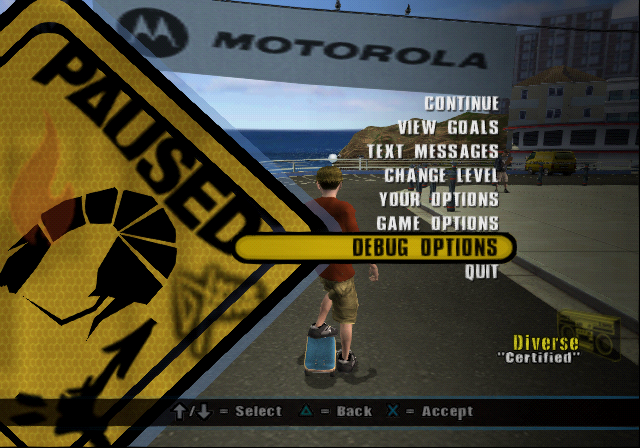
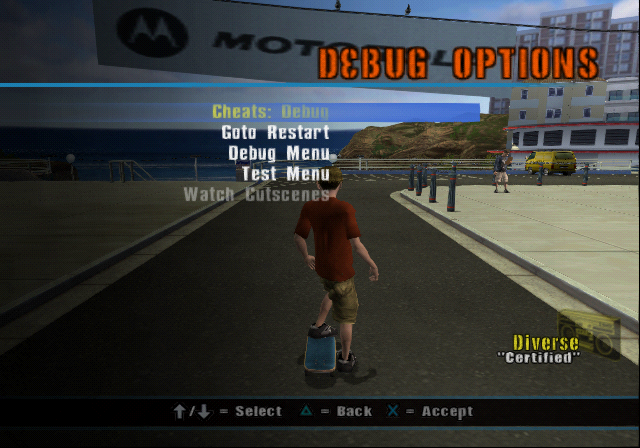
The main debug options can be opened from the in-game pause menu. The options available differ slightly based on the current game mode.
Pause Menu |
Debug Options |
|---|---|
 |
 |
Name |
Effect |
|---|---|
Cheats: Debug |
See Cheats |
Goto Restart |
Allows the player to teleport to any of the current level's spawn points. |
Debug Menu |
See Debug Menu |
Test Menu |
See Test Menu |
Watch Cutscenes |
Cannot be selected. Only appears in story mode. |
Cheats#
Cheats |
|---|
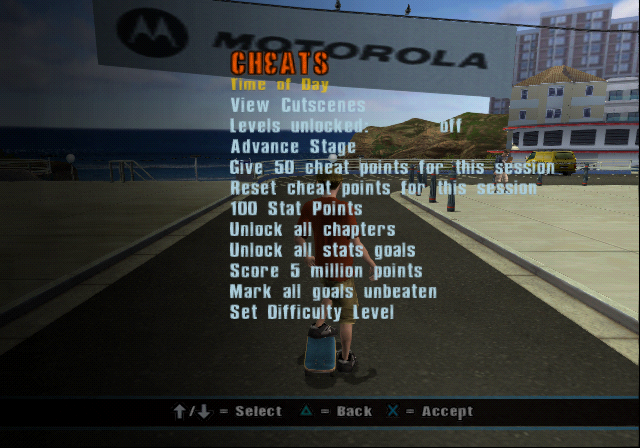 |
The majority of the following options assist the player in some way. Not all options appear to work.
Name |
Effect |
|---|---|
Time of Day |
See Time of Day |
View Cutscenes |
See View Cutscenes |
Levels unlocked: |
Toggles having all levels unlocked. This will also allow levels not normally available in story mode to be played in that mode. This is pretty much the same as playing them in free skate, however. |
Goals to complete bracket |
Lets the player toggle between having to beat 1 or 6 goals to advance in classic mode. Not available outside of classic mode. |
Advance Stage |
Advances the player's story mode progress. |
Give 50 cheat points for this session |
Doesn't appear to work. |
Reset cheat points for this session |
Doesn't appear to work. |
100 Stat Points |
Gives you 100 stat points in classic mode. Available in story as well but has no effect. |
Beat current goal |
Doesn't appear to work. |
Unlock all chapters |
Doesn't appear to work. |
Unlock all stats goals |
Doesn't appear to work. |
Score 5 million points |
Instantly scores 5 million points. |
Mark all goals unbeaten |
In story mode, resets goals. |
Set Difficulty Level |
Allows the player to change the difficulty level. |
Time of Day#
Time of Day |
|---|
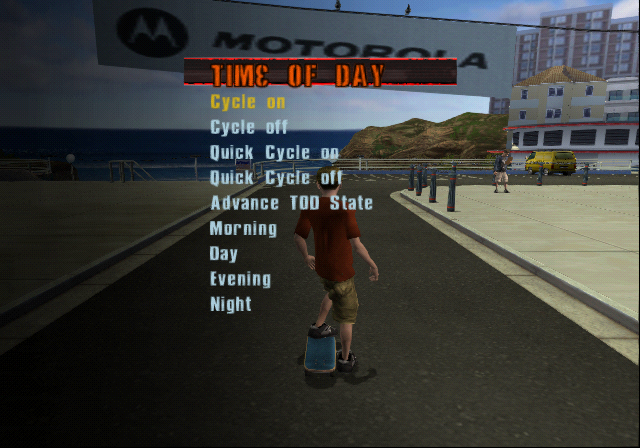 |
Found under both debug cheats and the debug menu, allows altering the time of day cycle in various ways.
Name |
Effect |
|---|---|
Cycle on |
Toggles day / night cycle on. |
Cycle off |
Toggles day / night cycle off. |
Quick Cycle on |
Toggles a quick day / night cycle on. |
Quick Cycle off |
Toggles a quick day / night cycle off. |
Advance TOD State |
Advances the time of day to the next state. |
Morning |
Sets the time of day to morning. |
Day |
Sets the time of day to day. |
Evening |
Sets the time of day to evening |
Night |
Sets the time of day to night |
Note: Pressing triangle returns to the debug menu even if launched through the cheats menu.
View Cutscenes#
Cinematics |
|---|
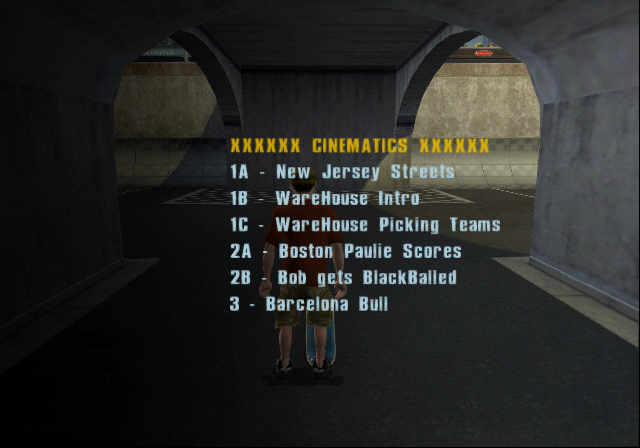 |
The view cutscenes menu is one continuous menu, split up into sections here for readability. The menu contains headers which, as expected, have no function when selected. The cinematics will play in the level the menu is opened in, allowing cutscenes to play out in areas they weren't intended for.
Cinematics
Name |
|---|
XXXXXX CINEMATICS XXXXXX |
1A - New Jersey Streets |
1B - WareHouse Intro |
1C - WareHouse Picking Teams |
2A - Paulie Scores |
2B - Bob gets BlackBalled |
3 - Barcelona Bull |
3B - Barcelona Hotel |
4A - Berlin Hotel |
4B - Berlin Scared Turtle |
5 - Australia Moustrap |
6 - Australia Mystery Scene |
7 - New Orleans Hurricane |
8 - New Orleans Tony is IN |
9 - SkaTop |
Level Events
Playing these cinematics will trigger their effects in their intended levels e.g., playing the bull event in Barcelona will free the bull. Some of these can cause the game to crash when played in the wrong level. Also, despite the event being activated, the goals tied to them, if any, don't get marked as complete and are not saved. Leaving the level and coming back will reset the event. For the Pro Skater level, while aesthetic changes may occur, the warps will not work unless triggered normally.
As these names aren't very descriptive, a short description is provided.
Name |
Description |
|---|---|
XXXXX LEVEL EVENTS XXXXX |
|
B0_LevelEvent |
Boston cannon event |
B0_SmallEvent_Billboard |
Boston billboard event |
BA_LevelEvent |
Barcelona freeing the bull event |
BA_SmallEvent_Billboard |
Barcelona billboard event |
BE_LevelEvent |
Berlin train derailment event |
BE_SmallEvent_Billboard |
Berlin billboard event |
AU_LevelEvent1 |
Australia secret area reveal event |
AU_LevelEvent2 |
Australia cop car destruction event |
AU_SmallEvent_Billboard |
Australia billboard event |
NO_LevelEvent1 |
New Orleans Voodoo Doctor summoning event |
NO_LevelEvent2 |
New Orleans Voodoo Doctor banishing event |
NO_SmallEvent_BillBoard |
New Orleans billboard event |
ST_LevelEvent |
Skatopia Bigfoot event |
ST_SmallEvent_Billboard |
Skatopia billboard event |
SE_LevelEvent |
Pro Skater boulder roll event |
SE_SmallEvent_SpaceShip |
Pro Skater spaceship launch event |
SE_SmallEvent_Satan |
Pro Skater Satan statue event |
SE2_LevelEvent |
Triangle missile event |
Tests
These cinematics contain various animation tests.
Name |
Description |
|---|---|
XXXXXXX TESTS XXXXXXX |
|
TEST |
Displays a box textured with "Chad Muska Skate Demo" moving and rotating on all axes. |
TEST_SkinModel |
Displays a very distorted looking bird cycling through animations. |
TEST_MovingParticles |
Displays an un-textured object emitting particles that appear to also be missing a texture. |
TEST_Character |
Displays the player character (with a missing head) cycling through animations next to a T-posing Chad Muska, whose legs are distorted. |
TEST_Character_Face |
Displays Tony Hawk from multiple angles with his lips moving. |
TEST_2Characters |
Displays a black screen. |
XXXXXXXX END XXXXXXXX |
Debug Menu#
The debug menu is much more broken than the cheats menu, with many options either having no function or not working as intended.
Name |
Effect |
|---|---|
Auto Rail Level |
Doesn't appear to work. |
Time Of Day |
See Time of Day |
Lighting Tool |
See Lighting Tool |
Rail Display Toggle |
Doesn't appear to work. |
Bouncy Object Debug Display Toggle |
Doesn't appear to work. |
Toggle Profiler |
Doesn't appear to work. |
Toggle FPS Display |
Brings up an FPS counter, though it doesn't appear to function as it stays at 0.000. |
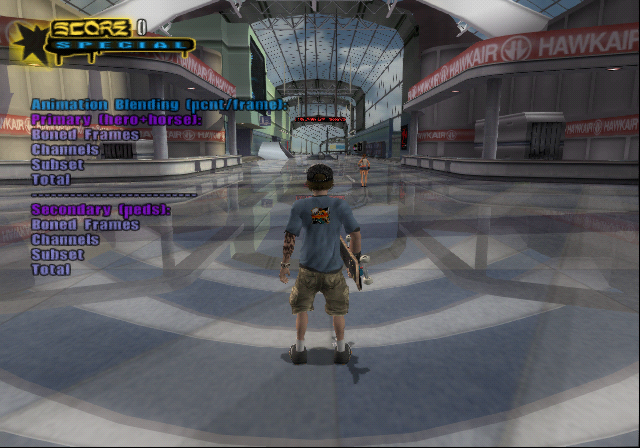
Toggle Anim Times |
Toggles the below text overlay. Non-functional as none of the values actually populate. |
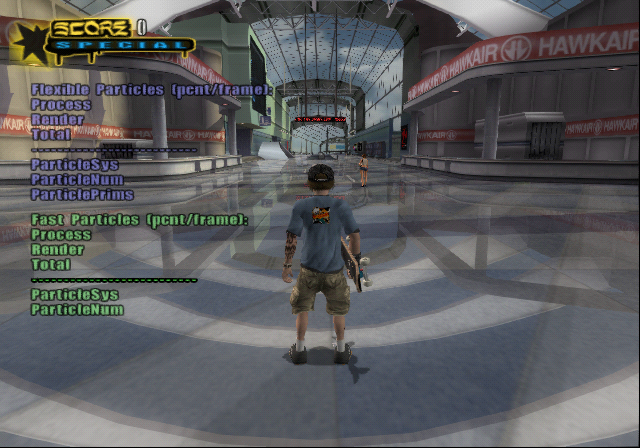
Toggle Particle Times |
Toggles the below text overlay. Non-functional as none of the values actually populate.
|
Toggle Particle Emit Dir Display |
Doesn't appear to work. |
Toggle Model Scene Light Display |
Displays "Model Lights" on the screen, though no additional information is displayed. |
Toggle Geom Scene Light Display |
Displays "Geom Lights" on the screen, though no additional information is displayed. |
Toggle Active Scene Light Display |
Displays "Active Lights" on the screen, though no additional information is displayed. |
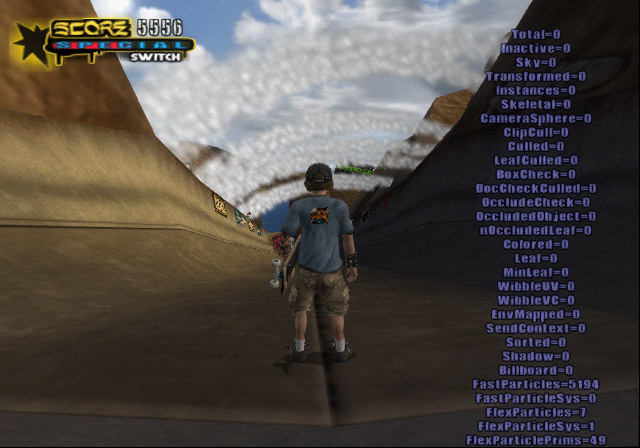
Toggle Geom Stats |
Displays a partially working list of information. Only the items related to particles appear to work. |
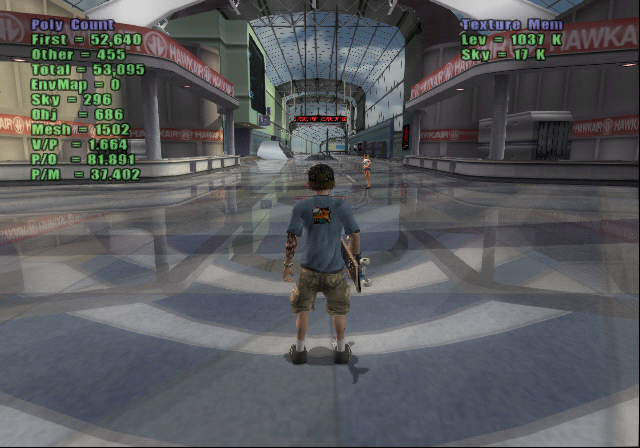
Toggle Poly Count |
Displays statistics about the current level. |
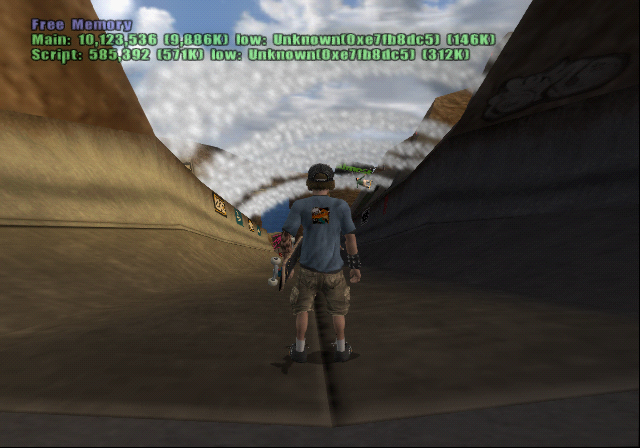
Toggle Free Memory |
Displays the free memory available to the game. |
Defrag Animation Cache |
Whether or not this works is difficult to determine. Based on the name, should tidy animation data in memory. |
Wireframe Toggle |
Enabling this has no effect, however disabling it renders all level geometry as invisible. This cannot be turned off and will affect menus as well. |
Wireframe Skins Toggle |
Doesn't appear to work. Based on the above option, this would have likely displayed models in wireframe. |
Show Vert Polys |
Doesn't appear to work. Would possibly highlight vert surfaces. |
Show Wallride Polys |
Doesn't appear to work. Would possibly highlight surfaces that allow wall riding. |
Show Trigger Polys |
Doesn't appear to work. Would possibly display event triggers. |
Show Camera Polys |
Doesn't appear to work. Would possibly display camera angle triggers. |
Show Not Skateable |
Doesn't appear to work. Would possibly highlight non-skateable surfaces. |
Show skater shadow |
Doesn't appear to work. |
Show no skater shadow |
Doesn't appear to work. |
Show no skater shadow wall |
Doesn't appear to work. |
CheckForHoles (Slow) |
Doesn't appear to work. Would possibly detect holes in the level collision. |
Hide HUD |
Hides the HUD. |

Lighting Tool#
Lighting Tool |
|---|
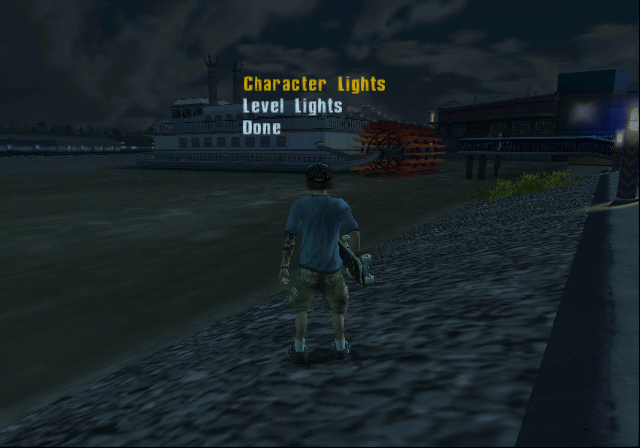 |
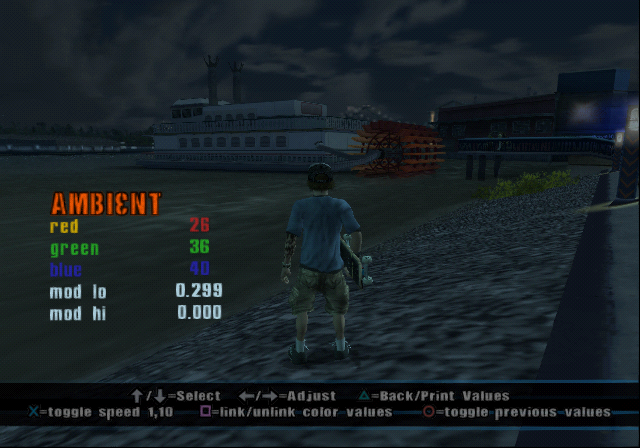
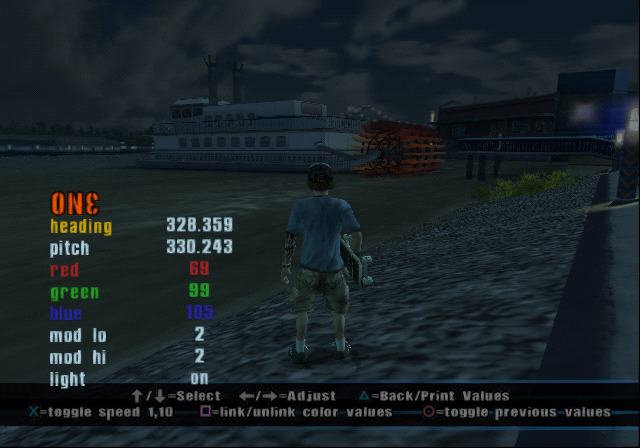
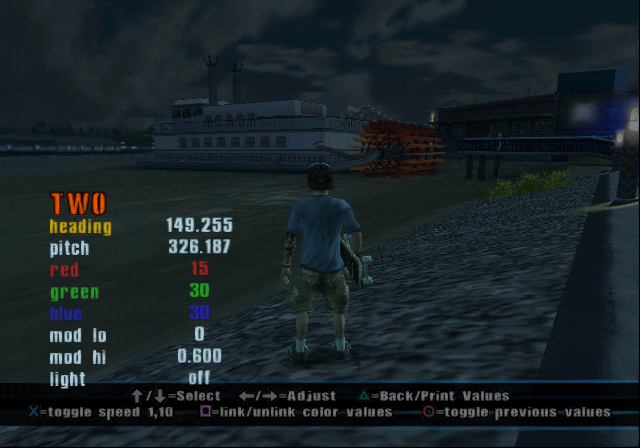
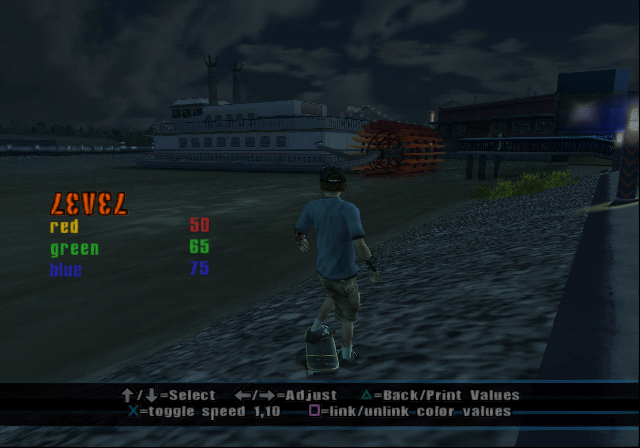
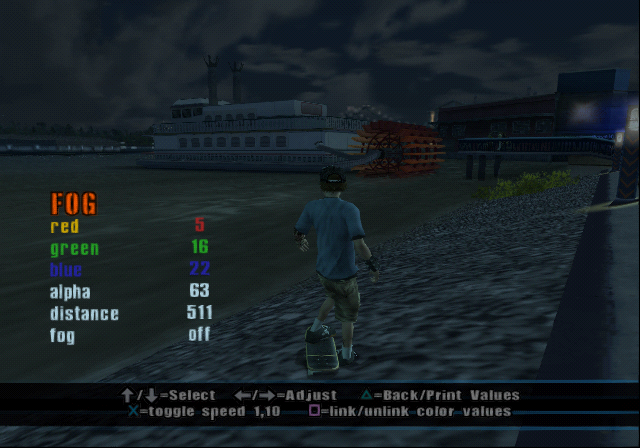
The lighting tool has two sections: one for adjusting the lighting of models in the level, and the other for adjusting the level's lighting itself. Controls for the section are shown at the bottom of the screen and as are follows:
Button(s) |
Usage |
|---|---|
 |
Select |
 |
Adjust |
 |
Back/Print Values |
 |
toggle speed 1,10 |
 |
link/unlink color values |
 |
toggle previous values |
Additionally, to swap between pages, one can press  and
and  .
.
Character Lights
These options allow the player to control the lighting of models in the level.
Ambient
Base light. Allows red, green, blue, mod lo, and mod hi to be adjusted.
One
Directional lighting. Allows heading, pitch, red, green, blue, mod lo, and mod hi to be adjusted. Additionally allows toggling this light on and off.
Two
Directional lighting. Allows heading, pitch, red, green, blue, mod lo, and mod hi to be adjusted. Additionally allows toggling this light on and off.
Level Lights
These options allow the player to control the lighting of the level.
Level
Base light. Allows red, green, and blue to be adjusted.
Fog
Allows red, green, blue, alpha, and distance to be adjusted. Additionally allows toggling fog on and off.
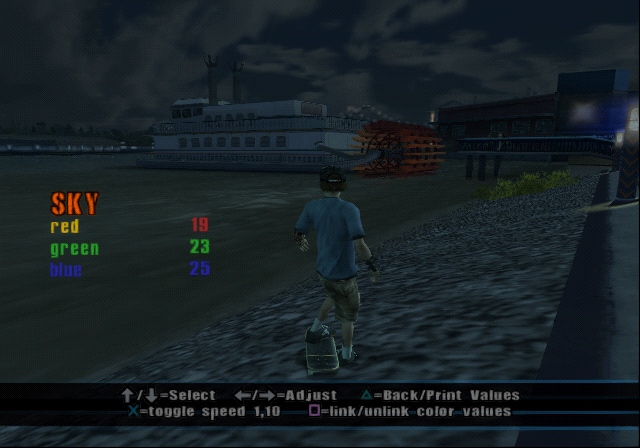
Sky
Allows red, green, and blue to be adjusted.
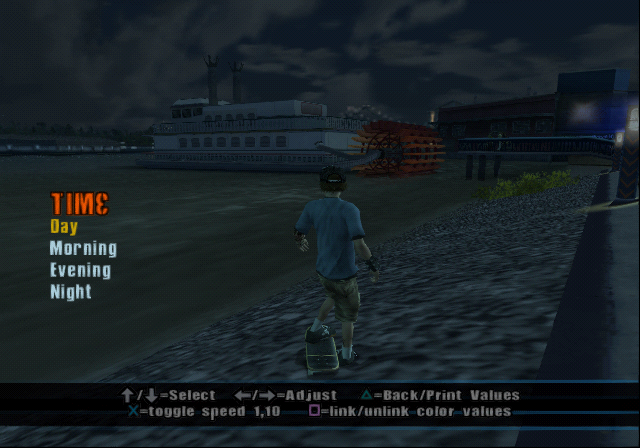
Time
Allows the time of day to be set to day, morning, evening, or night.
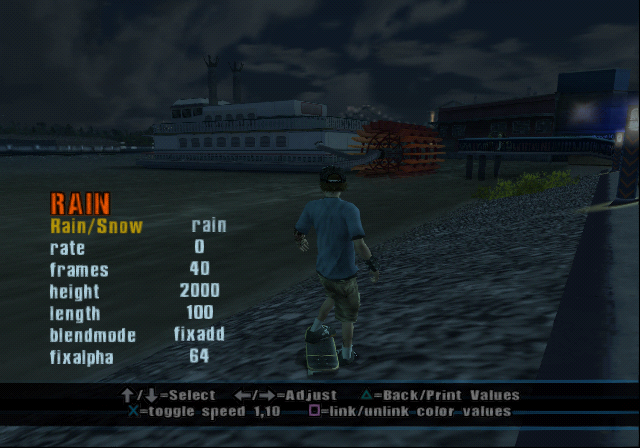
Rain
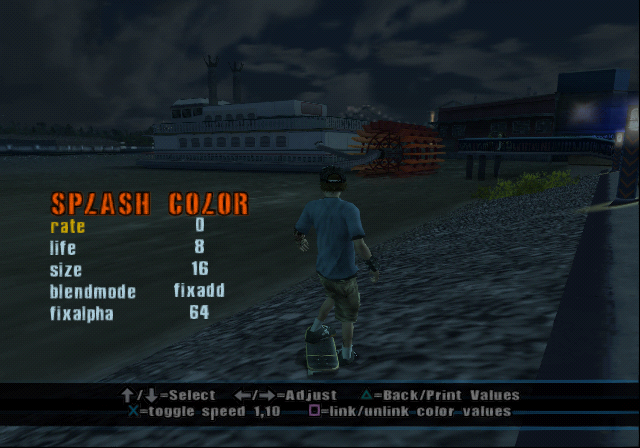
Doesn't appear to work. Would allow toggling between rain and snow, as well as the rate, frames, height, length, blendmode, and fixalpha to be adjusted.
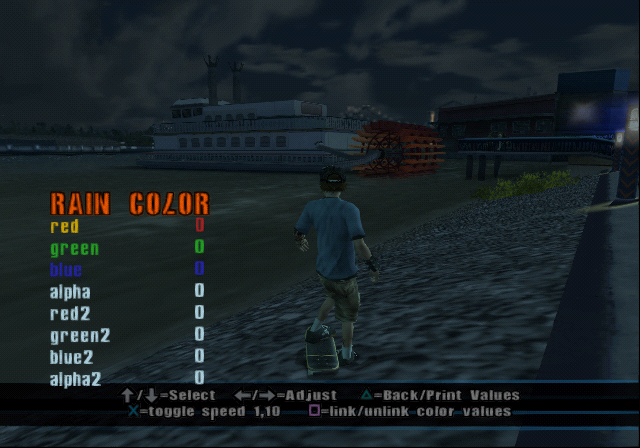
Rain Color
As the above doesn't appear to work, this does not either. Allows adjusting red, green, blue, alpha, red2, green2, blue2, and alpha2.
Splash Color
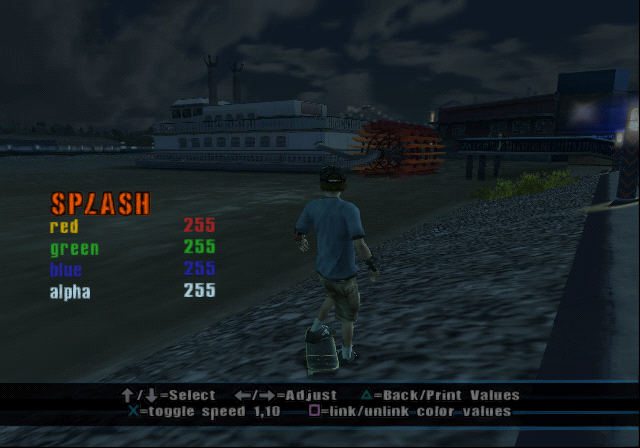
Tied to rain and similarly non-functional. This screen seems to be mislabeled, as the name would be more fitting for the section below. Would allow rate, life, size, blendmode, and fixalpha to be adjusted.
Splash
As mentioned above, this section is likely intended to be called splash color rather than just splash. Allows red, green, blue, and alpha to be adjusted.
Snow
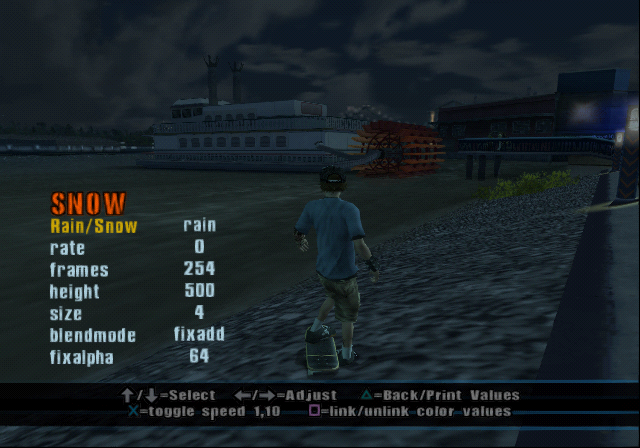
Doesn't appear to work. Would allow toggling between rain and snow, as well as the rate, frames, height, size, blendmode, and fixalpha to be adjusted.
Snow Color
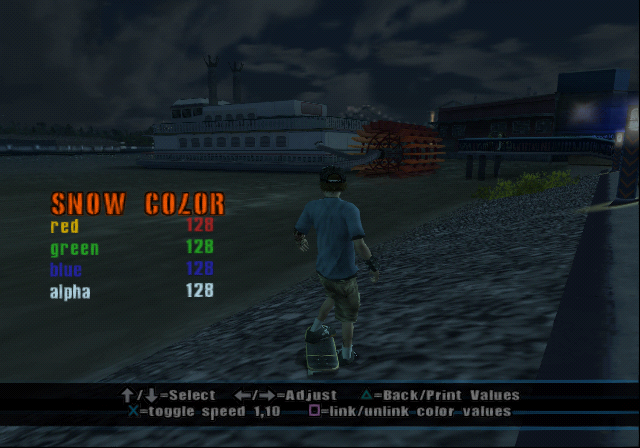
This option actually comes up first when selecting level lights but is likely intended to be last. Allows red, green, blue, and alpha to be adjusted.
Test Menu#
Test Menu |
|---|
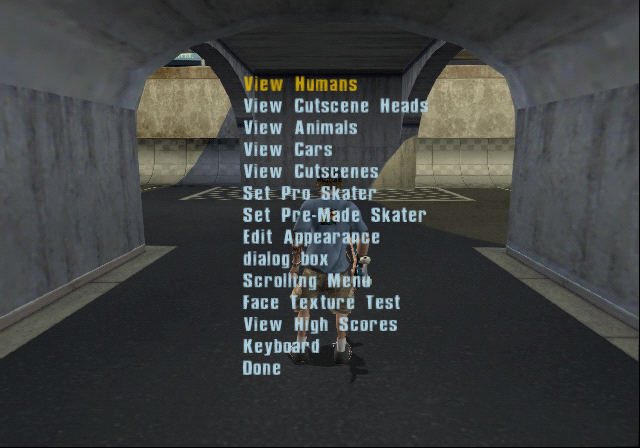 |
As the name suggests, the options in this menu largely relate to testing. The menu contains submenus to view various NPC/player models, as well as to test dialogue boxes.
Name |
Effect |
|---|---|
View Humans |
See View Humans |
View Cutscene Heads |
|
View Animals |
See View Animals |
View Cars |
See View Cars |
View Cutscenes |
See View Cutscenes |
Set Pro Skater |
See Pro Skaters |
Set Pre-Made Skater |
Allows the player to switch to any of the pre-made characters found in Create-A-Skater. Besides capitalization differences, this matches the normal list. |
Edit Appearance |
Opens the Create-A-Skater menu. |
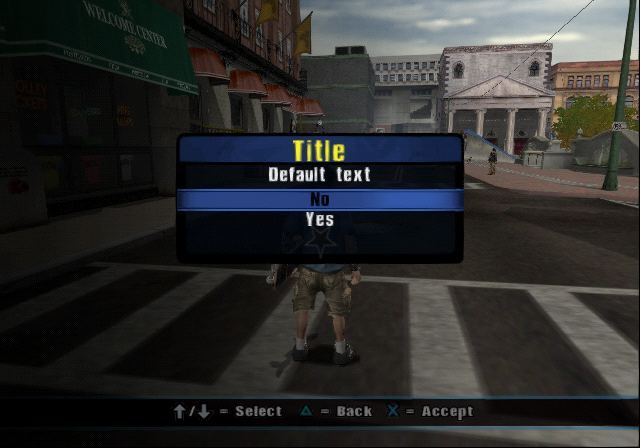
dialog box |
Opens a dialogue box called Title that has a Yes and No option. Selecting Yes does nothing, No returns to the test menu. |
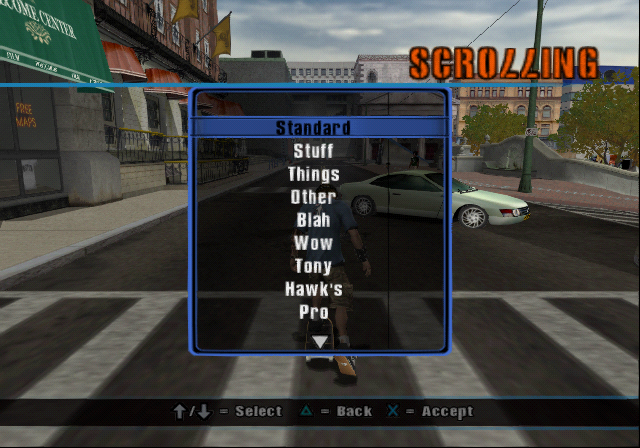
Scrolling Menu |
Opens a selection dialogue with enough options for the UI to scroll. The options are listed below and have no function if selected. |
Face Texture Test |
Doesn't appear to work. |
View High Scores |
Opens the High Score dialogue with every set of initials as XXX, and every score as 1,000. |
Keyboard |
Opens the keyboard |
View Humans#
View Humans |
|---|
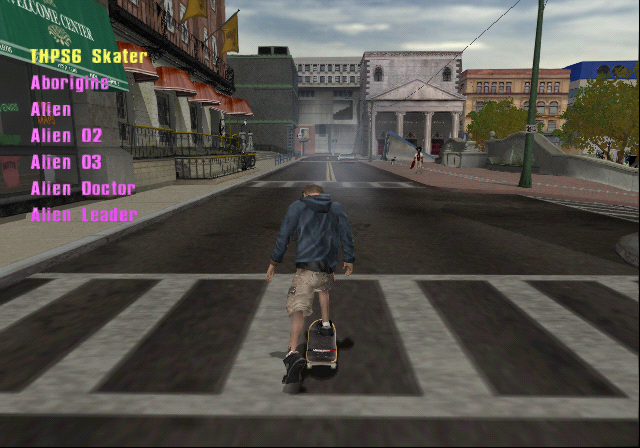 |
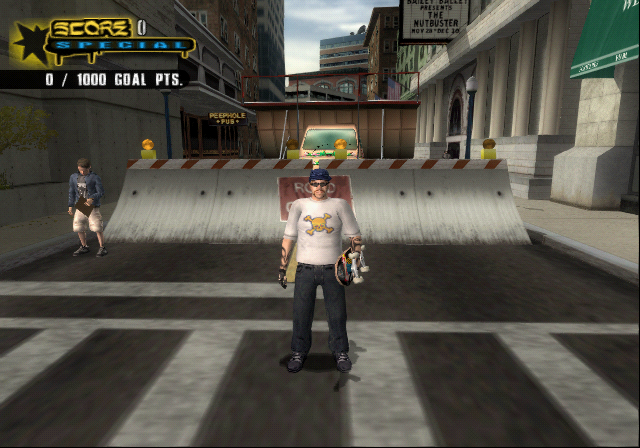
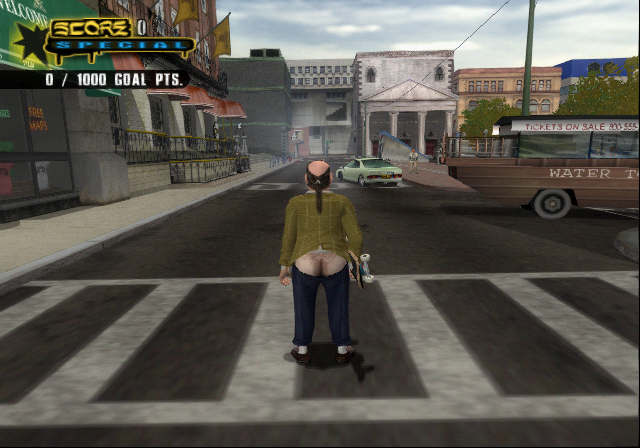
Each option in this menu will replace the player character with the selected model. There are some unused characters within this menu as well as ones you could not normally play as otherwise.
Name |
Available to Play As |
|---|---|
THPS6 Skater |
Yes, the player character. Underground 2 is referred to as THPS6 internally, as it's the 6th game in the series. |
Aborigine |
Yes. |
Alien |
Yes. |
Alien 02 |
No. Light-blue alien found in Pro Skater. |
Alien 03 |
No. Yellow-green alien found in Pro Skater. |
Alien Doctor |
Yes. |
Alien Leader |
Yes. |
Attendant |
Yes, as Hospital Attendant. |
Benjamin Franklin |
Yes. |
Bigfoot_graf |
Yes, as Bigfoot One. |
Bigfoot |
Yes. |
Boat Captain |
Yes. |
BostonGuy |
No. Man from Boston cutscene. |
Boxer |
Yes. |
Bratwurst Vendor |
Yes. |
Bull Fighter |
Yes. |
Camera Man |
Yes. |
Cop Aussie |
Yes, as Australian Cop. |
Construction Worker |
Yes. |
Corn Vendor |
Yes. |
CutChemist |
Yes, as CutChemist. |
Flute Guy |
Yes, as Flute Player. |
Dalek |
Yes, as Space Monkey 1. |
Dalek Pink |
Yes, as Space Monkey 2. |
Dalek Blue |
Yes, as Space Monkey 3. |
German Cop |
Yes. |
German Drunk 01 |
Yes, as German Drunk 1. |
German Drunk 02 |
Yes, as German Drunk 2. |
German Drunk 03 |
Yes, as German Drunk 3. |
German Drunk Full |
No. Identical to German Drunk 1. |
Graffiti Punk 01 |
Yes, as Graffiti Punk. |
Graffiti Punk 02 |
Yes, as Graffiti Tagger. |
Graffiti Punk 03 |
No. Found in the Berlin level and is essentially a palette swap of Graffiti Tagger. |
Guitarist |
Yes, as Guitar Player. |
Guitarist Banjo |
No. Identical to Guitar Player. |
Imp |
Yes. |
Jazzman 01 |
Yes, as Horn Player. |
Jester |
Yes. |
Jesse James |
Yes. |
Judge |
No. Does not load. |
LifeGuard |
Yes. |
Johnny Turbo |
No. Potentially a leftover from the previous game in the series, as this character goes unused in this game. |
Lounge Singer |
Yes. |
Lost Soul 01 |
Yes, as Lost Soul 1. |
Lost Soul 02 |
Yes, as Lost Soul 2. |
Lost Soul 03 |
Yes, as Lost Soul 3. |
Mayan |
Yes. |
Metal Detector Guy |
Yes. |
Mime |
Yes. |
Natas |
Yes, as Natas Kaupas. |
Nigel Beaverhausen |
No. This is the version used in story mode. |
Nigel Beaverhausen Ass |
No. This may be used in-game for a cutscene in Australia, but his butt is never shown. Thankfully. |
Nigel Costume |
Yes, as Nigel Beaverhausen. |
Paramedic |
Yes. |
Phil_FULL |
Yes, as Phil Margera. |
Phil_Gagged |
No. Likely used during cutscenes. |
Pirate |
Yes. |
Paulie |
Yes, as Paulie Ryan. |
Ramp Kid |
Yes. |
Revolutionary Soldier |
Yes. |
Rollerblader |
Yes, as Inline Skater. |
Security Guard |
Yes. |
Shrimp Vendor |
Yes. |
Skatopia Guy |
Yes, as Skatopia Punk. |
Skaboto |
Yes. |
Nerd Kid |
Likely supposed to be the Geeky Kid skater but shows up invisible in-game. |
Steveo |
Yes, as Steve-O. |
Tiki |
Yes, as Mayan Tiki Mask. |
Wiener Man |
Yes, as Wiener Vendor. |
Witch Doctor |
Yes, as Voodoo Doctor. |
Zombie Female 01 |
No. Appears as a pedestrian in New Orleans. |
Female 01 |
No. Generic female NPC. |
Zombie Male 01 |
Yes, as Zombie 1. |
Male 01 |
No, generic male NPC. |
Zombie Male 02 |
Yes, as Zombie 2. |
Male 02 |
No. Generic male NPC. |
Weeman |
Yes, as Wee-Man |
BostonChick |
No. Does not load. |
Nurse |
No. Does not load. |
Spanish Chick |
No. Does not load. |
Sun Bather |
No. Does not load. |
Shrek |
Yes. |
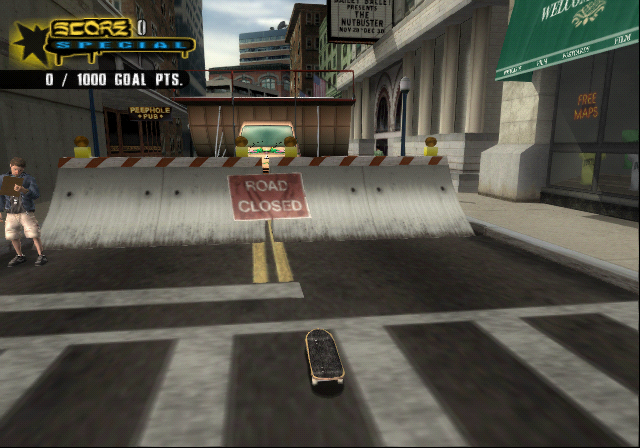
Skateboard Character |
No. The player turns invisible, which based on the name, is likely intentional. |
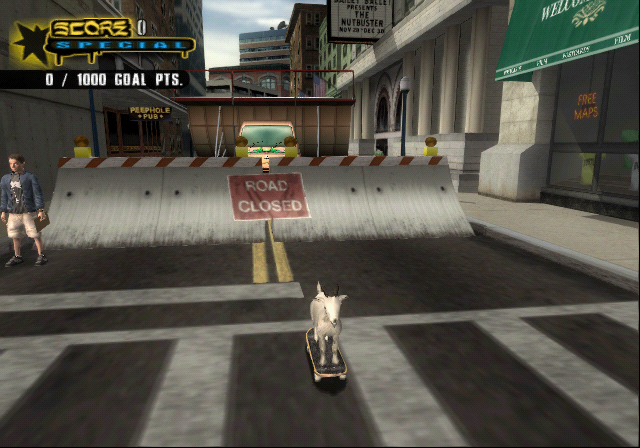
Skate Goat |
No. Uses the model of the goat found in the Boston level. |
Skate Head |
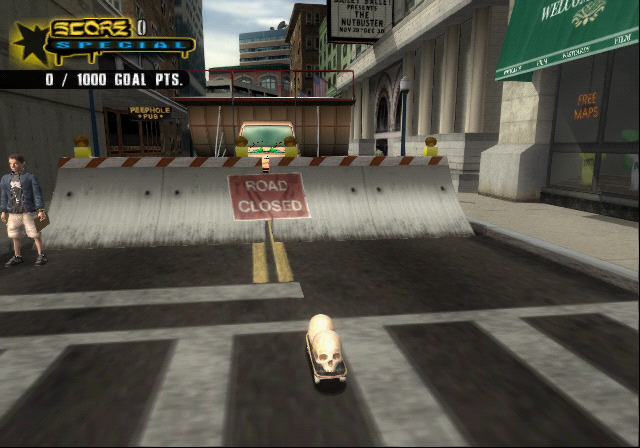
No. Has two skulls from the New Orleans level facing the front and back of the skateboard. |
Skate Hand |
Yes, as The Hand. |
Tony Hawk THPS |
While THPS1 Tony Hawk is a secret skater, this option crashes the game. |
PedPro_Hawk |
No, this is the pedestrian version of Tony Hawk |
PedPro_Burnquist |
No, this is the pedestrian version of Bob Burnquist |
PedPro_Koston |
No, this is the pedestrian version of Eric Koston |
PedPro_Margera |
No, this is the pedestrian version of Bam Margera |
PedPro_Mullen |
No, this is the pedestrian version of Rodney Mullen |
PedPro_Muska |
No, this is the pedestrian version of Chad Muska |
PedPro_Vallely |
No, this is the pedestrian version of Mike Vallely |
PedPro_Sheckler |
No, this is the pedestrian version of Ryan Sheckler |
The following content is |
|---|
     |
View Cutscene Heads#
View Cutscene Heads |
|---|
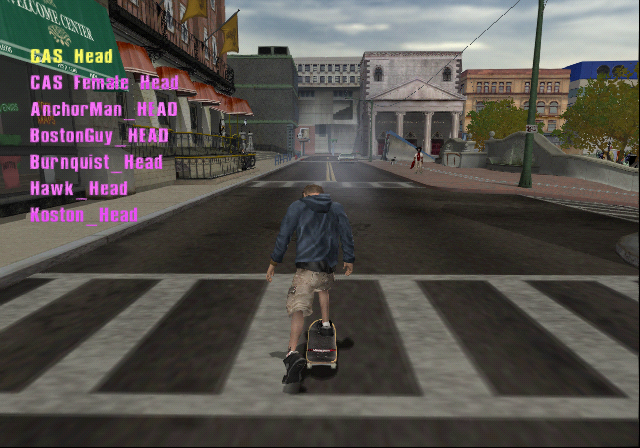 |
Presumably meant to have a similar function to view humans, but selecting these doesn't seem to do anything.
CAS Head
CAS Female Head
AnchorMan_HEAD
BostonGuy_HEAD
Burnquist_Head
Hawk_Head
Koston_Head
Muska_Head
Margera_Head
Margera_HOODY
Mullen_Head
Nigel_Head
NODrunk1_Head
NODrunk2_Head
Phil_Head
Rampkid_Head
Vallely_Head
Sparrow_Head
View Animals#
View Animals |
|---|
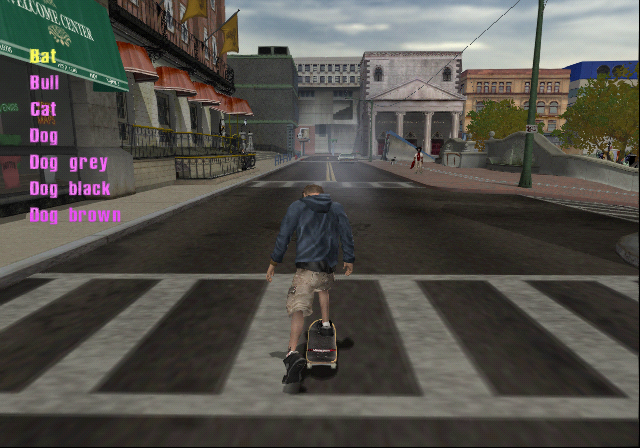 |
Like view humans, replaces the character with an animal, though being on the human skeleton means that they appear heavily distorted. Most options don't work, though the animals found in Skatopia do.
Bat
Bull
Cat
Dog
Dog grey
Dog black
Dog brown
Electric Eel
Fish
Parrot
White Gorilla
Pigeon
View Cars#
View Cars |
|---|
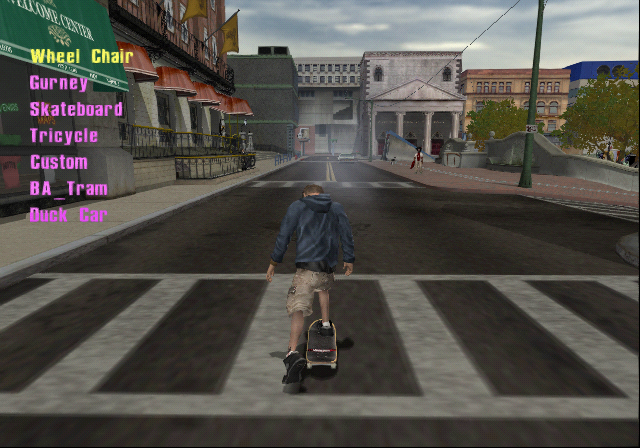 |
Presumably meant to have a similar function to view humans, but selecting these doesn't seem to do anything.
Wheel Chair
Gurney
Skateboard
Tricycle
Custom
BA_Tram
Duck Car
HP
Mardi
Scooter
Smart Car
Van
Menu 3d Sign
Skate Letter A
Arrow
Special Arrow
Pro Skaters#
Pro Skaters |
|---|
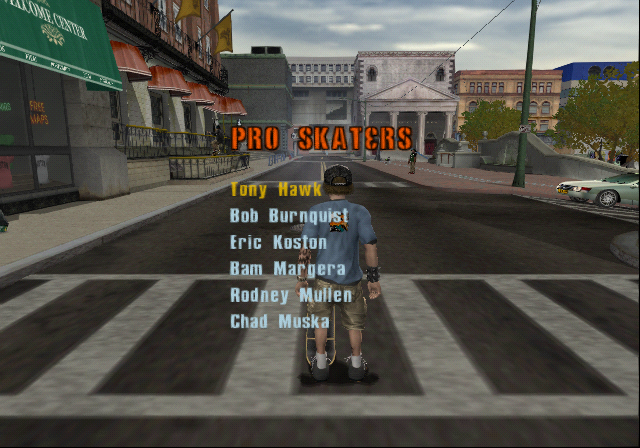 |
These options allow you to switch to a pro skater. While most of these are used, there's a few that aren't. Notably, C.O.D. Soldier is absent from this menu.
Name |
Notes |
|---|---|
Tony Hawk |
|
Bob Burnquist |
|
Eric Koston |
|
Bam Margera |
|
Rodney Mullen |
|
Chad Muska |
|
Mike Vallely |
|
Eric Sparrow |
Normally not playable in this version of the game, though his inclusion in this menu suggests that it was considered. He is playable in the GBA version, however. |
Mystery |
It's unknown what this character was meant to be, as selecting it just loads Tony Hawk instead. |
Wee man |
Formatted as Wee-Man on the character select screen. |
Shrek |
|
Hand |
Formatted as The Hand on the character select screen. While the rest of the skaters - bar the unused ones - have an icon on the character select screen, The Hand is a secret skater in the final game. |
Doom3 |
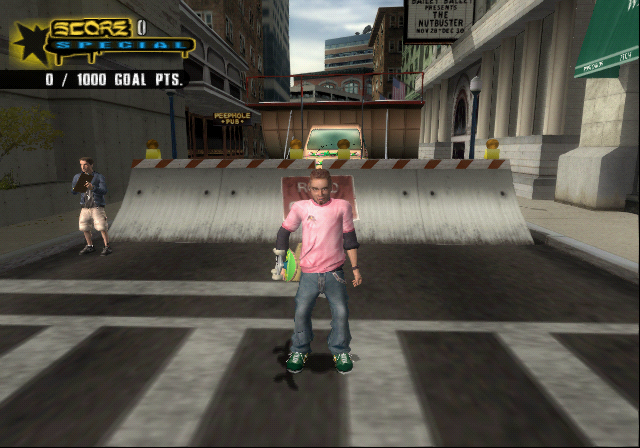
Leftover from the PC version of Tony Hawk's Pro Skater 3. Appears completely invisible in-game, and unable to skate. Jumping results in a massive spin modifier. He can move around on foot. |
Park-Ed Debug Menu#
Menu Option |
Show Usage Bar Metrics |
|---|---|
 |
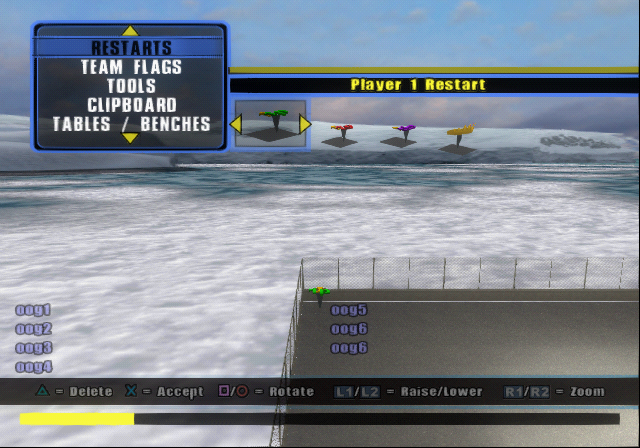 |
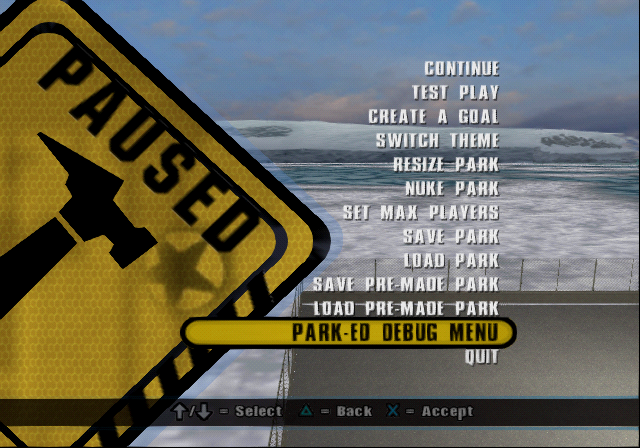
This option appears on the Create-A-Park pause menu while in editor mode. None of these options appear to work. While labels are displayed on the screen, none of them display corresponding information.
Name |
Effect |
|---|---|
Hide Stats |
Toggles whether or not the overlays below are displayed. Slightly buggy. |
Show Heap Stats |
Displays a text overlay with the label oog1 on screen. |
Show Load Stats |
Displays a text overlay with the labels oog1, 5, and 6 on screen. |
Show Usage Bar Metrics |
Displays a text overlay with the labels oog1-6 on screen. |
Toggle Edit Printfs |
Doesn't appear to work. |
Level Select#
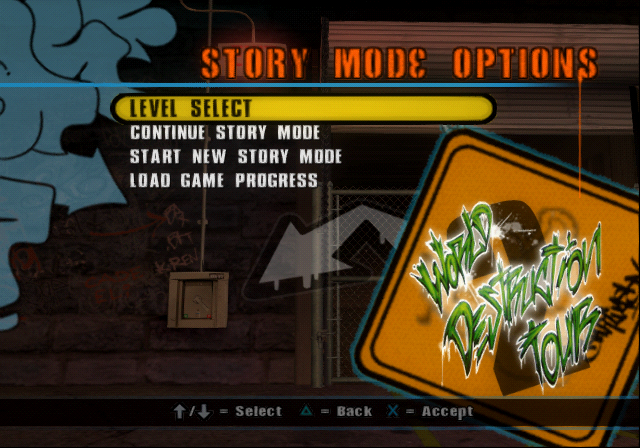
In addition to adding debug menus, enabling debug mode also enables a level select option under story mode on the main menu.
Story Mode Level Select |
|---|
 |
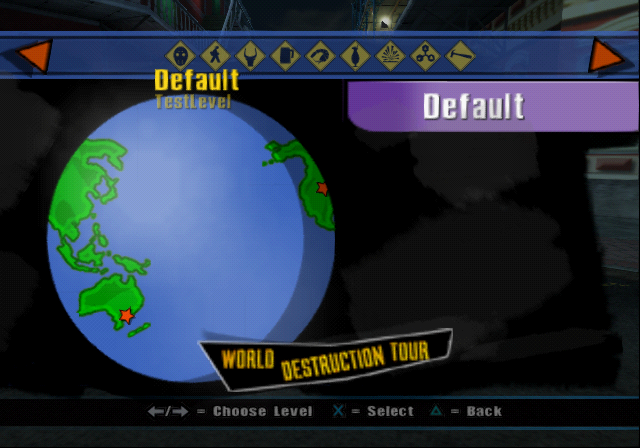
On the level select screen itself, two options are added underneath Training. This can be seen on any level select screen except in classic mode. The options are Default and TestLevel, which are covered on this game's main page.
Test Levels |
|---|
 |