
Unused Graphics#

|
To do: |
Go Carma#
A JPG file located at Swypeout Battle Racing\gameData\client\ui\mainMenuGui\background.jpg. This looks to be some sort of concept art for an older name for this game.

Unused Videos#
Net Jet#
A rather low-resolution unused OGG video located at Swypeout Battle Racing\gameData\client\ui\Lesson Descriptions\video.ogg. It includes the logo of the Net Jet game system, and screenshots from its Mission: Paintball game.
Running the Game#
The file located at Swypeout Battle Racing\main.cs controls how the game starts up, and contains this text:
function pushFront(%list, %token, %delim)
{
   if (%list !$= "")
      return %token @ %delim @ %list;
   return %token;
}

function pushBack(%list, %token, %delim)
{
   if (%list !$= "")
      return %list @ %delim @ %token;
   return %token;
}

function popFront(%list, %delim)
{
   return nextToken(%list, unused, %delim);
}

$modcount = 1;
$userMods = "common";// @ $defaultGame;

setModPaths($userMods);

nextToken($userMods, currentMod, ";");

function loadDir(%dir)
{
   setModPaths(pushback($userMods, %dir, ";"));
   exec(%dir @ "/main.cs");
}

function loadMods(%modPath)
{
   %modPath = nextToken(%modPath, token, ";");
   if (%modPath !$= "")
      loadMods(%modPath);

   if(exec(%token @ "/main.cs") != true){
      error("Error: Unable to find specified mod: " @ %token );
      $modcount--;
   }
}
loadMods($userMods);

exec( "gameData/client/defaults.cs" );
onStart();
initCanvas("Swypeout Battle Racing", true);
exec( "gameData/client/ui/versionErrorGui.gui" );
canvas.setContent( "VersionErrorGui" );
cursorOn();
Change line 21 to instead say this:
$userMods = "gameData";// @ $defaultGame;and comment out lines 48, 49, and 50. After doing this, run the game and you'll instead see a sign in screen.
Debugging#
|
|
To do: |
Debug Keybinds in config.cs#
When running the game and reaching the sign in screen, when the game is closed, a config file will be created at Swypeout Battle Racing\gameData\client\config.cs, which the game uses to manage keybindings. Examining it shows some interesting debugging keybindings.
// Torque Input Map File
if (isObject(MoveMap)) MoveMap.delete();
new ActionMap(MoveMap);
MoveMap.bindCmd(keyboard, "escape", "", "escapeFromGame();");
MoveMap.bind(keyboard, "f2", showPlayerList);
MoveMap.bind(keyboard, "f5", toggleParticleEditor);
MoveMap.bindCmd(keyboard, "r", "commandToServer(\'resetCar\');", "");
MoveMap.bind(keyboard, "e", toggleZoom);
MoveMap.bind(keyboard, "z", toggleFreeLook);
MoveMap.bind(keyboard, "tab", toggleFirstPerson);
MoveMap.bind(keyboard, "alt c", toggleCamera);
MoveMap.bind(keyboard, "u", toggleMessageHud);
MoveMap.bind(keyboard, "pageup", pageMessageHudUp);
MoveMap.bind(keyboard, "pagedown", pageMessageHudDown);
MoveMap.bind(keyboard, "p", resizeMessageHud);
MoveMap.bind(keyboard, "f3", startRecordingDemo);
MoveMap.bind(keyboard, "f4", stopRecordingDemo);
MoveMap.bind(keyboard, "f8", dropCameraAtPlayer);
MoveMap.bindCmd(keyboard, "f7", "commandToServer(\'dropPlayerAtCamera\');", "");
MoveMap.bind(keyboard, "ctrl o", bringUpOptions);
MoveMap.bindCmd(keyboard, "g", "commandToServer(\'AddCar\');", "");
MoveMap.bindCmd(keyboard, "n", "NetGraph::toggleNetGraph();", "");
MoveMap.bindCmd(keyboard, "ctrl m", "Canvas.setContent(startMissionGui);", "");
MoveMap.bindCmd(keyboard, "f", "commandToServer(\'flipCar\');", "");
MoveMap.bindCmd(keyboard, "ctrl r", "commandToServer(\'rechargeItems\');", "");
MoveMap.bind(mouse0, "xaxis", yaw);
MoveMap.bind(mouse0, "yaxis", pitch);|
|
To do: |
escapeFromGame()#
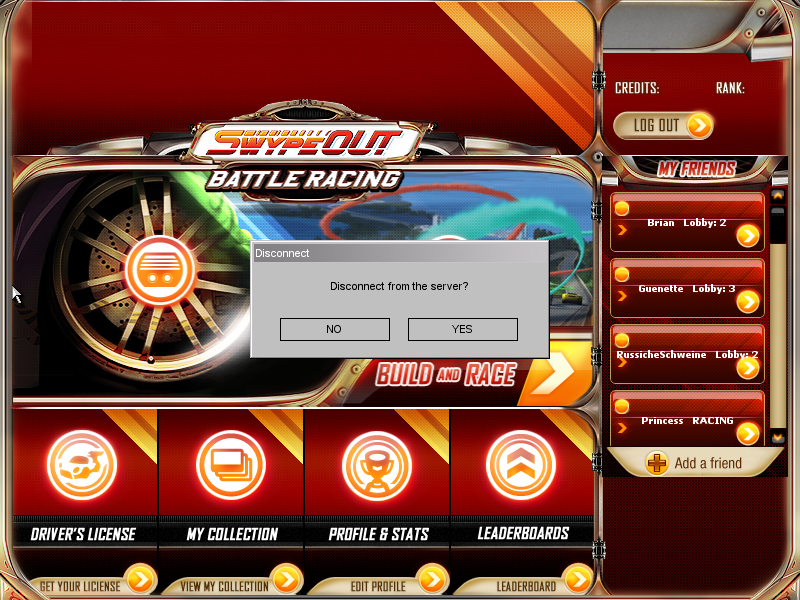
Shows a prompt to disconnect from the server. If accepted, you are brought to the main menu.
showPlayerList#
Shows a player list on the right side of the screen.
resetCar#
Sends a command to the server to reset your car back onto the track. This resets all velocity.
toggleZoom#
Doesn't seem to do anything, even when using the free cam (see details below).
toggleFreeLook#
Also doesn't seem to do anything, even when using the free cam (see details below).
toggleFirstPerson#
Toggles the camera between the default "chase" camera and "on the hood" camera.
toggleCamera#
Changes the camera to a free camera, with the following controls:
- WASD or arrow keys: Move camera
- E: Move the camera upwards
- C: Move the camera downwards
- Hold Space Bar: Move the camera faster
- Move the mouse: Turns the camera
- F8: Resets the camera position to the hood of your car.
- Alt+C: Toggles the camera back to "chase" mode.
toggleMessageHud#
Pops up a chat text box you can type in. The GLOBAL channel is selected. Press Enter on your keyboard to "send" a message. Chat messages do not appear to be logged anywhere.
This may be a default feature of the Torque engine, as Swypeout instead only allowed players to select from a range of different phrases to send.
pageMessageHudUp#
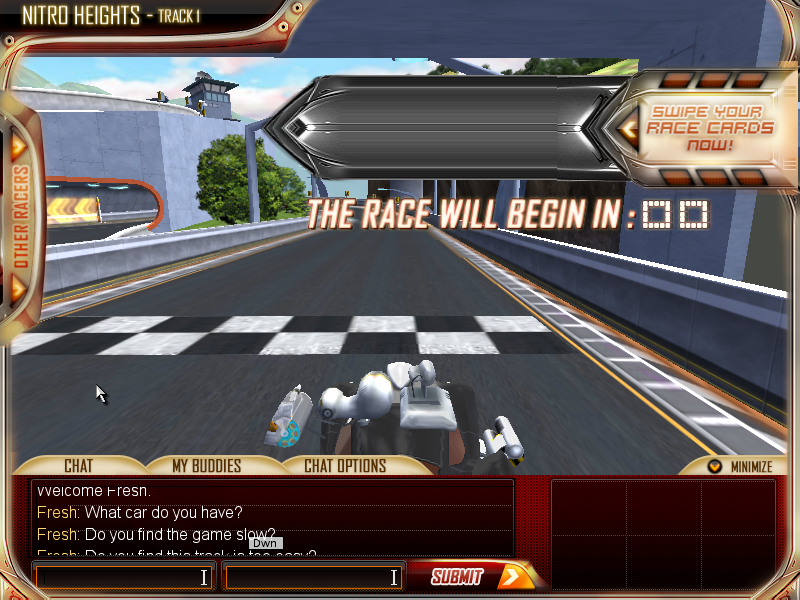
When waiting in a multiplayer game lobby, this scrolls up the chat log at the bottom of the screen.
pageMessageHudDown#
When waiting in a multiplayer game lobby, this scrolls down the chat log at the bottom of the screen.
resizeMessageHud#
Doesn't seem to do anything inside or outside of the multiplayer lobby, however this may be because the chat box in the lobby is focused automatically.
startRecordingDemo#
Starts recording a "demo".
stopRecordingDemo#
Stops recoring a "demo". A file with the extension of .rec is saved to Swypeout Battle Racing\gameData\recordings\demoxxx.rec, with "xxx" starting at 000 and incrementing by 1 for each recording.
dropCameraAtPlayer#
When using the free camera, this resets the camera position to the hood of your car.
dropPlayerAtCamera#
This doesn't seem to do anything no matter what. The name implies that it would drop the player's car at the current camera position.
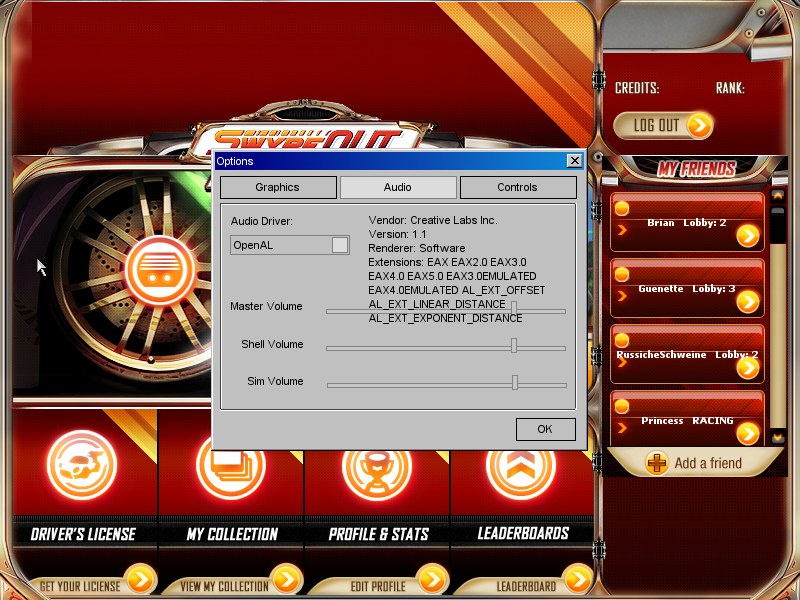
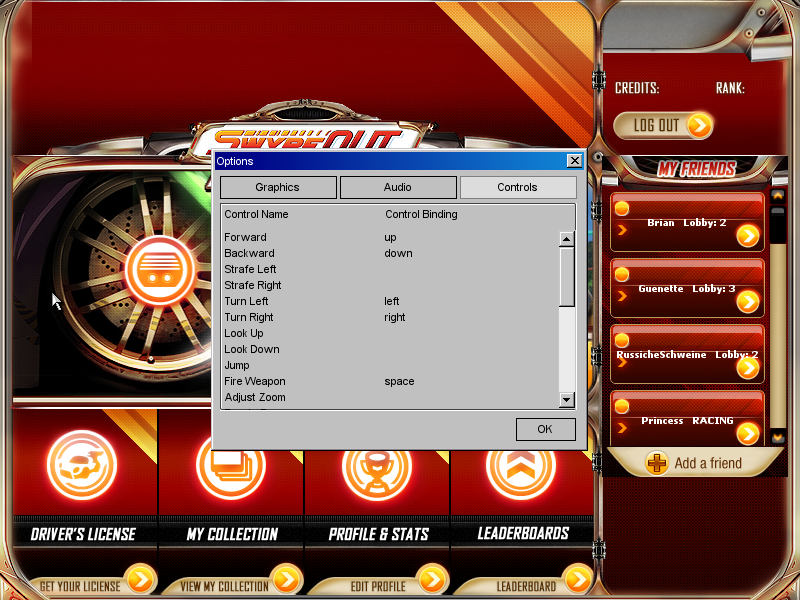
bringUpOptions#
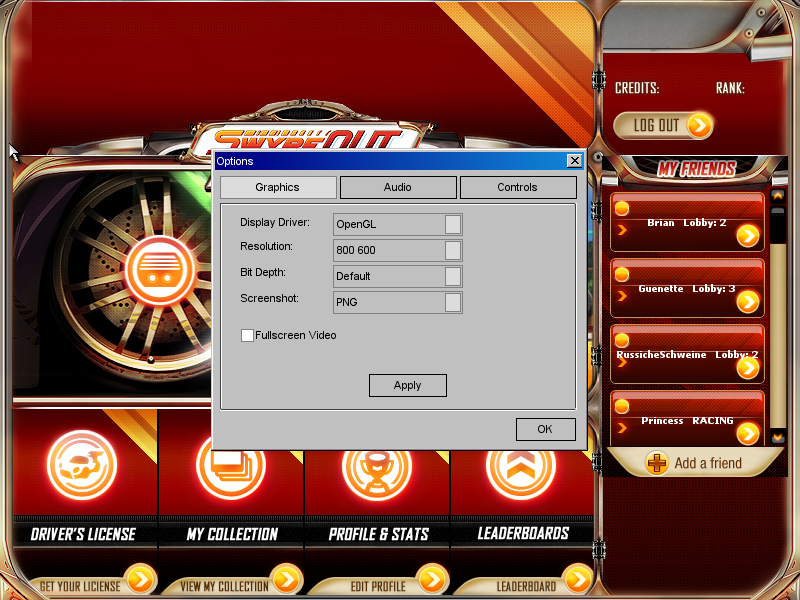
Brings up a window that has Graphics options, Audio options, and Controls options.
Graphics Options |
Audio Options |
Controls Options |
|---|---|---|
 |
 |
 |
AddCar#
Commands the server to spawn a clone of your car that spawns in the air right in front of you. Spawned cars sit idle, and can be hit by your own car and weapons.
toggleNetGraph()#
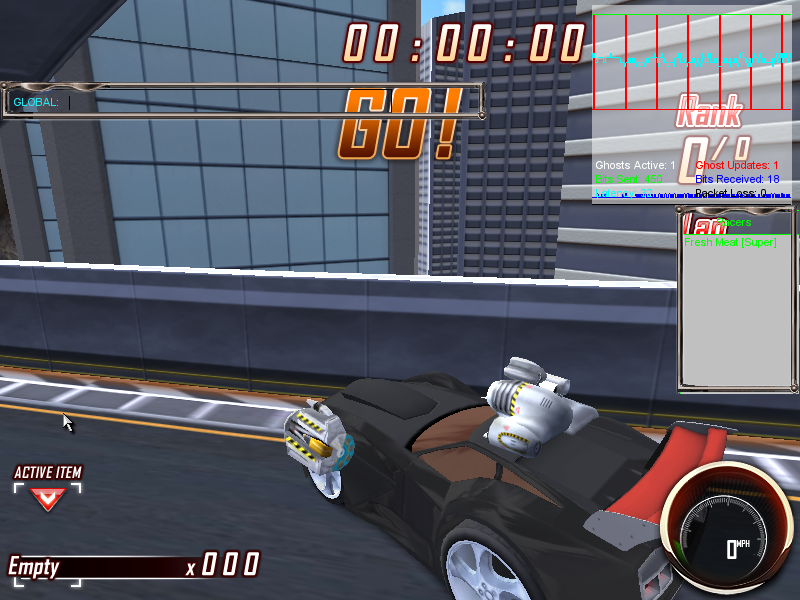
Shows a graph at the top-right of the screen that shows networking stats.
startMissionGui#
Shows a window that displays a list of playable "missions", shows a text box to enter a player name, and a tickbox to "Host Multiplayer". Select a mission then click "Launch Mission!" to load it. See the "List of available missions" section below for more information on each mission.
Ticking Host Multiplayer always seems to cause the game to crash. 
flipCar#
Sends a command to the server to flip the car, which does little more than increase the current height of the car a tad.
rechargeItems#
Gives you 999 ammo for every weapon in the game.
Debug Keybinds provided by Torque#
The Torque engine provides its own keybindings for debug functions.
- F7: Toggles wireframe mode when a mission is loaded.
- Grave: Opens an internal console window which you can run commands in.
List of available missions#
- Garage New: Tries to load the garage, but after the loading screen crashes with the oh-so-common "Key is null." error message.
- Lesson 1: Loads the mission used for Lesson 1 for your Driver's License, which takes place on Nitro Heights. This is used to teach basic controls and driving. Drive to the end of the road and you'll be teleported to another section of the track. Reach the end of this section to complete the lesson and crash with a "Key is null." error message.
- Lesson 2: Loads the mission used for Lesson 2 for your Driver's License, which takes place on Nitro Heights. This is used to teach how to fire weapons, with impassable targets on the road that are destroyed by firing the Spin Master weapon at them. Reach the end of the track to complete the lesson and crash with a "Key is null." error message.
- Lesson 3: Loads the mission used for Lesson 3 for your Driver's License, which takes place on Nitro Heights. There's nothing here, but the descriptions for this lesson found at Swypeout Battle Racing\gameData\client\ui\Lesson Descriptions\Lesson\ explain that you'd first be avoiding mines on the road, then using shield defensive items to block missiles. Cross the finish line to complete the lesson and crash with a "Key is null." error message.
- Lesson 5: Loads the mission used for Lesson 3 for your Driver's License, which takes place on Nitro Heights. It's similar to mission 2 where you have to shoot targets with the Spin Master. Complete a lap of the track to complete the lesson and crash with a "Key is null." error message.
- Nitro Heights Track 1: Loads up Track 1 of Nitro Heights and puts you in a multiplayer game lobby. After 30 seconds, the race is supposed to start, but crashes with a "Key is null." error message.
- Nitro Heights Track 1: This is repeated for whatever reason. Loads up Track 1 of Nitro Heights and puts you in a multiplayer game lobby, except the camera is not focused on your car. After 30 seconds, the race is supposed to start, but crashes with a "Key is null." error message.
- Nitro Heights Track 2: Loads up Track 2 of Nitro Heights and puts you in a multiplayer game lobby, except the camera is not focused on your car. After 30 seconds, the race is supposed to start, but crashes with a "Key is null." error message.
- Nitro Heights Track 3: Loads up Track 3 of Nitro Heights and puts you in a multiplayer game lobby, except the camera is not focused on your car. After 30 seconds, the race is supposed to start, but crashes with a "Key is null." error message.
- Nitro Heights Track 4: Loads up Track 4 of Nitro Heights and puts you in a multiplayer game lobby, except the camera is not focused on your car. After 30 seconds, the race is supposed to start, but crashes with a "Key is null." error message.
- Volcano Island Track 1: Loads up Track 1 of Volcano Island and puts you in a multiplayer game lobby, except the camera is not focused on your car. After 30 seconds, the race is supposed to start, but crashes with a "Key is null." error message.
- Volcano Island Track 2: Loads up Track 2 of Volcano Island and puts you in a multiplayer game lobby, except the camera is not focused on your car. After 30 seconds, the race is supposed to start, but crashes with a "Key is null." error message.
- Volcano Island Track 3: Loads up Track 3 of Volcano Island and puts you in a multiplayer game lobby, except the camera is not focused on your car. After 30 seconds, the race is supposed to start, but crashes with a "Key is null." error message.
- Volcano Island Track 4: Loads up Track 4 of Volcano Island and puts you in a multiplayer game lobby, except the camera is not focused on your car. After 30 seconds, the race is supposed to start, but crashes with a "Key is null." error message.
- Volcano Island: This loads up Volcano Island except none of the blockers that are used to create tracks are active, which means you can drive wherever you want. The multiplayer lobby does not load here, so a crash does not occur and you are free to drive around.