 This article has a talk page!

|
This page contains no introduction. |
Debug Mode#
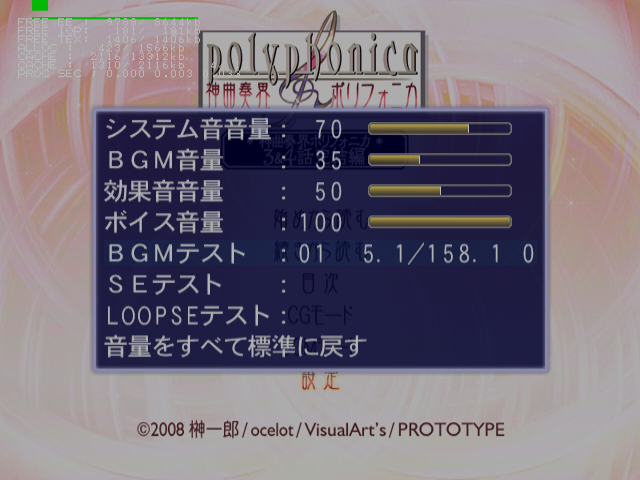

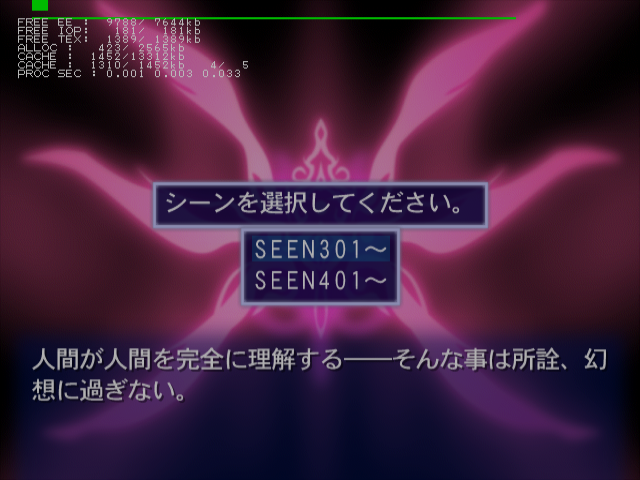
This mode enables a screen capture debug mode, scene select menu, debug information, and sound test options.
Master Code (only needed for cheat devices)
901B94B8 0C06E4D6

Enable Debug Mode
20335A68 00000001

Re-enable printf logging
201AF0D8 0806E3B4
Controller #1 debug inputs:
- Triangle + Circle + X + Square + Start will return you to the title screen.
- Select + Triangle will enable or disable progressive mode.
Controller #2 debug inputs:
- Circle to toggle debug modes. Press this once or twice to enable sound test options in the Settings menu in the main menu. This will also open a scene select menu in the pause menu in-game.
- Select for screen capture menu. This will save an image in raw bitmap (.bmp) format to your memory card.
- Triangle to log printf information.
- Square toggles a debug flag on or off. This will unlock all extras when enabled.
- X to log printf information.
- R1 to log printf information.
(Source: Punk7890)
Progressive Display Mode (640x480p)#
Holding Triangle + X when the game is first starting up will allow you to turn on progressive mode.
|
The Shinkyouku Soukai Polyphonica series | |
|---|---|
|
PlayStation 2 |
Shinkyouku Soukai Polyphonica • 3&4 Hanashi Kanketsuhen • 0-4 Wa Full Pack • The Black ~Episode 1&2 CS Edition~ • After School |