This is a sub-page of Pokémon Puzzle Challenge.
Panel de Pon GB Mode#
Characters from Panel de Pon can be found in the ROM, suggesting that Pokémon Puzzle Challenge was originally meant to be a Panel de Pon entry but got re-branded partway through.
That said, Panel de Pon GB does exist in a very early and generally unpolished state, as the characters and music are all there. The game can even be accessed on a regular Game Boy or Super Game Boy. Interestingly, the game's CGB Bootstrap ROM palette is remarkably similar to Tetris Attack for Game Boy and its Japanese version, Yoshi no Panepon, except that it is more yellow than green.

If using a non-GBC Game Boy, Panel de Pon GB can accessed from the GBC-only screen by pressing A (×24), B (×24) (you will hear a chime after pressing each button the required amount of times). If on a Game Boy Color or a newer handheld, the GBC-only screen can be triggered from the title screen by pressing Up (×2), Right (×4), Down, Left (×10), Up (×4), Right, Down (×6), B. Once the screen is displayed, pressing A (×24), B (×24) will launch Panel de Pon GB.
Alternatively, it can be accessed by using Game Genie code 1F0-23B-80E which will start Panel de Pon in GBC mode, or 1F0-3AB-91E in any other GB mode.
Japan |
US |
Europe |
|---|---|---|
 |
 |
 |
The European version of this hidden mode renames the "FIREWORKS" option to "SCROLL".
All options save for the last two correspond to options or secrets available in the main game. Their functions are as follows:
GAME MENU |
Gamemode settings. |
|---|---|
GAME MODE |
Swaps between Marathon and Garbage mode. |
GAME LVL |
Difficulty level. Effects differ between gamemodes. |
SPEED LVL |
(Marathon mode only) Affects speed of the stack's automatic rise. |
GRBG LVL |
(Garbage mode only) Affects size of falling garbage blocks. |
START!! |
Launches a game. |
OPTIONS |
General settings. |
SEMI-SIGN |
Toggles pseudo-transparency of the signs that pop up for combos/chains. |
SCORE LIM |
Whether the score maxes out at 5 or 6 digits. |
CRY |
Swaps between two sets of combo/chain sounds. |
SPEED LIM |
Whether speed levels above 50 keep increasing stack speed or not. |
STOP |
Toggles stop timer given when doing combos or chains. |
SCROLL |
Allows the player to raise the stack while panels are popping. |
MUSIC |
Toggles music playback. |
SOUNDS |
Toggles sound effects playback. |
DANCING |
Toggles panel animations. |
RESET |
Sets all OPTIONs to their default state. |
Character Cries#
The sound that plays when the player does a combo or chain in this mode changes depending on the RAM address for player character (JP:C0CE US/EU:CEA3). If the "CRY" options is set to "VOICE", the game will play approximations of the voice lines from Panel de Pon. "SOUNDS" mode, meanwhile, will usually play all-new sound effects.
Character |
Voice |
Sound |
|---|---|---|
00: Lip (Default) |
||
01: Windy |
||
02: Sherbet |
||
03: Thiana |
||
04: Ruby |
||
05: Elias |
||
06: Flare |
||
07: Neris |
||
08: Seren |
||
09: Phoenix |
colspan="2"; align="center"| |
|
0A: Dragon |
colspan="2"; align="center"| |
|
0B: Thanatos |
colspan="2"; align="center"| |
|
0C: Cordelia |
When the stack is near the top of the screen, a different sound will play to signal a longer stop timer. This sound is the same for all characters, but still has a SOUNDS and VOICE variant, unlike the main game which always plays your Pokémon's cry when "PKMN Cry" is enabled.
"STOP" Voice |
"STOP" Sound |
|---|---|
! Panel#


! Panels seem fully functional, but none of the playable modes use them. They also lack "dancing" graphics.
You can inject ! Panels in the RAM's playfield data (which starts around address D100) by overwriting panels with 070701070000 for the regular version, and 074102000000 for the "queued" version.
(Source: Mezmorize, nensondubois)
VS. Mode Assets#


The ROM bank with Panel de Pon GB mode's graphics contains assets for a game mode with garbage blocks, a vertical bar animation, a "stage" label, and a second portrait. Difficulty labels for Super-Hard and Violence-Hard can also be found.
While forcing the game in VS. Com mode does load the first image's graphics, its rules and HUD seem to just be a broken version of Garbage mode which doesn't even spawn garbage blocks. Garbage mode itself also loads these graphics before overwriting parts of them with its own, as it would otherwise lack "gray garbage" graphics.
Time Zone#
Time Zone works, albeit with some broken assets. To access it, set RAM address CEBE (JP) or CEA1 (US/EU) to 01. Keep in mind that the game hangs when the cursor is on GAME MODE or after ending a game if this value isn't 00 or 04.
This is the only game mode that can trigger a "winning" Game Over.
Incomplete Characters/Stages#
The game is built to support stage themes beyond Lip's, but while changing the stage RAM value can change the background color, the sidebar only loads a broken layout.
The player character value is likewise supposed to change the player portrait and garbage block theme. The former works to an extent (with Phoenix replacing Lip's friends), but the latter just loads "try again" graphics, overwriting other assets in the process.
The background music also changes based on these values, but all the corresponding song IDs point to silence.
Other Panel de Pon GB Leftovers#

|
To do: |
In addition to the above, very barebones version of Panel de Pon GB still buried inside the game, there are many leftover graphics from a more complete version which likely would've had features similar to the final Pokémon Puzzle Challenge.


The graphics from the middle image are loaded into VRAM on all stage select screens besides Challenge mode's, but any mugshot that would appear in that mode is then replaced with the corresponding Pokémon, Gym Leader, or Professor Oak's head.
Besides the uncompressed mugshots, there are many blocks of compressed graphics still left over from Panel de Pon, including the title screen, which reconfirms that the game was supposed to be called Panel de Pon GB before the Pokémon rebranding. (All offsets are for the Japanese version.)


To restore the PDP Title Screen, use this xdelta patch and apply it to the Japanese ROM:
 |
Download Panel de Pon GB Title Screen Patch File: PPC_PdPGB_Title_Screen.zip (info) |
A restoration is in the works here.
(Source: Jul)
Character Artwork#
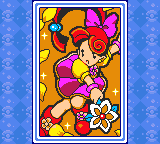
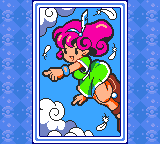
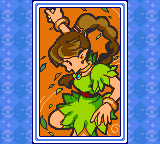
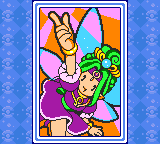
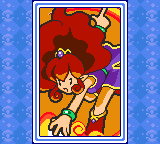
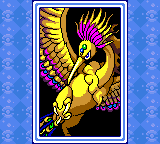
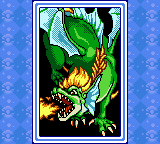
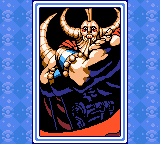
Game Genie code 160-23B-80E will boot the game in a mode that displays redrawn "character bio" artwork from Panel de Pon. Different artwork will be loaded depending on the value at RAM address CDA1 (JP) or CDC1 (US/EU).




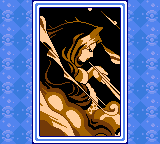
Unused Stage Graphics#
Setting the RAM address for the current stage graphics (JP:CEBF US/EU:CEA2) to values above 0D will load themes left over from Panel de Pon GB.
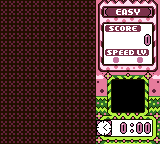
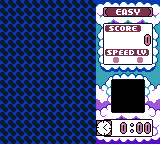
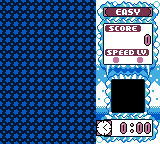
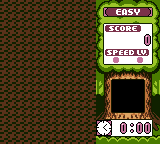
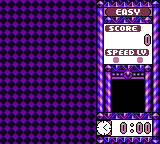
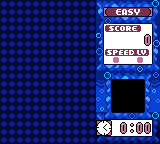
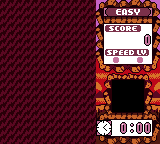
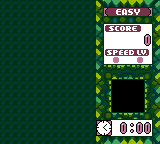
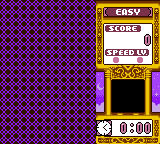
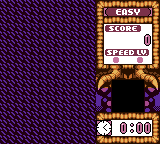
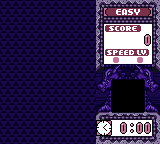
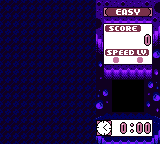
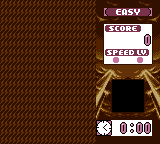
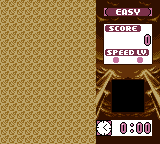
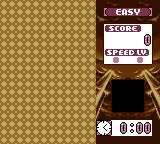
0F, 11, and 13 use the same borders as the Flying, Grass, and Water Pokémon themes respectively. Only the background animation differs.
1B and over load the same palette and border as 1A (with a broken "incoming garbage" area). 1C onward use the background from training mode, which lacks vertically offset animations, so the last loaded background is reverted to as the stack scrolls.
Unused Scenes#
Artworks showing unused scenes from Panel de Pon GB can be seen on the map in VS. COM mode by setting RAM Address DF1F (US: DF07; EU:DF04) to 01, CF09 (US/EU:CEEC) to the desired scene's id, and CF08 (US/EU:CEEB) to 2C or 38 to load the scene with a black or white transition respectively. Also set CE25 (US/EU:CE45) to 01 to align the background to the sprite layer.

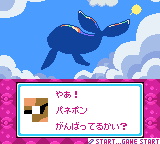
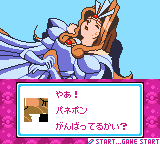
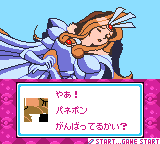
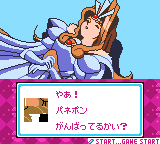
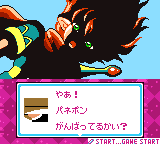
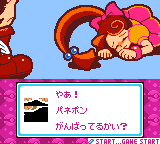
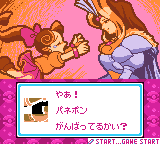
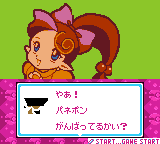
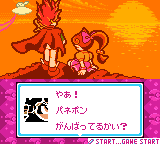
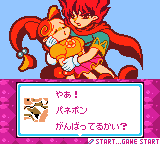
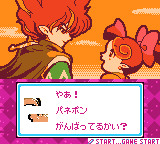
Scene 00's background is significantly larger than the rest, causing some corruption in the BG Map. Likely because it was intended to scroll to create the impression of Zilba(?) drifting through the sky.
Unmapped Music#
Unreferenced musical data for many tracks exists in the ROM, and the number of duplicate (and mostly dummied-out) entries in the music pointer table happens to match exactly with the number of tracks that have been found. It seems safe to assume all these tracks are from Panel de Pon GB.
Track |
|
|---|---|
Title Screen Intro |
|
Title Screen/VS Com Map |
|
Windy's Theme |
|
Windy Danger |
|
Sherbet's Theme |
|
Sherbet Danger |
|
Thiana's Theme |
|
Thiana Danger |
|
Ruby's Theme |
|
Ruby Danger |
|
Elias' Theme |
|
Elias Danger |
|
Flare's Theme |
|
Flare Danger |
|
Neris' Theme |
|
Neris Danger |
|
Seren's Theme |
|
Seren Danger |
|
Phoenix and Dragon Theme |
|
Phoenix and Dragon Danger |
|
Thanatos' Theme |
|
Thanatos Danger |
|
Cordelia's Theme |
|
Cordelia Danger |
|
Death Mt. |
|
Enemy Encounter |
|
Cordelia Encounter |
|
Game Over (Lip) |
|
Game Over (Windy) |
|
Game Over (Elias) |
|
Stage Clear |
|
99999pts Clear |
|
Credits (Endless Mode) |
|
Credits (Endless 99999pts) |
|
Credits (Puzzle Mode) |
|
Credits (Stage Clear Mode) |
|
Credits (VS Com Mode) |
|
Spell Lifted |
|
World Spell Lifted |
|
NPC VS COM Easy Ending |
|
NPC Zilba Theme |
|
Unknown |
|
Unused PCM Samples#
Four PCM samples exist in the ROM which go completely unused in the final game. Curiously, the game code has two references to the PCM playback function at ROM address 18EB(JP), but they're not called by the game at any point. They are at 1D227(JP) and BA6AC(JP), which is the options config screen and one of the banks pertaining to VS Com mode, respectively.
"Nintendo!" |
ID: 00 |
|
"Congratulations!" |
ID: 01 |
|
"Here we go!" |
ID: 02 |
|
"Hooray!" |
ID: 03 |
These can be heard in-game by playing the Options menu's first SOUND with the following Game Genie codes (where "??" is the sample's ID).
Japan |
US |
Europe |
|---|---|---|
022-4DA-E6E |
021-FEA-E6E |
021-16A-E6E |
Unseen Tile Layout#

One of the congratulatory screens has a tile layout that can only be seen by disabling the Window layer. Normally it appears as a jumbled mess, but replacing the pointer at ROM offset 7EE77 with 19 54 2A reveals an image of Lip. The intended palette no longer seems to exist in the ROM, and the graphics seen in the image are only present in the Japanese version.
Unused Text#
|
|
To do: |