 This article has a talk page!

|
This page contains no introduction. |
Debug Menu#
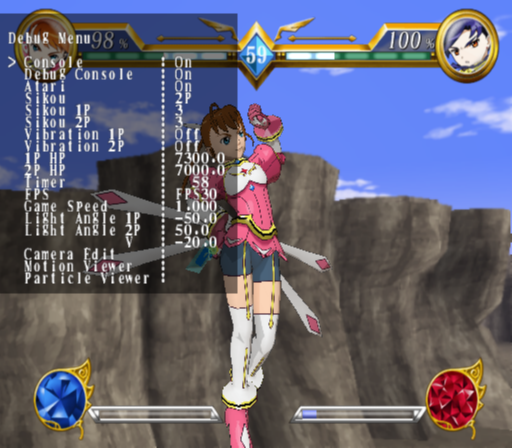
Present in the game is a fairly elaborate debug menu. You can instantly set player health, set AI variables, view animations, adjust the camera and so forth. Apply the below code to enable this menu.
Master Code (Only needed for cheat devices)
90118318 0C04606E

Enable Debug Menu
D029829C 0000FEFB
10CA1788 0000050B
D029829C 0000FBFB
10CA1788 00000000
With the code on, while in battle, press R3 + L2 to activate the debug menu. Only press this button combination in battle. If for what ever reason the game softlocks, press R3 + L1 to restart the match. Press X button to close the menu.
When you first enter the menu no text will render. Simply press X button once then enter the menu again for it to display properly.
Text |
Notes |
|---|---|
Console |
Toggles the interface on or off. |
Debug Console |
Sets debug rendering on or off. Don't use this. |
Atari |
Toggles debug damage marks on or off. |
Sikou |
Toggles between AI states for 1P, 2P, or both players. |
Sikou 1P |
1P AI settings. Set to 5 for max intelligence. |
Sikou 2P |
2P AI settings. Set to 5 for max intelligence. |
Vibration 1P |
Sets controller vibration on or off. |
Vibration 2P |
Sets controller vibration on or off. |
1P HP |
Sets new values for 1P's health. |
2P HP |
Sets new values for 2P's health. |
Timer |
Set new timer value with Left Analog Stick Left / Right direction. |
FPS |
Set in-game FPS between 30 (default), 20, 10, or 60. |
Game Speed |
Adjust total speed of the game engine. |
Light Angle 1P |
Adjust 1P's light direction. |
Light Angle 2P |
Adjust 2P's light direction. |
Camera Edit |
Enters a sub-menu. |
Motion Viewer |
Enters a sub-menu. |
Particle Viewer |
Enters a sub-menu. |
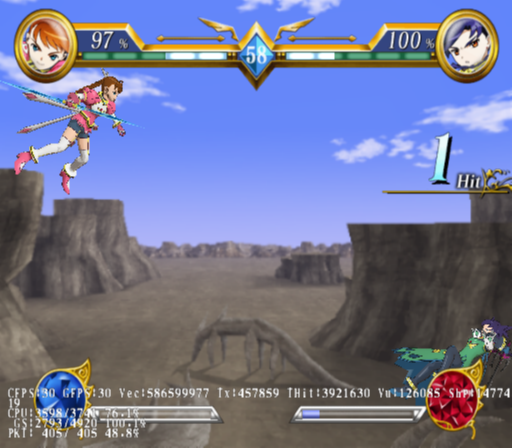
Having the debug menu active also renders various debug information on-screen.
(Source: Original TCRF research)
Camera Edit#
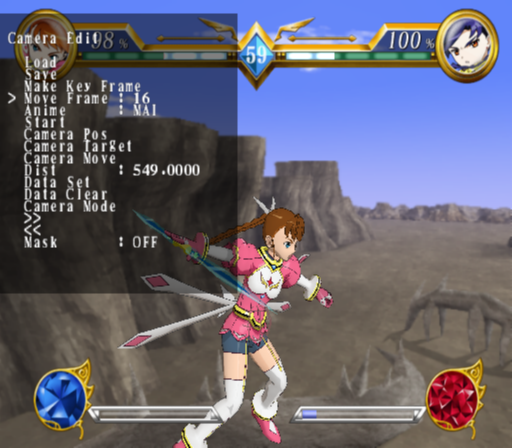
This presumably allows you to create cutscenes, although it's not clear how these options work.
Motion Viewer#
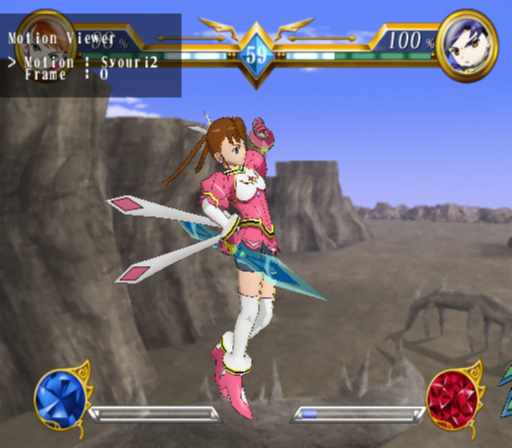
This allows you to view all of the animations for a given character.
Particle Viewer#

This allows you to view the various effects in the game.