 This article has a talk page!

|
To do:
|
La Pucelle: Tactics is a strategy RPG. In Japan, this game came out a year before the first Disgaea game, but was released several months after that game in other countries.
Developer Mode#
With this mode active, a whole can of goodies get opened. This mode will activate hidden menus normally not accessible, enable debug displays, and allow you to open a debug menu at anytime with a second controller, and many more. Apply the following code for your version of the game to enable this mode.
USA Codes

Master Code (Needed for an actual PlayStation 2)
9010BEB0 0C042F54

Enable Developer Mode
2010280C 0C047DEC
2011F7B0 34420002
2011F7B4 AF8284B4
2011F7B8 03E00008
2011F7BC 8F8284B4

EU Codes (SLES-52978)

Master Code (Needed for an actual PlayStation 2)
9010BD30 0C042EF4

Enable Developer Mode
20102738 0C047E10
2011F840 34840002
2011F844 AF8484A8
2011F848 03E00008
2011F84C 8F8484A8

JP Codes (SLPS-20165)

Master Code (Needed for an actual PlayStation 2)
902083D8 0C08209E

Enable Developer Mode
202C3190 0C08445C
20211170 34420002
20211174 AF828474
20211178 03E00008
2021117C 8F828474
Known controller one inputs:
- L3 to bring up debug info. This only works when not at the main menu.
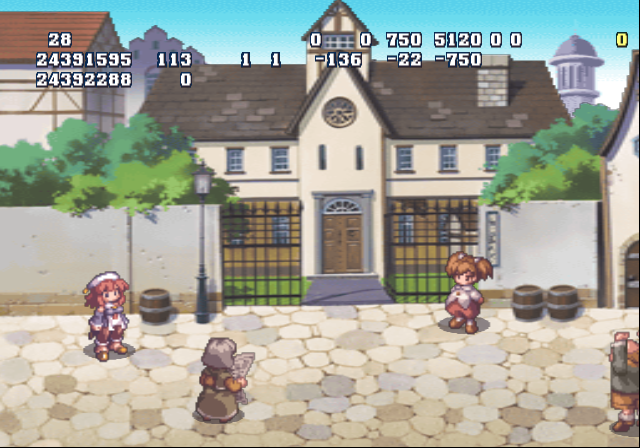
- Start to pause the game.
- R3 does something but it is currently unclear.
- Pressing L1 / L2 when selecting a map to enter will increase / decrease the Dark Energy Index of a map.
(Source: Punk7890)
Debug Menu#
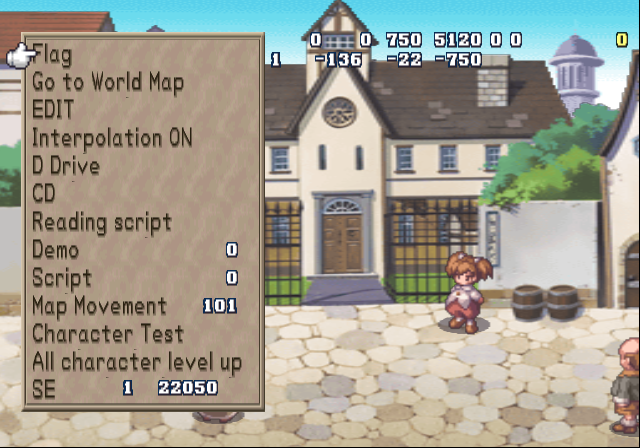
With a second controller plugged in, to bring up the debug menu anytime, press Select on controller 2. The known controller 2 inputs are below:
- Select will open / close the debug menu.
- D-Pad / Left Stick moves through the menu.
- Right / Left will toggle the option on or off you have highlighted.
- Circle to enter an option.
- R3 brings up a list. It is unclear what this does.
Text |
Effect |
|---|---|
Flag |
Opens a game flag submenu. It is unclear what these do. |
Go to World Map |
Sends you to the world map. |
EDIT |
Sends you into map editor mode. |
Interpolation |
|
Drive |
Presumably allows you to save edits you've made. |
CD |
|
Reading Script |
|
Demo |
Allows you to watch cutscenes. Press Square on controller 2 to confirm. |
Script |
|
Map Movement |
Sends you to a map of your choice. |
Character Test |
Sends you to a graphic / sprite viewing mode. |
All character level up |
Levels up your party by one level. |
SE |
Allows you to play any SFX as well as change their pitch. |
EDIT#
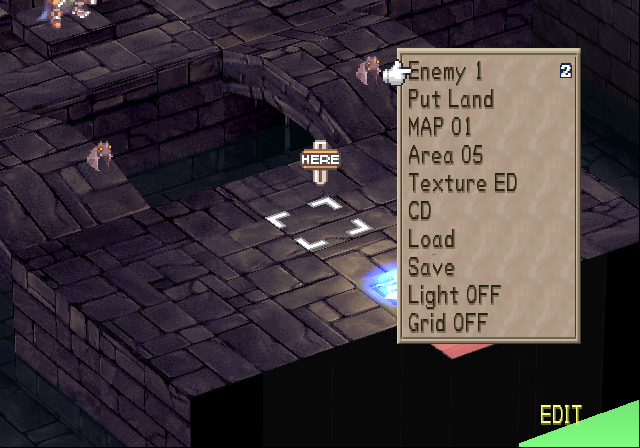
This option allows you to edit maps, even make entirely new ones.
Character Test#

A graphic viewer option. This also allows you to view all sprites in the game as well.
Hidden Menus#
Most of these can be displayed with Developer Mode active. However, there are a few extra options even that mode doesn't activate. Apply the following GameShark/CodeBreaker code to enable these extra menus:
NA Codes:
Enable Code (for console only)
9010BEB0 0C042F54

Enable Hidden Menus
101D736C 00000003
101D734C 00000003
101A9C24 00000007
10186268 00000004
10184F00 00000009
101D5E0C 00000004
101D5DFC 00000003
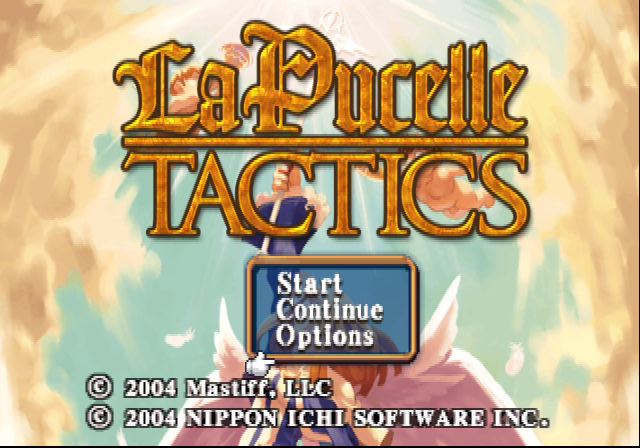
This code puts "Quick Start" in the main menu, "Load" and "Exp. Table" in pause menu, "Save" and "Load" in battle, and a blank option that turns an ally into an enemy when selecting a character in battle and a unknown option in Roseenqueen Shop. Besides the blank option in battle and the unknown option in Roseenqueen Shop shop, these all can be enabled with the Developer Mode code active.


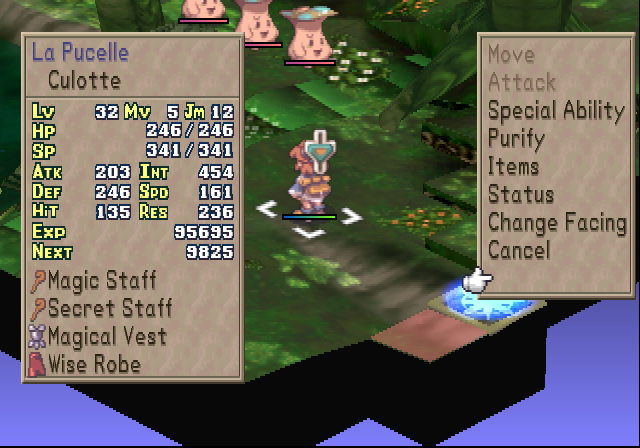
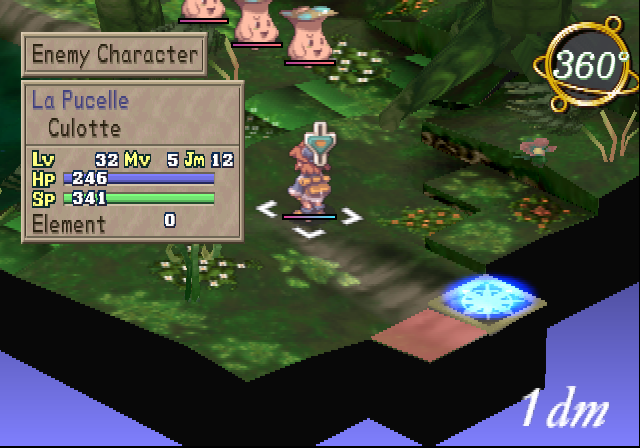

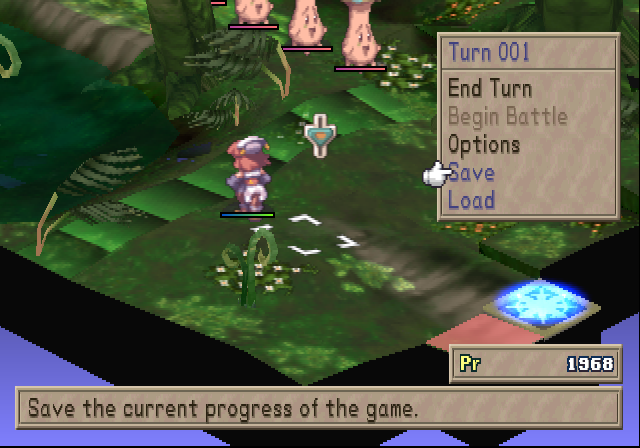
(Source: Original TCRF research)
Regional Differences#
The Western versions have graphical changes, primarily to reduce religious imagery. In the North American version, the player can choose between English or Japanese voice-overs. This option was removed for the European version, which only has English audio.
Revisional Differences#
Additional content was added for the Japanese re-release in 2004 and later incorporated into the European version, such as a "new game plus" feature and a new boss battle level.