This is a sub-page of Kirby's Return to Dream Land.

|
This needs some investigation.
|
Kirby's Return to Dream Land doesn't have a full debug mode or menu, but it does have individual debug features that were left in its executable. Some of these are reminiscent of Debug features found in previous HAL projects, most notably Super Smash Bros. Melee.
To enable the debug features documented below, use the Gecko Codes provided in their sections.
Collision Viewer#
Enter the following code so the game displays the collision of a stage:
045FB21C 38600001The stage's collision is represented by thin lines surrounding the tiles that have collision assigned to them. Moving platforms also have displays specific to them that indicate their motion. The collision display is somewhat subtle, and it can be difficult to see on a stage with bright colors. 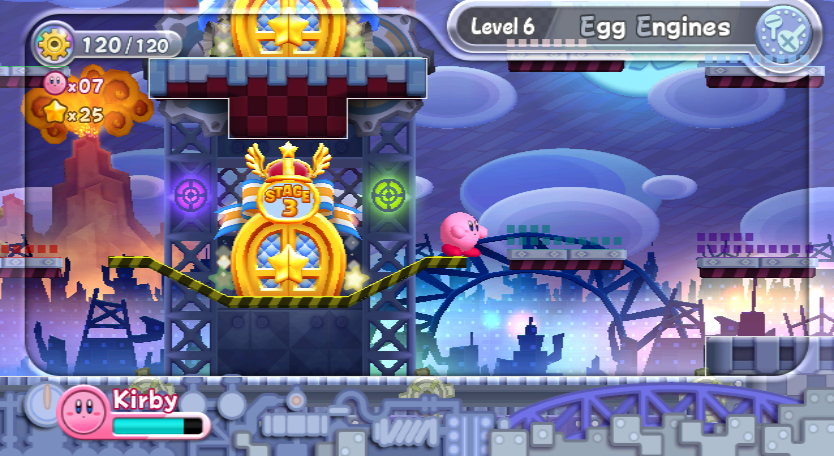
Hitbox Viewer#
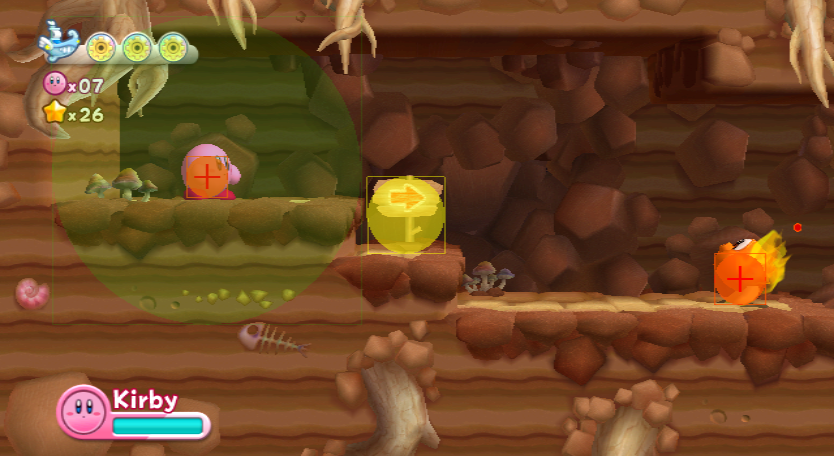
A hitbox viewer mode remains. It can be accessed with this code in the US version:
04356ADC 38600001There are many different types of hitboxes, all with a different color:
- Damaging hitboxes are colored red.
- Yellow corresponds to hurtboxes.
- Grab hitboxes are colored green.
- Light green hitboxes don't allow the playable character to perform idle animations if they are near a damaging hitbox.
While it appears playable characters and enemies have orange hitboxes on them, they're actually a hurtbox and a damaging hitbox stacked on top of each other. Hitboxes will continue to display even when pausing.
Inhale Viewer#
Enable the following code so hitboxes specific to Kirby's inhale are displayed:
04356B00 38600001Kirby will have red hitboxes and a grid of multiple green boxes when inhaling, indicating his current effective range. Enemies and other inhalable objects will have yellow boxes on top of them, including playable characters, as they can be inhaled by Kirby's Super Inhale. 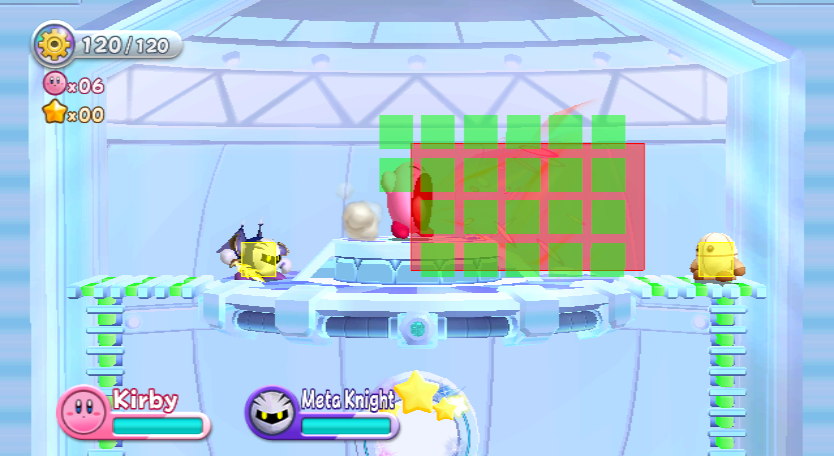
Environmental Collision Boxes#
Similar to Super Smash Bros. Melee, entities in this game make use of diamond-shaped boxes that account for all kinds of collision tiles in a stage. There are multiple debug flags in the game that can be enabled for different kinds of entities, all documented below.
Playable Characters#
The playable characters' environmental collision boxes can be enabled with the following code:
044EB41C 38600001It has the following results. 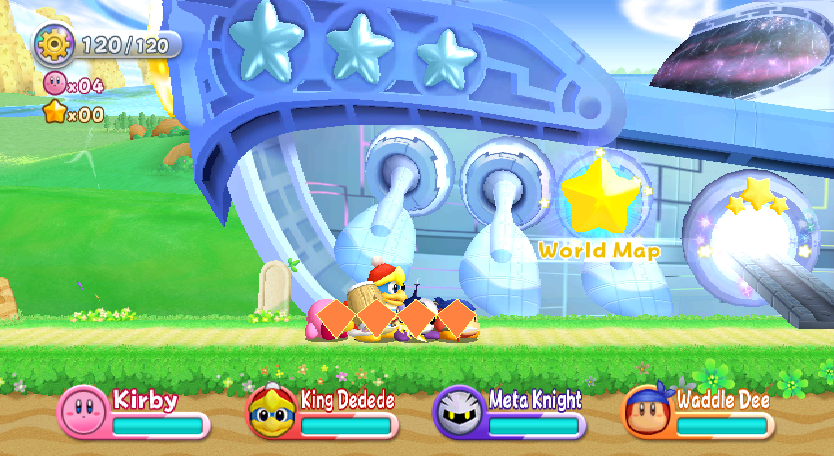
Bosses#
The bosses' environmental collision boxes can be enabled with the following code:
04251720 38600001It has the following results. 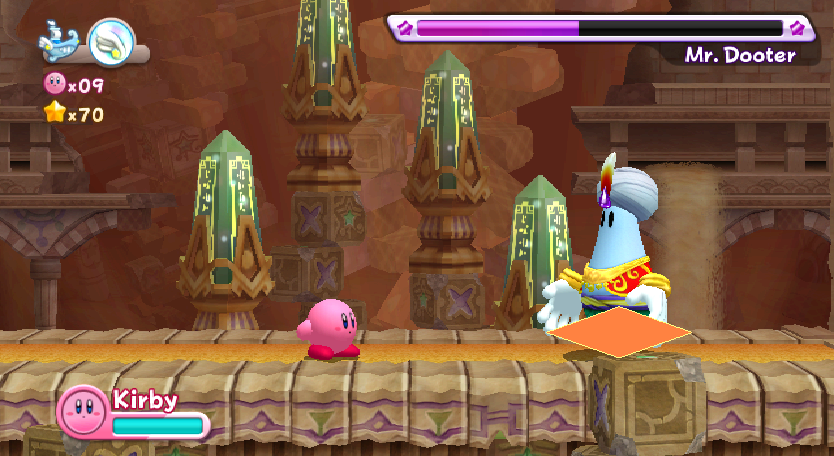
Enemies#
The enemies' environmental collision boxes can be enabled with the following code:
04375864 38600001It has the following results. 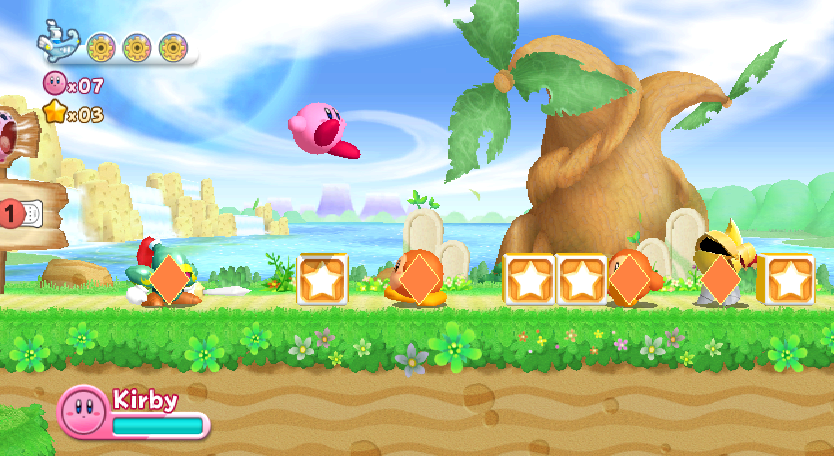
Projectiles#
The environmental collision boxes for projectiles or other minor entities can be enabled with the following code:
04616AC4 38600001Bomb Kirby is used here to illustrate results specific to his bombs. 
Items#
The environmental collision boxes for items that Kirby can interact with by simply coming into contact with them can be enabled with the following code:
045E2964 38600001It has the following results. 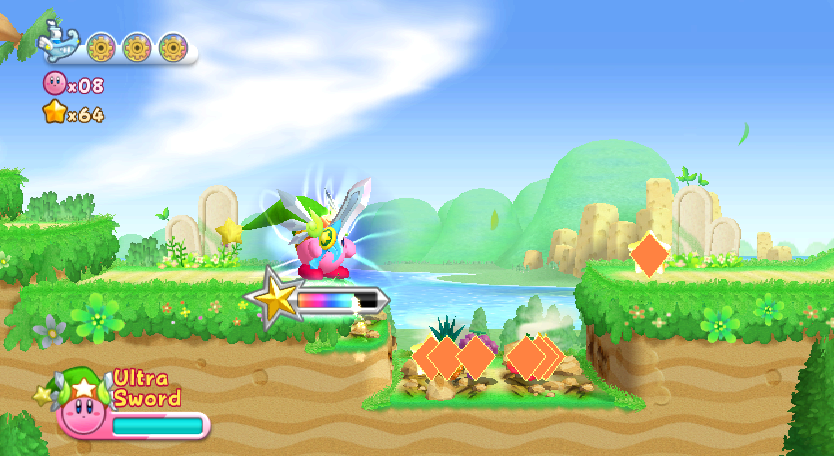
Carry Items#
The environmental collision boxes for items that Kirby can carry can be enabled with the following code:
04333D8C 38600001It has the following results. 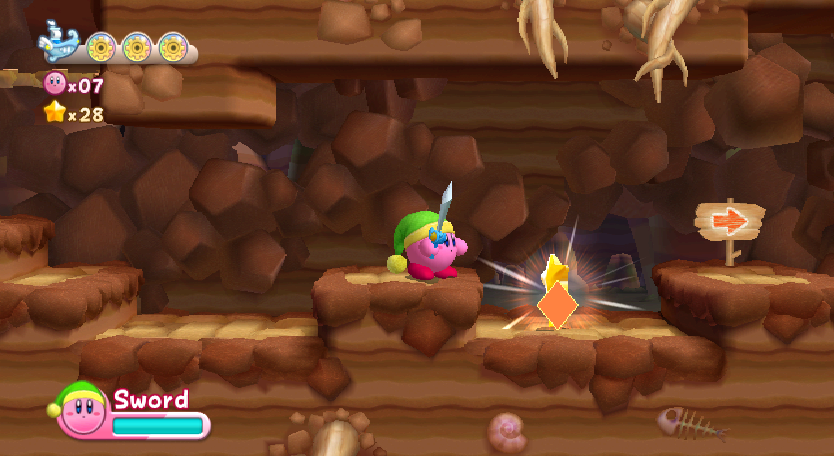
Exception Handler#

The NintendoWare exception handler is present in retail builds of the game, and can be shown by inputting a button code on Player 1's Wii Remote when the game crashes:
044e5954 38000007 Note that the code above is for forcing the game to crash, not for making the exception handler work.
- 1) While holding A and B, press 2 once.
- 2) While holding D-Pad-Right (Up when sideways), press + once.
- 3) While holding D-Pad-Left (Down when sideways), press - once.
- 4) While holding D-Pad-Up (Left when sideways), press 1 once.
- 5) While holding D-Pad-Down (Right when sideways), press 2 once.
Afterward, use the D-Pad to scroll through the output. Notably, it prints the build dates for the SDK libraries that the game uses above the exception information itself.
(Source: Dragonsoul5000)