 This article has a talk page!

|
This page contains no introduction. |
Debug Mode#
By plugging in a second controller, the player can activate a hidden debug mode while at the main menu by pressing the following on '''controller #2:
Hold Triangle and press D-Pad Right x9, D-Pad Up x2, D-Pad Left x2, D-Pad Down x9, (release Triangle), D-Pad Up x2, D-Pad Down x2, D-Pad Left, D-Pad Right, D-Pad Left, D-Pad Right, Square, Circle. If successful, a jingle will play.
Alternately, applying the below code will re-enable debug functionality. The code will enable a debug menu when first starting the game, and enable controller 2 debug inputs. If you are playing on an emulator, you will need to activate the code Controller Fix For Emulators code to even play the game normally.
Master Code (Only needed for cheat devices)
90112110 0C0447EC

Enable Debug Mode
2012D204 24020001

Controller Fix For Emulators
007B2C47 00000000
007B2A47 00000000
Controller 2 functions:
- Pressing Select will switch debug modes, allowing you to open more debug menus.
- Press Circle to enter a debug menu.
- Holding L2 will display normally unseen debug information that gets logged in the background.

(Source: Original TCRF research)
Debug Menus#
Chapter Debug Menu#


This menu will appear when first starting the game or starting a new game. This gives you the ability to quickly enter a game mode, or view graphics. The options Texture, Sprite, Vibrate, and Script Viewer do not work. These modes are executed from files via a network path.
Plane Viewer
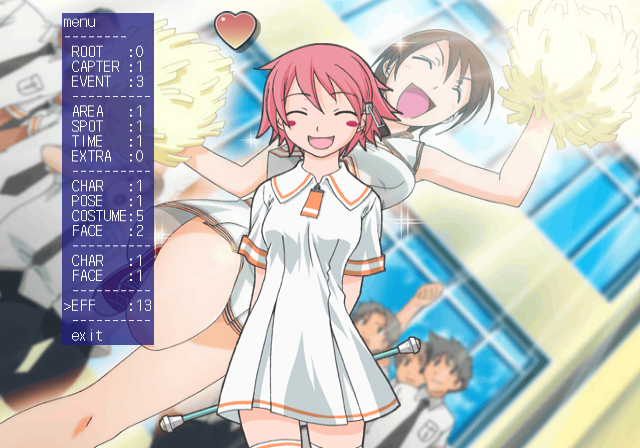
This allows you to view CG images, background images, character images, character sprites, and various emoticons.
Font Viewer

This allows you to view the game's font file.
ADV DBG MENU#
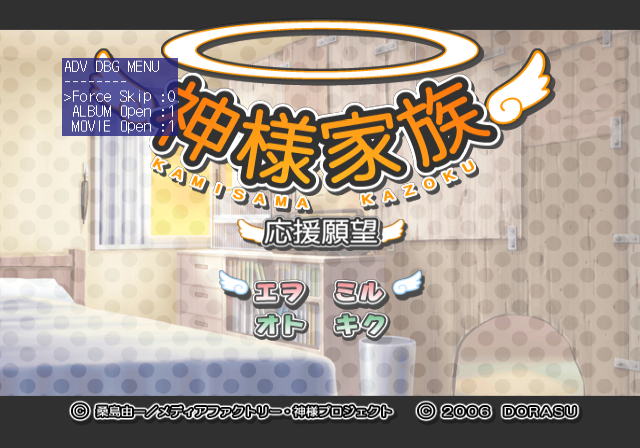
Setting the MOVIE and ALBUM options on will unlock all images and movies.
SYS DBG MENU#
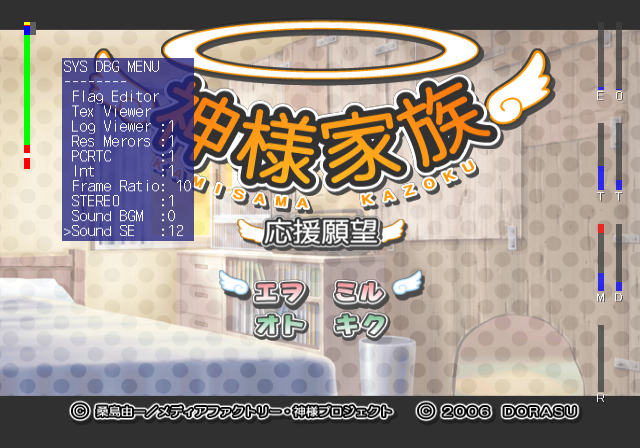
This menu contains various debug options. You can set debug information on-screen, adjust frame-rate, view debug log files, listen to SFX and BGM and more.
Unused Images#


(Source: Original TCRF research)