In Intelligent Qube, you must ensnare squares with perfect flair. That'll show those aliens that Earth's not stupid. Seriously, that's the "plot". Unless you're European, where it all just happens for no reason.
Debug Features#
I.Q. contains a reasonably sized but half-working debug mode. It comes in two parts which would have been activated by holding Down + Triangle + R1 + L2 then pressing other buttons. Unfortunately, one of the control variables of the mode is permanently set to 0 so no amount of controller gymnastics will now activate them.
Menu#
Holding those buttons then somehow pressing Start + L1 would have given access to a menu. In order to enable it in a much easier manner, use the following GameShark codes and hold L1 while in a stage. Don't do it while a demo is playing or you'll be unable to exit the menu.
JP - SCPS-10029 |
US - SCUS-94181 |
EU - SCES-00866 |
|---|---|---|
|
|
|
What you get is this:
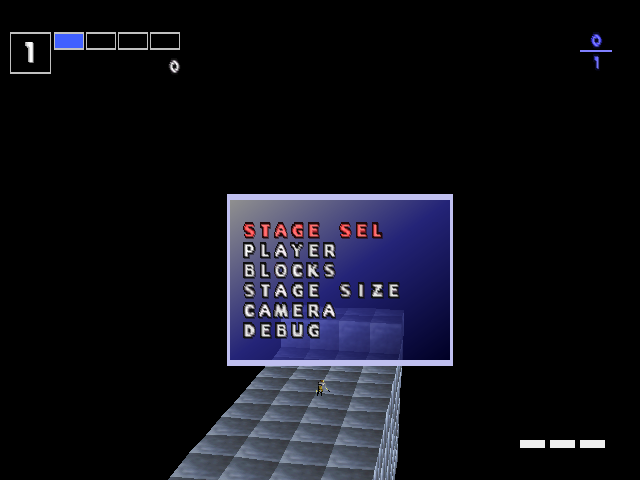
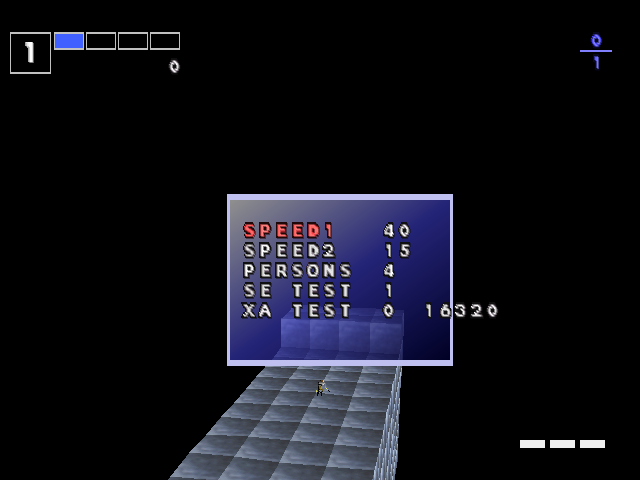
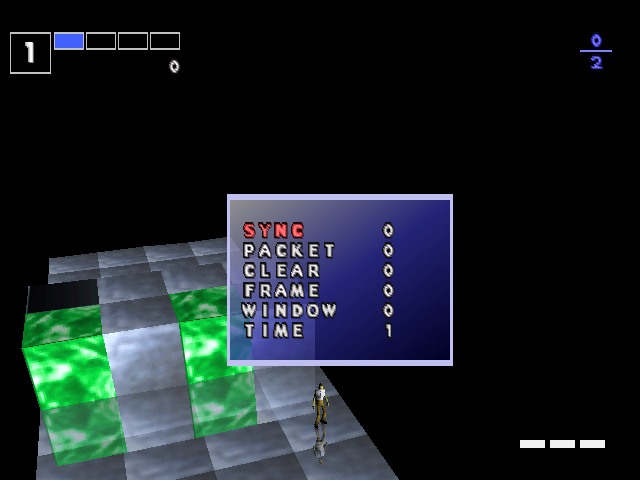
Each option leads to a submenu if you press Circle. Pressing X goes back or cancels the menu.
Stage Selection#

|
Player#
|
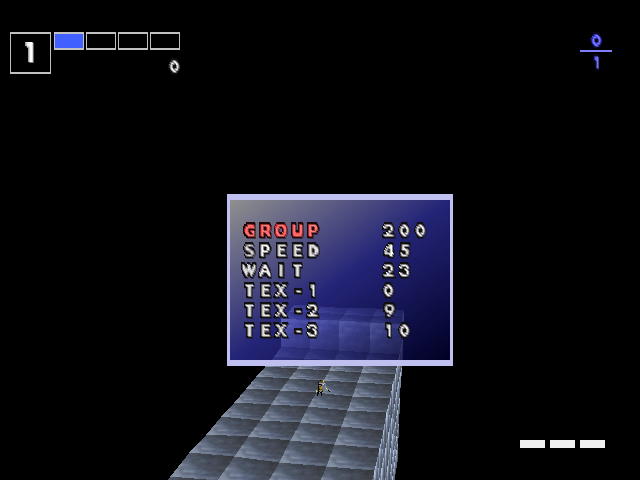
Blocks#
|
Note that the texture options only change the pattern, not the palette.
Stage Size#

|
Camera#

|
Debug#
|
Turbo Mode#
The key combination mentioned above would have also activated another feature if you'd have pressed Select instead of Start and L1, that being a turbo mode. If you thought the game's level 4 setting was fast, this is another thing entirely.
Another GameShark code is needed to allow this to be turned on. Press Select to enable:
JP |
US |
EU |
|---|---|---|
|
|
|
Note that this disables the attract demos, even though they operate fine under it.
Unused Images#
Early/Alternative Title Screen#

The (/IQ)/CG/ETC/TitleIQ.15B is a raw 15bpp bitmap of a static title screen. The name of the game is given as Intelligence Quotient, the term people would expect IQ to refer to.
Characters#

Large images of the selectable characters can be found in /CG/Player/PSet.4b. The Player text and the larger IQ logo are used in two player mode, but the character art goes unseen as character selection in the game is handled by rendering the 3D models rather than by static image. The game only features three selectable characters however, meaning the palette swapped version of Eliot on the far right doesn't exist in the game at all. The 'enable everything' GameShark code allows the character select cursor to go down beyond Spike, the third character, but doing so crashes the game.
Misc#

/CG/ETC/Kana20.4b contains basic unused images of what looks like a memory card or the top half of a Pocketstation (the Japanese version of the second game was Pocketstation enabled), as well as a speedometer and a needle.

/CG/ETC/Hankaku.4b on the other hand contains some handwritten Japanese. This reads "かんじ予約", or "Reserved for Kanji".
Earlier Puzzle Set#
Each region contains identical puzzle data, but the Japanese disc has an earlier file with puzzle data at /Enemy/Group.Dat. It's almost twice as large as the final versions but while this "new" data consists of valid puzzles, it is mostly zero bytes. This results in many standard-block-only puzzles. Some of the existing puzzles have been changed between this early file and the final, but due to the random nature of puzzle selection it's hard to pinpoint exactly which.
IQ Algorithm#
The method of deriving the IQ score isn't divulged by the game. The number when you either finish the game or die is actually the sum of various percentages applied to points gained throughout the stages. Note that the percentage for a stage isn't applied to your total score, just the points attained on that stage - the game tracks this separately.
The percentages are:
- Stage 1 – 0.06%
- Stage 2 – 0.055%
- Stage 3 – 0.05%
- Stage 4 – 0.045%
- Stage 5 – 0.04%
- Stage 6 – 0.035%
- Stage 7 – 0.03%
- Stage 8 – 0.025%
- Final – 0.02%
Regional Differences#
|
I.Q. |
Kurushi |
|---|---|

|
|
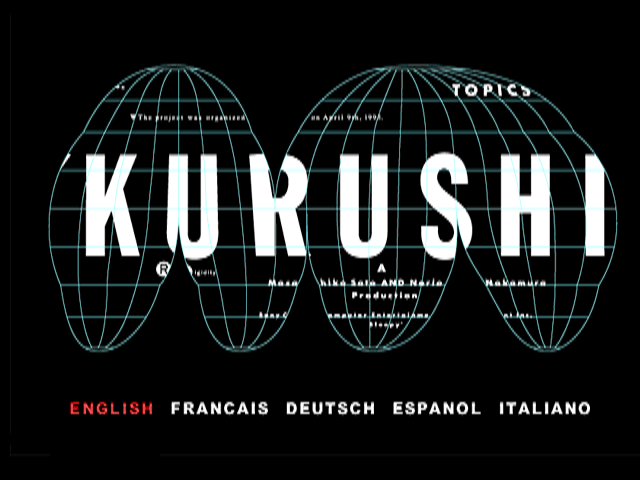
Obviously with different names come different title screens. The name change also results in the opening title FMV being omitted from the European version, rather than recreating it to accommodate the new name.
The Stage Bonus calculation after clearing a stage can be skipped in the Japanese version by pressing Square or Circle. In the US & PAL versions, only Circle works.
Japan |
US |
Europe |
|---|---|---|
 |
 |
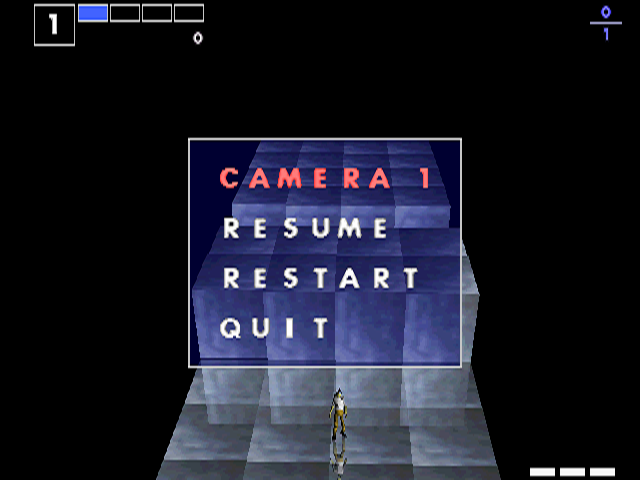 |
The options on the pause screen do the same thing in each version but have different labels. Selecting the options in the Japanese version does not require confirmation afterwards, others do.
|
Japan |
US/Europe |
|---|---|

|

|
The main menu options are singular in the Japanese version. Also, the Controller menu option is known as Key Config.
The US and European versions print out memory-related information to any attached debuggers throughout the gameplay. The Japanese version instead only prints info regarding screen state changes and play area resizing.
The credit sequence is also different between the Japanese and other versions. The Japanese version has the player character running down a cubed floor emblazoned with the credits while spotlights swing around. The others meanwhile have boring-by-comparison vertical scrolling white text on a black background.
|
Japan |
US/Europe |
|---|---|